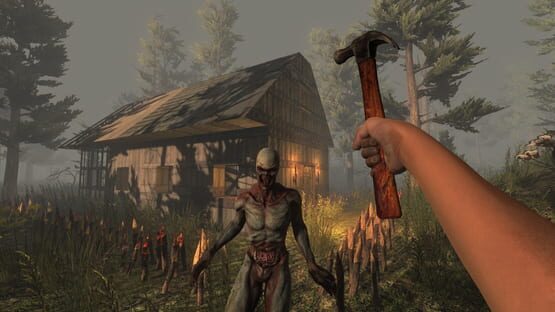
 Genre: Shooter, Role-playing (RPG), Simulator, Strategy, Adventure, Indie
7 Days to Die
7 Days 70% Off Survival Fest
7 Days to Die is now on sale for 70% off from August 1st to August 8th for Steam’s Survival Fest Sale.
Play the Survival Game that came first. Navezgane awaits!
https://store.steampowered.com/app/251570/7_Days_to_Die/
A20.6 b8 EXP
While Alpha 21's production goes full steam ahead, there are a list of fixes compatible with A20 we did not want you all to wait on any longer!
To participate:
1. right click on the game in steam
2. click on properties
3. click the "betas" tab
4. the drop down menu will have latest_experimental available ← you want THAT
5. select that and wait for the game to download.
Due to Microsoft requirements, custom prefabs can no longer be saved directly to the game folder.
They will be saved to the User Defined Folder (UDF).
This default location is:
\AppData\Roaming\7DaysToDie\LocalPrefabs
To avoid having to re-save each POI one at a time in the prefab editor, all POI's currently located in...
\Steam\steamapps\common\7 Days To Die\Data\Prefabs
...should be manually moved to the UDF.
The UDF can be declared in the game launcher as a command line parameter.
Add the following to the command line:
Format:
-UserDataFolder=
Example:
-UserDataFolder=C:\MyUserData
The UDF can also be set in the serverconfig.xml file.
Format:
Example:
A20.6 b8 Changelog
Added
- JunkDrone NPC menu entry for toggle ally healing.
- News window in main menu
- DBS/F11 screenshots are now showing the world gen seed
- GiveXp command
Changed
- Storage and Service sounds to be consistent between vehicles and the drone.
- Friends, History and LAN tabs in server browser now ignore filters and show all entries
- Vultures don't auto aggro on players in vehicles
- Updated repair and harvest items on gas pumps and vending machines to discourage exploits
Fixed
- Localization needed for drone ally healing
- ModRoboticDroneModCooldown and Desc needs localization
- Drone sounds don't affect stealth.
- Vehicles storage access not playing sounds or adding to player stealth.
- Drone receives buff from charismatic nature, nets +1 hp gain per hit at level 3
- Drone will trigger when motion sensor is set to strangers and zombies
- Drone pathing NRE when falling in Prefab Editor
- Drone can't heal abrasion when using a first aid bandage or kit
- Localization needed for drone ally healing
- ModRoboticDroneModCooldown and Desc needs localization
- Error with the drone with multiple cargo mods on a dedi, after a long play session.
- EAC crashing the game on macOS Monterey
- Key rack in diner_03 triggers a shutter in the poi next to it.
- Seeds cannot spawn in trader loot.
- Imposter blocks for poi abandoned_house_03.
- Workbench crafting tool mod dupe
- Can't pickup nonsquare frames if inventory is full
- Store_grocery_03: On/off button on a forge becomes unresponsive
- Clients in playtest games receive an NRE after selecting the given LCB
- Harvested farm plots vanish when player inventory full
- Molotovs are always lit once you light the first one in the stack
- Workstations visually disappear when placing motion detecting equipment in the same chunk
- Accessing an aimable electrical component after doing a melee attack will make you repeat the attack
- BuffPerkGunSlingerBonus cvar doesn't clear during automatic fire if triggered with single shots
- Urban Combat Vol. 7 no longer works due to unlinked IsIndoors cvar
- Iron and steel spears disappear when thrown too far
- Underground crouching and sprinting can result in teleportation to surface
- Harvesting animals with full inventory results in lost items
- Damage mitigation buffs only give a HP refund to players, not actual damage mitigation
- Double XP killing a zombie while it is on fire using torch or any explosives.
- Using auger or chainsaw right before they're done repairing breaks item/hand placement and hand animation
- Vehicles collide with Sticky Projectiles
- Can not save prefabs on MS Store build Saved prefabs now always go to the LocalPrefabs folder in the UDF
- Can not create new worlds on MS Store build New worlds now always go to the GeneratedWorlds folder in the UDF
- "Show light performance" setting in the editor carries over to normal game
- Mod code being initialized twice if both legacy and new mod location exist and code mod being in the latter
- Saving during imposter creation kills POIs
- Creative menu stack size number decreases by right clicking single quantities of a grabbed stack into inventory
- Not trying to load mods twice if UserDataFolder is set to the game folder
- Players with nonlatin characters in their Windows user profile are unable to start game through the game launcher
- Typo on special infected group GS1 and GS50 zombieWightRadiated probability
- As client on a dedi, buried supplies are always in the South West Quadrant of the circle.
- Buried supplies/treasure chests can spawn below bedrock.
- Breaking weapon sound is not happening anymore.
- "NO TRADER" appears on starter quest if no forest biomes exist or no trader in nearby forest.
- ZombieSoldier backpack collision issue
- Fixed industrial light 2 lens flare being blocked at moderately low angles
- Fixed crawler and spider ragdolls shift back when blending out.
- Fixed street lamp LOD group thresholds being too low.
- Going from vehicle mod slot to clothing mod slot causes NRE
- Switching from drone's mod window to another mod window will transform the drone to the other item
- Iron and steel spears disappear when thrown too far.
- On/off button on a forge becomes unresponsive
- Knife harvest can easily hurt other players if they are standing near you
- Accepting invites / joining through friends list is not blocked while game is still initializing
- XBL invite creates new launcher and game instance if already running
- Unable to join servers with some player names
Easy Anti Cheat Support Changes for Legacy Builds
Alpha 20.4 and newer builds will continue to have EAC running through the Epic Online Services. We have chosen to use this service as it will make future game browser and network cross play support possible.
Cheers The Fun Pimps
7 Days to Die 70% Off for the Summer Sale
7 Days to Die is now on sale for 70% off from June 23rd to July 7th for Steam’s annual Summer Sale.
Buy it now!
A20.5 b2 Stable
Hello everyone!
Today we give you 20.5 stable with fixes for crashes and also a fix for the drone that caused issues in MP.
We are aware of the following regarding this build:
- We are seeing reports of the Discord overlay potentially crashing the game, please read here. Please scroll to "Overlay Issues".
- EOS issue with macOS Monterey, you can still play without EAC until this is fixed by EOS.
- Party voice for macOS does not currently work and needs to be fixed by EOS in a future update.
- Party voice currently not supported on Linux, waiting for a fix by EOS.
If you are not on macOS Monterey and you crash, you can try starting the game without EAC or run the game's 7dLauncher.exe directly from the game folder. If you can play then, great, but please help us by reporting the crash following the link below.
If you are still crashing, please take your time to report a bug, after reading this:
https://community.7daystodie.com/a20-bug-database/bug-pool/before-you-post-a-report-r1/
If you still crash before the game starts, we would need your launcher.log and the anticheatlauncher.log.
Please provide them in a bug report following the link above.
Mods folder
Due to restrictions from Microsoft, FUTURE updates may change the location of the Mods folder.
These restrictions make it so that the Mods folder can longer be in the same installation folder as 7 Days to Die.
You can specify the location of the UserDataFolder in the game launcher. The Mods folder can then be placed in that folder.
Add the following to the command line:
Format:
-UserDataFolder=
Example:
-UserDataFolder=C:\MyUserData
The UserDataFolder can also be set in the serverconfig.xml file.
Format:
Example:
Changelog:
A20.5 b2
Added
- Server browser now shows warning when results hit the search limit
- Localization files are tested for a valid header line and show appropriate errors
Changed
- Removed EAC compatibility warning on Windows 11
Fixed
- Voice comms fail for player who was voiced in multi player party who then leaves game to main menu then rejoins game and party
- Voice chat fails to initiate for latest joiner to the party
- EAC error after entering server password
- Reenabled player reporting
- UserDataFolder and SaveGameFolder did not allow gamedir relative paths
- PartSpawn in POI Marker doesn't pull parts from mod folders
- XUi FilledSprite view not properly updating on position changes
- Drone causing excess data in player data .ttp file on dedi
A20.5 b2 EXP
Hello everyone!
Please take your time and have a look at the new EXP build.
This build tackles several reasons that did cause crashes for some users.
We are seeing reports of the Discord overlay potentially crashing the game, please read here.
We hope in this EXP build, everyone can play again.
If you are still crashing, please take your time to report a bug, after reading this:
https://community.7daystodie.com/a20-bug-database/bug-pool/before-you-post-a-report-r1/
If you still crash before the game starts, we would need your launcher.log and the anticheatlauncher.log.
Please provide them in a bug report following the link above.
Please do not look for help in the discussion thread here, but go to the bug reports instead. The QA team is in there helping as soon as they can.
To participate:
1. right click on the game in steam
2. click on properties
3. click the "betas" tab
4. the drop down menu will have latest_experimental available ← you want THAT
5. select that and wait for the game to download.
Changelog:
A20.5 b2
Added
- Server browser now shows warning when results hit the search limit
- Localization files are tested for a valid header line and show appropriate errors
Changed
- Removed EAC compatibility warning on Windows 11
Fixed
- Voice comms fail for player who was voiced in multi player party who then leaves game to main menu then rejoins game and party
- Voice chat fails to initiate for latest joiner to the party
- EAC error after entering server password
- Reenabled player reporting
- UserDataFolder and SaveGameFolder did not allow gamedir relative paths
- PartSpawn in POI Marker doesn't pull parts from mod folders
- XUi FilledSprite view not properly updating on position changes
- Drone causing excess data in player data .ttp file on dedi
Alpha 20.4 b42 stable
While the majority of the team is heavy at work on Alpha 21, we are excited to give you A20.4 b42 stable today!
Server owners will need to add/modify these 2 new properties in the serverconfig.xml. These filters will help players find your server.
Values must be one of the following:
NorthAmericaEast, NorthAmericaWest, CentralAmerica, SouthAmerica, Europe, Russia, Asia, MiddleEast, Africa, Oceania
Values: Use any language name that your players would expect to search for. Should be the English name of the language, e.g. not "Deutsch" but "German". This is a filter name only and DOES NOT SET the language for players.
If no region is entered on the server end, you will not be able to find the server.
For everyone who played EXP:
There is no change between b41 and b42, we just had to adjust the buildnumber.
A20.4 b42 changelog:
Added
- Language selection under Video > UI. Defaults to the platform's language (on Steam the language that is selected in Steam for the game, otherwise the host system's language)
- EOS P2P networking for cross platform P2P games
- Destroy area attacks partial blocks it moves into
- AI ApproachAndAttackTarget decreases path update rate at farther distances
- Path generation canceling on a new path request
- Cr console command u, utimed and ue parameters
Changed
- Launcher on Windows now stores log files in %APPDATA%/7DaysToDie/logs folder
- Screenshots are stored in /Screenshots (i.e. the folder that also stores saves, e.g. on Windows %APPDATA%/7DaysToDie/Screenshots)
- Mods are now loaded from /Mods (i.e. the folder that also stores saves, e.g. on Windows %APPDATA%/7DaysToDie/Mods) in addition to /Mods. In a future build this will change to only load from that new location so no data is written/changed in the program folder at any time.
- Reduced sleeper volume attack target time
- Changed SkyManager to explicitly set shadowCustomResolution for the moon and sun lights based on the ingame "Shadow Distance" setting: 1k for Low/Medium, 2k for High, and 4k for Ultra/Ultra+. This gives more consistent results in terms of performance and fidelity when changing the setting, regardless of the user's output screen resolution.
- MacOS builds target x86_64 only for now until third party code supports M1 you can still run the game on M1 Macs with Rosetta, but you no longer manually have to enable it
- Reduced achievement goals for: Dying, PvP kills, game stage, and staying alive
- Favorite and history servers are now stored independently of Steam
- Removed display name from non-lootable produce baskets
- Improved path generation state switching and aborting
- Optimised SpeedTree shaders by multicompiling a version without FadeOut behaviour and automatically swapping to it whenever the FadeOut value is set to 1 (fully opaque).
Fixed
- Giving the same command line argument to the dedi multiple times causes exception but no startup abort
- Errors in dedi config does not cause the server to immediately shut down after the errors are logged
- Client side NRE spam after kicking a player with ESC menu open
- Opening the map on a controller attempts to open On Screen Keyboard
- Vulture sleepers flapping when spawned
- Cases of falling into ground if chunk colliders reallocated during baking
- Rare invisible chunk colliders if changed and cleared during baking
- Drone's light doesn't affect player stealth
- Junk drone dye not applying to all tint parts
- Drone dye displays differently between clients and hosts Dedi and P2P issues
- Only the first Drone Cargo Mod can be added by drag and drop
- Ranged actions doing tool belt notifies more than once per execute
- Sporadically vehicles can reload underground and get moved (IsChunkAreaCollidersLoaded check)
- Silly votes and actions conflict with each other.
- Activating quest marker at POI can reset adjacent POI
- Robotic turrets stop working when placed higher than where the player is standing
- Removed Unity Screen Selector option from game launcher as Unity does no longer support this
- 2 wheeled vehicles are very good at climbing vertical walls
- Zombie pathing/digging can fail/struggle when the player is too far underground
- Fixed shadow clipping bug in the SpeedTree8 shader by implementing Unity's SHADOW_CASTER macros to correctly handle shadow pancaking.
- Server list not updating the table when new data for an existing entry comes in
- Changing server list sorting did not apply until filters are changed or a new server shown
- Resetting filters in the server browser causes any filter fields that are min/max input only (like game days) to fail
- Playing doctor achievement triggers without proper requirements
- Billboard shapes had inconsistent harvest events
- Players can be damaged and rag dolled by vehicles on log in
- Treasure chest appears in the same spot as previously looted treasure chest.
- Occasional NullRef's when decapitating wolves, mountain lions and deer as client on dedicated server
- Typo with some repair lists using forged iron could not be repaired
A20.4 b41 EXP
Sending a small update out to fix some smaller issues and also update localization.
This also addresses the Linux issue that prevents players from using the audio options.
The same issue also rarely occured for windows users.
We wish you a good weekend!
Here's what changed since b39:
A20.4 b41
Fixed:
- Error when opening audio settings when EOS could not find any microphone and/or speaker device
- Servers do not announce themselves on Steam's backend
- Updated Localization.txt
A20.4 b38 EXP
Today we have the first experimental build for A20.4 for you!
Server owners will need to add/modify these 2 new properties in the serverconfig.xml. These filters will help players find your server.
Values must be one of the following:
NorthAmericaEast, NorthAmericaWest, CentralAmerica, SouthAmerica, Europe, Russia, Asia, MiddleEast, Africa, Oceania
Values: Use any language name that your players would expect to search for. Should be the English name of the language, e.g. not "Deutsch" but "German". This is a filter name only and DOES NOT SET the language for players.
To participate:
- right click on the game in steam
- click on properties
- click the "betas" tab
- the drop down menu will have latest_experimental available ← you want THAT
- select that and wait for the game to download.
We hope you will have fun with it!
A20.4 b38 changelog:
Added
- Language selection under Video > UI. Defaults to the platform's language (on Steam the language that is selected in Steam for the game, otherwise the host system's language)
- EOS P2P networking for cross platform P2P games
- Destroy area attacks partial blocks it moves into
- AI ApproachAndAttackTarget decreases path update rate at farther distances
- Path generation canceling on a new path request
- Cr console command u, utimed and ue parameters
Changed
- Launcher on Windows now stores log files in %APPDATA%/7DaysToDie/logs folder
- Screenshots are stored in /Screenshots (i.e. the folder that also stores saves, e.g. on Windows %APPDATA%/7DaysToDie/Screenshots)
- Mods are now loaded from /Mods (i.e. the folder that also stores saves, e.g. on Windows %APPDATA%/7DaysToDie/Mods) in addition to /Mods. In a future build this will change to only load from that new location so no data is written/changed in the program folder at any time.
- Reduced sleeper volume attack target time
- Changed SkyManager to explicitly set shadowCustomResolution for the moon and sun lights based on the ingame "Shadow Distance" setting: 1k for Low/Medium, 2k for High, and 4k for Ultra/Ultra+. This gives more consistent results in terms of performance and fidelity when changing the setting, regardless of the user's output screen resolution.
- MacOS builds target x86_64 only for now until third party code supports M1 you can still run the game on M1 Macs with Rosetta, but you no longer manually have to enable it
- Reduced achievement goals for: Dying, PvP kills, game stage, and staying alive
- Favorite and history servers are now stored independently of Steam
- Removed display name from non-lootable produce baskets
- Improved path generation state switching and aborting
- Optimised SpeedTree shaders by multicompiling a version without FadeOut behaviour and automatically swapping to it whenever the FadeOut value is set to 1 (fully opaque).
Fixed
- Giving the same command line argument to the dedi multiple times causes exception but no startup abort
- Errors in dedi config does not cause the server to immediately shut down after the errors are logged
- Client side NRE spam after kicking a player with ESC menu open
- Opening the map on a controller attempts to open On Screen Keyboard
- Vulture sleepers flapping when spawned
- Cases of falling into ground if chunk colliders reallocated during baking
- Rare invisible chunk colliders if changed and cleared during baking
- Drone's light doesn't affect player stealth
- Junk drone dye not applying to all tint parts
- Drone dye displays differently between clients and hosts Dedi and P2P issues
- Only the first Drone Cargo Mod can be added by drag and drop
- Ranged actions doing tool belt notifies more than once per execute
- Sporadically vehicles can reload underground and get moved (IsChunkAreaCollidersLoaded check)
- Silly votes and actions conflict with each other.
- Activating quest marker at POI can reset adjacent POI
- Robotic turrets stop working when placed higher than where the player is standing
- Removed Unity Screen Selector option from game launcher as Unity does no longer support this
- 2 wheeled vehicles are very good at climbing vertical walls
- Zombie pathing/digging can fail/struggle when the player is too far underground
- Fixed shadow clipping bug in the SpeedTree8 shader by implementing Unity's SHADOW_CASTER macros to correctly handle shadow pancaking.
- Server list not updating the table when new data for an existing entry comes in
- Changing server list sorting did not apply until filters are changed or a new server shown
- Resetting filters in the server browser causes any filter fields that are min/max input only (like game days) to fail
- Playing doctor achievement triggers without proper requirements
- Billboard shapes had inconsistent harvest events
- Players can be damaged and rag dolled by vehicles on log in
- Treasure chest appears in the same spot as previously looted treasure chest.
- Occasional NullRef's when decapitating wolves, mountain lions and deer as client on dedicated server
- Typo with some repair lists using forged iron could not be repaired
Spring 70% Off Sale
It’s spring now and to celebrate 7 Days will be on Sale for 70% Off from April 4th - April 11th.
Play the definitive zombie survival sandbox RPG that came first. Navezgane awaits!
https://store.steampowered.com/app/251570/7_Days_to_Die/