

A Dance of Fire and Ice
ADOFAI New Beta Version 1.12.0 (r71)
Custom Level Select:
- Search by song/artist name
- Added sorting options
- Newly downloaded levels have a "New!" indicator
- You can now skip tutorials on already played levels
- Fixed gems/chains appearing when there are no levels added
New Editor features:
- New "Add Text" event, which adds a block of text that can be moved like a decoration
- New "Set Text" event, which allows you to change text decorations by tag
- New "Scroll Screen" level event
- Backgrounds: Added option to toggle whether or not the tutorial BG shows if no image is present
- General: Added ctrl + shift + C / X commands, which allow you copy/cut only the event you currently have selected, rather than all the events on the currently-selected floor
- Added color property to decoration events
- Added confirmation window for unsaved changes when closing the level editor or changing the edited level
- Added level category tabs + favorites tab (right click in other categories to set a favorite event, right click in the favorites category to remove a favorite event)
- Added "Tunnel" filter
- Added "volume" Track Color type
- Screen Tile: Reduced minimum value to 0.1
Editor Bug Fixes:
- Camera speed now scales with speed trial speed
- Fixed undo-ing into a state with no floor selected (used to make the floor buttons get stuck)
- Selections no longer cause "unsaved changes"
- Fixed tile copy flash
- Floor highlight now vanishes properly when deselecting floors
- Fixed color picker saturation knob not moving to the right position
Game:
- Added mute indicator on top right of screen if game volume is 0
- Graphic tweaks on 4-X
- Size and RAM optimizations
- Tweaks on some levels for ultra widescreen support
- Lots of small tweaks
Rhythm Doctor is out TODAY! (+ ADOFAI News and Bundle)
Much like A Dance of Fire and Ice, Rhythm Doctor is a one-button rhythm game meant to explore rhythm gameplay in a new way. By pressing the Spacebar on the 7th beat, you can save patients' lives by synchronizing with their heartbeats.
The Early Access release also includes...
- 20+ handmade levels, each with their own story.
- A large cast of doctors and patients to meet in the overarching narrative
- Robust level editor to make, share, and play community levels! Use your own music, place notes snapped to the beat, and use 50+ different visual effects and backgrounds
- Challenging "Night Shift" versions of each level for the brave
The game is currently launching in English, Korean, and Chinese (Simplified + Traditional.) A localization for Brazilian Portuguese and Spanish will be added in a future update in the next few weeks.
Our community has made hundreds of really incredible custom levels, you can find them by joining our Community Discord: discord.gg/rhythmdr
Owners of A Dance of Fire and Ice can receive a discount on Rhythm Doctor by using our "Rhythm Doctor + A Dance of Fire and Ice Bundle": https://store.steampowered.com/bundle/20117
We would also like to announce that more updates are coming to A Dance of Fire and Ice later this year! Thank you for your patience as we launch Rhythm Doctor. We are excited to return with new updates later in 2021. We and our Community mods have been playing incredible community levels over the months, and collecting many of them in our RDL Constellations collection: [link]
Thank you for playing!
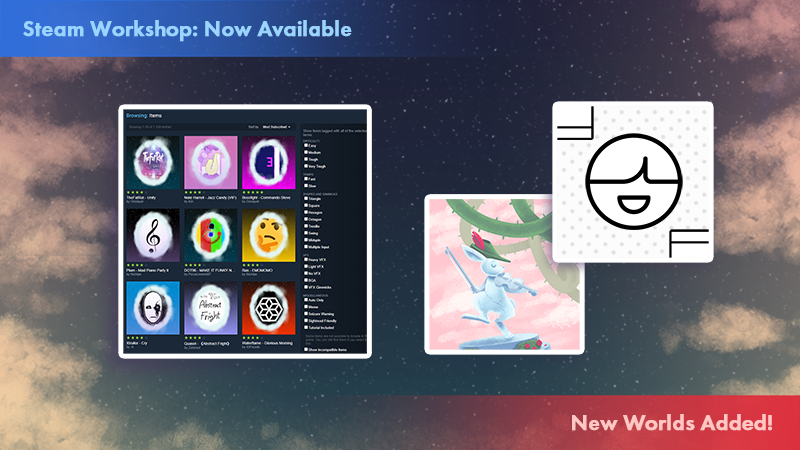
Steam Workshop Support Added!
Version 1.11.0 release notes
Steam Workshop support is here!
Visit our Workshop to easily browse custom levels made by the community. Download a level you’d like to play by clicking the green “Subscribe” button, then the level will appear in the Custom Level Select section of the game’s main menu. If you’re looking for some great levels to start with, try the levels that rank high in the “Most Subscribed” tab or levels tagged with the “Easy” or “Medium” difficulty.
Another great place to start is to download the levels from the RDL Constellations collection, which is a set of levels recommended by the moderator staff on our Discord Server.
A new Xtra level, ‘Rose Garden’, has been added! The song is by RoDy.cOde, and the level is created by hotduck, LUMI, and NumbEr07. Test your skills with sharp triangle turns in an elegant floating garden.
New difficult levels have been added in a new location, Crown Island, with:
‘One Forgotten Night’, with music by Quree and level design by Star4th.
‘Options’, with music by Frums. This level was inspired by a level created by PowerFactory.
New features:
- Steam Workshop + Custom Level Select: Access the Custom Level Select in the main menu to play custom levels. You can browse through all of the levels you have subscribed to on our Steam Workshop page.
- Adjustments of default timing strictness for levels faster than 310 bpm.
In ADOFAI, timing strictness is determined by the angles the planets make to the tiles, so the game becomes stricter as the planets move faster. This used to happen up to a cap of 500 bpm. After the cap, the timing doesn’t get more strict. From this version onwards, the cap is now 310 bpm in ‘Normal mode’, and 500 bpm in ‘Strict mode’. - Timing strictness option for fast levels:
You can now change the timing strictness upon starting the level, if the level is above 310 bpm.
‘Normal’ strictness will make any speeds above 310bpm have the same timing strictness as what it is at 310 bpm. ‘Strict’ timing strictness raises that cap to 500 bpm.
This change doesn’t affect the difficulty of any past official levels, since all official levels in the game so far have been below 310 bpm.
This change was done to enable more players to be able to experience faster custom levels. Experienced players can still use Strict mode to use the old timing strictness. Strictness is indicated in the bottom right of the screen.
(The ‘Red Otto’ symbol seen in the bottom-right corner of the screen in the previous versions of the game is the equivalent of Strict mode in the new version.) - New Shortcuts: From the Level Select screen, press Ctrl+Shift+E (Command+Shift+E on Mac) to open the Level Editor and Ctrl+Shift+C (Command+Shift+C on Mac) to open the Custom Level Select screen.
- Crown Island: If you’re looking for an even harder challenge, a new post-game set of levels will be unlocked for those who complete the bonus level B-X.
- The planets now have a sound effect when they explode. More sound effects coming soon, from our new sound designer s9menine! If you'd like to disable it, press Ctrl-Shift-D during a level or in the level select.
- Multiple hits: multiple keypresses in a single frame are now properly detected as multiple inputs, rather than the extra keypresses being dropped, so you no longer have to stagger your inputs when there are hits very close to each other. These are only allowed for singular double-hits, not on long consecutive hits, so that you still can’t cheese them by playing them at half-speed with two keys per hit, e.g. 123412341234 being played as [12][34][12][34].
New editor features:
- Editor Position Offset indicator lines now have an animated dotted line that indicates the direction of the connection
- Editor Floor Number markings (Ctrl+F on Windows, Command+F on Mac) and Position Offset line indicators now respawn on exiting the editor playback mode
- Color Picker: You can now set the color properties in the Editor by using a Color Picker to set the color. No more Hex Codes needed!
- Planet Decorations: Set decorations to be anchored to the movement of the planets themselves, so that the decorations will travel with them.
We are excited to see and play the worlds you come up with and add to our Workshop community! If you’re interested in publishing your level to the Steam Workshop, please read this guide to make sure your song has verified permission and that there are no issues with the level: https://www.notion.so/7BG-Guidelines-278aa02ea60c41549641e75c0b69ba34
Thanks for playing!
Our fans run a Discord server where you can talk about our games and the level editor: discord.gg/rhythmdr
Twitter: https://twitter.com/adofai
Website: https://www.7thbe.at
Two New Xtra Worlds! Collaboration with "Project Arrhythmia"!
Version 1.10.0 release notes
We've added two new Xtra levels to the game!
A new Xtra level, ‘Final Hope’, has been added! The song is by Riya, and the level design is by Rikri. Test your skills with quick square-shaped corners and keep the beat through a heavy snowstorm.
Another new Xtra level, 'Distance', has been added! The song is by Meganeko and the level design is by Fancybread. This song is from Project Arrhythmia, a rhythm dodger game available now on Steam!
New editor features:
- Event Tags: Use tagging to specify which Events should be affected by others (for example: which Events to repeat using “Repeat Events”)
- Set Conditional Events: Set Events to trigger differently depending on condition (“trigger on Perfect hit”, “trigger on Miss”, etc.)
- Reposition Track: Set the track’s position from the start of the level. Use the “Editor Only” toggle to reposition the track for your own organization while using the Editor
- Two New Track Appearance Animations: Rise and Fall
- New Track Style: Basic
- New Event: Bloom
- New Visual Filter: Chromatic Aberration
- Change UI Size: Press Ctrl+Minus or Ctrl+Plus to make the UI smaller or larger.
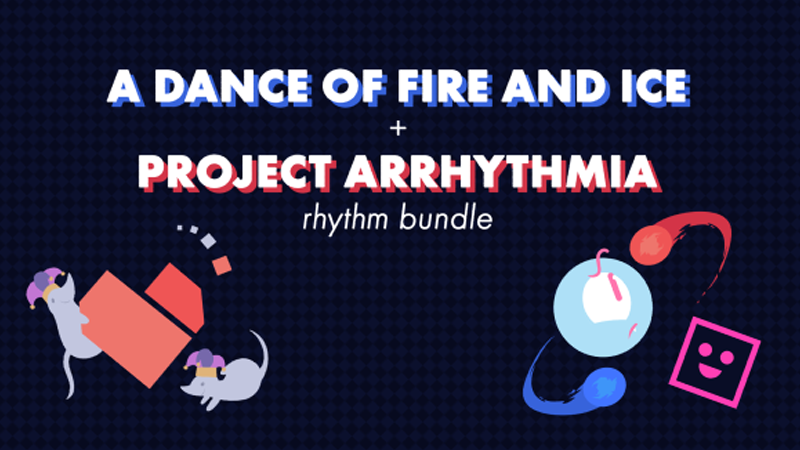
ADOFAI + PA Rhythm Bundle
To celebrate our collaboration, you can get A Dance of Fire and Ice and Project Arrhythmia together in a bundle for 10% off! Enjoy these two unique indie rhythm games, or complete your set if you're already a fan of one!
You will still receive the discount even if you already own one of the games.
Thanks for playing!
Our fans run a Discord server where you can talk about our games and the level editor: discord.gg/rhythmdr
Twitter: https://twitter.com/adofai
Website: https://www.7thbe.at
Rhythm Doctor - Steam Game Festival Demo
You can find the game at its Steam Store Page, and find the Festival demo here.
What is Rhythm Doctor?
Rhythm Doctor is a one-button rhythm game where you heal patients in a hospital by synchronising shocks to their heartbeats. Each patient has a unique heartbeat to sync to. Inspired by the Rhythm Heaven series, the game focuses on simple-looking rhythms and then tries to catch you off-guard, throwing fiendish tricks to throw you off-rhythm!
What's in the Demo
- Four levels from the full game, each one with unique tricks to throw you off-rhythm
- A Sleeve Painter tool for you to draw your own personal sleeve and express yourself in freehand
- A new guided calibration tool to ensure the game is accurate for your setup
- The latest version of our level editor
- Some secrets for the determined
- If you have a friend, every level can be played in local two-player mode
- Each level is perfectly synced (we're musicians and off-beat games hurt us)
Frequently Asked Questions
I want more!
Have you played the original flash demo from years ago? The levels there are totally different from the newer ones in the Steam demo, but we think they're still pretty good!
Simple?! These levels were really difficult!
We wanted to give a taste of levels from the easy to the hard end. Rest assured that the full game has many levels in between these to slowly train up your defibrillation skills.
You've been making this game for 1343 years.
Yes...
Thanks for playing!
Thanks for checking us out. If you liked the demo, you can wishlist the game to be notified when we release. If you have bug reports, questions or feedback, we're real active on the Rhythm Doctor Discord. Come and say hi!
New World Added! Xtra World: Credits
Version 1.8.1 release notes
A new Xtra level, ‘Credits’, has been added! The song is by Frums, and the level design is by Exschwasion. Test your skills by surviving square-shaped paths and angled turns in a lo-fi digital world.
New editor features:
- Checkpoints: You can now add a checkpoint into your custom level! Players will start from this tile upon failing the level.
This update was added at the beginning of the month, but maybe you haven’t played it yet. In the next few months we will be continuing to add more levels, editor features, and planet color options. Later in the year, we’ll be adding a section of the game to make it easier to import, organize, and play custom levels without needing to play them in the editor.
Thanks to the new editor features, we’ve seen a lot of really incredible custom levels made by the players. We hope you look forward to more updates!
Thanks for playing!
Our fans run a Discord server where you can talk about our games and the level editor: discord.gg/rhythmdr
Twitter: https://twitter.com/adofai
Website: www.7thbe.at
New World Added! World 12: Artificial Chariot
Version 1.7.0 release notes
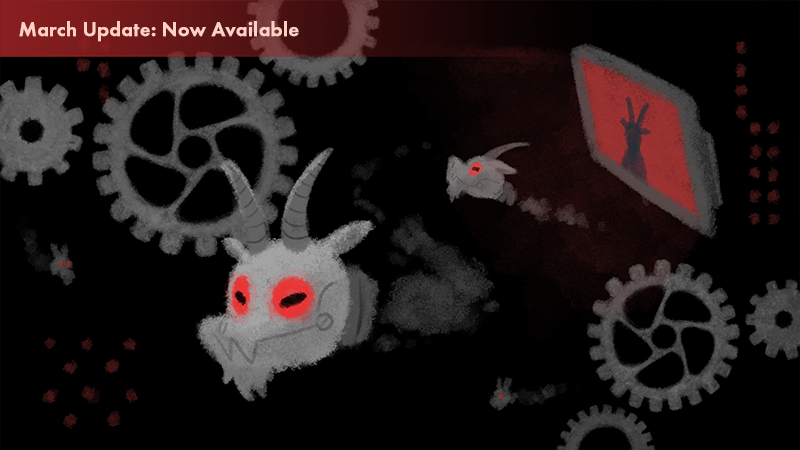
World 12, ‘Artificial Chariot’, has been added! The song is by Riya, of Butterfly Planet fame, and the level design is by SimsimHI. Test your skills with navigating tight turns and evading robotic goat drones!
New features:
- Planet Colors: You can now choose new planet colors in the main area of the level select menu. You unlock the colors by completing the first six worlds. If you unlocked the Golden Planets for mastering the game, you can toggle them on and off by using this feature. Customize your planets with different color combinations!
- Xtra Levels: On the main menu, you can now travel to an island of extra bonus levels after you complete World 6. The levels in this section are not a part of the main progression of levels to beat the game. They don't have individual achievements tied to beating them. They will sometimes have hand-drawn art assets, they sometimes won’t. They sometimes have tutorials, they sometimes don't. They’re just extra levels to play, of a wide variety of difficulty levels. More levels will be added to this section in the future.
New editor features:
- Moving track chunks: Select a tile, then hold Alt while clicking to drag selected track areas to different places! This is for the level creator’s use only, and is useful for visually untangling overlapping track segments. It has no effect on the gameplay. Moving a track piece close to another tile will snap them together. This works well in conjunction with Shift+Left/Right and CTRL+Shift+Left/Right for more precise area selections
5 new visual filters: Static, Film Grain, Motion Blur, Fisheye, and Funk - Orbit Easing: A new setting allows you to separate the orbit’s easing speed into multiple parts
- Tile Numbering: Press Ctrl+F to display numbers on your tiles while you edit the track
Improvements and bug fixes:
- Fixed a bug where you would continue to hear the sound effects of the track play after you lose
- Various game and level editor bug fixes
We hope you enjoy the new customization features. We’ll be looking into adding new colors or new ways to customize in the future. We’re also working on World 13.
Thanks for playing!
Our fans run a Discord server where you can talk about our games and the level editor: discord.gg/rhythmdr
Twitter: https://twitter.com/adofai
Website: www.7thbe.at
New World Added! World 11: Heracles
Version 1.6.0 release notes
World 11, ‘Heracles’, has been added! The song is by the musician Yooh , whose music you might have heard in other rhythm games like SOUND VOLTEX. The level design is by Exschwasion, with tutorial tracks contributed by Riya. Test your skills with a variety of track shapes in this high-energy, high-tempo battle.
New level editor features:
- Decorations: You can now Add or Move Decoration events. This allows you to upload images and place them throughout the level, separate from the background layer
- Orbit Easing: Set Orbit Ease level settings or events. Now the planets can rotate with a little more customization between notes
- Two New Track Styles: Neon Light and Gems
- Undo and Redo: Use Ctrl-Z and Ctrl-Y to undo and redo your changes in the editor
Improvements and bug fixes:
- You can use F5 and F7 keys to make Pentagons and Heptagons in the level editor (There may be a few bugs with this for now)
- You can now lock the Rotation property for backgrounds, so that they don’t rotate during the level
- Improved scrubbing for Move Tiles event
- Tile icon black outline bug fixed
- Update to UI: Properties that are useless will become greyed out
- If open a custom level with a high tempo detected, Otto will get a little flustered in the corner.
Happy New Year! This also happens to mark one whole year of free updates, we hope you’ve been enjoying everything we've added so far. We have more updates planned for 2020, so be ready for some very challenging levels in the future. We’ll also be adding a few more level editor features along with them.
What’s your favorite level so far? And which level has been the hardest for you to beat? Let us know in the comments, we’re very interested.
Also...don’t forget that you can find other players’ custom levels by joining our Discord server: discord.gg/rhythmdr
Thanks for playing!
Twitter: https://twitter.com/adofai
Discord: https://discord.gg/rhythmdr
New World Added! World 10: Butterfly Planet
Version 1.5.0 release notes
World 10, 'Butterfly Planet', has been added! The song and level design are by the musician and ADOFAI fan Riya. Test your skills with octagon turns and a fast tempo.
New level editor features:
- Move Track: Now you can move or rotate the track’s tiles around the screen. Now your level can be way more lively!
- Sticky Tiles: Use these to keep the planets attached to the track while the track is moving or rotating.
- Icon Outlines: Now you can toggle whether the Spiral, Rabbit, and Snail icons have an outline around them, to make them easier for the player to see.
Improvements and bug fixes:
- Cloud saving works better! If you lose your data, you can restore based on your achievements in the options menu
- Level Editor shortcuts: + and - on keyboard for zoom
- Level Editor shortcuts: shift + left or right to highlight multiple, Home and End to jump to start and end
- Achievements now pop up correctly as you unlock them
- Pause menu scroll sensitivity increased
- Various level editor bugfixes
- Mac compatibility bugfix
- Removed splash screen due to breaking on some setups
- Reduced intensity of the background flash at the end of levels a bit. It was a little painful
Thank you all for your support! We hope you enjoy the new world and the new editor features. We’ve seen some very, very impressive custom levels on Youtube and we love watching them. We look forward to adding more new features and levels in the future!
Thank you for playing!
New World Added! World 9: Classic Pursuit
Version 1.4.0 release notes
- World 9, 'Classic Pursuit', has been added! The song is by the musician cYsmix, and the level design is by Aratonati. Test your skills with tight corners while escaping an alien invasion!
New level editor features:
- New custom background options: Now you can make custom backgrounds loop, or even have a parallax effect! Set backgrounds to tiled for funky repeating patterns, or set them to unscaled and set the size of the background yourself, allowing you to make sprawling landscapes that you can explore throughout your level!
- Camera settings: Now you can set the camera at the very start of the level! Want a cinematic angle right off the bat for your favorite action movie song? Well go ahead and make it a reality!
- Color and animate track events: The Change Track event has been replaced with two new events: Color Track and Animate Track. You’ll be able to do the same things you’ve always been able to do with the original Change Track event, but now you don’t have to worry about managing a single gargantuan event each time!
- New track color options: Now you can add a pulse effect to animated track color types (glow, etc.), letting you make cool waves of color that move throughout your level. Speaking of animated track color types, there’s now a few more you can play around with; Blink and Switch color types will give you plenty to experiment with! Tip: Set pulse length to 2 for a fun disco pattern!
- Recolor track event: Introducing Recolor Track! This will allow you to change the color - and even the style - of a section of track, right in the middle of your level! Now you can do cool effects, like changing the color of the whole track to fit the mood at different points in a song, among other things. See what cool things you can come up with!
- Set filter event: Introducing Set Filter! This lets you add all kinds of cool filters to your level. Make the game look like it’s on an old 80’s TV, or like it’s on an arcade machine, or add some rain, or even make it look like a pencil drawing! You can even add several filters at once! VHS recording in a blizzard? Yep!
- Hall of mirrors events: Introducing Hall of Mirrors! Have you ever won Windows Solitaire? Well add a little of that fun card-snake magic to your level! It might look a bit weird on its own, but try combining it with background flashes, or even some filters!
- Shortcuts panel: Don’t know how to use the fancy keyboard shortcuts needed to use some of the editor’s features? Just press ctrl + H - or click “Help” in the file actions panel, to get a handy little panel telling you all the shortcuts you’ll need to know. Now you’re creating with power!
Improvements and bug fixes:
- Editor: fixed possible desync when starting in the middle of a level (thanks Nichipe!)
- Editor: starting in the middle of a level with large offset no longer adds an extra long delay before starting
- Midnight Train can keep up with the planets during Speed Trials
- Added swirl arrows to Spin 2 Win
- Added portal art for bonus stage
- World name is now localised
Thank you all for your continued support! We hope you are enjoying the new levels, and enjoying the level editor. We've seen some very, very amazing custom levels on Youtube and in our Discord channel.
Our next update to the game will be focused on the level editor and other small improvements. The next update after that will have another new level. Let us know what you think of the new levels so far! There are now 3 of them, which can be accessed by landing on the gems in the Level Select menu to reach the lower half of the menu.
Thank you for playing!
Twitter: https://twitter.com/adofai
Discord: https://discord.gg/rhythmdr