

AI War 2
Beta 3.502 Input Salve
Still in the beta branch for right now.
This one fixes a ton of bugs, including almost all the ones that I mentioned in the last release (not the mis-centering in the galaxy map, which is a minor cosmetic thing really).
1. It also has come to my attention that the game hangs sometimes on start for some people, across OSes, on the latest betas. A lot of investigation went into that today (you can see it on discord if you want in chris-talks-code-gameplay), and the end result is that unity is definitely having a bug where sometimes it will just take its ball and go home during loading from asset bundles. It's some sort of cross-threading thing, and I've done a bunch to mitigate that, but there's still some other things I can do. I haven't seen any mention of this on unity's issue tracker in recent builds, so this is either a regression on their part or it is resources.load() conflicting with asset bundle loading. Either way, I'd rather not wait for them to fix it, and reproducing it is spotty at best. Anyhow, so that's improved, but may not be gone entirely.
2. Input handling, on the other hand, is VASTLY improved compared to the last half month. I made a number of changes in July that were attempting to help with some unusual control schemes that one user wanted to do, and it wound up fouling up things for everyone. Today I've revised that code further and it now works better than ever (knock on wood, so far as I can tell), although the one use case that individual wanted isn't possible anymore. But the code is a lot more brief and clear and functional than it was prior to the foulup, so that's nice. And our new double-click handling improvements are still all here.
3. Fixed an exception popup in the last build if you didn't have DLC3 installed, and that was preventing random factions from working. Those now work!
4. Tooltips now work flawlessly again, versus being strange like they have been for the last half month or so in the beta branches.
5. Some more metal and energy consumption fixes, this time provided by NR SirLimbo.
6. Mod updates by SirLimbo, and also cml added support for random factions to his mod.
7. Plus just more random exception fixes relating to recent changes on the beta branch.
More to come soon.
Enjoy!
Beta 3.501 Shot Compression And Bugsmashing
This one has a major new feature in it that NR SirLimbo has been wanting to put in for a while, and he was waiting for the next big beta period (that's now!) to do it. It's called "shot compression," and it's basically like stacking for shots. In a lot of respects, it lets stacks of ships with multi-shot abilities work a lot more like they do when they are not stacked, replacing a number of more ad-hoc types of approximation that I had put in over the years instead. I like this solution a lot, but SirLimbo notes that it definitely does need more testing by folks.
This build also adds the major feature of RANDOM FACTIONS to the base game! That was a cool feature that Badger cooked up, and it was going to be in DLC3 for a while, but instead it's free to everybody. We'll properly announce that as a marquee new feature when we come out of the beta branch, but for now folks willing to deal with this beta period can go nuts. :)
In other news, since the release of that last build there were certainly a number of bugs that folks have reported, and some of those are fixed while others are still a work in progress. It's coming fairly quickly so far, knock on wood, and hopefully a release tomorrow will affect the last really large things.
1. Fixed a whole mess of exceptions and errors that could happen, many of which predated the beta period, at least for multiplayer.
2. The ability to use HDR displays apparently was causing certain displays to be very dark. At least I hope that's what it was. There's no good reason for this game to use HDR displays, to be honest, so I just turned that back off.
3. Fixed some super longstanding Astro Train bugs, so now they work properly.
4. Fixed some even MORE longstanding bugs relating to energy and metal displays per planet, and things like that. There were a number of them that were showing correctly in one spot (and calculating correctly for the actual bonuses), but then showing incorrectly on a variety of screens. That's all consolidated now and shows correctly everywhere now.
5. Notifications at the top of the screen don't flicker anymore (that was a regression in the last version).
6. Galaxy map icons now react visibly to being hover-over, like icons in the planet view do. This makes things feel so much more responsive! Also, the underlays behind planets react like their planet itself, which is also really helpful when you're using the search tool in particular.
Major bugs still known:
- Hovering over units and planets on the galaxy map DOES always highlight them (so the hovering is working perfectly), but the actual tooltip does NOT always show up. There are some other places in which the tooltip also does not always show up correctly.
- Double-clicking and a few other mouse items are acting a bit funky. I need to read those reports in more detail.
- Going into the lobby the first time is still mis-centered.
- Some various other exceptions that folks have run into and reported.
I'm hoping to have those things wrapped up tomorrow, and then we'll see what new things folks run into as it gets more and more stable here. It is annoying to have a bunch of code regressions, but that's part of the territory when making such large changes. These should hopefully pass quickly, and in general things just feel so much more smooth!
More to come soon.
Enjoy!
Beta 3.500 Data Integrity And Game Tech Upgrades
This one is on the beta branch! In Steam, you will need to select current_beta to see it. On GOG Galaxy, you'll need to select Beta. In the game you should then see 3.500 as the version.
On Steam, there is a most_recent_stable_beta if you have problems with this one and need to fall back to 3.313 as the previous beta.
So what's going on with this release? Well... a lot!
1. We've upgraded the version of the unity engine that we're using by a lot of versions, and so now we have native M1/Silicon support for macs, as well as better support for OSX and Linux in general. Also also, it's probable that the bug with Radeon cards on OSX in Metal is fixed.
2. I made a ton of improvements visually and performance-wise to the main menu yet again, so that runs better than ever even on very low-end machines.
3. There have been a number of UI performance improvements in general. Visually nothing is different much.
4. Random bugfixes, but really only a handful of them in the main.
5. A HUGE architecture rework when it comes to how data is loaded and pooled. It turns out that we were having a ton of memory leaking out in various ways, and I've now pretty much entirely put a stop to that. Thanks to Daniexpert for bringing this to my attention. This particular thing is so overwhelmingly large in how much of the game that it touches that there may be some lingering bugs that are unknown, and there are a handful of fairly minor known issues listed in the release notes, too.
6. There are now anti-memory-leak tools for modders and faction developers to be able to monitor their own stuff, too. So far just by watching at the OS level, it doesn't look like much is leaking there at the moment, if anything, but it's nice to have.
7. The memory leak work, which was extensive, also doubles as a helper for multiplayer client integrity checking. I haven't gotten into that yet, but it's going to be very useful for getting the last of the MP oddities out of the way.
Known issues? Sure:
- Centering is off when going into the lobby usually the first time.
- Notifications at the top of the screen flicker at the moment.
- Mods: Chrysalis Devourer and Kaizer's Marauders are probably re-broken despite SirLimbo just fixing them a bit ago.
- Mods: The Reprocessors mod is likely broken until it gets a code update.
- All other other mods should be working fine from what we can tell.
- Unknown factor: not sure if we are clearing playeraccounts the proper amount, in multiplayer in particular. Will need testing by me.
- Unknown factor: who knows what else is wrong. This has been a tectonic shift for the game. But those are the known issues, at least.
- Unknown factor: It is probably going to be important to check that things like the Zenith Miner Mining, and any other units with particle effects (Zenith Miner Probe, etc) all are properly working and not getting stale, too.
- Unknown factor: Same deal with some of the special effects, like lightning blasts and such. Those haven't been tested yet, and are at a minor risk of having the same problem, although the code review looks good so far.
This has been an absolute slog and a ton of work, but I'm really pleased with how much more responsive the game is, and all the new power and capabilities. This is one of those items that wasn't on my radar at all, but I'm glad I was able to put in the time and get it improved. Now let's just have fingers crossed that we don't run into too many regression bugs over the next days and weeks.
More to come soon.
Enjoy!
Beta 3.313 Input, Selection, And Flagships
This one is on the beta branch! In Steam, you will need to select current_beta to see it. On GOG Galaxy, you'll need to select Beta. In the game you should then see 3.313 as the version.
For now, we're going to leave 3.309 as the main non-beta version for everyone. These new builds are killer, and bring a lot to the table, but are buggy in the short term because I had to change so much, and I can't remotely find every edge case when making such large changes.
This one changes the input system around a lot in a low level way, so it should feel a lot better.
This one also makes HUGE changes where you can suddenly select anything and everything -- enemy units, neutral things, etc. You can pause neutral units before you would even be capturing them. It also hides cloaked enemy units even from your sidebar.
Stationary flagship mode is a really useful (but harder to get used to from the start) mode, and it has a "punch through" key of Z that lets you issue orders to a flagship in that mode. Now you can hold Z to give ignored-by-the-flagship orders to fleets NOT in stationary flagship mode. So you can use it either way, which is handy.
A laundry list of bugfixes in here, although there are still some issues with engineers that I'm aware of, and drones don't build, and a few other things. It should be plenty playable in the main, but there's some stuff that will need attention for sure.
More to come soon, as this shakes out and we find all the bugs and grind those into paste.
Enjoy!
3.312 Hotfix
This one is just a hotfix for a boneheaded compile chain error that slipped in at the last moment before I did the release last night. Sorry about that! This also has a few other random fixes and improvements in there from Badger and Zweihand, since they were already ready to go when I made the hotfix.
More to come soon!
3.311 Engineer Multitasking
(Reminder that if you have trouble with the build, you can always go into betas and choose most_recent_stable to go one build back. This is how I sleep at night after making some major changes.)
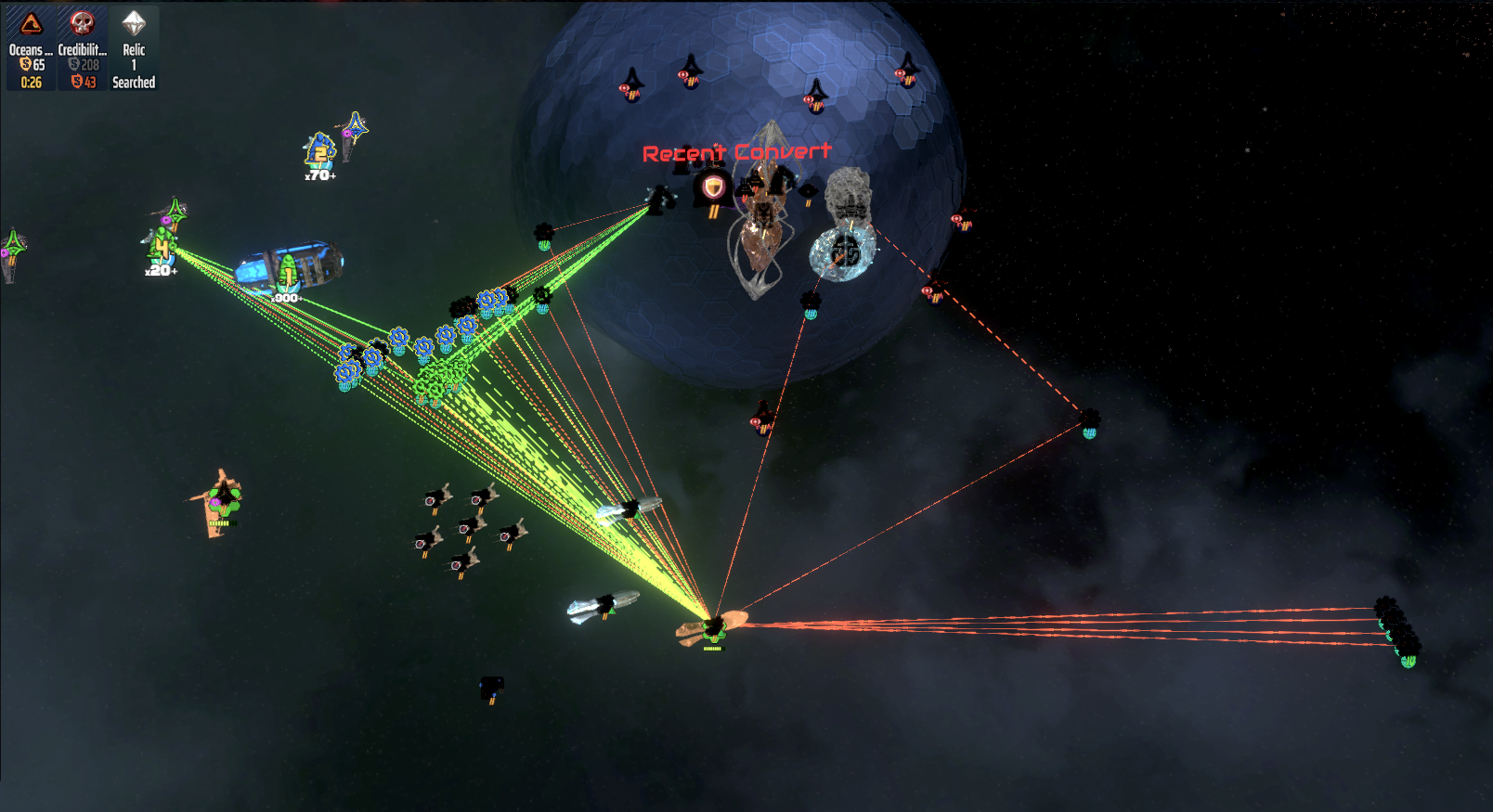
This one continues the improvements from the beta build I put out yesterday, which is rewriting a huge amount of how engineers make their decisions and how they go about their work in general. For one thing, did you know that engineers can do a bunch of things at once? Specifically, they can repair something, build something, and boost a factory all at the same time if they are in range of them all. This is not new, but it only ever drew one assistance line.
Now you can properly see all that sort of thing, and the lines themselves are more attractive and informative about the state of metal flows going to each thing. There are also slightly different line colors and styles for things like assisting construction of a structure versus boosting a factory versus doing a repair (before these were all identical).
The line visuals are more efficient on the GPU/CPU AND prettier now in general, which also includes tractor beams and a few other unrelated lasers and such.
Also, in terms of multiplayer, or assisting NPC factions, the math is finally settling down into something that is very close to correct. There's more things that I need to fix up with this, but it's demonstrably better than two releases ago, so I'm taking this back out of beta. Tomorrow I hope to finalize all the rest of this, but it will partly depend on feedback and what folks notice that might still be a bit off.
More to come soon.
Enjoy!
Beta 3.310 Engineering Intelligence Injection
This one is on the beta branch! In Steam, you will need to select current_beta to see it. On GOG Galaxy, you'll need to select Beta. In the game you should then see 3.310 as the version.
If you have a chance, please do try this new beta version, and pay careful attention to your economy and your engineers and repair, etc. There are still some known issues with engineers (getting indecisive at times, choosing not-the-optimal-order-I-say-in-the-release-notes to do things in), but I think that they're still actually more functional than the prior version. And I'm not aware of any other bugs right now that are new.
However, as with any version that changes so many things (this serious changed a LOT, and I still have more to do next build to get those last known things fixed), there is the chance for something to be dramatically wrong with it. Hence a beta that is possibly just going to last a day or so. If your economy is correct and not getting eaten by things improperly, then I'll be happy; that's honestly my main worry, because I changed so much there.
So what's up with this build in general?
1. Network privacy settings if you play by IP and are streaming and want to hide that from your screen.
2. Fix a bug that was causing slowdown by spamming the error log in the prior build.
3. Completely re-code most of the engineering logic, and a lot of how assistance from engineers is applied to things they are building or boosting, etc.
- Previously in MP, the person receiving help from your engineer paid for it instead of you. Some help you were! ;) Now you pay for it properly, as expected.
- Way more options on being able to help out allies in MP and even SP.
- Ability to boost factories in general in MP, or build things for allies.
- Fix to engineers running off to strange corners of the gravity well (and possibly same fix for melee units).
- New injection of intelligence in engineer priorities for what to build first, etc. (This doesn't work fully yet, but all the other new features do.)
- Engineers no longer move in small jumps to get to their target. They go there much more quickly and smoothly.
4. Bit of data savings, and several minor performance improvements.
5. Fix to the bug from the last few months where a lot of ship-to-ship lines were not drawn, AND a fix to them sometimes hanging around TOO long.
Feedback is really welcome, and I hope to get the rest of the remaining issues with these tomorrow, along with some other bugs and improvements. If you're curious how some of these longstanding engineers could last so long... well, check out my last playthrough, where I show myself playing the first two hours (gametime) of the game. Notice my use of engineers? Essentially, whatever was auto-created I let happen, and I ignored them beyond that. It's part of my general playstyle that I rarely have the extra metal to spare, and I play on accelerated time, so engineers just put me in the Drain economy state more often than not. It's a very strange thing not to play with engineers much, but I don't, and so I was completely blind to how prevalent this stuff was. Sorry about that!
More to come soon.
Enjoy!
3.309 Hangar Staff
(Reminder that if you have trouble with the build, you can always go into betas and choose most_recent_stable to go one build back. This is how I sleep at night after making some major changes.)
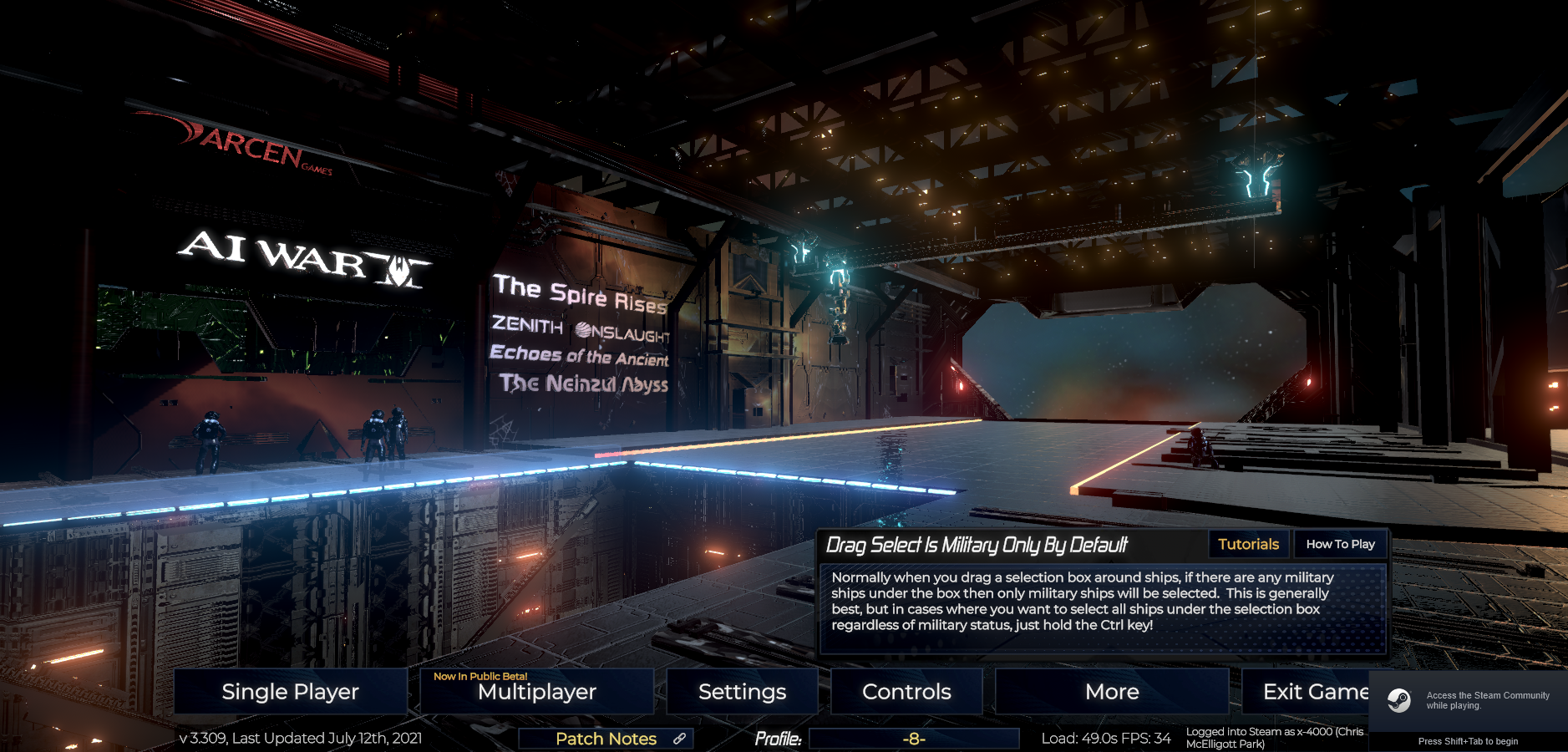
Wow, it's been over a week since the last release! I've really been pretty absorbed with some of the art updates, including all of the wormholes, and the title menu for the game (as shown below). I'm really pleased with how much more detailed it turned out, AND how much more efficient. The overall visual quality of the hangar scene in the main menu is much much higher, but it also probably runs much faster on every spectrum of machine.
We also finally have some human characters hanging around in the dock -- having a chat, waiting impatiently for doors that never open, and taking a break by themselves, respectively. This helps give a sense of what the scale of the doors and ships and objects are. And, per discussions on discord and unlike the Death Star, we did build in a safety railing.
Meanwhile, Badger made some notable improvements to hacking estimates. A lot of hacks didn't really give an indication of the strength of the response you are likely to see, but now do. He also improved the battle notification trigger code, making it easier to notice where battles that actually require your attention are located.
A couple of minor tweaks and fixes, and lots of updates to many mods by several authors.
More to come soon.
Enjoy!
3.307 Art Overload And The Devourer Chrysalis
(Reminder that if you have trouble with the build, you can always go into betas and choose most_recent_stable to go one build back. This is how I sleep at night after making some major changes.)
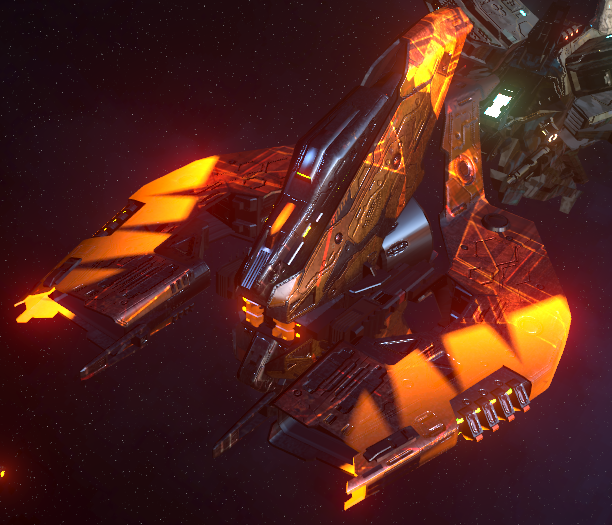
There are so many projects going on right now for AI War 2! Personally, I'm taking a pause from Expert (and the other related) modes, and working on some art upgrades and general artwork. There's something north of a dozen new or updated unit graphics in this particular build. I have on my todo list another... 140ish.
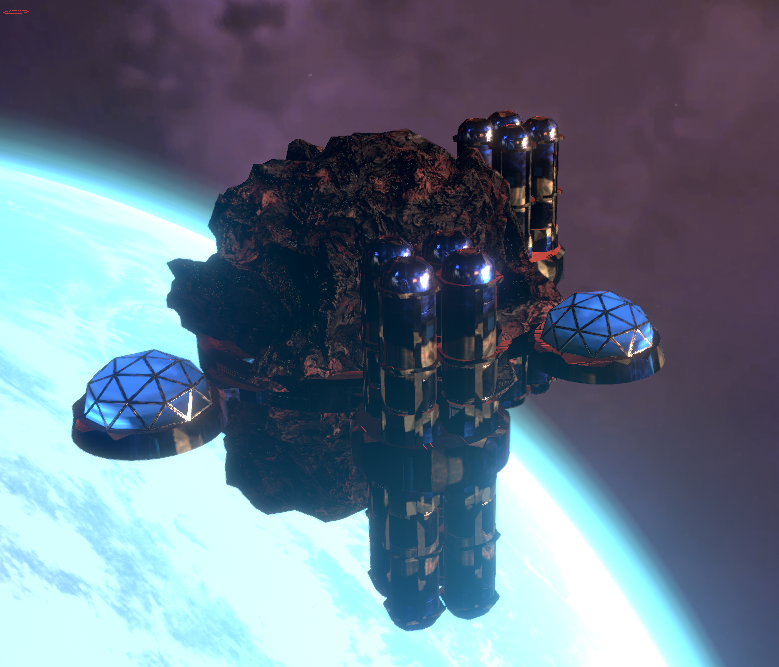
One of the cool things changed in this one is the AI Command Stations, which you see ALL OVER THE PLACE. They were some of my much older art, where I was trying to get a sense of large scale without having repeating elements or using greebling (which is how Star Wars makes things feel large). Normally in not-outer-space, you use horizon lines, distance fog, and other things to give a sense of scale. None of that really exists in space, although in the last few years I have discovered that using a smaller camera FOV actually does give some of the benefits of horizon lines (making things seem larger than life), while also avoiding lens distortion of spherical objects (aka all the planets don't turn into ovals near the edge of the screen). At any rate, there was a great discussion about those sorts of techniques, and things that I've learned that work well or poorly, in our discord. Links to the relevant parts are in the release notes. The new command station started out being something I was iffy on after my initial paint work -- I came back after lunch and noted that now I hated it -- but after working with it in my more modern shaders, the result is actually really killer. Here it is:

Other command stations, and also fortresses of various types, and various capturables in the base game, are all on the schedule for major upgrades like this. There's also a lot of Zenith Onslaught art coming.
A major new mod also is now out as of this release: the Chrysalis Devourer. This is something that NR SirLimbo has been working on for what seems like most of 2021 so far. It's a really ambitious faction that asks the question: what if the Devourer Golem actually evolved over the course of the game? And somewhere along the lines, additional questions like "what if it behaved more like a real animal?" and "what if you could defeat it temporarily, but it held a grudge?" The result is something that preview testers in the discord modding channel have been enjoying a lot.
Behind the scenes, there's also a lot of work going on for the next expansion, which will now come out in October. Our "DLC3" is being split into two parts, because once again the scope has grown and we have a lot of people working on things with it. So the first part will be October, part 2 will be Q1 2022. More information on that will be available in the coming months, and we'll have updated the store page with the new info, too. There's a lot of features that have not been announced yet at all, some features that were announced but which will now just be given free to everyone who has the base game, and then some features that are going in either one part or the other.

Multiplayer isn't perfect yet, but is getting there. A lot of bugs have been slain recently in general, so taking a detour into art after being so bug-oriented for a bit seemed like a good idea. There's a lot more bugslaying in the near future, though. And there's still various other free features coming this summer, like Interplanetary Weapons, among others.
More to come soon.
Enjoy!

3.306 Tweaks
(Reminder that if you have trouble with the build, you can always go into betas and choose most_recent_stable to go one build back. This is how I sleep at night after making some major changes.)
These are just a few tweaks, including some new visuals for the base game and ZO, a bugfix in the AMU mod, etc. The spire hammer AI type also got some new units in ZO, which is nice.
There's more in the works, but I've spent most of the last couple of days (and a lot of the weekend) working on getting my physical and digital workspace working better. My desk for the last year and a half has been all kinds of lacking in ergonomics, and I've been feeling it quite a bit. But I hadn't put it together until it was pointed out to me a couple of weeks back. Ergonomics matter! So much easier to get more done when it isn't uncomfortable or outright painful. So depending on what your own desk situation is, I hope you don't have a blind spot like I did.
Anyhow, I've also been on a continual quest for a few years to try and get the build processes to happen faster, and make it easier for me to make art updates in particular by having them not take so long. A full build of the art packages for the game would typically take 90 minutes, and I haven't been able to get much improvement on that despite how Unity has been improving their own systems. I finally am upgrading computers (in the near future), but my current machine is kind of falling apart (keyboard keys don't always work correctly, getting inexplicably slow in other areas, etc), so I figured I'd see what I could improve in the shorter term while I wait for the new one.
And... uh... well, my wife describes it as something that you might see on The Office, and I think that's apt. Heh. Five years ago I had put together my current machine, and it included one really fast NVME SSD for the OS, a second SSD that is less fast in 3.5" form factor, and , and a 7200 RPM SSD in 3." form factor. So naturally I had my OS and some programs on the NVME drive, and then all my working stuff on the second SSD...
Except I didn't. I've been running, all this time, with all my main work stuff on the HDD. No wonder things were so slow! It took 18 hours just to transfer 375 GB off that to the actual SSD; it was getting like 6MB/sec. Today, after that was completed, I can now actually upload things faster, compile a bit faster and build those 90 minute art packages in... 12 minutes. Good grief!
So this should make me a lot more efficient, with less waiting around. And once I have my new computer in a month or so, it should get even faster than that. I'm definitely excited, since it really reduces the barrier from me updating certain parts of the game.
More to come soon.
Enjoy!