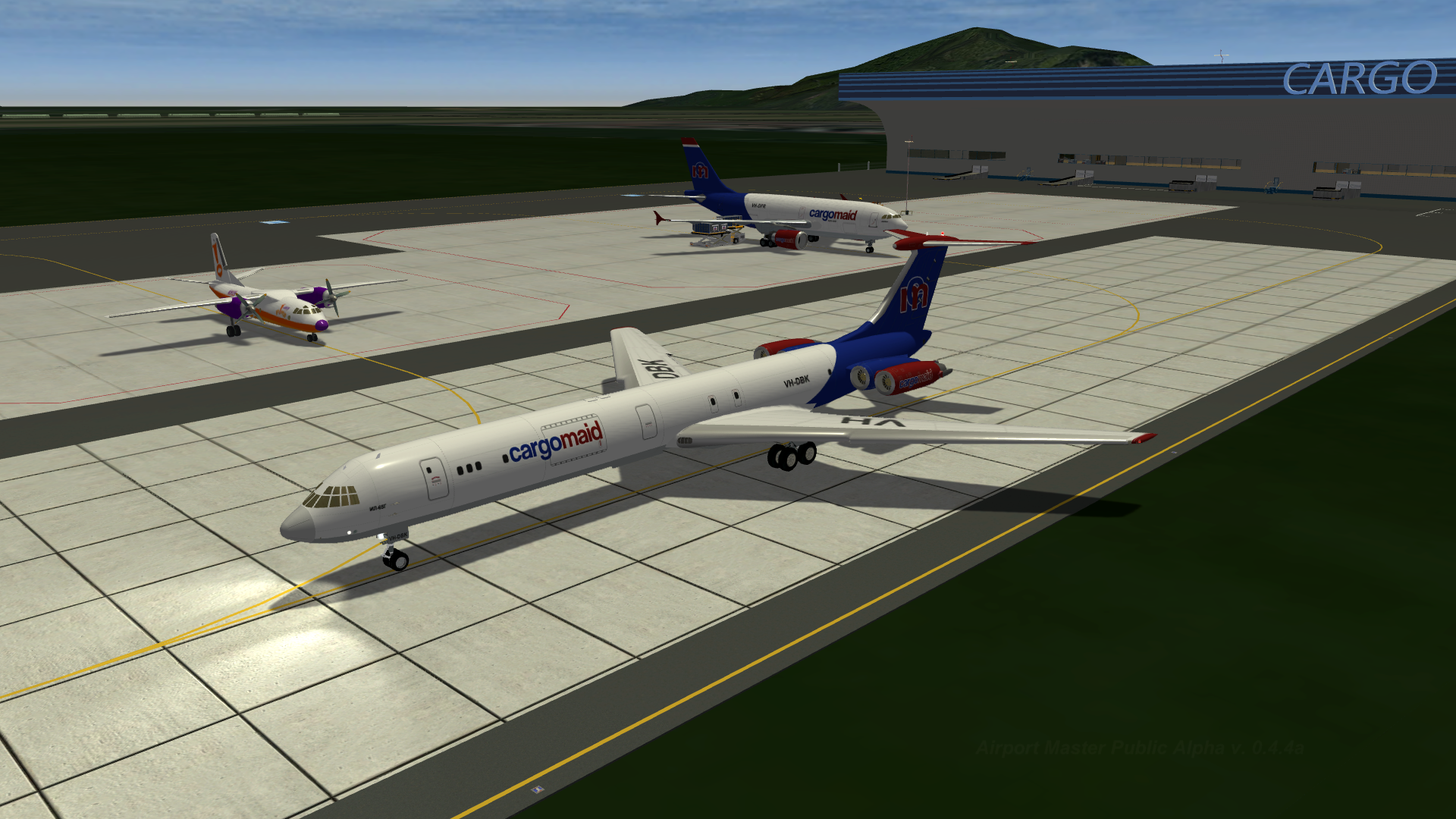
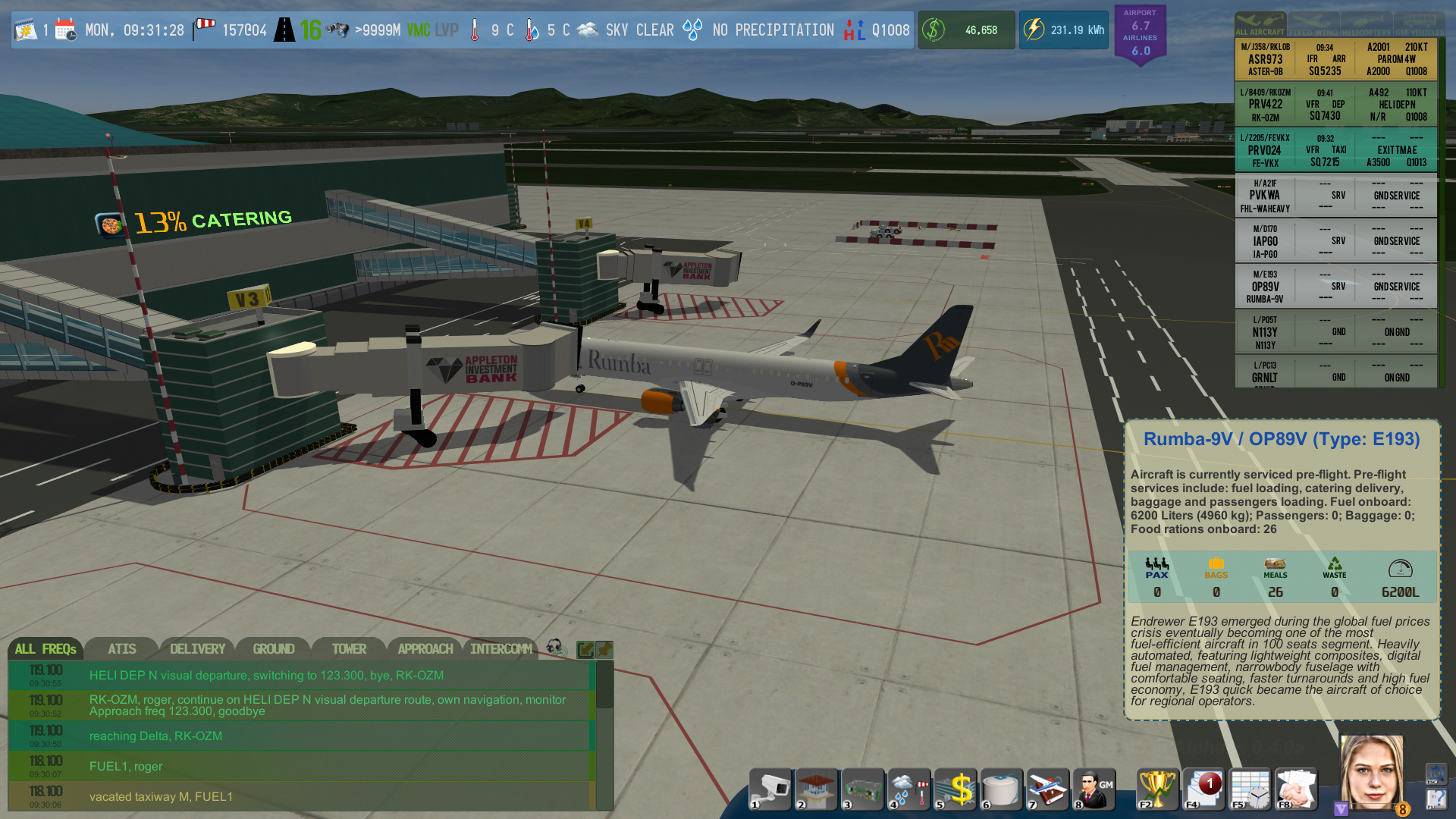
Added inside workings of Cargo Terminal as per plan to make all terminals in the game fully working and interactive; the new Cargo Terminal has 3 floors with ground floor being main cargo sorting area, the next floor being cargo storage area (those are interconnected with ULD elevators), and the top floor being office space; the entire inside space is fully walkable and interactive; added
Changed the design, layout (both inside and outside) of Cargo Terminal to high-detail model; changed
Added the following types of Cargo ULDs: LD6, LD26, PLA pallet; added
Added following airports to the game: Munsk Intl (JMMS/MNK); Sidneo Intl (JSSY/SDN); Ruo-De-Fevereiro Intl (JBRJ/RUF); added
Added new Airline - Raduga Air Cargo (RDG), based in Munsk Intl, operates a fleet of cargo version IL-65G worldwide; has flights to Appleton Airport from JMMS, JSSY, JBRJ, JFPO, JGLL, JSSS; added
Added new Airline - cargomaid (CMD), based in Sidneo Intl, operates a large fleet of cargo aircraft worldwide; has flights to Appleton Airport from JSSY, JBRJ, JSSS, JGLL; added
Changed how Flight Schedule Slot Editor tracks erroneous input when editing existing slot assignments: previously it was possible to arrange slots in such a way that Departure flight may have become scheduled before Arrival flight, thou not crashing anything, the flights pair would have been considered erroneous data and would have been silently removed from the game without penalties to given Airline's rating of Player's airport - this is now fixed! Current version of Slot Editor tracks changes to both Arrival and Departure flights, either disallowing incorrect arrangements by moving linked flight to appropriate slot or if no such possibility exists (an exploit of pushing Departures back to make Arrival fall beyond editable time slot limit), by forcing Player to cancel such flights pair altogether and suffer a penalty in rating for owner Airline; changed
Added new implementation of Weather engine to the game: following the convenience of Q-pressure blocks, the new Weather system relies on several key Weather Templates that determine the Normal (or Median) Weather state, typical for Player's Airport. These templates include Temperature curve, Relative Humidity curve, Prevailing Winds, Time-of-Day dependent Weather patterns, pressure fluctuations and over 20 other parameters that define Weather situation; actual and forecasted Weather are generated by solving equations for such Weather Templates (all WTs support operators +,
, OR, XOR, AND, <=>) and any combinations of any number of WTs that describe current or forecasted Weather; added
Added much more precise Dew Point calculation using Magnus-Tetens formula (Sonntag90) based on Temperature, Relative Humidity and Pressure; added
Changed how all vehicles and aircraft in the game communicate with various systems: originally a very clever system of regexp-based commands was in use, simplifying initial development, however it was creating unnecessary overhead in memory and in savegame files, so from now on it is binary; actual regexp-based commands still in use, but only to form a request within a given system, from that point on the request is converted to universal bit-masked value, that is then used for communication, in memory, in savegame files etc.; changed.
Changed how the game checks for whether Time Skip is possible: the first check now happens 5 seconds after loading a saved game; for new game - the first check happens 30 seconds after Player sets any Airport fee configuration value ; after a Time Skip - no new Time Skip is possible for at least 30 seconds in case Wind Direction and Runway(s) in Use have not changed and 50 seconds after if they have; for precision sake all game modules that relied on timing data before Time Skip have their timers reset on Time Skip; changed
Significantly reworked all lighting inside all buildings; new lighting model is considerably cheaper in both CPU and GPU load terms, provides much better visuals (both from inside and outside cameras), improves shading, illumination of surfaces, all pre-computed and realtime lighting of self-emitting objects (screens, timetables, ATMs, ad-boards etc.), provides much more natural and vivid lighting; changed
Aircraft
Added new aircraft IL-65G (real world prototype IL-62M\Gr Cargo Version) - the pinnacle of ex-Soviet long-range aircraft designs, that served well over 40 years as passenger transport airplane with now only one civil operator of rare cargo version in the World. Best known for tail-heavy 4 engines composition requiring additional tail gear to be deployed when loading, unloading and empty on parking and also its quite unique wing leading edge design to counter parasite drag of tail mounted engines, this beast of an aircraft lives its second life as a roomy long-range cargo transport. This is the first 4-engine aircraft in the game, the first to have two independent gear systems and the first aircraft with bowl-type thrust reverser. Aircraft in the following liveries were added to the game: EX-PTD, EX-PMQ (operated by Raduga Air Cargo), VH-DBK (operated by cargomaid); added
Changed visual model for V28A type of aircraft as it was one of the first Aircraft models in the Game and required update to more recent standards; changed
Fixed visual model and physical model discrepancies for aircraft type E30P; fixed
Changed visual effects for engine fuel-rich exhaust, gear touchdown smoke, some of hot-air effects; the new versions of all said effects produce far less load on CPU and look much more realistic; changed
Changed how airplane physics works on takeoff: previously an aircraft would become subject of frame rate independent physics only after takeoff, thus calculations of takeoff dynamics accounted only for load of given aircraft and several other factors; from now on the correct takeoff roll distance is calculated prior to initiating takeoff and then the aircraft becomes subject of actual physics calculations regardless of current frame rate - this allows for all physical calculations to take remaining takeoff roll distance into account and thus result in very accurate takeoff roll performances for each aircraft type in game; changed
Changed how Aircraft Taxi: the new taxiing physical model of an Aircraft produces accurate and very realistic rotation of main gear pair relative to dynamic point of rotational moment as defined by groundspeed, turning front gear angle, inertia, weight and acceleration smoothness; as a result, new taxi operations are much more realistic, fluent and produce the impression as to Player's perception of weight and acceleration depending on Aircraft type, main gear and engines configuration; this new Aircraft Taxi model is fully compliant with the upcoming Weather-affected surface physics (wet apron, water, slush); changed
Added wheel chocks to the following Aircraft types in the game, namely: V28A, P05T, Z205, VE58, VE20, D170, ZN17, RJ10, RJ5X, E30P, PC13, L20V, CT55, J358, VA32, VE9D, CR22, E193, AN25. Wheel chocks are placed by the service crew or by pilot of smaller G\A aircraft upon engine(s) shutdown; the crew may elect to place only some of the chocks or even none if weather condition and time of turnaround permit; added
Fixed the way airspeed limitations imposed by regulations incorrectly affected actual airspeed: since the limitations were imposed after all physical calculations of airspeed component while flying, if an aircraft performance for given altitude exceeded limits, the airspeed would have been cut according to limit at strict value (say at exactly 245 knots until FL100), which rendered all previous physical calculations useless; from now on a limitation imposed only affects Captain's judgment of required airspeed, which in turn does not guarantee an aircraft is capable of maintaining said airspeed (for instance, in gusting winds, the Captain will try to conform with 245 knots restriction, but aircraft airspeed may fluctuate from 235 to 255 knots); fixed
Fixed a bug with after loading a savegame, aircraft may have indicated it has flaps in takeoff configuration, but actual physical flaps never reached that position until as late as on takeoff roll; fixed
Fixed main gear extension and retraction animations being incompatible with new taxi model for Aircraft types P05T, ZN17; fixed
Changed airspeed limitations parameters mostly for visual circuits but also for some IFR procedures for almost every aircraft in game for better air traffic flow and more realism; changed
Changed lighting configuration (beacon, strobe, nav, position, logo lights) for the following aircraft: CT55, AN25, IL65, A21F, CR22; changed
Changed aircraft configurations (required takeoff distance, required landing distance, engine rotors RPMs) for the following aircraft: Z205, AN25, IL65, A21F, CT55, ZN17; changed
Vehicles
Changed how Cargo Loader vehicles approach aircraft on parking stands: from now on Cargo Loaders take into account type of aircraft and exact location of cargo doors, preferred loading scheme, delays etc.; changed
Added capability to un-assign any specific Service Vehicle from any given Customer Aircraft and re-assign it to any other Customer Aircraft; this will result in much smoother GSE operations and more flexibility in determining in which order un-used GSEs can service customers; added
Changed Large Fuel Tanker Truck fuel delivery rate to 44L/sec for Upgrade Level 1, 58L/sec for Upgrade Level 2 and 76L\sec for Upgrade Level 3; changed
Changed distances of sound spread for all electric vehicles in game (Baggage Carts and Cargo Loaders); changed
Changed vehicle lights model to version 2, the new version results in very realistic night- and day-time lights of all vehicles, eliminating inefficient use of lighting especially during nighttime; changed
Fixed Airport Administration cars that perform ATC relocation during ATC Shift Change sometimes erroneously drive to and from Administration building for the second time after ATC Shift Change had been completed; fixed
Removed Cargo Loader GSE's scheme of loading involving unloading ULDs first to a spot on the ground and only than to rear platform as this loading scheme is very rare and makes no sense in the game; changed
Cameras
Added an event notification processing upon Object Camera switching between targets; it is now possible to execute specific commands, request UI redraw, data exchange etc. in between Object Camera stopping tracking Object 1 and switching to tracking Object 2; added
Airport Overview Camera free wander area increased to allow for better views of Cargo Terminal and Heliport; changed
Environment
Significantly increased detail draw distance for Higher setting for all non-airport buildings (City houses, Appleton Expo, Factory, Stadium, tall buildings etc.), keeping best optimization values for lower-end GPUs and allowing high-end GPUs to render much more distant details when Player selects detail draw distances closer to High setting; changed
Added roadside object - Automotive Fuel Station; currently 5 fuel stations operate in vicinity of Player's airport); added
Reworked roadside corner of Apron West near Flight School and road branch to Hangars West thus completing this part of Airport-to-City contact zone; changed
Fixed Hangars East doors opening and closing animations not blending correctly resulting in mismatch of logical positions of hangar doors and actual depiction in game; fixed
Changed Ground Radar animation from full-circle to recursive arc scan, which is much more typical for ground radars in airports, thou full-circle mode can still be used and may become part of Ground Radar upgrade in future versions; changed
Added Pier One on Eastern shore of Lake Intahoe; added
Added first watercraft - a sailboat (real world prototype Ecume de Mer), those can be seen on flybys of Lake Intahoe cruising down the lake or berthed at Pier One near Intahoe Resort; added
Fixed lighting of greenhouses and several other agricultural objects around airport; fixed
Added missing light post on cargo apron between stands U2 and U3; added
Added 2 new helipads: one near Lake Intahoe Resort and another near the summit of Mount Fluvio; both to be used for local helicopter flights as part of Airport Tier 2 Upgrade mechanics; added
Added several new types of city building on eastern side of the airport; added
Added ILEA Market building on the eastern side of the Airport; added
Added several groups of objects to General Manager's office and Cargo Terminal; added
Quests and NPCs
Added 35 new female and 35 new male avatar segment definitions; added
Added 3 new NPCs: Dr. Ted Russ MD, Chief of Medicine, St. Pantaleon Hospital - giving major MedEvac related quests in the game; Dr. Elliot Ryan MD, Chief of ER Wing, St. Pantaleon Hospital - informing the Player of all upcoming MedEvac operations (Airplane and Helicopter); Jane Rosenthal, Head of Meteorology, Appleton Airport Meteorology Station - giving all the quests related to upgrading Meteo Station, key figure in quest Going International; added
Sound
Fixed sound range bug that would sometimes incorrectly load values of Dynamic Sound Spread Range from Aircraft Atlas for both the aircraft type and particular aircraft variants, this in turn may have sometimes caused the aircraft type controller to report correct audial dynamic range on save game loading but be overwritten by incorrect Aircraft Atlas value in the process resulting in whole variety of dynamic sound ranges to be lost; fixed
Added sounds for IL65 engines (recorded and re-mastered from real D30-KU engine in hangar); added
Added sounds for TA-6A APU (recorded from real TA-6A unit in hangar); added
Added sounds for IL65 flaps and gear motors (recorded on real world analogue units and re-mastered digitally to accurately resemble the original motors sounds); added
Added numerous sounds for inner workings of Cargo Terminal; added
Changed Ground Radar operation sound to a more precise version, also it is heard faintly in Control Tower East (more like quiet buzzing of motors); the outside camera sound spread has also been reduced as such unit in question does not produce as much noise; changed
Changed Dynamic Audial Range parameters for the following aircraft types: CT55, VE58, J358, AN25, VE9D, CR22, ZN17 to correctly represent engine sound spread in current (fixed) dynamic sound range model; changed
Changed sound of clicking in-game UI buttons to quieter and shorter version; changed
ATC
Added Dual-Runway use mode to ATC: it is now possible for aircrews bound for parking on Apron West (and capable of landing shorter Runway 17-35) to request said runway on arrival and for departure in order to save fuel on taxi; keep in mind, that since Appleton Airport does not possess required 2km distance between runway centerlines, no simultaneous operations would ever be possible; added
Added runway change due to wind, prevailing wind conditions per time of day, prevailing winds per climate observations, sudden change of wind conditions; runway change for now can only happen during Time Skip (i.e. when no previously cleared traffic is a factor; added
Enabled Ground Radar both in UI (available by holding G on keyboard) and in Tower East control room screens; the radar displays dim blue markers for idle aircraft on ground, bright green markers, trailing and flight info box for taxing aircraft, bright amber markers and flight info box for runway operations (lineups, takeoffs, landings and vacation of runway); Ground Radar does a passive sweep over Airport territory and is capable to display ADS-B data in flight info box if transponder is operational on aircraft in question; Ground Radar tracks targets up to 10m of altitude; added
Changed how ATC manages Runway Approach segment (from Aircraft fully established on ILS to landing) and Visual Approach segment (from Aircraft obtaining visual approach clearance on downwind leg to landing) - since no parallel operation on runways is possible, the following actions will be enforced by ATC: if Aircraft A is established on ILS Runway 1 and Aircraft B reaches FAF for Runway 2, ATC will clear Aircraft B for ILS approach followed by request to orbit on ILS Runway 2 for traffic resolution; if Aircraft A obtained landing clearance for Runway 1, Aircraft B may proceed with ILS approach for Runway 2 and will expect late landing clearance; if Aircraft A is finishing its landing roll and is about to vacate Runway 1, Aircraft B will be cleared to land on Runway 2; this kind of sequencing may allow Sidestep for Aircraft A from Runway 1 to Runway 2 (but not vice versa, of course, due LDA of Runway 1 is insufficient for majority of aircraft using Runway 2); if Aircraft B is cleared Visual App for Runway 1 and Aircraft B is approaching FAF for Runway 2, Aircraft A will be asked to either 1) fly an orbit on downwind leg or 2) extend downwind; changed
Fixed helipads visible on Radar screen while Player's airport has not yet been upgraded to Airport Upgrade Tier 2 (Heliport is not yet established at Player's airport); fixed
Fixed ATC operational display not updating active runway information as soon as there are changes, thou other fields updated correctly; fixed
User Interface
Added Ground Radar UI overlay, available by holding G on keyboard; added
Changed the layout of upper info bar to allow Active Runway indicator to display both active runways numbers in dual-runway configuration; changed
Fixed Flight Strips sometimes not displaying accurate SID\STAR information for inbound IFR flights; fixed
Changed Flight Strips information layout to a more informative variant: for aircraft idle on ground parking stand is shown on its Flight Strip; all runway operations are now correctly marked; redundant information blocks removed; taxi ops indicate target runway or parking stand; approaches and departures indicate both SID/STAR and runway; font changed for better readability of Flight Strips; changed
Changed Help Screen (Keyboard Commands) to reflect changes in current version of the game; changed
Changed New Game screen: available avatars are now randomly shuffled on entering New Game screen + some cosmetic changes to UI; changed
Fixed pressing F12 key to hide UI sometimes may have perform an inadvertent camera change; fixed
Changed how all mono-space fonts are depicted in game UI; previously when Player set screen resolution with aspect ratio other than 16:9 or 16:10, some fonts may have become garbled in several screens, this is now processed correctly; changed
Added click-zones to the following game world objects: Hangars West and East (clicking displays Service Contracts Screen); Power Substation (clicking displays Electrical Power Management Screen); elevator call buttons in Cargo Terminal (hovering over a button displays a popup indicating floor to which travel is possible from by pressing given button; clicking it takes Player to designated floor; added
Fixed Airport Admin - Finances screen to accept larger values of grow\shrink percentages as on day 1, percentages may reach +1000% and the field would not accommodate text correctly; fixed
Fixed hovering over a Ground Service Vehicle may have rendered incorrect Vehicle information in popup Info window; fixed
Changed anti-aliasing setting for all in-game logos on all UI screens, some logo versions were changed to higher-resolution versions; changed
Fixed Game World camera not fading when selecting Load Game from in game menu, missing sound effect is now again audible too; fixed
Enjoy Airport Master v.0.4.4a! Safe flights!
Airport Master Public Alpha v. 0.4.0a RELEASED!
Airport Master Public Alpha v. 0.4.0a RELEASED!
Changelog follows:
Game workflow
Added Airport Integral Rating and Airlines Integral Rating - these two major ratings will determine Player's success in various areas of Airport Management - both ratings are weighted distribution dynamic ratings with complex algorithms of re-calculation including such parameters as Airport Upgrade Tier, Passenger Comfort, Crime Safety Rating, Green Enterprise Rating etc.; Airlines Integral Rating weighs proportionally the existing Average Airlines Rating with Turnover Times, Delays, Cancellations, Slot Trading, Prices and Quality of Ground Services etc.; some Airport upgrades and advancement in developing Airport Facilities will require either the entire Integral Rating to be at given level or some parts of it to be at least of given value ensuring there is no rush-to-top strategy possible and rewarding Players that react to changing tendencies appropriately; added
Added pushback mechanics for ground ops on Apron East; Tow Tugs 1 and 2 now serve southern part of Apron East (from gate V10 to gate V17) and Tugs 3 and 4 serve Northern part of Apron East (from gate V1 to gate V9); upon receiving Flight Clearance from ATC, an aircraft at Terminal East requests pushback and one of corresponding Tow Tugs is summoned to the gate, a Towbar suitable for given aircraft type is attached and pushback is commenced; after detaching Towbar, an aircraft is free to call ATC for startup clearance, while the tug departs for its parking position (except for Tugs 1 and 2) that move aside to join the wait on outbound driveway so to not interfere with any consequent pushbacks from gates in Southern part of Apron East, from that moment on, Tugs 1 and 2 follow general vehicle traffic on outside driveway (note: Tugs 3 and 4 drive directly to their respective parkings as they don't use inside driveway but rather use taxiway M to reach those without interfering with other vehicles or aircraft; added
Added first batch of Tow Bars (all are to real world data) for use with traditional scheme Tow Tugs; added
Added new regular Airline - Latuk Air (LTK), the first International passenger service Airline in the game, operating from Desseldurf Intl with flights to and from Brumin, Lepsing, Lunden Veldrow; added
Added new regular Airline - Poseidon (POD) operating from Torton Muni with flights to and from Aretizo, Welmerton, Tornton, Cerf Memorial, Roulent Municipal; added
Added new regular Airline - Rumba (RBA) operating from Genueva Intl with flights to and from Orlyk, Lunden, Dussledurf, Lepsing, Welmerton, Cerf Memorial and Newbark; added
Added Airport Crime system that provides a set of typical Airport-related crimes (ranging from illegal items posssesion to armed assault) with set weights and probabilities; Airport Security \ Police capability to react and enforce law in each situation depends on current Airport Crime Safety rating (which in turn depends on how well the Player manages Airport Security); rewards and penalties for successful and failed crime detection and law enforcement are proportional to crime severity and rarity of event; in future versions the system will be balanced based on Players' feedback and new factors such as capability to install better survilance and scanning equipment, capability to run Officers Training course or simply provide more cash for Law Enforcement jobs will be introduced; note: Airport Crime Safety Rating is an important part of Airport's Integral Rating, making it a non-omitable part of gameplay; added
Added Ornithology and Pest Control Service Building next to Tower West; this facility is available to Player since Airport Upgrade Tier 1 and provides bird control services in vicinity of Airport, at first with very primitive and outdated measures (that can infuriate the Ecologists) but later on - fully upgradable to modern bird control technology; this facility also provides rodents control in all terminals, controls bio-hazards and is important part of several Ratings; added
Fixed "Spirit of Patroni" perk not influencing final amount on Service Contract correctly; now a correct bonus of +10% is accounted for when completing a service contract in case a Player has chosen said perk when creating a character; fixed
Fixed CommsBox messages on Ground Services Delivered not being generated for stands Golf and helicopter stands Foxtrot; fixed
Added new 17 pushback routes to 3 startup point on Apron East, added 3 new taxi routes from startup points on Apron East to holding point HJT on taxiway J; added
Fixed Hangars East building doors opening and closing animations may have out-of-sync with their logical positions due to previously existing duality of logical and physical positions of door models; fixed
Added FAA-style Runway Remaining Distance signs for runways 16 and 34, marking each thousand feet with corresponding number on black sign (illuminated at night); in future, the Player will be able to decide whether they want only ICAO-standard signs or both ICAO-standard and FAA-standard signs; added
Aircraft
Added new aircraft Endrewer E193 (real world prototype Embraer E195-E2, a very popular and versatile Brazilian passenger jet known for high level of automation, use of composites and high profitability); this modern medium aircraft type is the first aircraft in the game to make use of Terminal East, pushbacks and jetways; aircraft in the following liveries were added: PA-ZTE, LA-PNE, LA-RYQ (all three operated by Latuk Air), F-ABBQ, F-ABRD (operated by Poseidon), O-P73-R, O-P89-V (operated by Rumba); added
Added new aircraft Sirrius CR-22 (real world prototype Cirrus SR-22) - this composite general aviation aircraft is one of the best-selling G\A aircraft of modern times, it comes with built-in aircraft-parachute system and is often an aircraft of choice for many flight schools; aircraft in the following liveries were added: N275Y (operated by FlightsCool, replaced ZN17); F-TTUS (operated by Poseidon Training Academy); RH-OKB, N-933X, FA-BEG, N637P (all four are privately owned); added
Changed aircraft type designator: A21F in lieu A210 to indicate Freighter modification of Airecoach A210-F; Airecoach A210 will have the proper A210 type designator; changed
Changed both FlightsCool aircraft to better suited modern ones: ZN17 with registration N743A is completely removed from the game and replaced with CR22 with registration N275Y; V28A with registration N332J is completely removed from the game and replaced with Z205 with registration N782A); changed
Fixed a bug with some Thrust Reversers which by the moment the retraction of reverser bowls has already started, may have first trigger deployment of Thrust Reversers to full and only then retracting; fixed
Changed aircraft animation technique to Unified Parallel Blending - some earlier models required us to use compatible animation techniques, while more recent ones already used our in-house developed PB animation technique, which resulted in some flight surfaces animations to appear jerky when compared to those of more recent models - this now has been fixed to a unified PB animation technique on all models and for all animations; changed
Fixed A21F ground spoilers surfaces following negative air pressure physics; fixed
Fixed CT55 thrust reversers applying full reverser thrust before the bowls open fully; fixed
Fixed landing lights may have light up before front gear is fully down and locked, causing a slight visual distortion; fixed
Fixed ailerons physical input may sometimes be available during flight surfaces check, which in turn may have caused a rare bug with flight crew unable to complete ailerons movement check before flight; fixed
Vehicles
Changed physics of wheel rotation (both spinning and turns) for all airport vehicles to become compatible with our Vehicle Physics 2.0 sub-engine resulting in much smoother, much more realistic vehicle movement physics; changed
Added Ornithology and Pest Control Service vehicle (Iweko ST409); the vehicle used by Airport Ornithology and Pest Control Service as a mobile bird scare platform and rodent poison dispatch vehicle; part of Ornithology and Pest Control Station Upgrades; added
Added indicator of current Vehicle status to Vehicle Info Window: Fuel Trucks indicate fuel on board; Catering vehicles - number of meals; Maintenance - waste load; Fire and Airport Police vehicles indicate whether they are on mobile patrol or on\off duty; Cargo Loaders report number of ULDs loaded on both platforms; Passenger Buses - number of passengers onboard; Baggage Carts - number of bags transported; Tow Tugs report which aircraft and from which gate they are pushing back; this is intended for even better situational awareness of the Player and can be extended in future versions; added
Fixed too aggressive front wheels turning in sharp turns on all Trucks; fixed
Fixed Flasher light on Tow Tugs inoperative in some cases when pushback jobs are assigned after ATC delay (when another aircraft is cleared for pushback); fixed
Quests and NPCs
Added Messaging System, used to promote main and side quests lines as well as for sending generic messages by various services of the airport informing Players of their advancement in the game; the Messaging System is much more complex tool than existing Notifications System, as it allows for full-text messages to be sent by various NPCs and services to Player, giving quests, notifying of important (and critical) events, financial state, Airline relations, fuel, contacts, side quests, choices etc.; the new Messaging System allows Player to delete\restore\trash any message as in normal real-life mail client application; sorting by Airport departments is also available; added
Added the following NPCs to the game: Mayor Sid Deuce, Chief of Operations Alex Hare; Chief of Pest Control Kenneth R. Oswald; FlightsCool Flight Instructors: Greg Arcy, Kate Winston, Stuart Fisher; Chief of ATC Ops Liam Stonegift; Chief Financial Officer Carrie White; FBO Chief Engineer Michael Dolph; Fuel Facilities Manager Mark Brady; Chief of Fire Safety and Rescue Ops Robert Hays; Transport Police Sergeant Andrew Cochet; added
Added generic messages, sent by corresponding NPCs when the following events happen: Initial Financial Report, Daily Financial Report; Electric Power Bill paid; Fuel purchase deal negotiation report, Fuel Delivery complete; Service Contract [accepted | canceled | complete]; Crime [attempted | committed]; Law enforced (or failure to enforce law) by Airport Police; added
Fixed Hangars H4 and H5 sometimes appear as unavailable on first game start and then later become available again when a saved game is reloaded; fixed
ATC
Changed how Regular Operators flights are scheduled weekly, replacing huge bulk of obsolete code with new robust optimized code resulting in very fast and smooth scheduling of Regular flights; also a visual tool for editing Regular Operators Schedules Templates was added - this can be used by Developers (and Moders in future) to easily create and edit Regular Operators Schedule templates; changed
Added separate processing for ground services at Terminal East area, introducing Jetway assignments and jobs for servicing aircraft on Apron East; added
Changed internal workings of ATC by splitting it into separate modules: for instance all Ground-related processing now happens in a separate higher-priority thread as measured load on this part of ATC (formerly monolithic module) is significantly higher (and will grow with more flights) in comparison with Air traffic (APP and TWR) or coordinating Airlines requests with Flight Schedule; changed
Fixed (hopefully) issues with vacate and taxi clearances to landed aircraft that used reduced runway stopping distance during landing roll; fixed
Added new type definition and separate color for Pest Control vehicles strips; added
Added new color codes to Flight Strips for RWY (Runway Ops) - takeoff, landing, lineup and go-around when still over the approach end of runway centerline; TAXI - all taxi operations including Helicopters air-taxi; added
Fixed phraseology discrepancy when aircraft request startup at the stand and after pushback; fixed
Sound
Added real world sounds for E193 aircraft, recorded at field from E175 and E195-E2 aircraft in high quality during hangar servicing; recorded and re-mastered sounds for CF34 engines and APS2300 APU, flap and gear motors; added
Added real world sounds for CR22 aircraft, recorded at field; added
Changed how engine sounds pitch dynamics changes with RPM on all engines for more realistic sound; changed
Added UI sounds for Messaging System, namely New Message, Click, Delete, Restore, Empty trash folder; added
Added option to separately mute all sounds related to Messaging System, corresponding checkbox can be set in Settings window; added
Changed how over 25 ambient sound effects are normalized and blended (e.g. cicadas, random wind, random noises, road noises etc.); changed
Fixed sound effect for spending a Skill Point not playing in Admin UI; fixed
Fixed Tower East sound effects using improper mixer which resulted in sounds not being heard when Ground Radar is in operation; fixed
Cameras
Added default initial camera locations to Airport Overview Camera for Airport Upgrade Tiers 1 thru 5 respectively; added
Changed how Airport Overview and Tower View Camera positions are saved: upon upgrading Airport to next Tier, Airport Overview Camera gets re-positioned to default location for new Upgrade Tier; in all other cases its last Player-used location is stored in savegame; Tower View Camera always stores its Player-defined location (within control rooms limits) in a savegame; changed
Changed the functionality of [Home] key on keyboard: while using Airport Overview Camera or Tower View Camera, pressing [Home] resets camera location to default initial position; Pressing [Shift]+[Home] immediately switches from any active Camera to Airport Overview Camera and resets its location to default initial state with regard to current Airport Upgrade Tier; changed
Add 5 new types of Object View Camera configurations to be used with airplanes with wingspans from 28m to 67m; added
Fixed distortion of perspective by inappropriately high FOV-angles for some Object View Camera configurations; fixed
Fixed Tower View camera erroneously processing requests for switching between Tower East and Tower West; the new switching algorithm correctly processes in-field clicks, keyboard and main UI requests for camera change without mixing up cameras; this bug also affected otherwise perfectly working object-preload mechanism introduced earlier, which sometimes may have caused Tower West objects to be re-drawn with delay on Tower View camera switching; fixed
Added camera definition for Terminal 1 overview camera position to be consistent with new Upgrade Tier-based default camera positions system; added
User Interface
Added Airport and Airlines Integral Ratings display Badge to main UI, just after the top Information Bar next to Notifications icon; the Ratings Badge displays both integral ratings, Badge color changes from Gray to Green to Blue to Gold to Purple as for each 20% increase of given rating; Barge flashes on update; added
Added Airport and Airlines Ratings Breakup to GM Tab in Airport Administration UI; the right portion of the tab now displays several key ratings that comprise the Integral Ratings, thus giving Player a hint what part of Airport Enterprise he or she should focus on improving; added
Added New UI screen - Messages, the UI screen resembles typical messaging application with exception that it displays all available messages (Mail, Fax, Telex, Sita) as structured by folders messages; Player can delete unwanted messages (those go to trash folder), upon viewing a message it is marked as read; Messaging System supports rich text \ simplified HTML, in-game hyperlinks, images, linked contacts, avatars, etc. added
Added Messages button to main UI (also available by pressing [F4] on keyboard); the button also displays a slowly blinking indicator including number of new messages when there are unread messages in any folder of Messaging UI; added
Added Messages button to Airport Admin :: GM UI; the button also displays a slowly blinking indicator including number of new messages when there are unread messages in any folder of Messaging UI; added
Changed Admin UI :: GM tab to display number of free Skill Points available to spend on developing skills; changed
Added option checkbox to separately mute all sounds related to Messaging System to Settings window \ Audio; added
Changed FlightsCool UI: added avatars for Flight Instructors, unified airplanes cards, set the new UI up in more ergonomic fashion; changed
Added Time Tables and ULDs logos for Latuk Air; added
Added Time Tables and ULDs logos for Poseidon; added
Added Time Tables and ULDs logos for Rumba; added
Added Flight Instructor and Flight Student designator icons to Flight School avatars; added
Changed Keyboard Bindings Help Screen to reflect keyboard shortcuts changes introduced in this version; changed
Changed Flight Strip color coding in Help Screen to reflect changes to color coding of modes RWY and TAXI; changed
Fixed Airplane and Helicopters Information window text in fields representing data on current load (Pax, Cargo, Bags, Waste, Meals, Fuel) may have gone multi-line where it is not supposed to causing poor readability; fixed
Changed Airplane and Helicopters Information window layout so that actual numbers appear below icons representing each commodity type onboard for better readability and smoother UI look; changed
Added new Game Main Menu backgrounds and UI animations; added
Please stay Safe and Healthy during these dire times! and enjoy Airport Master =)
Airport Master Public Alpha Bug-fix Update v. 0.3.7.3a RELEASED!
Airport Master Public Alpha Bug-fix Update v. 0.3.7.3a RELEASED!
This is a bug-fix release, addressing issues found by Airport Master Players in versions 0.3.7.1a and 0.3.7.2a as a part of our continuing bug-hunt. This is by far our biggest focused bug-fix release ever. Your saved games from alpha versions 0.3.7.x will work with this update. The Major Update v.0.4.0a is coming soon, and we really wanted to iron-out 0.3.x-specific bugs before the release of 0.4.x.
Merry Christmas and Happy New Year 2020!
Changelog follows:
Game workflow
Fixed serious bug with aircraft requesting STAR/SID (instead of visual arrival/departure) while flying actually under VFR but having return flight scheduled as IFR, which in turn may have resulted in Aircraft/Helicopter flying out of bounds of game world and throwing an exception, which in turn may have prevented adequate processing of data when re-loading any saved game that had been created after such occurrence; fixed
Added protection for any kind of out-of-game world boundaries flights that may have happened due to any bug with approach departure type mismatch, the affected aircraft is removed from game world silently without affecting Player's rating with owner Airline; added
Fixed bug with Airport Administration HR division processing Service Hangars request to hire new staff incorrectly which caused hiring additional 65 personnel for hangars H4 and H5 each time a saved game is loaded; additionally a correction mechanism was introduced that catches this kind of incorrect behavior (per each individual institution requesting HR division to hire and fire personnel), then checks against number of required specialists and either tries to determine which are duplicate hires and fires those or if data is big, simply fires everyone and re-hires correct number of positions; fixed
Fixed bug with Aircraft waiting for ATC clearance indefinitely when game had been saved, while ATC had no indication that Aircraft is (still) awaiting clearance; thou previous behavior is more natural (ATC calls 'standby for clearance' and keeps track of who is waiting for clearance), in reality there are too many possibilities that error-correction algorithms or asynchronous processes may prevent ATC from calling back with clearance, especially on game saving and re-loading, especially for lengthy operations such as Service Hangars operations; fixed
Added a version-specific fix-up for all of the Players whose airplanes burnt all the fuel while waiting to say leave the Hangar, due to bug(s) fixed in this release; this fix is purely cosmetic as it refills fuel tanks of such affected Aircraft to the value that had been there before a bug manifested, without actually spending Airport fuel or bringing profit, so just that you can continue playing without seeing zero or negative fuel in tanks; added
Flight scheduling
Fixed numerous bugs with Flight Scheduling system that may have been caused by out-of-bounds and IFR instead of VFR bugs, described above; fixed
Added the following Flight Schedule cleanups: a) flights that have departure flight plan without arrival operation finished (due to any sort of IFR/VFR nav-points bugs); b) any residual linked flight ops that may have been left from saving a flight schedule with bugged flight operations and then re-loading the game; c) orphaned flight operations, with either departure missing an arrival or vice versa; d) flight school airplanes not correctly reporting an operation (LOCAL FLIGHT) has ended upon instructor and student disembarking the airplane; added
Changed the procedure of initiating a new Flight Operation: from now on any Delayed flights (for any reason, be that any bug or intentional delays due weather, routing or aircraft incapability to arrive at STAR initial fix on time, ground delays (both incurred by Player and again weather conditions, other factors like events and quest activities (e.g. Mayor delays his flight, a MedEvac flight is delayed waiting for patient to arrive etc.) are now processed in the same main thread as on-time flights, reserving half-minute separation slots for concurrent arrivals and reduced (or increased) priority on departure; changed
Changed how non-regular airlines schedule flights: the algorithm (apart from probability of new flight plan filed based on time since last time a given airplane or helicopter been in Player's airport) has been changed completely: a) flight scheduling for non-regular airlines is now properly split for helicopters and airplanes (this tremendously hard-to-catch bug had sometimes caused TimeSkip function to lock on fade-to-black phase since a mixup was happening: a helicopter would try (and succeed) to file a flight plan as an airplane, which would cause an unrecoverable error prior to screen coming back from fade to normal (end of TimeSkip); b) helicopters now properly schedule VFR only flights from 0530Z to 1500Z with actual arrivals starting around 0730Z and latest actual departures complete by 1700Z (note: helicopters flying under SVFR - military, MedEvac, Police, Mayor would not be affected by this rule as SVFR heli flights have their own flight scheduling algorithm); c) airplanes can still properly plan flights as VFR (from 0730Z to 1800Z under VMC) as well as switch to IFR if departure flight is to happen at night time; fixed / changed
Fixed very randomly manifesting bug with Service Contract Airplane receiving taxi instructions to taxi to apron A instead of hangar, which in turn may have caused further havoc with Time Tables; from now on, such mishandled aircraft are automatically fixed on loading a savegame - yet the price is that we have to un-schedule all other flights for given aircraft for remaining days of the week, as there is no way to tell how bizarre may have the further scheduling for given aircraft be affected; once returned to proper Service Hangar and all potentially messed up flight plans for given aircraft are removed, it then again becomes available for flight planning and Owner Airline may re-schedule it; fixed
Fixed Airlines not being notified when their aircraft are forcefully removed from game world, thou normal leaving TMA worked fine; from now on any forceful removal of aircraft from game world requires owner Airline to reset corresponding flags for such aircraft so to make it available for scheduling new flights to Player's airport sooner; fixed
ATC
Added out-of-bounds check to every 10th radar sweep, that excludes local area flights; added
Fixed Flight clearances and Taxi clearances issued during IFR/VFR bug mentioned above staying in ATC system as valid clearances and thus preventing further TimeSkips and reclaiming of taxiways previously marked as occupied (while the aircraft affected by the bug were actually taxing on those, but been removed after loading a savegame with erroneous data); from now on those invalid Flight and Taxi clearances are cleaned up on every game loading and also in the event that any Aircraft is forcefully removed from game world (without affecting Player ratings with owner airline); fixed
Fixed phraseology when VFR arrival joins pattern before landing; fixed
Fixed numerous minor typos in ATC readbacks of visual pattern legs; fixed
Fixed Radar screen labels for Go-Arounds displaying SID or visual Arrival Route instead of 'GOAROUND'; fixed
Fixed Radar relying on Flight identification instead of Aircraft unique ID to display last pulse readout when an aircraft had already left the game world or had been forcefully removed by any of error-correction routines, which may have caused a serious error in Radar system operation; fixed
Changed STARs PAROM 4W and PAROM 2D to go deeper in Hon Valley, skipping the mountain range and allowing both for faster descent and not leaving Radar depiction area (especially 4W procedure for runway 16); changed
Graphics Engine
Fixed detail draw distance manager incorrectly interpreting draw distance settings for some city-side and agricultural area buildings (city houses, rural area housing, greenhouses) which may resulted in those building not rendered at either very near or very far detail draw distance setting; fixed
Fixed numerous bugs with semi-transparent shaders not utilizing dedicated semi-transparent render queue, which should result in slight to moderate performance improvement on slower machines, especially when switching from distant airplane view to one of the views at the airfield; this fix also ensures best performance for upcoming foliage, 3D-birds, trees and other objects that benefit from using dedicated semi-transparent render queue; fixed
Changed how graphics sub-engine handles optimizations for narrow stretched shapes such as taxiway markings for long taxiways; the new routine allows for partial pre-render, conditional pre-render and detail draw distance influenced sequential render of such elongated shapes for much better view and smoother transitions; changed
Changed minimal lights visibility range for Calvert approach lighting system installed on runways 16 and 34 for white lights of medium intensity from 800m to 1100m, for red lights and white lights of high intensity from 1100m to 1400m; this tweak is intended mainly for Players with very old GPUs who had lowered Detail Draw distance to lowest setting thus making older approach lights visibility values unrealistic causing a visual effect of approach lights 'kicking-in' very late on approach; this tweak does not affect the visibility of Calvert approach lights in fog and rain, only plain VMC value; also no tweaks were applied to MALS-R systems installed on runways 17 and 35, as Detail Draw distance setting there (even on minimal slider value) worked correctly - partly due to the fact that MALS-R model measures distance from its third bar and newer Calvert model does so from runway threshold; changed
User Interface
Fixed switching to correct Tab in Airport Contracts basing on where a call happens from: so from a 'Service Contract complete' notification the Service Contracts tab will open, while clicking Fuel Contracts in FBO screen will open Fuel Contracts tab; fixed
Fixed incorrect use of 'Show notifications when an Airline increases our rating' option, despite the name and correct usage elsewhere, Service Contract Complete Notification used incorrect value of 'show when decreased' which may have caused in unwanted notifications to appear regardless of the option setting in Administration/Airlines screen; fixed
Fixed font size for Hangar field in Contract Information windows; fixed
Fixed Service Hangars brief display (lower part of Service Contracts UI screen) may have become locked from being updated by some Service Contract related bugs; now it updates data independent of Service Contracts module; fixed
Airport Master Public Alpha Hotfix Update v. 0.3.7.1a RELEASED!
Airport Master Public Alpha Hotfix Update v. 0.3.7.1a RELEASED!
NOTE: your savegames from v. 0.3.7a are fully compatible with this hotfix update; if you have encountered one of the bugs mentioned below, you will be able to continue playing Airport Master from that saved game state
Changelog follows:
[H1]ATC[/H1]
Fixed takeoff\go-around time intervals had been assigned to some departing aircraft not at holding points of active runway but on holding points before crossing inactive runway; fixed
Fixed TWR ATC issuing correct taxi direction upon leaving runway (was introduced in 0.3.7a) but GND ATC not issuing correct further taxi clearances for aircraft bound for hangars H1, H2 and H3 after landing on and vacating runway 34; fixed
Fixed Go-Around IFR procedures routes for runways 16 and 34 leading to IAFs of ILS approaches of runways 17 and 35 respectively; fixed
Airport Master Public Alpha v. 0.3.7a RELEASED!
Airport Master Public Alpha v. 0.3.7a RELEASED!
Changelog follows:
[H1]Game workflow[/H1]
Added Negotiations System to the game (currently only Fuel Purchase Offers are subject to Negotiations procedure; more Negotiations to come in future versions); The Negotiation system works as a mini-game of quick reflexes for Player, the rules are as follows: once there is a contract of some sort, it's final amount is now negotiated by Player Avatar (Airport GM) and partner company Negotiator; a window pops up where one can see parties Negotiating - both parties have their CON and NEG attributes shown (note: partner company Negotiators have higher chance to have higher negotiating skills on higher game difficulty setting); below that Player can see a Negotiations Bar, inside which a Negotiation Plank is running from top to bottom and again to top; the speed of Negotiation Plank is determined as difference in Negotiators' NEG skill (so if Player Avatar has NEG skill of 8 and opposing Negotiator has NEG skill of 2, the Plank would be running 60% slower and vice versa); inside the Negotiations Bar there is a Green Zone which represents the most lucrative discount area, with its center being the Highest Possible Discount; the Green Zone area size is determined by CON skill difference of Negotiating parties (so if Player Avatar has CON skill of 2 and opposing Negotiator has NEG skill of 10, the Green Area would be running 80% smaller and vice versa); within the time, defined also by Player Avatars' NEG skill (lower skill equals less time to negotiate), a Player should stop the Negotiation Plank whenever he or she deems its being closest to the center of the Green Zone - once the Plank is stopped, the final negotiated sum is deemed settled and negotiations are over; if for some reason, Player did not stop the Plank within time of negotiation, and time runs out, the Plank stops at that millisecond by itself and resulting sum is deemed settled and negotiations are over; added
Added parameters Negotiations Complete, Successful Negotiations and Negotiations Success Rate to Statistics module; added
Added new Control Tower to east apron (part of Terminal 2 upgrades set), elevating some 23 meters from roofing level of Terminal 2 for total elevation of about 35 meters, the new Tower features spacious Control Room with dedicated workplaces for DEL, GND, TWR and APP controllers, modern flat monitors etc., external stairs and internal elevator access from terminal upper floor to Control Room and tower rooftop (stairs only), organic in design to Terminal East architecture, great view of Apron East operations; note: Player can use keyboard shortcut (key [2]) to cycle between Control Towers views; added
Added new Ground Movements Radar (GMR) system (as part of Tier 5 Airport Upgrades) to new Control Tower East; GMR extends for additional 1,88 meters from Tower rooftop, sharing electrical and data wiring physical site with Tower East elevator motor hub; the radar itself is typical modern GMR-system operating in K\Ku band with 5m antenna in protective shell, rotating at 60rpm (1 second sweeps); ground radar displays will become fully operational in later versions of the game; added
Re-enabled random wind-scheme preset selection on starting new game (previously disabled for purposes of testing runway-specific Ops for runways 16 and 34); from now on each new game again starts with randomized wind direction, speed and gusts speed - which in turn determines runway in use on new game start; changed
Added new airline - Clean Power Corp; this airline has base at JNCR airport, currently has a known fleet of 2 AH-134 helicopters that it uses to monitor and service multiple Wind Power Generators across the region; in future versions, CPC will become one of non-typical airlines that require special attention (thou currently all its flights are classified as General Aviation); added
Changed how new game initial state is created: startup state templates are gone for good, instead a universal startup state algorithm now generates initial state for a New Game, totally randomized, with regard to starting Airport Upgrade Tier, weather conditions, aircraft types, flight rules; this flexible implementation ensures best variety for game day 1; changed
Added per-aircraft-type parameter Required Turnover Time; previously that Airlines decided exclusively on turnover time, from now on, Airlines cannot request turnover times to be shorter than minimum turnover time for given aircraft type; added
Added 20 new ground movement routes for Airport Security / Police vehicles; added
Changed routing of vehicles around potentially congested areas of Apron West: new vehicle wait zones (mandatory full stop lines) were added to avoid slowing down of airport vehicles traffic (and even possible lockups) when the number of cars using same driveways was exceedingly high; changed
Added 5 daily events of Security Shift Change type, splitting 24 hours into 6 unequal Security Vehicles shifts (night shift that starts at 1:55 is longer); added
Re-enabled Service Hangars H4 and H5 to accept aircraft for checks and repairs; changed
Changed how FBO hires staff for hangars H4 and H5 upon Airport reaching Upgrade Tier 4: from now on a non-uniform template of required staff is applied individually to each of these hangars, also a protection was installed to prevent accidental double-hire of staff even when changing Airport Upgrade Tier back and forth via Dev Console; changed
Fixed Fuel Truck 2 not appearing immediately after the Upgrade Number of Fuel Trucks is purchased; fixed
Changed Service Hangars max wingspan limitations, from now on: H1 - 14m, H2 and H3 - 17m, H4 - 76m, H5 - 80m; changed
Added 140 new avatar presets to Avatar System, allowing for much larger diversity in avatars both for male and female NPCs; added
Added a key to Avatar definition signifying that given avatar is taken by a Negotiator for partner company and thus is excluded from rotation of random avatars; added
Fixed Weather System bug enabling generation of surface wind layer with wind direction opposite of currently dominating surface winds (e.g. lowest surface layer wind of 140@10G14 while prevailing winds would be 350@5G10) - from now on, the major trend for lower wind layer determines all sub-layers general wind direction deterministically; fixed
Added AutoSave interval selection to Settings; Player can now select whichever interval is suitable in the range of 5 minutes to 1 hour; added
Added capability to disable Hi-Quality Particles and Hot Air Effects is Settings; if disabled - Hot Air Effects are not rendered and Lower Quality (less CPU-hungry) particles are rendered; an option for old GPUs on older machines; typically these options should stay enabled for any machine with GPU 5 years old or newer; added
Changed how safety pulsating red lights on tall buildings and airport facilities utilize rendering (specifically light mapping) pipeline: since there is no visible shadow from a red light that has visible corona of no more than 20cm, all pulsating red safety lights were changed to a much simpler light-model, excluding shadow cascades that on more than 40 of those lights around the airport (and more to come on tall buildings in the city) saves up to 3,5% on shadow queuing render routines, while new lights look even better and more realistic than the old ones; changed
Added Detailed Roads Generation prototype 5 module to the game (fully working and creating pretty good 6-lane and 8-lane highways and roads with sidewalks); first 7 detailed segments of generated Detailed Roads are now active in vicinity of Terminal 1 (Apron West) and about 5km to Pontemarlo area and about 4km to Hon Valley, intermediate connecting roads are active from main highway to Terminal 2 (Apron East) and around it; some overlapping of sidewalks is possible and will be addressed in future versions of this module; added
Added new City side road features: Roofed Car Parking (4 storey tall) - 1 added next to Open Car Parking Lot near Terminal 1 (thus completing the Terminal 1 Road Side), 2 added next to Terminal 2 (Apron East); also added 3 new Open Car Parking Lots and 3 new Bus Stops next to Terminal 2 (Apron East); those will be fully working Parking Lots and Bus Stops, with cars and buses moving in and out once the general auto traffic in Airport area and around Appleton City is fully implemented; Parking Lots and Roofed Car Parking Buildings near Apron East will become available automatically as soon as Player upgrades airport to Tier 4; added
Added Fences and Security Checkpoints to Terminal 1 (Apron West) City Side; added
Changed power consumptions for both Passenger Terminals; Terminal 2 (Apron East) now consumes considerably more electric power; corrections made to take into account all the new electronic equipment in Terminal 1 (Apron West); changed
[H1]Aircraft[/H1]
Changed Flight Dynamic Physics module to a new version. Previously, the entire Physics of Flight ran in intentionally limited 'safe box' environment (most notably this could have been seen when looking in close-up at airplane takeoff - once the aircraft's main wheels left the ground it looked like it slowed down a bit - this was the previous version of safe box environment for simulating physical forces on aircraft at a reduced clock specifically to ensure correct calculations on that model of Physics of Flight; from now the new version of Flight Physics does not require a 'safe box' nor does it require any limitation of clock while running simulation, thus all limitations have been removed. Players may have such a perception that 'everything started moving faster in the air' - but in reality, it's just the discretion of new Physics of Flight engine we use, thou of course, everything moves in the air much smoother now; changed
Added Airecoach Helicopters AH134 [AH34] (real life prototype: Airbus Helicpoters H135, previously Eurocopter EC135) helicopter, a pinnacle of new-age innovative design featuring fiber-composites, fenestron (fan-in-tail) instead of classic tail rotor and an anti-resonance isolation system, all of which not just make it superb in performance but also rightfully nominate it as the most quiet helicopter in its class. Can be outfitted for SAR, Evac, Emer, Mil and other roles; helicopters in the following liveries were added: AP-BOS (GovFlight, City Mayor's Helicopter), N230T, N422C (both operated by CleanPowerCorp), N436R, FOTLS, VBPJJ, QETRX (all four privately owned); added
Changed AN25 aircraft configuration so that shortened takeoffs of this fully loaded cargo aircraft are no longer a viable option for a pilot; will use full-length takeoffs, thou shortened landing rolls for AN25 are possible depending on load and weather; changed
Added tail-mounted ground-light capability to helicopters; added
Added airspeed restriction curve to simulate smooth speed up of high performance aircraft up to 250kts limitation below FL100: acceleration altitude of 1000 ft is simulated as well as gradual airspeed growth from 1000 ft to FL70 - this is implemented in order to restrict too much of performance of some engines in new Physics of Flight model; added
Changed APU startup and shutdown properties on several aircraft equipped with APU; changed
Changed (reduced) delay for power and compressed air becoming available for engine start after APU startup; changed
Changed takeoff-roll remaining distance influencing throttle-up rate increase by a pilot to better reflect actual acceleration of an aircraft depending on roll distance and weight; changed
Added pre-spin-up fan rotation to all jet engines for more realistic view of initial engine start phase; added
Changed blurriness effect of Helicopter main rotor blades shadows increasing with main rotor RPM for more realistic view; changed
[H1]ATC[/H1]
Changed takeoff\go-around time intervals to more precisely account for aircraft wake turbulence category: when a L (light) WTC aircraft is taking off (or going around) before speedier M or H, following him an interval of 2 minutes is introduced; same goes for when L is about to takeoff after H; for all other cases 1 minute takeoff interval is set;
Changed SID PAROM 4W for shorter, more optimal route; changed
Fixed bug with DELIVERY controller saying “Runway 16 Shortened takeoff”, thou actually issuing correct Runway 16 full length clearance, fixed
Fixed several typos in ATC to pilot communications; thanks to following players who reported those typos: Serge Fedorov, Roel Smiths, Lu K., Steve Barns; fixed
[H1]Cameras[/H1]
Fine-tuned Airport Overview camera acceleration when camera movement keys are pressed for longer than 1 second and made acceleration rate configurable via Settings window; changed
Added camera positions for quick jump to H4 and H5 hangars from Service Contracts screen; added
Added Tower View camera switching capability: when Player presses key [2] on keyboard or clicks Tower Cam icon in main UI, the next key press or icon click cycles between Tower West and Tower East; added
Added storing of custom Tower View cameras positions on cycling this camera type; added
Fixed immediate Details Draw Distance-affected details redraw not happening correctly (in the same screen redraw cycle that the Camera is actually moved to new position, which sometimes caused visible glitch causing Detail Draw Distance module to ignore immediate redraw command and instead redrawing details only on next free cycle (dynamic pipeline), which in turn may have caused a delay of up to 300ms before actual details redraw may have happened in Graphics Engine pipeline; this was most noticeable on Tower View and Terminal View cameras; fixed
[H1]Sound[/H1]
Added new sounds for AH34 helicopter engine and main rotor recorded from the real-world prototype; added
Added new sounds for AH34 helicopter fenestron (two versions were recorded: a typical low-RPM swooshing blades sound and hi-pitch hi-frequency hi-RPM version) recorded from the real-world prototype; added
Fixed sound distribution model type for all helicopters being incorrectly set to single-piston configuration; actual helicopter-configuration sound distribution in space is used now for all helicopters; fixed
Added new sound of power transformer and bar rotation for Ground Movement Radar, installed on rooftop of new Control Tower East; added
[H1]User Interface[/H1]
Added Negotiations System UI popup overlay used for negotiating pricing on various contracts, deals etc.; added
Changed how FBO Fuel Contracts UI work: new fuel contract offers now explicitly list the Negotiator for shipment of fuel in available offers list, so that Player can decide whether he or she wants to engage in Negotiations with more or less skilled Negotiator as well as volume of fuel on offer and time of delivery; after the Negotiations take place, the offer remains visible in contracts list showing status of offer and in case the purchase or negotiation is not possible stating the reason why; changed
Changed: upon Player upgrading Fuel Offers - new fuel offers are now generated and are available for negotiation immediately; changed
Changed Main UI Info Bar showing wind of direction North as 0 to correct 360; changed
Split Settings window in two panes, that are now displayed to the left and to the right of in-Game Menu ([ESC] key) - Left Setting Pane contains gameplay and game engine-related options, while Right Settings Pane now contains options specific to graphics and audio; changed
Added view toggling action to Control Tower View button in Main UI - Player can now click this button first time to go to Control Tower view (Control Tower West if Airport Upgrade Tier is less than 4 and Control Tower East is it is higher), then second time to cycle view to opposite Apron Control Tower (if Airport Upgrade Tier is 4 or higher); added
Added option Hi-Quality Particles Enabled to Settings window; determines whether render engine should use more CPU cycles to render higher quality particles or not; added
Added option Hot Air Effects Enabled to Settings window; determines whether render engine should render Hot Air SFX at all; added
Added Airport Overview Camera Acceleration toggle and Rate of Camera Acceleration slider controls to Settings window; added
Added AutoSave Time Interval Selection Drop-list allowing Player to select the desired interval for Auto-saving games; added
Added mouse wheel scroll control to all sliders in UI (namely Settings window sliders, Admin\Airport Fees sliders, Fuel Prices sliders, Flight School fees sliders); scrolling mouse wheel up increases the value if the slider, scrolling mouse wheel down decreases value; each slider has its own pre-set increments for either smooth adjustment (e.g. Master Sound Volume slider) or faster coarse adjustment (e.g. Flight School theory hour price slider); added
Changed buttons in Save Game / Load Game / Confirm Save Overwrite UI windows for uniform UI look; changed
Added Back To Main Menu button to Character Creation Screen; added
Fixed Airlines tab in Airport Administration UI screen incorrectly displaying total number of know aircraft owned by an Airline without helicopters; now displays cumulatively fixed wing + helicopters; fixed
Added Help Screen 9 (Explaining Negotiations System) to help and knowledge base system; added
Changed Help Screen 1 (Game Controls) of help and knowledge base system to reflect recent changes to keyboard commands; changed
Added Technical Information display to Help and Knowledge Base screen; added
Fixed several typos in Help screens; fixed
Airport Master v. 0.3.5.5a Service Update RELEASED!
Airport Master v. 0.3.5.5a Service Update RELEASED!
As a part of our continuing bug-hunt and introducing re-designed internal data flow system, the Service Update 0.3.5.5a is HERE!
This Service Update includes new structural data exchange system aimed at optimizing performance of data exchange between Player's Flight Planning, ATC and Game Logics modules, which will result in faster and smoother gameplay as well as being part of preparation to major stepping to late alpha versions 0.4.x and 0.5.x...
Also, this Service Update includes multiple bug-fixes as a joint effort with Airport Master Players to find and fix the majority of small, pesky and annoying bugs in 0.3.x mid-alphas. We express our Huge Thanks to dozens of Players, whose invaluable bug reports (and attached savegame files) allowed for this release!
Stay tuned for v.0.3.7a coming soon!
Airport Master Public Alpha v. 0.3.5.2a RELEASED!
Airport Master Public Alpha v. 0.3.5.2a RELEASED!
This is a bug fix update which addresses several serious and several minor bugs found by Players in v. 0.3.5a. This version is fully backward compatible with saved games from 0.3.5a and will allow you to continue playing without starting a new game*.
*in case you have encountered a service contract slot editing bug it may not be possible to continue playing your existing playthrough as no reasonable fix for already happened dual allocation of parking stand exists – however, no such error should appear in newly started games
Changelog follows:
[H1]ATC[/H1]
Fixed very serious bug with Aircraft filing a VFR flight plan for arrival at daytime hours and corresponding flight plan for return flight during night hours changing to IFR, all facilities (Flight Schedule, ATC) having correct information but not the Aircraft itself, which may have caused the game to enter dead loop where Aircraft would ask IFR clearance to a Visual point and such request could never be accomplished; fixed; thank you Jucheng Lim for sending us a perfectly timed saved game with this bug caught!
Fixed ATC not checking for actual parking stand availability before allowing aircraft further taxi to said parking stand, which in turn may have caused errors in Flight Planning (say, Aircraft 1 have not yet vacated stand A1 by the time Aircraft 2 (correctly scheduled) arrives to take the same parking stand); from now on, the final taxi to stand instruction correctly checks for actual parking stand availability and if the stand is occupied assigns new (free) parking stand to this and return flight, notifies Flight Schedule and only then clears aircraft to taxi to new parking stand; fixed; thank you Serge Fedorov for providing a savegame, created right before this exact bug manifested itself!
Fixed some spelling errors in pilot-to-ATC communications; fixed
[H1]Flight Scheduling[/H1]
Fixed bug with Flight Schedule Slot Editor incorrect behavior for Service Contracts flights - if a Player edited time slot for a flight with service contract after accepting it there was a bug in slot editor that offered a list of slots on editing (while correctly saying 'you cannot edit service contract parking stand after SC had been accepted') - thou the display may have shown correct parking stand (e.g. H3), the bug allowed the algorithm to offer a selection of stands on other apron (e.g. general aviation apron A, since an aircraft would fit there) - thus a wrong selection may have been re-assigned on slot editing and continue onwards; a protection is now installed into slot editor which ensures that for service contract flights that had already been accepted the only possible parking stand selection is the one that it had upon loading into slot editor; fixed; thank you Christophe Lemaire!
Fixed bug when under certain circumstances, Flight Schedule would not display Aircraft Type for return flights; if you continue your playthrough from 0.3.5.a, all the return flights previously added to flight schedule affected by this bug will still not display aircraft type in brief info box on Flight Schedule screen, however all newly scheduled flights would display aircraft type correctly; note: this bug does not affect ATC or other requests based on aircraft type; fixed
Modified Time Tables cleanup code in such a way that global-scale clean-ups happen less frequently and be more robust, while implementing more frequent local Time Table data clean-ups with entire system now working more fluently and requires less CPU time to clean up the Time Tables of complete, erroneous, cancelled and otherwise not needed entries; changed
[H1]Aircraft[/H1]
Fixed missing textures for forward lights bay on all D170 aircraft; fixed
Fixed APU sounds for CT55 aircraft incorrectly mixing channels with engine start sounds; fixed
[H1]UI[/H1]
Fixed bug with comms-box messages queue was possible to overflow, which in turn may have caused memory leak and game crash; from now on a hardcoded limitation to the capacity of messages queue was set at 35, preventing this behavior; fixed; thank you Jucheng Lim!
Fixed several typos in Help screen; fixed
Fixed 'youtube' button in Help screen not appearing on some systems; fixed
Airport Master Public Alpha v. 0.3.5a RELEASED!
Airport Master Public Alpha v. 0.3.5a RELEASED!
Changelog follows:
[H1]Game workflow[/H1]
Changed how Time Tables work: from now on only ATC (in tower view and as main UI overlay available when holding [T] on keyboard) has full Time Table of nearest 10 departures, 10 arrivals, 5 local flights and 10 airfield events; each terminal (Pax 1, Pax 2, Cargo) has its own Time Table display (however specific and realistic they may be); this is now an extendable, manageable feature that provides standard data exchange interface for Time Tables allowing each specific Time Table to only poll data relevant to it, get corresponding update intervals, announcements, events etc.; changed
Changed core code for managing Time Tables data in such a way that all data requests are now managed centrally; as the game grows larger, we have noticed significant concurrent data polling delays (especially when multiple objects - and that is very important in regards to future DLCs that may feature extendible airport facilities - start polling Time Table data frequently or in large batches from Flight Scheduling System, slowing down both the FSS and the game itself) - at one (thou specifically simulated instance we measured around 400 simultaneous calls to FSS for TT data on loading a savegame which in turn caused a 14 seconds delay on test machine running i5\4GB) - this has now been eliminated by introducing centralized data delivery to Time Tables, which is now smooth, and depends on type of Time Table; changed
Removed Private flights from Time Table of Terminal 1 Display, only regular operators appear on it now, thou passengers would still hear announcements when boarding starts for Private flight; changed
Added daily Airfield Events to ATC Time Table Display (note: administrative events such as electricity and salary payments are not displayed here); added
Added new Avatars system, which completely replaced our old pseudo-3D avatar system prototype; the new Avatars system uses a set of pre-defined human face features to produce computer-generated avatars with a lot of diversity, it then applies image-transformation effects to make resulting avatars look rather realistic yet with a touch of cartoonish \ comic style; among those generated images, there is a chance to find several 'easter-eggs' with stylized photos of members of our development team and some great folks who help us create the game; added
Added Appleton Hospital of St. Pantaleon with helipad, which will be used as local destination by MedEvac helicopters
Fixed bug with minimum details draw distance parameter being interpreted wrong by large city objects like Stadium, Expo Center, Warehouses etc. resulting in distorted view distance values on lower draw distance setting; fixed
Added new airline - Government Flight Squadron; this airline has no base airport, provides air transportation to City Mayor and visiting government officials, never posts Service Contracts Auctions, never shown on public time table displays, always has priority for ATC when sequencing traffic, always has priority when requesting time slots, does not accept rejections to flight scheduling, has basically higher than average rating of Player's airport, any Player-induced rating decrease (like delays in servicing aircraft) will result in major rating penalties, angering City Mayor and eventually premature termination from the position of Airport GM (note: there are safeguarding mechanisms making it much harder to loose job over ignoring government priority flights, yet it is possible); added
Changed regular airlines scheduling templates to reflect new fleet additions; changed
Added Calvert (CAT II precision approaches) Approach Lighting System for runways 16 and 34; Calvert-2 will be the first ALS available for Runway 2 (Airport Upgrade Tier 3) and it will be upgradable to ALSF-2 (CAT III precision approaches); added
Changed runway 34 entrance lights to LED-versions and moved them to correct placement at the end of displaced threshold of runway 34; changed
Added runway 34 stopway (50m) to compensate for displaced threshold of runway 34 and thus keep the ASDA equal for runways 16 and 34; added
Changed Runway 2 (16-34) concrete material to be compatible with sub-pixel lit shader; changed
Fixed sky dithering at horizon line becoming to appear broken at sharp angles of camera, fixed
Fixed Moon and Sun size depending on time of day and Moon phase sometimes allowing for depiction of ridiculously large Moon and unrealistically small Sun; fixed
Fixed placement of wind power generators located on ridges of mountains near the Lake Intahoe; since terrain model has changed and adopted new elevation matrix, some wind-farms required position corrections; fixed
[H1]Aircraft[/H1]
Added Vertical V-1900D [VE9D] (real life prototype: Beechcraft B-1900D) turboprop. A very capable regional, military and executive transport. With service ceiling of FL330 and typical cruise speed of 275kts it covers range of up to 1400nm, thus providing high comfort and near-jet performance at much lower cost. Favored by governments, politicians, businessmen and rock-stars, V-1900D is often used as executive and administrative transport; aircraft with following registration numbers were added: APMYR (operated by Government Flight Squadron), Appleton City Mayor's executive aircraft, BS-RDQ and BS-VOF (operated by TravelAir), RK-CCE and RK-PVX (operated by Aster Airlines), N-521-L and GC-DAE (privately operated); added
Added two new aircraft of type VE20 - N733-D and LT-GVO (both are privately operated); added
Changed B409 helicopters rotors depiction at high RPM - thou realistically not accurate (as real life prototype merely reaches 300 RPM and any side observer would see rotor spin as individual rotor blades), but for the sake of great screenshots and videos this was decided to be changed - both main and tail rotors now produce fast rotation effect (rotor blades spin so fast that they are perceived as single spinning disc); changed
Changed main to tail rotors ratio slightly on B409 helicopters from 1/3.35 to more realistic 1/3.5; as we now use fast spinning rotors effect, we may as well stick to actual real world value; changed
Added tail lights to the following types of aircraft: VE9D, AN25, CT55, J358; tail lights are turned on after engine startup for departures and after landing for arrivals, tail lights are turned off after takeoff for departures and after shutting down engines for arrivals; added
Added missing APU (logics, effects, original sounds) to AN25 aircraft that was missing it due to non-standard scheme: thou a turboprop in reality it has additional small jet engine located in rear cowling of engine number 2 that serves as an APU on ground and may be used by flight crews on takeoff to provide additional thrust on short runways and\or when close to MTOW; added
Switched all aircraft of types VE9D, VE20 and AN25 to new extended physics colliders (previously tested on A210 aircraft) that provide more precision to all physics-based calculations, easier selection-by-clicking and more comfortable walking around when using overview camera; changed
[H1]Vehicles[/H1]
Added new ground vehicle type - Tow tug (model Schoopt TF50). This universal aircraft towing tug, is suitable for traditional towing using towbar of aircraft with MTOW up to 130 tons. Heavy, reliable and versatile. Frontal and rear hinges stacks allow for attachment of most popular aircraft towbars. Great cabin visibility assures safe obstacle avoidance when towing; added
Fixed Airport Security cars may have taken spot near Administration building that was directly in the way of driving Follow Me cars, entering the Administration building premises; now the assigned Airport Police car spot near Admin building moved further to parking facing Heliport; fixed
Fixed Fire Engines occasionally used real emergency siren mode (high pitch) during routine shift changes (ow pitch siren mode is used); fixed
Fixed Heliport Buses reporting all jobs complete slightly prematurely (when still moving to parking spot) which sometimes caused incorrect vehicle readiness flag to be set upon Time Skip invoked by Player immediately after a Heliport Bus report it has completed all assignments; fixed
[H1]ATC[/H1]
Added new type of Radar screen mapping object - Helipad, used to mark helipads not on Airport property but in located in Airport TMA such as hospital helipad, energy company helipad and upcoming helipad on lake bank; added
[H1]Weather[/H1]
Added Q-Pressures system to the game: Q-Pressures (mostly notable for Player would be QNH and QFE, thou other Q-Pressures are calculated and used in weather module as well) represent a complex data structure that holds a custom tendency (for instance it could be seasonal QNH tendency chart for Player's Airport or a tendency of abnormalities in QNH drift in climate pattern etc.), several mechanism for randomizing tendency change, several interfaces to other weather conditions (e.g. temperature influences pressure, pressure influences dew point, pressure change rate influences visibility etc.), normalization algorithms and other very useful tools - a Q-Pressures data block can be included multiple times in Weather Block, or exist on its own, it can easily be summed up or deducted from other Q-Pressure data blocks, as well as multiplied by a factor or by another QPB - thou we argued whether we should make this kind of data such a powerful tool, it was decided that this way we ensure maximum capabilities for building realistic weather patterns and also we may provide very powerful tool-set for mod-developers should we decide to open moding after the release of 1.0, if later is achieved - moders will be very happy with this kind of implementation; added
Added QPBs to the following Weather Blocks: Previous, Current, Next; note: thou QPBs also present in Weather Blocks Tomorrow and SuddenChange - they currently carry no functionality other than passing data thru Timeline, as most forecasted changes happen in Next block - in future versions this may change to imitate far- and near- forecasted Weather changes; added
Changed Terrain model to version 5.3; new terrain model features twice as smooth mountains and lakebed and more precise tiles management: unused tiles now free up memory in much smarter way: based on weighted per-average bit-statistics of tiles loading\unloading (this bit is stored in tile itself), less frequently used tiles have much higher chance to be unloaded than those with higher use frequency stat; changed
Added Lake Intahoe to the game world; Lake Intahoe (hence intersection name LINTA) is a large mountain rivers-fed lake, occupying significant part of Appleton valey; besides directly influencing local weather in Appleton TMA, there will be a hydrodrome for floatplanes and at least one helipad on shore of Lake Intahoe; added
Changed Terrain around airport, mostly to the East of Passenger Terminal 2: Airport land max boundaries are now well-defined by all roads from all sides; further East agricultural area been moved further to mountains with two new mountain rivers defined; changed
[H1]Sound[/H1]
Added new sounds for VE9D aircraft engine operations recorded from the real aircraft; added
Added new sounds for VE9D\VE20 aircraft gear motor operation recorded from real KingAir 200; added
Added new flap motors sounds for VE9D aircraft recorded from real aircraft in hangar; added
Added RU-19-300 engine (APU) sounds for AN25 aircraft, recorded from real RU-19-300 auxiliary unit; added
[H1]User Interface[/H1]
Added Time Table overlay to Main UI (available by holding [T] on keyboard); added
Added ATC Flight Priority markers to ATC Time Table Display; added
Changed Help Screen to reflect new keyboard commands; changed
Added tab to Flight Strips control to display Ground Service Vehicles currently operating in airport; Player may switch between Flight Strips and GSEs at any moment, clicking a Vehicle Strip brings the camera to that vehicle; added
Added tabs to control Flight Strips displayed: for aircraft it is now possible to select only Fixed Wing (airplanes) or only Helicopters; the Flight Strips controls allow switching between All Aircraft - Fixed Wing - Helicopters - GSE Vehicles; current tab\filter selection is stored in saved game file; added
Changed Flight Strip design for better, cleaner and crisper look; new Flight Strips use background checker-toning for better readability, they are also spaced by 2px distance in scrollable list; changed
Added new color-coding for GSE Vehicles, with pale-green being Service vehicles, light-gray being Security vehicles, red being Emergency vehicles, yellow being administrative and follow me vehicles and light-brown being towing vehicles; added
Added 35 new male and 35 new female avatars setups for new Avatars system; added
Changed Player Avatar depiction in main UI (buttons bar): now Airport Upgrade Tier icon and Player Level icon are shifted out of borders of Avatar image, while experience bar is slightly smaller and moved slightly below the Avatar image; changed
Changed Player Avatar depiction in Airport General Manager tab of Airport Management screen - Airport Upgrade Tier and Player Level icons are now located to the right of Avatar image forming a data row, that will include other Player statuses display in future versions; changed
Changed customer Avatar sizes, proportions and placement in Cafeteria and Flight School UI; changed
Fixed Flight School UI not polling avatar images for Flight School students due to lack of appropriate number of non-repeating avatars; fixed
Changed how selected Avatar looks when starting a new game: once selected - the Avatar gets tinted pale-green to indicate readiness to start the new game, all hover effects for selected avatar image are disabled until another avatar is selected; changed
Added UI logos for airline Government Flight Squadron; added
Added new flight operation classifier 'Government Flight' to Flight Scheduling \ Slot Editor UI; added
Changed the main UI Notifications design for better readability, especially against sky and other lighter objects; more contrast scheme is now in use; the notification messages can now span wider, and Notification type icons been moved to the right; changed
Airport Master Early Access Public v. 0.3.4.1a RELEASED!
Airport Master Early Access Public v. 0.3.4.1a RELEASED!
This is a special bug-fix build. It addresses serious issue found by Airport Master Players after the release of version 0.3.4a. You will be able to continue from your original savegame from game version 0.3.4a with erratic aircraft removed on savegame loading. We would like to thank our Players - Christophe, Steve, Richard, Mikhail and Jucheng for each independently providing a save game file with different situations of manifestation of this bug! Thank you so much!!
[H1]Game workflow[/H1]
Fixed bug with aircraft with no ground parking spot assigned were given incorrect taxi instructions by ATC: the Flight Scheduler for some reason allowed Pending Flights with ground stand assigned to "--" value to be added to actual Flight Schedule - once such flight arrived to the airport and vacated the runway, the ATC would then clear it to vacate with direction "To Passenger Apron East" - hence the lockups on taxi where the aircraft was not supposed to taxi. From now on, any such aircraft (if it in question makes it to Flight Schedule) with ground parking assigned to "--" will be immediately removed from the Game world; fixed
Fixed linked flight on Pending Flights list not being removed after its first flight in pair was removed; fixed
Fixed the Waiting list for ground taxi operations not being updated after an aircraft is forcefully removed from game world; fixed
Fixed Game world loading module not stacking already loaded aircraft taxi instructions for feeding to ATC module for checkup; fixed
[H1]User Interface[/H1]
Fixed new loading screen images not have been re-cached for faster loading (0.3.4a specific UI bug causing older cached Loading Screen images to appear on some installations of Airport Master on Windows systems); fixed
Fixed typo in E30P Aircraft info: description instead of Mach .079 it now correctly reads Mach .79; thanks to Christophe; fixed
Airport Master Early Access Public v. 0.3.4a RELEASED!
[H1]Game workflow[/H1]
Added Player Avatar (Airport GM) experience and levels system: upon completion of servicing aircraft, upgrading facilities, unlocking achievements etc. each such action is awarded with EXP points: each EXP gain consists of base value (e.g. Ground Services Delivered to Medium WTC Passenger Twin-Turboprop - has base value of 32, completing a tutorial step has base value of 5 and so on), base value is incremented using a balancing algorithm which takes APT (Aptitude) character stat into account (so, basically you earn least EXP with APT skill of lvl 1 and most EXP with APT skill at level 10), after that a game difficulty modifier is applied: if Player plays on Easy game difficulty setting, additional bonus not exceeding +20% is applied, on Hard - a deduction of no more than -20% is done, no bonus or deduction on Normal game difficulty setting; once the Player completes enough interactions fill next level EXP, his avatar automatically levels up, with each level up bringing possibility to spend 1 additional skill point on any skill Player desires; added
Added Player Avatar skills (those are main character attributes) and can be customized on new game start and unlike Career Background and Personal Perk, skills can be improved through leveling up. The core skills set at the moment includes the following skills: Connections [CON] - defines how well you know people and businesses around you. Higher CON results in more contracts and offers; Negotiation [NEG] - defines the efficiency of your contract price and resources purchase price negotiations. Higher NEG allows you to buy lower and sell higher; Discipline [DSC] - defines how you build discipline in your workers. Directly influences speed of completion of various jobs performed by airport staff; Social [SOC] - defines your social skills with your workers, City Mayor and partners. Higher SOC allows you to hire people for less and receive better funding; Aptitude [APT] defines the effectiveness of your learning. With higher APT you get more experience each time and thus you are able to progress faster; Luck [LCK] - defines how Her Majesty Luck treats you. Higher LCK increases chances of more positive random events occurring in your life. Each skill can be at least level 1 and at most level 10. The cost of leveling up a skill is 1 skill point. Player gets 1 skill point for each character level up.
Added new Cargo Airline operating A210s: FHL Global Air Cargo Logistics (FHL) with base airport of Lepsing Intl and major world hubs in Sandopure Intl and Hing Hong Intl; added
Added new batches of LD3 cargo containers for the following operators: Fong Cargo (FNC): 58 new ULDs added in 3 cargo container identification groups (APN, APS, APP); FHL Air Cargo (FHL): 60 new LD3s were added in 3 cargo container identification groups (AKE, AKN, RKN); added
Added statistics parameters Service Contracts Accepted, Service Contracts Rejected, Service Contracts Complete; added
Added 2 new Wind Tees to runways 16 and 34, the new larger Wind Tee model complies with FAA-standards (7m by 3,65m T with 20 Night\IMC lights) and does not include visual pattern indicators; also consume more electric power; added
Fixed Flight Schedule Slot Editor not changing parking stand of an edited flight's linked flight; fixed
Implemented new colliders system for Large aircraft: whereas box colliders are efficient and usable on smaller aircraft, it is not the case with Large aircraft, that would require such a box collider that would occlude other objects around; from now on a group of colliders represents physical dimensions, click areas and other collider-related properties of Large aircraft: fuselage_body, engines_block, wing_area, tail_area, stabilizer_area; added
Added Income Tax to economy model: taxation happens on all incomes that are subject to Income Tax (subsidies, bonuses, investments) are not taxed; Tax Rate varies both on Airport Upgrade Tier and Game Difficulty setting with minimum value of 0,25% (at Easy, Upgrade Tier 1) to 17% (at Hard, Upgrade Tier 5); Income Tax collected counts towards Expenses and additional group of Expenses called Taxes represents its value over time; added
Fixed Flight Schedule and Time Tables in Terminal 1 not removing completed flight operations in some cases; note: fixed
[H1]Aircraft[/H1]
Added new aircraft - Airecoach A210 (real-world prototype: Airbus A310-300F) - the legendary airplane that first introduced Airbus-style winglets and many other innovations, that had great service life as a pax transport and then found its second life as a massive cargo airplane. The first HEAVY (MTOW 164 tons) aircraft in the game! Airplanes in the following liveries were added: N712X (operated by Fong Cargo); PV-KTB and PV-KWA (operated by FHL); added
Added APU (Auxiliary Power Unit) to all aircraft actually having APU; all aircraft equipped with APU will start the APU upon exiting the runway on landing and will keep it running until a ground power source (GPU) is attached; departing aircraft will startup APU after all pre-flight ground services delivered and ground power source is disconnected and will keep APU running until all engines are started and generators switched on; on some aircraft it is possible that flight crews will delay APU shutdown until taxi; added
Changed Rudder stiffness to be based on aircraft size: larger aircraft now have very stiff rudder with longer full traverse time and less affected by airflow around tail; smaller aircraft have more dynamic, softer Rudders with a lot of visible Rudder Travel caused by air flow around tail as well as shorter full traverse times; changed
Fixed Aircraft not retracting flaps to intermediate position upon vacating runway, only on taxi to parking; now flaps are retracted to intermediate position on vacating the runway and to fully retracted position upon reaching runway vacated hold line; fixed
Fixed Aircraft communicating with ATC on Departure\Arrival frequencies readback IFR altitude and Flight Level change instruction on Tower frequency; fixed
[H1]Vehicles[/H1]
Added new ground vehicle type - Airport Police Car (model Bjord Scout PSE). Bjord Scout Police Special Edition features cranked up engine with dual exhausts, strengthened frame, hydraulic-boosted steering, individually locking rear doors, interior gunmount, heads-up display, dual HF-radios and many other improvements over stock version to make Airport Police Officers life a tad easier; added
Added working flasher to Rosencrantz AFF5 fire truck; configured according to active flasher standard (85 flashes per minute rate); added
Added working siren to Rosencrantz AFF5 fire truck; added
Added working flasher to Bjord Scout PSE police\airport security car; configured according to active flasher standard (100 flashes per minute rate \ 50 dual flash-sequences per minute); added
Added working siren to Bjord Scout PSE police\airport security car; added
Optimized all vehicle headlights, turning lights, brake lights and rear lights to use less computations for lighting; changed
Fixed Large Fuel Trucks erroneously not splitting fuel loading into sequential job orders when required fuel quantity is more than the capacity of Large Fuel Truck, thus forming a request for refueling that could have never been completed; fixed
Fixed Large Fuel Truck using refill-rate and fuel delivery rate values those of Small Fuel Truck; fixed
Changed the way Cargo aircraft are serviced pre-flight: from now on Fuel can be loaded parallel to loading cargo; changed
Fixed Large Fuel truck not accounting for refueled Aircraft wing height and thus not operating forward lift-platform when refueling high-wing aircraft; fixed
Fixed heliport vehicles routing rare bug that may have resulted in two heliport mini-buses to lock-up due to permissions to drive inconsistency when entering and exiting Heliport vehicles base at the same time; fixed
[H1]Facilities[/H1]
Added new East Service Hangars, featuring two hangar stands able to accommodate SUPERHEAVIES (max wingspan 75m); both hangars spots feature independent sets of rolling doors, individual lighting and access to maintenance shacks inside hangar; added
Added Passenger Terminal 2 (East) building (light version); fully walkable inside model of the Passenger Terminal 2 will be added in future versions; added
Added fully functional Jetways to Pax Terminal 2: jetways can be driven in designated maneuvering area of a parking stand, adjust height, roll and extension length to connect to any type of aircraft a parking stand supports; Jetway interiors are modeled thus making it possible to walk from Passenger Terminal 2 via Jetway to aircraft boarding door and back; added
Added Airport Security (Airport Police) Station building next to Aerodelish Catering building; added
[H1]ATC[/H1]
Changed radar readouts frequency to depend on distance of closest aircraft on approach to active runway to ensure proper conflict resolutions of precision and non-precision approaches within 5nm range of active runway threshold; since the new algorithm relies on circular distance measuring (actual radar distance instead of calculating a triangle's edge distance) it does not care for cases when traffics are on opposite headings (visual approach traffic on downwind and precision approach traffic on runway heading), it will detect and recognize distance as close and will increase the frequency of radar readouts while resolution for possible conflict is not issued; since in most cases visual approach traffic will be given an instruction to either Extend Downwind or Orbit Left\Right, the distance then will naturally increase effectively lowering the radar readout frequency; this new method ensures much more potent ATC capability to predict and solve possible conflicts in 5nm area while gradually increasing and decreasing CPU load when needed; changed
Added ATC radio-call on Intercomm frequency when all required ground services to an aircraft are delivered; aircraft Type, Registartion Number and Parking Stand are specified in this radio call; added
Fixed ATC issuing correct runway vacate instruction while setting incorrect direction-of-taxi flag, which in some cases may have resulted in aircraft taxing after landing to taxi to incorrect aprons (e.g. Cargo Aircraft taxing to Pax Apron East) thou still having perfectly correct taxi clearance from ATC; fixed
ATC now correctly appends “Heavy” to callsigns of Heavy aircraft; added
[H1]Sound[/H1]
Added new sounds for A210 aircraft engine operations, recorded in hangar on actual CF6-80 engine and remastered to allow for fine blending with APU running idle sound; added
Added siren sounds for Rosencrantz AFF5 fire truck; siren operates in two modes - Mode A uses 1,5 second sin-waveform tones and Mode B uses 7x0,25 second short burst tones; added
Added siren sounds for Bjord Scout PSE police\airport security car; added
Added heavy hangar doors rolling sounds for East Service Hangars; added
Added new UI sounds associated with Player Avatar Experience and Leveling: level up, skill point added, skill point subtracted, experience gained; added
Fixed sound audibility ranges for several vehicles and buildings; fixed
Fixed Doppler-shift effects on several vehicles and buildings; fixed
[H1]Visual enhancements[/H1]
Added vehicle driving lanes to Apron East; added
Added parking stands numbers on asphalt\concrete for stands V1-V14 and U1-U3; added
Added hot air effect to jet engines (for aircraft types: RJ10, RJ5X, E30P, J358, CT55, A210) and APUs (for aircraft types: RJ5X, J358, CT55, A210); the new hot air effect uses high-efficiency shader that on contrary to original hot air effect using alpha-blending of particles that was introduced in v.0.2.1 and disabled due to performance issues especially on
Nix platforms in 0.2.3a; the new hot air effect has minimum impact on game performance and adds great looking hot air distortion; added
Added new shader for vertical surfaces eliminating flickering (z-buffer fighting) on vertical surfaces that are very far from the camera; added
Fixed incorrect distance to camera measurement for several groups of taxiway signs on taxiways P, H, K, J, E - previously some of them measured distance to camera based on incorrect location data which may have caused some taxiway signs disappearing from view despite they should not have as per Detail Draw Distance setting; fixed
Added new advanced shading model to graphics sub-engine allowing for detailed high quality shadows on all objects and terrain MTMLBs: the resulting shadows are crisp, accurate, computation-efficient and produce overall great picture; added
Changed General Shadow settings to crisper high definition shadowing model on higher game quality settings (Maximum and High are affected); shadowing precision and shadow cascades also increased for Maximum setting; this may cause slight FPS decrease on older video cards, while having minimal to no impact on newer GPUs; changed
Changed MTMLBs shader to more efficient computation model allowing to accept new high quality shadows; changed
Changed minimum draw distance for MTMLB-tiles and terrain tiles in vicinity of Player's airport to work best with new shadows model; changed
Changed minimum draw distances for taxiway signs to work best with new shadows model; changed
Fixed elevation data for ILS GS and LOC antennas, Wind Tees and other navigation and meteorology equipment to blend perfectly with MTMLBs using new shadows model; fixed
Fixed no shadows been cast by Small Wind Tees; fixed
Changed blending with ground markings shader; pure physical-based multi-layer pre-multiplied alpha-blending is now used; changed
Changed blending of some small ground-level decals overlapping MTMLBs to use faster and more efficient shader; fixed
[H1]Cameras[/H1]
Added 2 new QuickCams to Overview Camera rollout, available when hovering mouse cursor over overview cam button in main UI: Terminal 2 and Service Hangars East; added
Changed minimum and maximum distances for ObjectCam for many object types, primarily for vehicles and airplanes: vehicles are now split into three categories: cars, vans and trucks\buses, ensuring adequate zoom in capability is available for smaller cars while no polygon occlusions happen when ObjectCam is on larger truck or bus object; also tweaked values of different wing spans of airplanes; changed
[H1]User Interface[/H1]
Added Achievements screen providing access to achievements and Airport Upgrade Tiers (also available via [F2] on keyboard; added
Added Skills to New Game Character Customization Screen; upon starting a new game a Player is presented with average (default) skill distribution of having 3 points in each of the Skills Levels; it is possible using Plus and Minus buttons to customize starting Skills to Player's liking; in order to start the game (Start button turns green) Player needs to input his or her Avatar Name and distribute all unallocated skill points; added
Added Player Avatar display to main UI buttons bar: the box displays Avatar, current Airport Upgrade Tier, current Player Level, Experience bar (floating notifications appear for approximately 2 seconds over EXP bar every time experience points gained); upon reaching new Level(s), three running arrows appear next to Player avatar to indicate there are unallocated Skill Point(s) - clicking anywhere in Avatar area brings up Airport Administration \ General Manager tab, where unallocated Skill Point(s) can be spent on improving one of Player's skills; added
Changed the layout of Airport Administration \ General Manager tab, from now on: area to the left of Avatar displays Skills (and when Unallocated Skill points left - controls allowing to improve skills) alongside with Skill Icons, Skill Tag and Skill Description; avatar is now larger and has a gold medal icon with current level; right part includes ratings: Airport Upgrade Tier, Average Airlines Rating, City Mayor's Rating, Game Difficulty; changed
Removed Airport Upgrade Tier preview dropdown from Airport Administration \ General Manager tab list as it has no use anymore; removed
Changed position and size of Alpha Build watermark on screen; made it less visible, moved to lower right corner and made it visible even when UI is turned off using [F12] key; changed
Changed how Level Up, Game Saved, Upgrade Complete!, Insufficient funds pop-up messages appear; from now on they do so above all UI screens, i.e. Player will see Level Up animation or 'Game Autosaved' notice even if they are currently on Flight Planning or Contracts screen; changed
Added Tax Rate display to Airport Management\Financial Tab; added
Added new statistical group Taxes to bar-chart display area of Expenses in Airport Management\Financial Tab; added
Changed name of statistical group Passenger Terminal Businesses to Businesses & Commercial Services to better reflect statistical parameters of the group; changed
Added Tax Rate display to Financial tab of Airport Management screen; added
Added display of the following statistics parameters: Service Contracts Accepted, Service Contracts Rejected, Service Contracts Complete to Statistics screens; added
Added help-screen page on Transition Altitude \ Transition Level and local Q-pressure values; added