

Alan's Automaton Workshop
Alan's Automaton Workshop OST
It's June 23rd again, and that means it's Alan's birthday! But this year, we're celebrating this special day in a slightly different way -- by releasing the Alan's Automaton Workshop OST!
Alan’s Automaton Workshop OST features 15 meticulously crafted and remixed tracks composed by Yang Cheng. Compared to the looped version used in game, the newly add elements of tracks make it more like a conceptual album. From the elegant movements of classical automatons to the mysterious fog of the alternated universe, the album recreates the unique atmosphere of the era and bring them to the reality.
The OST is available with a 10% discount for the first week of its release. We also offer a bundled package including the game and the OST. We hope you'll enjoy it!
Here's the link:
https://store.steampowered.com/app/2400680/
And the bundle here:
https://store.steampowered.com/bundle/33236/
Sandbox Bugfixes and Improvements
We are excited and extremely grateful for everyone's submissions to the Automaton Newsletter! Your levels are really awesome - there are very challenging ones, cleverly designed using the game mechanics, and even mini-games - we had a lot of fun playing them!
In the meantime, we have addressed the issues reported to us in this update. As there are many of them, we won't go into detail here. Please see the release notes section below for more information.
We’d like to explain something to everyone regarding the fact that "Why I can’t edit the test cases or level content, once the level is load onto level uploader?”
It is due to a rather fundamental design of the game, "when a player plays a level, a copy of the level template is actually made (a savefile), and editing is done on the copied file". We cannot guarantee whether the player modified level template in level uploader can 1. Apply the change to savefiles and 2. Whether the verification savefiles should be deleted.
We apologize for this inconvenience. At this stage, it seems that we need to modify the game's fundamental design to allow modifying a level in level uploader.
To address this, we’ve currently taken a compromise approach: to reduce the need for re-verify as much as possible.
In this update, we have made some changes to the behavior of the level uploader - when loosing level constrains (ex. allowing other players to use more Diagram Item / actions, Devices, or raising certification standards), we will no longer require re- verify of the level. When lowering the certification standards, we will only require re- verify of the automaton without deleting any saved files. Only when restricting the available Diagram Item and Devices, will delete the savefiles and require re-verify.
We hope that this change will make level creation and sharing more convenient. And once again, thank you for your patient support!
Release Notes
Master build 40420
Improvements:
- Improved level uploader behavior: Player won't be ask to re-verify the level when loosing level constrains (ex. allowing other players to use more Diagram Item / actions, Devices, or raising certification standards).
- Player will be ask to re-verify the level, but the verified savefile will not be deleted when lowering the certification standards.
- Player will be ask to re-verify the level with previous savefile deleted, only when allowing other players to use less Diagram Item / actions or Devices.
- Add hints and confirming dialog for the three situations above.
- Decreasing the chance sandbox page freeze when encountering damaged files.
Bugfixes:
- The level authors in Automaton Newsletter can display correctly now.
- Fixed an issue that the 'next page' button malfunctioned when player downloaded 7 or more level from Steam Workshop (Thanks Inversionpeter for reporting it)
- Fixed 'confirm button' behavior when creating Sandbox levels.
- Fixed an issue may cause level uploader delete the level accidentally when deleting savefiles.
- Fixed an issue that Display Screens showing wrong symbols after modifying its available symbol list.
- The name plate of axes of Display Screens will update correctly when renaming now(Thanks MoldyVanilla for reporting it)
- Player won't crash the game by dividing zero on Calculator anymore (Thanks purin for reporting it)
- Add the description about Div() of Calculator in the manual (Thanks MoldyVanilla for reminding us)
The 'Sandbox' Update
Sorry to have kept you all waiting for so long. Today, we are thrilled to announce that the Sandbox mode of Allen's Automaton Workshop is officially launched here, today! 🤩🏖️📦
Looking back, it has been a really long journey. We also want to express our gratitude to our fellow engineers for the patience and encouragement, which have given us the strength to reach this unique milestone.
The Sandbox mode, Steam Workshop, and Level Uploader are integrated into the reading desk interface of Automaton Newsletter, which you can meet in the University Library. With this interface, we have tried to make it as convenient as possible for players to achieve the entire creative cycle of "browse other players' levels" - "download the level" - "create your own level" - "upload level".
And for the Sandbox. In addition to all the hardware devices and flowchart components in game, you can use "Requirement Editor" and "Test Case Editor" to further customize the automaton with your own descriptions and test cases. Of course, as mentioned before, we have also added new hardware devices exclusive to the Sandbox, including new Bell Set, Random Picker (random symbol generator), and a Marconi Receiver able to detect inputs form the keyboard while the automaton is activing.
One thing we must remind everyone is that the Sandbox mode is a rather complex system. Although we have conducted a considerable amount of testing, there may still be issues that we have not discovered. If you encounter any problems, please do not hesitate to let us know.
I am sure you are excited to creating your own automata, right?
Once again, I have to say, a big thank you to everyone in the community. Without your support, we wouldn't have this update today. Let's meet at the library! 😋
Release Notes
Master build 40331
Automaton Newsletter:
The reading desk of Automaton Newsletter is located at the University Library is the main entrance to Steam Workshop, Sandbox mode, and Level Uploader. Players can click on the reading desk to open the interface.
- Players can browse levels uploaded by other players around the world in the "Browse" page of the Automaton Newsletter.
- The levels seen in the "Browse" page can be downloaded to the "Downloaded" page, and players can play the level there.
- The "Sandbox" page allows players to create original automata. With the "Requirement Editor" and "Test Case Editor" inside the Sandbox, players can also create reliable test cases and necessary explanations for their automata.
- The "Level Uploader" page can turn the Sandbox design into levels. As long as they can pass the verification standards set by the players themselves, the levels can be uploaded to the Steam Workshop and shared with automaton engineers or set as challenges.
New Hardware Devices:
There four new hardware devices exclusive to the Sandbox. You may also check the in-game manual for further instructions.
- Diff Gear (Numeric): Diff gear but with numbers (instead of alphabets)
- Bell Set (Octave): Large bell set with 8 bells and has lowering key, raising key, delayed hit functions.
- Random Picker: A device generates one random symbol at a time.
- Marconi Receiver: Detect inputs form the keyboard while automaton is activating.
Hotkey modification:
- Removed hotkey for stopping (deactivating) automaton (key: S), due to new hardware device, Marconi Receiver.
Bugfixes:
- Players are not allowed to paste devices into levels which were not allowing creating new devices. (Thanks to MoldyVanilla for reporting it)
Known Issue:
- If a level author is not your Steam Friend, the author field will not be displayed.
The 'Full-Frame Diagram' Update
Sorry about the delayed update.
The Steam Cloud sync issue on Mac took us more time than our expected. Currently the issue was solved under Steam Team's help. For engineers play AAW on Mac cross-platform-ly, please remember to back up your save files at ~/Library/Application Support/com.LaputaLabs.AlansAutomatonWorkshop to prevent unwanted save file overwrite.
This is a small update focusing on UI improvements. Engineers can now manually drag the edge of Diagram Panel to adjust the size of the editing area. Additionally, you can enable the "Use full-frame Diagram" option to expand the Diagram to full screen by default. The Execution Panel can also be minimized as needed, to provide players with a better editing view.
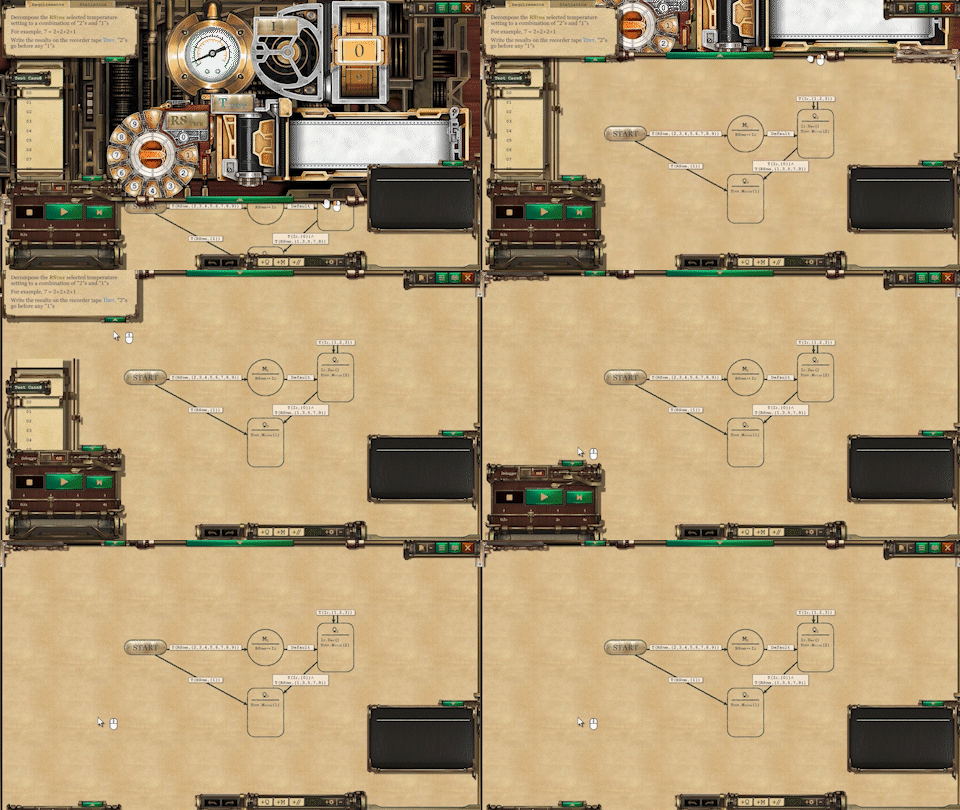
Next stop, the Sandbox mode! We will do our best to catch up the schedule and release it as soon as possible. Once again, thank you for your kindly support and patience. 🙏
Release Notes
Master build 40307
Improvements:
- Player can now adjust the size of Diagram Panel manually, by dragging the edge of it.
- “Use full-frame Diagram” Option: If the feature is enabled, the Diagram Panel will scratch to the top of the screen automatically when clicking on the Expand button.
- Player can minimize Execution Panel to the button left of screen now.
- All the cinematics (opening, ending, and trailer in demo) are skippable by pressing Esc key while playing.
- A "Restore Defaults" button was added to the Option window.
Bugfixes:
- Fixed an issue that cause Steam Cloud not synchronizing save files on Mac.
- Fixed an issue that cause BGM muted after watching trailer vid in demo.
- Fixed a typo in the intro of 2-4. (Thanks to Roxor128 for reporting it)
First Anniversary of AAW!
Today is the first anniversary of the launch of Alan's Automaton Workshop. It has been truly an amazing, fulfilling, and very busy year for us.
This is the developer, Alimen speaking. And I wish to thank all of you who joined us in our first year. Sorry for haven’t updated our news for a while, due to some of my personal reasons. But that’s okay, cause we’re back! And we’re eager to share some more with you.
First of all, the Trading Cards! By the moment you read this post, the Trading Cards should have been released, and you will be able to get them by playing AAW. Unique profile backgrounds and emoticons were also released to the Points Shop. Hope you enjoy them. 😋
We also adjust the backend settings of Cloud Save sync function for Linux and Steam Deck, so we hope it will work more correctly on both platforms now. However, there are still some issues on Mac that we're working on, and we'll keep the community informed as soon as we have progress on that.
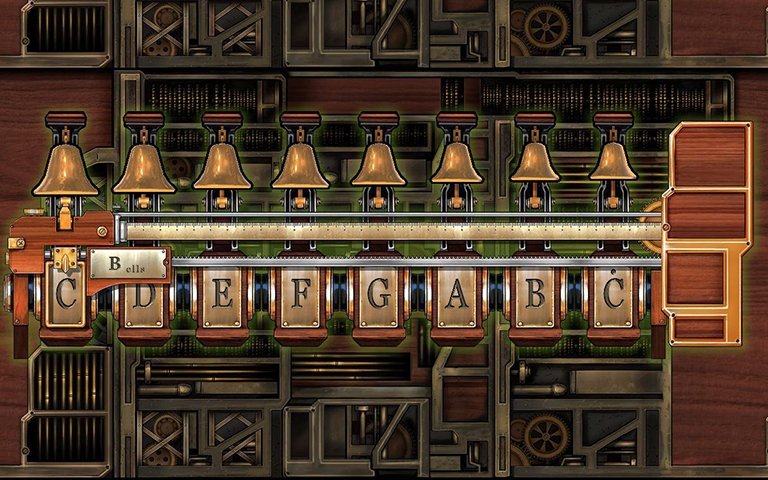
And for the feature which all of you’re looking forward to, the sandbox mode: sandbox mode has been tested and tuned, and we're now adding some sandbox-exclusive devices, such as a full octave bell set, and random number generator, etc. Hope them could help to unleash all your creativity.
The sandbox mode is expected to be online at the first week of March.
Before the sandbox mode, there will be a small update about UI improvements. The update will allow player to use full-frame / full-screen diagram panel, in order to make editing diagram more efficiently.
And there will also a balancing update after the sandbox mode were released. The update will focus on Chapter III levels and the certifications, and add a new issue of Automaton Journal in library.
Phew, that’s about everything. Once again, thank you very, very much to everyone in the community, and see you in the workshop! 😁
Celebrating the Day of Programmer!
Guess what’s different for the date September 13th? That’s right, it’s the 256th day of the year 2022! The 2^8-th day written in hexadecimal is a perfect 0x100, and (1 0000 0000)2 when written in binary - of course, engineers won't miss such a nerdy day - so we have the Day of Programmer!
To celebrate the programmer’s day, Luden.io invited a bunch of programming and automation games include Alan’s Automaton Workshop to start a unique party! Some of us are retro, some are sci-fi and some are whimsical, come join us and Happy Coding!
The sale runs from Sep. 13 to 10 am PST, Sep. 19.
For more information, please check the following link:
https://store.steampowered.com/curator/42589128/sale/Programmersdaysale
Dialogue System Improvements
It’s already mid of August, how’s your summer going?
We just participated in The Nightmarket Festival 2022, the first Steam sales event focusing on games from the SEA region. Hoping to bring the energy and joys of night market culture to all of you. We would also like to welcome the new engineers joined us recently. Wish you had an interesting coding experience with AAW. 😀
In this update, we improved the dialogue system to allow players to skip any dialogues - even you've never read it before. We also tried to fix the "Soft-lock on reaching Chapter 2" issue that has been bothering us for a long time, and improved the internal timer for smoother playback. If you are still experiencing similar issue, please feel free to ask in the forum or mail us directly.
There’re also several minor fixes within the update. Please refer to the following release notes for more details. Thanks again for your kindly support.
Release Notes
Master build 30813
Improvements:
- Dialogue system allows players to skip any dialogues now, even if it has never been read before.
- Improvements to the dialogue system's resource management to allow it to load resources more efficiently (It may solve the "Soft-lock on reaching Chapter 2" issue for some of players).
- Updated internal timer of dialogue system to further prevent unwanted pauses.
- AAW Language Mod options will show up at the language selection screen at the intro sequence if the mod is installed. (Thanks the advice from cabtv)
- Editor panel now displays read / write permissions and available symbol set when selecting a hardware device.
Levels:
- Updated test cases for 3-4 to test certain carrying situation. (Thanks the advice from SimoneSpinozzi)
- Updated test cases for 4-4 to test words containing a “Y” that is not at the end. (Thanks the advice from Metamorf)
- Fixed a typo in the requirements of 1-1 (Thanks Anathor for reporting it)
- Fixed an issue where deleting the given State node in 2-1 would cause player cannot leave the level. (Thanks Ghost Barbeque Hydra for reporting it)
- Temporarily remove the third page (Vol. 2, No. 1) of the Automaton Journal of the demo for future level adjustments.
Bugfixes:
- Fixed a bug where the memo (hardware device) disappears when dragging.
- Fixed a bug where the game crashes when writing non-numeric values to Rotary Switch via Mapper nodes. (Thanks Eric Yeoh for reporting it)
Get the time-limited 20% discount for Alan's Automaton Workshop
The Nightmarket Festival 2022 is the first-ever Steam sales event focusing on promoting games from the SEA region, breaking cultural barriers, and raising awareness for the region’s gaming scene. We introduce awesome games with a local touch, just like the night market culture commonly seen here - filled with creativity, diversity, and great fun.
The Nightmarket Festival 2022 is showcasing around 100 discounted games, and offering free demos for dozens of upcoming titles!
The sale runs from Aug. 4 to 10 am PST, Aug. 8. And includes live broadcasts to celebrate and showcase the lineup.
The Nightmarket Festival Live Show Program
23:00 - 08:30 PST, Aug. 5-6 (in Mandarin)
Featured games: OPUS: Echo of Starsong - Full Bloom Edition, My Lovely Wife, Alina of the Arena, Potion Permit, SIMULACRA 3, Minds Beneath Us
23:00 - 01:30 PST, Aug. 6-7 (in English)
Featured games: Asterigos: Curse of the Stars, Dusk Diver 2, Nine Sols, Dungeon Munchies, The Legend of Tianding
Get yourself ready and enjoy a diverse taste of unique SEA games waiting for you! Forget the scorching weather, the party’s indoors! We got your weekend covered!
Check it out:
https://store.steampowered.com/sale/nightmarketfest_2022
Save / Save As / Load
Release Notes
Master build 30623
Added:
- In-editor 'File' panel: Player can save / load automaton save files without returning to the level selection (Thanks Spirale and Onesmy for the advice)
Bugfixes:
- Fixed 'condition' typos in manual (Thanks eagercheesecake for spotting them)
- Fixed an issue where the warning sign on transition arrows not showing correctly (Thanks zapakh for reporting it)
Comment Your Flowchart!
Release Notes
Master build 30430
Added:
- Player can add Comment blocks to diagram now. The comment will be available in level 1-6.
- Related descriptions of 'breakpoint' and 'comment' is also added to the manual.
Levels:
- A minor update to the test cases of level 4-2 to block an undesired solution (Thanks the advice from ℬ𝒶𝑔𝑒𝓁)
- Fixed a misplaced hint on the memo board of level 4-7 (Thanks to ℬ𝒶𝑔𝑒𝓁 for reporting it)
Bugfixes:
- Fixed an issue where the level 2-5 not progress correctly when using Language Mod (Thanks to huieders for reporting it)