Today's update introduces the new quest system! You can now build RPG-style quests complete with branching dialogues! This means your builds can tell a story in an interactive way & guide players around your worlds. This first phase of the quest system includes the EZ Quest Builder. It lets you create "Collect Coins" or "Gossip" quests quickly & easily.
EZ Gossip Quests
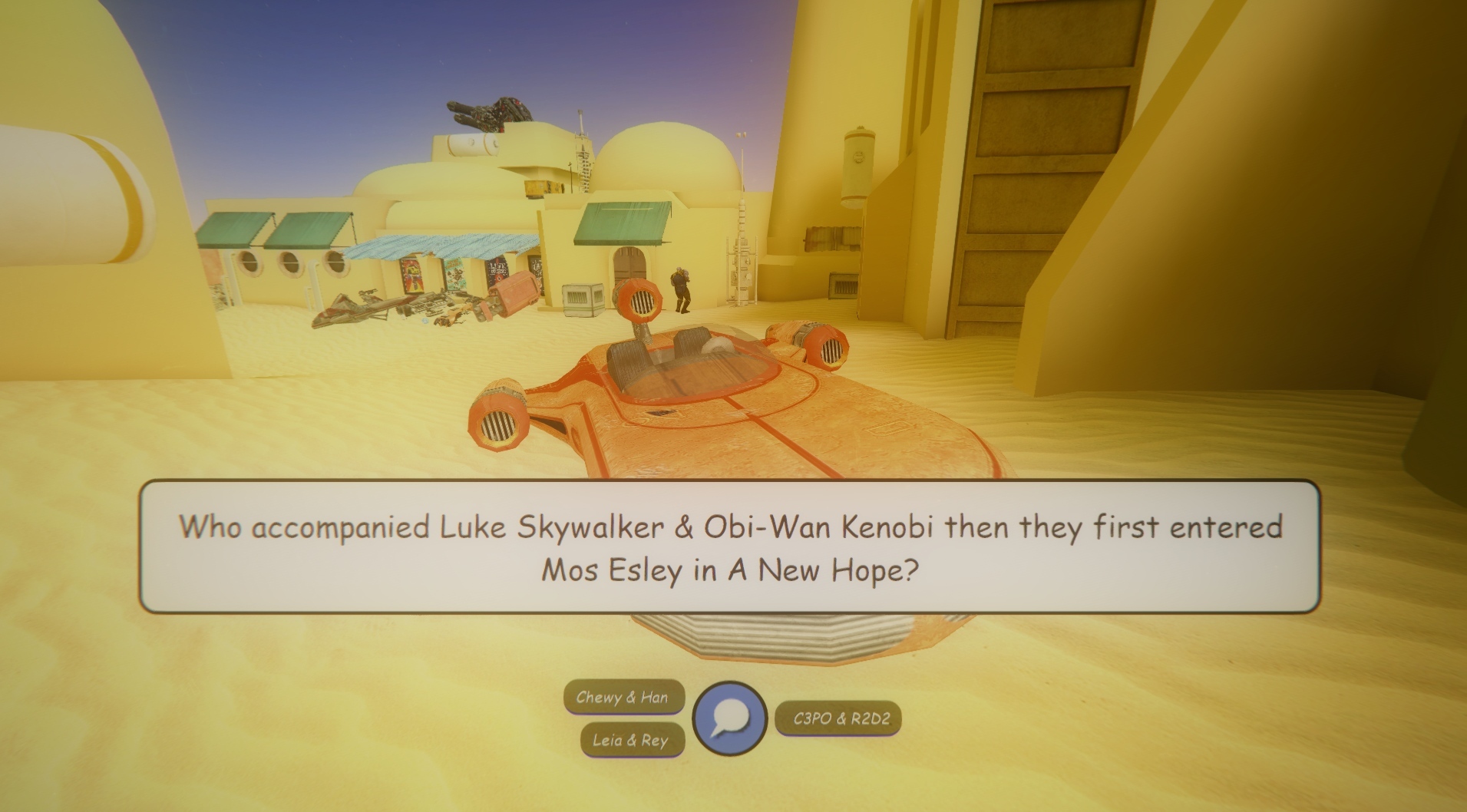
Gossip quests are the most versatile. When the player interacts with your quest object, they are given an interactive dialogue. Gossip quests can be used for talking to characters, interacting with terminals, or simply to provide commentary or inner monologue to the players.
EZ Collect CoinsQuests
Collect Coins quests are exactly as you'd expect. Spawn a bunch of **any** model you want the player to collect. Then middle-click on any 1 of them, go to Advanced > Quest and choose the Collect Coins template.
Interactive Dialogue System
All quests support the new interactive dialogue system. These dialogues are easy to create. The top line is what starts off the dialogue. Lines that are tabbed in once are responses that the player can choose. Lines that are tabbed in twice are the next branch of dialogue that follows that choice. Nested dialogue branches, as well as jumping back up the dialogue tree, are also supported.
Quest Tracker Tab
The Quest Tracker lets you see what quests are available in the world you are at, track your progress, and gives you hints on achieving the objectives. Hold down TAB and click on the Quests tab to access it.
Quest Improvements To Come
This is Phase 1 of the quest system. It will be a little rough around the edges, but is already a lot of fun to play around with.
Quests are singleplayer mode only right now, but the quests you build now will work in MP in a future update too. If you have feedback on what the quest system needs, have questions about how it works, or just want to see what others are doing with it, feel free to join us in our Discord and talk about it. You are invited. https://discord.gg/xtPSqy8
ResponsiveVoice TTS
The final component in today's update is some experimental TTS support to go along with the text-based quest dialogues. Powered by ResponsiveVoice TTS ( https://responsivevoice.org/ ), the TTS voices can read the text from the quest dialogue prompts. The text-to-speech is only loosely integrated for now to give users a chance to try it out & provide feedback. Love it? Hate it? Think it needs adjustments? You are welcome to join the Discord and provide feedback directly to me - the programmer of Anarchy Arcade.
New Textures For Map Builders
This update also adds a collection of new materials for all you Hammer users out there who build addon maps - mostly audio-responsive - into the materials/sm_arcade folder.
That's all the update news for now! Enjoy your time in the metaverse & party on, dudes!
Change Log
Added a Quests tab to the Tab menu.
Added the EZ Quest Builder menu with Gossip and Coin Collect quest templates.
Added Use In Quest to the Object Properties menu.
Added Developer Adopt Asset Files to the Commands tab. It lets you make an extra COPY of all the files used by a particular model or material.
Added experimental TTS support to quests using ResponsiveVoice TTS.
Added Quests Restart All to the Commands tab.
Added the experimental console command test_spawn_vox [filename]. It loads the VOX file you specify and spawns it into the world. Note that spawning VOX files in AArcade has known issues including hitting the world entity limit very quickly.
Fixed a bug that caused the minute & hour hands on the Holoclock only move upon full minute or hour tick.
Fixed a bug that caused drag-scrolling on the F6 Library Tab to spawn whatever was under your cursor when you scrolled.
Fixed syntax issues in various materials inside of the materials/BeefyHouse directory.
Fixed an issue that caused some invite links to erroneously have an HTTP in front of them.
Improved AArcade's ability to detect when a URL is to an image.
Improved KeyValues handling to support values longer than 1024 characters.
NOTE
At 11:30AM PST I pushed a hotfix so that the new image viewer improvements are included - they allow the image viewer to work even on URLs that don't have any file extension in them.
IRL Clocks, Steam Invites, & Stat Counters
Today's update adds LED displays that can show various stats on them! It also adds analog & digital clocks that can display the date & time in various ways! Steam invites to MP sessions have also been improved. And last but not least, AArcade's ability to pack & sync assets has been improved.
Display Stats on Number Signs
There are 3 new props you can spawn that show you stats on them. You can control which stat they show by using their skin slider when placing them.
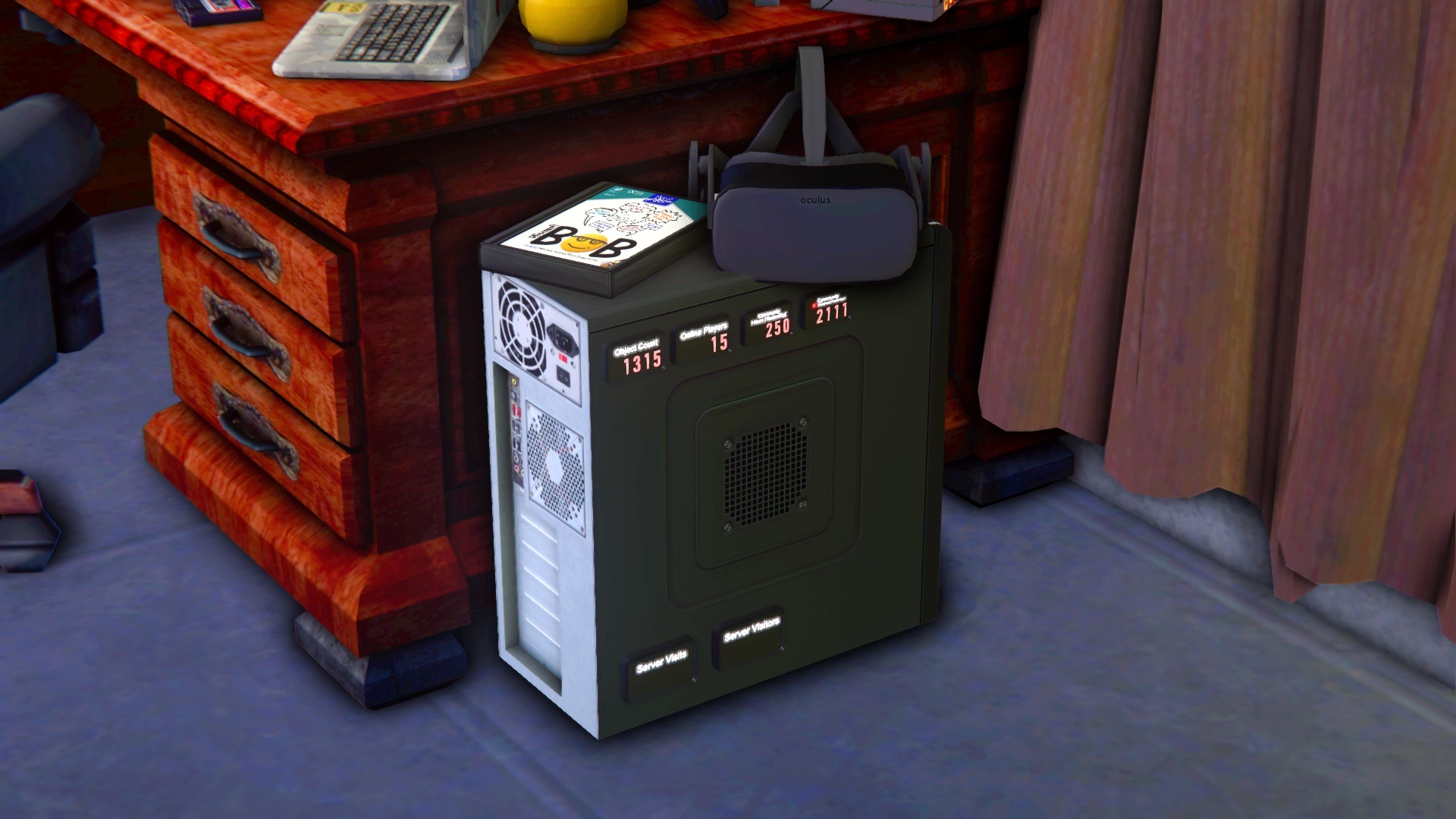
The Local Stats Number Sign shows you the amount of objects in your current instance, or the number of items, models, or maps in your library.
The Global Stats Number Sign shows you the # of players who are currently playing AArcade, how many hours we - as a community - spent in-game in AArcade yesterday, or how many YouTube videos we - as a community - watched in AArcade yesterday.
The MP Stats Number Sign shows you how many visits have been made to the server it is in, or how many unique visitors have stopped by. Note that MP Stats Number Signs are blank unless you are in multiplayer mode.
Real Analog & Digital Clocks
Tie your virtual reality closer to your real reality by placing some of the new IRL-time clocks into your arcades! They will display the local date & time in various ways. Be sure to check the Body Groups on the Digital Clock to see the different display types available!
Steam Friend Invites & Join Links
Today's update fixes Steam Friends support so that you can invite or join your friends right from your Steam Friends list! This works whether or not AArcade is already open.
Also, the invite links to join servers has been updated to actually join the server in AArcade when clicked. These steam:// invites also work whehter or not AArcade is already open.
Enjoy the new clocks & stat displays! If you want to learn how to make your own materials based on them, just ask in the #devtalk channel of the AArcade Discord ( https://discord.gg/xtPSqy8 ) and I'll be happy to help get you started! Until next time, party on!
Change Log
Added 3 new Number Sign props to the default library. They display various stats about your local library (Local), the multiplayer server you are in (MP), or the global AArcade community (Global).
Added a material proxy called aaSystemTime and aaNumberStat that you can create your own time/stat-dynamic materials with. You can look at the VMTs of the digital_clock, holoclock, and numbersign models for examples of how they are used.
Added the console command "adopt_sky [skyname]". It lets you explicitly specify a sky material name to adopt.
Added support for "patch" materials to the adopt_material console command.
Improved adopt_material console command to accept 2 optional arguments: material name & custom sub-folder name. If blank - the material under your crosshair is used and the custom/adopted folder is used. Material names should NOT have the "materials/" folder prefix included nor the ".vmt" file extension.
Improved asset detection for adopt_material console command.
Improved adopt_model console command to accept 2 optional arguments: model name & custom sub-folder name. If blank - the model under your crosshair is used and the custom/adopted folder is used. Model names
should* have the "models/" folder prefix included, as well as the ".mdl" file extension.
Improved the link generated after hosting a server to be a steam:// invite link. (We'll bring the web browser links back again after our web version of AArcade gets better.)
Improved support for Steam Friends invites & steam:// link invites to join MP servers.
Fixed a bug that caused models that had paint jobs to sync improperly in the MP session cloud. They will show up as regular, non-painted props for now. (Paint jobs will be synced in multiplayer in a later update.)
Fixed a bug that caused your Twitch following page to be treated as if it was a channel called "following".
Featured Servers & Twitch Embeds - Client Update 6/14/2020
Greetings! Today's update revamps the Online & Featured panels on the Main Menu to show a wider variety of servers to explore! It also improves support for viewing Twitch streams, videos, & highlights in a nice embedded viewer.
Community News
I hope you're all doing well! Just a reminder that you are all invited to the official AArcade Discord to hang out, chat, lurk, or connect with other AArcade users & myself!
We had our meetup & field trip the other day & visited a massive arcade in the expo map built by Intruso. (The meetup & field trip happens every 2 weeks by the way!) Thanks to everybody who attended & thank you Intruso for all those nice museum-like text cards that explained your design process in each area!
Also I used the new Showcase Mode to record a nice fly-through of the arcade I built myself inside of OkeDoke's OneTwentyRedux map: [previewyoutube="vs-Q6CpIiDs;full"]
And a reminder that I can demonstrate how to do things & answer any questions you have about AArcade during my weekly Twitch stream every Wednesday. I built a big "luxury" sand crawler map that I've been living in the last couple months which I used the new Showcase Mode in once again to create this cool fly-through trailer: [previewyoutube="RhLm6N7fRkw;full"]
Featured Multiplayer Servers
The Featured panel on the Main Menu now shows a different set of 3 servers for each day of the week. That's 21 featured servers in total.
The default Online panel has also been improved to not always take you to the same old lobby, but instead randomly show 1 of the 21 featured servers every time the menu is opened.
Remember that you can still view the hundreds of other servers people have hosted by clicking on the small SERVERS button underneath where it says ONLINE.
Multiplayer Screenshots & Showcase Mode
The F5 Screenshot Menu has now been enabled as a multiplayer guest. You can take screenshots as a guest & even hold down E to go into Showcase Mode afterwards. Your guest screenshots are saved and will be there the next time you re-visit the server.
Note that these F5 screenshots are still local images, so if you're building a multiplayer server with portals to other multiplayer servers, you'll still want to spawn them from the SERVERS menu & decorate them with web-hosted images instead.
Twitch Embeds
Today's update fixes Twitch live stream embeds, and adds support for Twitch video & highlight embeds.
The difference between an embed & just loading a link directly is that embeds are fullscreen & auto-start, while loading the link directly shows the video on a page surrounded by ads.
You just spawn regular Twitch stream/video/highlight links as normal & everything is handled automatically by AArcade.
Free YouTube Movies
The bug that used to cause free YouTube movies to be treated like broken videos has been fixed! In case you didn't know, YouTube actually has a pretty large selection of free movies you can watch (along with their ads.) They don't allow themselves to be embedded, so you'll have to click play & fullscreen on them manually in AArcade, but the important thing is that they'll work now! :)
The list of all free YouTube movies can be found here: https://www.youtube.com/feed/storefront?bp=kgEmCGQSIlBMSFBUeFR4dEMwaWJWWnJUMl9XS1dVbDJTQXhzS3VLd3iiBQIoAg%3D%3D
You just spawn regular YouTube links as normal & everything is handled automatically by AArcade.
Change Log
Added the ability to take screenshots while a guest in MP servers. This also allows for using Showcase Mode in them.
Added the size of servers shown in the Online and Featured panels on the Main Menu ranging from S to XL.
Added the ability to use the middle-click spawn menu while a guest in a multiplayer server. Note that as a guest, the stuff you spawn is local-only and is not saved to the server.
Fixed the bug of multiplayer servers cluttering up instance menus w/ empty instances by changing library loading to skip instances w/ 0 objects. Note that the empty instances from servers you joined only disappear after the next time you start AArcade, for now.
Fixed a bug that caused free YouTube movies to be treated like broken videos.
Fixed support for live Twitch stream embeds.
Improved support for embedded Twitch videos & highlights.
Improved all materials in materials/ShantzPlaceCSS with minor syntax adjustments to make them more compatible with painting & external tools.
Improved materials/models/cabinets/bashkit.vmt with a minor syntax adjustment to make it more compatible with painting & external tools.
Improved the stability of the Steam Store wizard when spawning new games using it.
Improved the Featured & Online panels on the Main Menu to have a wider variety of what they show.
Minor Fixes - Client Update 6/2/2020
Today's minor update adds new skins to the Hologram & Blend cabinets w/ animated & audio responsive materials. It also fixes a bug w/ spawning individual games from the Steam Store Wizard.
Change Log
Added 10 new skins to the Hologram & Blend cabinets that have material animations (some are audio-responsive as well.) You can access them from the Transform Menu > Skins tab while positioning an object on a Hologram or Blend cabinet. (Note that these material animations work best on images that have black backgrounds along their edges.)
Added the console command "removejunkobjects" that clears all cheers & junk objects from the world.
Added support for slideshow URLs to be used in the Preview field of items. (However, you have to manually paste in the URL from a regular Slideshow item's file field for now.)
Improved Look At Me behavior to look at the view entity, not the player position. Fixed a bug with the Look At Me behavior so that child objects inside of nodes can Look At Me correctly.
Fixed the Steam Store wizard.
Showcase Mode - Client Update 5/18/2020
Hello arcaders! Do you love what you've built in your arcades? Today's update adds a new Showcase Mode camera that allows you to showcase your creations with ease! Fly-through cameras & before/after renders are now just a button press away! There's also a plethora of fixes, improvements, and small additions packed into this update. Full change log below!
Showcase Mode
The new Showcase Mode uses your screenshots that you've taken of your arcade on the F5 Screenshot menu and uses them as camera path-points to do fly-throughs, camera fades, or even before & after comparison renders.
[previewyoutube="rzbWZDcn_JE;full"]
First, you'll need to have at least 1 screenshot taken in your arcade. I suggest taking a handful of them so that the camera has a few to cycle between during the showcase.
Next, you hold down E to go into Showcase Mode. Your camera will automatically go to the nearest screenshot position and start the sequence. Use the mouse wheel up/down to skip forward / backward through the sequence.
Press ESC to exit Showcase Mode and resume exploring your arcade.
The order that the sequence plays is the same as the order that you took the screenshots in. It always resumes at the nearest screenshot position to where you are standing when you turn on Showcase Mode. If the next screenshot is within line-of-sight of the camera, it will fly there. Otherwise, it will cut there instead.
Instead of a flying camera you can instead do before/after renders by going into Settings > Camera tab and turning on Showcase Mode Before & After Wipe. It shows what the room looked like before & after your customizations. I posted a video of what this looks like onto my Twitter here: https://twitter.com/anarchyarcade/status/1261794463141122049
I'm interested in your feedback on what you think about Showcase Mode and which features it needs most in the future! (For example, one thing I plan on adding is the ability to re-order screenshots on the timeline.)
JSON Item Import
Developers/programmers - today's update adds the ability to paste stringified JSON items directly into AArcade while in "walking-around" mode to add them to your library & spawn them into the world. If you are interested in how to make your own apps / plugins generate JSON items compatible with AArcade, please just ask in the Discord and I'll be happy to help! https://discord.gg/9FSCDuJ
I hope you all enjoy the new Showcase Mode & stability improvements in today's update! And I'll see you all in a couple weeks with the next update! Party on, dudes!
- SM Sith Lord, Programmer of Anarchy Arcade
Change Log
Added Precache Models to the Settings menu > Objects tab. Enable it to speed up singleplayer arcade loading.
Added Batch Object Spawn to the Settings Menu > Objects Tab. Enable it to speed up how quickly singleplayer arcades load, but you will experience stutter when large batches of objects quickly spawn in.
Added the new Objects Tab to the Settings menu. Also moved various object-related options into it from other tabs.
Added Allow Multiple Active Objects to the Settings > General tab. If enabled, objects will play their "active" animations until their task is closed, regardless of how many are active.
Added Spawn Nearby Objects to the Commands tab. It is only needed if you use limited spawn settings OR use the beta Nodes feature.
Added an Object Fade Distance slider to the Settings Menu > Objects tab. Slide it down for a performance gain by making distant objects invisible. Recommended that you leave it on the default value of MAX though.
Added an Object Spawn Distance slider to the Settings Menu > Objects tab. Slide it down for a large performance gain, especially in large arcades, by making
*only** nearby objects spawn. If you use this, you MUST use the Tab Menu > Commands Tab > Spawn Nearby Objects to spawn the additional objects. Recommended that you leave it on the default value of MAX though.
Added Spawn Objects Within View Only to the Settings Menu > Objects Tab. It only works if used in conjunction with the Object Spawn Distance slider. Using it will further limit which objects spawn by requiring them to also be within the player's line-of-sight. Recommended that you just leave these on their default values.
Added the convars aapropfademin -1 and aapropfademax 0. They control fade distance on AArcade objects. Changes take effect upon map load. Default values are no fade. You should use the sliders in the Settings menu instead of directly modifying these convars.
Added the console command "paint_sky_texture" to manually specify a material that is not on your Paint Menu palette to paint the sky with.
Added collision meshes to the Sprite cabinets. (Note that Blend & Hologram cabinets will intentionally
*never** have collisions.)
Added the console command insta_launch_shortcut. It will launch the shortcut of the object under your crosshair, or the explicit item ID you pass the command, without having to bring up any menus. It
*only** works if AArcade was launched with -allow_insta_launch in its launch options.
Added ReShade Depth Effects to the Settings > Camera tab. You no longer have to restart AArcade in order to toggle it on & off.
Added the ability to paste in stringified JSON objects directly into AArcade while in walking-around mode.
Improved the stability of closing web tabs, singleplayer arcade loading, and using screenshots as portals to other maps & servers.
Improved the Settings Menu to clearly indicate which option you are hovering your mouse over.
Improved the Movie Stand Standard cabinet to use a lit marquee image & have attract camera animations.
Improved support for fog overrides by resetting fog override values upon map transition.
Improved the mouse cursor responsiveness of toggle buttons on the Settings Menu as well as on all UI drop-down lists..
Improved the Launch Item / Paused screen to have a shorter default delay between showing the pause screen & actually launching your shortcut. (Unless you have the Coin Drop sound enabled in Settings > Sound tab.)
Improved speed of object spawning by turning ON Quick Spawn Items by default for new users. This setting allows new shortcuts to instantly spawn into your world without the confirmation menu. (Note that existing users will have to turn it on manually in Settings > Objects tab if they want Quick Spawn Items enabled.)
Improved the functionality of sky_camera entities in Hammer. (Based on sky_camera code from Mapcore mod.)
Fixed a bug that allowed the Libretro Core Settings menu to become too long to fit on the screen for some cores.
Fixed a bug on the F6 Library tab that would cause the 1st search result to repeat itself with each new batch of results.
Fixed a bug on the F6 Library tab that caused the same amount of results to be returned regardless of the zoom slider.
Fixed a bug on the Item Properties menu of Text Cards that caused 3D text to appear even while editing 2D text cards.
Fixed the TheMovieDB wizard to work on their new website design. (Still only works on movies only, not TV shows.)
Fixed a bug in multiplayer that caused custom asset of materials that are inside of materials/models/smarcade to not sync. Note that existing models won't be impacted until the next time the session cloud is reset.
Server Menu Fix - Client Update 3/7/2020
This small maintenance update will improve "Looking For Map..." times when re-joining servers you've been in before, fix the "NEW" indicator on the server list so you can see which servers have changed since you last visited them, and corrects a bug that caused models w/ very short animation sequence names to fail to list all of their available sequences in the transform menu.
Party on! ːilyː ːspg2anarchyː
Change Log
Fixed a bug that caused AArcade to fail to auto-update maps when joining servers from map authors.
Fixed a bug that broke the NEW indicator on the server list on servers that have changed since the last time you visited them.
Fixed a bug that caused models that had very short sequence names to be missing sequences in the Transform menu.
Portals & Sky Paint - Client Update 2/25/2020
Today's update improves screenshot portals, adds the ability to paint skyboxes, and improves humanoid model animations!
Sort By Interactive Screenshots
The F6 Library Browser has been improved to allow sorting by interactive screenshots. This means you can take an interactive screenshot and use it as a makeshift favorites list to spawn individual items & props from it!
Portal Cabinet
Spawning screenshots as in-world portals has been improved - including the ability to spawn multiplayer servers as in-world portals. So today's update also includes a fancy new cabinet called Portal that allows screenshots to look like rifts in time & space.
Note that when you create an in-world portal from the MP servers menu, you'll probably want to decorate its item's Screen field to be something custom instead of the default server image.
Skybox Painting
The F8 Paint Menu has been updated to support skybox painting. There are 2 new buttons there: Pick Skybox and Reset Skybox. When you click on a skybox material in your palette it will automatically know that it's meant for the sky & apply itself there.
Note that HDR and LDR skybox types are different. You can only paint an HDR skybox with an HDR material - and vice versa.
Animation Sequences
Today's update fixes a bug that caused a lot of animations to fail to show up on the sequence menus. Most notably - all of the HL2 civilian animations. To accommodate all of the new sequences, the Transform menu has been improved to load sequences in as batches instead of all at once. Be sure to favorite the sequence names you like, and hide the sequence names you don't think you'll ever use!
I'll see you all in next month's update news, or you can come say hi in my Twitch channel (twitch.tv/AnarchyArcade) or on our Discord server! You. Are. Invited. https://discord.gg/9FSCDuJ
Change Log
Added Interactive Screenshots to the F6 Library Browser. It allows you to use screenshots as dynamic favorites lists. Note that only objects that have collision boxes get detected.
Added a new cabinet called Portal. It is useful for spawning screenshot or server portals - or just watching videos on. :)
Added support for painting skyboxes to the Paint tab. Also added Pick Skybox and Reset Skybox to the Paint tab.
Added "Auto/Global Rotation" to the Transform Menu. Switch it to Global if you want to spawn something perfectly flat even on a slanted surface.
Added a Spawn As Object button to each server in the Servers menu. Note that you can then decorate these portal items w/ a web screenshot if you wish.
Added Camera Attract Next/Previous to the Commands tab. Also improved them to work even if nothing is currently selected.
Added a Send To Favorites sub-menu to items in the EZ Library Browser. Click & hold on the favorites button to be able to choose which favorites list to add the item to.
Added Input Lock to the Action Bar commands list. It will allow you to lock input to your selected object, as if it were fullscreened.
Added Camera Rotation Lock to the Commands tab. It locks the 3rd person camera's rotation, allowing you to look at the camera.
Added Object Look At Me to the Commands tab. Also improved it to be a toggle, and to work on the next nearest object if none are under your crosshair.
Added the console command adopt_material. It will adopt the material that is under your crosshair into your aarcade_user/custom/adopted folder. This is useful when you want it to show up in your Hammer material list.
Added a "Reconnect Twitch" button to the chat menu. It should fix your Twitch chat if it bugs out. Note that sometimes it has to be clicked multiple times to work still :S.
Improved animation sequences on HL2-skeleton models. You'll notice many hundreds of animation sequences you can use now. Remember to favorite the ones you like the most, and hide the ones you think you'll never use. This animation update also expands player model compatibility. (Note that if you already had HL2 installed, then you already had this "expanded" player model compatibility.)
Improved many of the Commands Tab actions to be toggles instead of needing different actions for on/off. Also renamed many of the commands to appear in more appropriate alphabetical listing.
Improved the Universes section of the server list to properly show everybody's universe.
Improved the travel menu to support screenshots as well as server portals.
Improved model thumbnail generation to automatically hide models that crash AArcade at least once.
Improved Import Models and Import Steam Games to be much faster when adding large amounts of new entries.
Improved Tiny Mode to also adjust the Near Z render distance to prevent clipping issues with the floor.
Improved the Transform Menu's cabinet categories to scroll, if needed.
Fixed a bug that made slideshows not work with folders that had the # character in their path.
Fixed a bug with drag & drop not working with local folders that had # symbols in them.
Fixed the rotation snap on the Roll attribute arrows in the Transform menu to rotate in the proper directions.
Fixed a bug that caused hidden props to still show up in the mouse wheel list. (Re-implemented from a previous rollback.)
Disabled the lowest zoom level on the F6 library browser until various bugs with it are resolved.
NOTE At 1:15PM Pacific time I pushed a hotfix to remove a debug button that I accidentally left on the main menu. ːilyː
NOTE 2 At 2:45PM Pacific time I pushed another hotfix to fix screenshot teleporting within the same map you are already in & teleporting to SP maps that don't have screenshots.
New Cabinet Models
Greetings! Today's update brings 4 new cabinet models into the mix: Shaft, Chamber, Fatty, and Jumbo Deck. They have many variations in their Body Groups plus the Fatty and Jumbo Deck have alternate skins too! Each one is rigged up with attract camera animations, so pressing E on them will sent you into an automatic showcase of what ever you have inside of it!
[previewyoutube="H334GyeUwSE;full"]
Community Hammer Jams
One weekend every month a handful of us who enjoy building worlds in Hammer get together in the Discord & on Twitch to do 2-day game jam / hackathon style map building marathon. We all agree on a simple & generic theme and then each create our artistic interpretation of that theme as a new custom world in Anarchy Arcade.
It's a lot of fun. We learn a lot about level design, logic scripting, and other game design elements. Plus we get to use our creations as our 3D desktops for the years to come. ːilyː
Here are the very brief highlight videos of the worlds we've created in our 2 previous Hammer Jams! [previewyoutube="0e28uIx6kqc;full"] [previewyoutube="SbV069iW2PI;full"]
Our next Hammer Jam event will be announced in early February, and the theme is expected to be to recreate a set from our favorite cartoon show. Hope to see you all there!
By the way, if anybody needs an invite to the Discord where the community stays in touch, here is your invite! https://discord.gg/9FSCDuJ
Change Log
Added 4 new cabinet models: Shaft, Chamber, Fatty, and Jumbo Deck.
Added the ability to try out the +precache_instances 1 launch option, which will cause all instances to load much faster in Singleplayer mode. (Note that due to a bug that increases the chances of crashing when loading the same instance over & over again, precache_instances is set to 0 by default until I am able to resolve this bug.)
Fixed a bug that caused hidden cabinet models not to show up in the cabinet select screen. (By reverting the fix for "hidden entries still showing up on the mouse wheel prop list" for now.)
Note
At 1:01pm Pacific I pushed a hotfix so that the +precache_instances 1 launch option would correctly be disabled (set to 0) by default. You can still add +precache_instances 1 to your launch options to try it out - as intended. And it will be on by default in a future update after I polish it up a bit.
Back To The Grind - Client Update 1/4/2020
Happy new year arcaders! Today's update adds the options to freeze world physics props automatically & to make node origins invisible (instead of the little tablet.) Also the Move Object/Clone Object/Player Model Morph commands have been improved so that they use the next nearest object if there isn't one directly under your crosshair - which is great for positioning holograms!
Change Log
Added Hide Node Origins to the Settings > General tab. Node origins will still exist in-game, but be invisible.
Added World Physics Props to the Settings > General tab. If disabled, all the world physics props will be motion-disabled.
Added the following 2 console variables for debug purposes: debug_object_spawn 1 will log the object ID of each object into console.log prior to spawning them into the world. And skip_objects OBJECT_IDs_HERE will skip the specified comma-separated object IDs when loading into maps. These are to help troubleshoot the rare cases of not being able to load into an arcade save that has worked fine for you in the past.
Improved the Move Object, Clone Objects, and Player Model Morph commands to automatically grab the next nearest object if there is no object directly under your crosshair.
Improved the Move & Clone Object commands to utilize the last used transform on objects.
Improved CTRL + V work for pasting local file paths in addition to web URLs.
Fixed a bug that caused the Advanced Library Browser to not find any of your nodes when trying to load nodes from the leavers in hub_ maps.
Fixed a bug that prevented new cabinets from showing up in some users' libraries.
Fixed the Unhide button on the Object Properties menu to actually unhide the entry in your library like it's supposed to.
Fixed a bug that caused hidden entries to still show up on the mouse wheel prop list.
Fixed a bug that caused objects to always be rendered after they'd been highlighted w/ the glow effect at least once.
Fixed some console spam about tint colors.
Legs, Slideshows, & 3D Text - Client Update 11/9/2019
Greetings! Here's the run-down on what's changed. And as always, if you have any questions/feedback or would like to see me demonstrate how to use any of these features, you can drop into my frequent live Twitch streams and talk to me personally: http://www.twitch.tv/AnarchyArcade
Multiple Embedded Tasks Speedups
Today's update improves AArcade's ability to render numerous embedded tasks onto in-game screens at the same time. Why, you ask? Simple. Because people request it. So have fun multi-tasking on in-game screens! And (r)emember, just look at a screen and press the R button to set it on continuous play. You can hold TAB to manage/close your in-game tasks.
Slideshows (For Local Images)
Have a folder full of images? Just drag & drop one of the images to spawn it into your arcade. Then, middle-click on it and go to Advanced > Slideshow to transform it into a slide show of all the images in the folder! Note that slideshows only play when their object is active - and you can have as many slideshows active at the same time as you wish.
Drag & Drop Improvements
Now you'll be able to drag & drop images/URLs from standalone web browsers & even the games from the Steam client itself, in addition to local files.
3D Text Objects
Now, in addition to Landscape & Portrait, you'll also be able to choose 3D Text as a layout option. This will cause 3D letters to spawn on your object, allowing for some great signage. You'll want to use the new "Clear & Invisible" cabinet model on your 3D text objects - as they need no cabinet screen. (Newly created text cards will be 3D & use the appropriate cabinet by default.)
First Person Legs
Did you know most FPS games do not give you any legs in 1st person mode? Well as of today you can toggle on First Person Legs in AArcade, and the cool thing is that your legs will match what ever your player avatar model is!
Clone Your Instances
Too late for Halloween, but just in time for Christmas - the Instance Properties > Advanced tab now has a Clone button. Now you can clone your own arcades to preserve their original state before putting them through big remodels & renovations - such as we tend to do around holidays.
Favorites Lists Improvements
You may have already noticed that the List Properties menu has a Thumbnail field on it that didn't really get used anywhere. Today's update fixes that by adding Favorites Lists as one of the modes of the F6 Library tab. When you click the little heart on the bottom right corner of the F6 Library tab, all of your favorites lists will be shown to you as tiles to choose from.
In addition to the Favorites Lists mode, you'll also find new & improved Screenshots and Maps modes in the F6 Library tab.
Twitch Chat & New Cheer Command
The in-game Twitch chat support has been fixed & updated to the current Twitch API. You'll once again be able to use the chat menu (Y button) to talk to any Twitch streams you've setup in the Main Menu > Settings > Twitch tab.
Today's update also adds a new Twitch Bot Command. It's the !cheer TEXT_MSG command. If you have Twitch Bot Commands enabled & you are live streaming, your Twitch viewers can use this command to physically toss their TEXT_MSG out from your avatar's head into the AArcade world as 3D letters, followed by some junk objects that act as confetti.
You can customize which models are used as confetti by middle-clicking on a model and using the new Advanced > Flag/Unflag As Junk button. Anything you have flagged as junk will be among the pool of models used when tossing out confetti with the !cheer Twitch bot command.
Have fun! And you are all invited to join myself & the AArcade community in our Discord: https://discord.gg/9FSCDuJ
Or, if you prefer Twitter, I'm at Twitter.com/AnarchyArcade ːilyː ːspg2anarchyː
Change Log
Added 3D Text objects. By default, newly created text items will be 3D text. Also added a clear & invisible cabinet that is used on 3D text objects - as they need no visual cabinet model.
Added drag & drop support for standalone web browsers, the Steam app itself, and improved various other drag & drop support.
Added First Person Legs Toggle to the Commands tab. It lets you turn on/off 1st person legs.
Added Clone Instance to the Instance Properties > Advanced menu. Use it to make divergent copies of your own instances.
Added Favorites mode to the F6 Library Browser. It lets you navigate playlists as tiles instead of the drop-down list.
Added the ability to search screenshots to the F5 Library tab.
Added !cheer to the Twitch Chat Bot commands. It will allow your Twitch viewers to type !cheer TEXT_MSG to have their text message get spewed out of your face in-game along with 3 or 4 random models that you've flagged as "Junk."
Added Junk & Un-Junk buttons to the Object Properties menus. These buttons only show up if you have Twitch Bot Commands enabled. They let you add or remove models from the ones that get spewed out of your face when the new !cheer Twitch command is used.
Added the console variable autoplay_enabled 1/0. It enables/disables the autoplay object system when loading maps - for debugging purposes.
Fixed in-game Twitch chat support. If you haven't already - you can set it up in the Main Menu > Settings > Twitch tab.
Fixed a bug that could have caused some arcades that had autoplay objects to crash upon loading their world.
Fixed support for local images on the Edit Favorites List menu for the Thumbnail field.
Fixed a bug that made filtering for type "nodes" to ignore search terms.
Fixed a bug that would cause Reset Painted Material to only revert to the previously used texture instead of the original.
Fixed a minor bug that caused selecting stuff using the Near By Objects menu to cause the game world to pause.
Fixed an issue that made the F5 screenshot menu's cancel button look weird.
Improved AArcade's multi-threaded optimization by forcing the console variable mat_queue_mode to 2 when starting in non-VR mode, and forcing it to 0 (as required) when starting in VR mode.
Improved Camera Fly Mode on the Commands Tab to instead be Camera Fly Mode Toggle.
Improved Maps mode on the F6 Library tab. It now only loads how ever many screenshot thumbnails that will fit in the screen.
Improved map screenshot's default action in the F6 library to be to spawn them as objects into the world.
Improved Live Twitch Channel detection to use the newest Twitch API. (So that the Twitch Chat menu can properly indicate which streams are live once again.)
NOTE
At 5:20PM Pacific I pushed a hotfix for this update to fix an issue with in-world screenshots not working as teleportals.