

Animals Collision
DLC - Summer Sale
https://store.steampowered.com/app/1927760/Animals_Collision__Content_Pack/
Don't forget to see our other games:
https://store.steampowered.com/app/689030/Infection_Rate/
https://store.steampowered.com/app/1033230/Sheep_Collision/
Thanks for your interest about our games!
v1.0.2.1
- Characters: Slow attacks (like kicks and others) have 100% increased damage.
- Bug Fix: If the "Jump" button on the keyboard and the gamepad were pressed at the same time, there was a high jump.
- Bug Fix: Sometimes the "Lizard" character stop moving.
- Single and Online: In started levels there is "Low FPS warning message" if you fall below 50FPS. You can disable this option in Settings menu. FPS is very important in online games too. If someone have below 60 FPS others will see him very badly with lag.
- Online: Auto Hide of chat messages in started levels (not in Lobby) after few seconds. You can see these messages again in the chat box, when you press ESC or Q button.
- Online: Chat History is added. This remember last chat messages. You can delete this History with "X" button (near to Send button in chat box).
- Online Lobby: Steam button has been added for each player. If you click on it, steam profile of that player will be opened. This Steam button is also added in the started levels too, not only in the Lobby player panels.
- Online Lobby: If a player have DLC for "Animals Collision", additional icon will be shown up near to his name.
- Online Servers List: If a player Host (creator of the online room) have DLC for "Animals Collision", additional icon will be shown up near to his room name in servers list. This is important for the other players, because even if they don't have DLC, they can play online on DLC maps, if the host player has them and chooses them.
- Main Menu: It's added button for official "Animals Collision" steam chat group. You can Join and find other players which want to play online with you.
- Main Menu: Welcome Hint is changed. You can reset and see every in-game Hint from Settings (Reset All Hints).
- Extras Menu: Leaderboard now showing Top 100 players (old value 20).
- Gamepad: Right thumbstick can be used for scrolling on some menus (like settings, extras).
- Gamepad: Right thumbstick button (clickable) can be used to focus on game menus (in case you lost the buttons focus).
And lastly we would be very grateful if you could vote and write some review about our "Free To Play" game. This motivates us to keep going.
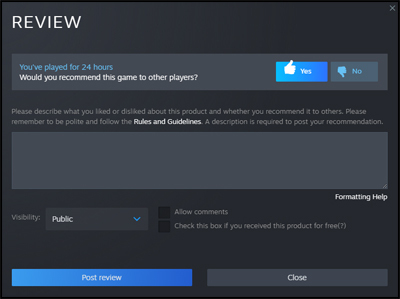
Thanks for your interest about this game!
Animals Collision - Released on Steam
Animals Collision is available from today: May 2
Don't forget - this is "Free To Play" game.
You can play with friends online - it's better than AI bots in Single player mode (and probably more fun).
Here have some tips about "Creating online game":
https://steamcommunity.com/app/1927650/discussions/0/5154941593379147270/
And lastly we would be very grateful if you could vote and write some review about our game here:
https://store.steampowered.com/app/1927650/Animals_Collision/
This will help us a lot!
Thanks for your interest about this game!
Animals Collision - Release date is May 2
Animals Collision - Release date is May 2.
On the Steam store page this date is not updated yet - due to the manually approving process of "review team". So, as a result, there will be some delay in the review process for store page and game builds.
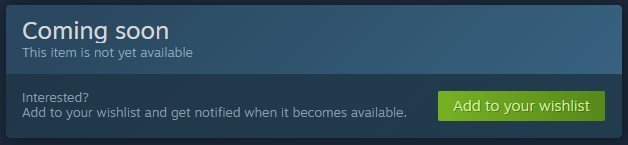
Meanwhile you can use: "Add to your wishlist" button to get notified when the game becomes available.
Thank you for understanding!