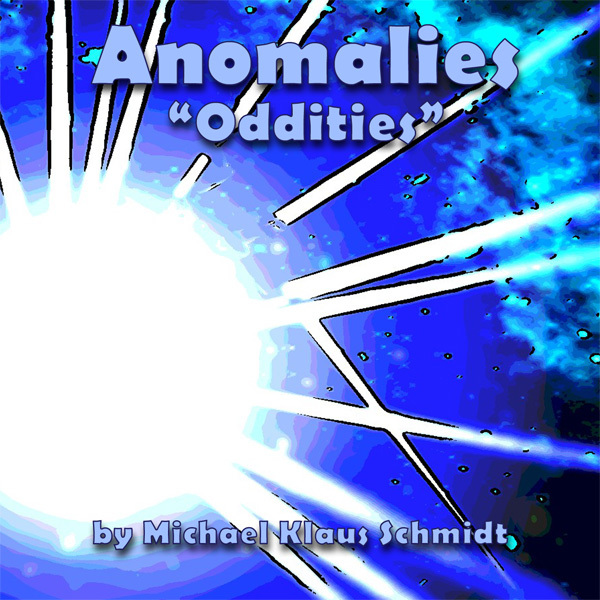
Ever since I started Anomalies, and added sounds to it, I have always been fascinated with some of the music it produces. I've been compiling these songs into different albums, some of which are available here on Steam.
"Oddities" is the latest of these records. It is actually a collection of songs that, for various reasons, did not make it onto any of the other albums.
You can listen to and download the album for free on my Bandcamp page if you like:
However, it is also included with the Anomalies Music Collection as of later today (uploading as I type this).
About Anomalies Music and Images
I have stated it before, but I want to mention this again ... please feel free to use any of the images or sounds produced by Anomalies in your own projects. It's not really a "tool" in any practical sense, but if you felt like using anything, you have my permission. Please provide credit if you choose to do so.
This fellow has shared his Anomalies, some randomized, some hand crafted, on his YouTube channel. I really love seeing some of the things people experience with this game, as it can sometimes even surprise me, the game developer.
https://youtu.be/k0e7Pw9_BLg
Here's another one, part of a presentation of Procjam entries, he seems to get a real kick out of it and almost "explodes" his computer.
https://youtu.be/c7YPlg1IK7k?t=2422
Feel free to comment on these video or share your own videos or screenshots here or in the discussions forum.
Also, I noticed a bunch of people bought Anomalies both here and on Itch yesterday and today. I am curious why this happened, and whether it was because of some Youtube video or article that I am not aware of. Let me know where you found out about Anomalies in the comments!
Options Menu and Advanced Spawn Menu Guides
I have added another two guides to the community hub. The first one covers how to use the Options Menu in Anomalies.
It is just a video guide at this time, but I plan to write another article about it as well. You may notice that I do not discuss the Harmonious Sounds Only, or the Advanced Spawn Menu options. These are actually getting their own, dedicated guides.
The Advanced Spawn Menu is described in this guide: https://steamcommunity.com/sharedfiles/filedetails/?id=1962173107
Harmonious Sounds Only is described in the Procedural Music Demo https://steamcommunity.com/sharedfiles/filedetails/?id=1957979661
I will also be making a sequel to the procedural music demo, that will include non-harmonious sounds.
Game Update Also, you may have noticed a small update. This was something I should have done a long time ago, but it slipped my mind. In the Options Menu, there is a radio button for "Harmonious Sounds Only" which is now set to "on" by default. Previously, it was set to off.
This means that most players probably played the game for a bit and heard a bunch of really weird tunes that sounded off-key. Originally, I actually wanted it this way. I was happy with how the game actually generates different kinds of musical scales, something known as "micro-tones" and I wanted everyone to enjoy it. Recently, I've been thinking about better ways to market my games, and having harmonious sounds seems to be the right way to start for new players.
The game is weird enough without the additional weirdness of micro-tones. If you disagree, please let me know. You can always turn harmonious sounds off in the options menu. Also, if you already have the game installed, the new update will not change your current settings.
Anomalies - Procedural Music Demo
I have added a guide that has a video demo of how to influence the way Anomalies makes music. Check it out here: https://steamcommunity.com/sharedfiles/filedetails/?id=1957979661
You can also read the same information in a text format, with images on IndieDB here: https://www.indiedb.com/games/anomalies/tutorials/anomalies-procedural-music-demo
Another Little Update
Some of you may not notice any changes. They are indeed very slight.
Default Shaders I have made the bloom and outline shaders active by default. This will only effect new players, as your existing settings will over-ride this.
Remember, you can always alter the shaders by accessing the Options menu. Activate or deactivate shaders by clicking on their associated radio buttons.
Movement and Speed Instructions Another small change is in the spawn menu - that big green menu with all the buttons and sliders - the text at the bottom has been modified slightly to mention that WASD controls movement in view mode, and that SHIFT will speed up movement.
Mention of the Options menu has also been added in that text, as some players did not seem to know about it.
Anomalies Update
I have updated Anomalies to the latest Acknex engine (A8) which should make the game more compatible with newer operating systems.
I also added a couple options which you can modify (If you want to) in the "settings_new.cfg" file that the game creates.
The last three entries are:
background fade,1
background stars,1
shiny surfaces,1
By changing any of these to 0, you will remove that feature from the game. Here is a description of what they do...
Background Fade
This causes the screen to turn black when generating an anomaly. I added this to prevent the kind of jarring effect of switching to a new anomaly abruptly. However, recently, I realized that I missed having the ability to watch an anomaly "grow" when you create it. By setting this to 0, you will be able to see the anomalies grow.
Background Stars
These are the floating globules you will see in the background, floating in different directions. I added them as a nice effect that animates the whole image. However, again, I missed having the simplicity of the original version of the game. So if you want to simplify things, you can set this to 0.
Shiny Surfaces (not working yet)
This setting gives each segment a shiny, reflective appearance. Again, I like this effect, but I also missed some of the colors present in the earlier versions of the game. Setting this to 0 will revert to the flat shaded look of the original game. This does not work as desired quite yet. I will need to adjust the lighting a bit in order to get back to the original look.
Help Schmidt Workshops!
Hey, did you know you could help Schmidt Workshops by writing reviews, sharing our games, and even by just playing them?
Well you can!
That's right, by simply playing a Schmidt Workshops game, you will help to show other players on Steam that these games exist. Writing a nice review will help to establish that our games are fun to play. Sharing our games on Social Media, or simply telling your friends about them will help too.
If you like the experimental, artistic and philosophical themes in Schmidt Workshops games, then please help by spreading the word.
Join Schmidt Workshops on Discord
https://discord.gg/7QhKvGH
If you are on Discord, feel free to join the discussion at the Schmidt Workshops server...
German Version Updated
A player recently pointed out that the German Version of Anomalies did not activate Steam Achievements. I realized that I had not updated the German version in quite some time, so I apologize about that.
The German version is now updated. You may have to go to "Anomalies > Properties > Verify Integrity of Game Files" to make sure it gets updated on your system. Restarting Steam also works, I think.
You will know the version is up to date if you see the "Aktivieren Sie das erweiterte Spawn-Menü" option in the Options Panel.
Sharing Anomalies
Did you know you can save and share Anomalies? if you find one you like, use the "save" button to give it a name. Then you can access that saved file via "Anomalies > Properties > Local Files > Browse Local Files" to send it to other users. They would have to place it in the same folder, then use the "load" button and type in the same name under which it was saved.
While I would not necessarily call this a "feature" just yet, it is possible to do with the existing game. If this is something you'd like to see more of, let me know. It might be nice to have an online repository of Anomalies that other players can download and experience for themselves.