
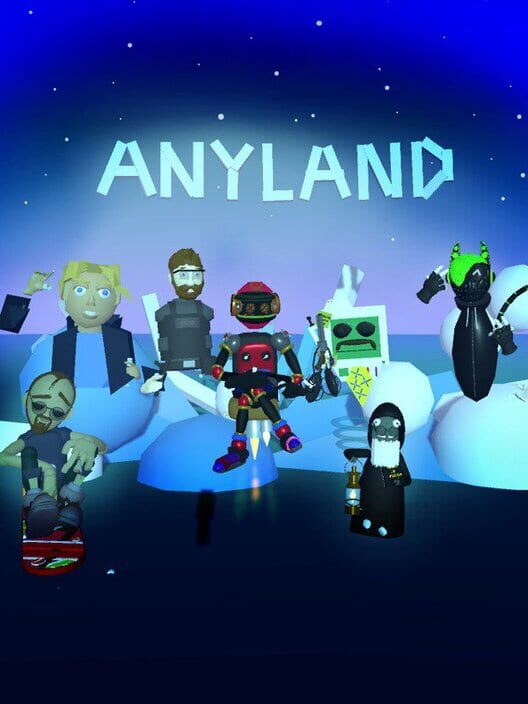
Anyland
Anyland goes free to download!
Thanks everyone & feedback welcome!
Textures!
https://www.youtube.com/watch?v=m4DVVC-pFi8
https://www.youtube.com/watch?v=JNT91y2XUTQ
Particles update!
https://www.youtube.com/watch?v=pggYgrsct34
Thanks as always for feedback & suggestions!
New: Sub-Things & more!
- Sub-Things: You can now move & script whole things by connecting several other things to them! Please check out the new sub-things button in the bottom-right of a part's context-laser menu during creating.
- New base shapes: There's a lot of new base shapes to build with!
- Sub-Areas: Connect several areas of yours into a group... for instance, you can have a room in a house be its own sub-area!
- You can now back-page on several more dialogs
- The "Stream to desktop" feature from custom cameras now show the correct aspect ratio
- There are new scripting commands, like "add crumbles", "all parts face up", "send one nearby to area" or "when any part touched"!
- Oculus Touch controller support has been finetuned to optimize
- If you ever want to know how many people there currently are in the Anyland universe, and how many areas have been made altogether, you can now turn around the areas dialog
- You can create your own custom hands too now
- You can now put on body objects and emit objects of any size
- We've increased the amount of board topics that show
- We've increased the maximum to which parts can be scaled up!
- There's new area-transit scripting commands, so you can for instance have a train station take you to another area via a train. Area transport commands can now also use the words "current" and "previous".
- Area load & display has been optimized to be faster and more stable
- If you want to write a program to access your creations, the thing export now includes a JSON file with all the thing's definitions and scripts
- Tell commands now use precise matching, so e.g. "Tell pressed 2" won't also trigger "When told pressed"
- You can now rename an area up to two times
- Now when merging objects to your creation via the "Add to creation" button in other thing's context menus, the original placement will still be there after saving, and you also will keep your ability to hit the Discard button at any time!
- There's now a proper sound when thrown things collide
- Many bug fixes & more!
- Wow! http://anyland.com/image/100.jpg
Thanks again to everyone for feedback & parties & doing great things in Anyland, and hope you enjoy!
New: Boards!
In the latest update, you will find... Boards! It's a forum system to post messages, exchange items, organize events, keep up to date, hangout & chat via text! You will find a selection of boards, and can create your own boards with different rights settings, model the board shape, and also favorite boards by others.
Hope you enjoy & thanks everyone for feedback & suggestions!
More updates!
Here are some of the recent updates -- for more discussion, also please visit the forum! http://steamcommunity.com/app/505700/discussions/
- There's new commands for holdables that are thrown: "propel forward" and "rotate forward", both with an optional percentage, like "when starts then propel forward with 20"!
- We've added a list of search tags to the areas dialog so you can find more areas of interest. You can also edit your area's description and add relevant keywords to have them appear in the results there.
- You can now allow walking on thrown or emitted objects in your area, for grappling hook type functionality and more. You can now also allow for emitted objects to send people to another area. Try the new commands with, for instance, "when someone new in vicinity then allow emitted climbing" and "... allow emitted transporting".
- We've optimized the results shown at the top of the areas dialog. They should now show more areas which are currently lively, as well as more with a bigger number of placements.
- We added a few guidances for newcomers. For instance, the ring button will now buzz and read "Tap" after a while if it was never pressed.
- We've added a number of new video tutorials. You can now also access all of them by pressing the help dialog button, then tapping "More". They're also in the videos section here now: http://steamcommunity.com/app/505700/videos/
- You can now use the new thing attribute "Add current body when worn". When ticking this for a head you're making, your currently worn body setup will be memorized along with the head creation... next time you or anyone else puts it on, it will automatically attach all the right body parts in their proper positions along with the head. In addition, if the head you're currently making happens to be a clone of the head you're wearing at the moment, it will auto-snap to the currently worn position and rotation when later put on.
- We've added the thing attribute "Surround Sound". When this is on, sounds played from this thing (say, the keys of a piano) will be hearable in all of the area, no matter the distance, as if you were standing just next to it.
- We fixed issues with certain Sticky objects remaining around forever (until you switched the area) after being thrown.
- You can use the new "when someone new in vicinity" command to trigger functionality only once per someone's area visit. In combination with the "send nearby onto ..." command this can also be used to customize your area's start position.
- You can now rename your area (once)!
- We fixed an issue with very long thing names not allowing you to save the creation.
- You can now context-laser a thing part during creation and hit the Undo button to revert to its last position and rotation, in case of accidental moving.
- There's a new thing attribute, "Invisible when done". This can be useful for collision triggers and more.
- There's a new "Random" button in the areas list to take you to an area you've never visited before!
We hope you enjoy these updates and please keep your suggestions coming! Thanks everyone for being in Anyland!
Lots of updates!
- When editing a thing, you can now tick the "Scale All Parts" button to resize it all at once. This should help especially with very small or very big creations. Thanks to everyone who suggested this!
- In the Me "..." settings, there's a new option "Fly (As Editor)". It's like a personal zero gravity setting that won't affect others, or object physics in the area. [Thanks Waranto & OP!]
- There's a big improvement to area loading speed... down from many seconds for some areas to just fractions of a second!
- There's a new "Send nearby onto [thing name]" command for in-area transporting, and you can also combine it with area transports.
- The context laser now has an increased distance of up to 50 meters, and when you open a Thing menu with it while in Change Things mode, you can then trigger-click-grab in empty air with either hand to move the object from afar.
- For avoiding lag, there's now caps to the maximum amount of emitted things and effects which can be around at once.
- We fixed several issues which might have caused left-over objects in the world, like when multiplying a light during creation. Please let us know if you still get any! (The current version is 11.c007, you can see it at the back of your help dialog.)
- The camera view is now increased from 150 to 250 meters!
- The back side of the Area info dialog now also shows how many days old the area is.
- You can now use the "become next" and "become previous". We also fixed issues with the "become" command if set to 0 seconds transition time.
- The teleport laser length when in zero gravity (or in fly mode) is now of variable length for easier precision movement.
- An issue with the Slideshow Button property has been fixed.
- You can now click "Unsoftened Animations" in a thing part's properties to omit the ease-in and ease-out between states.
- Profile items are now bigger.
- YouTube videos which are part of playlists are now not omitted anymore.
- When grabbing your inventory, your arm attachment on that side will be hidden temporarily to not obstruct your inventory.
- We fixed an issue that occurred when moving a placement from one area to another, holding it while teleporting.
- The current area now also appears in the visited list, in case you want to reload it or check the current number of people there.
- The thing - distance optimizer has been optimized, and should now work better for certain large scale areas.
- The last script line you entered will now also be the bottom auto completion, allowing you to quickly fill the same script line into many states or thing parts.
- When you now mention area names surrounded by [square brackets] in your Me status text, a button will be added so people can teleport there.
- .. and more! Please always find more information on updates in the forum. http://steamcommunity.com/app/505700/discussions/
We hope you enjoy, and speak to you in-world! Thanks!
Updates!
- There's now a Thing placement undo button... just context-laser a thing you just moved, then hit the undo arrow
- There's now up to 10 states and 8 script lines per states (multiple script commands can be added via comma as usual)
- We overhauled how things at distance are displayed, so the Thing part limit dialog should now appear much less (especially if thing parts are spread out a bit in the area)
- We optimized and fixed some issues with the (fully automated) areas selection at the top of the areas dialog
- If your home was called along the lines of "Home 123" after joining, that's fixed now and should display "Yourname's Home" (the "123" approach was only meant as a fallback if there's issues with converting a Steam name to a home name)
- We fixed an issue with the "all parts face someone" command not facing in the direction of the visual center line
- When you make someone editor, you can now also press a second button that appears which allows them to add & remove editors as well (except they can't remove you)
- Area search will now also search through area descriptions
- We've removed the near-ground hand dot extender for now as it wasn't needed anymore... please let us know if ground-grabbing works comfortably for you now (without your controller hitting the real world floor)
- We've fixed an issue that caused server instabilities and which sometimes didn't save a creation when you tapped Done
- We fixed the position of the me-mirror when you are not at ground level
- The backside of the Thing dialog now shows some additional info
- The "when looked at" and "when pointed at" events didn't properly show to others around, that's fixed now
- Body parts can now also use the "tell body" command to message the Things one is holding in hand
- You can now use the Transport command for body attachments and held holdables too
- The inventory is up from 20 to now 100 pages
- There was an issue with the microphone toggle button in the me-settings, that's fixed now
- Name tags display longer now, and thrown items show longer as well
- The "when shaken" event should now be easier to trigger
- We fixed an issue that may have occurred with some "... then becomes 2" type commands where no further time was provided
- A person's profile now shows "✔ Editor Here" when someone is editor
- The context-laser sphere now becomes smaller when you laser smaller parts, helping with more precise selection
- There's a new copy & paste feature for Thing part scripts, so you can copy functionality from one part to another. Just context-laser a part during creating, click the new bottom middle-left button, then laser another part and click the middle-right one
Thanks again everyone, and see you in-world!
New video tutorials!
Tips for creating a house
https://www.youtube.com/watch?v=C-g0fLPVeAo
Making a looping animation
https://www.youtube.com/watch?v=V2adKRa16uo
How to make your mouth talk, eyes blink, and have a special motion on button press
https://www.youtube.com/watch?v=BGGWM9wdaMs
The difference the "Change Things" mode makes
https://www.youtube.com/watch?v=kbBTCITcxhI
The "Clonable" attribute
https://www.youtube.com/watch?v=6IVaYgHNRSs
See you in world!