Genre: Strategy, Turn-based strategy (TBS), Card & Board Game
Artifact
Artifact 1.1 Update
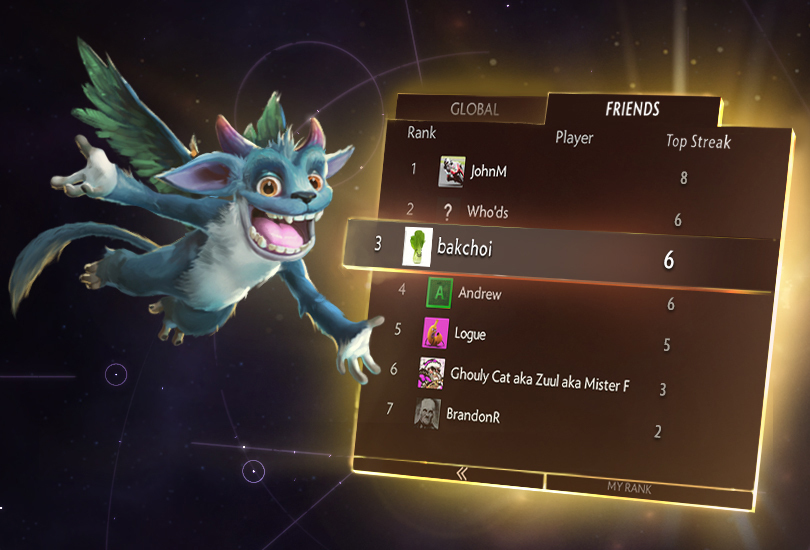
Today's Artifact 1.1 Update focuses on social features: a chat wheel, in / post-game chat, and brand new automated tournaments. Additionally, we've added leaderboard support to the Call to Arms gauntlet along two new decks: a damage-focused mono blue deck and an all-aggro all-the-time mono black deck.
There are many other features in the update, as well as a ton of bug-fixes. Check out the patch notes and the update page for more details.
This is the first major update of many for Artifact. While finishing this update we've also been working hard on the next update, that we expect to ship next week and which is focused on a skill-based progression system.
Artifact Features: Open Play and Tournaments
We've had an exciting few days watching everyone finally get their hands on Artifact. Alongside the strategic depth it's also been great seeing people explore the many modes of play. One of our goals in building Artifact was to capture some of the social energy and fun of playing games around the kitchen table with friends, and to bring those experiences online.
Today we want to do a guided tour of some features that bring us closer to that goal: matchmaking through Steam Group Chats and user-hosted tournaments.
Open Play
Players and groups have a huge variety of differing goals and play styles. Some like low-stress games with all-commons decks, others want to competitively experiment with new archetypes. Some social circles are small and play games at specific times, while others are large and constantly have a few games going, and everything in between.
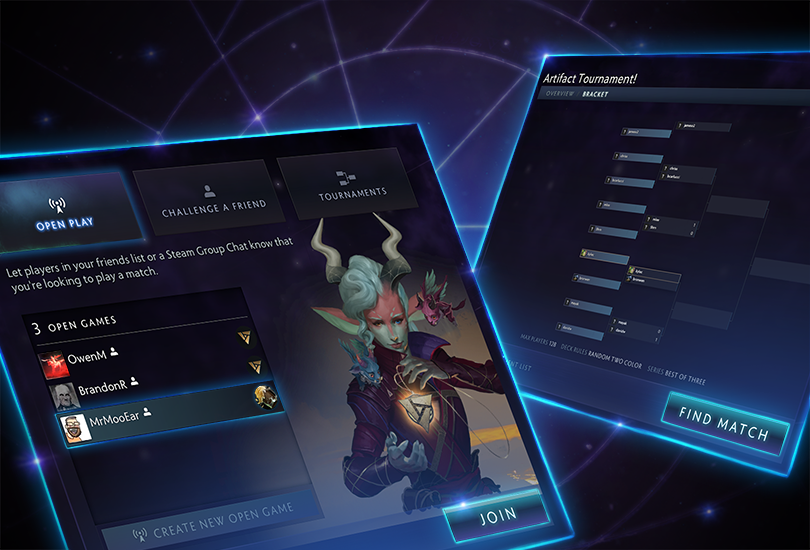
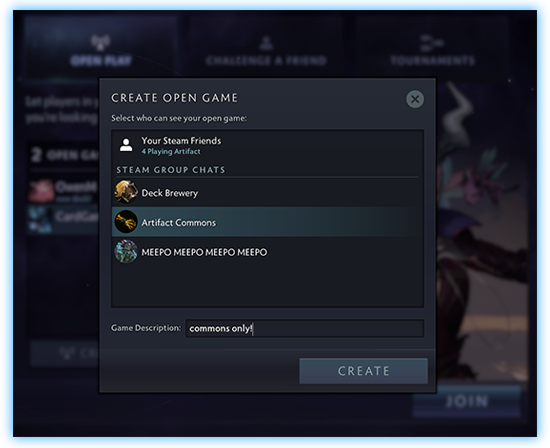
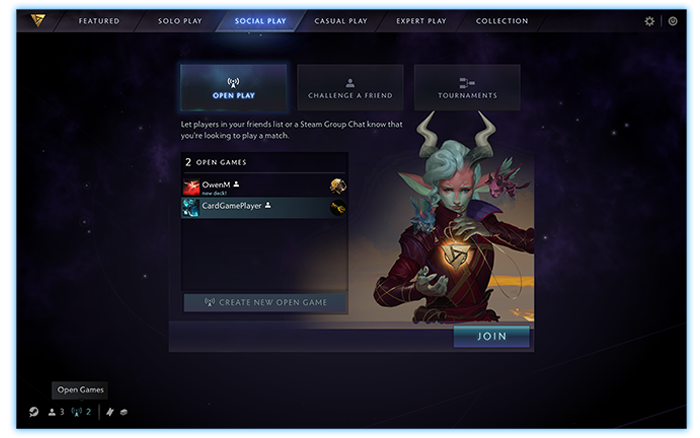
Steam Group Chats are an existing tool to help provide an online presence for these groups. Anyone on Steam can create a new Group Chat, and each supports text and voice, auto-linked giphy images, and now with the addition of Open Play, every group chat also supports matchmaking. By selecting Open Play from within Artifact, you can issue an open challenge to any group you're a member of. You can use your existing social groups to find the games you want to play with the opponents you want to play against.
Creating an open game is as simple as selecting the group chat you want to find an opponent in. When you select a group, everyone in that group will get notified that you're looking for a game both through the chat window on Steam as well as in the Artifact interface.
Once another player accepts your challenge, you'll automatically be placed in a lobby together. All you have to do is select your decks and play.
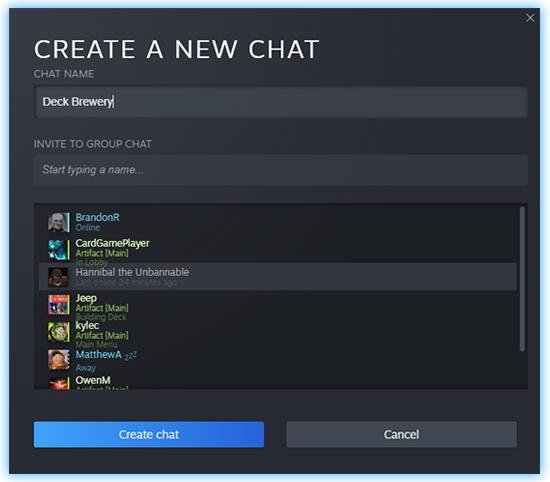
Creating a new Steam Group Chat is as easy as selecting a friend and inviting them through the Steam friends panel. If you're running a website or streaming, you can easily create a group that's wider than just your immediate friends by creating a public invitation link that you can use in an email thread, a forum, or a chat room.
Open Play games are about quickly finding a social opponent for a specific style of play. Artifact also supports group play with more structure through the in-game tournament system.
Tournaments
Any player can create any number of tournaments.
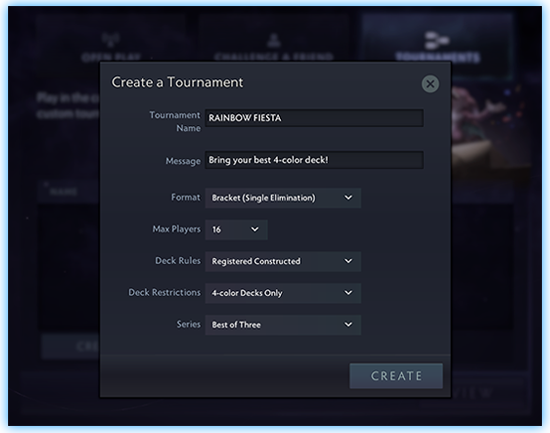
The definition of "tournament" is pretty broad. Artifact supports traditional single-day single-elimination brackets, but it's also possible to create an event that works more like a league, with players playing whenever they're available over the course of days or weeks.
If your group wants to draft all day every day, you can create that event. If you want to create the Tuesday Triathlon that starts with draft, moves through no-rares constructed, and ends with mandatory four-color decks, you can do that, too.
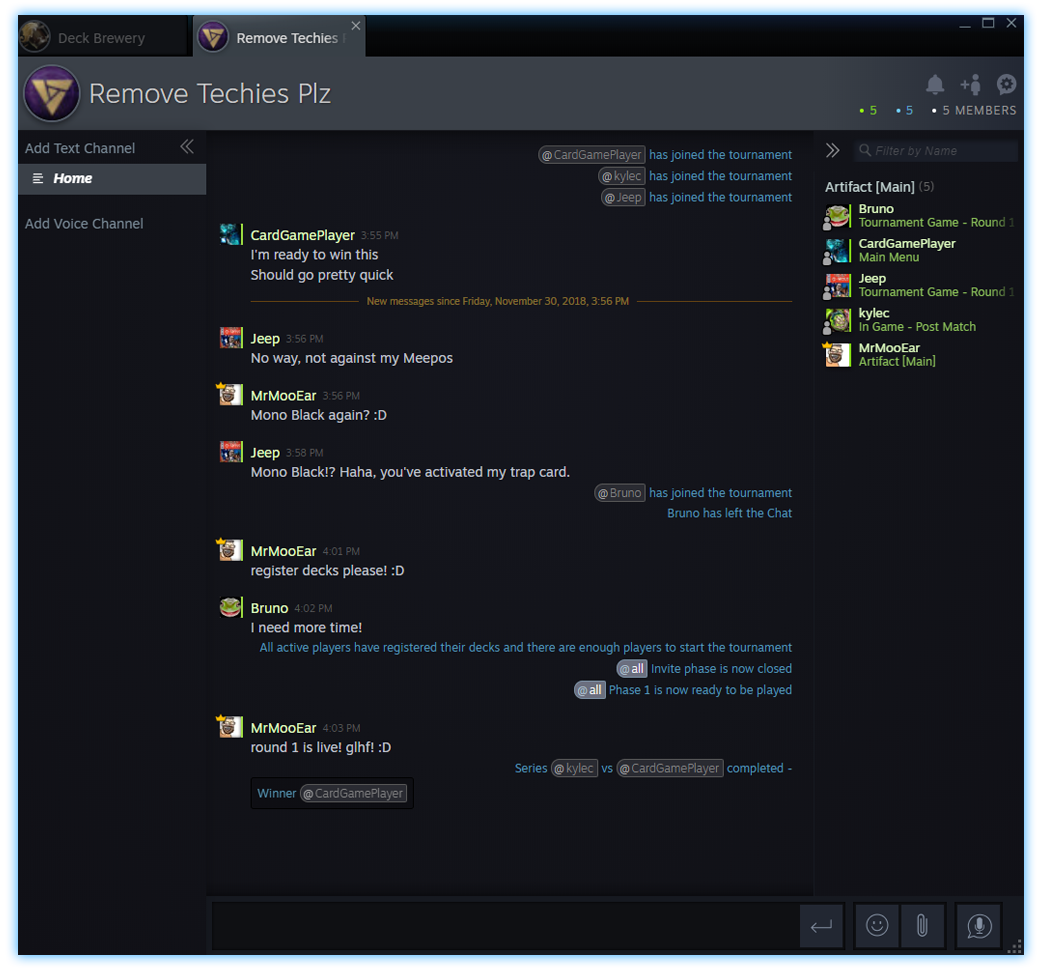
Once a tournament is configured and you've locked the structure, you can invite participants. You can either invite friends directly from inside the client or create a tournament invitation link that can be used anywhere. All participants in a tournament are automatically placed in a Steam Group Chat for that event.
When everyone is registered, all you have to do is push a button and the tournament will begin. The game will automatically advance through the tournament phases. When games are ready, players will get notifications, and status updates about match results and the overall tournament status will be posted in the tournament group chat.
Like Open Play, tournaments live under the "Social Play" menu in Artifact. Both systems are designed to be tools to define how you want to play and who you want to play with.
11/30 Update
Fixes
Fixed a crash that would happen when exiting while in game.
Fixed a crash that would happen at very high (>4k) screen resolutions.
Fixed a crash that would happen when resolving some spells.
UI movies now play from memory instead of disk improving menu performance on low end systems.
Fixed Sucker Punch's effects timing.
Updated the localization files.
11/29 Update
Fixes
Fixed a crash that would happen sometimes when the game lost focus.
Fixed a crash that would happen when hovering over cards or towers when a game ended.
Fixed a Mac OS crash that would happen when running in high resolutions.
Fixed some Market prices listed in the client being incorrect.
Fixed some issues in the deck editor when playing through multiple draft gauntlets in one session.
Fixed some display issues with the effects for Remote Detonation and the imps.
Fixed a bug where the opponent's Deck Tracker was completely filled at game start in Gauntlet and casual matchmaking games. It is intended that you can see the opponent's full deck list during tournament games to reduce the value of scouting. You will also be able to see the full opponent's deck list in private lobbies. In other modes, the opponent's Deck Tracker will update based on what cards you've seen, and cards you know to be present (e.g., hero signature cards).
Added the Deck Tracker keys to the key binding menu.
Added an in-game comic viewer to the client.
Updated the localization files.
Introducing Prelude, an Artifact Comic
Artifact is coming to Steam in just two days! In the meantime, we're happy to launch the first in a new series of Artifact comics, called Prelude. Artifact is more than just a Dota card game — it is a shared universe with a storyline that will deepen the history, expand the world, and change the fates of the heroes of both games.
We'll also be releasing a second comic called Call to Arms on launch day, which sets the stage for a series of events that will transform the world of Dota forever. Don't forget to come back and check it out.
We're also updating the beta, once this afternoon's stress tests have completed.
Pre-loading will be available tonight!
11/26 Beta Update
Features
<*>Added the ability to inspect the current deck lists during play using F2 and F3.
Bug Fixes
<*>Fixes for several crashes.
<*>Pressing ESC to cancel an unrecommended action no longer causes the card to become unresponsive.
<*>When you try to recycle >1000 cards, the dialog box will be clearer about why you can’t.
<*>Fixed the text not fitting in some dialog boxes.
<*>Fixed the reward ticket image sometimes being black.
<*>Fixed the allied Radiant towers covering damage preview numbers.
<*>Fixed bugs with the forced surrender warnings firing too frequently and under the wrong conditions.
<*>Improved timing on for Lux and Nox to make them less active.
<*>Updated gauntlet rewards sounds.
<*>Updated the localization files.
11/21 Beta Update
Features
You can now recycle cards into event tickets at a rate of 20 cards to 1 ticket. There is a "Recycle Cards" tab accessible from the collection. Note that each card will currently show "N/A" where the market price would be until the market is open. Sort by market price will sort by mana cost until the market is open.
You can now play bot matches and Call to Arms without claiming your starting package. This lets you try more of the game before you reach the point-of-no-return on refunds.
Added an AI difficulty selector.
Added some premade decks to the bot's deck selection options to make it easy to quickly practice against various opponent color combinations.
Added a new cursor and cursor size settings control.
Deck Editor Fixes
Leaving the deck editor by pressing the Artifact logo will now prompt to save changes.
Fixed an issue where dragging an unowned hero into a deck that already contains that hero would remove the hero that was in the destination slot and then fail to add or arrange the new hero.
Fixed a Card Collection crash on MacOS 10.14.1.
Draft Fixes
Fixed some issues related to losing connection to the Artifact Network while drafting.
Fixed an issue where closing the draft screen wouldn't always take you back to the correct dashboard page.
You can now abandon a draft gauntlet before you register a deck.
Added additional sounds and effects to the draft screen.
In-Game Fixes
Fixed some issues and improved performance when summoning >300 units at a time.
Improved the effects for Crippling Blow, Trebuchets, and Lucent Beam.
Improved the voice-over quality for Jolixia, Meepo, and Kanna.
Fixed an issue that would cause debris to persist in strange places when improvements are destroyed.
Fixed Pick Off panning back to the previous lane too quickly after the spell's damage resolved.
Fixed some display issues when inspecting cards in a 16x10 aspect ratio.
Fixed a missing sound during board destruction.
Fixed a crash that would happen when you disconnect from a game while hovering a card.
Fixed an issue that would sometimes result in visual corruption of card and tower stats when in wide lanes in non-standard resolutions.
Brightened the visibility of the heroes in the fountain display on the HUD.
Updated the textures for pathing cards.
UI Fixes
Significant improvements to general UI performance and responsiveness.
Fixed some crashes and bad behavior that would happen when mashing the keyboard in various parts of the UI.
Fixed a crash that would happen while in the settings menu or the credits.
Fixed the Global Matchmaking deck loader not showing the most recently-used deck on game launch.
Fixed an issue where some players with lots and lots of Steam friends would experience massive performance degradation.
Added new high-resolution menu backgrounds for players in 4K.
Added new effects to claiming rewards from an event.
Added a display for the number of unopened packs remaining to the pack opening screen.
Pushing Find Next Match after a Gauntlet game will now take you to the correct Gauntlet page instead of the main menu.
Improved visibility of the matchmaking cancel button.
You can no longer restart the tutorial while opening a pack, or while matchmaking, or while in a private lobby, all of which caused crazy things to happen.
Shared decks are now shown at the top of a deck loader's listings.
Updated the localization files.
Hotfix
Hotfix for game input bug after leaving ESC Menu
11/18 Beta Update
The Artifact public beta is starting later today. All attendees from this year's International and everyone who redeemed a beta key will find the game activated in their Steam account.
Since lifting the NDA on the private beta yesterday, there's been an overwhelming amount of feedback on all parts of the game. Much of that feedback has been a clear signal that we underestimated how much interest and excitement the community has around certain features that weren't available in the initial beta build.
We want to take a few minutes to talk about some of those missing features now:
There was no way to do a draft event with friends. We didn't prioritize this play mode, and had planned to enable it sometime after release. We've heard your feedback: drafting with friends is a core part of what you want to spend your time doing in Artifact. In the next Artifact beta build, you can select Call To Arms Phantom Draft in any user-created tournament.
There was no way to practice the draft modes without spending an event ticket. Drafting is incredibly fun, but can also be very intimidating. We agree that it's important to have a way to practice before venturing into a more competitive mode. In the next Artifact beta build, everyone who has claimed their starting content will find a Casual Phantom Draft gauntlet available in the Casual Play section.
There was nothing to do with duplicate starter heroes. We're adding a system that allows extra, unwanted cards to be recycled into event tickets. This feature will ship before the end of the beta period.
The first two changes will be live for everyone when the public beta activates later today. We'll ship the recycling system, as well as other improvements to the beta, over the next week and a half.
Please enjoy the beta, and keep sending us your feedback.
Richard Garfield Goes Shopping
https://www.youtube.com/watch?v=8-ep1QnXLQ8 I enjoyed helping design the shop in Artifact and I think it provides a lot to the game. We knew we wanted the heroes to get more powerful over the course of play – and in fact we experimented with some experience and leveling systems to accomplish that. We quickly came to the conclusion we could get a lot of the feeling of improvement from a shop which sold items that upgraded the heroes. Rather than collect experience, players would collect gold. The gold could be spent to flexibly upgrade your heroes in different ways during the course of the game.
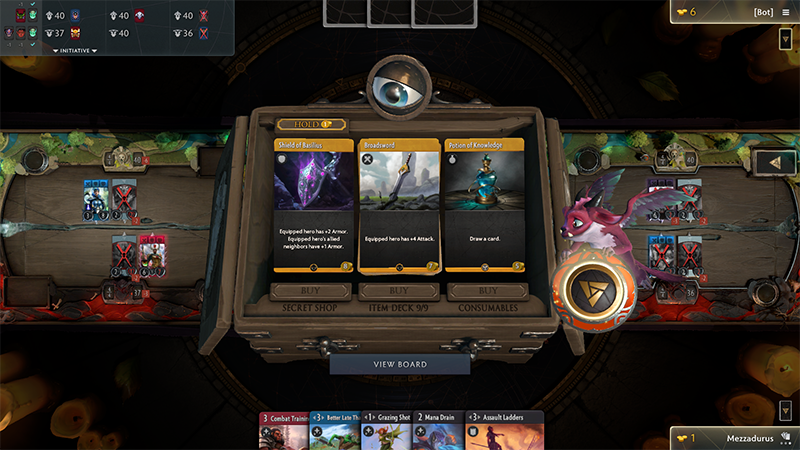
The shop is composed of three panels, the rightmost selling a random consumable item. These items are effects that we wanted players to always have access to, we didn’t want them to be forced to put, for example, healing potions in their deck.
The middle panel is dedicated to equipment the player chooses to bring into the game. It is a minimum of 9 cards, and unlike the other two panels, when you purchase something from the center panel a new option is immediately revealed. This means that when you have multiple purchases buying from the center first is correct so you can see the new revealed option before committing to further purchases.
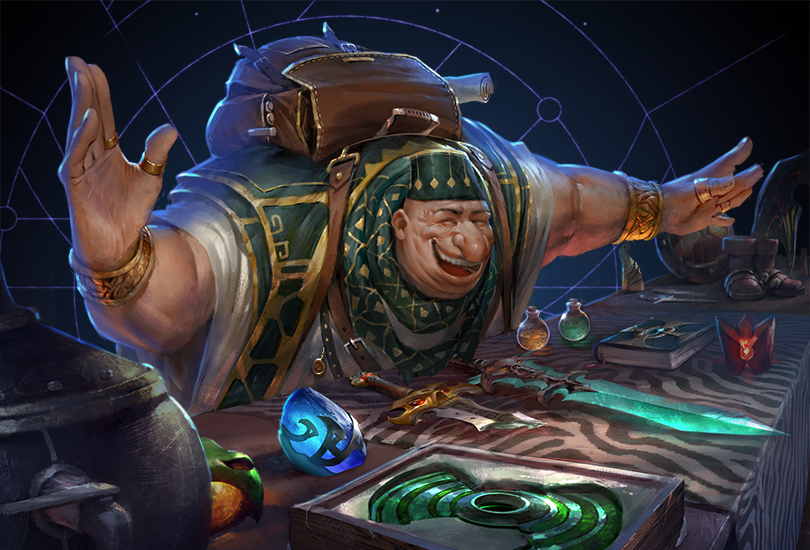
The leftmost panel is the most exciting panel – the Secret Shop, which has who-knows-what for sale. While I wanted to see players build their shop deck with equipment that made sense for their strategy – we wanted to have the possibility that anything might be available in the shop, that it was bigger than just your deck list. This is the sort of mechanic that is easy to do digitally, but hard to do with a physical product.
The additional choices had to occasionally be better than what a player has in their deck, or they will rarely find themselves buying from the secret shop – and its’ cool appeal would be at best a surface appeal. This might happen, for example that a player has much more gold than they usually do, and so their equipment deck list might not have some bigger pieces they could afford. Also, it gives an extra chance to get what a player needs in a pinch – you might really need a weapon and you don’t get the opportunity from your deck list – you might have one that can work from the secret shop.
Because of the secret shop, one type of equipment whose design I began really valuing was equipment that would be conditionally valuable – perhaps conditional enough that it wasn’t correct to put it in my equipment deck, but when the conditions arise it makes the offer at the secret shop an unexpected boon. An example of such a piece of equipment is the Demagicking Maul, which can destroy an opponent’s lane improvement. This is the sort of equipment I might not make room for in my deck – but can be really happy to see when playing particular decks, or when one of my opponent’s improvements is really just begging to be destroyed.
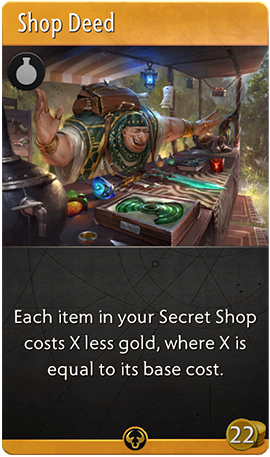
One of my favorite cards from the shop is the Shop Deed. It reduces all costs from the secret shop by the cost of the item, in other words – you can get whatever the secret shop is offering for free. The wording on that is a bit peculiar though, why doesn’t it just say the items are free? That stems from our desire to make as much as we could modular and unbounded. If a Shop Deed merely made items free – then what would a second Shop Deed do? The way we made it, a second shop deed actually reduces the cost to negative numbers, and just as we respect negative numbers for armor – we respect negative numbers for item costs. You can start making a lot of money from your second shop deed!