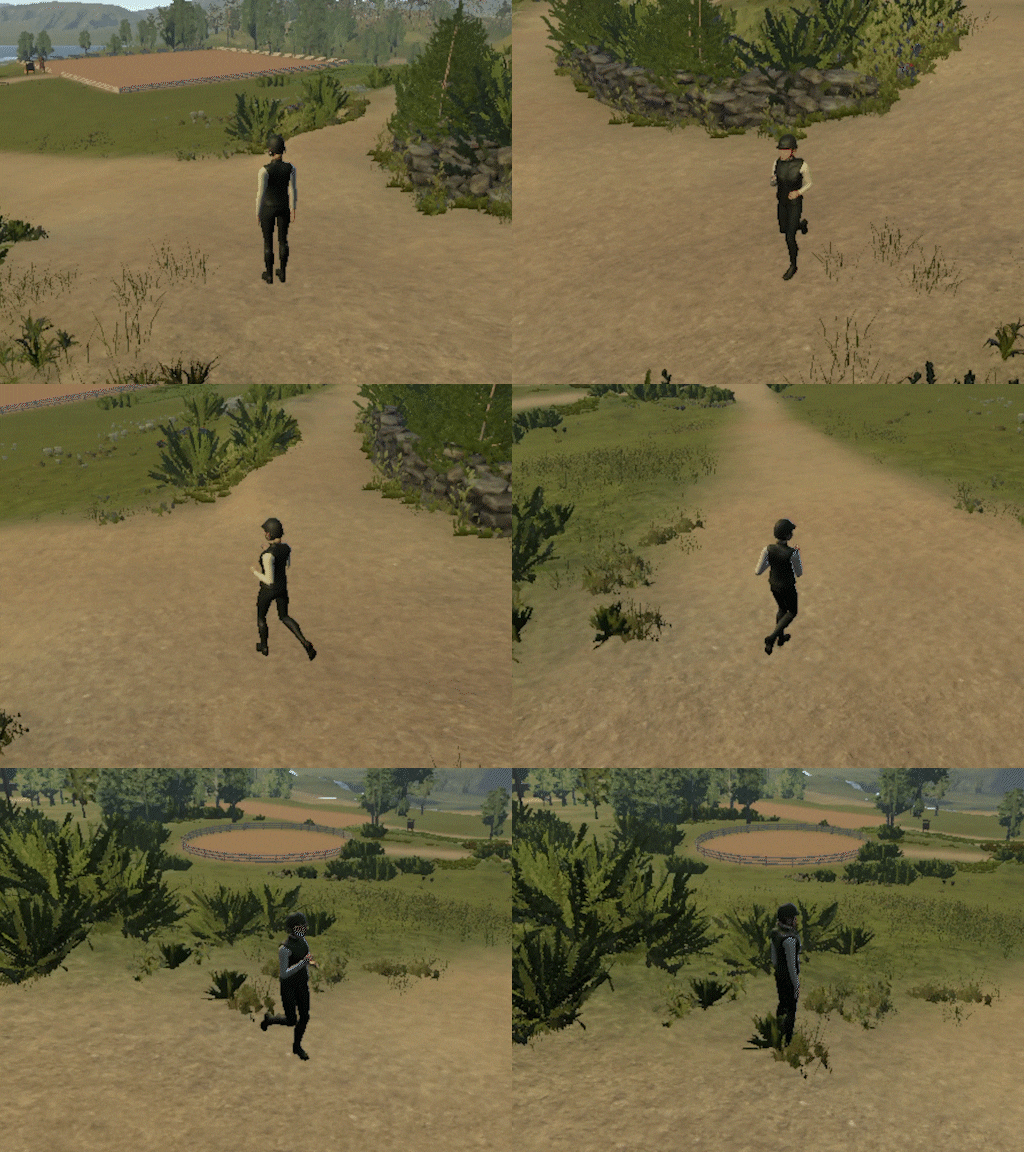
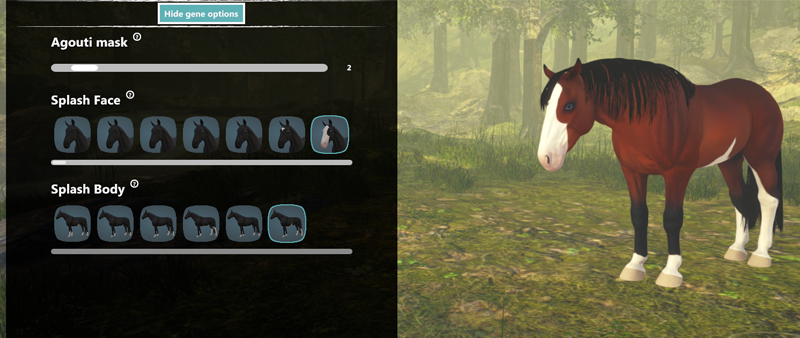
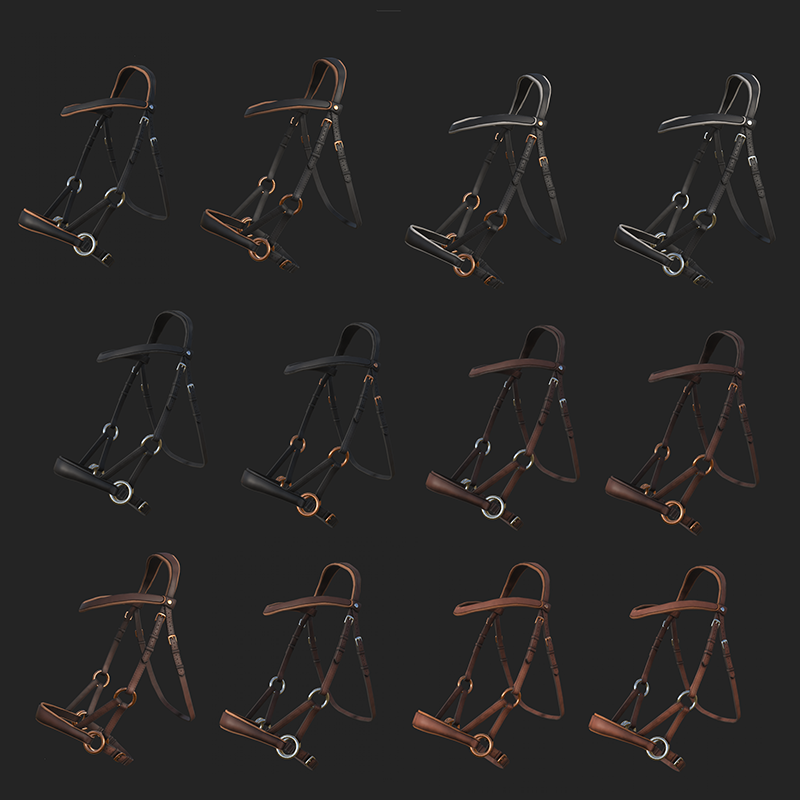
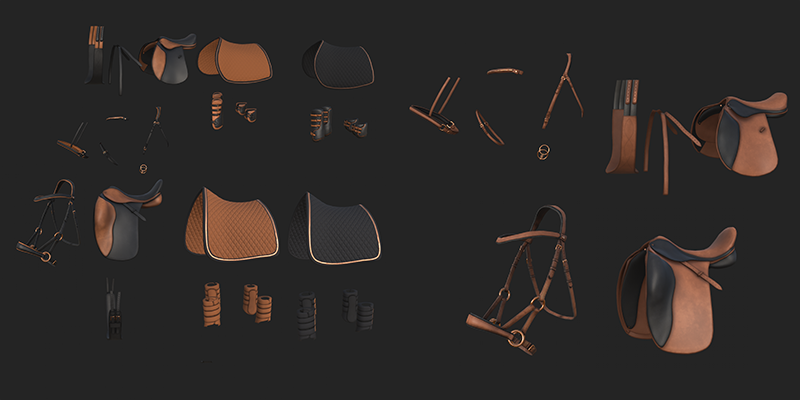
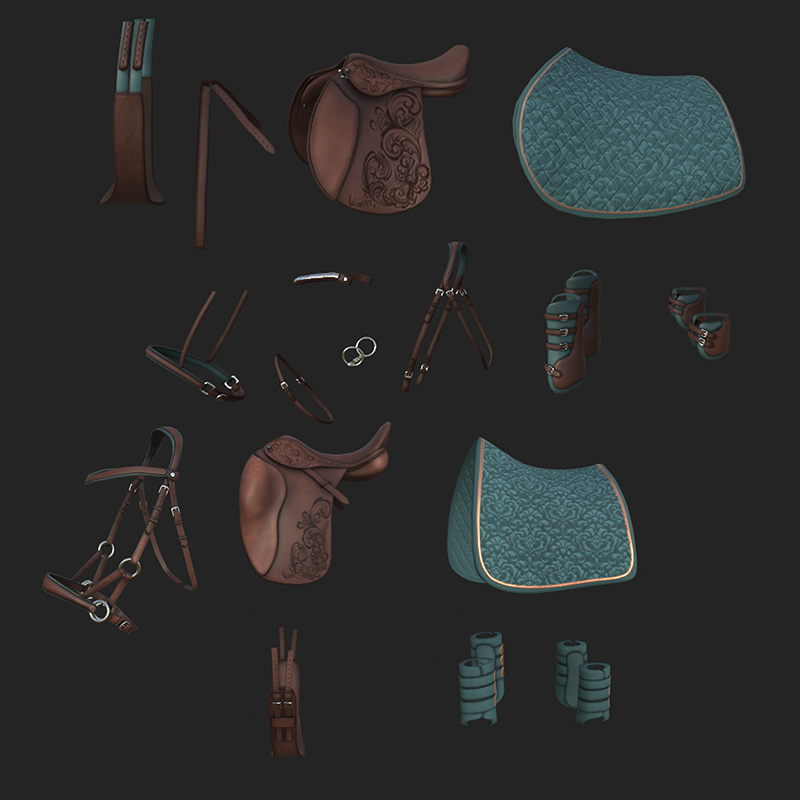
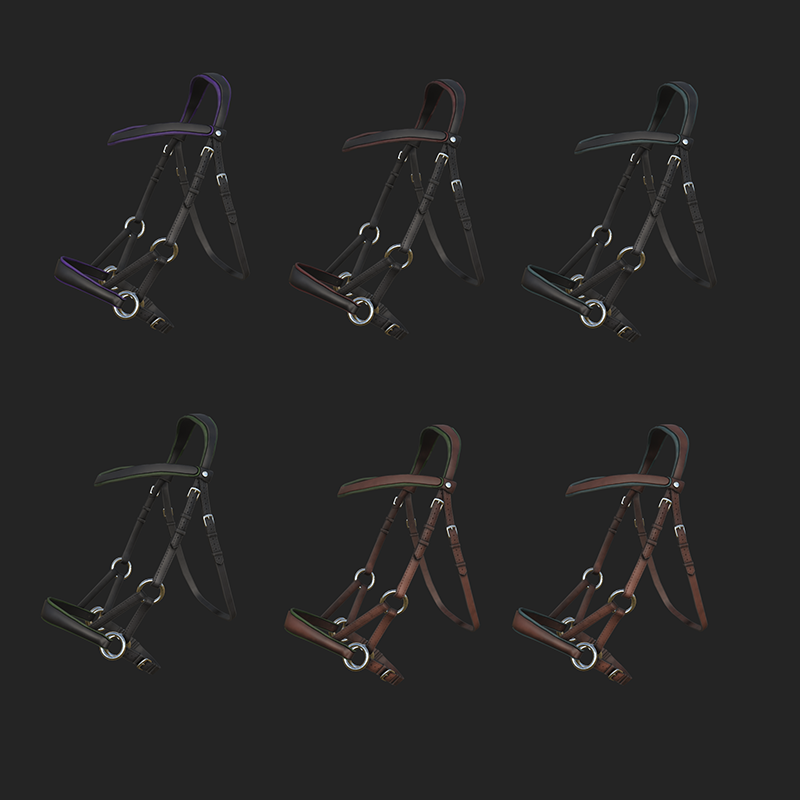
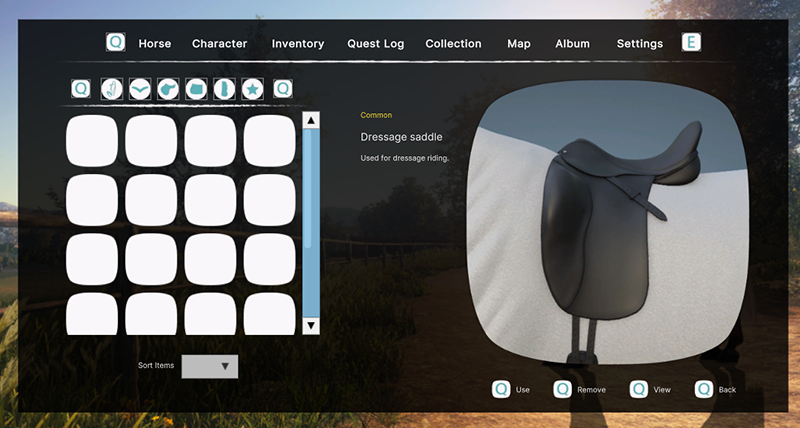
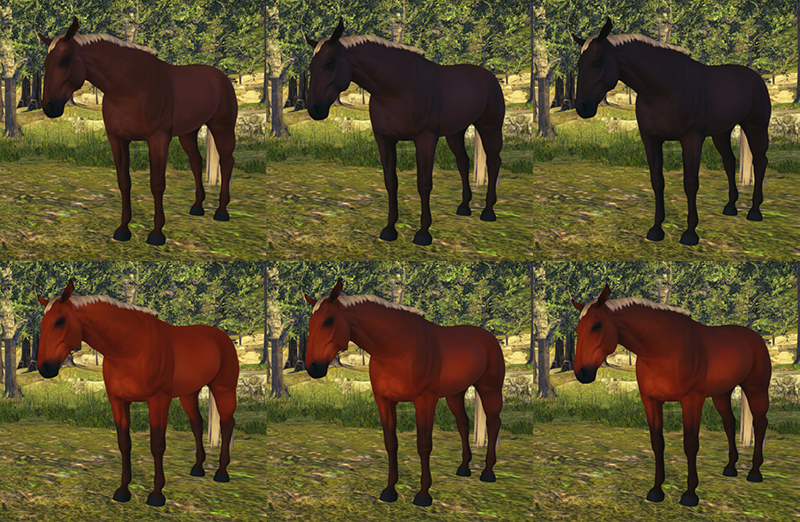
[p]Looking to lift the UI[/p][p]I am working on doing a few visual changes to the UI, like changing the background shape to be smoother and softer, as well as its color. The background color has been black with transparency. This has caused one issue that I’m aiming to fix, and that is the black coat color icons are disappearing and are hard to see.[/p][p][/p][p]At first I wanted to keep the transparent background, but make it blurred. We got an asset that made this possible, so I tested it. It did not work at all, until we discovered that it only worked on a light/white background, which is not suitable for our UI (it was my original idea, but it looked not that good). So then I went over to look for a solid background color instead. This color needs to complement the text color and icons. The text is as many of you know a shade of white, + we have this teal-color as well.[/p][p][/p][p]I tested with many darker shades of both blue, green and purple/red. And right now I’m trying to use a brown color, which makes the icons and text pop. I feel like it matched the calm and clean look we’re going for. Maybe not the most exciting color, but it’s a bit neutral, which is much needed. Though, I have not decided on color yet. I need to do more testing first.[/p][p][/p][p]Shadow looking nice and being troublesome[/p][p]One thing that has been missing from the UI is shadow, drop shadow. Until now I’ve pre-made all the icons with drop shadow as a placeholder, and it is not the ideal way to have shadows on the UI. [/p][p]With the same asset pack as the blur function, I got to try out a shadow function. It looked so smooth and nice!!! That unfortunate part is that I manually have to fit the shadow to each object, and there are limited options to reshape it. I originally wanted another one that would shape itself to the text, but it was not compatible with our project. Anyways, I managed for it to look very nice either way. I also had to switch out every single icon to not have a pre-made drop shadow on them. [/p][p]However, we found one other issue with it. We haven’t found a way for the shadow in layout to resize itself to the object it’s attached to. We use the Unity UI toolkit, and there you create layouts and styles that are used throughout the UI. Because of that we need to see if we still are going to use this shadow asset, or if we need to find another solution.[/p][p][/p][p]Sketching UI that we currently do not have[/p][p]I need to create ideas and goals for future UI. So I’ve been sketching a lot for different parts of the game. For example character customizer, competition and so on. The layout is planned, just need to create some object for it.[/p][p] [/p]
Update, Itch, & Courses
By Mathilde - Community Manager, 3D-artist
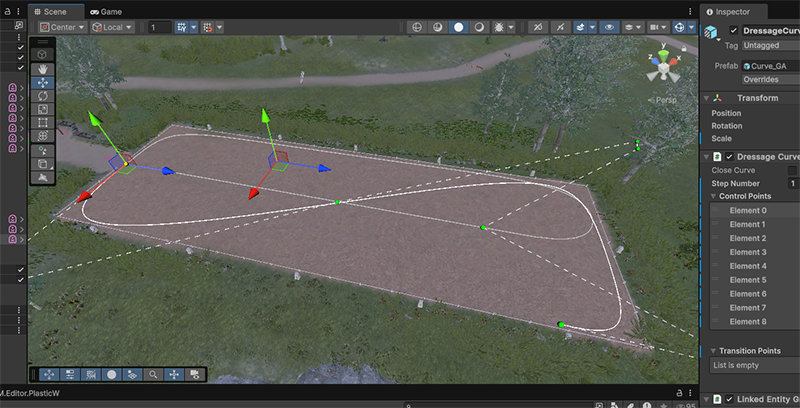
[p]The month of May has really flown by, and I'd like to share some of what I've worked on this month. Firstly, we released a new update this month and with that comes writing and publishing the patch notes to make sure we list all of the changes, updates, and fixes that have been done to the game since the last update. In addition to this, I did some in-game recordings of the new build right as it was ready for release to use for the promotional videos such as the trailer for Steam which we also published across our other platforms.[/p][p][/p][p]We are also working on moving the playtesting of Astride's testing and experimental builds over to Itch.io to have the test version of the game more separated from the Steam game library. The Itch page for Astride is closed for testers only, so I cannot show any screenshots from the actual page, but I was pretty happy with the results. Hopefully, you will be too![/p][p][/p][p][img src="https://clan.akamai.steamstatic.com/images/41979671/780e39f3971eec2321b699c8a1ccf8dc4006496e.png"][/p][p][/p][p]Lastly, I've been working more on the dressage courses which were also included in the latest update. I will hopefully be able to create more variations of fun dressage courses for you all to try out. I hope you enjoy the new courses this far![/p][p] [/p]
Blocking out the property has begun
By Tirna - Project Manager, 3D-artist
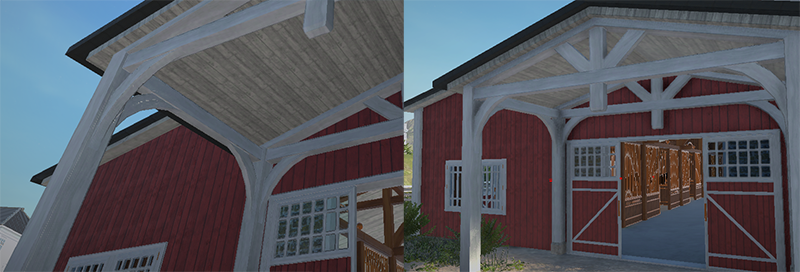
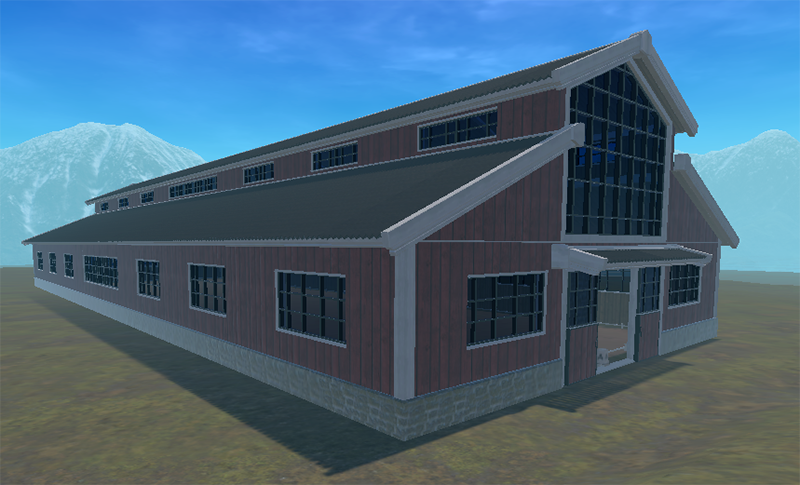
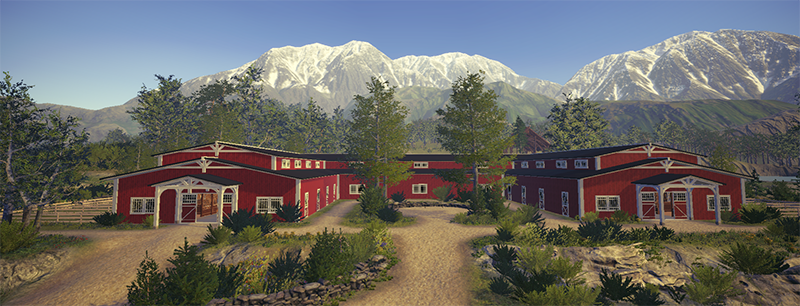
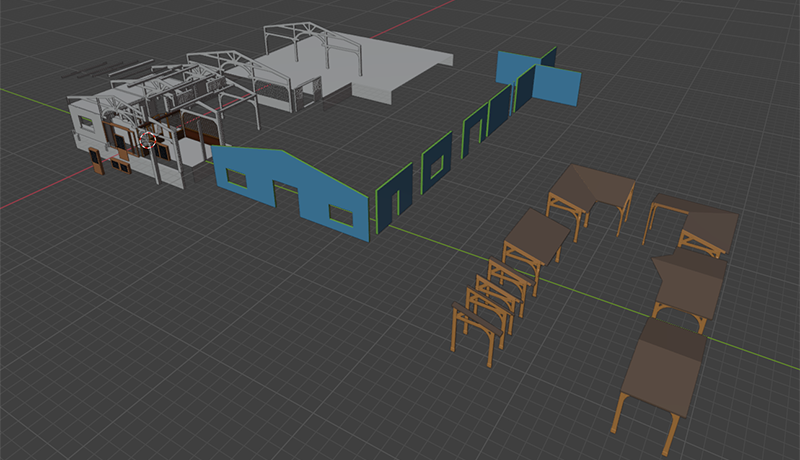
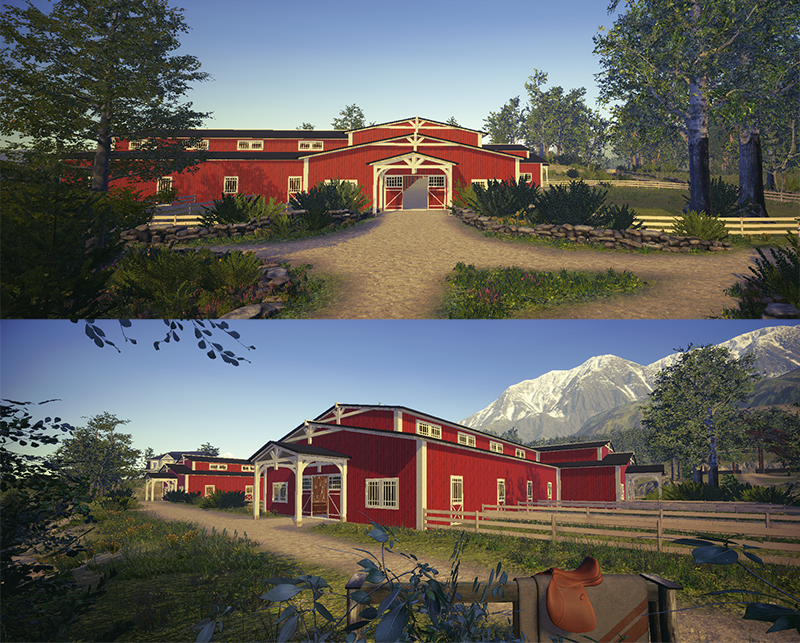
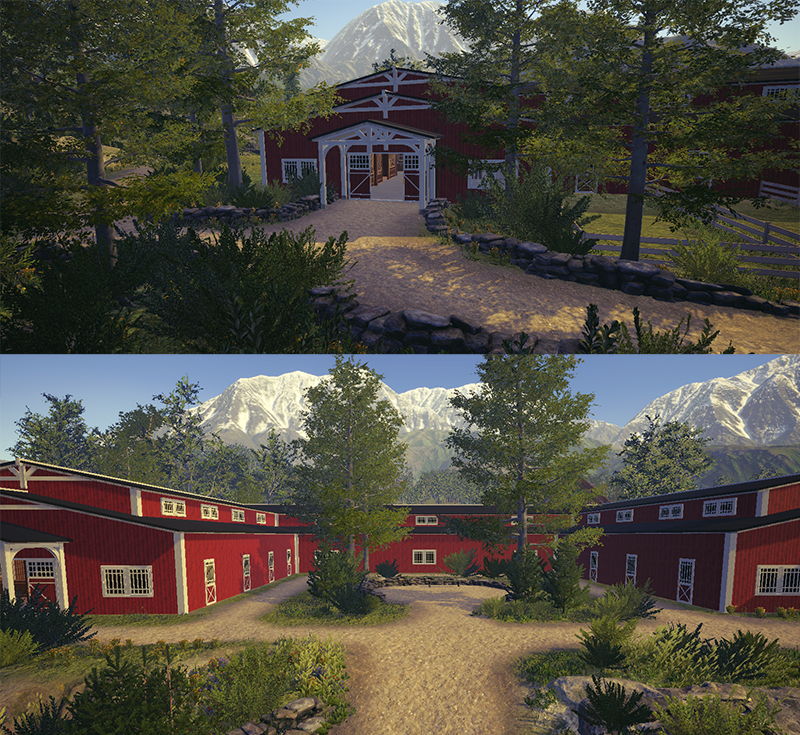
[p]Right now, it doesn’t look very impressive, but this is just the foundation to figure out where everything will be placed on the property.[/p][p]The stable is also getting an update. The current stable in Astride feels a bit claustrophobic for a game environment, and can sometimes be a little challenging in order to make the cameras work better. There fore we’re changing out a few parts here and there. One of the bigger changes is to the stalls—they will be more open and include more decorative elements.[/p][p]Since the last update, I’ve been working on adjusting and expanding our existing building modules to create the new stable. Our goal is to give it a cozier feel, inspired by traditional woodwork from our region.[/p][p]Below, you can get a little sneak peek of what the new stable interior looks like, for now! [img src="https://clan.akamai.steamstatic.com/images/41979671/1754b6c9e902a9dbaea9f65557754e4d3edbaf01.png"] The new stalls [img src="https://clan.akamai.steamstatic.com/images/41979671/44dde8c48045b0940b1b8a54da45aac35e98de4a.png"] The new tack room [img src="https://clan.akamai.steamstatic.com/images/41979671/95b1a726b2bcb59a46c61fcf478e3a4c2a16749d.png"][img src="https://clan.akamai.steamstatic.com/images/41979671/a729899cc3d43b8b867409b18c63ffd1744fe0e8.png"][TAG-80]And lastly, a little peek from the feeding room and kitchen - And there will be more to come [/p][p] [/p]
Gallop & Rig Fixes
By Marius - Animator
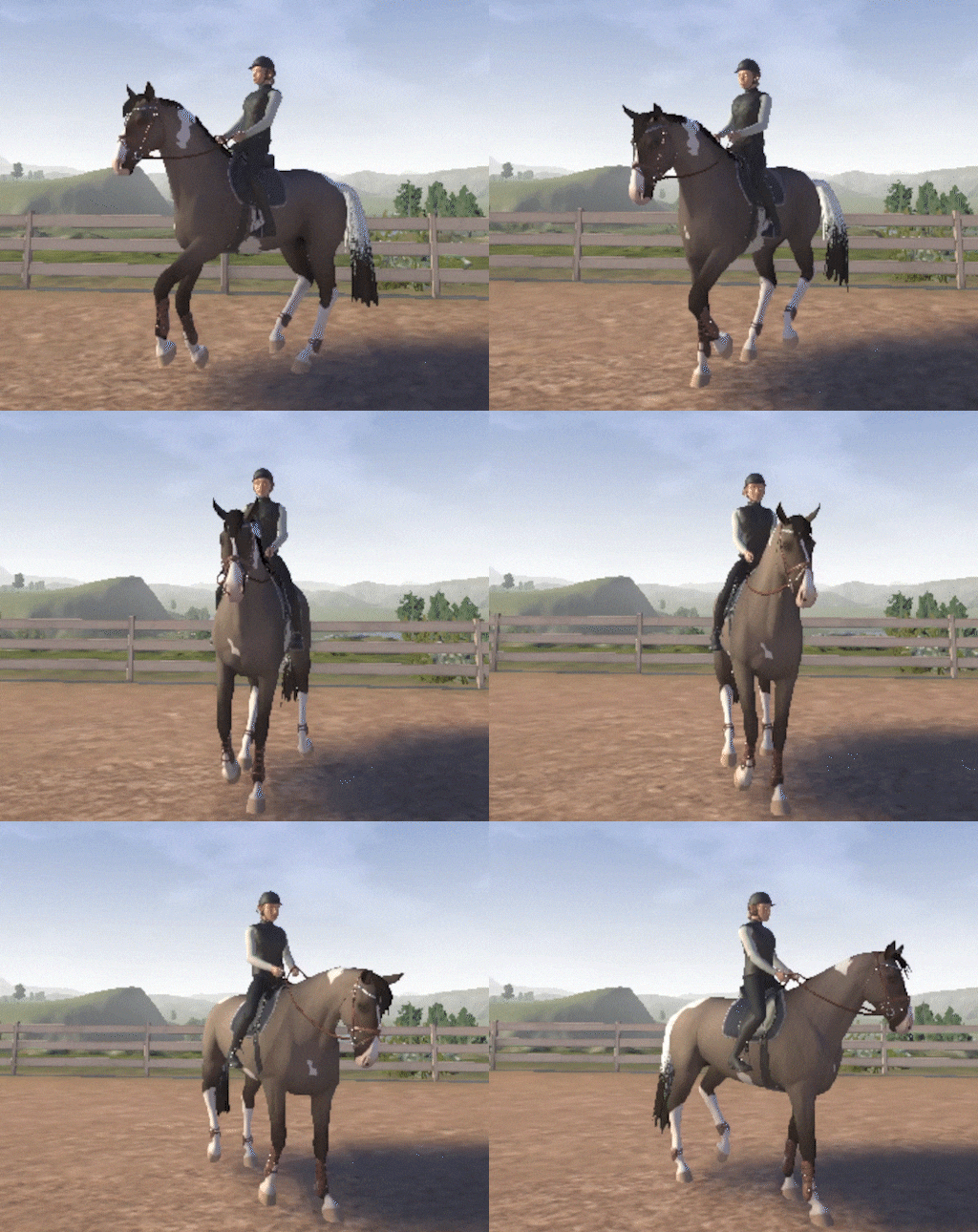
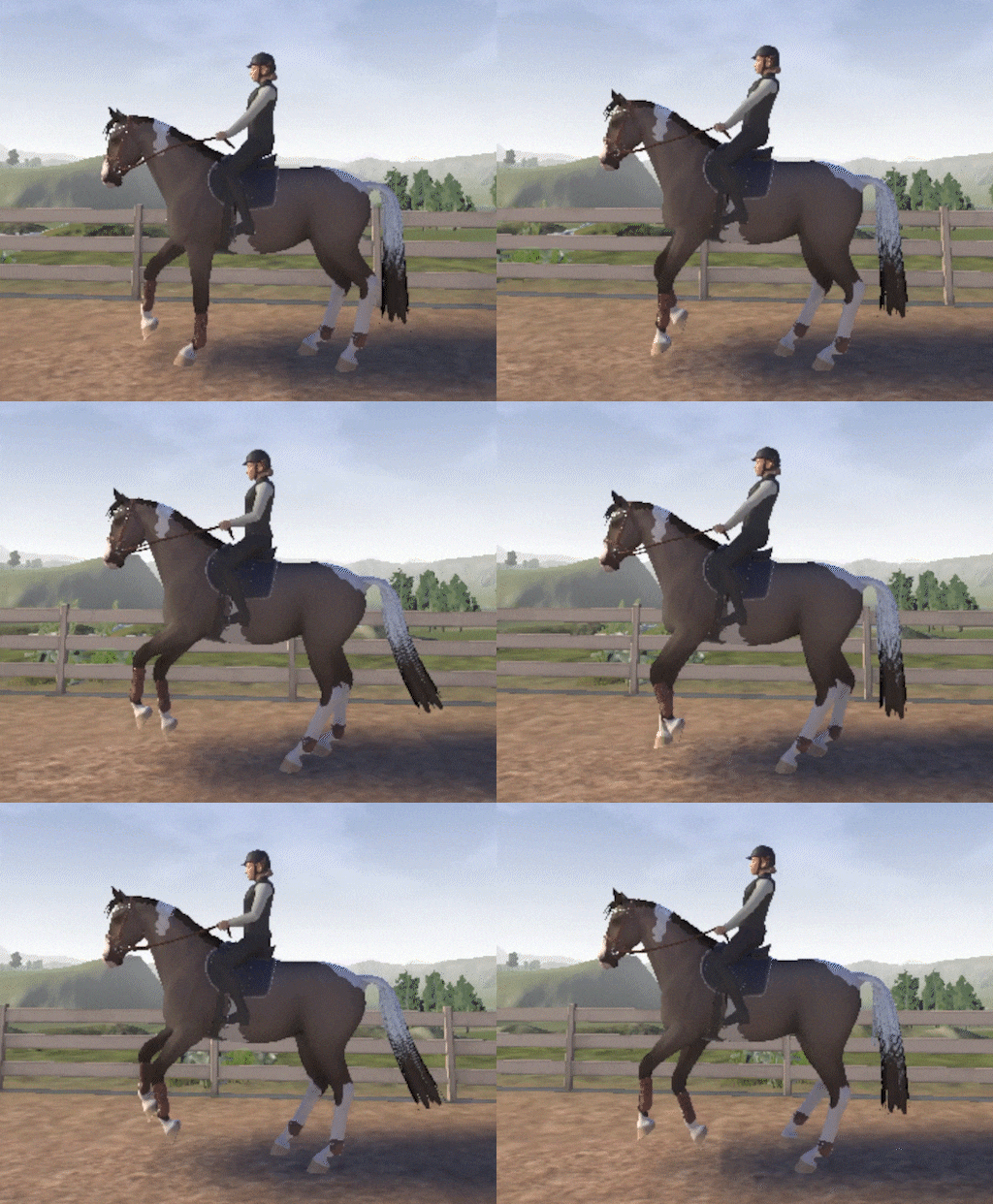
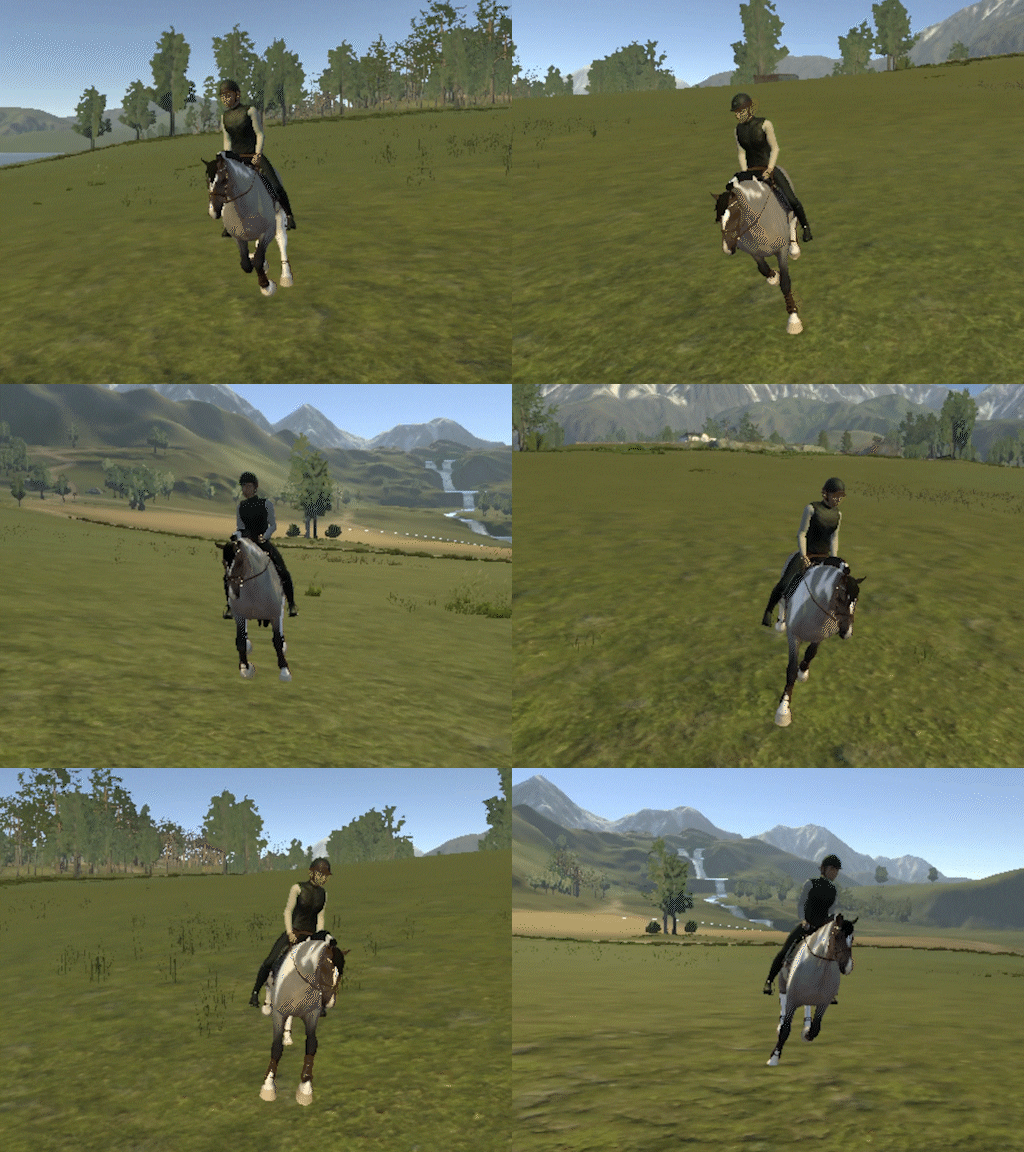
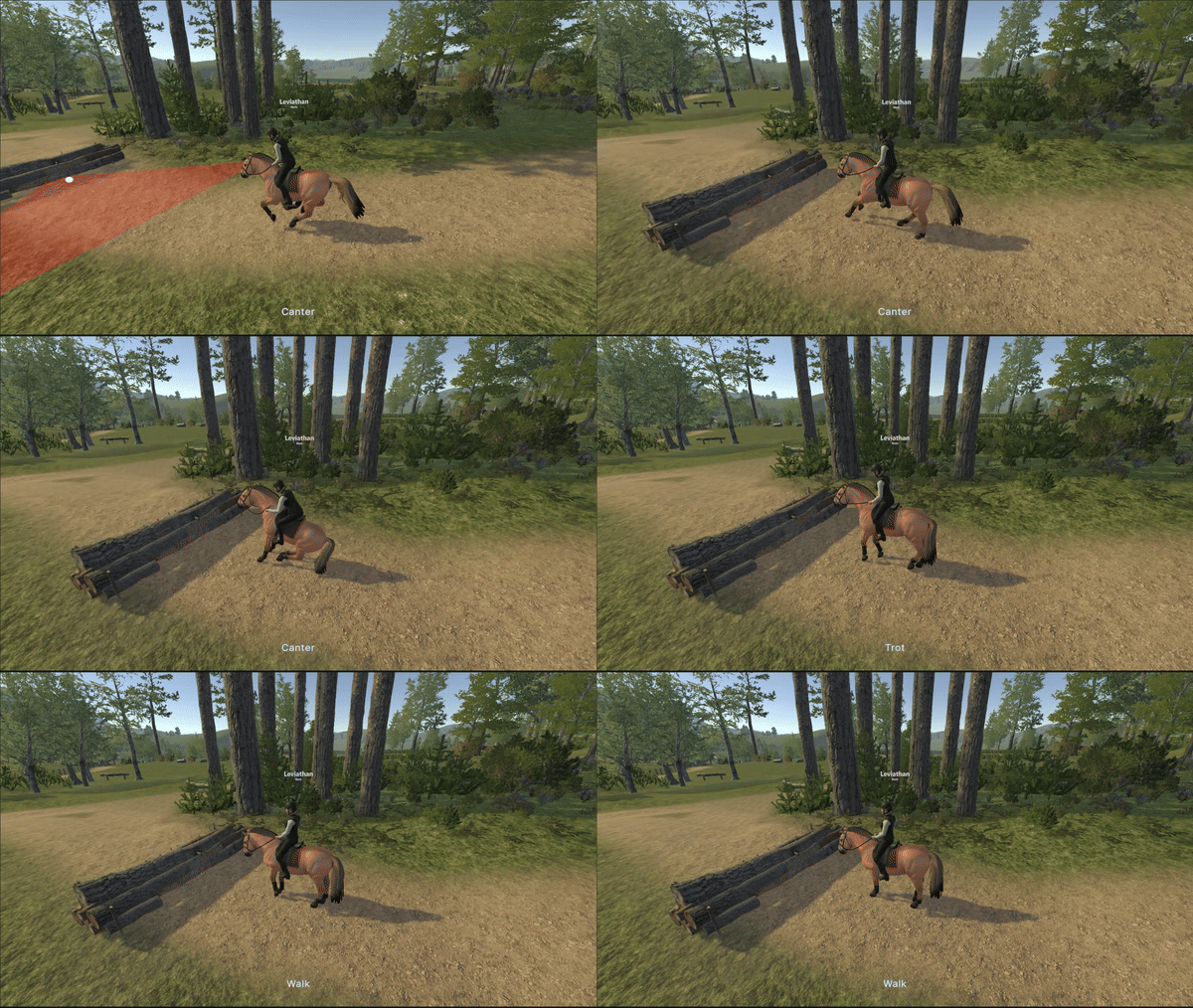
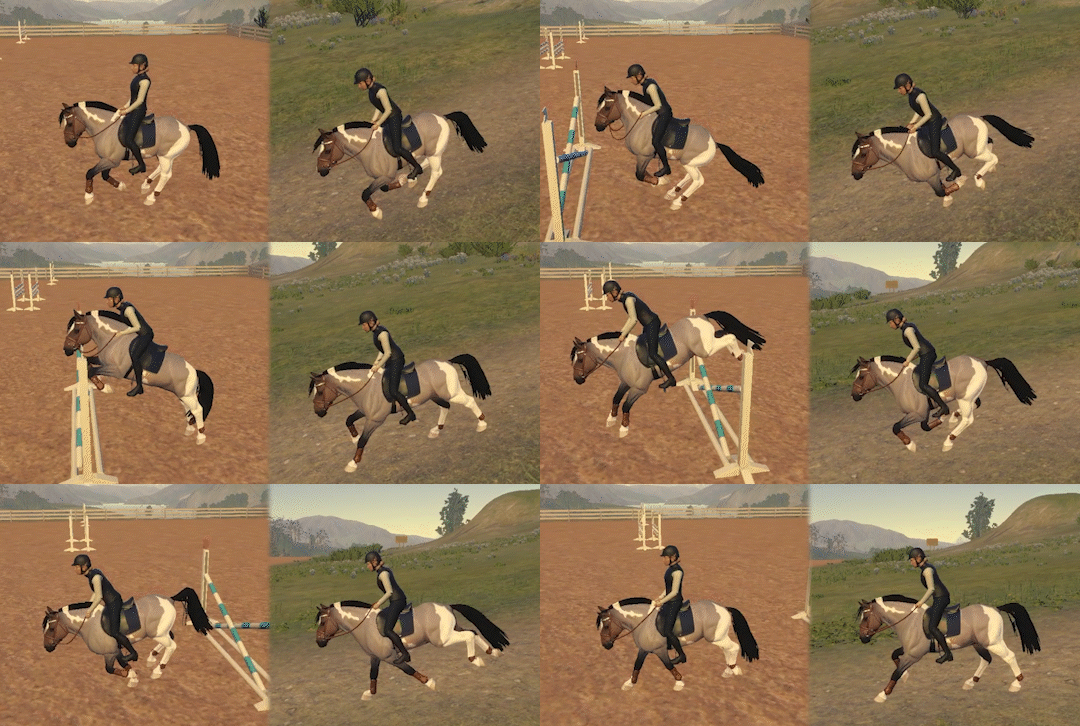
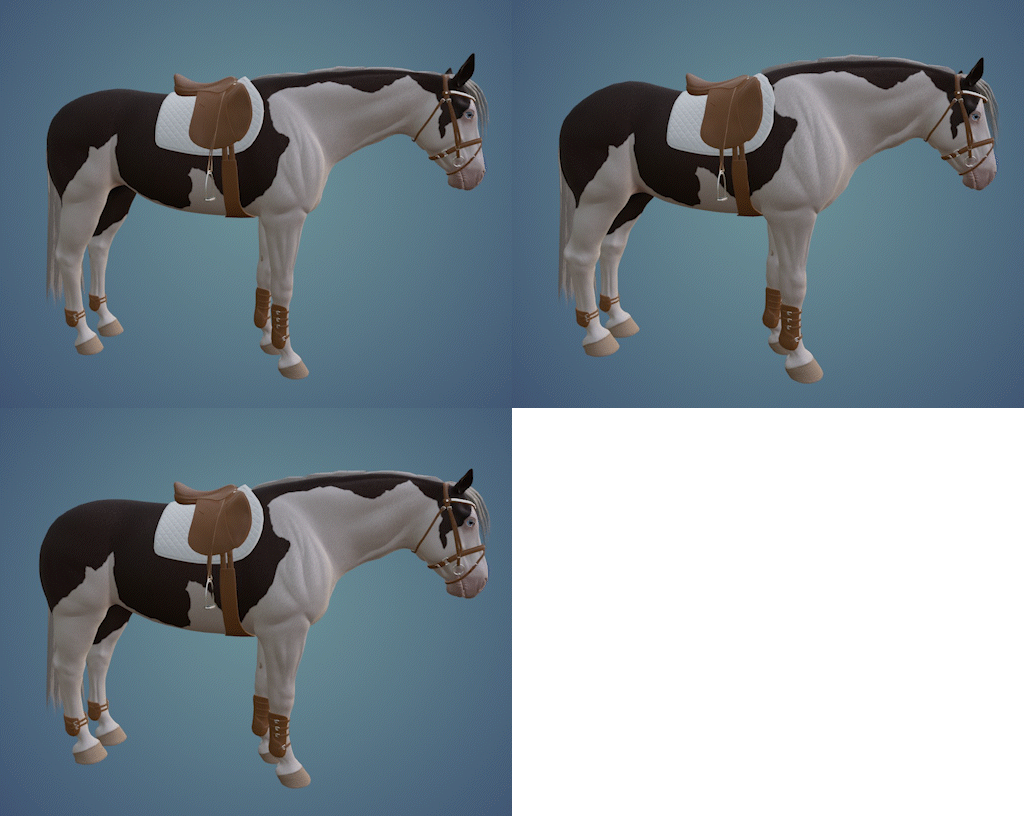
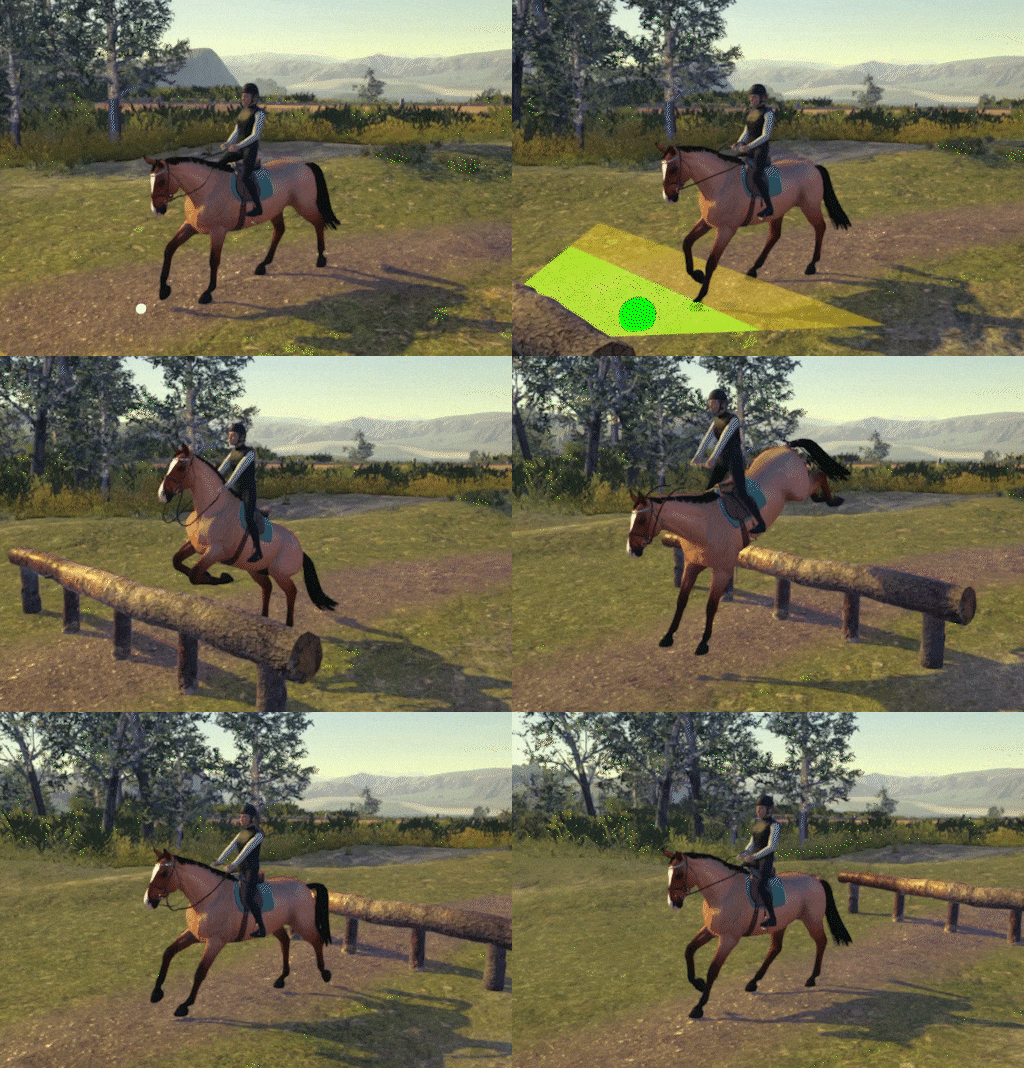
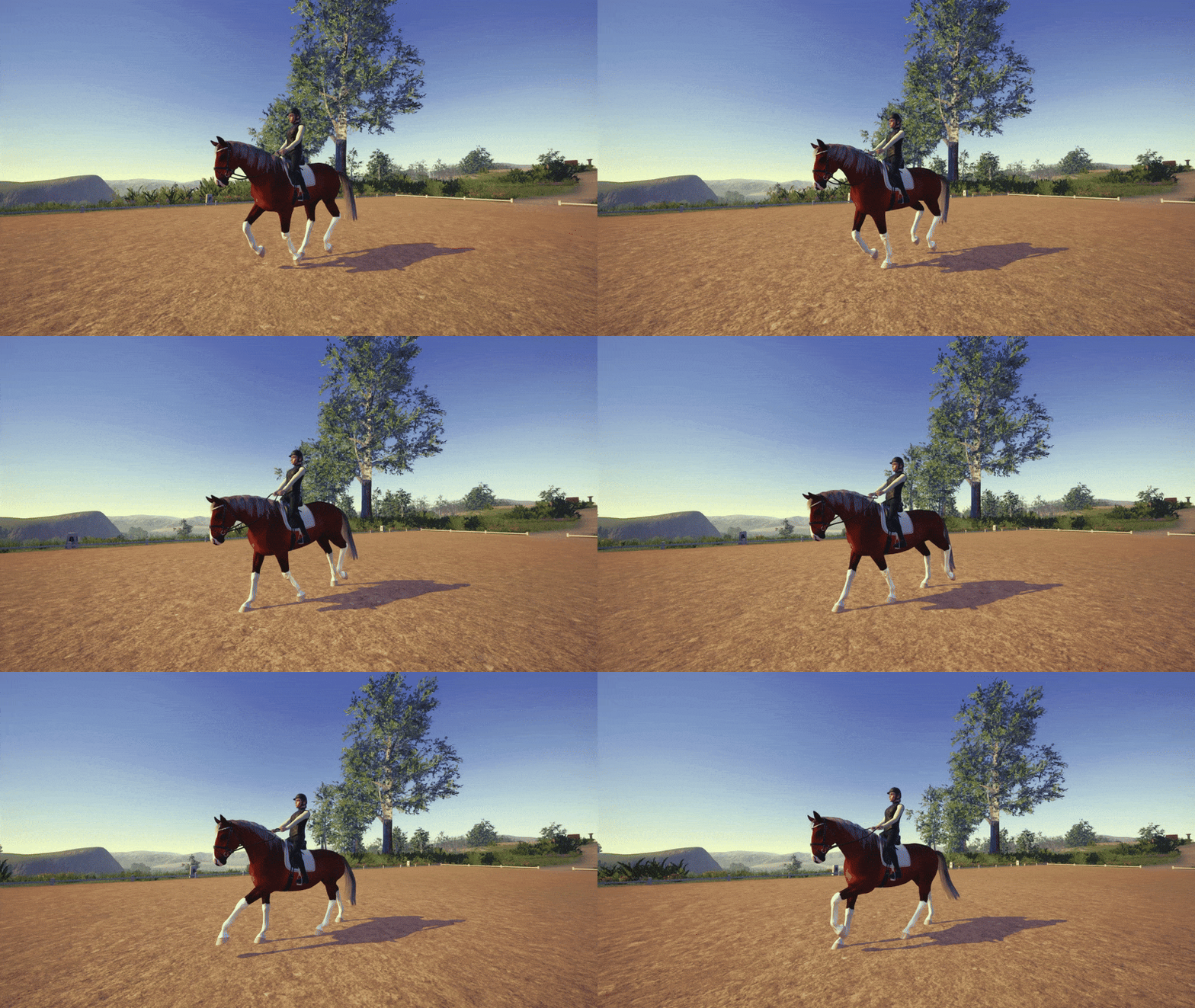
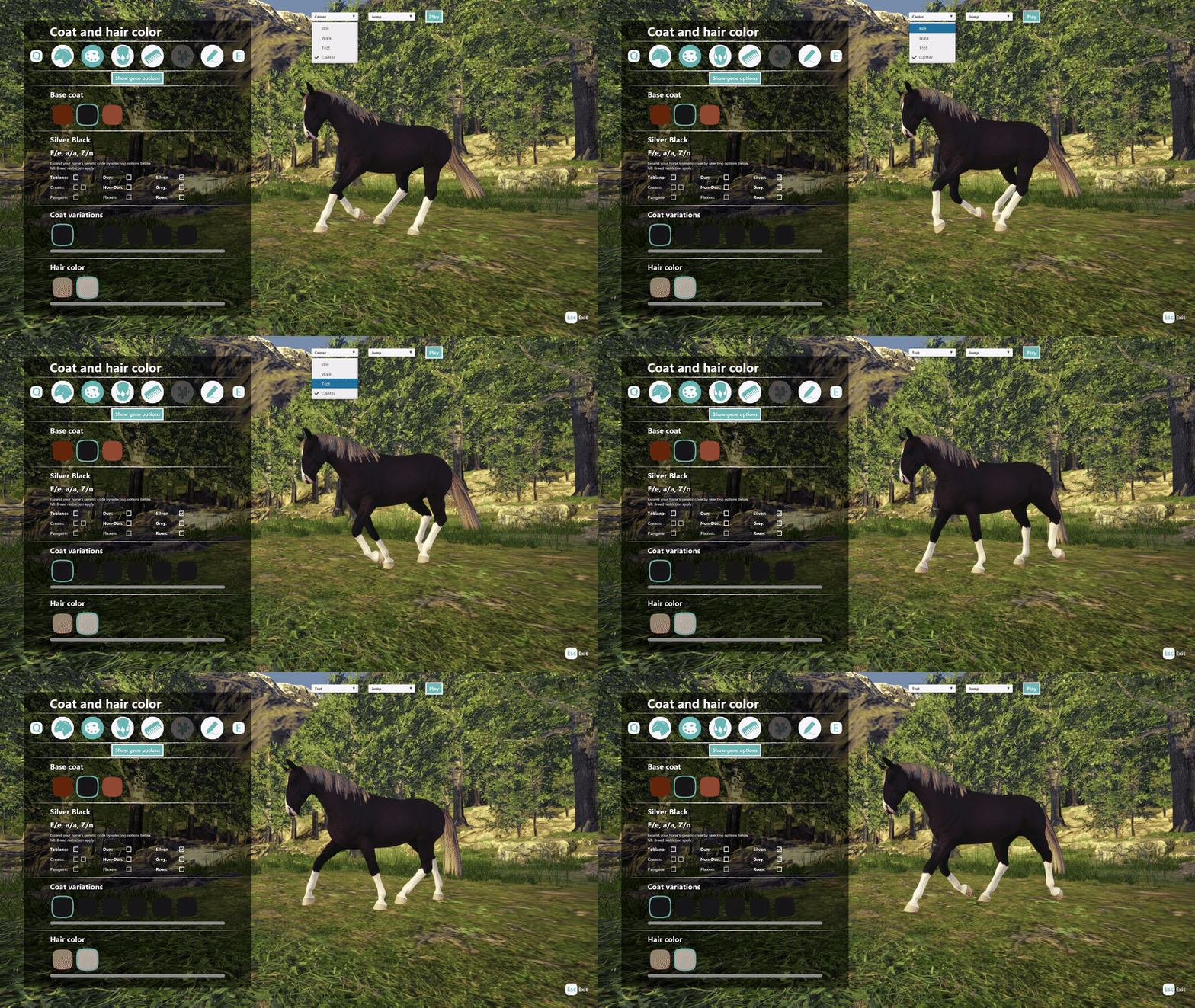
[p]Easing into a slow full gallop Up to this point canter and gallop have been treated as the "same" animation in the unity animator, as it is easy to blend between since they are so similar in movement; But gallop and canter do not have the same timing. It has been functional up until now, but they needed to be separated. So I had to make a slower version of the gallop.
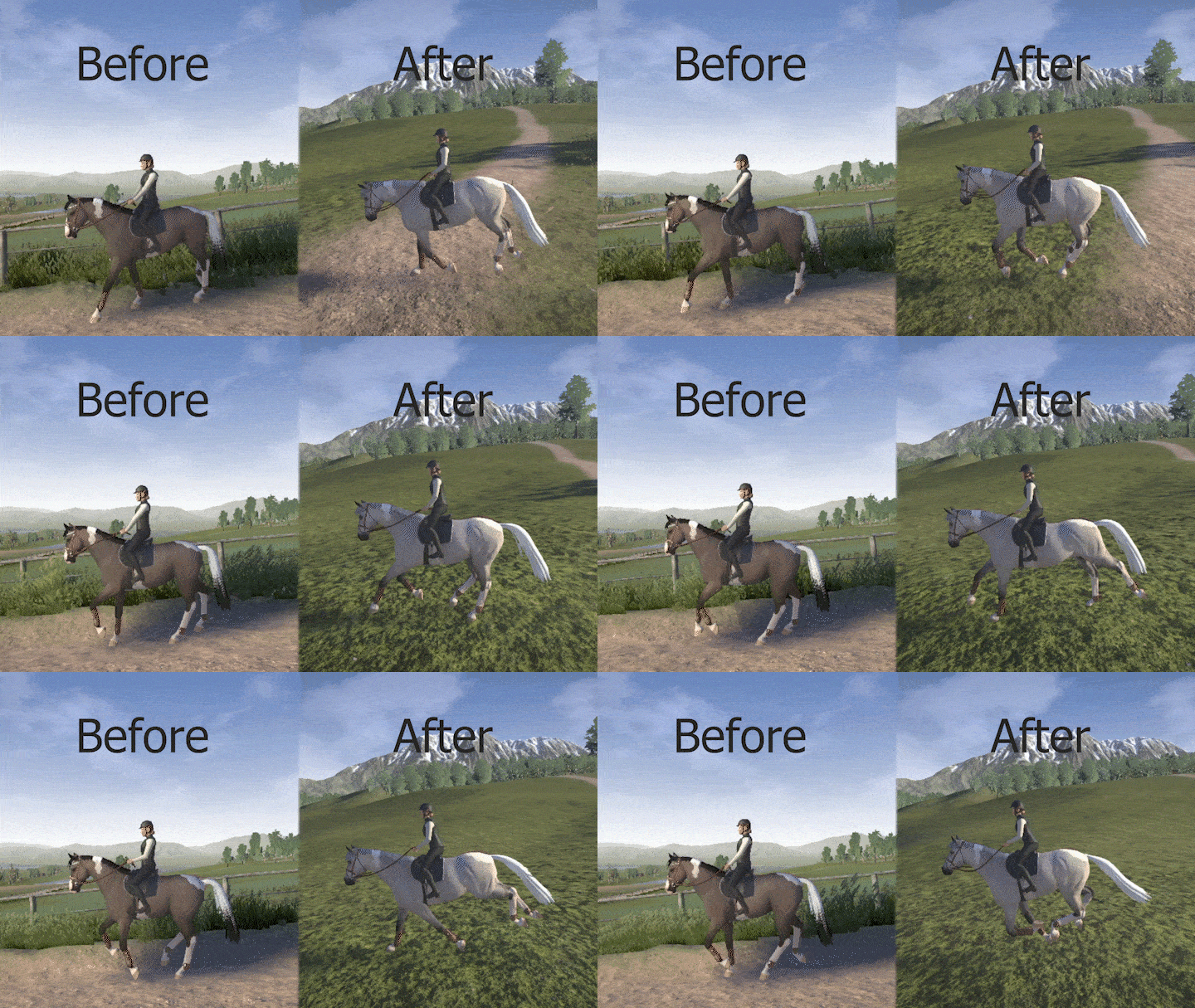
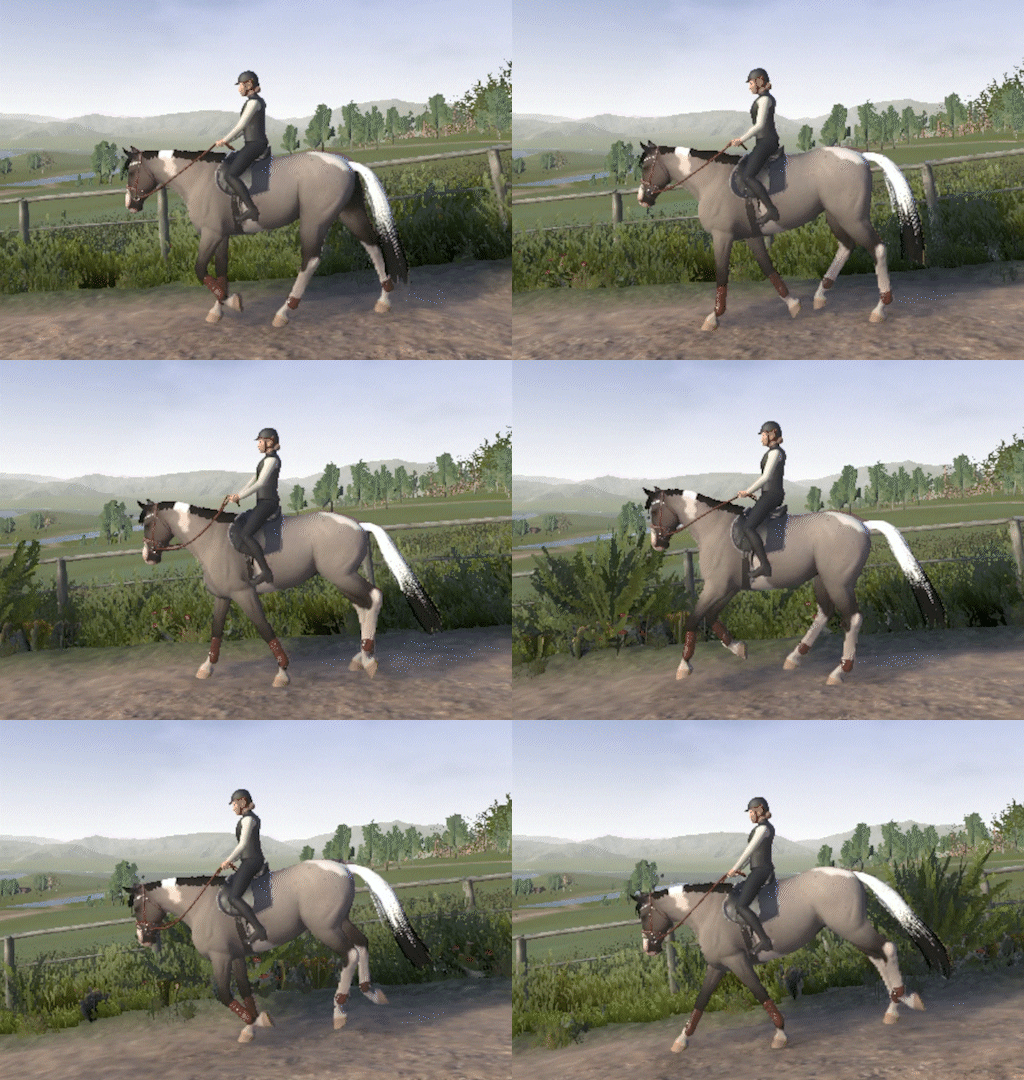
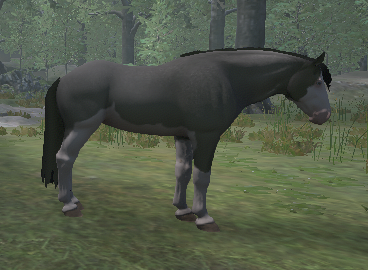
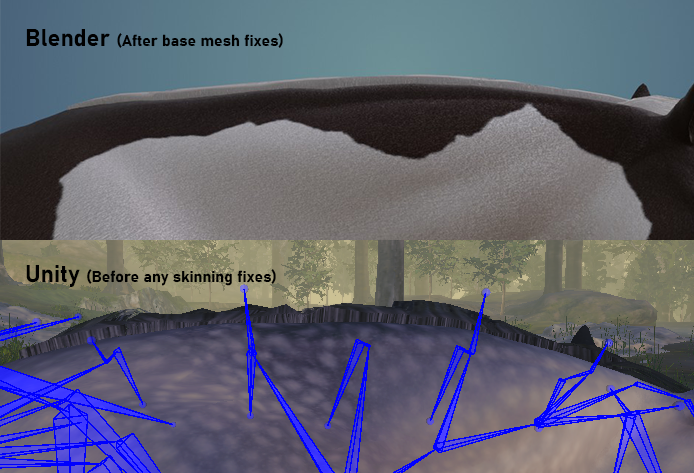
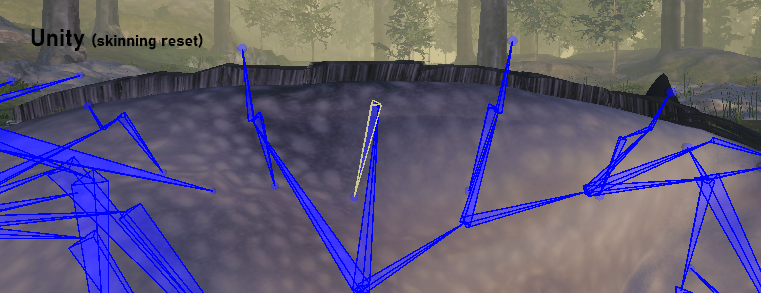
[img src="https://clan.akamai.steamstatic.com/images/41979671/f397836d5b8730ba80251724a1b2ff21cc4639ea.gif"][/p][p]Above is the new slow full gallop.[/p][p]Fixing an old enemy of mine While working on the gallop I also found that I could and should fix an animation problem that has been prevalent for a long time, that I have tried to hide as long and best as I could. When the shoulder is moved far enough back, there is a bend that happens between the shoulders and ribs. Usually it is not that visible as it is most noticeable in certain angles and mostly on extreme poses, but some animation has it more apparent than others and the gallop is one of them.[/p][p]I am normally very reluctant to edit the rig for either character or horse, I found that the best way to fix that shoulder problem would be to add a new bone that corrects the bend. While it is not perfect, it is leagues above what it was![/p][p][img src="https://clan.akamai.steamstatic.com/images/41979671/161d54cd0e5fb38e8e6135646d4764e8c9807f95.png"][TAG-106][img src="https://clan.akamai.steamstatic.com/images/41979671/8f7d809ce6b49cb60ddef07d066bb8cbef4a18e0.png"][TAG-108]Above: Before and after shoulder fix. Do note that the shots are from an extreme position for the legs, so the deformation is pushed to its limits. But you can see a clear improvement in the shoulder area.[/p][p]Broke the arms again While testing in Unity it became clear that the character's elbows got way overstretched in both full gallop and slow full gallop. So something in my last fix must have broken.[/p][p]The overstretching arms stumped me for a long time. I tried to go into the old fix to see if there was something wrong there, but couldn't find anything obvious. After a lot of back and forth it finally turned out that I also needed to change the animation system for the character after separating gallop from canter.[/p][p][img src="https://clan.akamai.steamstatic.com/images/41979671/41e344bda6e4dc042de6976ddf0a68999c2831ad.gif"][/p][p]Sadly the version where the arm stretching was at its worst got deleted, so I cant show you the full extent of how bad it was. But I could still replicate some of it on the closest repository I found.[/p][p] [/p]
Leading & Doors
By Ouroboros - Programmer
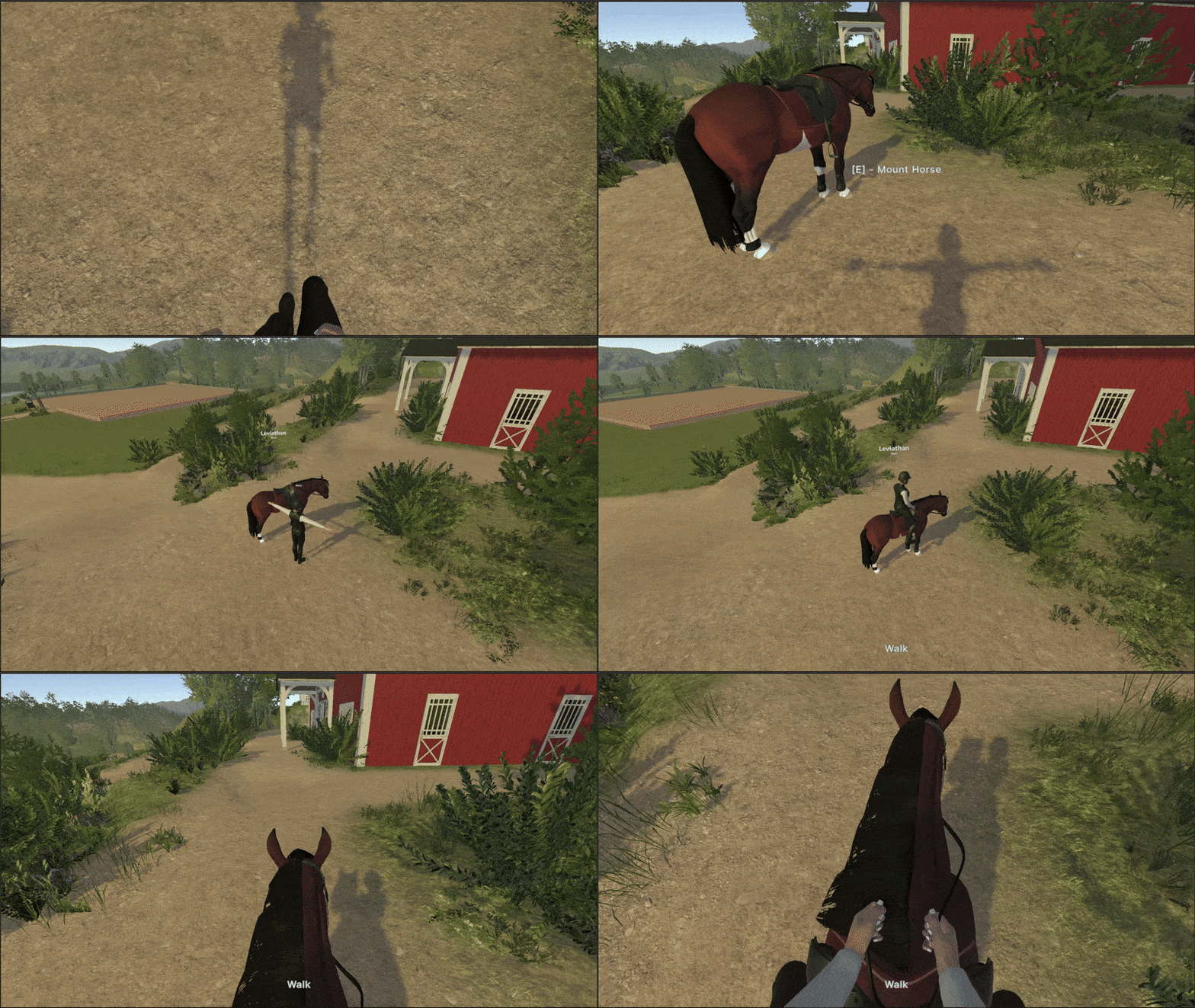
[p]The work on the update continued this month, and I spent the first week of May fixing some tricky bugs. The striding prediction for jumping was a bit wonky with the new animation system. It took some trial and error to get it working properly again. There was also a bug where the horse didn’t jump when there were multiple jumps close after each other. It took a lot of debugging to figure out what the issue was. Turns out the jump system was faster than the code that triggers the jump animation, which made the jump triggering not work when there wasn’t enough time between them. I was able to fix it by adding an additional check for the trigger.[/p][p][/p][p]The next week was all about getting the finishing touches in place before the release. I cleaned up the code for the new horse controller, made some final adjustments to the first-person camera and the look-at IK, made sure the new dressage and show jumping courses were set up properly, and updated the gait UI. We were able to get the new update out on 15th May, and everything seems to have gone smoothly.[/p][p][/p][p]I have spent most of my time since then on the new interaction system. As we have added more objects that have various kinds of interaction, the old interaction system started to become a bit cumbersome. The new interaction system is made so that it is easy to add new interactions, and it also supports multiple types of interactions on one object. With the new system up and running, I have updated all the existing interactions and added some new ones. Horses have gotten a new interaction that allows the player to lead a horse by the reins. Interactions have also been added to all the doors in the stable, making it possible to open and close them.
Please be aware that the content featured in these devlogs represents an ongoing work in progress and may be subject to further changes. We are committed to continuously developing and refining our game. To stay informed about the latest updates and connect with the rest of the Astride community, we invite you to join our dedicated Discord server community here! For additional information about Astride, please visit our official website.[/p]
Astride Patch 0.3.24.9
A new patch for Astride is now available. Here are the new features and changes/fixes that have been made. More patches and updates will come soon.
You may have to restart your Steam client if the update is not immediately available.
Patch highlights
Added content & features
The Arabian horse has been added to the horse breed roster
The Rabicano gene is now available for the Arabian horse
Third-person and first-person view while riding or grounded have been added and can be toggled with Tab
Added saving and loading of the camera mode
Horse refusals have been implemented
Updated and added more leg markings variations
Added lead changes while turning
Added four more show jumping courses and updated show jumping course 3 with a new course
Added a new dressage course and a new dressage training course
Added lead change for slow canter
Added idle and halt animation with transitions from different gaits
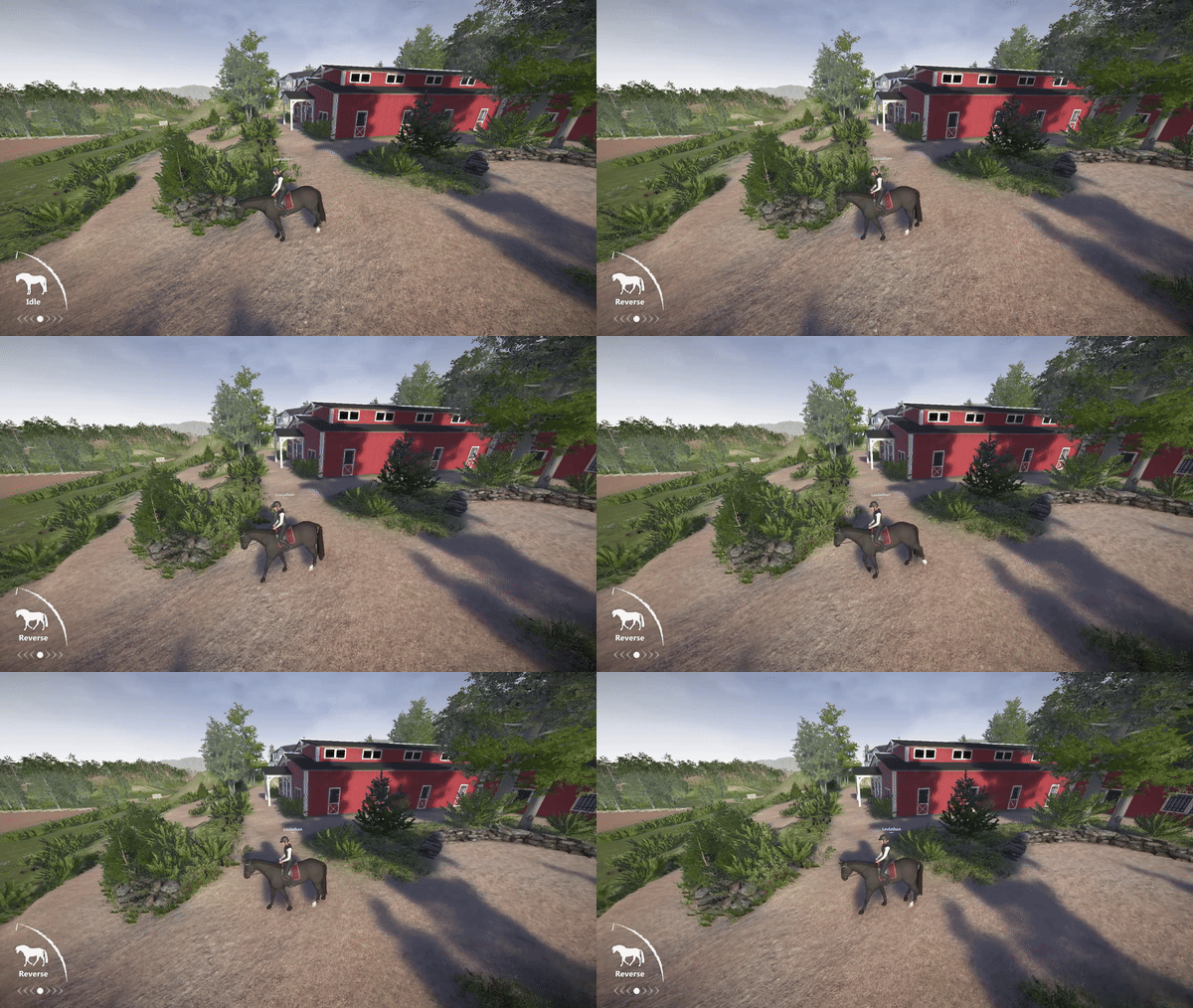
Added rein-back (reverse, backing up) on horseback
Added Silver Buckskin and Silver Smoky Black gene combination
Added a hard stop animation for the horse, activate by pressing X
Added walk-to-canter transition
Added look-at IK for third person character view, the character will now look towards where the camera is pointed
New UI that includes gait and speed indicators while mounted on the horse
Fixes & adjustments
Terrain texture has been updated
Water shader has been adjusted
World lighting and shader has been updated and adjusted
Increased the scroll sensitivity range in the controls options
Fixed a multiplayer bug for force animations
Fixed various LODs
The world fog has been adjusted
Reflection probes have been swapped and replaced
Fixed issue with horse jumping delayed because of changing strides before the jump
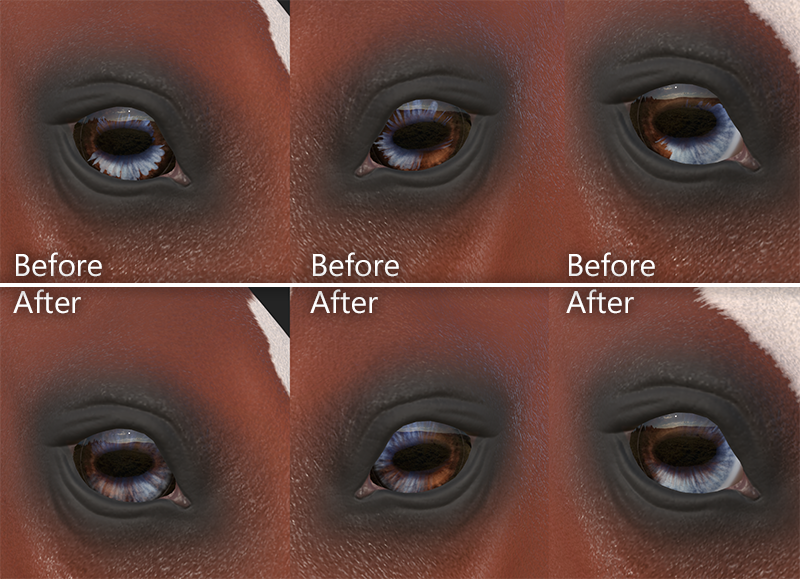
Splashed white face markings have been updated for better eye textures
Fixed animation looping issues
The horse shader has had some updates and tweaking
Minor fixes of the shadows
Adjusted the horse’s textures to be less shiny
Changed the render order of some materials
Added object shadows
Updated colors and textures for the house and stable buildings
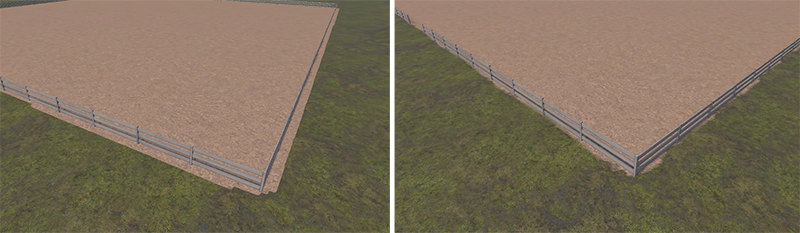
Adjusted arena fence to hide the fence foundation mesh
Reduced sizes of numbers of textures to help with optimization
Pangare textures have been replaced with new ones that do not have visible seams
Some white patterns, such as Tobiano, have increased texture size and quality
The main menu camera angles for the horse have been adjusted
Tweaked the existing dressage training course to have less gait transitions
Updated the transition from idle to turning standstill
Updated the textures inside the stable building
Fixed stirrup placement based on breed
Fixed neck position and deformation on scaled horse heads
Updated control scheme in the escape menu
Added scaling to the scroll sensitivity when playing with a save from an older build
Adjusted the turning of the horse
Made post-processing and shadows change with the quality set in the graphics options
Updated transitions from and to halt and transition between reverse and walk
Updated show jumping training course 2 with a new training layout and exercises
Fixed the transition between piaffe and passage
Fixed issue with transition from piaffe to walk, trot, and canter
General updates and tweaking of the UI, including changing the backdrop with blur and shadows for text
Known issues
The reins sometimes clip through the neck and both reins end up at the same side of the neck
Mane clipping issue with some breeds, especially the Arabian
There are some clipping/skinning issues with tack
Devlog #49: April 2025
Colorful month for art and UI
By Maja - CEO, Concept Artist
Preparing for testing As many of you know we are currently preparing an update for Astride. With that comes the need for testing with our Patreons. In this update, testers got to experience the first of my post-processing work. The feedback has been very positive this far, so now I know we are on the right path for Astride’s look. Testing is still ongoing, and we have received a lot of helpful feedback on other areas we are working on and improving.
I also had to prepare a new control scheme for the updated horse controller. It is likely already a little outdated and needs further adjustments before we are ready for the update for Steam. Since there are now a lot more controls, I had to divide the controls into two pages: One for horse controls and one for character controls plus other features like camera. In the game, players can use arrows to switch between the pages easily.
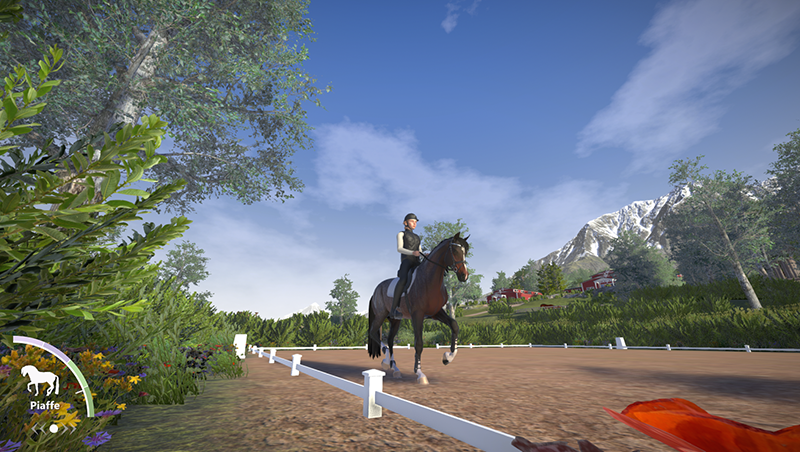
UI - for gaits Along with the new horse controller, we have added HUD elements with icons of a horse shown together with text and a “speedometer”. The icon changes with each gait. In Astride players can go into different speeds within each gait.
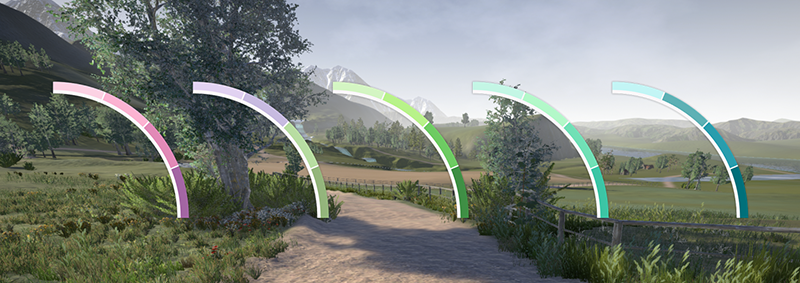
The HUD I made back then doesn't really match the style we are currently going for anymore, so I had to create something a bit newer, that still uses the same base design. I created a new arch that is simple and clean in its shape.
The main goal was to find colors for each gait. This is also important for dressage. It was also important to add our main white color to the design. I want the player to associate a color with a gait/maneuver. This will be helpful so it’s not that important to for example read “trot” everytime, when you can just see the green color and be like “oh that’s trot”. For this I made a ground line in the arch with 4 dividers that has this white color. The dividers are to give the illusion of a gradient that is static with clean colors with no transitions. This is to help the entire UI pop visually together with the chosen colors.
I tried so many color compositions and palettes. Some I was not happy with at all, others were too dark or dull to look at. So I ended up using even brighter colors that use our main teal color somewhere. I imagined a form of gradient for each color. So this is what I chose:
Walk: Pink to purple (I also made an orange one) Trot: Fresh light green to dark green Canter: Light blue/teal to deep teal Piaffe: Lavender to sage green Passage: Sea green/blue almost turquoise
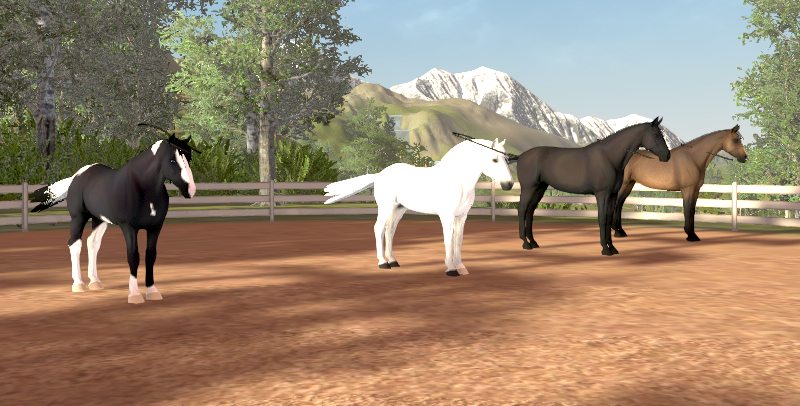
I tested the UI on screenshots from the game I had available to see if the colors blend too much or not with the environment. Here you can see the canter color. In other games they usually go from green to red depending on speed. I wanted to do something different, so this is why I tried experimenting with different colors by using one of the main colors as a start point.
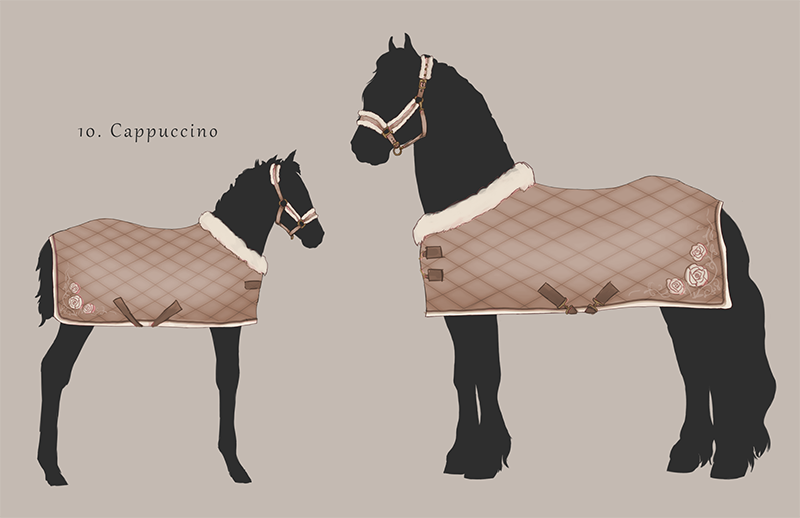
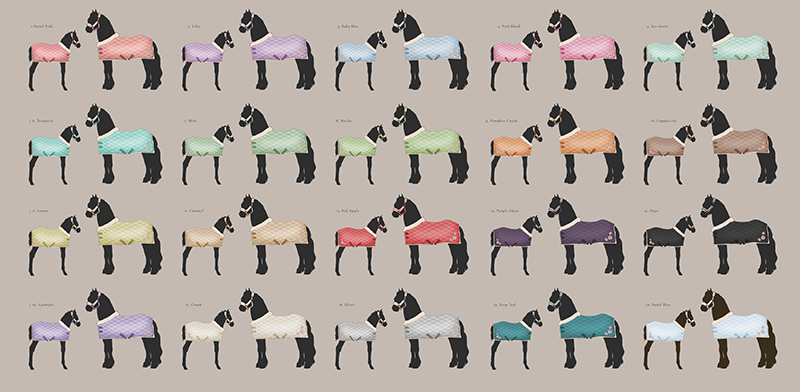
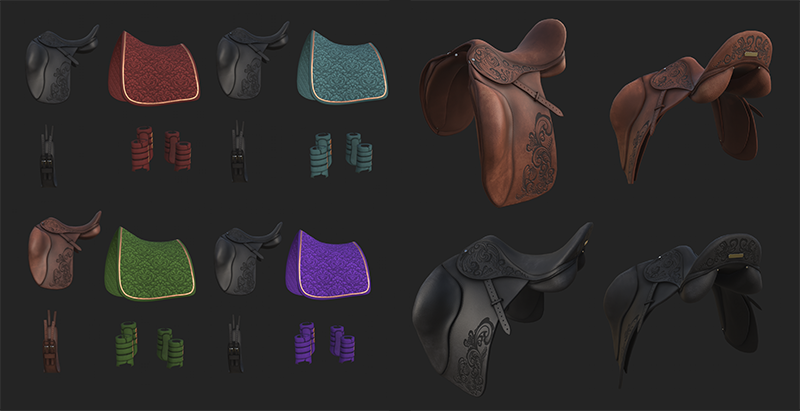
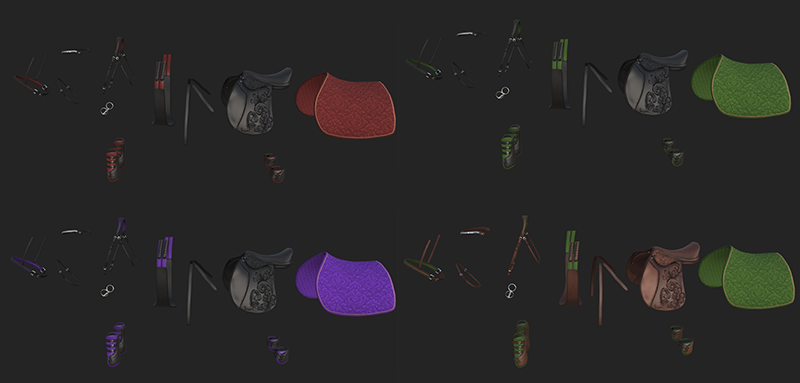
Drawing something cute Next step after the next update is breeding. So we want to prepare something cute for that time, and what is cuter than a matching halter and rug for both mom and baby? This was a nice way to complete the week after working on all the UI. Well, I drew a lot of different colors for it. I wanted it to be soft and cute.
First step was to add some fluffy details to both the halter and the rug to make it comfy. The fabric for the rug is based on what we call a “vaffeldekken” (“waffle rug”) in Norway. I chose it because it appears and feels homemade and full of love. Then I added a lighter edge and some roses as a cute little detail.
Dressage Courses
By Mathilde - Community Manager, 3D-artist
While I haven't worked much on Astride this month due to the news I mentioned in the last devlog, I have started working on some new, shorter dressage courses that will hopefully be available with the next update that we are working on. It's not super exciting, but I do believe that revised and new dressage courses can help make the game more fun. In addition, this will help me truly learn the dressage system we have in the engine, making it easier and faster to implement new dressage courses in the future.
Property Changes
By Tirna - Project Manager, 3D-artist
Hi everyone! ^^
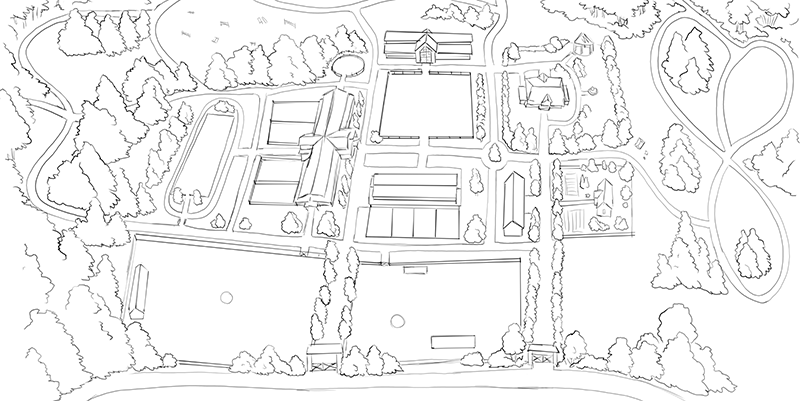
The past month has been more about planning than actual development, so today I wanted to share the basic idea of how the property will look, some thoughts behind it, and how we got to this point.
First of all, here is a sketch of the property. Some of you might notice that the stable has changed from the old horseshoe shape to a straight layout. This is because we found it quite clunky and time consuming to walk around in the stable that is on the current build on Steam. We use modular pieces to build our stables and other buildings, so it’s more like building with Lego than starting completely from scratch. That means changes like this don’t take too long to make.
Since we’re already adjusting the layout, we’re also going to tweak the size of certain assets, like the stall doors that are going out to the paddocks. While they were made with realistic dimensions, we’ve found that realistic can sometimes look too small in a game. So we’re fixing that to make everything feel better in-game. We will also make two stables: the main stable, which has room for twenty horses, and a client stable with room for four.
The idea is that, as a player, you’ll have good access to everything on the property. The stable acts like a central hub, with an entrance on each side and different activities in every direction. At the center, you’ll find the showjumping arena, indoor arena, and the client stable. Behind the main stable, there’s access to the dressage arena, the oval track, the cross-country course, and a forest trail. On the side there will be two large pastures for the horses to roam.
To the right side of the property is where the characters live; you’ll find the main house, Einar’s house, and a smaller farm building across from his. This part is inspired by how many farms here in Norway are set up.
We hope this layout will feel natural, easy to navigate, and fun to explore!
Breed Scaling, Rider IK, and Halt Animations
By Marius - Animator
Head scaling and stirrup placement As I mentioned in last month's devlog, the head scaling stopped working in between the different breeds. While troubleshooting why it stopped working I realized that I could change my approach and mix it with a stirrup position system I started on a while ago. The system is meant to adjust the position of the stirrups so that they are placed correctly between the horse breeds, as they have different proportions that do not necessarily work with the bare rig IK position.
It was a system I never got to fully implement as I was unsure how to actually set it up in Unity’s animator system, but when revisiting now after working more in depth with the system it was much easier to find a solution.
Relaxing overstretched riding arms While working on scaling and rig manipulation I also fixed an issue with the rider's arms overstretching when on a large horse, as the IK movement also got bigger proportionally to the horse’s size. While the fix itself still needs to be tested more before I can say it conclusively, but so far it seems to work.
*Note that the hand position lags a little behind, as my computer struggles to run everything directly from the engine while filming.
Looking into halt animations After implementing the jump refusal, I now knew that stopping works in code as an action and not just slowing down; So I started working more on the halt animation. Halt animation up to this point has only been a static pose as there is no way to really test it outside of implementing it in Unity and test the transitions and stuff there. Though it seems like it still needs a lot of work as it looks like I will need to make a halt transition animation for each gait and speed and then set it up and test them.
Preparing for the update
By Ouroboros - Programmer
The time for a new update is approaching, and I have spent most of my time on getting everything ready. In addition to adding piaffe and passage to the new controller, I also continued tweaking the new turning mechanic for the horse. It was a lot of work, but we were able to release a new build into test before easter. I knew the new controller and camera would need adjustments, and I have been able to make some improvements thanks to valuable feedback from our testers. I try to keep up with the bugs as they are discovered, while spending the rest of my time polishing as much as I can.
That’s more or less everything I have been doing this month. Testing, debugging, and bug fixing for the upcoming update. It isn’t the most exciting and often involves a lot of smaller tasks. I have spent a couple days working on a new interaction system, but the new update has been the priority. I will probably write more about the interaction system next month, as that is my next point of focus.
Final Animation & Prop Update
By Mathie - Intern
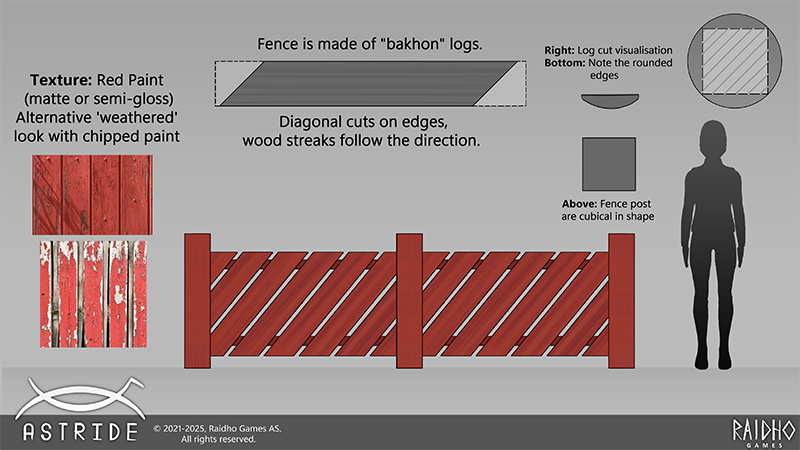
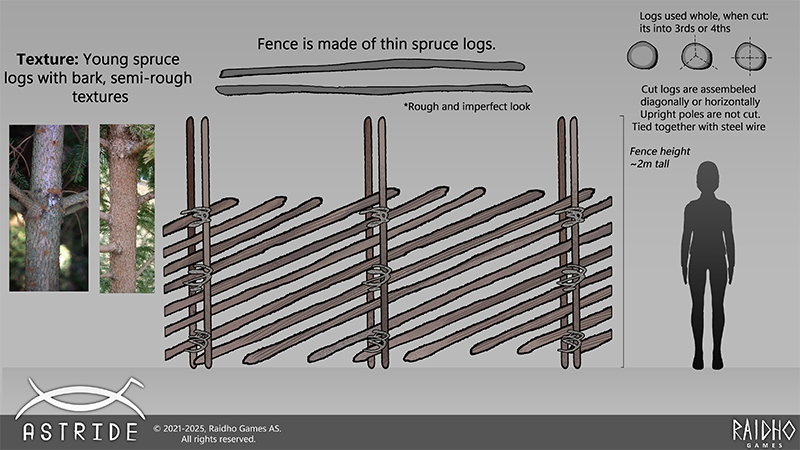
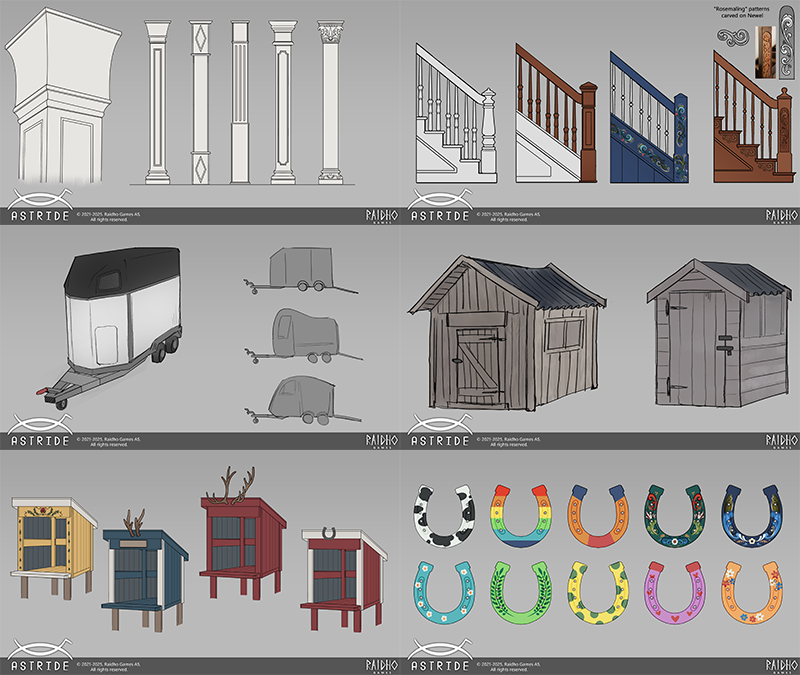
Last update from me! As I wrap up my internship, I’ve spent the last stretch focusing on both my animation work from last time, and refining some prop concepts. I’ve made some prop breakdowns and callouts for some of the prior designs I had worked on. It is a good practice that gives a more thorough guide for 3D artists, as sometimes art alone can't always effectively convey the whole idea. Thus, including notes and pictures in the form of callouts are an effective way of communicating elements that are unclear in the artwork itself.
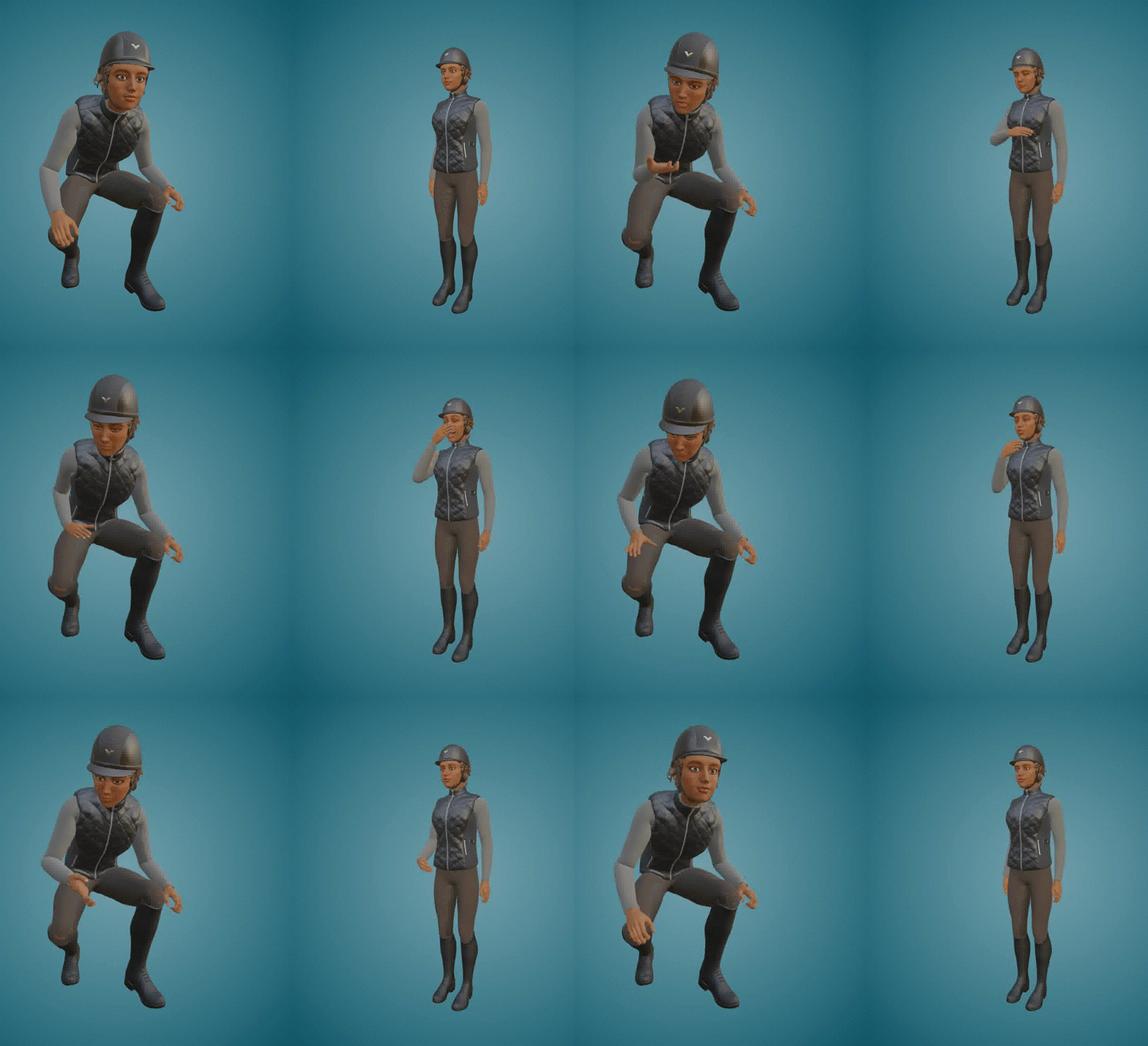
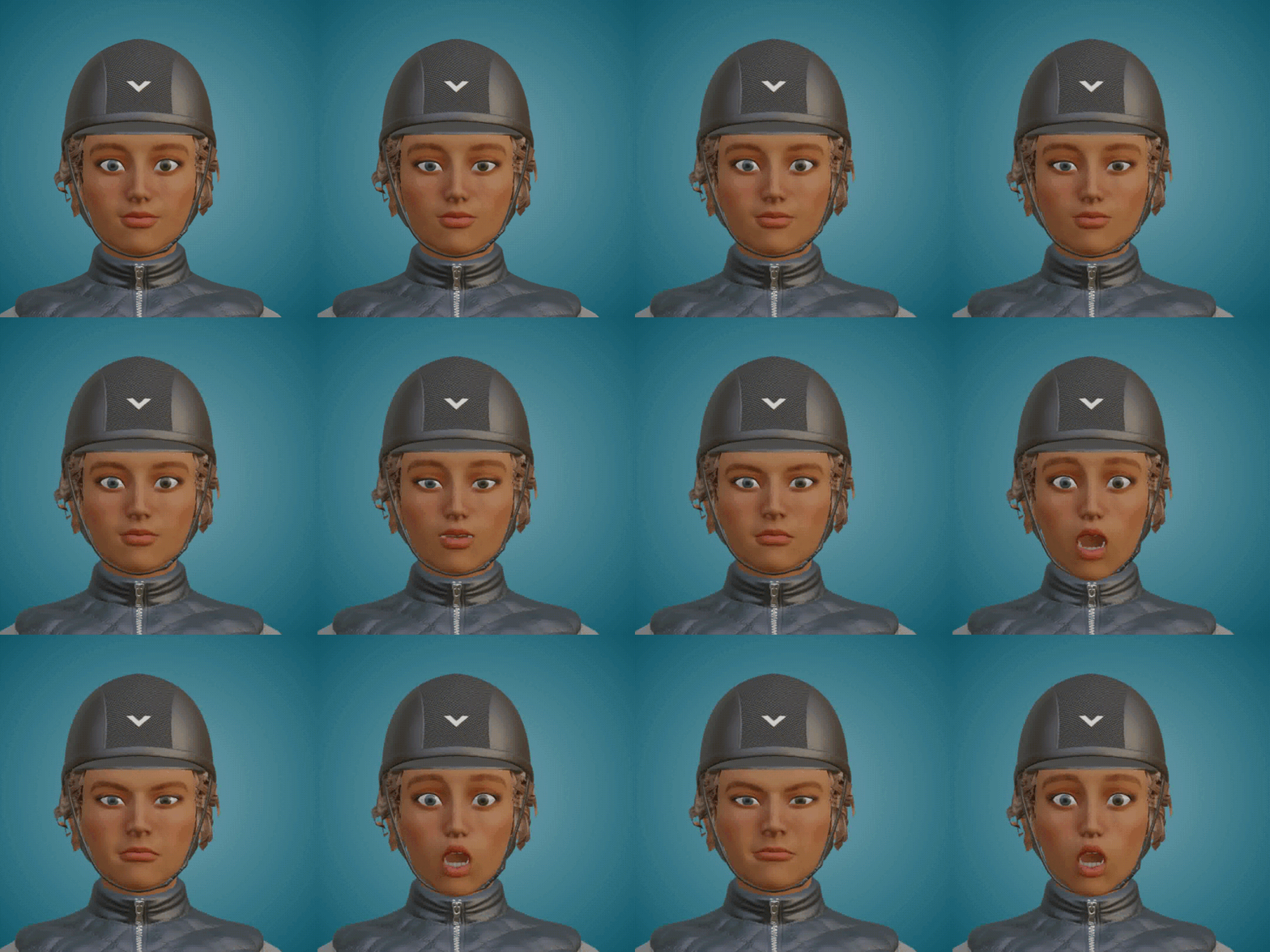
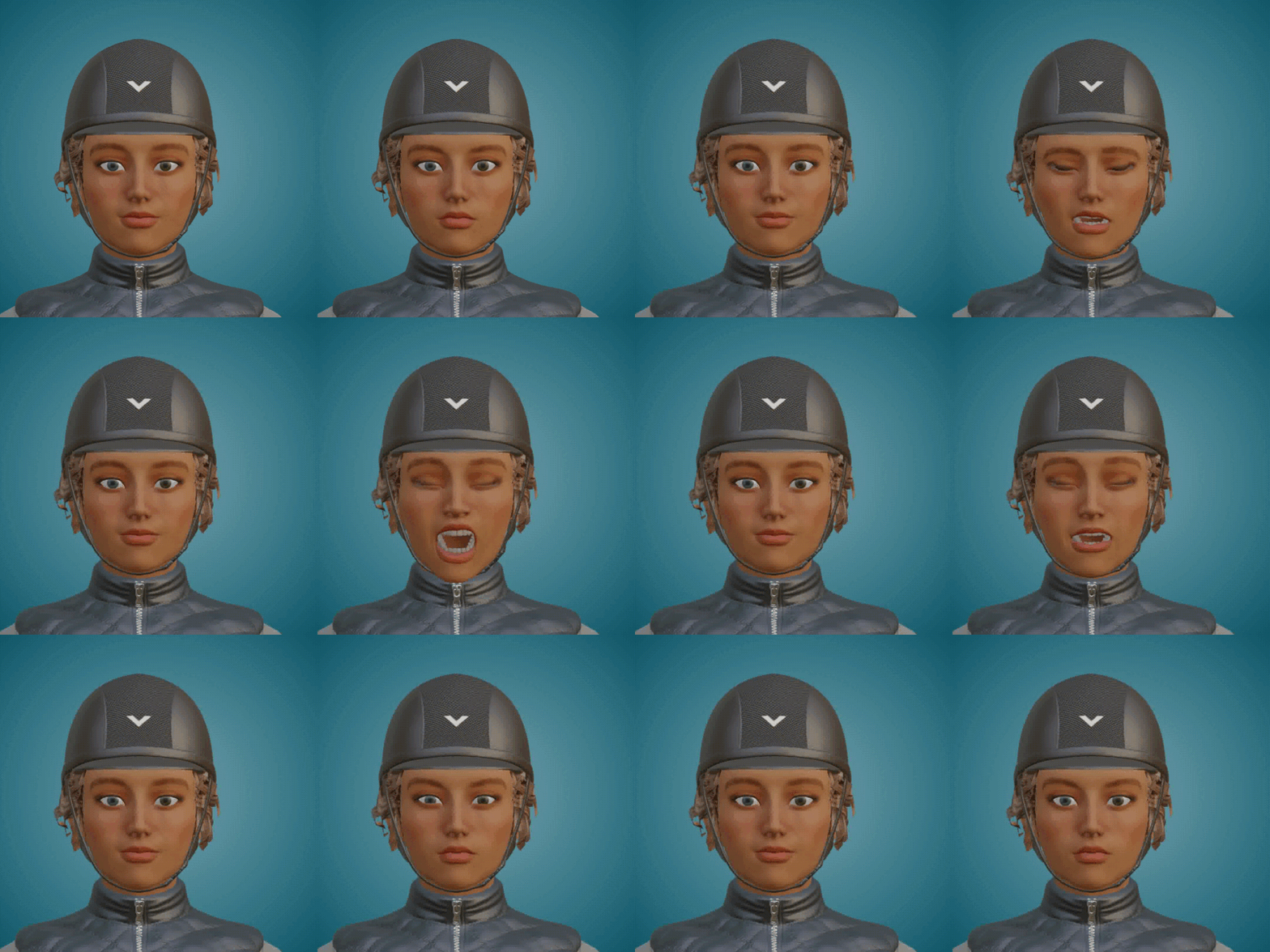
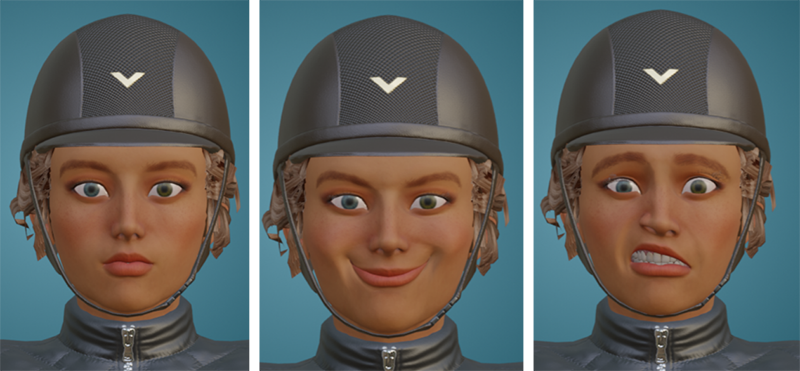
On the animation front, I have completed idles as well as facial expressions for the player. The amount of animations was a bit less than I had originally planned due to some time constraints on my part, however I still tried to make as many as I could with the time I had. I’ve sure learned a lot in Blender throughout this internship, and I’m super thankful for all the help and troubleshooting I received whenever I had a problem occur.
Lastly, thank you to Raidho Games for letting me be a part of their team during this time, I have certainly learned a good deal about it. It's been a really insightful and great experience to collaborate with you and contribute to the development of Astride! I wish this team the best of luck going forward!
-
Please be aware that the content featured in these devlogs represents an ongoing work in progress and may be subject to further changes. We are committed to continuously developing and refining our game. To stay informed about the latest updates and connect with the rest of the Astride community, we invite you to join our dedicated Discord server community here! For additional information about Astride, please visit our official website.
Devlog #48: March 2025
Becoming friends with post-processing
By Maja - CEO, Concept Artist
Last month I wrote about fighting with different post-processing parts like the light and skybox. Then I finally got something that looked ok. However, when we actually tested to merge the post-processing branch with the rest, we discovered that the sky box and system we used was way too heavy for the game. Which means your computer would struggle a lot to run the game. So I had to learn a new skybox and cloud system, which was surprisingly easy to use. Yay! That was a relief. So now we have another sky, which actually had better color options that matched the idea in my head. The idea was to have a colder blue color, and without so much yellow in the horizon. There were also new clouds that were easier to control without making the sky overcast.
I also continued to explore new post processing adjustments. I got a better understanding of Beautify this month, so it was much easier for me to work without asking Marius for help. Poor Marius, had to help me a lot when it didn’t work. When we changed the skybox we also got a new sun, but I got it to be kind of nice looking. Compared to the blurred light ball it was at the beginning.
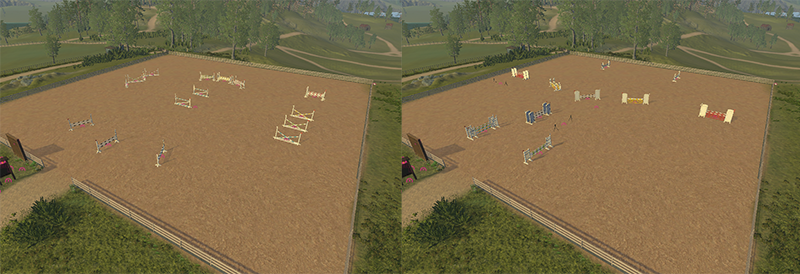
Making volume With the new volumetric GI-asset I got the option to add something that imitates shadows in corners and edges. This made every wooden edge pop and look softer at the same time! I love it. It also gave some nice details on the jumps, signs and so on.
Above, you can see the before and after. On the left is before, and on the right is after.
New vibes I feel like the environment has a more colder and Nordic vibe, compared to what you can see in steam. I also went into the horse creator scene and did some adjustments, moving a few cameras and such for it. The horse creator scene is difficult to work with to match the light from the stable. We will change it later, but while we use the area, I have to make it look ok for what it’s for.
The post-processing that is currently in the Steam build on the left versus the new post-processing adjustments by me to the right. And whoosh, we go from Spain to Norway! The new screenshot is taken directly from the Unity development view.
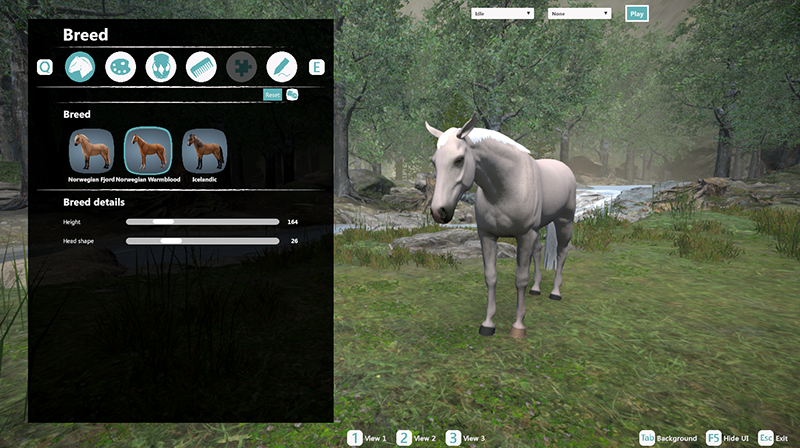
The Horse Creator/Menu scene When the game changes visually, the Horse creator scene must follow. It’s not the easiest scene to work with and we will probably switch it out later. This scene is quite closed off surrounded with mountains and trees. So the light is not the best there. But I did what I could, so now it’s a little bit better. Though the fog makes it look a bit rainy. Which is not unusual for Nordic countries. I had some fun editing the cameras, because I wanted the angle to be different. I moved the horse a bit closer to the river too. My goal was to have the river in the background.
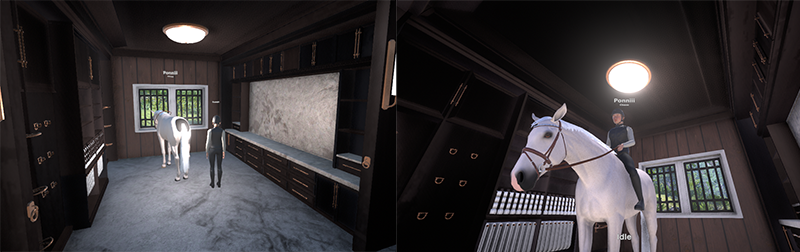
Adjustments inside the stable I also had to adjust some light that I previously placed inside the rooms in the stable that needed adjustments. When I tested it out, I discovered that many of them were too low and too bright. So I went ahead and fixed that. You can see on the image how bad it was! The horse’s hind even turned into a dark void.
Everything all at once
By Mathilde - Community Manager, 3D-artist
This month has consisted of me trying to tie up "loose ends" and help where I could. The reason for this is that at the end of March, I started my new part-time job that I will be working at for the next 6 months. Don't worry, I will still be working on Astride, just a little bit reduced.
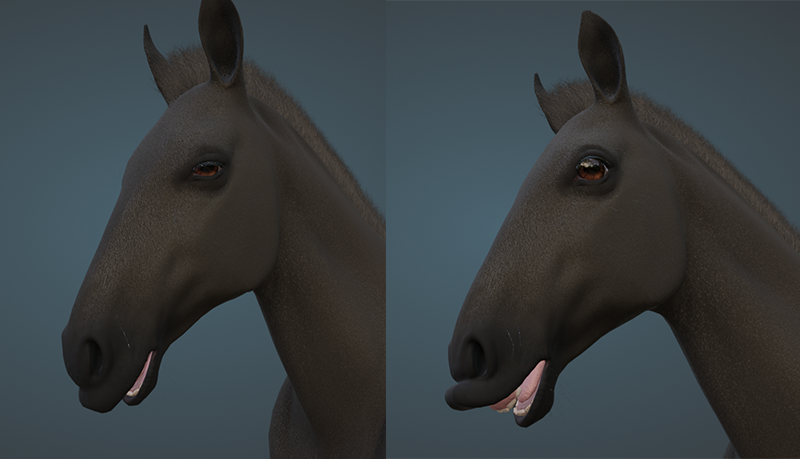
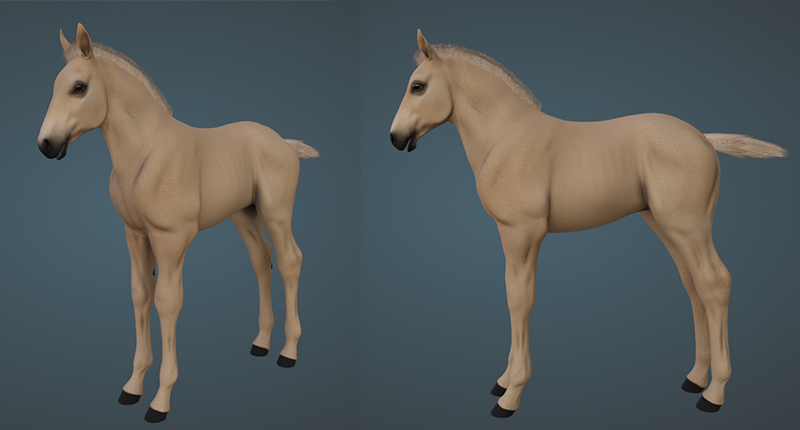
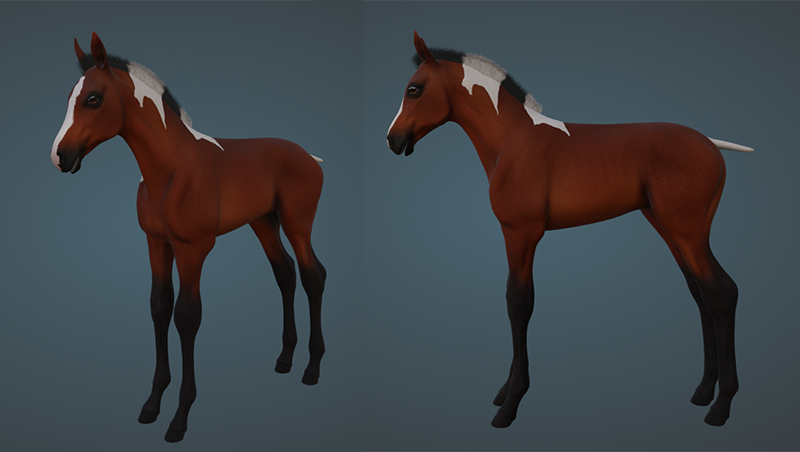
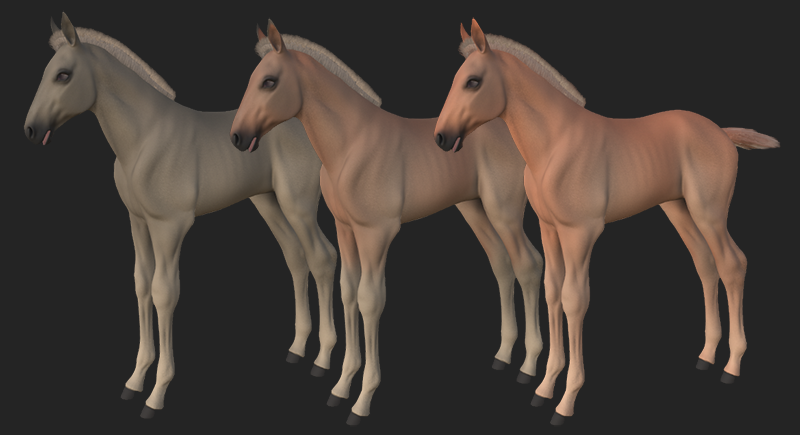
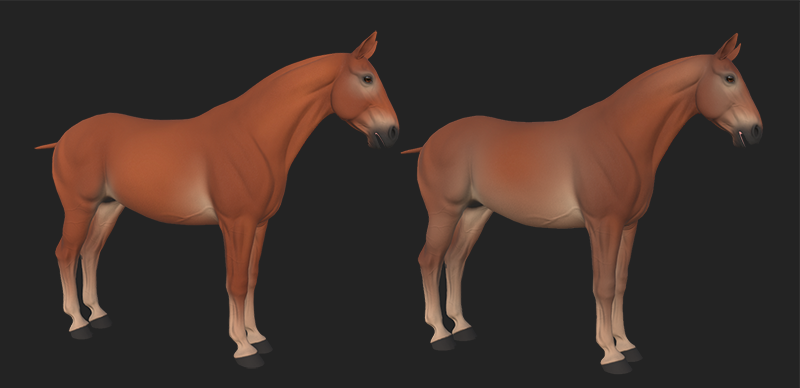
I've focused on finishing the foal model. This includes adding the different breeds as blend shapes, finalizing the mane and tail with textures for tobiano patterns, foal camo, silver, and more! I also added the needed blend shapes for the face, such as blinking, face shape, and cute mouth movements.
I couldn't help but show these cute faces above, it was so fun to work on this task!
The foal model as the Norwegian Fjord horse.
The foal model as the Arabian (I know Arabians do not have tobiano natively, but I was also testing the textures for the mane lining up with the body textures for the tobiano patterns).
Here is also the foal camo displayed on the different base colors, black, bay, and red!
Moving on, I also finally updated the textures for pangare. We already have pangare in the game, but the textures were outdated and had seams running between the legs and across the stomach. This is now fixed!
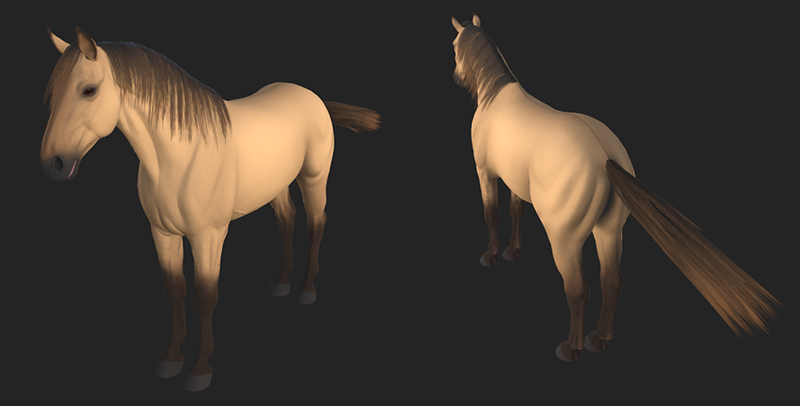
Another issue we had was the fact that there were no textures for the combination of silver and cream. I fixed this by making some unique textures that will be used if the horse is buckskin (bay with cream) with silver or smoky black (black with cream) with silver. Now, the silver + cream combination should be more like they appear in real life genetics!
Lastly, I've added a couple more show jumping courses and did some tweaks to the dressage courses. The first training course has less gait transitions and I made a completely new training course just to get to know our dressage course design system a little better. In the future, I hope to add more dressage courses and tests for you guys.
Environment
By Tirna - Project Manager, 3D-artist
The final month of learning the basics of the new environment tool Unfortunately, I don’t have many pictures to share this time—this past month has been full of testing, errors, and a lot of back-and-forth. But now, I can finally say I’m starting to get a better grasp of this tool. Working on something that will actually become Eldheim—and not just another test scene—is both exciting and something I take seriously.
There won’t be many updates from me on the test scene in the current builds, but don’t worry—a much better scene is on the way! And the best part? This doesn’t affect the other aspects of Astride, like programming or Maja’s post-processing work.
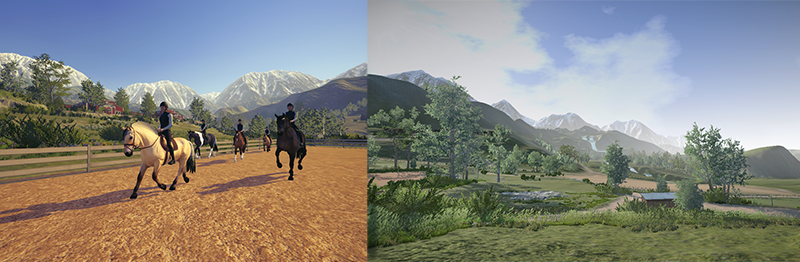
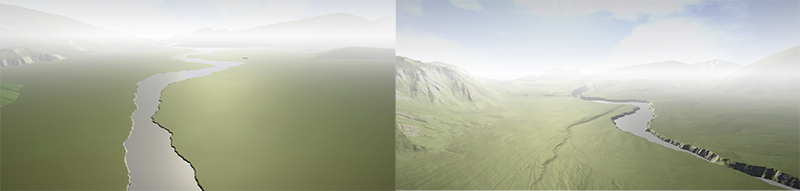
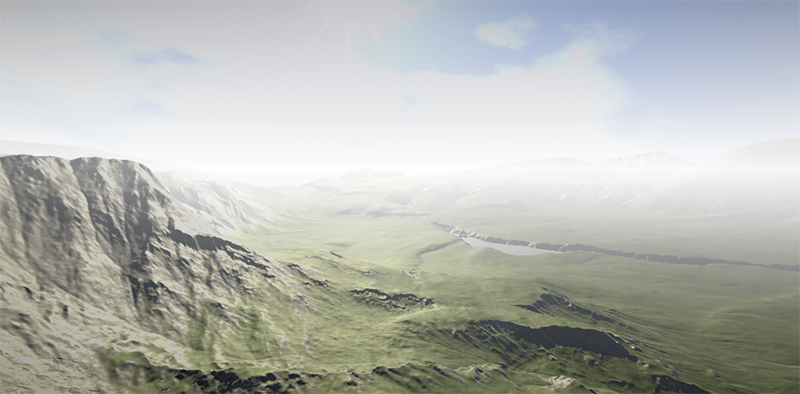
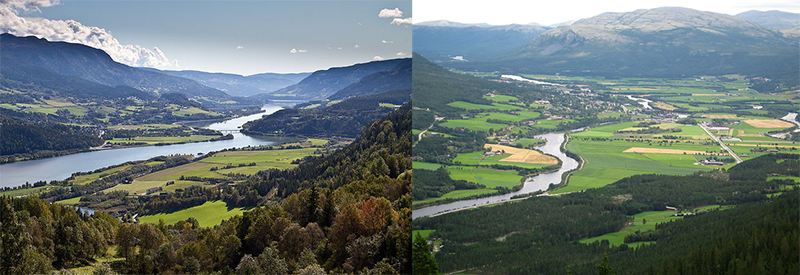
Let me share a bit of our vision for the environment. Right now, there’s not much to be excited about—but that’s about to change. Some of us on the team grew up alongside Norway’s longest river, Glomma, which winds through a variety of landscapes. The part we know best features vast fields, scattered forests, and mountains in the background—just like what you see in these pictures.
The test scene you currently have access to wasn’t created with a clear plan; it was simply a space for me to experiment and learn. This time, however, we’re putting much more thought into it. We hope you’re just as excited as we are!
Originally, we aimed to create a map that captured diverse elements from all over Norway. But we’ve realized it’s better to focus on what we know best—the lesser-known yet beloved Østerdalen vibe.
Lead changes & gait transitions
By Marius - Animator
A little help here and a little help there This month I have been helping Maja at times as she has been learning the ropes in Unity and working in 3D. But I’ll leave it to her to tell what she has worked with.
Lead change slow and standing Last month I made turning animations for lead change, which was about time but there was something amiss when I tested it. While some of the problem was in the animation itself, I found that the main problem was that the lead change animation was made for only one speed. So unless you were riding perfectly at the same speed as I animated the lead change, it would make weird transitions and movements.
The fix was to make lead change animations at the same speeds as canter animations are, only problem… Lead change animations are some of the most time consuming animations I know of. Because of this I started with the most noticeable lead change speeds: the slow ones.
Along with the slow canter lead change I also had to make a standing canter lead change. This animation will most likely not actually be seen, but is crucial for blending animations when you lead change at even slower speeds than the slow canter speed.
Walk before you canter While Ouroboros have been working on the movement system I got requested to make transition animations that skip gaits, as we want to be able to go from walk to canter without trotting first. While some transitions between gaits are passable without a custom animation, walk to canter is not one of them; and will also most likely be used frequently, so the animation is high priority.
Unlike most animation work nowadays this is a new animation and not a variant of an existing one, even if it uses parts of both walk and canter animation.
Haunting horse head scaling When we added the Icelandic horse, I had to set up a system in Unity that scales the horse's head, as not all horses use the same head size. But somewhere in the last few months something has happened that broke the system.
The system we use is very simple, but simple by design. We very simply change the scale of the horse bone to what is needed, but this is dependent on the horse rig not having any scaling keyframes. But for some reason blender has started to add start and end keyframes that don’t exist to the animations when exporting. This is not new as I have had similar problems before, but the usual fixes don’t work. I have checked that all scaling keyframes are deleted before export and have unchecked “add start/end keyframes” but still it is stubborn in adding the keyframes.
The reason this is a problem is that if there are keyframes for scaling in the animations, it resets any scaling we set in code back to what the animation says. While the easiest solution would be to just overwrite the animation information, this requires overwriting the animation every frame; while possible it is not a very optimized solution, especially with multiplayer.
There is one solution which is the “simplify” setting during export from Blender, the problem there is that it simplifies a little too well and removes any non-moving animation. So poses that don’t necessarily move gets removed; this can destroy some other animation overrides that I use, but more importantly: it removes singular bone animations that don't move. While not common, there are some animations that don't move every single bone. When they are removed they keep the position and rotation of the last animation played. This can be fixed by adding slight movement to the bones in question and is what I am currently working on, as it does not hurt the animations even if I find a better solution.
Ideally I would get a script that makes me able to choose animation channels to ignore during export, but sadly I haven’t found any and I can’t take the time to learn a whole new coding language and how to make it interact with blender as of now.
Anyway, this is a problem that needs fixing as soon as possible as our Icelandic horses run around with tiny heads at the moment.
Horse controller
By Ouroboros - Programmer
My work on the horse controller has continued throughout March, and we’re finally at a point where we can start some more serious in-house testing of it. I have finished the gait transitions, which includes being able to reverse, and a new mechanic for turning. The gait transitions will most likely only require minor adjustments, but the turning might need a lot more work before we are happy with it.
The changes to the horse controller also brings with it some changes to the in-game UI. Up until now, we have simply had text at the bottom middle of the screen saying the gait the horse is in. This has been moved to the bottom left-hand corner and, in addition to the text, there is an icon indicating the gait. A curve with an indicator shows the current speed of the horse in the active gait, and arrows indicate the sharpness of a turn. This UI is still being worked on and will change as we continue work on the horse controller.
The last thing I’ve focused on this month is performance. With the upgrade to Unity 6, updating of packages, and more work on post processing, I noticed a drop in performance. I have spent time profiling and analyzing the game to find parts to improve. We have taken steps in the right direction, but this will remain an ongoing job until the game is finished.
Face animations
By Mathie - Intern
Hi guys! I’ve spent some time battling with the Blender interface and I’m still getting the hang of it all, and combined with my uni workload and life itself it’s been going a bit slower on my end. Regardless, I still have a few things to share!
Animation - make a face! My primary focus this time around has been working in Blender on creating facial expressions using the rig I have been setting up.
They're definitely still on the janky side, the export wasn't kind to the timing on some of these. Although far from perfect, they are a decent starting point for me to improve on. That ought to be a good motivation for me to get these to look even better!
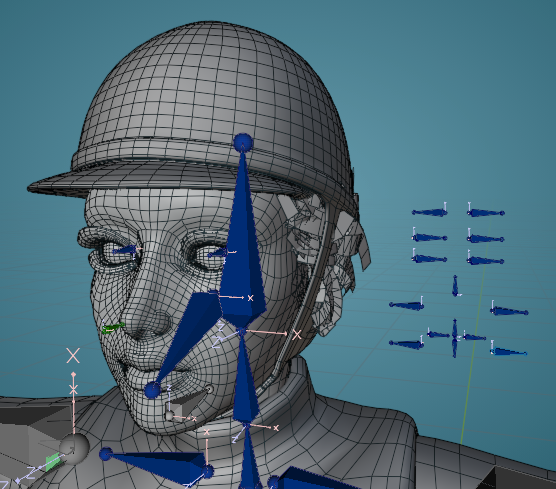
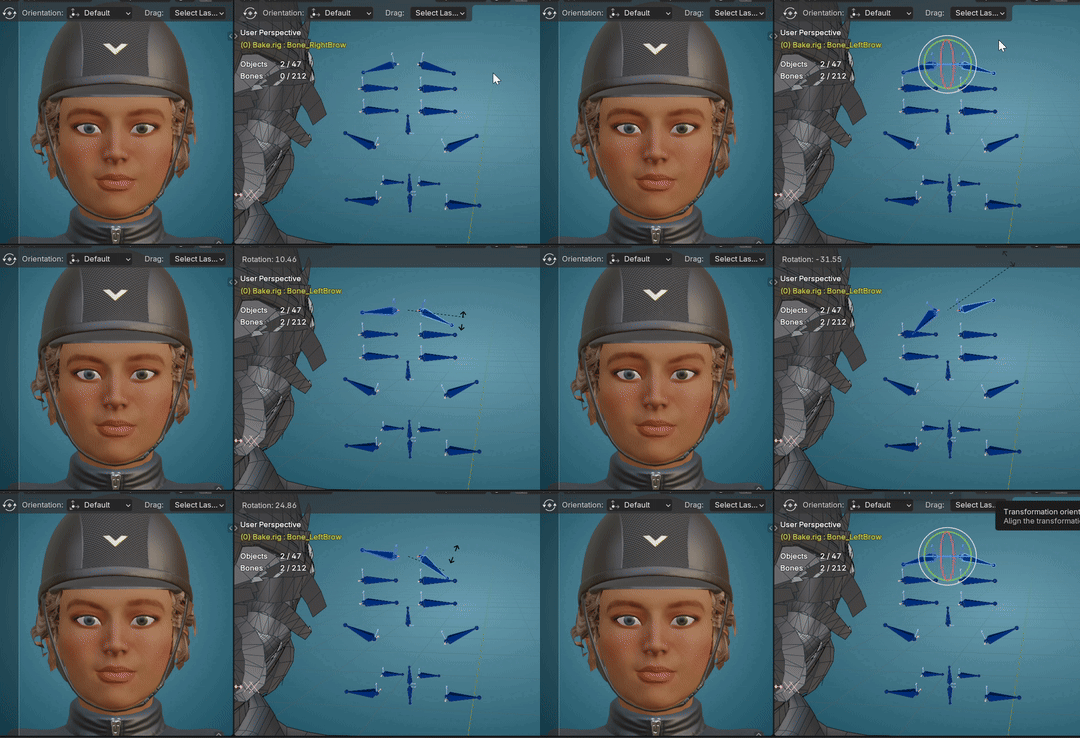
The facial rig The rig I’m working with has been made and customized by me to my own liking. Due to the way the whole rig is set up, it consists of two armatures to fit the workflow. One for animating and one for baking said animation, and the first iteration on the facial rig was only present on the latter. This made it tricky to animate the face together with any body movement for idle animations, as the switch between the armatures would only carry over some of the keyframes. So this has been remedied by now having the facial rig available on both armatures, though it’s still being tweaked as of writing. All in all I’ve been surprised by the amount of rigging I’ve gotten to work on, especially since I’m by no means specialised in it, but it’s been super interesting! It also would not have been possible had Marius not been there to carefully supervise me throughout the process.
I’ve realized that maybe the best way of learning Blender is by having a readily available “Blender guru” at your side. Seriously though, Marius has been a real trooper and an absolute life saver.
The bones you see on the right of the face are all the “controllers” that have been assigned drivers that allow me to animate the face. This is the first time I've worked with a facial rig that is set up in this manner, as when I have worked with facial rigs in Maya, the controllers are intricately placed along the face, often with custom shapes too! Luckily by being the one who customised this facial rig I know exactly what each controller does, perhaps it’s still somewhat intuitive upon first glance? I’ll let you guys be the judge of that ^^
A little blooper to wrap up my entry, do the wave! ~~
-
Please be aware that the content featured in these devlogs represents an ongoing work in progress and may be subject to further changes. We are committed to continuously developing and refining our game. To stay informed about the latest updates and connect with the rest of the Astride community, we invite you to join our dedicated Discord server community here! For additional information about Astride, please visit our official website.
Devlog #47: February 2025
Fighting the light
By Maja - CEO, Concept Artist
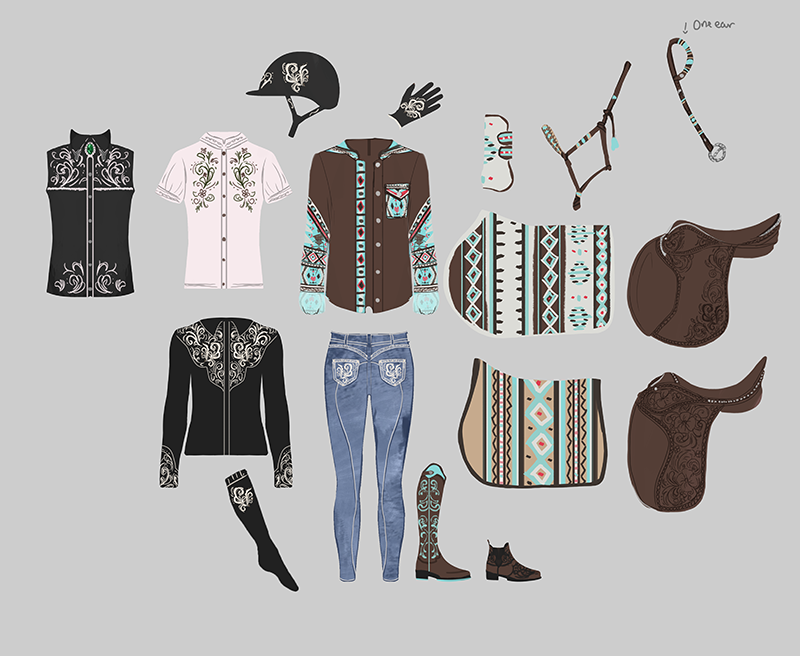
The tack designs continue I was eager to start learning post processing this month, but I needed help from Marius to set up the computer for me and add the assets. Until then I continued with creating concept art for tack and clothing.
Some of the themes this time are the following: Rock Goth Western-inspired style Flower Girly pop
Here are some of them:
Post-processing and the challenges that follows As a small team you sometimes have to learn new skills that will be important for the game’s visual aspect and appearance. I mainly work with concept art, but I have learned to create UI and now I’m learning post-processing for Unity. So the game’s lighting is not the greatest as of now. It’s very warm and a bit dry looking. So this is something I want to change to fit the more Norwegian image.
I have been looking at tutorials for Unity’s built in post-processing system, and for a post-processing asset, as well as a new sky system. The sky is now just blue, and if you’ve ever been in Norway you’ll soon discover that a pure blue sky is a rare one day event. What I mean is that we need clouds, it also makes the environment more exciting. I can't just look up a tutorial and then be able to do anything within that system. No, since we are using URP for our game I can use systems that are available for URP. Beautify 3 looks to be the best for URP games, so I decided to use that asset. The options seem to be quite easy to use, as long as you can see what difference each option makes.
I also spent some time creating a mood board for lights and colors. We’ll see how much these assets let me adjust them.
Azure Sky Over to the sky part. I was so excited to edit the sky, however I quickly discovered it was not that easy. First of all it was added the wrong way, so we had to re-add the system the correct way. Could I finally change the sky? A bit yes, but it wasn’t clear what every option did to the sky and they’ve changed some of the names/words for some of the options, so it was difficult to understand what was what in the beginning. I understand it more now and I’ve managed to change the sky color, looked at the exposure light and added a little bit of clouds. I still need to figure out if I can change the cloud structure in any way, because it turns overcast quite fast if I turn up the cloud intensity.
It was not just the assets that were a bit tricky to learn, but when I actually got to change the settings I soon discovered that it affected the horse in a bad way. White horses turn extremely overexposed in direct sunlight. We believe that this is due to the horse shader not responding to external light properly (reflections).
I also had issues with the fog system, which was frustrating. Because the fog should be very good looking. It just turned the game into a horror game instead. So I use another fog that doesn’t cloud the entire scene.
Creating lights that are not lights So I quickly learned that the light you can add to the game is often not recommended to use. Or you shouldn’t have many of them in your game because light makes the game extremely heavy to run. So I am learning a method that is common in most games: Imitating lights. So what I do is make box volume to the scene, place it where it should be, which in this case is inside the stable and do color adjustments to it. So when you enter the box the light changes. This was going well until I added another white horse and it got overexposed again… Why can’t anything work perfectly immediately? And I discovered that if you ride your horse into the box that camera gets locked behind the rider's seat. Anyways, this method can be used in for example a specific part of a forest if you want to change the mood to something completely different. The possibilities are there.
This is at least a learning experience for me and I’ve already gotten more confident in some of the assets already. I have needed some help from both Ouroboros and Marius, since they both have more knowledge in Unity than me. Thank you! I will continue to learn and adjust parts of it to make a nice looking game. The horse shader issue is not something I can do myself, so that must wait until someone else has time to look at it. Or maybe I can find another way.
A much needed texture update
By Mathilde - Community Manager, 3D-artist
This month, I have been working on some new textures as well as some improvement to the older ones.
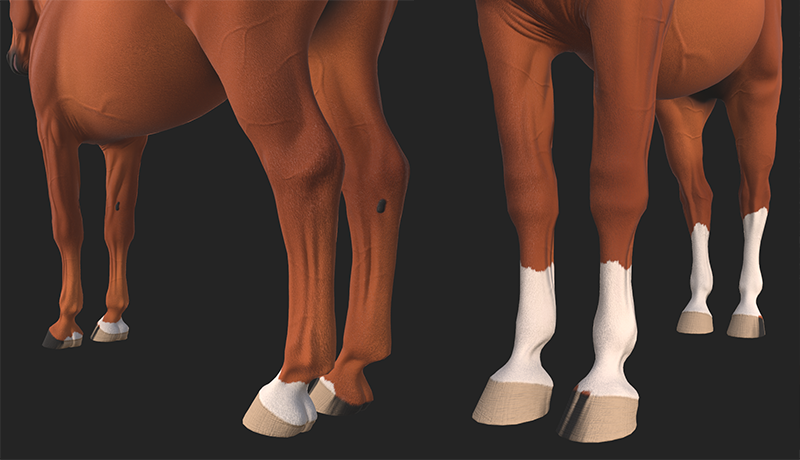
First off, something I've been wanting to do for a very long time and have been holding it off until now. The leg markings we currently have in Astride are all just very basic socks from the hooves to the knees. Nothing special, and very generic. But that is what we needed to test if markings would work the way we wanted to. Now, we have a bit more room to play around with, so it was finally time to revisit the leg markings. While they still work as before, I've added more variations in terms of shape and stripes coming from the crown to the hoof. We have now gone from 14 generic leg markings to 15 leg markings with more variation. I hope you will like the new versions as much as I do!
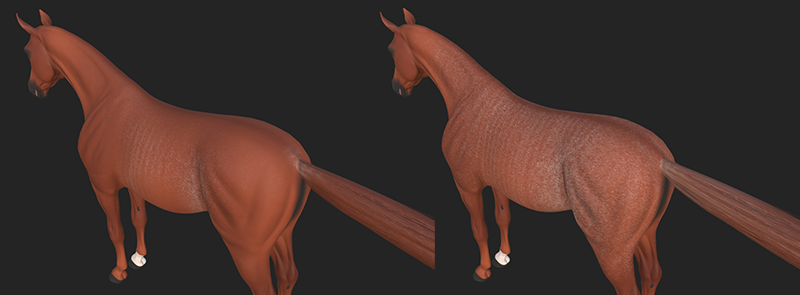
Since the Arabian is the new breed that will be implemented next, I wanted to start working on a special gene that comes with them. I am of course talking about the Rabicano gene. Sadly, the Rabicano gene is a bit tricky, considering genetic cause of the Rabicano phenotype has not been discovered yet. It is believed to be a dominant gene, but this is not certain at this point in time. So, since we are the creators of the game, this is where we can take some creative freedom. I suggested that we would make the Rabicano gene in Astride act as an incomplete dominant gene. This means that if a horse has one copy of Rabicano, it will show some tickling and white markings in the fur, while a horse that has two copies of Rabicano will display much more tickling and white areas in the fur.
After coming to this conclusion, I started working on the two phenotypes of Rabicano for Astride. Currently, I have created three variations of each which will be available in the start. In the image above, you can see the the left with one copy of Rabicano, and the right has two copies and is expressing more white tickling.
I also wanted to revise the splash gene textures after taking a closer look at them. I can see now that they were done in a rush, and the details in the eyes were terrible on some of them. So I went back, revised and redid some of the eye textures and they should now look much better.
Lastly, when I've needed a little break from texturing, I've looked at the show jumping courses. So far, I changed the third show jumping course and added two new courses (7 and 8). I also changed the second training course to have four new and exciting exercises that you can challenge yourselves with. I hope you will enjoy them.
All of these texture improvements and changes to the show jumping should be available in the next update, and the Rabicano textures should be available as soon as the Arabian horse breed is implemented.
Technical improvements in the environment
By Tirna - Project Manager, 3D-artist
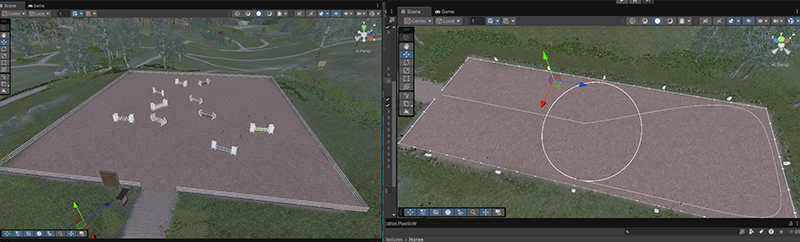
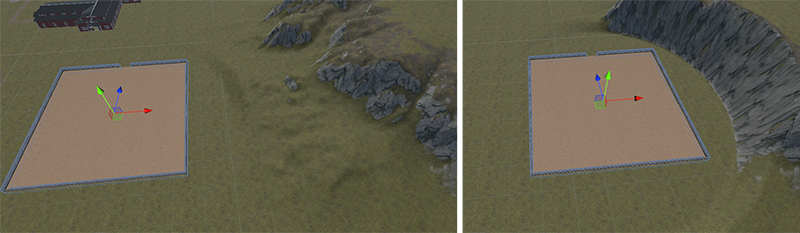
Right now, this might not look like an improvement from the pictures—this is just in a test scene, so I don’t accidentally break things. We are using a system that makes the environment less heavy and speeds up some parts of the creation process. The first example is the riding arenas. Before, we had to flatten out a section and paint the ground underneath it manually. But now, the ground texture and flat surface are attached to the prefab (the game object/3D model). So, wherever I move the riding arena, the ground will follow and automatically adjust underneath it.
Speaking of things working, there’s another fun update I want to share—roads! We hope to have some nice, cozy trails in Eldheim, and thanks to this system, we no longer have to hand-paint roads. Instead, we use a spline tool that clears out trees, grass, and other objects as we place the roads. This reduces manual work, which is a big help since we’re such a small team, with only one person currently working on the environment.
This next part isn’t about roads, but it’s another fun example of what we can do! The new method also allows us to create brushes that assign trees, textures, plants, and other details—like rocks, mushrooms, and roots—into a system. With this, we can paint them onto the terrain in clusters instead of placing them one by one and going back and forth. Even with this more automated approach, we can still make manual adjustments, but overall, it speeds up the process a lot!
This has been a very learning-heavy month for me, so I’m glad I got to do some 3D modeling now and then to process everything I’ve learned. Is anyone missing an indoor arena? Well, a new one is here! It’s now closer in style to the stable. The colors look off in this scene due to post-processing and lighting not being set up yet, but it’s coming together!
Lead changes, jump transitions, and more
By Marius - Animator
Expanding lead change animations I have been working on making the lead change viable while turning and at different speeds. Though I am not quite happy with it yet, the animations are in progress for the biggest speed “area” as I need to animate the lead change at each animated speed we have and let the transition calculations take care of the in betweens.
Lead change animations do have a problem though; they are kinda too complex to make fast and you need double the animations for about everything. Normally I would be able to mirror the animation and call it a day when I need canter in another lead change and see how they loop to get the flow of the animation, I can’t do that in the same direct way with lead change animations.
First and foremost, lead change animations do not loop by design, they are meant to end in another position than they started. I can get around this problem by making it a flying lead change so that it ends up in the same position it started, but while doing that I need to be extra careful not to change the start, middle and end poses of the animation as that should be as close to the canter start and end as possible (with some exceptions).
Other than that it is hard to make the lead change feel smooth, especially while turning as any small changes to the bend of the back and neck compound together to highlight any deviant movements. It is a lot more work assuring the sideways movement isn’t too abrupt while also not having it be static in the same bend, as there should be some difference in movement. This is currently not completely fixed, but way better than it was at the start.
Fixing a problem I created Sounds dramatic, but in reality I just had a slight oversight when updating the character rig last month. While I fixed it so that blend shapes can be controlled as we want them, I inadvertently removed the animation looping. How I managed to do that has to do with the solution I found to the blend shape problem: have one rig for blend shape control, another for animation blend shapes.
The problem lies in the fact that the blend shape control rig should have all blend shapes available as it needs to be the base rig, the animation rig on the other hand needs to only have the blend shapes that are controlled by character movement. So when I added the animation rig I forgot to go through every animation and add that they are looping to the ones that should loop. This led to the character animations freezing, when any animation was done playing, until new input came and ordered it to transition into a new animation where the same problem would repeat.
Luckily, the fix was very easy, but time consuming for what it was. The solution was to go through every animation in the animation rig and tick a box for looping animations if the animation should loop. Can’t remember quite how long it took, but what I guess was around an hour of just clicking boxes does blur into a mush of time.
Jump transition I looked into a bug that happens if you do a lead change just before a jump. When this bug happens, the horse does the lead change animation before the jumping animation is played, leading to doing a lead change animation through the jump and then jumping after. After some testing I found out that it was because there was no interruption source for when transitioning into the lead change. This means that there is nothing that could stop a lead change animation from happening after it started. While the solution was easy enough, I did have to do some research into interruption sources as I have not dabbled with them that much before. Now the jump animation should be prioritized over other animations so that they do not stop the horse from jumping. More testing will be needed though.
Helping with sky and rendering A lot of time has gone to help with setup and use of rendering tools and fog/skybox assets as Maja is starting her journey to learn and help on the 3D side of development, when not working 2D or managing business.
Camera, horse controller & refusals
By Ouroboros - Programmer
At the end of January, I had just about made it possible to switch between first-person and third-person camera. I continued working on this in February as there were still a lot of improvements to be made. Up until now, we have disabled the character mesh while in first person. I wanted to change this, but it took a decent amount of tweaking to stop the camera from going inside the character. This was even more difficult when the character was on the horse as there are more animations that make the character lean forward or to the side. I eventually reached a point where the camera behaved in a way I was happy with and that will hopefully not cause motion sickness.
I decided to focus on the animation system after the camera. The original plan for Astride was to use motion matching for animations, but we eventually went away from this approach. The animation system created for the motion matching still existed and we kept using it to access animation data in DOTS. This was a very complex system considering we only needed a small amount of animation data, so I did a thorough cleanup and removed any logic we didn’t need. The result is a much simpler system that will be easier to manage, and only does exactly what we need it to do. While I was at it, I also implemented the refusal animation for the horse. It was mostly to test the changes I had made, and there are still some adjustments to make (the camera is currently bugging out a bit), but it works.
I spent the last part of February on the horse controller. It will take some time before it is done, as there are several features we want to add or improve. Part of the work on the horse controller is also to better separate the code for the player character and the horse, which will make it easier when implementing the horse AI. Other priorities for the horse controller are to improve the gait transitions, make it possible to reverse, and try to make the turning better. It’s going to be a lot of trial and error to get it right, but I’m really excited to be working on it.
-
By Mathie - Intern
Asset design More assets! I’ve been on the grind and have continued creating designs for assets, there’s been a lot of decorative environment assets such as columns, stairs, milk ramps… I could go on but you get the gist!
When thinking of ways to decorate the milk ramps and other interiors I came to think of the Eldhest collectibles and their designs. Could I apply similar aesthetics to a minor decorative asset? Using horseshoes as decor isn't too uncommon (I used to have one in my room as a kid!) and the moment I stumbled upon pictures of painted horseshoes I knew I wanted to create some concepts for Astride. The mindset behind these assets has been to create a “lot with a little” and “recycle” base assets to create visual variety in a more resource effective manner. Some may notice a certain style of floral patterns being repeated in some designs. I have been incorporating designs inspired by Rose-painting for the sake of some classic Scandinavian vibes.
Blender and facial rigging Some time was spent figuring out an effective pipeline that allows blendshapes to be exported from Blender into Unity. The blendshapes are already present on the model itself, so what I’ve been doing is assigning shape keys to specific bones and controllers that will allow me to create a more emotive character. I’m more of an animator than a rigger, but this has been quite insightful of the process that goes into creating a rig.
The bigger challenges have been keeping track of navigation in Blender and some of the math that goes into setting up the drivers and making sure it all goes smoothly. Although despite everything, there's never quite a dull moment when mixing and matching the different blendshapes together.
-
Please be aware that the content featured in these devlogs represents an ongoing work in progress and may be subject to further changes. We are committed to continuously developing and refining our game. To stay informed about the latest updates and connect with the rest of the Astride community, we invite you to join our dedicated Discord server community here! For additional information about Astride, please visit our official website.
Devlog #46: January 2025
Breeding UI, Bitless Bridles & Tack Concept
By Maja - CEO, Concept Artist
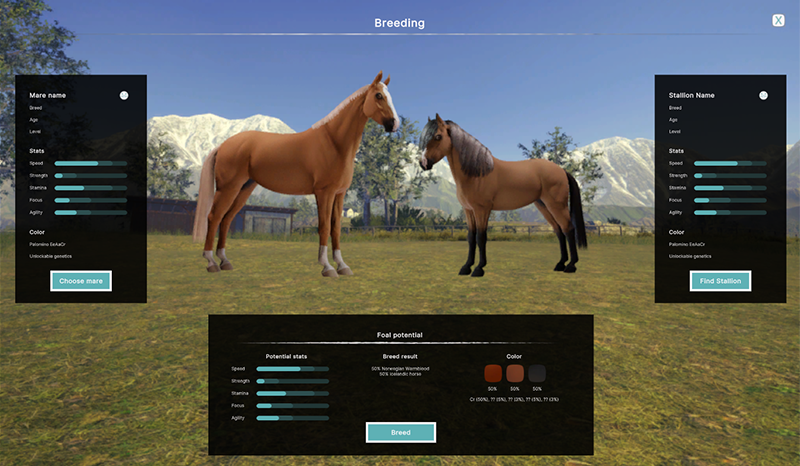
My first task of the year has been to prepare UI for breeding, which we will work on this year. I have made a few sketches to see what the team likes and don’t like. After a few runs we finally decided on what layout we want to use. So the next step is to bring it into the Unity UI toolkit for the game. We need to test it and see if we need to make any changes later.
I focused on showing what stats and information should be shown for each horse when choosing either the mare or stallion, and what can be shown for possible outcomes for the future foal. I also added a pedigree based on how it's shown in proper documents and passports for horses.
I want the player to be able to view the chosen mare and stallion and that they kind of are standing together. So I made a fast “background” in photoshop to show what I’m thinking, since this will be a scene in the game.
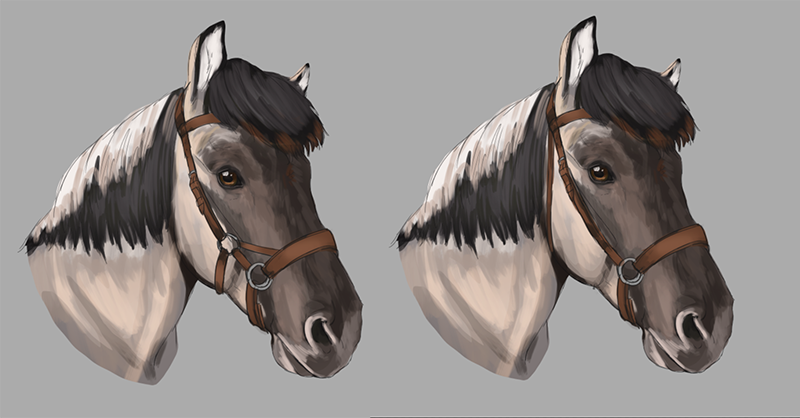
I’ve created concept art for different variations for a sidepull, a bitless bridle. I personally switch between using a bit and bitless on my horse often, so I believe that the player should be able to choose what they want to use.
In the two concepts shown below you can see different sidepull possibilities.
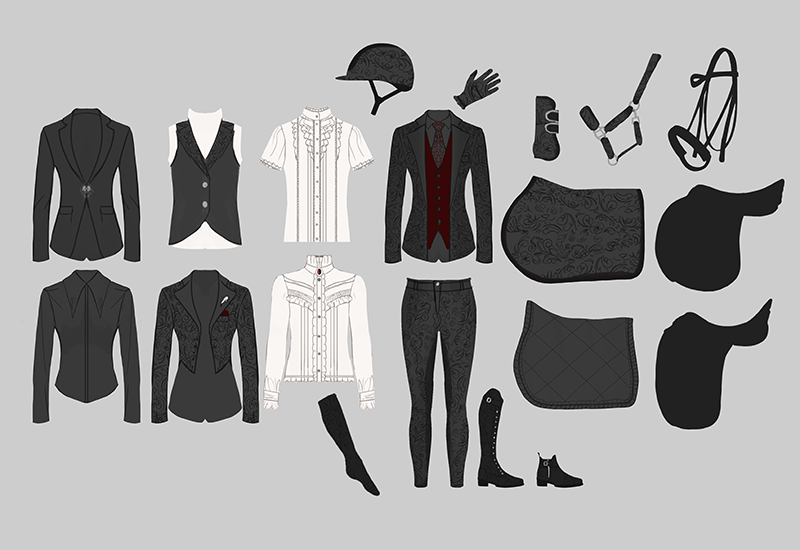
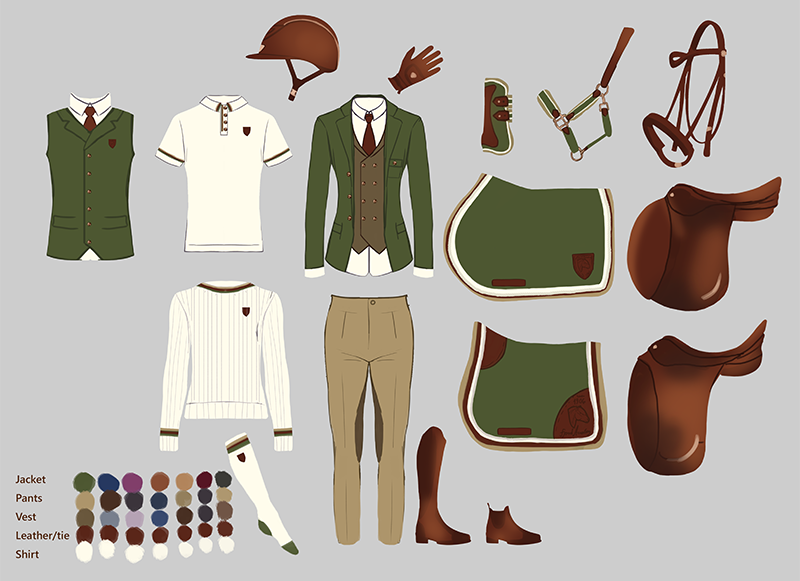
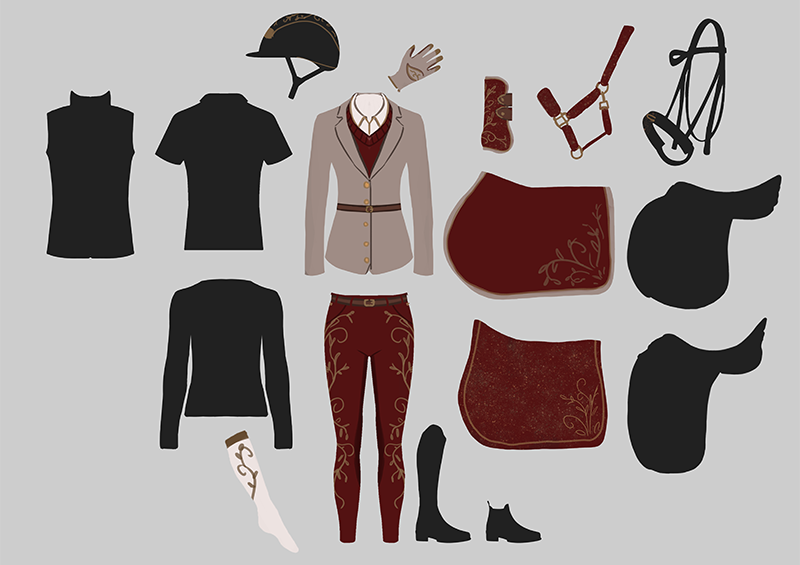
I’m having a lot of fun creating concepts for different tack and clothing. I made a layout with different clothing pieces to make it easier and faster to draw. I want the game to have many different styles that the player and horse can wear, with different color options. I’ve created designs like academy, vintage and sporty ect. Though, I do not design a brand new saddle or bridle for each design. I just showcase what the ideal color for those tack pieces are if I am not making a brand new saddle. Same with boots.
Trailers, Genetics & Baby Horses
By Mathilde - Community Manager, 3D-artist
For the month of January, I have mostly been working on things that needed to be in place before the launch of our most recent patch update where we included the new Horse Creator UI, new breeds, and more genetics. As for the new breeds, the Horse Creator UI, and the added genetics, I've been working on creating different UI icons for forelock, mane and tail, and the splash patterns for the head and body.
Here is what the icons look like with the new UI. Of course, more splash patterns will come at a later time, but for now, I think we have a good start.
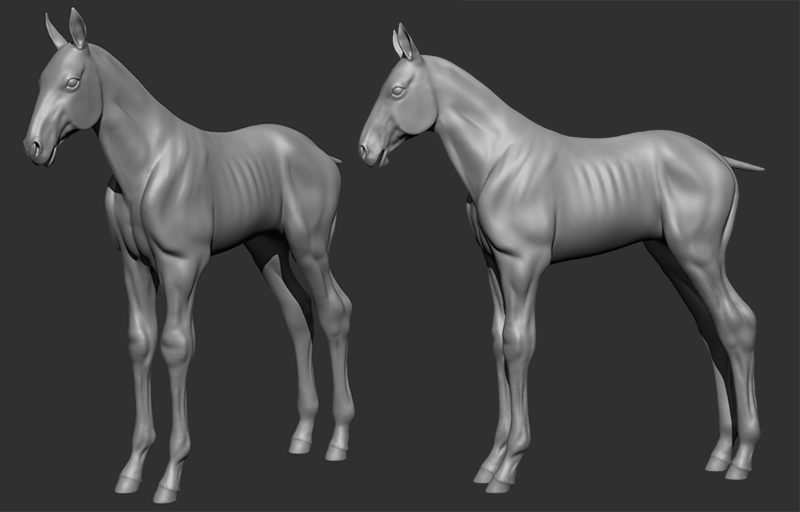
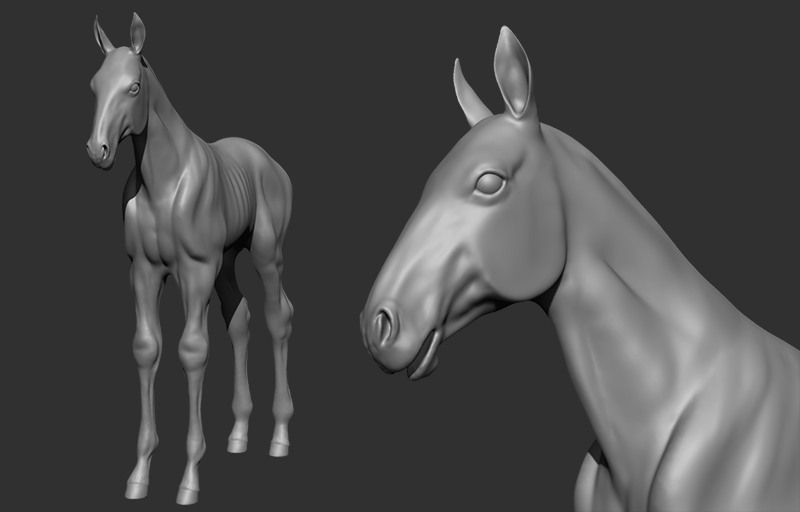
Moving on to another task I have been looking forward to - the foal model. Since we will be implementing breeding in the future, a foal model is of course a must-have. Baby horses are so adorable with their way-too-long legs. short backs, tiny hooves, and big joints. Of course, this model is a very early work in progress still, and has a long way to go until it is finalized. But here are some sneak peeks of the model as it stands now.
Of course, the final result will not be as scrawny and bony-looking at this model is right now, it looks like this at the moment to make it easier to place the muscles and bones properly before going over and smoothing/polishing the model later.
New Year, New Tack
By Tirna - Project Manager, 3D-artist
As usual, January has been a lot of planning and other paperwork, the boring stuff that we can’t always say that much about.
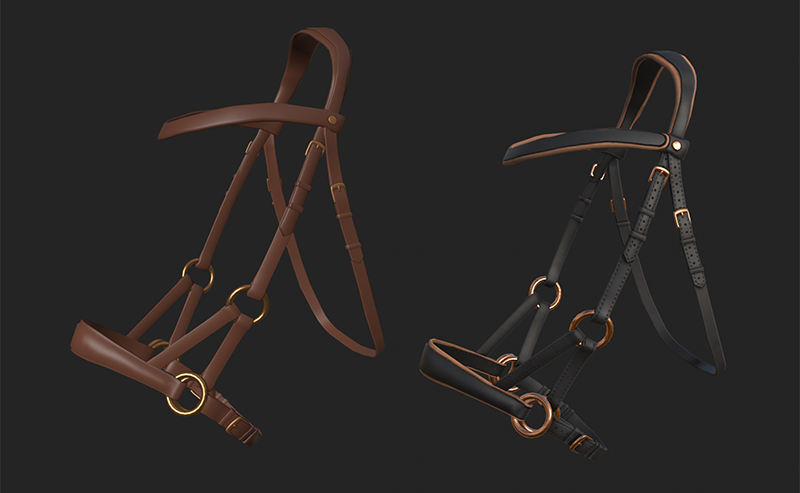
However! Some new tack has been made; One new model, and a bundle of new textures. The new model is a bitless bridle, a sidepull. We want you to be able to choose from the beginning to ride with or without a bit. Previously, we have made a hackamore. But it is on hold for a moment, until we can figure out the placement of the reins. The sidepull is closer to the regular bridle with bit rein position, so it will likely have the best outcome during development.
The sidepull will come in several colours, with more to come later. We wanted this bridle to look soft and with high quality.
I kind of fell a bit in love with the black and brown options, and I wanted to make a complete tack-bundle with this. As I wrote this devlog, I thought; Why not make an inverted version of this tack as well, just like the accessories?
Speaking of bundles! I have also created a new texture tackset, inspired by the Eldhests. This bundle is also complete with both the jumping and dressage saddle, bridle with or and bit, and other accessories. This bundle also comes in many other colours, and possibly more to come in more neutral colours. The tack we have now is inspired by both traditional Norwegian decorative (ornamental) paintings, and our traditional costume - the Bunads.
And here are some Eldhest sidepull colours!
And some Eldhest dressage set colors.
Eldhest jumping tack colours.
Maja has also made concepts for a lot of new tack and clothes. I can’t wait to create them all!
Character Animation & IKs
By Marius - Animator
For me, January is a weird month as I have to shift my focus to finishing the accounting from last year and preparing for the year to come.
IK - Fixing stretching arms Last devlog I showed the IK system, but there was one glaring issue. The arms seemed stiff and overstretched at times. This was especially noticed during jumps. While it still might happen on larger horses, the main issue was that the IK system turned off the animations for hip rotation. This led to the arms trying to reach original points for the animation while the hip and back of the rider kept the upright position. So I had to find a way to make the hips follow the correct rotation as well as position.
With the new year we also welcomed our intern who needed to be introduced to our character model and pipeline. Some of the work both I and the intern are going to work on needed some preparing research, to fix a problem that has been put on ice for a long time in favor of more pressing matters:
Character animation export/Import For a long time I have been struggling with an issue with the character animations. Not that there hasn't been a fix for the problem, but I haven’t been able to find a satisfying solution to it. The issue has been with blend shapes and how there are two types of blend shapes that we use: Animation driven blend shapes and blend shapes controlled by code. The problem is that Blender exports blend shapes with blanket settings for blend shape types. By that I mean that when exporting I can either choose that they are relative (meaning they are controlled by the animations of the rig) or have them be absolute (having them being absolute makes it easy to control through code). So far we have used absolute blend shapes. But now we are at a point where we will need both, and while we could always overwrite the animation information each frame, that is far from an optimised way to do it. After a lot of back and forth I found something that worked, though it is a little more steps to do each time we export than I have used previously.
The solution turned out to be using two rigs for the character: one with no animations and blend shapes absolute, and one with animations, blend shapes relative and the animations for code deleted. That way we can use the rig without animations as a base and use the animations from the other in the animation setup; making it so that no animation information overrides what should be controlled through scripts.
Updates & Camera
By Ouroboros - Programmer
As soon as work started again after the holidays, we started getting the last bits ready for the update. For me, this mainly consisted of fixing bugs that had been found in tests, and making some minor adjustments and improvements. There were some sneaky bugs that only showed up in the build of the game and not in the Unity editor, which made them time consuming to debug. For every change I made, I had to make a build to be able to test if it fixed the bug. While it only takes about 20 minutes to make a build, it quickly adds up.
Once the update was out, we did of course discover some new bugs so I spent the next few days working on fixes for those. I know more people have been experiencing that the game stutters when turning while on the horse after this update, and this is something I’m working on a solution for. The horse controller has been in need of an upgrade for a while now, and it’s finally time to do something about it. I have split the task into four parts that are to some degree dependent on each other: camera, interaction, animation and controller. I started work on the camera part in the last week of January, where the main goal is to make it possible to change between first-person and third-person cameras.
Between the update and the work on the camera, I upgraded Astride to use Unity 6. Upgrading software versions like this always comes with a risk, but this was an instance where the benefits would be worth it. The upgrade did end up breaking some textures and, while I did try my best to fix it, observant players will most likely notice a difference.
Welcome Mathie!
By Mathie - Intern
Hello, Astride Community! Allow me to introduce myself! My name is Mathie, and I’m an artist and animator from Norway. I’ve been drawing for as long as I can remember, and I love bringing life into whatever I draw and animate! I am currently studying Digital art and Animation, and I am in my final year of my bachelor’s degree. For my thesis I aimed to do an internship as this would help me gain some insightful experience working in the games industry. Last semester I reached out to Raidho Games, and I was super excited when they said yes to letting me join development on their project.
I officially started this internship mid-December and it has been an exciting time. The Astride team has been lovely to work with, always willing to lend a helping hand when needed. I will continue working with this team until April, and I hope to deliver work to the best of my abilities.
Whenever I’m not busy with assignments, my internship, or art, I love brewing myself a nice cup of coffee, taking walks outside and hanging out with my friends. I also consider myself an avid fan of animated movies and all animals. <3
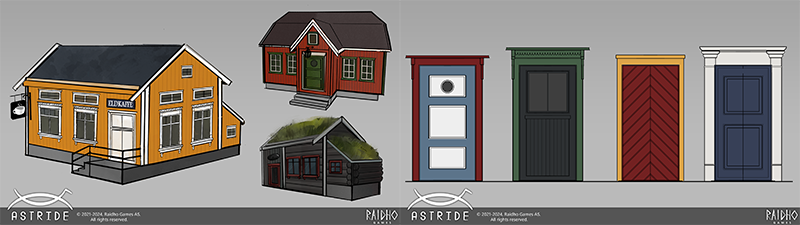
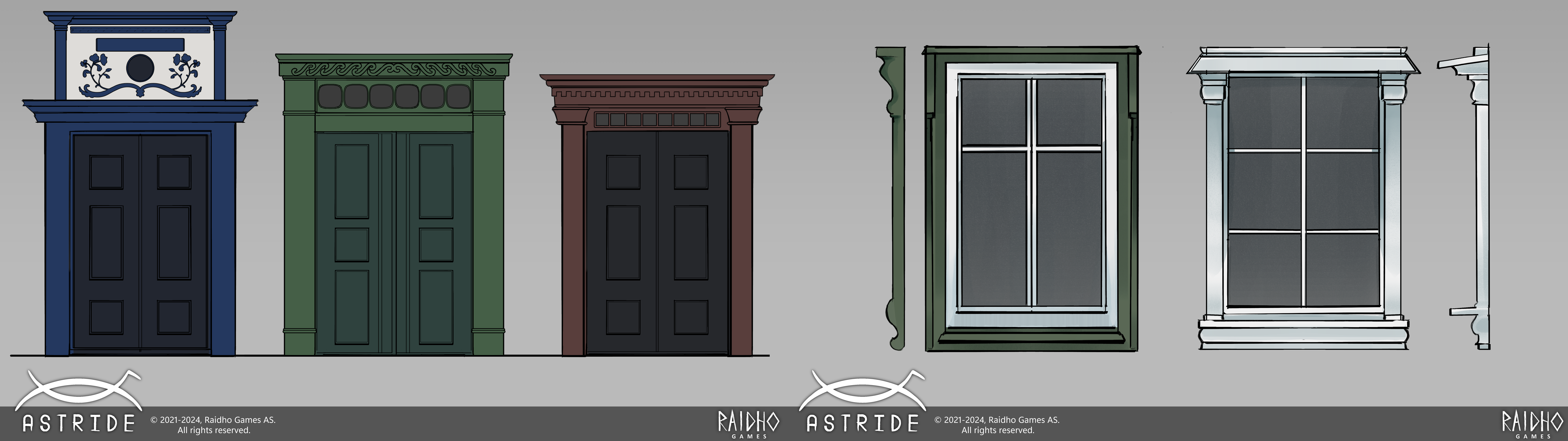
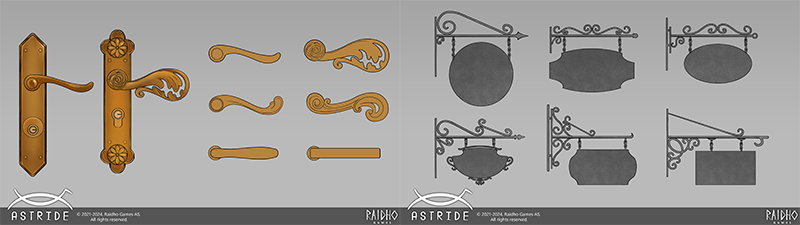
My tasks have been as follows: I am assisting in the design of environmental assets for the town of Eldheim. From houses to doors, windows, signs and door handles I am aiming to contribute to the Scandinavian feel of Astride! The team gave me clear instructions on their main inspirations, and I did research on some of the history and architectural styles found in the older towns of Norway.
A fun aspect of assignments like these is how it opens your eyes to the details of your surroundings, nowadays I’ll find myself stopping by houses to really take a moment to admire them and constantly on the lookout for new inspiration. For future assignments I will also be providing some animations for the player character and I am as excited as ever!
That’s it for now, I hope you have a wonderful day!
-
Please be aware that the content featured in these devlogs represents an ongoing work in progress and may be subject to further changes. We are committed to continuously developing and refining our game. To stay informed about the latest updates and connect with the rest of the Astride community, we invite you to join our dedicated Discord server community here! For additional information about Astride, please visit our official website.
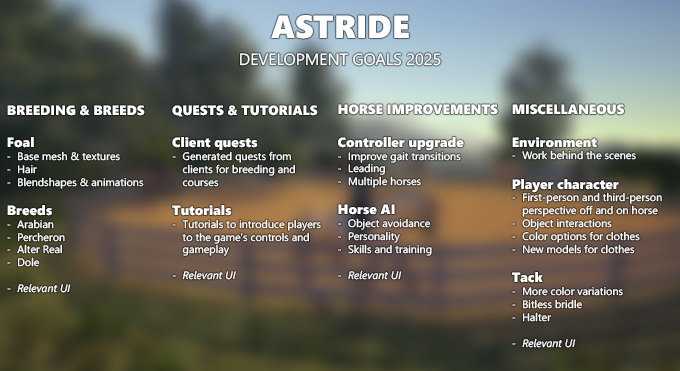
Astride's Development Goals 2025
Our plans for 2025 are finally here, let’s take a look at what’s in store for us this year.
Instead of doing a time-constricted roadmap, we would like to introduce you to our game development goals and ambitions for 2025. These topics are features that we will be working on during the year of 2025. We will continue to keep our community up to date on our progress through our Steam devlogs and announcements.
Please note that changes may happen during development time and that these are our goals and not a strict schedule. Updates with content from these development goals will be released as soon as they are ready and have been tested. Some of these features will not be ready for release until 2026, but we have included them as we will spend a significant time on them and hope to have them in the game early next year.
With love from the Astride development team.
Click on the image or here to see an enlarged version.
Patch 0.3.23 - Hotfix
A new hotfix for Astride is now available. Here are the changes/fixes that have been made.
You may have to restart your Steam client if the hotfix is not immediately available.
Fixes & adjustments
Fixed a bug with a dropdown menu not initializing to a valid option
Fixed an issue where the game's default resolution was set to the lowest option
Astride Patch 0.3.23
A new patch for Astride is now available. Here are the new features and changes/fixes that have been made. More patches and updates will come soon.
You may have to restart your Steam client if the update is not immediately available.
Patch highlights
Added content & features
The main menu and the Horse Creator UI has been overhauled
“Delete save data” and “Delete horse data” are added to the main menu
Added options to change mane and forelock in the Horse Creator
The Norwegian Fjord horse and Icelandic horse have been implemented
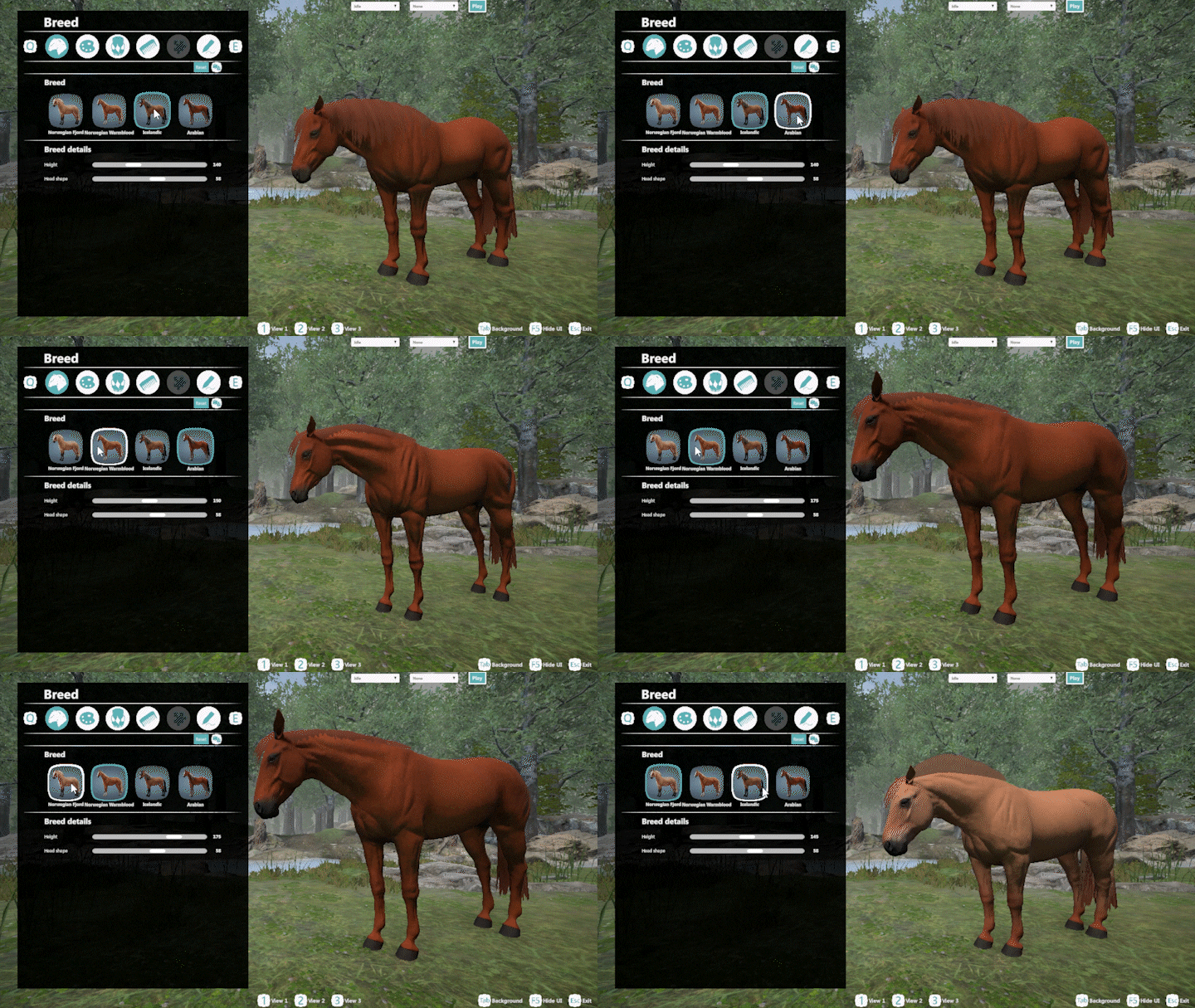
Players can now switch between different horse breeds and change their height and face shape in the Horse Creator
Pangare, splashed white, and silver have been implemented
Added in the “Hair and coat color” tab in the Horse Creator, “Show gene options” that will let the player further customize the different gene outputs
When hovering the ⍰ next to any text in the Horse Creator, helpful information will be displayed
Added age and gender options in the Horse Creator
A randomizer button in the Horse Creator has been implemented in the shape of dice
Option to reset the horse in the Horse Creator by pressing “Reset”
Added different camera views as an option in the Horse Creator
Option to hide UI and change background in Horse Creator
The horse’s selected age will now affect how some genes display on the horse, such as grey
Lead changes has been implemented and can be triggered by pressing Q while the horse is moving straight forward in canter
Stirrups have been added
Added more colors to saddle pads
A stable has been added to the map
A limited version of multiplayer save has been added, details of what is loaded and saved can be found in the multiplayer menu
A respawn button has been added to the in-game pause menu
Fixes & adjustments
The horse no longer stutters when the jump animation is played
The cream gene has been placed together with the other genes, check both checkboxes next to the gene name to get a double dilute
Swapped the light green saddle pad for a white one
The reins are now shorter and less jiggly
Reins now have the same color as the bridle
The jump indicator arrows above the jumps are now back to white and has a bigger difference in size and transparency from the first jump to the next jump in the order
Hotkey to hide UI has been moved to F5
The horse no longer collides/walks on top of the dressage rails
Known issues
Animation issue when jumping while the horse is on the left lead
The reins sometimes clip through the neck and both reins end up at the same side of the neck
There are some clipping/skinning issues with tack
The pangare texture has seams going through the chest, belly, and legs
Devlog #45: Nov/Dec 2024
Horses, houses & UI
By Maja - CEO, Concept Artist
NPC concepts for both two- and four- legged Hi everyone, Maja here. This year sure went by in a flash, it has been a tough year for many, and I am hoping that 2025 will be an amazing year for all of us.
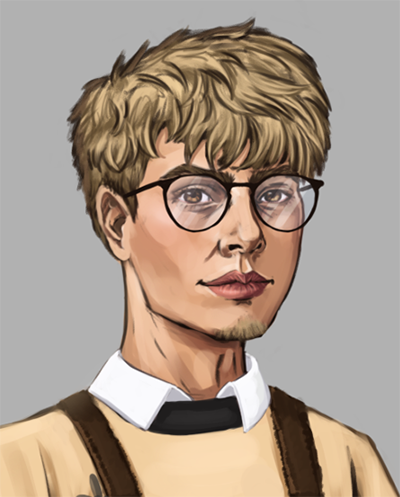
As some of you know, I’ve been working hard on finishing the NPC list. One of the last NPCs, named Tommy, is completed! Tommy will be the coffee shop barista in Eldheim. I’ve written a patreon post about him here, where you can get more information about this NPC.
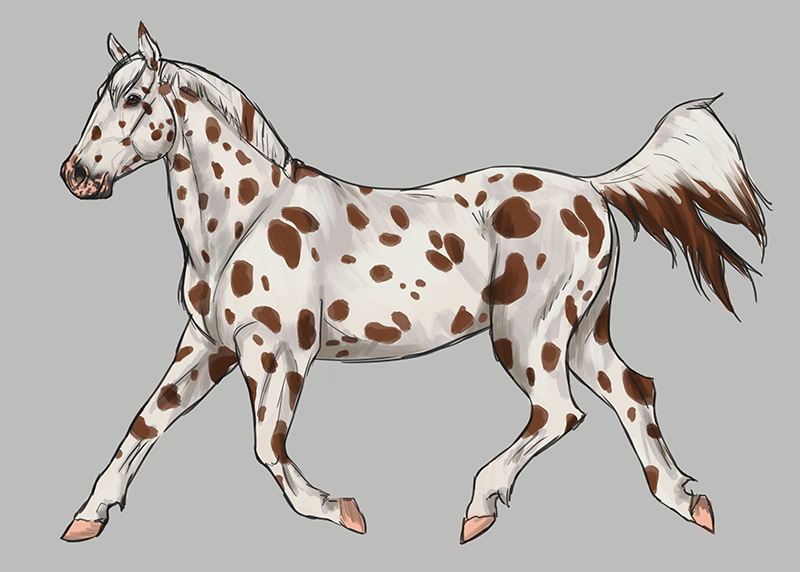
But I haven’t only been drawing human NPCs. I’ve also been preparing for a few horse NPCs who belong to some of the equestrians of Eldheim, like Rini and Noah. These horses have been created through sketches with quick colors to show their color and/or pattern, since they of course will be of the horse breeds of the game. I’ve not focused on rendering these horses fully yet.
The horse shown below is a stunning Knabstrupper with his own unique pattern. His name is Pippin and is Rini’s horse. This sketch shows just one side of Pippin, as his pattern is different on the other side. His base color is bay, with the Lp/Patn1 genes that gives the Knabstrupper their distinctive spots.
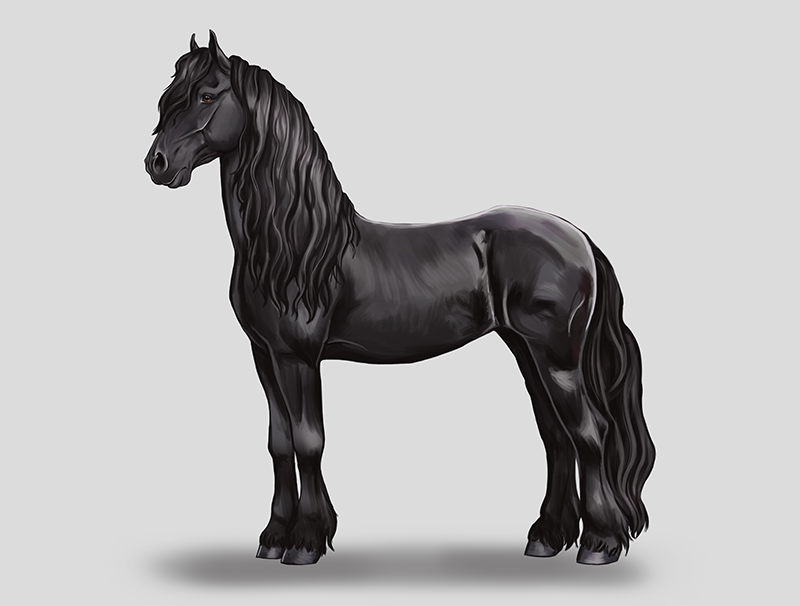
The community’s favorite horse breed Sticking with the theme of horses, I've also prepared concept art for the winning horse breed, chosen by our wonderful community. Over 800 people of Astride’s community participated in this poll, which is amazing! After an exciting poll with so many breeds competing for the top spot, a clear leader appeared. And as you may have already seen, the winning breed is the beautiful Friesian!
When there were just 1,5 days left until the poll ended, I could safely begin the sketching of the breed. By that point, the Friesian had so many votes ahead of the second most-popular breed that it was safe to assume it would be the winner. If the votes had shifted suddenly, I’d have quickly sketched the other breed, but the Friesian’s lead was so strong no worries with drawing this on the day before the poll ending. I am so happy to have this breed in Astride.
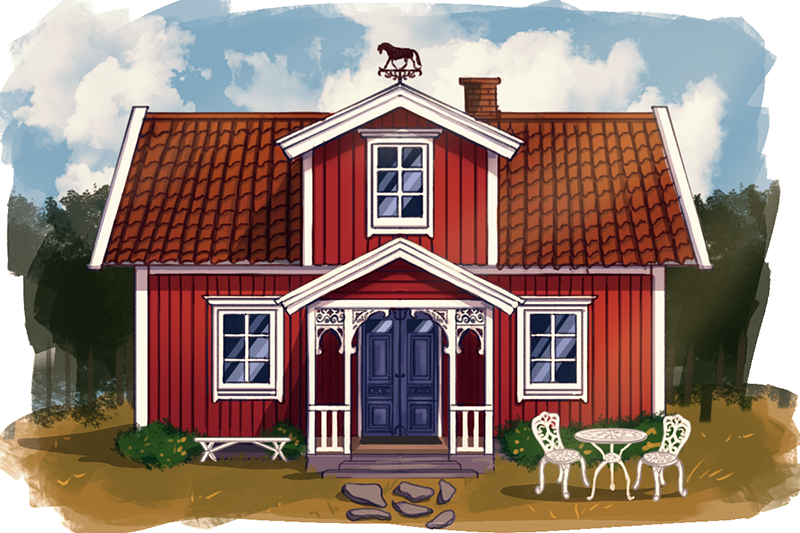
NPC house concepts Eldheim is taking shape, and thus we need some houses for some of the NPCs. Recently, I’ve been focusing on both Einar’s and Andrea’s homes. Both houses are designed to fit the Norwegian environment, with designs of houses that are and have been common in Norway. Einar’s house is inspired by the “Svenskhus,” or “Traditional Swedish Cottage” in English. These houses are often painted with red, and I just had to give the house a blue door, so it would fit Einar’s color palette. I added some wooden carvings on the entry part of the house, which can be found on many elderly Norwegian homes. I, of course, had to add a weathervane in the shape of a horse on the top of his house. I added some quick white furniture that suits the building. Maybe you’ll find him enjoying a cup of coffee here?
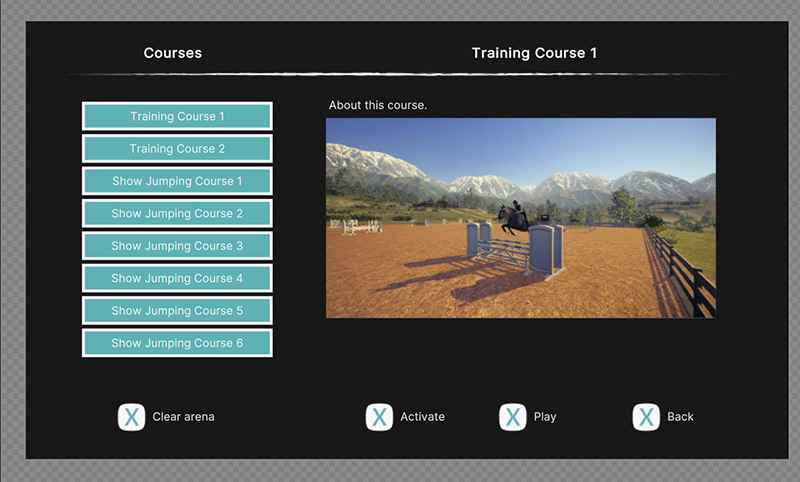
UI here, UI there, UI everywhere After working hard on the Horse Creator and menu UI, I could finally move on to many other parts of the game. Like dialogue, inventory, quest log, collections, course selection, and so on. And of course with UI, it’s not just to simply create something. I had to put in some time in doing research to see what other games have done, and see if there are things I like or dislike. To see what is user friendly and easy to understand. After gathering references I drew my own designs as a sketch, before creating templates and designs in Unity UI Toolkit. For both the collection and inventory system, I also had to create fitting icons for the various categories.
Here is a work-in-progress screenshot of the collection/inventory and the riding course selection. Not all parts are ready yet, like the scrollbar and dropdown menu. The image of the saddle used here is just a placeholder and will be replaced with the 3D model of the object. These designs also need to be tested to see if there need to be any adjustments later.
Looking back on these past few months, it’s really been a lot for me. So many tasks have been fulfilled, and I am creating all of this with the future of Astride at heart. I hope you’re excited for these as well.
Breeds, textures, & genetics
By Mathilde - Community Manager, 3D-artist
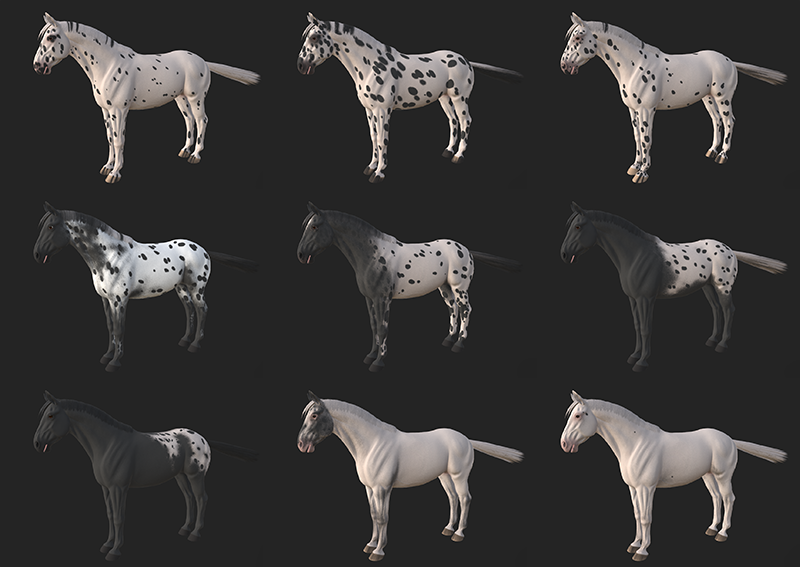
At the start of the month in November, I shared the progress of the Knabustrupper horse breed model with our Patreon supporters. While the Knabstrupper model is still a work in progress and will get some changes to the mesh still, I have been spending most of the time working on the LP/PATN1 gene combination textures and of course research. Since LP and PATN1 affect each other and work together to create the iconic Knabstrupper (and Appaloosa) patterns and that these genes don't like to follow rules, it's been a challenge to put different textures into categories.
The way I have categorized them is the following Leopard - LP/lp PATN1/PATN1 Near-Leopard - LP/lp PATN1/n Blanket/Varnish Appaloosa - LP/lp n/n Snowcap/Varnish - LP/LP n/n Near-Fewspot - LP/LP PATN1/n Fewspot - LP/LP PATN1/PATN1
Now, this can still have changes but I do hope that this makes sense due to the phenotypes of the horses that I have researched. It is extra hard since, again, LP and PATN1 don't like to follow the rules but with programming we have to make rules. Hopefully, we'll make it a "best of both worlds" situation. Anyways, enough genetics talk. Let's look at some of the textures I've made for the LP/PATN1 combination so far!
From top left to bottom right, we have 3x leopard, 2x near-leopard, 2x blanket appaloosa, near-fewspot, and fewspot. The amount of custom brushes I have had to create in order to make these patterns is also a lot, I am closing in on over 20 different brushes/tools just to make these textures as close to reality as I can.
Moving on from the Knabstrupper and the making of hundreds and hundreds of spots, we did a community poll to decide which of the planned breeds we should drop at the same time as the Norwegian Fjord horse. The votes ended up in favor of the Icelandic horse, and that set me on a side-quest to get the silver gene introduced to the horse creator. Since the Norwegian Fjord comes with their special combination of pangaré and dun, we thought that quickly adding the silver gene alongside the Icelandic would be a fun bonus.
Here, the top row shows different variations of silver black, while the bottom row shows different variations of silver bay. There is also a darker mane/tail variation that is not depicted here.
And of course, on the side of all of this, I have been working on other tasks such as tweaking the Icelandic horse breed mesh, fixing mane/tail textures and meshes ready for implementing into Unity, tack fitting, social media posts, helping with debugging multiple game builds, and much more.
Stable prototype
By Tirna - Project Manager, 3D-artist
Some of you have already seen sneak peeks of the stable in our Discord server. While it’s not finished yet—especially the interior, which needs a lot more work—it’s currently more of a prototype. This allows us to test whether the layout works as intended. Once we’ve finalized the layout, we’ll focus on additional plans and details to bring it closer to our vision.
Most of November was spent remodeling and re-UV mapping all the pieces required to create the stable. It was a tedious process with little exciting progress to show, but it was absolutely necessary.
The remodeling was done in a way that allows us to use a material system, reducing the number of individual textures in the game. This approach will be applied to every building in the future, except for very unique or specific structures.
In the next iteration of the stable, you’ll see some color changes to the interior. There will also be an office and other functional rooms in the central section. For now, we need to test several aspects: Is the roof high enough? Are the stalls big enough? Is it too far to walk from one section to another? Interestingly, the stalls are larger than they typically are in real life, as real-life measurements often feel too small when translated into a game environment. We may also make adjustments to other areas, such as widening the dressage arena, as needed.
Now, back to the stable! The exterior color is inspired by one of the most common paint colors for barns and stables in Norway, with some alterations to make it stand out in the environment and align with our chosen color palette. As for the interior, it will eventually be brighter. The current dark and gloomy look is temporary, and we’ll be adding more light and functionality over time. We hope you’ll take a look at the stable, explore how it feels to move around inside, and share your feedback with us.
Lead changes, IK, animations, & more
By Marius - Animator
Tack blend shape To implement more horse breeds there are some requirements we have needed to fulfill, and one of the more noticeable ones is that we need the tack to fit the different breeds. Which needs the tack to have a blend shape for the breeds we are implementing.
Those are not the only blend shapes we need though, as I’ll discuss further down we are also implementing horse sizes and size customizability into the mix. To make sure the tack fits the character when the horse is scaled up or down we need to control blend shapes to compensate for the scaling. While the blend shapes themselves existed I needed to make the system that controls it.
Stirrups There has been a tack set item that has been missing for the longest time: the stirrups. The stirrups have been delayed until now because we knew we needed to have a system for different breeds and sizes, which also means IK systems. Back in the devlog for October I was working on the IK system, but never finished it. Well apparently setting an IK system on a rig that is moved by another rig isn’t that easy, and ended up taking way longer than expected with a lot of help from Ouroboros.
Horse height Different breeds have different standards for their size, so while we could just have set a size for each breed and scaled accordingly, that would still amount to most of the same problems as just making the size customizable. I can’t say if that holds true on the UI side of implementing it though as I don’t work with it directly.
IK and stirrups IKs’ work by setting different reference targets that selected bones should try and follow in different ways. What I use for the most part is two bone IK, which lets me have a target for the knee direction, but only works with two bones. “note that the two bone limit is in the Unity Animation Rigging package and not a hard rule for every IK system.”
In this case the target is set to the stirrup position on the horse, which is represented by a stirrup bone; there is also a knee bone for IK targeting, but not as important to go into more detail about. The stirrup bone is part of the horse rig which is both a boon and a detriment for the IK; The boon is that the stirrup bone is what I originally used to make the character leg animations when riding, so it already has the animations. The problem is that it is set in its position relative to the horse, which means that when you scale the horse up or down; the stirrup length stays relative to the horse size, meaning that you have really short stirrups with a short horse and really long stirrups with a big horse.
To compensate for that I first thought of how I could overwrite it with code, but quickly realized that in this case at least I could use animation layers instead. While I probably could have done it in code also, coding isn’t really my field of expertise; so if I know an alternative that uses animation tools I’ll rather use that than stumbling around with code. So long as it is defensible to use instead of coding.
What I did was use an animation layer with no more than 3 poses, these poses involved one for moving the stirrups down and scaling them up, one for moving the stirrups up and scaling them down, and the base pose. This layer included a layer mask making sure it only affected the horses’ stirrup and player-knee bones. Finally i needed to set the animation layer to additive instead of overwrite. Additive is a setting that blends the animation layer with underlying animations instead of overwriting them completely. I had never done it with poses instead of full animations before so I did have to do some research, but ultimately got it to work.
Deactivating global normalized time A thing we realized with the IK system is that we could shelve using the global normalized time as the IK’s would make it redundant. Global normalized time is what we use to ensure that the character and horse are in sync when riding. Without it I can guarantee that the animations would get out of sync and clip through each other as they would use their internal normalized time instead and generally make nonsensical movements in relation to each other. The problem is that global normalized time meddles with the animation transition, it is one of the main reasons the transitions have been janky; most noticeable on jumps.
Ideally we might want to have it functioning alongside the IK system at a later date, but as long as it affects the transitions the way it currently does and makes movement janky; it will be put on ice.
Jump with transitions (sadly the arms got a little broken in the jumping animation after the IK implementation)
Lead changes It has been a long time since I showed the lead change animation I originally made, but finally it will see some use. I got to start setting up the animation trees and conditions, while Ouroboros added the functionality when she had the time. It wasn’t a fast ordeal though as there was one thing I was missing for lead changes to actually work… The other lead. By that I mean I had the animation to change the leads, but not the mirroring motion of the different gaits. If the horse had been a human or humanoid rig, the process would have been pretty pain free; but since it isn’t I had to copy and mirror every animation by hand. While it isn’t a difficult job per se, it is a very time consuming one.
Mane blend shapes and skinning Now to the bane of my existence the last few weeks: We needed to update the blend shapes for the different manes. The problem when working with the mane is mainly two things: It follows the neck, which is the most difficult area to work with on the horse, and it has several layers that need to be edited and skinned to the rig.
While working back and forth between Blender and Unity I became aware of another problem in addition to the first two. Some skinning and blend shapes behave slightly differently between the two programs. So what seems to be a smooth mane root in blender becomes very uneven in Unity. At first I suspected it had something to do with the source shape as that affects all blend shapes put on top of it, but it turned out to be both blend shape and skinning working in tandem to make me crazy.
After many tries I have made it much better than it was, as the mane used to have a gap between the neck and the roots. What I am currently trying though is a hard reset on the skinning to try and definitely fix the blend shapes before mixing in the skinning weights again.
Genetics & restrictions
By Ouroboros - Programmer
I had started updating the horse creator in October, and I spent a great portion of November on this as well. I finished implementing color genetics and made it possible to activate and deactivate the different genes through the UI. The coding was quite fiddly at times, as some genes affect each other and I had to make sure all the variables would be updated correctly at all times. Expanding on this, I created a way to add restrictions to genes and markings based on breeds. We want to keep the genetics as close to reality as possible, and the restrictions are a necessary part of this. The last part of my work on the UI (for now) was to go back and do some finishing touches to both the main menu and the horse creator.
The plan was for me to spend the time before Christmas on implementing tutorials for the start of the game. I did spend some time on this and was able to finish a working prototype for tutorials, but I have had to reprioritize as the horse creator ended up taking longer than I had anticipated. I actually started planning for tutorials at the start of 2024, but quickly realized it would be best to implement a quest- and dialogue system first. Tutorials are implemented as an extension to these systems, meaning they have gotten an upgrade as a result. There are still several improvements I want to make for quests and dialogue, but this was the first step.
In between the work on the horse creator and the tutorial, I have spent time fixing bugs and making some small improvements. A couple of bugs were found in the multiplayer save that is in test, so they had to be taken care of. I have also implemented a respawn button in the pause menu, and assisted Marius with the code for the IK we’ve added. It’s been pretty busy these past two months, so I’m looking forward to some time off for the holidays.
-
Please be aware that the content featured in these devlogs represents an ongoing work in progress and may be subject to further changes. We are committed to continuously developing and refining our game. To stay informed about the latest updates and connect with the rest of the Astride community, we invite you to join our dedicated Discord server community here! For additional information about Astride, please visit our official website.