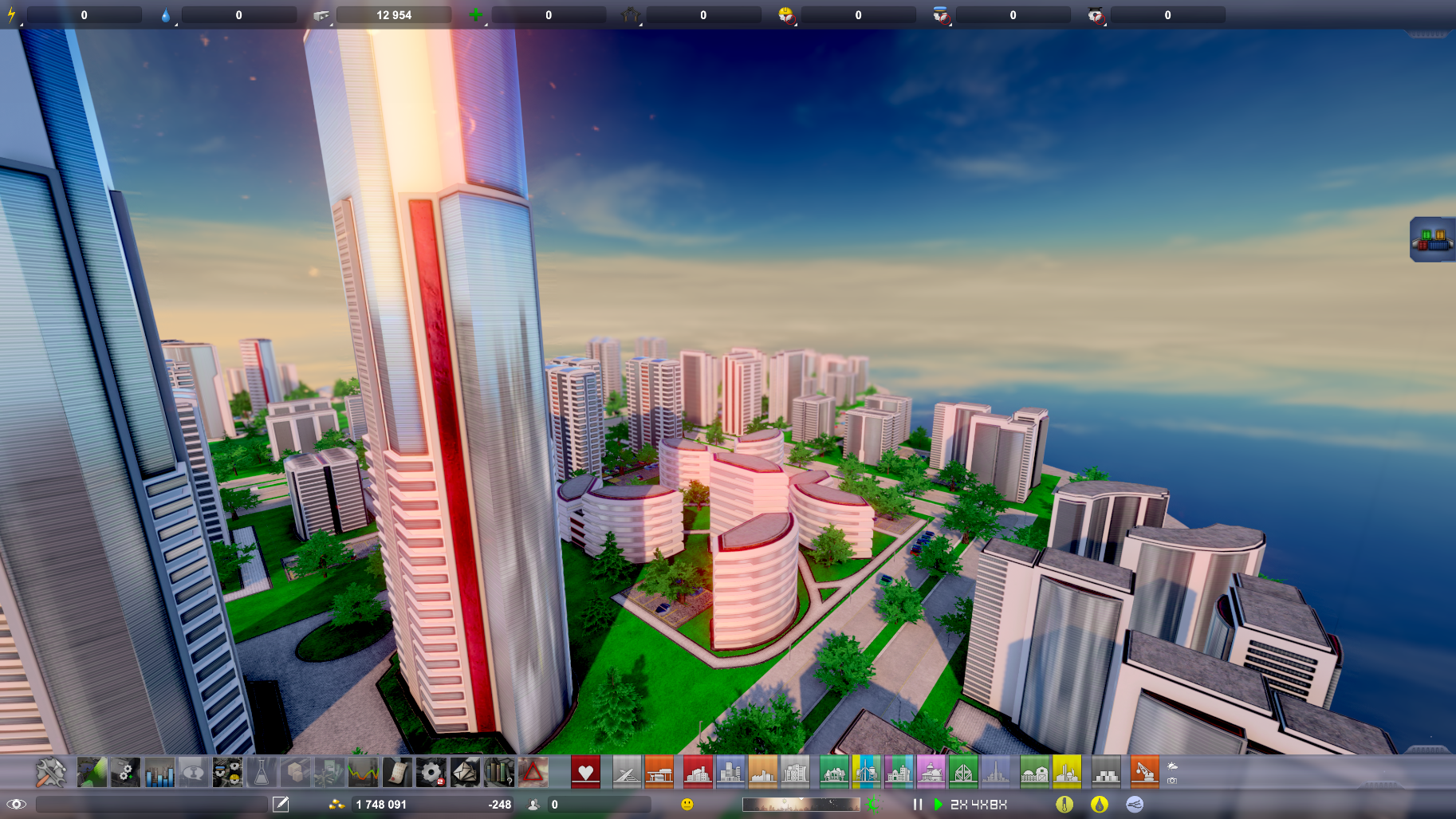
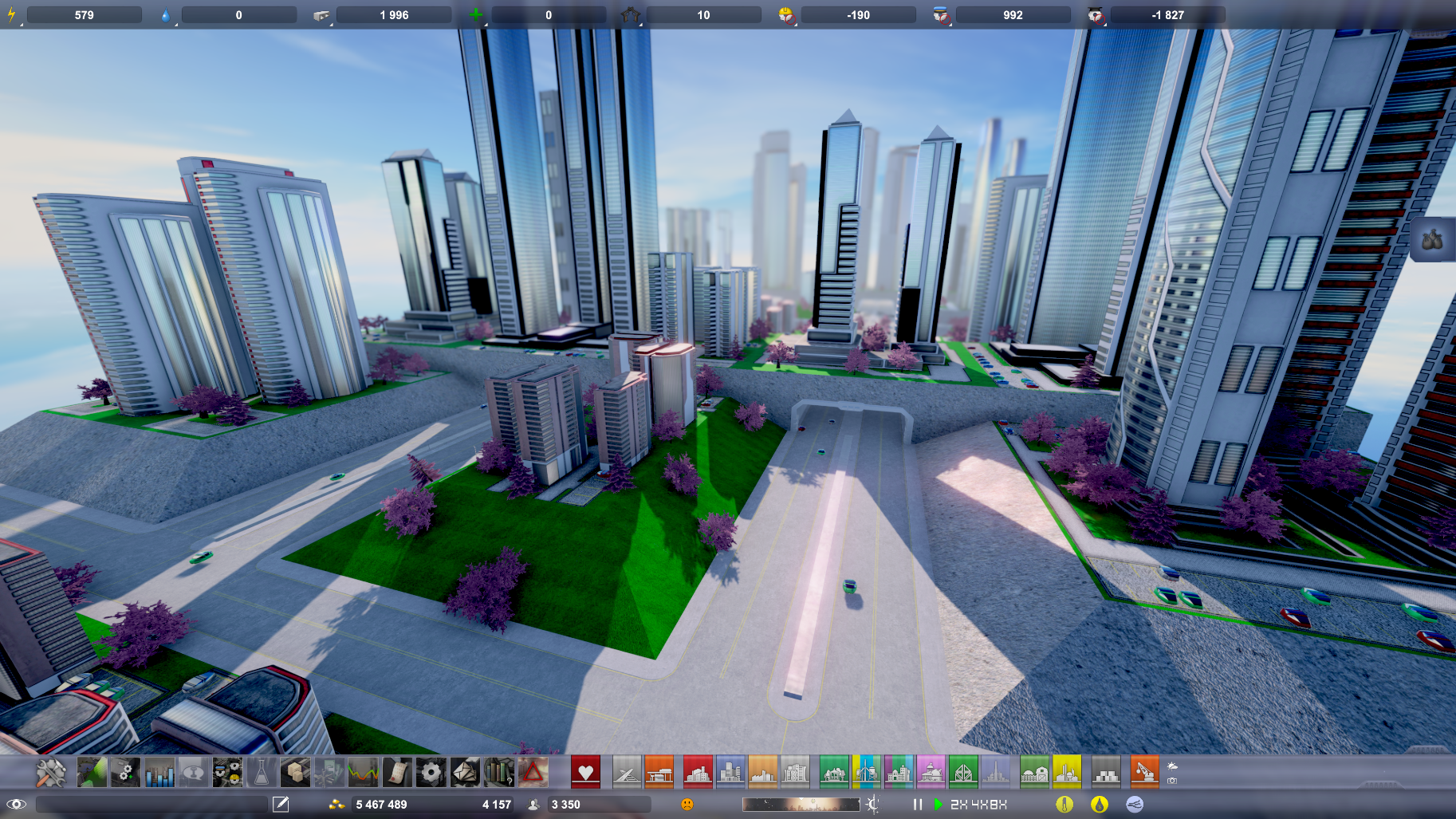
Block painting is now pretty much fully implemented and functional, so I'm moving on with prop placement. The idea with being able to add props is to make more custom looking cities and bring more life to them. To be able to do this I've had to make a pretty substantial rewrite of one of the core systems in the game - the inheritance tree for all the objects.
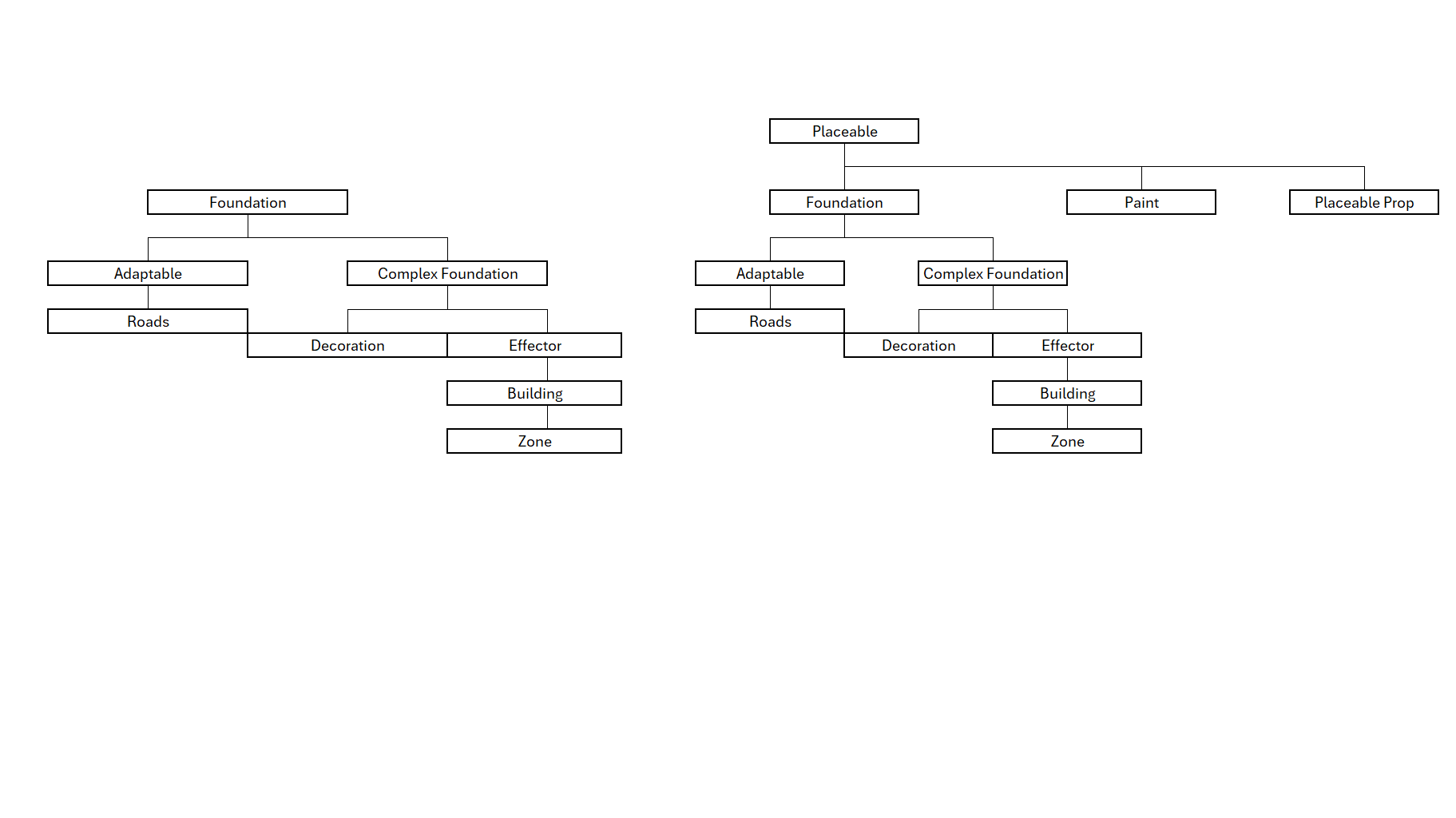
The reason I needed to restructure it, is that for each object, a lot of information is stored (to be able to save and load cities for example). Most of this data is useless when it comes to props, that only need a position and rotation saved. So I needed to add another level and separate out both painting and props that functionally are very different from all other objects that can be placed. This process, in turn, broke a lot of stuff all over the place and has required quite a lot of recoding and testing for some unexpected things (like how building option menus are constructed when loading a city).
The image below shows how the tree used to look and how it looks now (for those interested :))
With painting now more or less finished and functional, I've gotten quite far with prop placement and am currently working on some different placement modes, like free placement, placement along a finer grid, placement along an axis and a sort of scatter placement (for trees for example). Currently only the first two are finished, but I should hopefully get the other two fixed during the week. After that I need to make a bunch of adjustments to colliders to allow them to be placed closed to roads etc.
Below are some examples of what can be done with the tree props (of course, more types of props will be added).
The finer grid display is meant to help out when placing props, but just generally looks nicer too. :)
On the upcoming update
Hello, The upcoming update is proving more challenging than I had first anticipated. The "painting" feature is now functional, but there are still a handful of edge cases that I need to sort out. I've also had to redo quite a lot of work that has to do with mesh merging, and this still requires additional testing so that it doesn't present as missing (or rather invisible) meshes in game.
I've also had to do a substantial rewrite to some ancient code in order to get prop placement to work. I've yet to get to work on prop placement, but at least now, the structure is there. I will not promise on a release that for the update, but it should prove to be a nice one once I get there. :)
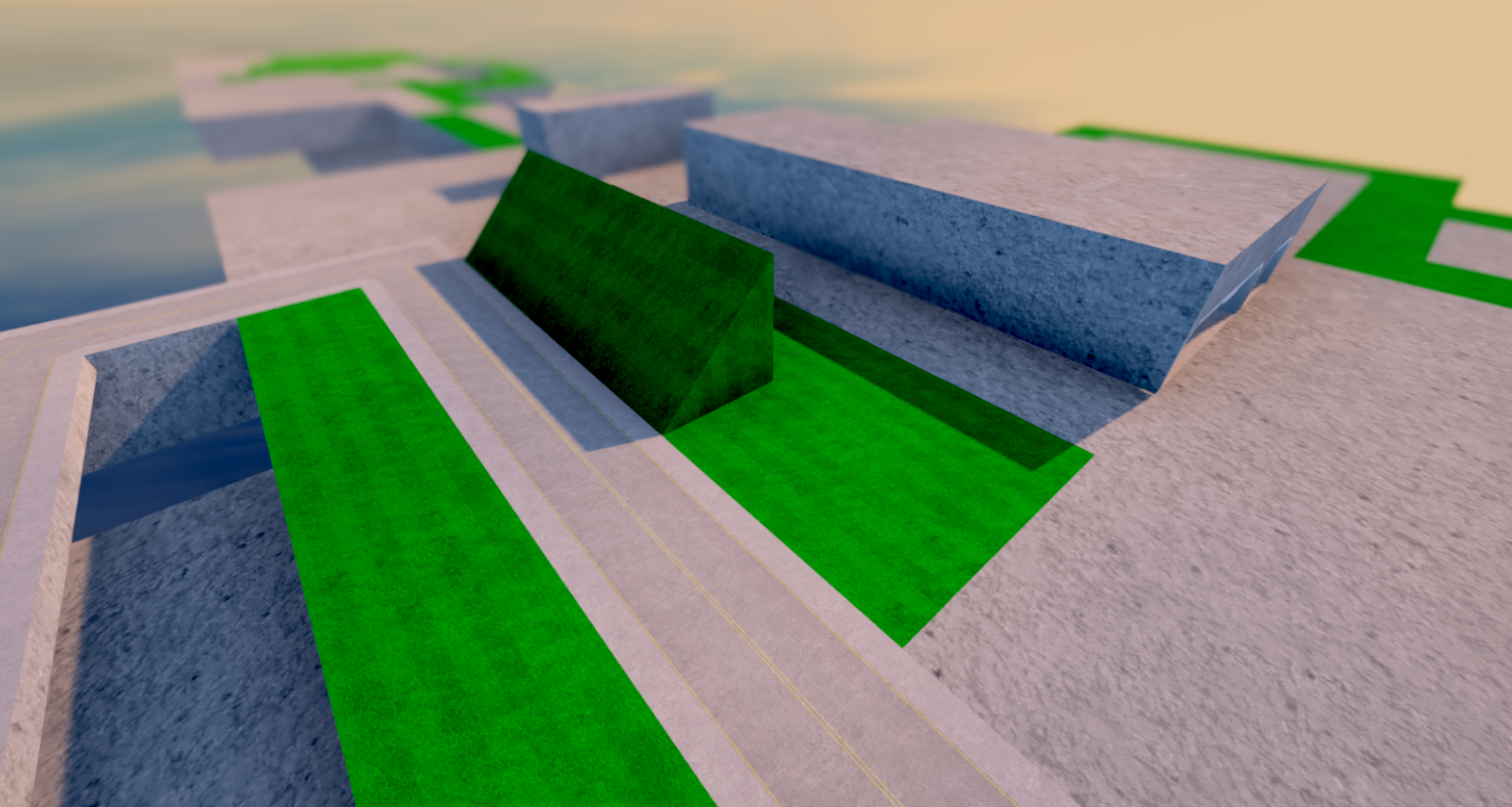
Here are some images of painting in action.
As can be seen, this will allow for less "square based" island building without me having to make a tonne of planes to allow gaps to be filled. As mentioned in a prior update, it also fixes a bunch of issues with conflicting colliders etc.
Because making plane variants for each individual case was tedious, I've mostly stuck to grass variants and a handful of plaza variants, but with the new system, grass, plaza and industrial asphalt are all present and can be used freely.
Painting
Hello,
There is still some work remaining on the update, but here are some images showcasing what will be possible shortly.
Previously, when placing grass, a plane was added on top of blocks as a separate object, this also meant having to have an actual object with a collider in order to be able to remove it. That also meant that there would need to be a lot of separate planes made, which hasn't been feasible. With the new feature to "paint" grass, asphalt and plazas, this is no longer necessary. This allows for example the side of the slanted block to be grass instead of concrete:
Since there's no longer a need for colliders, instances where before you couldn't place a grass decoration in a tight space due to there already being a deco nearby will no longer be an issue. This is exemplified here:
There's still a bunch of stuff left to do, especially expanding on being able to place separate props (like trees) to make up for the grass decoration being removed. I may update the game tomorrow, or move on to finish the remainder of the props and painting before doing so.
Upcoming update
Hello!
Updates have been slowly, mostly owing to me having been very ill the past month (was bed ridden for two weeks). Work has now picked up properly again and I've finally gotten to a functional prototype of the "block painting"-feature I've been hinting.
The way things work today, when placing a grass or plaza decoration on a block, a face is placed on top of the block. This was a simple, cheap and effective way to go about things way back when there were only cube blocks available. Over time, I've added in more and more types of blocks - slanted blocks, curved blocks, bigger decorative blocks etc. Initially, I kept up with some of these by adding corresponding faces to each type of block, so that grass could be placed on those as well. But over time, this becomes very ineffective and each placement also requires a collider be placed on top of an existing collider so that for example a grass place is removed before the block underneath (otherwise you have floating structures!).
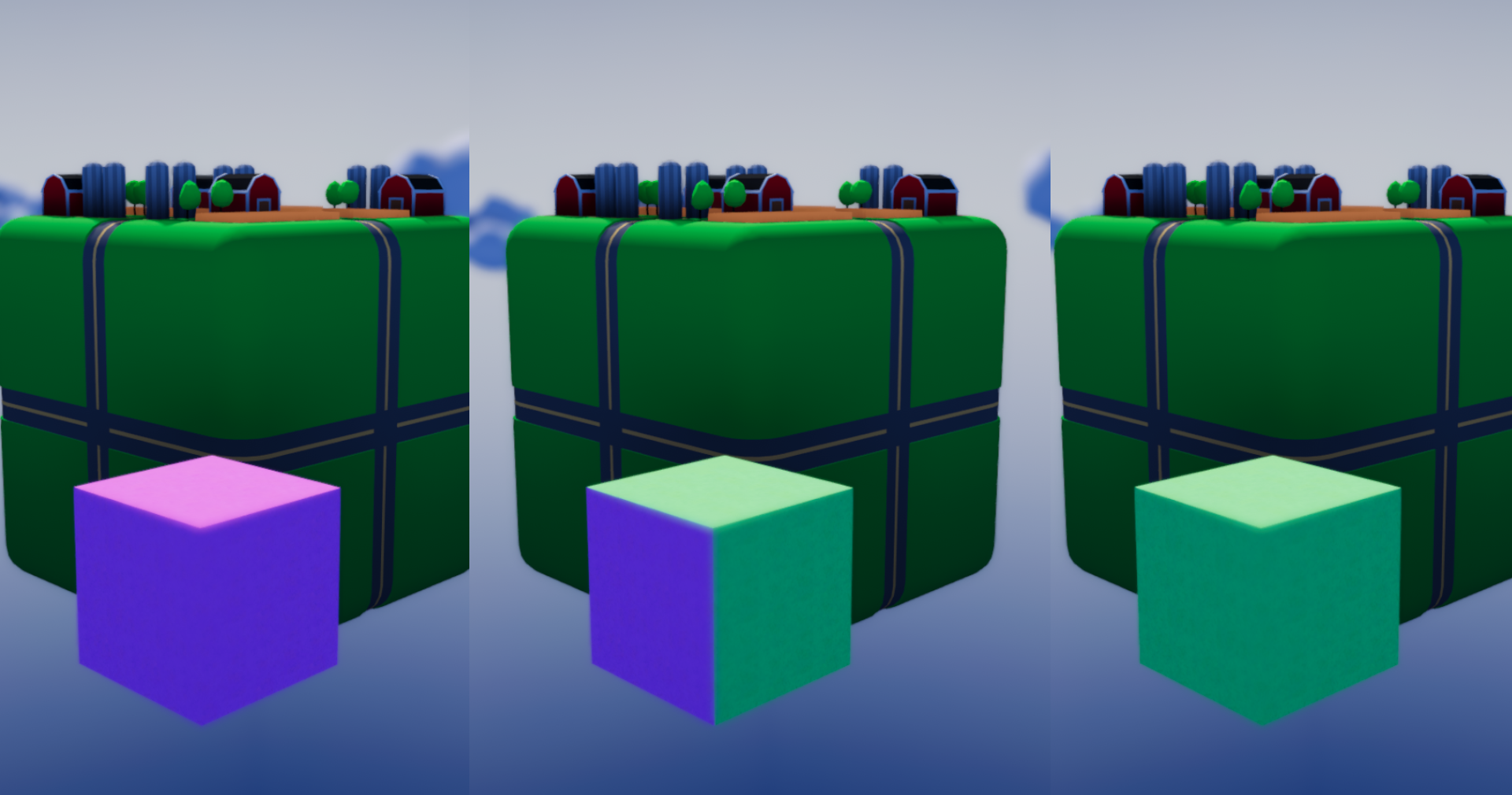
The prototype I've worked on now allows parts of a block to be mapped and then "painted" directly using no additional planes. This also means that there is no need for additional colliders. The latter has been an important aspect, as there are currently issues removing some objects because of how the game checks nearby colliders etc.
Here is a picture of it in prototype form in an Atmocity spin-off project (since 2018 lol...).
I'm currently in the process of adding this into the game properly, but it will be another week or so until it is done. So what will happen to the grass decoration? Well, I've also been working on a structure for small, freely placable props among which trees will be one. My plan now is to have grass decorations automatically convert to painted block and freely placed tree props. Currently the prop type needs me to rework parts of how objects generally and props in particular are handled in the game, so this will take a while to finish. Once it is finished, however, players will be able to place trees more freely, create tree avenues, customize parks with certain props etc.
That's where things are atm. I should have more on this in the week and an update around the end of next week or shortly after.
/ Nick
Small update!
Hello,
The game has been updated to add additional fixes to the issue mentioned in the previous post. I've also started making tweaks to how depth of field works in the game. It's still a bit messy, so if it causes issues, you can turn this off in the options for the time being or increase the focal distance.
I've also added in some more blocks, adding more construction options. The empty gaps that can be seen will be "paintable" in a later update once I get that system going. Paintable as in grass and other stuff. :)
Small patch to fix issue
Hello, I've updated the game to fix a rarely occurring bug for vac-trains. The bug would throw a null-ref error making the city bug out.
Chinese localization, updated localizations and some additional fixes/additions
Hello! First of all, this update has been long overdue, mostly due to getting back to work and schooling in my kid at preschool. Updates should be more frequent from now on.
I've primarily focused on getting the localizations up to date. This also includes adding in a localization for simplified chinese. This is in a beta state and there are likely incorrect translations as well as at times poorly fitted text in the UI. There is still more work needed to fully implement the existing and upcoming localizations, for example ensuring text is properly fitted in the UI as well as fixing mistranslations. There's also some of the english, original text, that is in need of updating, meaning more translation will be needed for other languages too. Nevertheless, localizations are now more up to date than before.
0.89 -> 0.895 - Added chinese localization - this is a beta test version, it may have issues. - Updated localizations for Swedish, French, German, Polish, Russian and Spanish to fix missing text items. - Updated info buttons in UI to have higher contrast and make them clearer. - Changed UI-transparency setting so to not completely remove UI if set to 0. - Changed the way destroying blocks is done. This should decrease instances where a block has nothing built on top of it, but still can't be demolished due to a nearby object. This can still occur, but should be far less likely now. - Added double road tunnel along with entry frame. - Added sizable slanted blocks.
- Fixed language not changing on some objects when switching after loading city. - Fixed color picker not adapting to UI scaling. - Fixed small and low alpha slider in new trade panel. - Fixed bug where slanted blocks couldn't be demolished. - Fixed tunnels being possible to build on top of other objects. - Fixed some text fitting in different languages, work remains here though.
Here are some images of the new double road tunnel as well as the newly added slanted blocks - for use in rounded edges, or maybe just make a half pipe?!
0.89 is live!
Hello!
The game has been updated to add in more UI changes. Focus this time around has been on the larger panels, for example the Econopedia and the trade panel. In particular, trade has gotten a substantial overhaul, hopefully making it a bit easier to navigate. As mentioned below, a few minor changes to trade will come in the upcoming updates. The goods tickets have also been removed from the trade panel - in the next update, modifiers will be able to be earned through "resource missions" in the convention center. Modifiers can still be found randomly accross the city as before.
There have also been some minor fixes here and there, as I've come accross issues when trouble shooting new updates to the UI. The more substantial ones listed below.
The upcoming few updates will also be focused on UI, but I will also start adding in the remainder of the hotel buildings as well as some more ideology related buildings.
0.886 -> 0.89 - Increased font sizes and cleaned up UI in city stats panel. - Increased font sizes and cleaned up econopedia panel. - Updated images in econopedia and objectives panel. - Increased font sizes and cleaned up advisor UI. - Cleaned up objectives window and made it smaller when no hints are displayed. - Cleaned up modifier UI. - Trade panel overhauled to make it easier to navigate, font and icon sizes increased as well. Some minor tweaks remain to be done. - Goods tickets removed from trade panel, these will be incorporated into a special function of convention centers later on. - Added additional directions on how to use modifiers, by lighting up aspects of the UI when selecting a modifier. - Changed button graphic.
- Fixed incorrect tooltip for researchers and corresponding unemployment labels. - Fixed some incorrect tooltips in the trade and city stats panels. - Fixed camera go to building command getting locked sometimes and locking camera to move towards a building until reloading city.
/ Nick
New update live!
Hello,
Life has been a bit crazy recently, so this update took a bit longer than I had originally wanted. It's fairly limited in scope in terms of new and updated items, but took a while since it involved work on a lot of UI elements.
0.885 -> 0.886 - Policy interface updated. - Tidied up interface in options menu (more to come). - UI transparency option added into options menu. This should help readibility if you find UI transparency gets busy against the background. - Increased tax revenue from R, C, I and H. - Increased loading performance slightly.
0.885 is now live!
Hello!
I've updated the game. I've had continued focus on upscaling UI graphics. Most of it is now done. The remainder will be done if necessary when I start updating all the windows in the game.
I've also focused on loading performance, as loading large cities was getting very heavy. These changes should show some noticable improvements, some of which also improve performance when running the city, as loading vehicles should now be more efficient.
On top of that, there have been some minor fixes to bugs I've come across!
0.88 -> 0.885 - Changed zone type marker when placing new zones. This is for legibility and visual reasons. - Improved handling of props when loading city which should improve loading speeds significantly (by 5-10% depending on city size, more noticable in larger cities). - Improved handling of loading vehicles, improves load times another percentage point or so and improves performance when new buildings are spawned. - Cleaned up citizen reps user interface.
- Finished upscaling and improving icons. Some icons will get redesigns as I get around to clarifying parts of the UI.
- Fixed issue with building icon sometimes not loading properly when opening building info panel. - Fixed loading cities sometimes not displaying road placement/calculation info. - Fixed incorrect tool tip for day night cycle icon. - Fixed bug in main building shader not displaying normal map properly. - Fixed UI map issue in cereal and legume farms. - Fixed zone planner when placing 4x4 commercial buildings.