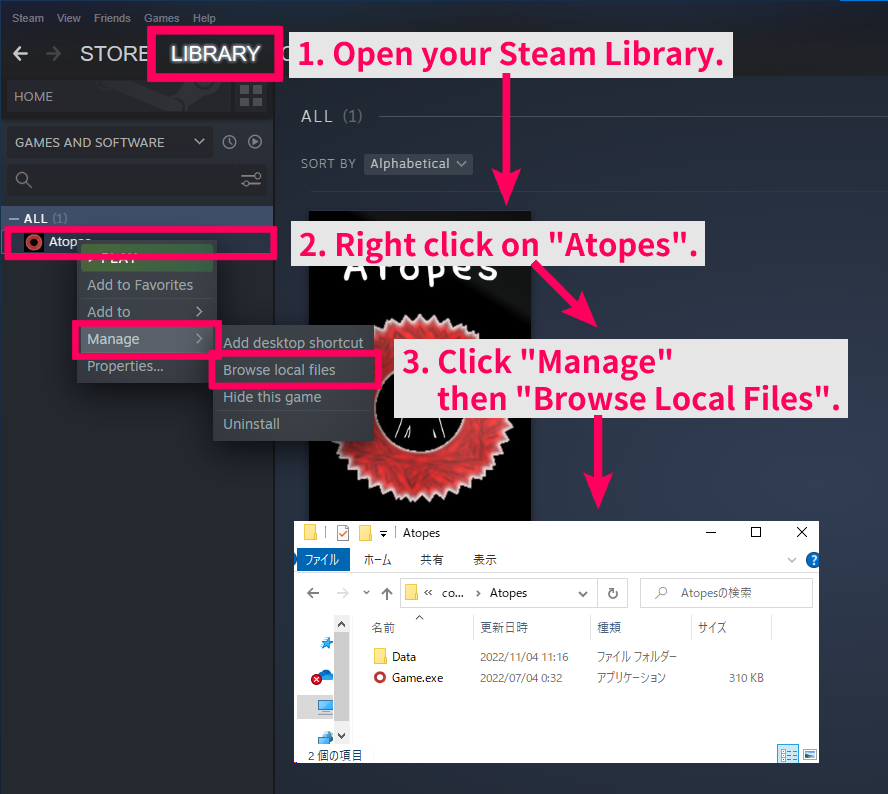
Open the Steam app. 1. Open your Steam Library. 2. Right click on "Atopes". 3. Click "Manage" then "Browse Local Files".
Local Files are now opened.
English and Chinese Release!
Hello, I am the author of Atopes (formerly known as Atopes).
I am pleased to inform you of a major update.
Today, November 11, 2022, we have released the English and Simplified Chinese versions of Atopes! We hope that those of you who have not been able to play the game so far will enjoy it.
We have also released the collection of materials used in the game as DLC. This is for those who are interested in development.
So, enjoy the game!
2022-11-11 Engslich & Chinese Release
Hello, I am the author of Atopes.
On November 11, 2022, I will release English and Simplified Chinese versions of Atopes. I hope many people will enjoy it.
On the same day, we also plan to release the collection of materials used in the work as DLC. This is for those who are interested in development.
So, please continue to wait until the release date!
How to watch local file
How to browse local files for Steam games.
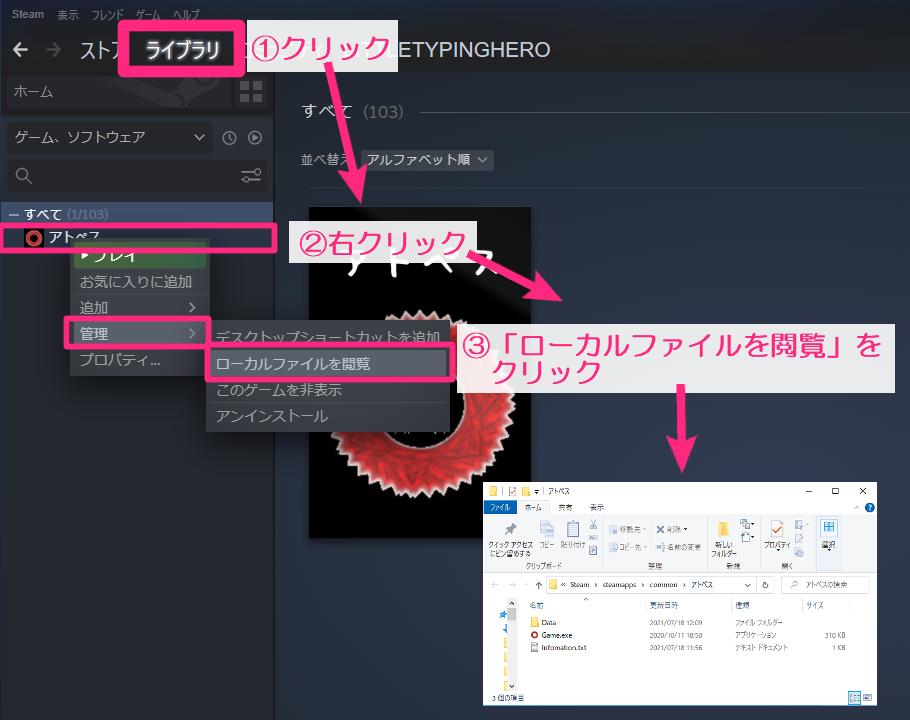
1. Click the Library tab on the top bar of the screen 2. The game selection screen opens on the right side. Right-click on "Atopes". 3. Click Manage → Browse Local Files
The local file opens.
How to view the local files.
How to view the local files.
Open the Steam app. 1. Open your Steam Library. 2. Right click on "Atopes". 3. Click "Manage" then "Browse Local Files".