General bug fixes and new One Shot menu with Falling Edge option. Taking a new approach to evaluating One Shots, hoping for more consistent results with this method.
Happy Automating!
Who Wants Contacts? We Want Contacts!
So this is way past due but I am very happy to finally announce a big update for Automation. Most of the work has been under the hood, but you will notice a few differences:
Unlimited Contacts No longer are you limited to 1 Normally Open and 1 Normally Closed. Drag as many as you need! As a short-cut hold down the control button with your mouse over a contact on the ladder to quickly make a copy.
Know What You're Programming A new splash screen has been created for when a level loads. This has a Machine Design button to take you to the different elements that make up the machine. A second button will take you to the Level Complete goals (note that some of the levels are still missing the level complete, but at least you will know what to expect.)
Manually Deleting Boxes There is now a new option in the Level Menu (the Gears icon in top/right) that lets you manually delete "product" that may have gotten stuck. By "product" I mean like a box that is jammed or you want to remove. You can hold down Shift to remove multiple boxes. Note that this is not a proper machine reset to get everything back in it's original position - I know this will be helpful for programming so you don't have to keep re-loading the level but it is not quite ready. There is a fancy new mouse icon that shows fire when you delete a box tho.
Bug Fixes There have been a lot of improvements to stability, the work will never stop but I am really really really happy at where it has gotten to. I am still noticing some flakey-ness with the One Shot turning on a Timer, but I think it has improved from where it was. A major memory error has also been corrected which I'd like to thank the gurus over at The Game Creators forum for helping get to the bottom of.
Other stuff Program Installation Location - this is going to change to accommodate users that have installed Automation - The Car Company Tycoon Game which uses the same install path. This has not yet happened and I will make an announcement when it does. As a heads up if you happen to re-install in the future the saved game location will have changed because of this. Also in Other Stuff - you can now press Control + Enter as a shortcut for the Code / Run switch.
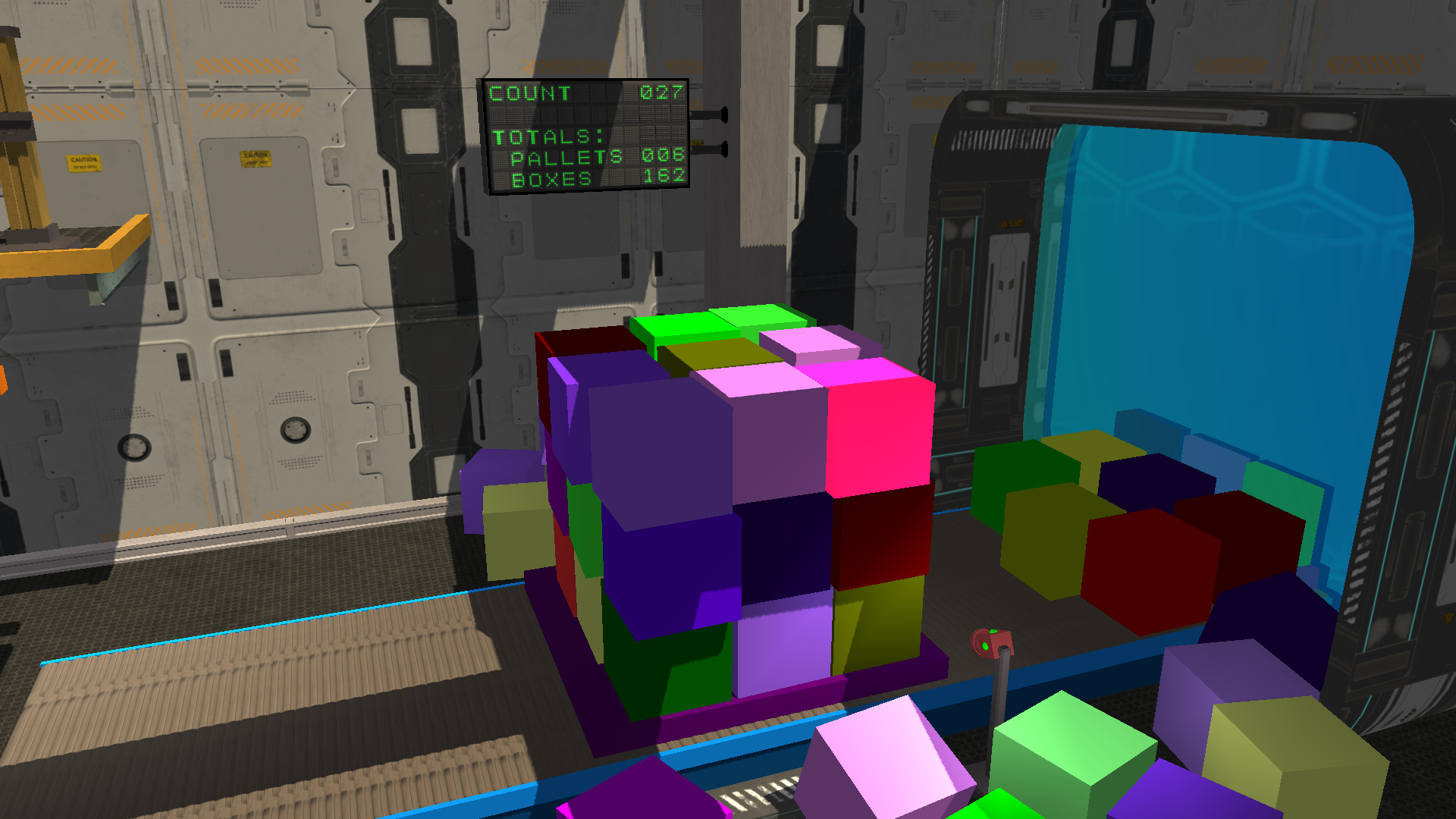
Oh and one more thing - a new level where you sort boxes by colour and fill out order requests. Random Number generators can be a pain so feel free to hold down R for Red, G for Green, or B for Blue if you are running low on a colour.
Happy Automating!
Save Game Revision and General Fixes
A major change that was forced earlier than expected - due to a bug in the order that analog data was getting saved and retrieved, it was either deal with an unruly CSV file or bite the bullet and scale for the future. After two months of work this is finally ready to roll out.
Your old CSV save game file will automatically get upgraded, however there is a CSV to binary converter found in the options menu if there is a need to import to this new version. There may be some unexpected results from old save games, but hopefully most will go smoothly.
This was a doozy and I apologize that it took this long to get wrapped up. Some of the other additions in version 1.0.7:
1 Fixed control panel edit for pilot lights & horn/buzzer 2 Fixed particles not deleting when closing water tank level 3 Fixed crash when deleting branches with oneshots and compare blocks 4 Fixed indexing for oneshots and compare blocks when extending/retracting branches 5 Fixed oneshot indexing on level load 6 Added press enter to skip through level load popup 7 Fixed crash when editing buzzer and changing sounds 8 Fixed scrolling and visibility for warning symbols (Math/Copy blocks missing pointer icons)
Thanks and happy automating! ~JD
Version 1.0.6 Update
Version 1.0.6
This update is to address bugs, there are still a couple major bugs on the list which are high priority but I wanted to get this out for now.
1 Fixed crash when only one output contact and relay coil on ladder is deleted 2 Fixed remaining contacts moving to home position when changing from 3->2 state selector 3 Fixed sprite depth when deleting control panel contacts from ladder 4 Fixed crash on branch nodes in wrong position after shifting rungs (ie add/delete rung) 5 Fixed crash on delete rung with OneShot block on rung below 6 Adjusted box palletizer elevator low position to be on in default start position 7 Fixed auto-scroll to bottom when adding rung above or below from rung menu 8 Fixed MemBlock menu interfering with load/save menu confirmation pop-up
Fixes and New Score Boards
1.0.5 Saturday, February 12, 2022 1 Fixed selector switch change from 2 to 3 position sprite missing bug 2 Added level complete for Marble Sort 3 Fixed device menu and control panel interference 4 Added x-ray style photocell to detect specific objects 5 Added ability for regular photocells to detect a second target type 6 Added digital score board with counter to 999 7 Added level completes for Box Painter, and Box Stacker 8 Fixed some jamming areas of Box Stacker free rollers and pusher 9 Improved resolution for some textures 10 Fixed bugs related to deleting compare blocks 11 Fixed visibility of copy and math blocks when scrolling 12 Fixed visibility of items scrolled above/below ladder when restoring from full screen mode (Ctrl + L) 13 Fixed stage IO menu clicks near control panel not registering when panel minimized 14 Fixed deleting 3D dynamic objects remove from physics engine
Digital Score Board, now found in the Box Painter and Box Stacker machines:
Seven Segment Display, now found in the Marble Sort machine:
Re-compile Update
This update has been re-compiled with a changed setting to hopefully address the "Ran out of GPU memory, try using smaller or fewer images" crash reported.
If you experience any issues after this update please post in the discussion board.
Thank you!
Bug fixes and Level Complete
Fixed assign keyboard key to control panel button on create new Fixed Water Tank level water not draining when motor running Added level complete conditions for Conveyor, Car Park, Ferris Wheel and Water Tank levels
Intro video removed
The intro video has been removed due to issues with crashes while loading the program (you're not missing anything, was trying to be fancy with a video logo...)
BUT it will likely also mean that systems which can't play the intro video also won't be able to play the basics video. There is now a PDF of a basics slide show placed in the "media\videos" folder as a reference.
The Basics video has also been uploaded to YouTube: [previewyoutube="WsYs2Y-iiNQ;full"]
Also I wanted to confirm the Level Complete conditions are only working for the first 3 machines. All the machines are open to play with no restrictions, the remaining level achievements will roll out in updates ASAP.