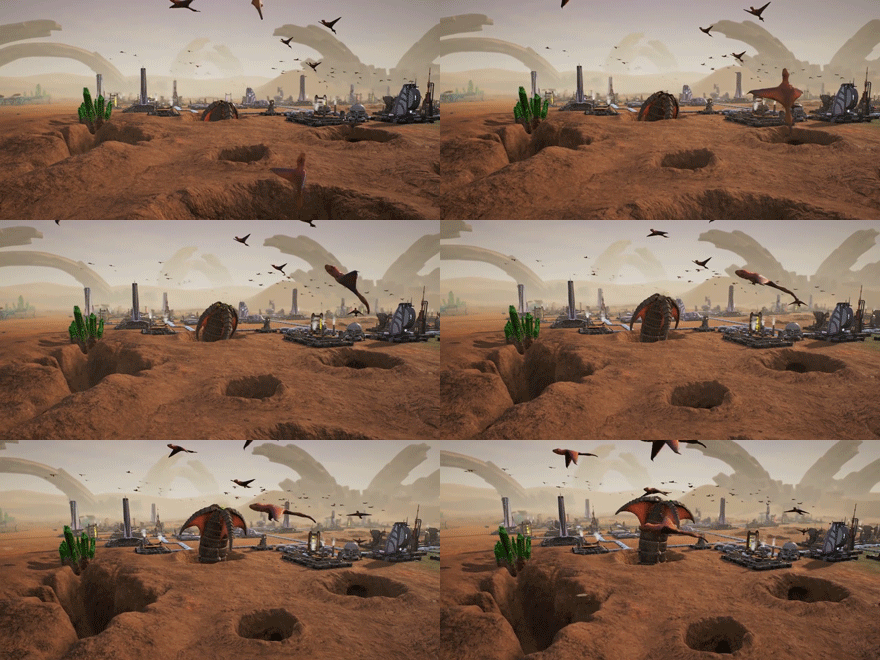
We’re pleased to announce that Aven Colony launches on 25th July!
What’s more, you can pre-order right now to receive 10% off and access to bonus sandbox map Cerulean Vale – a treacherous ancient seabed. Barren and hostile, do you have what it takes to survive this crystalline wasteland?
Just in case you’re wondering what all the fuss is about, Aven Colony is a sci-fi city builder from Texan developers Mothership Entertainment. You are given the not so simple task of building, exploring and protecting your colony to ensure the survival of the human race on alien planet Aven Prime. Nurture settlements in vast wetlands, snowy tundra and perilous deserts and create a safe haven for humans on Aven Prime.
With a dedicated campaign and story, plus an expansive sandbox mode, there’s plenty of opportunity to delve into Aven Prime’s mysterious past or just grow accustomed to the locals.
The main beta branch on Steam was updated last night -- apologies for the delay in getting the build notes out.
We also updated the demo moments ago. Please note that those of you playing the separate "demo" app on Steam (via the Alienware Indie Game Challenge distribution from a few weeks ago) should now have full access to the expedition system in the Arido Mesa sandbox map!
New features:
You can now "dock" charts from the Statistics tab onscreen while you play, as announced here: http://steamcommunity.com/games/484900/announcements/detail/1262543810926317367
You can now "scrub" the charts in the Statistics pane by hovering the mouse over them to see the previous historical values of the selected data, as announced here: http://steamcommunity.com/games/484900/announcements/detail/1262543429191110582
Added support for "Competition Mode" -- pass in CompetitionMode=1 as a command line param: http://steamcommunity.com/games/484900/announcements/detail/1262543429194952659
Please note that all of the above features are PC-only features and should not be expected in the console versions of Aven Colony
The small Holo-Bot that projects protest holograms will now enter and exit smoothly using the same elevator the protesters use
When you turn on the Martial Law social policy, all holo-bots now face toward the protests and project a hologram that says "DISPERSE"
When you decommission a building, the progress bar now goes DOWN properly and shows the correct percentage value
Art improvements and fixes:
Lots of small updates to many building textures to improve visual continuity/conformity
Improved the look of the data items in the Stats pane
Tuning / balancing / minor changes:
Improved drone movement when building Skyscrapers
Increased the amount of time before the colony automatically switches out of Energy Battery mode
Significantly improved the scoring algorithm ("Score" in the Statistics tab of the colony control panel)
Updated banners for the Holo-Sims in the campaign mission list
Performance Improvements:
Improved load times
Turned off unnecessary shadow-casting for objects that didn't need it
Improved frame rate in the expedition UI
Fixed various instancing issues that hampered performance slightly and caused rare graphical glitches
Plasma turret shots are now ~12% faster; this helps them hit creep spores and plague spores moving perpendicularly
Fixed an issue where toxic gas emissions would drain performance slightly even after they disappeared
Bug fixes:
Fixed a bug where construction drones could get stuck hanging in space if their C-Drone Hub lost power while you'd also requested an upgrade and they were doing something else at the time
Fixed bug where Wind Turbines weren't pushing away toxic gas if the camera was facing away from them
Improved some issues with incorrectly blocked tiles in Tenari Glacier
Fixes to some very rare cases where the camera could get stuck inside a Skyscraper
Buildings that can't be sold (such as the Expedition Center) can still have their construction cancelled properly
Fixed issue where recycling a 3x3 (or larger) building that was under construction could result in a building at a random position in the map
Overlay tiles are no longer visible in the valley in Tenari Glacier
The 'Drones' overlay no longer renders in blocked tiles; this prevents huge bars from being visible inside the holes in Sandy Gulch and other desert maps when in the Drones overlay
Fixed the water rate-of-change indicator to work properly at game startup
Fixed Refraction on drone station Force Fields
Farms now stay properly selected when upgrading them
Fixed bug where if a farm/greenhouse was selected when construction completed, there would be no visible borders in the crops overlay mode that would appear
Fixed a small black sphere being visible on some maps
Fixed the game speed splash not fading out
Fixed issue where volume settings weren't restored properly in the main menu
Fixed some issues where you could build inside some of the mesas in Arido Mesa
Fixed some rare bugs with the camera rotating too much when returning to the colony on some maps
Fixed bug with Energy Batteries refusing to allow you to build the next-higher tier after you'd already built the previous tier but not connected it to the power grid
Expedition system: fixed a bug where "Stockpile" and "Supply Drop" POIs would sometimes be impossible to complete
Also, the NVIDIA Ansel support (for 360-degree panoramic screenshots) has pretty much been implemented but we've heard from NVIDIA that whitelisting our app will take a bit longer than expected. We'll post here once Aven Colony gets whitelisted, which is necessary for Ansel to work.
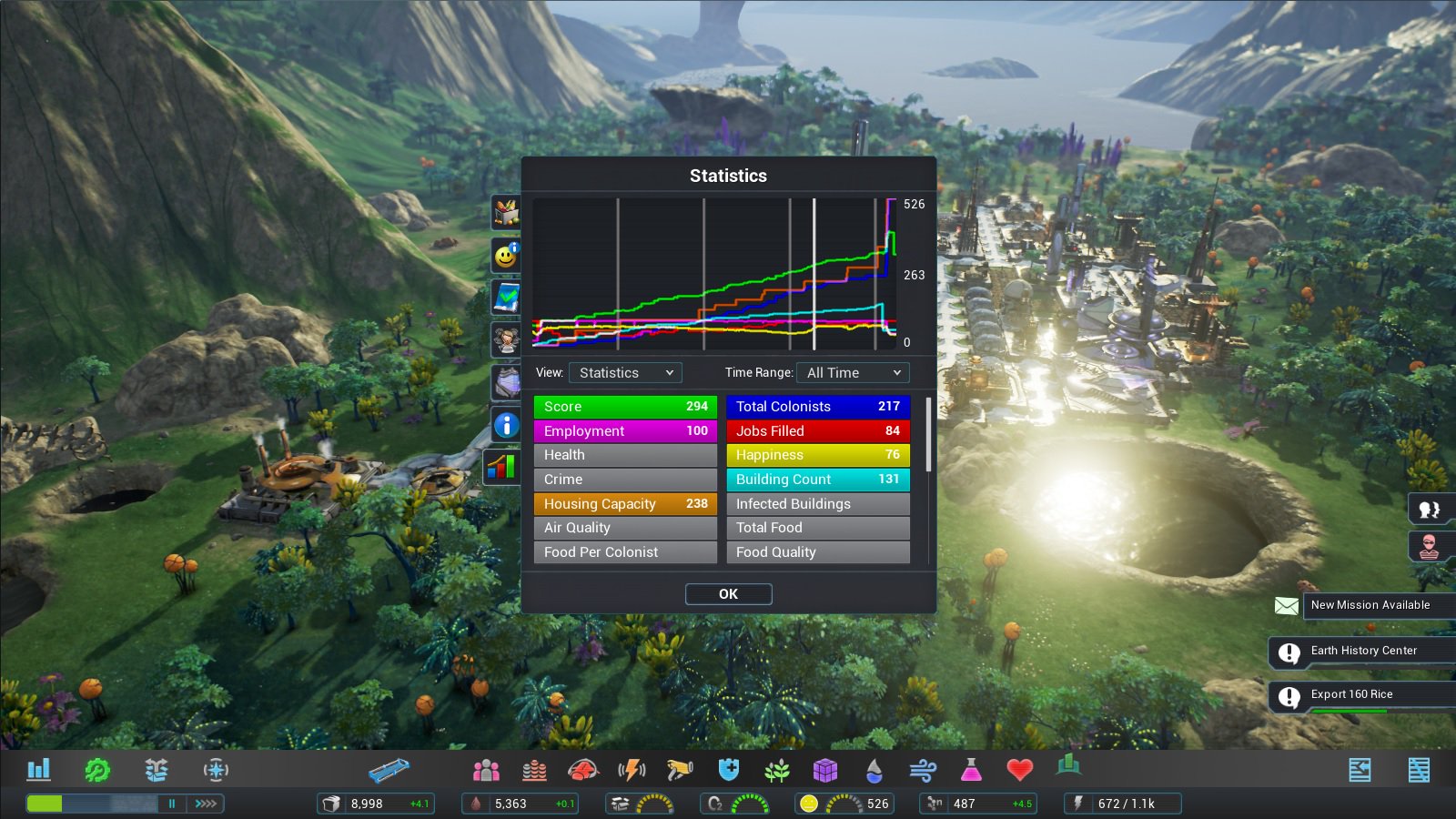
For some time now, Aven Colony has included a Statistics tab to allow you to view various types of data relevant to your colony -- resource quantities (water, nanites, ration packs, etc), morale factors (crime, crowding, unemployment, etc), and other relevant data (unemployment %, total population, power supply and demand, etc). All of these are available in charts that allow you to see how that data changed over time.
The Statistics dialog is incredibly useful for mastering your colony, and over the last 6 months, we've added support to a number of the notifications in the game to automatically show data relevant to that notification in the Statistics dialog.
We also recently added a feature to allow you to "scrub" the stats timeline using the mouse cursor:
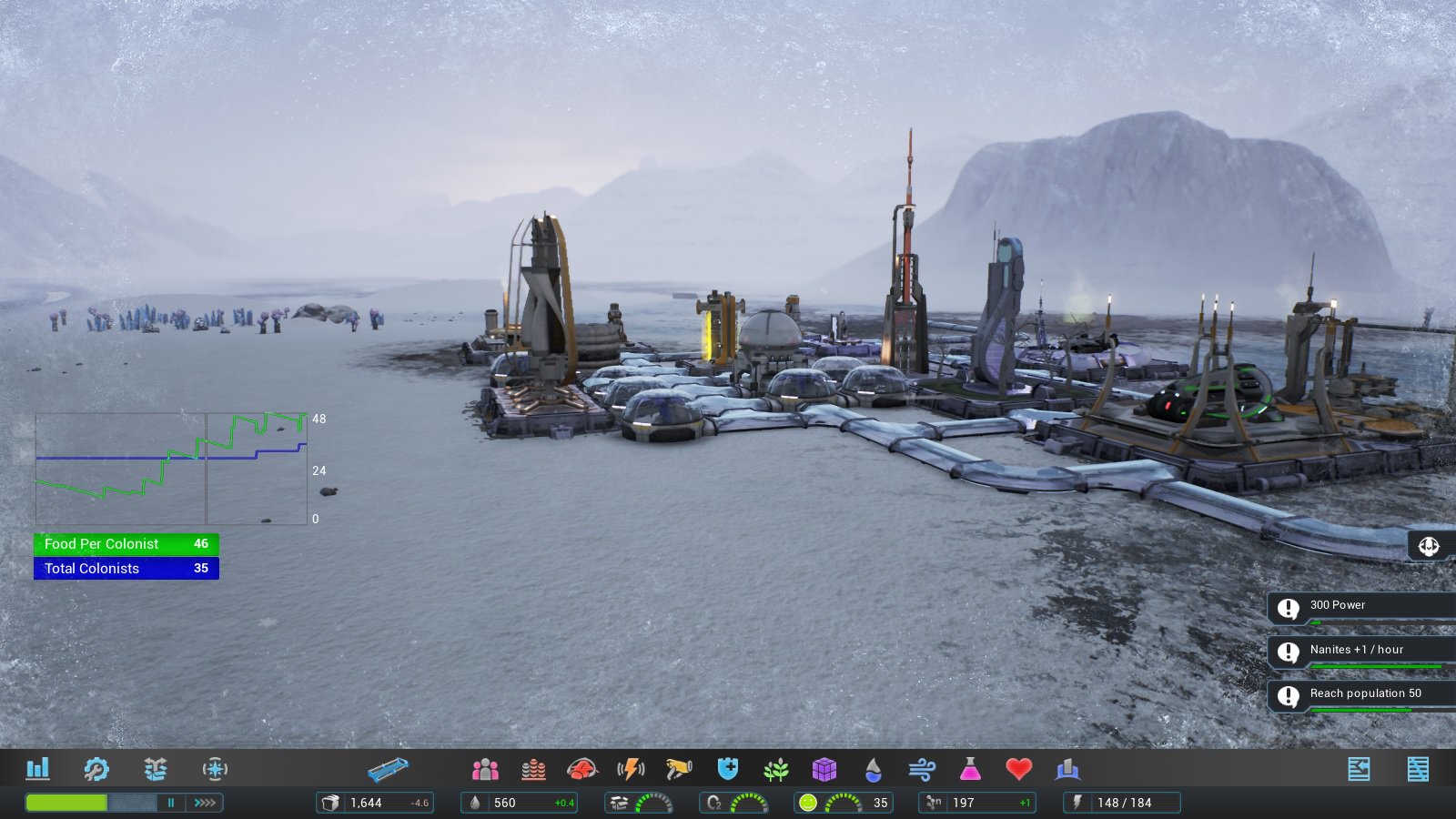
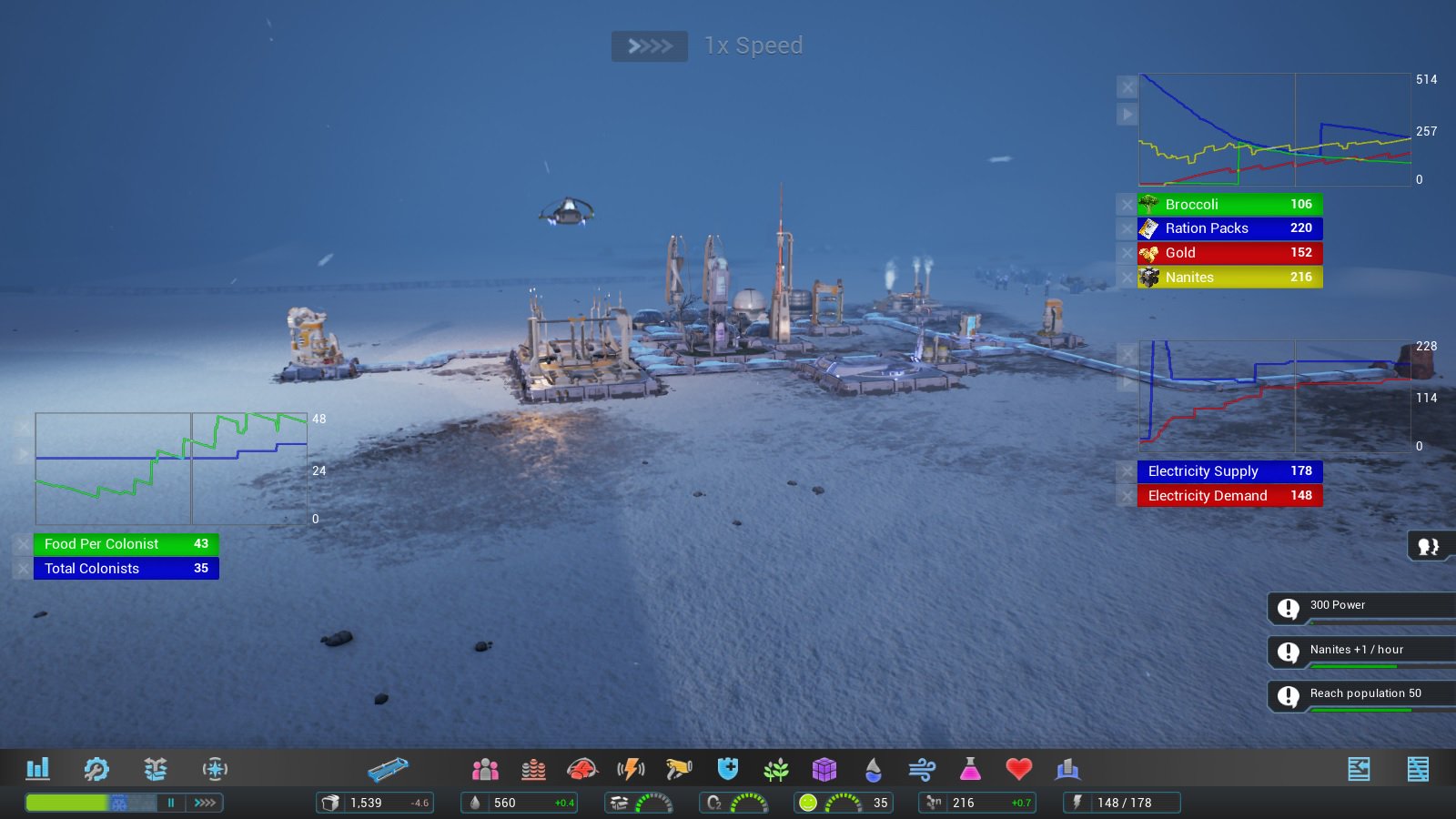
Now, we've gone even further, and added support for dragging the charts and the currently-selected data anywhere onto the screen, so you can keep the data you care about visible at all times.
Take a close look at the first screenshot above, taken a few sols into the campaign Azara Falls mission. Here we see the amount of food per colonist represented in green, with total colonists in blue. You can see the food quantity gradually falling over time, but bumped up occasionally by accepting quest rewards and receiving food shipments from the Colony Ship via my trade hub.
You can also close these individually, so that if you only care about the data and not the chart (or vice versa), you can turn off the ones you don't need to see.
As this feature requires a mouse and keyboard, it will be available only in the PC version of Aven Colony at launch.
This feature is now available in-game as of Aven Colony beta version 0.1.18635
Paul
Coming Soon: NVIDIA Ansel support for 360-degee screenshots
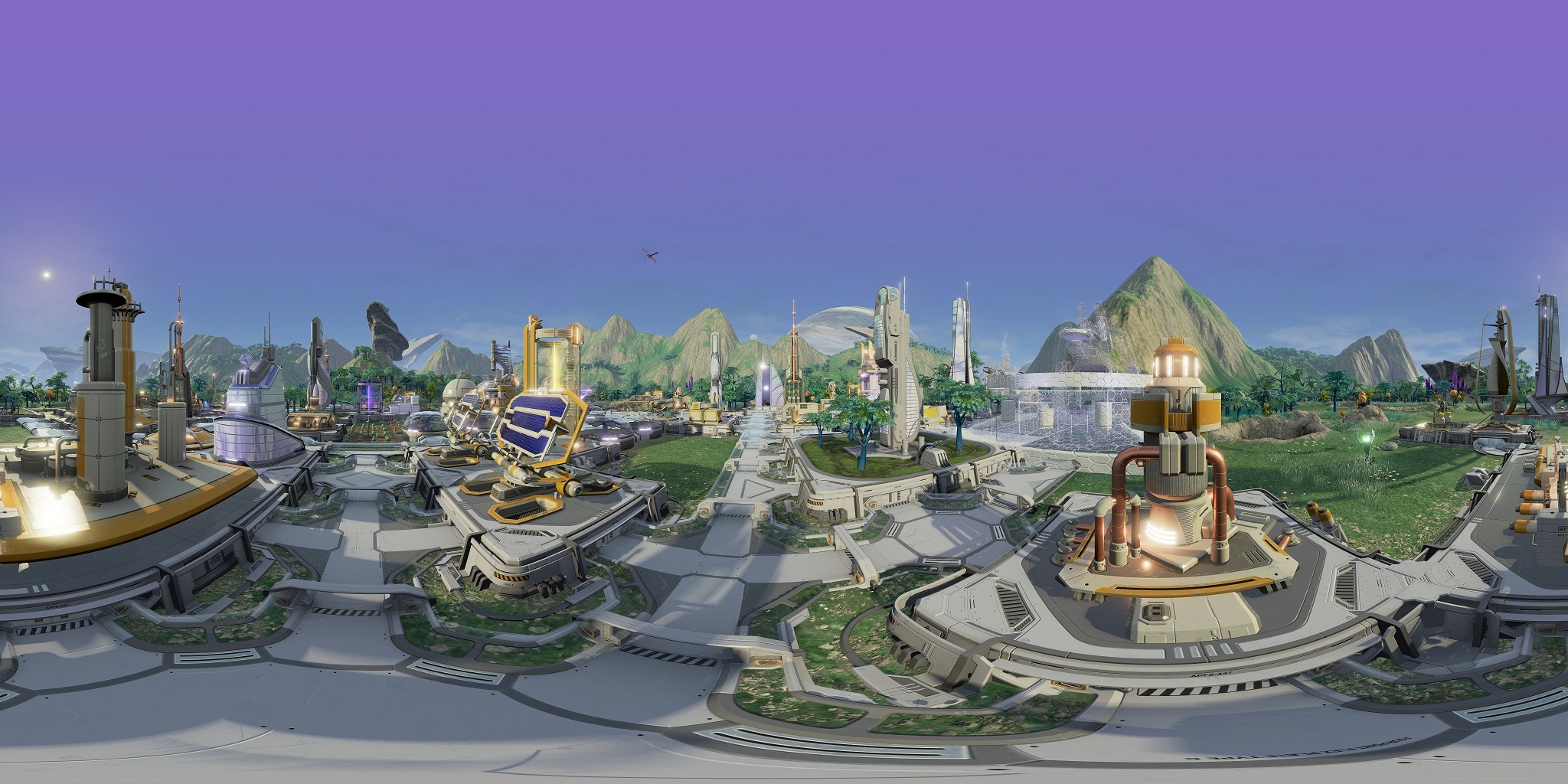
Hi all! Just a quick note to say that we've added support for NVIDIA Ansel (http://www.geforce.com/hardware/technology/ansel) to support panoramic screenshots in Aven Colony!
You can find a fully interactive version of this shot at Mothership's Facebook page here: https://www.facebook.com/MothershipEntertainment/posts/1996865030541698:0
Follow us on Facebook and Twitter, where we'll be posting many more 360-degree screenshots of Aven Colony over the next few weeks!
Paul
Now available: Competition mode!
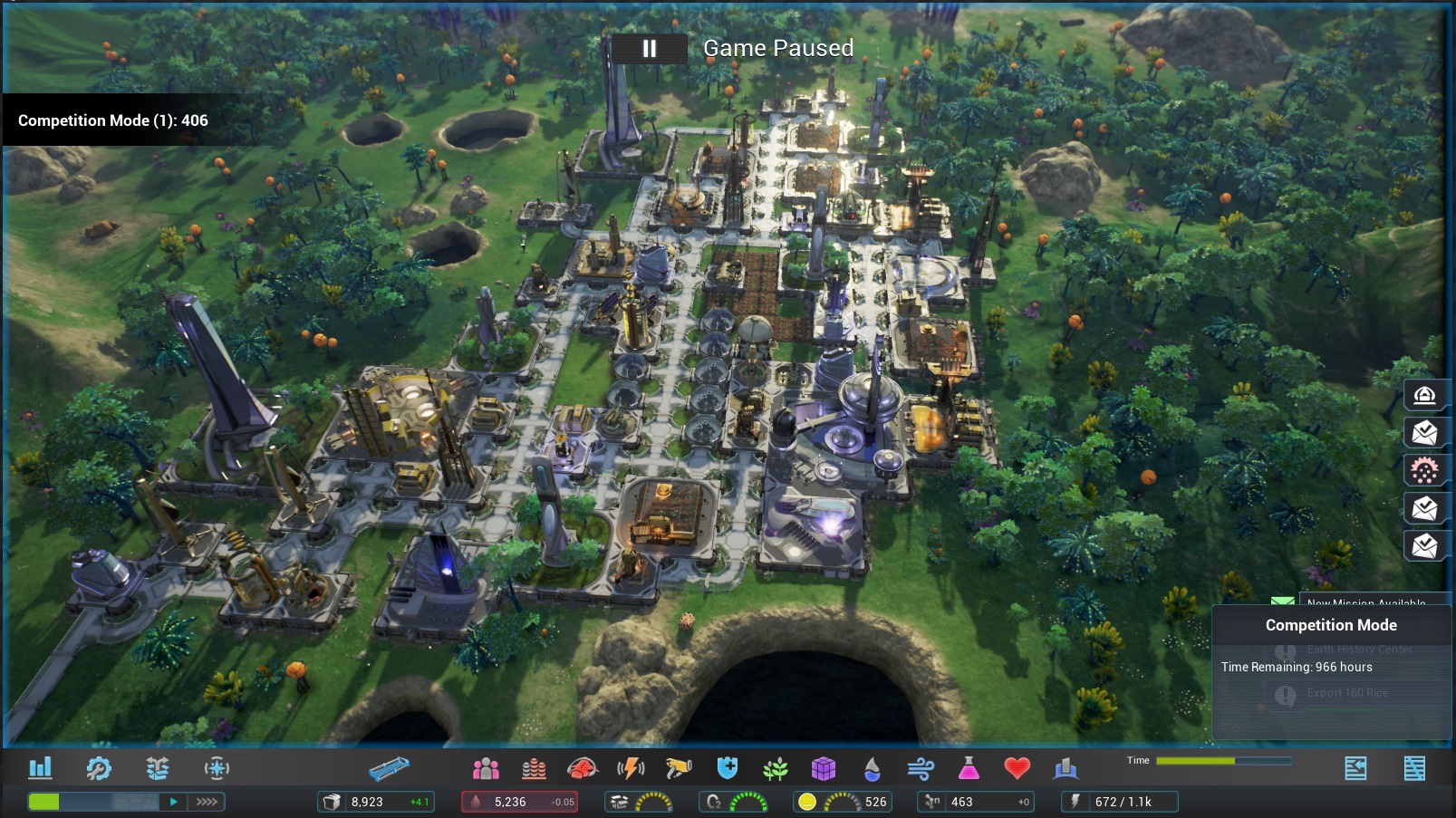
Hi all! Just a quick heads-up that a new "competition mode" flag is now available in Aven Colony as of 0.1.18635. Competition mode will add a display of the current score to the top left corner, will lock the sandbox map settings to their defaults, and will automatically end the game after 10 sols. It will also display the time remaining in the lower right corner.
If you stream Aven Colony, this will be a great way to test your Aven Colony colony-management chops against other streamers ;)
To run Competition Mode, just add the line "CompetitionMode=1" as a command line parameter via Steam:
Then, run the game and open any sandbox map. That's it! See how high a score you can get by the end of sol 10.
Now Available: Stats scrubbing!
Hi all! Just a quick heads-up on a new feature in Aven Colony: stats scrubbing!
Just select whatever statistics you care about in the Stats box (colored items), and then as you mouse over the chart (vertical white line), the selected statistics will show their values (white numbers) at the point in time corresponding to the current mouse cursor position.
This can be a big help in diagnosing exactly what's been going on with your colony over time.
(FYI, since this feature requires a mouse, it will only be present in the PC / Steam version at launch.)
This feature went live with version 0.1.18635 of Aven Colony.
Paul
Voting is open!
Vote now for Aven Colony on the Alienware Indie Game Challenge!
We're fresh out of Aven Colony demo keys for the Alienware Indie Game Showcase , just as voting has gone live! Just click on the "Entries" tab at the top of the page to vote now!
Once you've cast your vote all that's left is for you to and get it on your Steam wishlist!
Thank you all for your support!
New update for beta and demo users!
Update notes: build 0.1.18359, May 5, 2017
Hi colony governors, we've been working hard to make the Aven Colony beta and demo a better experience for you all!
Here are the full update notes for build 0.1.18359. Note that those playing the Aven Colony demo for the Alienware Indie Game Challenge have also been updated to an equivalent version (0.1.18369).
New features:
New tunnel variations! All tunnel types now have several variants and we pick randomly between them
The Hospital now shows the Colonists overlay when being dragged -- this makes it much easier to see which areas are actually having problems when responding to a plague infection
Resupply pods now have a green particle system to show when a drop pod has been summoned
The Drone Auto-Repair policy now attempts to automatically replace any tunnels destroyed by lightning
Pressing 'X' now also closes the expedition UI in addition to opening it (or whatever key you've mapped it to)
The Expedition Center's radar, welder repair arm, and flaps now animate depending on the Expedition Center's state
Winter visor frost sounds now have more variety and generally sound much nicer
Art improvements and fixes:
Greatly improved the building implosion / destruction effect; this now as a much nicer particle effect and makes the building fall while being destroyed
Improved colony icon in the expedition UI; made it smaller and gave it a drop shadow
Improved Energy Battery textures
Tuning / balancing / minor changes:
Fixed a bug where you could build a tier-2 or tier-3 building in the same time as a tier 1; building a T2 or T3 building directly now takes almost as much time as building a Tier 1 and then immediately upgrading it
Drone construction speed is now roughly 5% faster to compensate
Sandy Gulch: added a distant Gold mine
Farms/Greenhouses now have GREEN power lights when using Potash
Zorium plants now have ORANGE power lights when in Low Burn Mode
Wind Turbines now have YELLOW power lights when in Fan Mode
Geothermals now have YELLOW power lights when in Steam Recovery Mode
Increased the battery power usage rate of Colony Boosts
Reduced the research time for expedition tech and Colony Boosts by ~15% each
Fixed issues where resupply pod beacons could be outside the range of the starting
Construction Drone Station in the sandbox versions of Vanaar, Valley of Death, and Arido Mesa
The Filtration Boost technology is now 44% more effective at improving air quality
All building repairs have a Nanite cost roughly 1/3 cheaper
The drone auto-repair policy now ONLY repairs buildings when the cost of repairs would be at least 1 nanite - i.e. below 90% integrity. This significantly cuts down on the amount of drones flying around like crazy repairing stuff constantly in a large colony
Greatly improved winter visor frost sounds, with much more variety. We now play a 'slow' visor frost sound along with the fast one, both with more randomness in their timing. Also, both are a bit quieter
Performance Improvements:
Fixed issues where lots of small meshes were accidentally being set to shadow casting when they shouldn't have been; this alone improves draw and GPU time 2-15% on different PCs
Storage buildings, drone stations, and park buildings now eat less CPU time
Trade, Immigration, and Expedition Centers: fixed their flashing lights to eat less CPU, the vessels to do less physics and not interact with the UE4 navigation system, and improved them to call Blueprint less often
Birds, shard storms, resource tiles (iron, copper, etc), and air quality updates eat less CPU time
Tweaks to call UE4 Blueprint functions less often and pre-cache timeline curves instead of calling UE4 Blueprint for them every time
Tons of collision optimizations; switched collision detection to use simplified meshes around buildings for better performance
Updating colonist health, happiness, commute morale, etc now eats less CPU time
Tons of other little performance improvements
Bug fixes:
Alienware Indie Game Challenge!
Last week Aven Colony joined the Alienware Indie Game Challenge!
Aven Colony is taking part in the Indie Game Challenge over on the Alienware site for the next few weeks, and it's almost time to get voting for Aven Colony as your favourite!