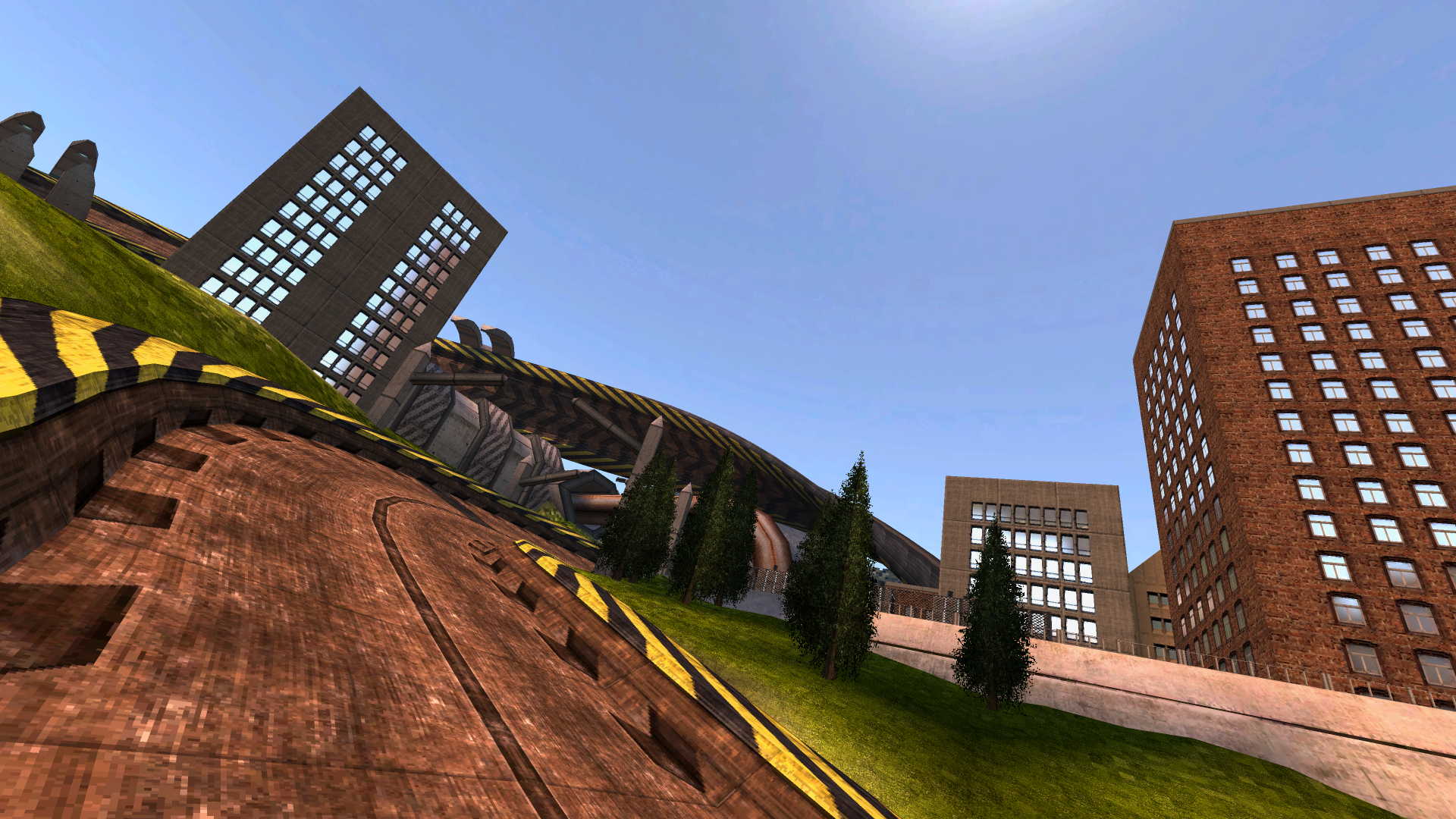
The major update to 2280 has begun and we're now ready to push out the first part of the changes.
2280 was originally implemented as a cheat mode for fun which has fallen very far behind in quality compared to the rest of the game, so with 1.4 being our last major feature update we're spending the time to re-implement it. In a future content update we'll start to introduce dedicated content for the mode too.
The physics mode selector is now in the custom race menu. And yes, it'll save your selection between game sessions!
Playing development builds
Right click BallisticNG in your steam library and go to Properties
Go to the betas tab on the window that opens
From the dropdown select development. If the update doesn't automatically queue for download, restart Steam
Once you have opened the game, the version at the bottom right of the menu will read 1.4-d7
Notices
Camera option changes
We've recently updated the camera options to be per camera mode, instead of the previous physics mode based FOVs and global settings with random specific mode settings sprinkled in.
Every camera mode now has it's own FOV and offsets, and any mode specific options are now organised with the respective modes section in the menu. Because of these changes, the names of old camera settings in the ini file have been updated so everything will be reset to their defaults.
The 2280 Update
Part 1
Part 1, this release, is the initial set of changes to the mode. We've laid the groundwork and have begun setting up ship stats. Let us know what you think!
2280s physics are now mostly separated from 2159, which has given us the opportunity to implement everything in a much cleaner and more modern way. Some parts of the physics like the ships thrust and various track bound related behaviours are still running on the 2159 code to keep that consistent, but pretty much everything else is new.
Part 2
Part 2 will be focused on exposing the new ship stats to the modding tools and separating out game mechanics like weapon absorption to be available everywhere.
The goal is for 2280 to become just a physics mode, with the game mechanics becoming options which let you mix and match whatever you like. This includes being able to do things like have weapon absorption and pitlanes enabled at the same time in any of the three physics modes/
We'll also be working towards 2280 having leaderboards, and for this we'll be setting up 2280 to use the afterburner and pitlanes as the default configuration, like with 2159.
Changelog (since 1.4-d4)
2280
2280 is now mostly separated from 2159, and everything that has been separated has been rewritten from scratch
Hovering is now handled with 4 hover points which apply torque for track alignment
Full physics zone support (Kuiper Overturn fixed)
The chase camera has been rewritten and now has several options to customize it
Collisions have been rewritten and now include visual / audio feedback when hitting the track floor
Added 2280 specific stats for various parts of the physics (adding to modding tools in a future update)
Added support for manually defined turn speed, gain and falloff stats (adding to modding tools in a future update)
Added grounded grip multiplier stat (adding to modding tools in a future update)
Restored the 2159 engine sound behaviour
Multiplayer
NgServerSettings.BoostMechanic has been changed from an integer to an enumeration type. None, Afterburner, Turbo, Mixed (case insensitive) are now the valid assignments for both the svrset command and in lua.
Updated example dedicated server lua scripts to reflect the BoostMechanic setting change.
Fixed boost mechanic option not being saved or loaded with lobby presets
Fixed initial connection failing and timing out if a player is using a secret ship that the client doesn't have unlocked
Campaign Editor
Added support for gamemode configuration overrides. If you're writing campaigns by hand in XML, save a campaign from the editor after setting up config data and check the GmConfig section to see how this is setup.
Added support for custom weapon pools. If writing an XML by hand, check the PuBlacklist section after using the in-game editor to see how this is setup.
Options which previously cycled through values on clicking are now provided in a list popup.
Custom Race
Customize Weapons renamed to Custom Weapon Pool, and is now saved per gamemode
The boost mechanic option now supports none (multiplayer parity)
Options
All camera settings are now per camera mode. Previous options for specific camera modes are now listed under the camera modes section.
Field of view settings can now go down to 60
Hidden FOV offsets for specific camera modes have been removed. Defaults for these camera modes reflect what they would have been at default settings previously.
Tracks
Added grounder push zone to the light bridge on Luna Reverse in 2280
Added grounder push zone to the off road hill on Freyr Falls / Freyr Falls Reverse in 2280
Increased gravity on Haze and Haze Reverse in 2280
Increased tension of the track spring on Kuiper Overturn and Kuiper Overturn Reverse in 2280
Fixed light bridge floors on Aciknovae Reverse being marked as a TRM floor
Ships
Applying both airbrakes to fully brake now requires that analogue inputs are held 1/4 way down to prevent accidentally trimming speed.
User Interface
Moved physics mode option from Cheats and Extras into Custom Race
Fixed the Forklift Certified title displaying when the Scorplet hasn't been unlocked yet
Fixed DLC track categories being listed below custom tracks (regression in previous development release)
Stats Overlay (F1 twice)
2159 stat listings are now replaced by the equivalent 2280 stats when in 2280
Camera stats are now editable (in debug mode)
The cameras current FOV is now shown
Engine
Physics toggler track scripts are now ran before ships are spawned
1.4 Dev 1 is now available
We've kicked off development of 1.4 and to get things started, we've been working on some modding features alongside some general features and improvements!
Playing development builds
Right click BallisticNG in your steam library and go to Properties
Go to the betas tab on the window that opens
From the dropdown select development. If the update doesn't automatically queue for download, restart Steam
Once you have opened the game, the version at the bottom right of the menu will read 1.4-d4
Notices
Legacy Layout Creator Depreciated
1.4 is depreciating the legacy layout creator. It's still in the game and can still be used to create tracks, but has been tucked away so layout creator 2.0 is the focus.
The legacy layout creator can now be accessed by using the mod_legacylayoutcreator console command. Note that it isn't being removed entirely as this is a feature that's important for backwards compatibility.
Unity Tools Update
If you're making mods, you can now download unity packages for development builds of the game: https://github.com/Neognosis-Workflow/BallisticNG-Unity-Tools/releases/tag/1.4
All changes to releases towards the current major version will be documented on this release page.
Overview
Ship Lua Scripting
The game's Lua implementation has been extended to ships!
These enable you to do anything you can imagine, from setting up additional cosmetics to adding new mechanics and physics! Like with custom track lua scripts, these are sandboxed so they're confined to only doing stuff inside the game.
Trkd (Track Data) files are a new addition to custom tracks which allows menu data to be provided with the track.
Trkd files are compiled and placed next to your tracks trk file. When present, the game will load everything it needs from the trkd, instead of going through the lengthy caching process.
Trkd's can also be embedded into Wtrk files, and will be automatically added / updated if they're next to the Trk when creating / updating the Wtrk.
It's safe to distribute both Trkd and Wtrks with embedded Trkd files to the current public stable release (1.3.3). Older versions of the game will just ingore the files.
Also note that while Trkd files are not required and the game will continue with the current cache process without them, we highly reccomended you start shipping them with tracks as they offer similar load performance to the old system but without the extremely long load time on the first game launch.
It's now possible to reload mod content without needing to restart the game!
Use the new mod -> refresh content button on the menu to start the refresh. This will remove mods that have been deleted, register mods that were added and will also handle content being moved between folders.
Steam Deck / Big Picture keyboard overlays
If you're running the game on a Steam Deck or in Big Picture with the Steam overlay enabled, any text input required (setting your name, entering data for custom campaigns, etc) when using a controller will now prefer the relevant Steam based keyboard instead of our internal overlay!
HUD Scaling
BallisticNG now has a HUD scaling option! This setting is particularly useful for use with the Steam Deck or other handheld computers. Scaling ranges from 80-120%, which is setup to accommodate overlap with the vanilla HUD.
Just as a note, we currently don't have plans for menu UI scaling. Several parts of menu UIs are built with the scale they're already at in mind and can't be scaled without breaking.
Changelog (since version 1.3.3)
Options
Added HUD scaling (graphics -> display -> hud scaling). This ranges from 80-120%, based on the overlap of internal HUDs. Scaling is always disabled in splitscreen.
Added Roll On Thrust Tap (controls -> roll on thrust tap). Enabling this allows you to barrel roll by releasing the thrust input and then quickly pressing it again.
Added option to disable player light colors on DS4 / Dualsense controllers
User Interface
Sliders now support suffix strings at the end of the value readout.
The controls menu now automatically switches the bindings / calibration list to the last touched input device that's assigned to the player, and opens with the players active input device selected.
The survival score readout is now vertically positioned above the speed and shield bars and has digit group separators.
DLC and custom ship / track loading is now a single loading content screen, which is hooked up to a new content loader.
Added mod -> refresh content to the main menu. This will unregister content that no longer exists on disk and then search for newly added files and register them. This doesn't refresh track menu information.
If starting the game with -nougc, this can be used to load custom content on demand.
This supports moving content around. Just make sure you refresh content before doing anything else so the game is aware of the new file locations.
Moving tracks which don't have a trkd file will regenerate the cache as tch files are linked to tracks by absolute file path.
Newly added content is not alphabetically organized with the rest of content due to sorting being a part of the file discovery and not internal sorting. Everything will be correctly organized after the next game boot.
Removed access to the old layout creator from the menu. It now needs to be accessed from the new mod_legacylayoutcreator command.
Text inputs when using a controller now tries to open the Steam Deck or Steam Big Picture keyboard before falling back to the in-game keyboard.
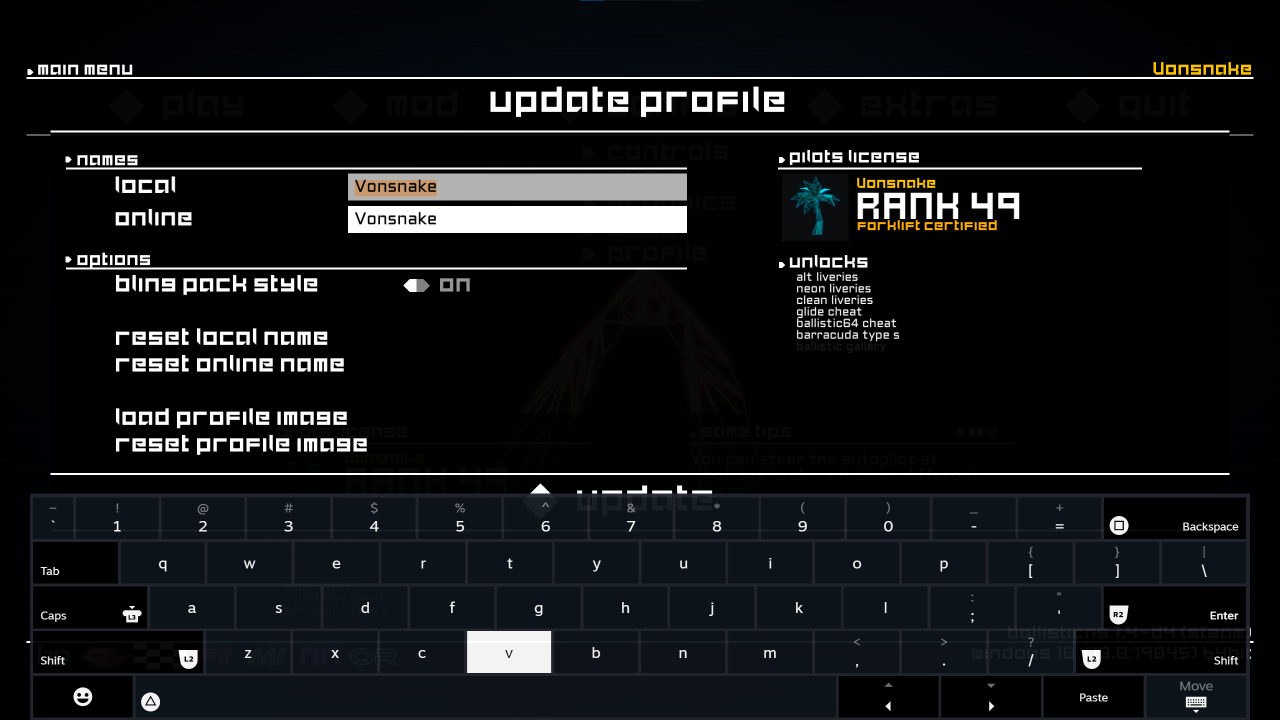
The update profile interface now has a button to update the profile image, reset the profile image, and has a realtime pilots license preview.
Modding
Implemented trkd files. When present next to a .trk file or embedded into a .wtrk file, these replace the game generated .tch files used for menu frontend data.
Fixed custom tracks files in the root of externally linked paths not being moved into an uncategorized folder
Mod content folders in different locations with conflicting folder names are now correctly merged into categories, instead of the last loaded folder with a name conflict taking exclusive priority.
Steam
Precision run times are now included in Steam Cloud. This applies globally to all branches, this note is just documentation of the change.
Updated to the lastest version of Steamworks (we haven't updated in 7 years!)
Commands
Added mod_legacylayoutcreator. Call from the menu to access the old layout creator.
The following commands have been updated to prompt for an output path using native OS file browsers (they use their previously fixed output paths as the defaults):
mod_bloomconfig
mod_flareconfig
mod_exportshipstats
Lua
Implemented support for lua scripts on ships. These use functions and global variables which are specific to ships, and have the same freedom (with sandbox restrictions) as track lua scripts. Like with track lua scripts, user variables can be defined in Unity and used in the script.
Added Api:IsSplitscreen() and Api:IsVerticalSplitscreen()
Exposed VirtualEnv (virtual environment control), VirtualPaletteSettings (settings for virtual environment palette) and VirtualColors (class holding virtual environment palette data)
BallisticNG 1.3.3.1 is now available!
Hey everyone, here's a small update to address some issues brought up from the GOG side of things.
Your in-game profile is now decoupled from launchers and can be freely changed however you see fit using the new config -> profile button on the main menu.
If launching for the first time with a launcher running, the game will still pull your name and avatar image from there. A reset button in the new profile menu will let you automatically reset it to the launchers account name, or local defaults if you're not running a launcher.
Your avatar image is now cached to User -> Cache -> ProfileImage.png. You can update this image to be whatever you want, and it'll show up on the menu the next time you launch the game. If you run without a launcher, a default image will be cached.
Finally, the multiplayer name text input has been moved to the new profile menu and like with your local name, can also be reset!
We're going to be expanding the new menu with more functionality in the future for 1.4. We've kept the scope of it for this update fairly limited to maintain stability while we begin work on the new update.
Changelog
Options
Added config -> profile to the main menu. This opens an overlay menu where you can configure your profile.
Moved multiplayer name input field to the new config -> profile overlay.
Engine
The profile name is now a preference entry, which is stored in User/Config/ini/preferences.ini, and is only set from Steam / Galaxy when a profile name isn't available.
The profile image is now loaded from User/Cache/ProfileImage.png. This image file will be written to using a Steam / Galaxy / default profile image if not present.
Fixed issues with processing GOG Galaxy leaderboard entries if the requested entries do not exist
Fixed all preference options, with exception to first startup, not being saved or loaded
User Interface
Tips mentioning the Game -> Assist menu now correctly mention the Game -> Access menu.
BallisticNG 1.3.3 is now available!
With BallisticNG 1.3.3 out of the door, we've now wrapped up 1.3 and are ready to move onto 1.4! Originally this is where we would have moved our main focus onto the game's Switch port, but as we have had unfortunately announced in September, Unity's actions and TOS terms moving forward makes this a risk for us within the time frames that we're operating within.
We're still working on the PC version of course, and we'll start rolling out development builds for various 1.4 milestones as they're reached.
New Trailer
We've just released on GOG! To celebrate, here's a new general trailer:
https://www.youtube.com/watch?v=e0vWr5aBqEU
Notices
Unity Tools
The Unity Tools package used to be shipped with the game, but due to us changing our build process to implement GOG builds, we've changed how we're distributing this.
Our documentation website has also been updated to address this change.
Custom Tracks
1.3.3 completely revamps the game's section tracking system to allow for much more complex layouts to be made. Over the months we've tested the vast majority of custom tracks available to make sure the new system can accommodate for various misconfigurations, but there may be a few exceptions where tracks will want to be updated.
The primary issue misconfigured custom tracks will see is an inability to backtrack after a pitlane exit due to the route exit section type not being setup. As long as you're racing as normal, this isn't an issue that'll impact you. In some rare cases, alternative routes may be inaccessible.
If you've made custom tracks then we advise that you check your tracks for issues. If you find an issue that you'd like to fix, documentation for route setup can be found here, and we now also have documentation for the new tracking system here. If you have long routes that span more then 20 sections that you'd like players to be able to switch between, we've also setup a new feature, which is documented here.
Overview
Fixed NX2000 and Hyperion collisions
With 1.3.3 we've added support for custom made ship collision meshes which has allowed us to finally fix some long standing collision issues with the NX2000 and Hyperion!
If you're making custom ships, documentation can be found here.
We also now have the debug_drawshipconvex console command so you can see what the physics engine sees. Just note that enabling this will drop performance,
Accessibility option to disable lightning flashes
We've previously implemented an option to toggle weather completely, and with 1.3.3 we've added a accessibility specific option to toggle the lightning flashes.
You can now turn these off using the Game -> Access -> Lightning Flashes option!
Aciknovae Rework
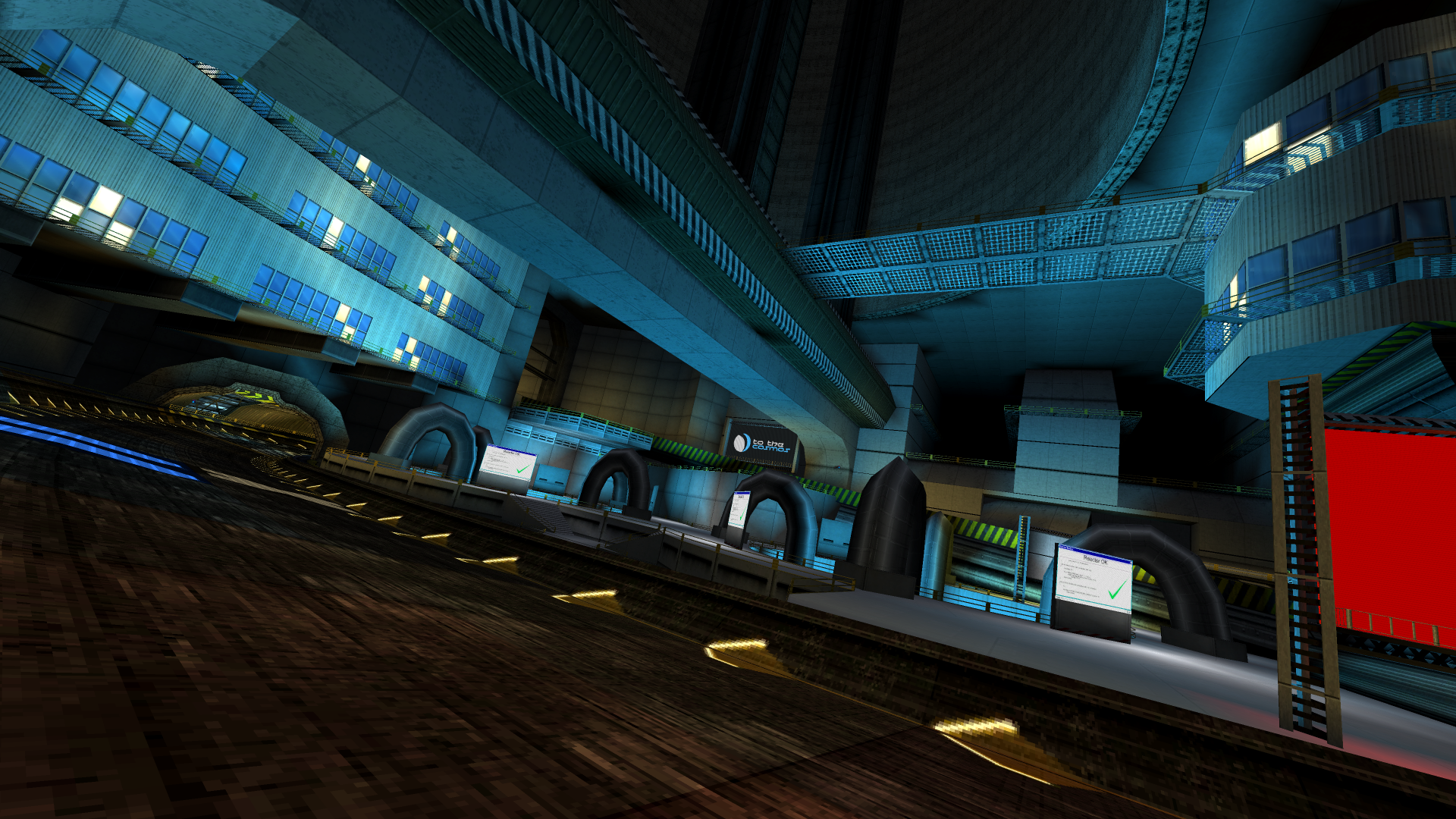
Aciknovae has been given a major facelift for this update! An important change in this version is making the reactors building feel much more like a real tangible place with a dense industry surrounding it. Aciknovaes layout has a lot of verticality to it, and the new scenery has been built to tower over you as you go through the lower levels of the circuit.
With this update there's also been some tweaks to the pitlane entrances to make the pitlane less painful to manoeuvre into.
Basis Divide is a new track available in the extras category. It's set at the lowest level of the Aciknovae reactor, where the reactors themselves sit. This served as the starting point for the Aciknovae rework, and the spiral of Aciknovae is a direct bridge between the spaces the tracks occupy.
https://www.youtube.com/watch?v=HbOmdI5VG4E
Caliburn Rebalanced
Caliburn's a team we've been looking to rebalance for a while. Their ship isn't flown much, not even by ourselves, and its over the top grip makes it hard to justify using for fair play. We've put the teams lore in the past and introduced them to the AGL as a legitimate contender.
For 1.3.3 we've adjusted the ships handling stats. We wanted to keep its grippy behaviour but dial it back, and have tweaked various handling stats to bring it more in line with the standard roster of ships. The specific changes are listed in the full changelog below.
With these changes we've also updated the ship to be usable in campaigns, and the team will now show up in regular races if you enable post-release roster in the options menu.
GOG Galaxy Support
As part of our GOG release we've implemented support for GOG Galaxy's achievement and leaderboard systems.
Steam and Galaxy can be used simultaneously if you own the game on both platforms and have both programs open at the same time. Any times you set will be uploaded to both and you can select which backend to view leaderboard entries from in the Game -> General options menu.
Force disable integrations
Launch the game with the new -nosteam and/or -nogalaxy launch arguments to manually disable Steam and Galaxy integrations. These integrations are automatically disabled if the relevant clients aren't running, but you now have the option to tell the game not to use them.
The track junction resolver can now re-index routes in much more complicated setups.
Ship section tracking can now handle nested routes and backtrack down routes that you pass the exit of. Optimizations have also been made to this process.
Track routes with cyclic dependencies are now detected, ignored and logged as a warning (for track creators).
When switching camera modes and a ship doesn't have a cockpit, the cockpit camera module is now skipped instead of resetting the camera back to track chase.
Optimized section previous reference processing.
Section tracking is now centered around the ship instead of starting behind the ship. This has implications for open wall junctions and pitlane tracking in some cases, but is covered in the new documentation.
Junctions that target a section without a route start no longer update the previous section reference of the target section to themselves. This will break backtracking on incorrectly configured routes, but now allows junctions to correctly act as bridges between routes. Two normal/jump type sections that point to each other as junctions is now also supported as a result of this.
All sections are now given a negative index before re-indexing on track startup, preventing erroneous section links from forming when sections in invalid routes are present. Negative indicies also help with debugging section flow issues with the F1 debug menu up.
Implemented GOG Galaxy SDK support for achievements and leaderboards.
Implemented -nosteam lauch argument. Use to force disable the Steamworks SDK integration.
Implemented -nogalaxy launch argument. Use to force disable the GOG Galaxy SDK integration.
Fixed an interpolation error in junction resolving where the first index in a route wouldn't match the junction sections index.
Removed BallisticSource library and merged it's code with the game.
Removed BallisticUI library. This contained some unused prototype code from 2017.
User Interface
Added more game tips and updated some existing ones.
Game tips no longer have an image component and now update to show the relevant bindings when the active controller is changed.
The current route index is now displayed on the F1 debug overlay next to the current section index. This values index is inverted as the new track junction resolver works backwards.
Fixed controller binding icons not having pressed highlights applied.
The F1 debug overlay now shows the max and mid section indices next to the current section. These can be used for track setup validation.
Gamemodes
The button hold timer for lap invalidation in Speed Lap no longer runs while a turbo is held.
Tracks
Added missing Route Start flag on Arrivon XI forwards pitlane.
Added route links to Atlanticas split.
(Free Tracks) Added Basis Divide.
Updated Aciknovae Scenery and pitlane entrances.
Fixed race position tracking issues in Dover forwards pitlane.
Fixed race position tracking issues in Omega Harbour forwards pitlane.
(Outer Reaches) Added route links to Kuiper Overturns pitlane.
Ships
The precision delta can now be used in campaigns if unlocked.
Rebalanced Caliburns handling. With these changes Caliburn is now available in campaigns, is now part of the post-release roster if the option is enabled, and has been moved in the ship turntable to before the prototype ships. The ships handling performance is now similar to Wyvern, which was chosen as a reference point due to their similar hull designs.
Steer Speed from 2.2 to 1.63.
Steer Gain from 1.35 to 1.3.
Steer Falloff from 1.1 to 0.9.
Steer Slide from 1 to 0.95.
Grip from 35 to 6.3.
Rebound Pitch Mod from 2 to 1.3.
Added support for custom convex collision meshes.
Fixed various collision issues with NX2000 (custom collision mesh).
Fixed various collision issues with Hyperion (custom collision mesh).
Weapons
Hunters can now change routes to reach the race leader.
Fixed hunters being able to fly under the track and getting lost in some cases.
Fixed hunters breaking if the side of a section the hunter is on has a really small width.
Commands
Added debug_sectiontracking. This can be used to visualize how the game is tracking sections, intended as a debugging tool for track flow issues. This command has three modes which can be set with the argument:
off: nothing will be drawn.
ship: ship section tracking will be visualized, using player one's ship as a position and current section reference.
projectile : projectile section tracking will be visualized, using player one's ship as a position and current section reference.
Added debug_drawroutes. This will draw the routes generated by the game on track load for 5 seconds. Enter photo mode to freeze the cooldown timer on them.
Added debug_drawshipconvex. Setting to true will draw the player ships collision convex mesh, useful for debugging custom collision meshes.
Options
Renamed Game -> Assists to Game -> Access (abbreviated accessibility to fit on the UI) to better reflect the options
Added Game -> General -> Leaderboards. If both Steam and GOG Galaxy are running, this controls which backend the leaderboards will be downloaded from. Leaderboards are always uploaded to both backends when present.
Added option to disable the startup FMV (Game -> General -> Misc -> Skip Startup FMV).
Added buttons to clear out various save data. Enable debugging mode at the top of the window and a new section to delete the different types of save data will appear. You'll be prompted before deleting data.
Each section of tools are now under collapsible headers.
What's coming with 1.4
1.4 is the final major update for BallisticNG. We'll still be working on additional content beyond 1.4 and providing maintenance, but we're very happy with what BallisticNG brings to the table and are preparing to move onto a new project.
This update is going to be about final polish for the game, with the biggest change being a complete rewrite of the 2280 physics mode to bring it up to speed with the rest of the game, We'll also be working on some improvements for how mods are handled, enabling things like being able to add mods to the game while it's running and removing the need to cache custom track data.
Vertex Lightmapper 2
If you're a game developer, we've just released the updated version of our vertex lightmapper tool with the improvements made from BallisticNG 1.2 and BallisticNG 1.3! This is the same tool you have in the BallisticNG Unity Tools package, minus the dependencies for TRM meshes. Feel free to use this however you like for your own games!
BallisticNG 1.3.3 is right around the corner and we're aiming to get it out next Friday on the 17th. We've been working with GOG and have spent some time getting everything ready for a release over there!
1.3.3 is finishing up our support cycle of the 1.3 update with a new track, an updated Aciknovae and some other various features and improvements, so let's jump straight into what's coming:
Basis Divide
Basis Divide is a new track available in the extras category. It's set at the lowest level of the Aciknovae reactor, where the reactors themselves sit. This served as the starting point for the Aciknovae rework, and the spiral of Aciknovae is a direct bridge between the spaces the tracks occupy.
https://www.youtube.com/watch?v=HbOmdI5VG4E
Aciknovae Update
Aciknovae has been given a major facelift for this update! An important change in this version is making the reactors building feel much more like a real tangible place with a dense industry surrounding it. Aciknovaes layout has a lot of verticality to it, and the new scenery has been built to tower over you as you go through the lower levels of the circuit.
With this update there's also been some tweaks to the pitlane entrances to make the pitlane less painful to manoeuvre into.
https://www.youtube.com/watch?v=_Gqg3HU5nGg
Reworked section tracking and route generation system
BallisticNG generates information about track routes ahead of time and uses a system that is aware of where you currently are on the track to optimise figuring out where you might be next.
Previously these systems were designed in such a way that made nested routing impossible, and both have been completely rewritten with this update to open up the game for much crazier track designs.
This is unlikely something we will be taking advantage of internally fully, but this will solve a lot of issue for people making their own tracks!
We've tested the large majority of currently released custom tracks and built the system around misconfigurations we've seen across them, however there will be some scenarios where things might be broken. Backtracking in particular will be an issue for some tracks where route exits aren't configured, however as you want to be moving forwards and not backwards this is not a game breaking issue.
Caliburn Rebalance
Caliburn has been a ship we've wanted to look at rebalancing for a while. It's never been used much, not even by ourselves, and is often frowned upon for use in fair play scenarios.
1.3.3 puts the teams current lore in the past, and dials the ships grip and steering stats back to make it more reasonable to fly.
With these changes, Calliburn can also be used in campaigns and will show up as a regular ship in races if you enable the post-release roster option.
Custom Collision Meshes
1.3.3 adds support for custom convex collision meshes on ships. We've updated Hyperion and NX2000's collision meshes with this to address some long standing collision issues with these two ships.
Custom ships will also be able to take advantage of this feature!
GOG Galaxy Support
We're releasing on GOG soon and we've implemented support for GOG Galaxy achievements and leaderboards!
We've setup the game so if you own it on both Steam and GOG and are running both clients, any times / scores you post to leaderboards will be uploaded to both platforms at the same time, and we have an option that lets you switch between which platform you'd like to view leaderboards from.
BallisticNG is also setup to auto-unlock achievements that are already unlocked in the games internal system, so copying save data between installs or running the game from a single install with both clients open will automatically sync locally unlocked achievements in scenarios where the game writes stat data (on menu loard and after completing a race).
We'd also like to note that while we have not implemented GOG Galaxy multiplayer, both platforms will be receiving the same builds. This means multiplayer via direct IP is store agnostic and you will always be able to play with friends, regardless of where the game is bought.
Moving forward after the Unity debacle
First off, let's get straight into why you're reading this:
What this means for BallisticNG
There's been concerns about the Unity changes killing off new and existing games, so first off: BallisticNG is not going anywhere.
However, Nintendo has a rolling Unity version requirement for game releases and we're already behind the threshold by two years. 2 weeks ago this wouldn't have been an issue, no doubt there'd have be some pains in updating BallisticNG to a new version of Unity again, but it would have benefited us in the long run.
By the time we'll have a Switch version of BallisticNG ready, the threshold for Unity versions will exceed the new versions that Unity are pushing their TOS changes with, and we currently have no confidence that they won't try pulling another move or pushing back to their original plans under / beyond this new TOS.
The Switch port is cancelled
Despite Unity's efforts to recover after their PR disaster, there just isn't any trust and security for us to continue moving forward with newer versions of their tools in the foreseeable future.
It comes with much frustration and disappointment that we're announcing the cancellation of the Switch version. Several years of development has gone into preparing BallisticNG technically for the port while maintaining the usual output of updates for the PC version, so this comes as a big kick in the balls to both us and everybody else who was excited for this version of the game. We're sorry that it has turned out this way, and we'll be looking at working with the console (or the rumoured Switch 2) in a future project not bound by Unity.
We'll still be moving forward with 1.3.3, 1.4 and continued content support, and we look forward to bringing in community members for content development again in the future for that.
What's this about Unity?
A quick rundown for the uninitiated:
On September 12th Unity had announced a new business model where they were removing the Plus license, introducing always online DRM to the Unity editor, will start charging developers a per install fee (the runtime fee) based on their own black box estimates after certain thresholds were met, in some rare cases potentially bankrupting companies, and took down their public Github repository for their TOS, which allowed people to track every minute change, while forcing everybody into a new agreement that applied retroactively.
They damage control a few times as developers respond extremely negatively.
On September 22nd they rolled back a bit. The runtime fee no longer applied to Personal licenses, now has a 2.5% revenue cap and is self reported, the TOS has been restored to Github and the new terms are no longer applied retroactively. The plus license is still gone (it's merging with Personal, but you'll need to use the new versions not released yet), and they're still introducing always online DRM to the editor.
What this means for us
Many developers have made statements about the changes and more likely will. As one of the much smaller devs we've waited for the storm to settle before making an announcement.
What's important to us is that we can continue to provide support for BallisticNG, even if in a year we'll need to be stomaching an over 4x cost in engine licensing fees with the Pro license.
We're currently running a Plus license and have no trust in Unity to want to update to a new version of the engine where we'll be operating under their new TOS. We like to keep the Unity splash screen out of the game because of it's (now even more) negative reputation. Since the Plus plan is going away and the changes to the Personal license don't apply to previous versions, our only option for this is that 4x cost in fees mentioned above.
For now we're sticking with Unity 2020 to continue providing support for BallisticNG, but we're evaluating other engines for future projects.
BallisticNG 1.3.3 Preview is now available!
1.3.3 is the last update for the 1.3 support cycle. Before we move onto the final two tracks we've worked on some major engine changes.
The past month has been spent rewriting two core components of the game's track system to lift all known restrictions with track routes to enable much crazier layout designs! We've tested all internal tracks and hundreds of custom tracks, and are now ready to roll the changes out in a preview release.
The Unity Tools have also been updated with some new features. You can read about what's new on the documentation website: https://ballisticng-documentation.readthedocs.io/en/latest/unity_tools/whats_new.html
Playing the preview
Right click BallisticNG in your steam library and go to Properties
Go to the betas tab on the window that opens
From the dropdown select development. If the update doesn't automatically queue for download, restart Steam
Once you have opened the game, the version at the bottom right of the menu will read 1.3.3-d5
Public development builds are considered stable and all game features, including online components such as leaderboards, are available.
Caliburn Rebalance
Caliburn has long been a ship that we haven't seen being used much, not even by ourselves. The ship has a problem in that it's stayed true to the teams lore and hasn't made for a compelling or particularly fun ship to fly.
This update dials the ship back a bit, bringing it's handling stats in line with Wyvern but with G-Teks grip. Speed and combat related stats have remained untouched.
With these changes Caliburn is now also usable in campaigns and will show up in races with standard ships if you enable the post-release roster option.
Rewriten Track Systems
If you're simply playing the game then give the preview a go and let us know if you run into any issues with race positions or being able to navigate down different routes.
If you're working on custom tracks, this is a topic that's too much to properly explain in a Steam announcement. In-depth documentation for the updated systems can be found here (still a WIP, we're adding images): https://ballisticng-documentation.readthedocs.io/en/latest/unity_tools/custom_tracks/track_config/section_tracking.html
In our testing quite a few custom tracks don't use route start and route ends, or have misconfigured them. In the new system this misconfiguration prevents players from being able to backtrack after route exits, such as backtracking down a start grid if there's a pitlane that exits onto it. For the most part this is not a problem, as BNG is a racing game and you should be moving forward, but is something that can impact the eliminator gamemode as it supports the ability to backtrack to re-use weapon pads.
If you've released custom tracks then no action needs to be taken as these are not game breaking issues in most cases, however we would recommend validating and updating your route setups if you intend to fully support Eliminator. The validation can be done in-game using the new visualizer commands.
Changelog
Engine
The track junction resolver can now re-index routes in much more complicated setups.
Section tracking can now handle nested routes. Optimisations have also been made to this process.
Section tracking is now centered around the ship instead of starting behind the ship.
Track routes with cyclic dependencies are now detected, ignored and logged as a warning
Optimised section previous reference processing
Junctions that target a section without a route start no longer update the previous section reference of the target section. This will break backtracking on incorrectly configured routes, but now allows junctions to correctly act as bridges between routes. Two normal/jump type sections that point to each other as junctions is now also supported as a result of this.
Fixed an interpolation error in junction resolving where the first index in a route wouldn't match the junction sections index
User Interface
Added more game tips and updated some existing ones.
Game tips no longer have an image component and now update to show the relevant bindings when the active controller is changed.
The current route index, the max section index and mid section index is now displayed on the F1 debug overlay next to the current section index.
Fixed controller binding icons not having pressed highlights applied
Gamemodes
The button hold timer for lap invalidation in Speed Lap no longer runs while a turbo is held
Ships
Rebalanced Caliburns handling. With these changes Caliburn is now available in campaigns, is now part of the post-release roster if the option is enabled, and has been moved in the ship turntable to before the prototype ships. The ships handling performance is now similar to Wyvern.
Steer Speed from 2.2 to 1.63
Steer Gain from 1.35 to 1.3
Steer Falloff from 1.1 to 0.9
Steer Slide from 1 to 0.95
Grip from 35 to 6.3
Rebound Pitch Mod from 2 to 1.3
The precision delta can now be used in campaigns if unlocked
Tracks
Added missing Route Start flag on Arrivon XI forwards pitlane
Added route links to Atlanticas split
Fixed race position tracking issues in Dover forwards pitlane
Fixed race position tracking issues in Omega Harbour forwards pitlane
(Outer Reaches) Added route links to Kuiper Overturns pitlane
Commands
Added debug_sectiontracking. This can be used to visualize how the game is tracking sections, intended as a debugging tool for track flow issues. This command has three modes which can be set with the argument:
off: nothing will be drawn
ship: ship section tracking will be visualised, using player one's ship as a position and current section reference
projectile : projectile section tracking will be visualized, using player one's ship as a position and current section reference
Added debug_drawroutes. This will draw the routes generated by the game on track load for 5 seconds. Enter photo mode to freeze the cooldown timer on them.
Weapons
Projectiles use the new section tracking system, and now operate with a smaller section tracking range.
Hunters can now change routes to reach the race leader
Fixed hunters being able to fly under the track and getting lost in some cases
Fixed hunters breaking if the side of a section the hunter is on has a really small width
1.3 Support Cycle
BallisticNG 1.3.3 is the 3rd out of three post-1.3 updates where we're focusing on additional content and fleshing out the game's features further.
1.3.1 introduced an updated Harpstone and Vespera Heights, a prototype for the game's 4th expansion, more liveries and a few updates to multiplayer and Stunt improvements.
1.3.2 introduced an updated Nova Split and Pines Complex, a prototype for the game's 5th expansion, an improved playlist editor and dedicated multiplayer servers.
1.3.3 is introducing an updated Aciknovae, another free track, a caliburn rebalance, a major overhaul to the game's track systen, and various modding tool additions and improvements.
Once these updates have been released we'll begin work on 1.4, which is also where we'll be working full time on the game's Switch port.
BallisticNG 1.3.2.1 is now available!
Hey everyone, here's a small update to address some more multiplayer issues present in 1.3.2.
Also since the release of 1.3.2 there is now an official dedicated server running! If you get yourself updated to 1.3.2.1, check for Neognosis Dedicated in the Steam lobby browser!
Changelog
Engine
Reworked the game's build process. This is just a public log of us doing this, although this does bring one small public facing change:
TrackCreatorCommands.txt renamed to Legacy Track Creator Commands.txt.
User Interface
Added Play button to the leaderboards menu. This will take you to the ship selection screen with the game pre-configured for the current leaderboard being viewed.
Multiplayer
Starting an in-game hosted server now correctly resets the start countdown time to its default value
The server now only registers new players once the players client has returned their side of the connection handshake.
Logs previously only sent to the ingame console are now also sent to the disk log.
Steam multiplayer now handles timeout events.
Dedicated Servers
Removed .lua extension in RandomLobby.lua's require to fix an issue loading the target module on Linux.
BallisticNG 1.3.2 is now available!
4 months in the making, BallisticNG 1.3.2 is now available with more content and features!
Tracks
Nova Split
Nova Split has seen a major update with new scenery and a retraced and tweaked layout. As with Harpstone, care has been taken to make sure the campaign time trial and leaderboard times are still beatable with this updated version.
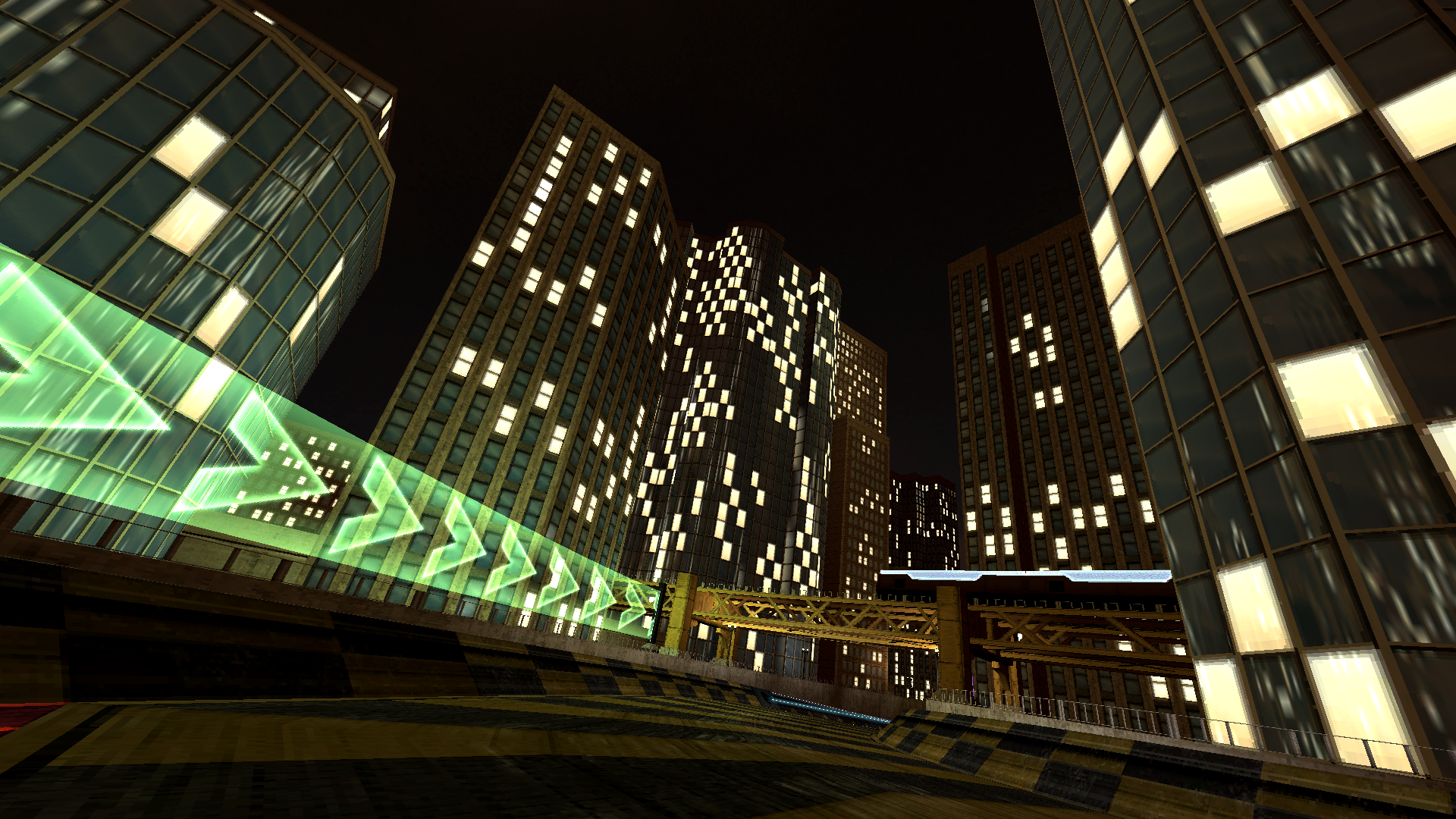
The scenery has had a major overhaul to bring it up to modern BNG standards, ground the start grid in a more authentic looking Chicago and update the park to mirror what was made for Nova Park, the virtual track counterpart to Nova Split.
The layout has received some minor tweaks to improve the flow of the final corner and improve access to the pitlane. With the updated scenery we now have terrain connected to the track, instead of the track being raised above it, which allows you to fly on the grass after jumps for more breathing room around some of the corners.
https://www.youtube.com/watch?v=spz-yW4sDNc
]
Pines Complex
Pines Complex is a floorhugger track with 3 courses that join onto the same start grid. Like with Vespera Heights in 1.3.1, this track is a prototype for a future expansion.
Pines Complex sees the AGL return to Earth after the Outer Reaches project, this new multi-course track testing G-Tek's latest AG technology on home territory.
https://www.youtube.com/watch?v=KiwXzkD6Hxo
Playlist Editor
With 1.3 we had introduced a new music backend which merges both internal and custom music into a single playback playlist. With 1.3.2 this system has been opened up with a new dedicated menu for music playlists!
The new menu can be accessed via Config -> Audio -> Playlists. The music options from the Audio -> Mods menu have been moved to this new interface under the Quick Setup section, which now update the active playlists in the sections below.
If you don't have any custom music installed, the playlist menu also provides instructions on how to get started. Previously this was only explained on our documentation website and Discord server.
Finally, all expansion prefixes have been removed from internal music files and each song has been moved into 1 of 4 built in playlists, categorized by the expansion that they were added alongside.
Multiplayer
Dedicated Servers
An Important Note
-------------------------------------------------------------------------------------------------------------- Dedicated servers introduce the svrlogin and svrexec commands, which allow you to setup a password to remotely execute commands on the server using the in-game console.
Use a unique password for your server if you intend to use svrexec!
The password is hashed by the server on startup and by the client when executing the svrlogin command. The hashing process is the same on both ends, doesn't involve keys for encryption and should not be considered foolproof. This system is intended to reduce required bandwidth for long passwords and provide basic obfuscation against packet sniffing. --------------------------------------------------------------------------------------------------------------
BallisticNG can now be ran as a dedicated server! See the newly included DedicatedServerExample.cfg file and LaunchServer.bat / LaunchServer.sh files.
Because of limitations with how Unity loads built game data we unfortunately can't release a standalone dedicated server as a Steam tool without distributing the entire game for free. If you want to run a server, you'll need to download the game as normal and run it from the game's regular executable. Remember that BallisticNG is DRM free, so you will not need Steam running to run your server!
Dedicated servers run as a headless instance of the game with no graphics rendering. The required specs are the same as running a regular multiplayer game, minus graphics card requirements.
Make your own copy of server related files. If the provided files are updated in the future, it will overwrite your changes
Voting
Dedicated servers by default enable voting. This allows players to vote on tracks, start or stop races and vote to kick people. Server hosts can set player percentage thresholds per vote type, or disable them entirely.
Note that voting is only available on dedicated servers. Servers hosted in-game still only let the host configure it.
Lua Scripting
Dedicated servers feature lua scripting for automating server configurations and triggering commands Right now these scripts have limited use cases, but let us know what you think and if there's something you'd like to see!
Documentation and examples can be found in the SvrScripts folder. The bundled example shows how you can setup a randomized lobby configuration after every race, with chances for tournaments to be thrown in the mix.
Bots Configuration
Dedicated Servers get more configuration options for bots! Four additional options are added:
BotRoster
Provide the display name of any ship and the AI will use ships that come from the same category as this ship.
BotRosterPeers
When true, BotRoster will be ignored and the server will determine a bot roster by figuring out the most popular category of ship that everybody is using. If there's a tie, a random category out of most popular ones will be chosen.
MingleBotRoster
When set to true alognside BotRosterPeers, the server will randomly select ships out of all categories people are using.
BotNamesFile
Providing a relative or absolute file path will replace bot names with names from this file, with a bot name per line. If there are more names then bots, the game will sequentially cycle through the list when starting a race / tournament.
With exception to BotNamesFile, these options can be changed on the fly with console commands.
Commands Galore
To make server admin easier, the game now has a whole new set of console commands specific to running servers. Server admins can also login to the server using the in-game console and send commands without needing to be at the servers terminal window. These commands are also usable when hosting a game from inside the game itself.
Documentation for the commands are available in the DedicatedServerExample.cfg file.
Multiplayer Changes
Handshake improvements
More improvements have been made to the client-server handshake that happens whenever you connect to a server. With 1.3 we had split the handshake up into multiple packets, which had introduced numerous connection issues.
Handshake packets containing non-essential connection information are now buffered if they arrive before the essential packet, which fixes numerous issues relating to missing players, duplicate players and not being able to connect at all if multiple people are connecting at the same time.
Missing Track Improvements
The server now requests clients to verify whether they have the current track roster installed and will no longer register them as being in the race if they don't. Clients now also validate all tracks in the roster, so a single track missing in a tournament roster will now prevent that client from playing in the tournament.
Race Reporting
When a client is in a lobby while a race is running, the server now sends a report of the race / tournament which details the total progress and the players in the top 3 race positions.
This data is reported once every 5 seconds and can be changed on dedicated servers to be more or less time, if desired.
Performance Improvements
Network message buffers are now re-used, meaning less memory being allocated and discarded, resulting in a slight performance boost on weaker hardware.
Changelog
Dedicated Servers
Dedicated servers run as a headless instance of the game in an automated mode. A config file can be setup to define the track pool, whether the track pool is pulled from sequentially or randomly, the break time between races and other lobby settings. There is a lot to cover in dedicated servers, so it's recommended that you explore the LaunchServer.bat / .sh file, DedicatedServerExample.cfg file and SvrScripts folder
The server outputs to a console window which can also be fed any of the game's console commands to control the server as it runs.
Make your own copy of server related files. If the provided files are updated in the future, it will overwrite your changes
Tracks
Added Pines Complex, a floorhugger track with 3 courses.
Remade Nova Split scenery and tweaked layout
Lua runners without a script attached are now logged.
Fixed race position issue on Ishtar Citadel Reverse
Fixed the game attempting to call OnShipHitWeaponPad in lua scripts if they don't have the function.
Ships
Ships using the Drag custom module now only play turbo sounds for Player ships
Music
The music list is now populated using all enabled playlists. New playlists are enabled by default and can be disabled in the playlist editor.
Internal songs are now split into separate playlists, categorized by the expansion they were introduced in.
Music now has the highest playback priority in case of scenarios where the game hits the virtual sound voices limit
Removed the expansion name prefix from internal music.
Improved randomness of song selection when sequential playback is disabled
Fixed music manager instances not being destroyed when switching between track scenes
Options
Added ship name tag scale option. Defaults to 80%.
Added a playlist editor to the Audio menu (Audio -> Playlists). Playlist states are stored as a colon separated blacklist in config.ini / config_vr.ini
Removed the Custom Music options from the Audio menu (replaced by playlist editor)
Commands
The commands introduced in this version are all related to server management. You can find documentation for them in the DedicatedServerExample.cfg file.
Added svrset , svrget and svrgetall commands.
Added svrlogin and svrexec commands. Passwords are hashed on both ends to obfuscate the original inputs. Note that this isn't foolproof and is only intended to reduced bandwidth for long passwords and provide obfuscation against packet sniffing. Use a unique password!
Added svrquit command.
Added svrlobby and svrstart commands.
Added svrcon command. Use before using svrkick and svrban
Added svrkick and svrban commands. These can be used mid-race.
Added svrsay command.
Added svrsayraw . This is the same as svrsay but doesn't prefix Server: to the message.
Added svrtrack command.
Added votestart command.
Added voteend command.
Added votekick command.
Added votestart command. This can be used with a negative lobby countdown time to use a client driven vote to start setup.
Added voteskip command.
Added votetrack command.
Added vote command.
Multiplayer
Adding a forward slash (/) before text in the chat box now interprets the message as a console command
Added a vote menu to the lobby menu
Ship update ticks are now decoupled from the players ship and run as part of the global tick manager.
The lobby start countdown text and sounds are now controlled by the server.
The races progress is now sent to players sat in the lobby every 5 seconds, using the lobby start countdown text.
Network message buffers are now re-used (performance improvement)
Ship roster limitations are now ignored when picking ships for multiplayer bots
The lobby chat now informs players that they don't have a track installed when the server starts a race.
Clients no longer start tournaments if they're missing a track in the roster.
Peer ships now spawn at their spawn location, instead of world origin
Server handshake packets are now sent over the sequenced socket channel to ensure everything arrives in order (IP only)
Clients now buffer player and weapon data handshake packets until the main handshake packet has been sent, in case they arrive out of order.
Launching the game with the -batchmode -nographics -svrcfg arguments will now run the game as a headless dedicated server. The server does not have its own ship in this mode and runs in an automated mode. A .bat file has been included with the game to launch the game as a dedicated server, pointing to the provided DedicatedServerExample.cfg file.
Fixed tournament scoring
Fixed players with missing tracks showing up in races. If a client doesn't confirm whether they have the current track(s) before a game is started, the server will wait an additional 2 seconds before excluding unconfirmed clients from the race.
Fixed clients instantly disconnecting from Steam lobbies and hanging on the connecting screen if joining at the same time as somebody else
Handle a race condition which created Unknown Player peers if connecting to a server while somebody else is still in a server handshake. New peer packets are now buffered until after the server handshake has finished to enable this fix.
User Interface
Improved formatting of the multiplayer single race result screen
The multiplayer tournament results now uses the same design as the singleplayer version
The menu scroll inputs now work on the multiplayer tournament results table
Various leaderboards menu improvements
Now uses the advanced track selector instead of a flat horizontal list for track selection
Now has a track preview display
Now dynamically grabs the available ship classes. (Now supports drift and is future proof for any other additions)
Fixed the waiting for players text in the multiplayer tournaments results not updating with a timer
Fixed the campaign difficulty toggle not showing on certain resolutions and aspect ratios
Weapons
Fixed random mines not rotating after the first race.
Engine
Fixed duplicate music player instances being created every race when continuous music is enabled
Up Next
We'll now be moving onto 1.3.3, the final 1.3 support cycle update. For this we'll be working on an updated Aciknovae and another free track, as well as some smaller additional features.
You can keep an eye on our progress using our roadmap: https://trello.com/b/xf49tYpV/ballisticng-public-roadmap
Once 1.3.3 is out we'll be shifting our focus to 1.4, and the Switch port!
BallisticNG 1.3.2 Preview is now available!
We're still working hard on the two tracks for 1.3.2, but in the meantime we have some new features that we'd like to get in your hands while we're working on those tracks!
Playing the preview
Right click BallisticNG in your steam library and go to Properties
Go to the betas tab on the window that opens
From the dropdown select development. If the update doesn't automatically queue for download, restart Steam
Once you have opened the game, the version at the bottom right of the menu should read 1.3.2-d2
Public development builds are considered stable and all game features, including online components such as leaderboards, are available.
New Features
Playlist Editor
The playlist editor is a new audio options sub-menu which replaces the custom music options previously found in the Audio -> Mods menu.
With 1.3 we had introduced a new music backend which allows us to combine internal and external music into the same playlists, so this new feature builds upon that by exposing the system fully to you.
Internal music has been split into playlists by the expansion / update that introduced them and you can now pick and choose any external music folders you want to play.
We've also included a quick setup feature, which mimics the old Audio -> Mods menu if you prefer to continue using custom music in that way, or to quickly setup playlists to further tweak.
Dedicated Servers
You can now host dedicated multiplayer servers. Use the Launch Dedicated Server.bat (Windows) / Launch Dedicated Server.sh (Linux) to start a server using the DedicatedServerExample.cfg file!
For this preview we're not officially supporting dedicated servers on Mac so we can focus on the two major operating systems people are most likely to be running a server from first. Terminal behaviour on Mac is untested and may not be correct, but the server should still run. You'll want to create your own shell script to launch it for the time being.
Everything you need to know can be found documented in the DedicatedServerExample.cfg file, however here's a quick rundown:
The server is a headless instance of the game with no ship. It runs the game, but does not participate in it.
The server will wait for players to connect before starting a countdown to begin the race, or if the timer is set below 0, until enough players have voted to start the game.
While connected to a dedicated server, players can vote kick, vote tracks and vote start / end races. By default each vote type has a success threshold of 50%, which can be adjusted in the server config and on the fly.
Many new console commands have been added for servers. These are all documented in the example cfg file.
Server hosts can set an admin password and then login and execute commands using the in-game console, instead of needing to use the operating systems console / terminal.
Custom content and code mods are supported as with usual multiplayer.
Hardware requirements are about the same to run the game normally, minus rendering overhead on the CPU and the need for a GPU.
Please let us know what you think! Your feedback will help us improve and expand what can be done with dedicated servers.
Changelog
Music
Internal songs are now split into separate playlists, categorized by the expansion they were introduced in.
The music list is now populated using all enabled playlists. New playlists are enabled by default and can be disabled in the playlist editor.
Removed the expansion name prefix from internal music.
Options
Added a playlist editor to the Audio menu (Audio -> Playlists). Playlist states are stored as a colon separated blacklist in config.ini and config_vr.ini
Removed the Custom Music options from the Audio menu (replaced by playlist editor)
Multiplayer
Adding a forward slash (/) before text in the chat box now interprets the message as a console command
Added a vote menu to the lobby menu
Ship update ticks are now decoupled from the players ship and run as part of the global tick manager.
The lobby start countdown text and sounds are now controlled by the server.
The races progress is now sent to players sat in the lobby every 5 seconds, using the lobby start countdown text.
Launching the game with the -batchmode -nographics -logfile "User/Logs/server.log" -svrcfg arguments will now run the game as a headless dedicated server with a local log output. The server does not have its own ship in this mode and runs in an automated mode. A .bat file has been included with the game to launch the game as a dedicated server, pointing to the provided DedicatedServerExample.cfg file.
Commands All of these commands and what they do are documented in DedicatedServerExample.cfg
Added svrset , svrget and svrgetall commands.
Added svrlogin and svrexec commands. Passwords are hashed on both ends to obfuscate the original inputs.
Added svrquit command.
Added svrlobby and svrstart commands.
Added svrcon command. Use before using svrkick and svrban
Added svrkick and svrban commands. These can be used mid-race.
Added svrsay command.
Added svrtrack command.
Added votestart command.
Added voteend command.
Added votekick command.
Added votestart command. This can be used with a negative lobby countdown time to use a client driven vote to start setup.
Added voteskip command.
Added votetrack command.
Added vote command.
Weapons
Fixed random mines not rotating after the first race.
Engine
Fixed duplicate music player instances being created every race when continuous music is enabled
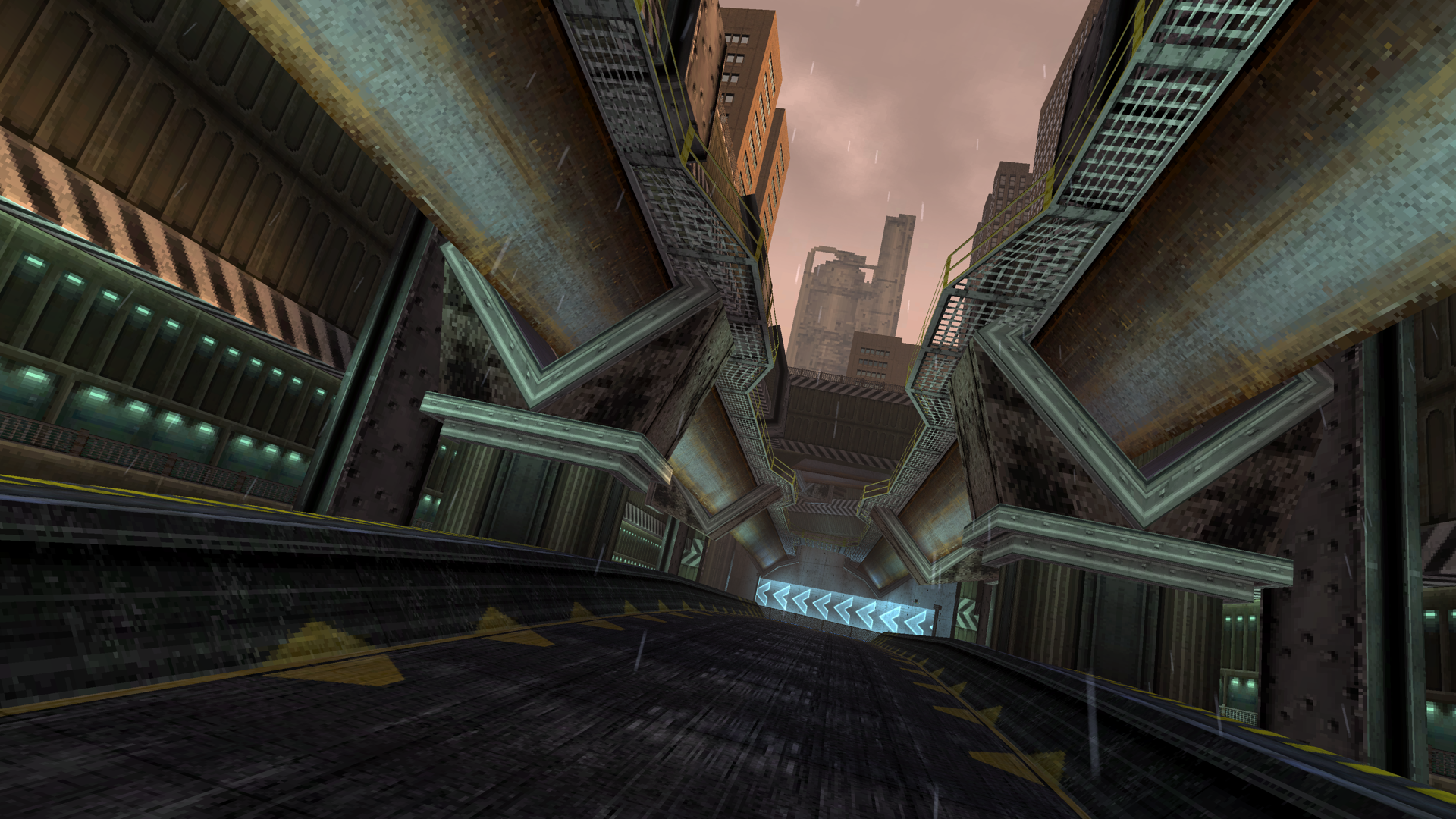
Track Preview
Here's some work in progress shots of the new track!
1.3 Support Cycle
BallisticNG 1.3.2 is the 2nd out of three post-1.3 updates where we're focusing on additional content and fleshing out the game's features further.
1.3.1 introduced an updated Harpstone and Vespera Heights, a prototype for the game's 4th expansion, more liveries and a few updates to multiplayer and Stunt improvements.
1.3.2 is introducing an updated Nova Split, a prototype for the game's 5th expansion, the improved playlist editor and dedicated multiplayer servers.
1.3.3 is introducing an updated Aciknovae and another free track.
Once these updates have been released we'll begin work on 1.4, which is also where we'll be working full time on the game's Switch port.






 ]
]