Barony cover
Barony screenshot
Linux PC Mac Steam Epic
Genre: Fighting, Role-playing (RPG), Adventure, Indie

Barony

Announcing the 4.1 Update "Life After Death"

We’re committed to delivering several major updates to Barony over the coming months (about once per quarter!), adding both features and content to make your next dungeon run more fun and exciting than ever. Each update will primarily focused on delivering work we promised in our Kickstarter’s bonus goals, stretch goals, and backer rewards. (And, because we just can’t help ourselves, it’ll also include stuff we just think is cool)

We’re excited to share our plans!


Read on for details about the first major update we currently have in the works.
Our first major update to version 4.1 is coming this Halloween season and it’s called the Life After Death update!

Our most recent update was called Quality of Death, so like … this is the one after that. Pretty good word play, right? But that’s not the only reason we called it that.


Ghosts


A Kickstarter bonus goal!

Whether in single-player or co-op, death is a normal part of playing Barony. While in single-player, you may begin another run right away, if you’re a member of a party, you may find yourself waiting around a while for your friends to finish the level.

Even the most patient among us may be bored simply spectating. So bringing you life after death Co-Op Ghosts!

After you die in a multiplayer game and you’re viewing your gravestone, you’ll have the option to spawn immediately as a Ghost! Ghosts don’t fight in the normal sense, but that’s not to say they can’t have a meaningful impact for the team!

While haunting your party, ghosts can wander freely and use a few key abilities to offer utility in exploration and even some combat strategy. With the new Co-Op Callouts feature, Ghosts are also empowered to communicate important info to surviving team members.


Callouts


Another Kickstarter bonus goal!

Teamwork in Barony looks different in every party. Maybe you’re a tightly-knit squad who faces challenges together. Or perhaps you’re elite agents who divide and conquer each floor. Alternatively, you might be a counterproductive band of trolling idiots.

Whatever the case, a little contextual communication can go a long way, no matter your style. Whether you’re on a mouse & keyboard, or a gamepad, our new co-op callouts system puts context sensitive commands at your fingertips. With just a couple of clicks, you can provide very specific messages that empower more team interactions.

To name a few:

  • Let the party know that you’re hungry or starving to death!
  • Point out that a certain item might be good for a teammate.
  • Warn your team of a looming trap you spotted.
  • Ask for help with a locked chest.
  • Beg your party to flee from an especially threatening foe!
  • Ask for a party member to pull a lever for you.
  • Let your Goatman buddy know about the fountain you found.
  • Thank your Healer for that clutch save!


These callouts point to the indicated subject in-world, ping it on the map, and provide accompanying icons and chat messages with a high degree of specificity. So even if you have a keyboard or are on Discord voice, callouts make it easier to convey precise information quickly. Perfect for experienced teams, or pickup groups.

Few Commands, Tons of Context


With plenty of real-time surprises to adapt to, we wanted the callouts feature to be very accessible with a minimum of clicks to use. Just pick your target and then choose from a handful of callout ideas: Spot, Thumbs Up, Thumbs Down, Help and Move.

And the chat preview banner lets you know exactly what you’ll say to your team before the message goes out!


Holiday Integration


This isn’t anything we ever promised, we just thought it would be rad.

We’ve put quite a bit of work into a few Holiday mods that are available on the Steam Workshop. But we love this kind of stuff in games, and we want to make sure every player can have access to it. By integrating our offical Holiday mods into the game itself, everyone (including Switch players) will have access to this content!

Our Halloween celebration mod Barony Scarony has been updated to account for the new content that’s been added since the Quality of Death update, all in time for Halloween! In the future, we’ll be making other holiday mod updates and integrating them into the game seasonally.

And don’t worry, if like to keep it vanilla, you’ll be able to turn off the seasonal events as a game option.


Language Modding Support


Part 1 of a Kickstarter Stretch Goal!

Prior to Quality of Death, Barony had a lot of in-game text that was hard-coded, making complete translations impractical. After the QoD update, a lot more of it is available, but when the Life After Death update ships, all in-game text will have been moved into data and is, as a result, modifiable. There is already an exemplary Russian language mod that’s available in the Steam Workshop. If you are interested in creating a Barony language translation mod, this would be a great model to follow!

The second part of this Kickstarter Stretch Goal needs you!

If you have a translation, or are working one, that you’d like to see become part of Barony officially, we welcome you to discuss it with us in the Steam Discussions here.

We will be seeking permission to distribute finished Barony language mods as part of the game. We’re excited to support translator efforts as much as we can. It's our intent that complete translations will be available in the future without mods!


More


We’re laying the groundwork for other exciting content. We’re just not sure if it’ll be ready in time for Halloween or not. We’ll let you know at release what made it in!

We look forward to sharing more with you! Happy adventuring.

This announcement was reposted from the Turning Wheel Blog.
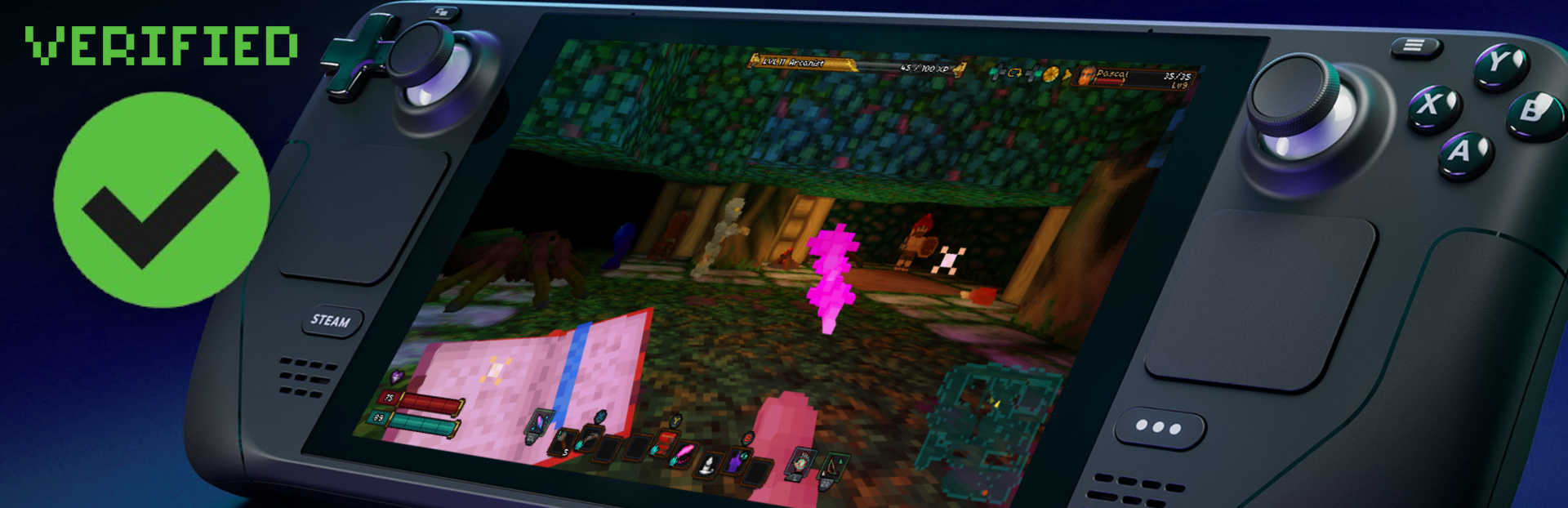
Barony now Verified on Steam Deck

Just a quick, but important announcement!


Steam's review team has VERIFIED Barony through their compatibility review of the Quality of Death build.

Prior to the Quality of Death update, Barony was considered "Playable" on the Deck. Now since the Update has been launched, full controller support has been unleashed. Compatibility troubles have been resolved. All of your wildest dreams have come true.

If you're a Steam Deck player, you'll find Barony has passed through all the red tape and will appear in your "Great On Deck" list. And we're not bragging that's just literally what it says. Somebody who works at Valve decided that, so maybe it's a pretty big deal IDK.


Some Tips


  • Playing Barony on the Deck in handheld-mode is awesome. I recommend taking advantage of the Gamma feature in Barony's video settings if you're in a well-lit environment.
  • If you have a Dock or other USB-C connector to put your Steam deck on your TV, that's a great place for Barony too. The UI is large enough at the default scale that many players find it comfortable to read, and you'll benefit from your big sound system and vibrating controller.
  • Now that Barony has Split-Screen, we wholeheartedly recommend giving couch-co-op a try using the Steam Deck on your TV. With the Deck connected to 2-4 controllers, it's a great experience in Barony.
  • The Deck is rad because Steam has the Steam Workshop. Explore Barony's workshop, subscribe to a few items, and activate / deactivate whatever you like from in-game. The Workshop can be a great experience from the couch thanks to the Steam Deck, and we managed to get that feature into the game with this update!


In the future we may be adding additional Deck-specific support, but for now it's a great experience.
That's it for now. We hope you love playing Barony on your Steam Deck!

The Quality of Death Update for Barony is NOW LIVE!

It's finally here!

Barony has been upgraded to 4.0


If you’ve been playing Barony for a while, you’re going to notice a LOT of changes.

Steam has been the lifeblood of our community. We thank you for continuing to play and spread the word about Barony! That said, please allow us to offer a warm welcome to the Nintendo Switch community. As Barony features Crossplay between Steam, Switch and Epic, you may find yourself rubbing elbows with a lot of new players, if you're into that kind of thing!


What’s the Quality of Death Update?


TL;DR


    <*> All New UI
    <*> 2-4 Player Split-Screen
    <*> Overhauled lighting solution
    <*> Full Steam Deck and gamepad support
    <*> Enhanced content, gameplay tweaks, and bugfixes
If you like to go with the flow, go play it now and discover everything for yourself!
We've also provided a more comprehensive run-down of what to expect.

This blog post on the Turning Wheel blog breaks it down (in great detail):

    <*> New features for you to enjoy and utilize
    <*> Gameplay tweaks that may impact how you play
If you're interested in the details, head over there now.

View Quality of Death update details and changelists


In the coming weeks and months we will have more updates, large and small, and they'll be coming a whole lot faster now that we've gotten this foundation underneath us. We're very excited to continue supporting Barony with new features and content. We'll be back to share more soon!
Until then, happy lich hunting!

Quality of Death - Pre-Release Update: 4.0.1

A few last important additions are new today to accompany the Quality of Death update release, adding in a few things beyond what is mentioned in our launch-day announcement. Check it out!

Modding:


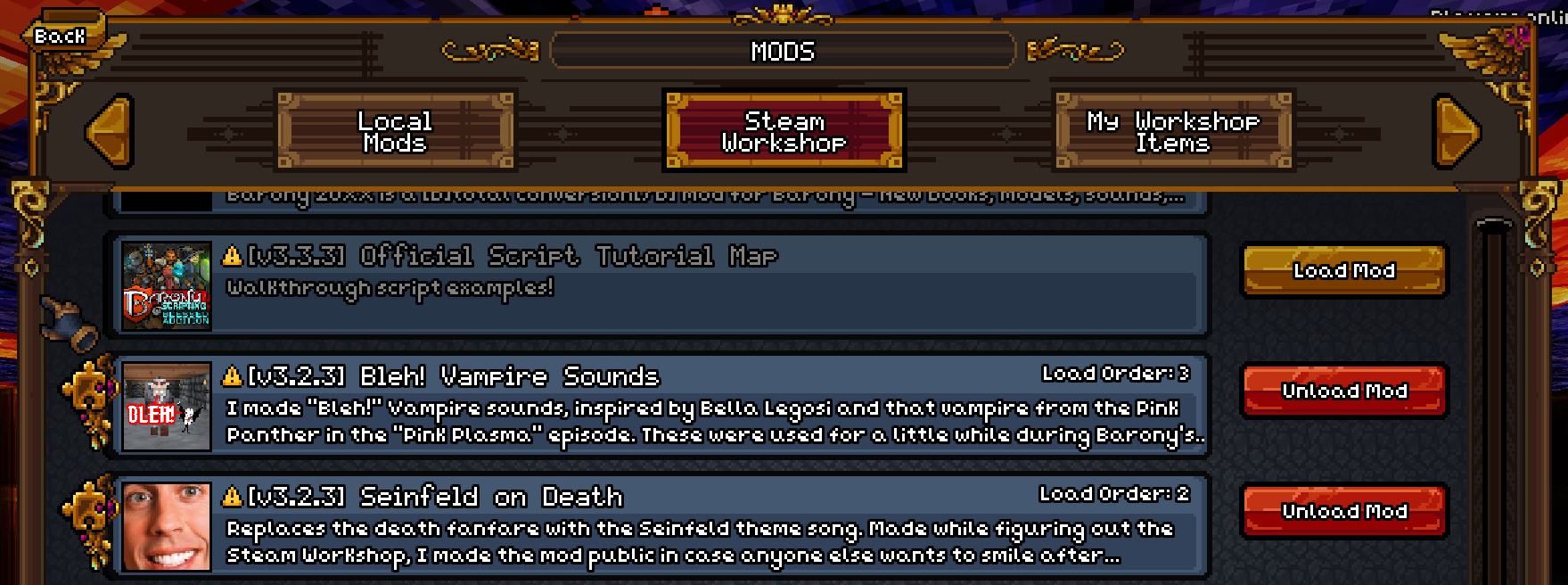
  • Mods and Steam Workshop integration are back!
  • To play with Workshop mods, subscribe to items in the Steam Workshop and once downloaded they will be visible in-game to load.
  • To play with non-Workshop mods, place the mod files inside the barony /mods/ directory


Settings:


  • Added a preset profiles for gamepad controls
  • Added gamepad layout graphics to show all controls at a glance
  • Added per-player configuration of gamepad settings - sensitivity, look inversion, hotbar type
  • Added confirmation dialogue when Discard & Exit pressed in the Settings menu


Misc:


  • Continued performance improvements to pathfinding
  • Tutorial 1 now provides a prompt on completion
  • On keyboard control, players are now allowed to drop items via dragging/shift clicking items in the inventory when a chest or alchemy menu is open
  • On keyboard control, players may defend/sneak/cast spells when inventory is open, provided that the action is not bound to a Mouse button or CTRL/SHIFT/ALT
  • Added hundreds of new names to the randomized player and NPC name lists

Bugfixes:


  • Fixed Shopkeepers in Tutorial 10 having their Private Selection consumable items shuffled into their inventory grid
  • Fixed Skeletons receiving hunger messages when using Fruit Juice/Booze
  • Fixed quiver items not granting sneaking bonus light
  • Fixed follower wheel wrongly applying gamepad stick inversion
  • Fixed hand cursor being visible on Steam Deck when it shouldn't be
  • Fixed rare crash on level change on Mac/Linux/Steam Deck
  • Fixed rare desync on level change on Windows

"Price Gonna Go Up" Sale - Last Discount at Current Price!

Been waiting for the right time to buy Barony?

THE TIME IS NOW!


The huge Quality of Death update coming down the pipe represents a massive increase in value to the game, and with it, the price is going up!
We're running the subtly-named "Price Gonna Go Up" Sale to help amplify the message and make sure nobody is surprised and disappointed by the increase. So this is your opportunity to buy-in before it happens.

We already tipped our hand a bit in the Nintendo eShop where you can preorder the game. No, it's not a Switch Tax! Barony's increased base price will be the same on all storefronts come August 1st.

https://store.steampowered.com/app/371970/Barony/

The Gift that Keeps On Giving


As always, if you already own the game, you'll continue get all our sweet updates for free. Even when we come out with paid DLC, it is always accompanied by an update that everyone gets, which makes sure you always get a taste of new content, and ensures you can always play with anyone who owns Barony.

Take it as our way of saying "Thank You" -- for buying the game in the first place, continuing to enjoy it, being part of the community, and maybe spreading the word to some cool friends you want to play with from time to time. Buy a trillion copies of Barony today and give them to friends as a gift! They'll be like "Wow this a super generous gift," and you'll be like "Yup" but then you'll know deep down inside that you paid like half of what they think you spent.
Follow me for more friendship life hacks.

It's important to us that Barony feels like a great value for what we're charging. When we can do that and still pay the bills, well that's our sweet spot. Thanks for your continued support!

Quality of Death Beta Pre-Release - 4.0.1 Patch Notes

Prepping for Quality


As we get closer to our August 1st release date of the Quality of Death Update, we continue to work toward making sure this is the best release we can manage. This update represents our latest efforts to fix bugs and improve some aspects of gameplay and UX.

Newcomers


As Barony is currently participating in the Steam Summer Sale, welcome to all new adventurers! In case you haven't heard, we are about to ship a massive update to the game that is multiple years in the making, and the build is available for all owners of Barony to play.
If you're interested in participating in the Quality of Death Beta build, please observe the following instructions:

  1. Go to the game's Properties in Steam
  2. Select the Betas Tab
  3. In the Betas Tab, select the "Quality of Death" build from the dropdown menu

Steam will then update the game to the latest 4.0.1 version of the Quality of Death Beta, and you're all good to play with the latest fixes, features, and Split-Screen along with the rest of the community.

Without further ado:

V4.0.1 Patch notes


Settings


  • Added new Crosshairs option to General Settings: 12 options + Opacity adjustment
  • Rearranged some settings, moved Accessibility / Effects from Video to General tab
  • Added Enemy Health Bar scaling option to reduce size, if preferred
  • Message filter settings will now save when modified and confirmed
  • Lobby filters are now saved between successive game launches in the config.json file


Character Creation


  • Added starting HP/MP values to the character class selection menu information panel


In-Game UX


  • Hotbar slots are now rebindable on keyboard (1, 2, 3, etc); Glyphs are shown on the hotbar when rebound to a non-number key
  • Added support for Mouse 4/5 button glyphs when rebinding
  • Added tooltip for your Class on the Character Sheet:

    Lists the Class stat growth (as in Class Info during Character Creation)


  • Added tooltip for your Race on the Character Sheet:

    Lists the racial Traits / Resistances / Weaknesses / Allegiances for your current form. Lists other Traits that carry over between forms and are active (e.g Skeleton self-revive still works if you polymorph into a human; Insectoid still requires EN as a human)


  • Added more UI sound effects to the in-game HUD

    Clicking buttons / exiting menus has a sound prompt: Gamepad has additional navigation sounds when using the D-Pad or left / right bumpers


  • Using a Spellbook from your Hotbar now removes the Spellbook from the Hotbar and places the newly learnt Spell in its place
  • Fixed certain default Class Hotbar item arrangements to account for new Spellbook Hotbar behavior
  • Added a close button to the Skills menu so it can now be closed with a mouse
  • Ladder-up interaction "You cannot go back that way" no longer blocks other more important interactions (EG: Equipment interactions, as items are frequently shared between players here)
  • Reduced interact priority of Rocks in the world
  • Increased interact priority of Gold in the world
  • Added minor delay when interacting with objects on level load to prevent issues caused by interacting with objects during level transitions
  • Autosort binding has been removed for Gamepad and replaced with the Paperdoll context menu on the player portrait area for more options: Autosort / View Status Effects / Rotate Portrait
  • Context menu on player portrait can be accessed on gamepad with "L3" (default)
  • Context menu on player portrait can be accessed on keyboard with "Hold Right Click"
  • Left clicking the paperdoll button will Autosort, as well as pressing the R (default)
  • Changed Paperdoll rotation behavior

    When active from Paperdoll context menu:
    Use the Right Stick, Left / Right, or Mouse Wheel to Rotate. Press R3 / Middle-click to reset paperdoll orientation to default. Press A / B / click anywhere to dismiss window focus. Paperdoll camera now is a fixed angle unless manually rotated; No longer rotates with the player's world orientation.


  • Added View Status Effect window to permit gamepad users thumb-through Status Effects, also available to Mouse & Keyboard, and in Split-Screen

    Icons will draw on top of inventory in this mode. Press A/B/Click anywhere to dismiss window focus.


<*> Repair scroll prevents use on Unidentified items, no longer wasting the scroll

Stealth


  • Sneaking now has a unique reticle and HUD status effect when active
  • NPC base vision increased in dark areas (from 2 tiles -> 3 tiles) as HDR lighting has increased the amount of dark pockets in the dungeon. This improves follower AI finding enemies to fight.
  • Sneaking mechanics adjusted - now reduces your visibility by half instead of a flat number. So in bright areas you are more hidden than before, and in darker areas slightly easier to see


Appraisal and Item Value


    In the interest of encouraging players to experiment with unidentified items and overcome Perception deficits for some starting classes, some item interactions now have a way to help increase Appraise skill.
  • Using unidentified Scrolls or Potions now has a 25% chance to grant Appraisal skill when below 20 Appraisal skill
  • Apples now cost same as Cheese (5 gold)
  • Item Tooltips now show the full base Value of the item

    Previously Tooltips showed the sell price based on your Trading skill/CHR stat). This now matches the Appraisal skill "Maximum gold value able to appraise" detail in the Skills list. The item modified sell price is still shown separately in shop menus as before.


Savegames


  • Savegame labels now have time / date listed instead of dungeon level
  • Savegames now sort by timestamp, with newest game sorting first
  • In local games tab, book label has game name (first character name), on net games tab it displays save type (direct-ip server, online client, etc)
  • Cleaned up savegame label text so that it's more readable withe some padding and re-positioning
  • Max savegames raised from 10 to 100
  • When maximum savegame count is reached, the oldest savegame will now be overwritten (previously it selected the last savegame which was in use)
  • Savegame list now cycles from beginning to end when you go back at beginning / forward at end
  • Fixed navigating savegames after deleting a savegame in the middle of the list


Hall of Trials


  • Statues are now loaded in the Hall of Trials garden
  • Tutorial videos now have reduced filesize to reduce storage space requirements and improve performance


Race Changes


  • Goatman Drunk status effect tooltip will now mention correct details
  • Humans polymorphed from a goblin will now equip spellbooks from the hotbar correctly
  • Cursed Ring of Warning tooltip will now display correct info for Foocubi
  • Skeletons are no longer affected by Amulet of Strangulation


Lobby Browser


  • Lobby Browser now shows private lobbies that are unjoinable to highlight multiplayer activity (only displaying games not yet started)
  • Increased Lobby Browser size to fit longer names and game version in the results list
  • Show / Hide lobby code toggle is now saved between successive game launches in the config.json file


General Bugfixes


  • Gamepad vibration / Rumble will now properly receive boulder feedback in multiplayer
  • Dying while activating a switch will no longer cause the lever to endlessly flick back and forth
  • Closing the Pause Menu on gamepad using "A" will no longer try to immediately interact with an object in front of you
  • Character records with active invisibility will now show worn equipment correctly in the Leaderboards
  • Male / Female follower designations are now remembered between floors
  • Named monsters (Thumpus, Funny Bones etc.) now retain their special appearance when loading a savegame
  • Rings now apply Unarmed ATK bonus even if you have a weapon equipped while being shapeshifted (bonus previously would only apply if you had your main-hand slot empty)
  • While using a Mouse, the hand cursor will now properly animate on click in all relevant menus
  • Fixed Leaderboard gamepad controls when more than one page of leaderboard data is available
  • NPC skeletons holding light sources will now illuminate correctly
  • Fixed "You destroyed the null" message when digging Hell rock formations
  • Fixed Audio Device not reverting when discarding changes in audio settings
  • Fixed story music not always playing at correct volume on first launch
  • Legacy default.cfg config file no longer is read on startup to prevent issues migrating when updating from V3.3.7 and below
  • Fixed crash when fountains tried to spawn an Incubus with no space available
  • Deathbox colors are now correct on the Minimap in Split-Screen
  • Shared Minimap in 4-Player Split-Screen no longer draws over player 3 and 4's inventory

Quality of Death - 4.0.1 Patch Notes

Prepping for Quality


As we get closer to our August 1st release date of the Quality of Death Update, we continue to work toward making sure this is the best release we can manage. This update represents our latest efforts to fix bugs and improve some aspects of gameplay and UX.

Newcomers


As Barony is currently participating in the Steam Summer Sale, welcome to all new adventurers!
If you're interested in participating in the Quality of Death Beta build, please observe the following instructions:

  1. Go to the game's Properties in Steam
  2. Select the Betas Tab
  3. In the Betas Tab, select "Quality of Death" build from the dropdown menu

The game will update to the latest 4.0.1 version of the Quality of Death Beta, and you're all good to play with the latest fixes, features, and Split-Screen along with the rest of our community.

Without further ado:

V4.0.1 Patch notes


Settings


  • Added new Crosshairs option to General Settings: 12 options + Opacity adjustment
  • Rearranged some settings, moved Accessibility / Effects from Video to General tab
  • Added Enemy Health Bar scaling option to reduce size if preferred
  • Message filter settings will now save when modified and confrimed
  • Lobby filters are now saved between successive game launches in the config.json file


Character Creation


  • Added starting HP/MP values to the character class selection menu information panel


In-Game UX


  • Hotbar slots are now rebindable on keyboard (1, 2, 3, etc); Glyphs are shown when rebound to a non-number key
  • Added support for Mouse 4/5 button glyphs when rebinding
  • Added tooltip for your Class on the Character Sheet:

    Lists the Class stat growth (as in Class Info during Character Creation)


  • Added tooltip for your Race on the Character Sheet:

    Lists the racial Traits / Resistances / Weaknesses / Allegiances for your current form. Lists other Traits that carry over between forms and are active (e.g Skeleton self-revive still works if you polymorph into a human, Insectoid still requires EN as a human)


  • Added more UI sound effects to the in-game HUD

    Clicking buttons/exiting menus has a sound prompt: Gamepad has additional navigation sounds when using the D-Pad or left/right bumpers


  • Using a Spellbook from your Hotbar now removes the Spellbook from the Hotbar and places the newly learnt Spell in its place
  • Fixed certain default Class Hotbar item ordering to account for new Spellbook Hotbar behavior
  • Added a close button to the Skills menu
  • Ladder-up interaction "You cannot go back that way" no longer blocks other more important interactions (EG: Equipment interactions, as items are frequently shared between players here)
  • Reduced interact priority of Rocks in the world
  • Increased interact priority of Gold in the world
  • Added minor delay when interacting with objects on level load to prevent issues interacting with objects during level transitions
  • Added Paperdoll Rotation

    When active from context menu:
    Use the Right Stick, Left / Right, or Mouse Wheel to Rotate. Press R3 / Middle click to reset paperdoll orientation to default. Press A / B /Click anywhere to dismiss window focus. Paperdoll portrait now is a fixed angle unless manually rotated; No longer rotates with the player's world orientation.


  • Repair scroll prevents use on Unidentified items, no longer wasting the scroll
  • Autosort binding has been removed for gamepad and replaced with a context menu on the player portrait area for more options: Autosort / View Status Effects / Rotate Portrait
  • Context menu on player portrait can be accessed on gamepad with "L3" (default)
  • Context menu on player portrait can be accessed on keyboard with "Hold Right Click"
  • Left clicking the paperdoll button will Autosort, as well as pressing the R (default)
  • Added View Status Effect window to permit gamepad users thumb-through Status Effects, also available to Mouse & Keyboard, and in Split-Screen

    Icons will draw on top of inventory in this mode. Press A/B/Click anywhere to dismiss window focus.


Stealth


  • Sneaking now has a unique reticle and HUD status effect when active
  • NPC base vision increased in dark areas (from 2 tiles -> 3 tiles) as HDR lighting has increased the amount of dark pockets in the dungeon. This improves follower AI finding enemies to fight.
  • Sneaking mechanics adjusted - now reduces your visibility by half instead of a flat number. So in bright areas you are more hidden than before, and in darker areas slightly easier to see


Appraisal and Item Value


    In the interest of encouraging players to experiment with unidentified items and overcome Perception deficits for some starting classes, some item interactions now have a way to help increase Appraise skill.
  • Using unidentified Scrolls or Potions now has a 25% chance to grant Appraisal skill when below 20 Appraisal skill
  • Apples now cost same as Cheese (5 gold)
  • Item Tooltips now show the full base Value of the item

    Previously Tooltips showed the sell price based on your Trading skill/CHR stat). This now matches the Appraisal skill "Maximum gold value able to appraise" detail in the Skills list. The item modified sell price is still shown separately in shop menus as before.


Savegames


  • Savegame labels now have time / date listed instead of dungeon level
  • Savegames now sort by timestamp, with newest game sorting first
  • In local games tab, book label has game name (first character name), on net games tab it displays save type (direct-ip server, online client, etc)
  • Cleaned up savegame label text so that it's more readable withe some padding and re-positioning
  • Max savegames raised from 10 to 100
  • When maximum savegame count is reached, the oldest savegame will now be overwritten (previously it selected the last savegame which was in use)
  • Savegame list now cycles from beginning to end when you go back at beginning / forward at end
  • Fixed navigating savegames after deleting a savegame in the middle of the list


Hall of Trials


  • Statues are now loaded in the Hall of Trials garden
  • Tutorial videos now have reduced filesize to reduce storage space requirements and improve performance


Race Changes


  • Goatman Drunk status effect tooltip will now mention correct details
  • Humans polymorphed from a goblin will now equip spellbooks from the hotbar correctly
  • Cursed Ring of Warning tooltip will now display correct info for Foocubi
  • Skeletons are no longer affected by Amulet of Strangulation


Lobby Browser


  • Lobby Browser now shows private lobbies that are unjoinable to highlight multiplayer activity (only displaying games not yet started)
  • Increased Lobby Browser size to fit longer names and game version in the results list
  • Show / Hide lobby code toggle is now saved between successive game launches in the config.json file


General Bugfixes


  • Gamepad vibration / Rumble will now properly receive boulder feedback in multiplayer
  • Dying while activating a switch will no longer cause the lever to endlessly flick back and forth
  • Closing the Pause Menu on gamepad using "A" will no longer try to immediately interact with an object in front of you
  • Character records with active invisibility will now show worn equipment correctly in the Leaderboards
  • Male / Female follower designations are now remembered between floors
  • Named monsters (Thumpus, Funny Bones etc.) now retain their special appearance when loading a savegame
  • Rings now apply Unarmed ATK bonus even if you have a weapon equipped while being shapeshifted (bonus previously would only apply if you had your main-hand slot empty)
  • While using a Mouse, the hand cursor will now properly animate on click in all relevant menus
  • Fixed Leaderboard gamepad controls when more than one page of leaderboard data is available
  • NPC skeletons holding light sources will now illuminate correctly
  • Fixed "You destroyed the null" message when digging Hell rock formations
  • Fixed Audio Device not reverting when discarding changes in audio settings
  • Fixed story music not always playing at correct volume on first launch
  • Legacy default.cfg config file no longer is read on startup to prevent issues migrating when updating from V3.3.7 and below
  • Fixed crash when fountains tried to spawn an Incubus with no space available
  • Deathbox colors are now correct on the Minimap in Split-Screen
  • Shared Minimap in 4-Player Split-Screen no longer draws over player 3 and 4's inventory

Quality of Death Update - Launching August 1st!


Imminent Release


At long last, we're pleased to announce that the Quality of Death update is finally ready to release on August 1st! For those of you who have been awaiting the release, your wait is almost over. We at Turning Wheel LLC thank you for your patience!

If you've been playing our QoD Betas, first let us offer you a huge thank you.
To briefly recap, the Quality of Death update includes a complete UI overhaul, split-screen, tons of gameplay tweaks, new improved lighting, performance improvements, bug fixes, and hundreds of new dungeon rooms and decor to make your dungeon exploration richer than ever.

This release marks the completion of the primary goal of the Kickstarter that we launched in 2020. Since then we have been committed to making sure Barony feels at-home on both a mouse & keyboard and controllers, particularly the Nintendo Switch and Steam Deck. It is with great pleasure we're ready to announce that Barony is launching on the Switch simultaneously with the Quality of Death Update here on Steam.
With crossplay, you'll be able to play online with your friends who own the game on Epic or Nintendo Switch, from your Windows, MacOS or Linux PC.

Read the press release here!


Party Like It's 1999


Even the biggest companies in the game industry are canceling their couch co-op support, and the games which do support it are often limited by their split-screen implementation, only allowing one or two players to mess with their inventory, or character sheet at a time.

With Barony's Quality of Death update, whether you're docking your Steam Deck, streaming to your TV from your gaming PC, or using Remote Play Together, you can enjoy Barony in split-screen with 2-4 players, provided you have some controllers lying around. Each player will have access to their inventory, skills, shopping, and all the other interfaces you've come to expect from Barony. All in real-time.

Screenshots


Thank you!


Mark your calendars!
We'll keep you posted as the release date draws nearer.

Quality of Death Beta - V3.9.1 Hotfix 1

Big thanks to all our players faithfully testing the Beta build! You've made a lot of the items in this hotfix possible.

Due to some technology changes, the current Linux build is no longer capable of using Crossplay services. You can still use Proton through Steam to play the Windows version and use Crossplay that way.
The Linux build now works however, but it will be updated later today with the rest of the changes from this hotfix.

  • Fixed the Linux build; This build is now built to target SteamOS instead of Ubuntu
  • Fixed crashes caused by cutscenes
  • Removed HDR toggle (for now) due to unintended behavior when turned off
  • Gave unique ambient and sneaking lights to all Shaman Forms
  • Made explosions less bright
  • Wall hit particle has been made bright regardless of area lighting
  • Fixed Blindfold of Telepathy
  • Made player weapons invisible while under the Telepathy effect
  • Fixed interactables not being highlighted while in interaction range while blind
  • Fixed lever Activate / Deactivate prompt not updating when toggling
  • Blocking skill increases with torches / non-shield off hand items capped at 40
  • Increased Blocking skill-based durability of Shields by 2x
  • Light spell particle now rotates smoothly for multiplayer clients
  • Magicstaff of Light no longer clears the player's Light spell when casting a new one
  • Gave all named NPCs an in-world nametag visible to their leader
  • Made exits no longer appear behind breakable walls when a breakable wall is the only path
  • Gauntlets of Strength renamed to Gauntlets of Might
  • Push effect is now granted by Gauntlets of Might
  • Fixed Push effect not being properly granted by Potion of Strength
  • Added Potions of Strength to certain reliable locations
  • Added new Might status effect icon

Quality of Death Beta - V3.9.1 Update & Changelist

Since our last Beta update in March, we have been busy, busy, busy.
I implied last time that we were very close to release, and that is unfortunately still the case. We are going through certification and have some external technology dependencies that no amount of work on our end is going to speed up. But we don't sit on our hands here at Turning Wheel LLC, so we're doing everything we can to continue making Barony more rad. We are in pursuit of the biggest, best launch possible once we finally pass through some of that red tape.

This build represents what we expect to release to everyone. Aside from some hotfixes we may need, discovered through faithful Beta player feedback, we don't expect to push another big update before we finally release this build to the entire Barony audience.
To let you know that I mean it, internally, some of our time has already moved onto development of content for our next DLC. Not gonna show you any spoilers yet though.


Lighting & Rendering


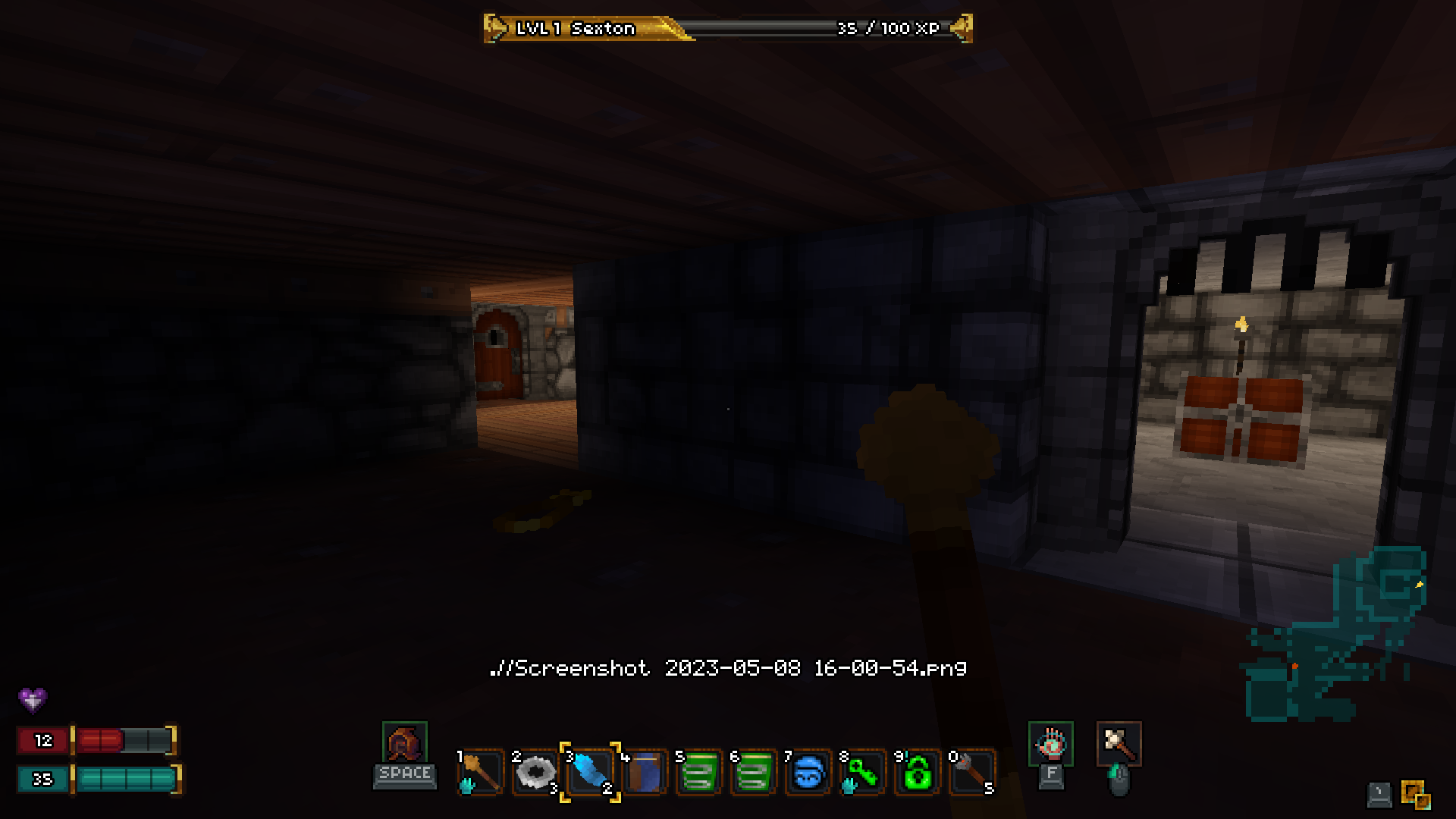
One of the great things about making a game with your own game engine is that you can rip out its guts and replace them when it seems like a good idea. In this update we've included a complete overhaul of how the game's environment and voxel mesh geometry is lit and rendered. This not only means the game will look better, but it should also run better, and it gave us some opportunities to change how lights work all through the game.

  • Barony now features HDR, allowing the game camera to adjust to different lighting conditions

    What to Expect: From a distance, dark areas may appear darker, and bright areas may appear brighter. Enter these areas and your vision will adjust.


  • An HDR On / Off setting has been added to the Video options if you prefer a static range of lighting (note, the lighting of the game has been tuned for HDR, and we recommend playing with HDR on)

  • The Gamma setting now correctly adjusts Gamma, making it more appropriate for use on glossy screens in brightly lit rooms
  • Voxel meshes are now lit from the lightmap instead of based on their tile's light value

    What to Expect: Previously, any individual voxel model would be rendered with 1 light value, based on how much light the tile it's in was receiving. Now meshes receive light much like the rest of the environment, so they blend in much better with the environment. Big decorative meshes and characters alike now fit much better into the world.


  • Light values have been uncapped (they no longer have a maximum / 100% value)

    What to Expect: Previously, Barony's lighting would only display art at its original authored value, or lesser / darker. So no matter how many torches you had in the room, the grey stones in the wall would only ever be as bright as the texture defined. Now, if you have enough light sources in a small room, things may appear seriously bright (HDR will adjust to these conditions).


  • Lights may now contribute different color (R/G/B value) to the subjects they are lighting
  • All lights in the game have been given a color profile appropriate for gameplay and aesthetic

    What to Expect: Previously, all lights were "white", so no mesh or texture would ever vary in color, just brightness. Thanks to the new lighting method, fire gives of a warm yellow/orange glow. Shadowy areas near the player now show up in a cold blue-gray, and spells give off bright colors depending on the spell projectile. The dungeons in Barony are now a much more colorful place thanks to colored lights. (Disclaimer: Light sprites in the level editor still only emit white light)


  • Torches and other light sources have been given increased falloff to reduce light-source overlap and the blowout that would result from too many light sources hitting the same subject
  • Light spell range has been slightly improved
  • Sneak light bonus has been made dimmer than the standard player ambient light, but longer range

  • Some areas of the game have been populated with additional torches to account for an overall average reduction torch lighting influence

    What to Expect: There should be fewer areas that have no light at all (though dark levels do still exist), but fewer rooms that are completely lit up by torches.


  • The PER stat no longer aggressively adds to the player's ambient light; The player now receives up to +2 visibility range depending on how high their PER is, and then the effect of PER on visibility is capped

    What to Expect: In previous Barony builds, once your PER hit a certain level, your local visibility was so bright that darkness was no longer a part of the game. This meant that light sources became irrelevant, but also the game just looked very flat, and the most interesting lighting was only visible in the early game while your character had poor PER. Now, every area has interesting lighting, and light sources may always be handy.


  • Players in split-screen no longer see each other's ambient lights
  • Lights have been attached to Death Boxes
  • Ceiling lights have been added to the Citadel to add variety and brightness that doesn't depend on Crystal Shards mounted on the walls
  • Dithering is now used to fade meshes in / out when they cross visibility thresholds


Overall, light is much more part of the game thanks to these changes, and the game has a lot more screenshot-worthy moments. But your experience with light and dark is likely to feel quite different, especially in the late-game, making the Light spell, or hot-bar torches, important for more of the game, especially for shield-toting melee playstyles.
It may take some getting used to, let us know how you adapt!


Level Design


After revisiting the Mines, Swamps, Underworld and Hell, the Labyrinth is the next tileset to get a major overhaul. That means your next trip through the Labyrinth will contain a richer aesthetic, built off the foundation of what we had before, and you'll run into brand new traps and puzzles.

  • Every existing level has been revisited, made compatible with our second stage of room randomization (sub-maps!), and redecorated
  • 150+ brand new rooms have been added

  • 30+ new Labyrinth tile textures added
  • Several new Labyrinth pillar and ceiling decor meshes added
  • Destructible wall, wood barricades, and webs added to some areas of the game

  • Wallmake sprite given a visual effect
  • Submaps now respect the following map settings in the editor: Disable Loot / Traps / Monsters
  • Many maps updated where traps would previously break submap behavior or cause softlocks


Allies & Followers


  • Ally humans now receive a random name when recruited, which is displayed in-world for their leader
  • Followers no longer attempt to occupy the player's tile, instead following in a checker pattern to the sides and behind

    What to Expect: You should experience far fewer scenarios where NPC followers are stepping in front of your attacks (such as when breaking down a door) and managing them passively is more viable.


  • Ally / follower characters now have a different and much smaller hitbox when testing for hits (also applies to enemies who are allied with one another), making it much less likely to accidentally hit friendlies with Friendly Fire on (positive thrown potions use the standard hitbox)

    What to Expect: Fighting side-by-side with a friend, or shooting between two NPC followers who are attacking a foe in melee, is now a much more viable strategy. Your followers are less likely to friendly-fire each other (though it's not impossible), and named NPC groups are now much less likely to friendly-fire and kill each other when fighting with you.


  • NPC pathing optimizations; NPCs will no longer continually attempt to, and fail, to get to locations where there is no viable path, improving performance and making them look a tad smarter


Brewer


  • Brewer stat growths changed to better facilitate the class' playstyle, making INT far rarer in favor if greatly increased CON and even more DEX

Misc. Tweaks and Fixes


  • Updated default controller bindings

    What to Expect: Our previous default gamepad control scheme required you to take your right thumb off the thumbstick in order to press the bottom face button (A on Steam Deck) to interact / activate. We have changed that to RB, so you can pick up items, open doors, and flip switches while running and turning. As a result, Cast Spell has been moved to LB, and Quickturn has been placed on LS-Click. To give it a try, go to your Bindings in the game and click "Restore Defaults". If you're comfortable getting used to a new scheme, play a while and let us know what you think! You can, of course, stick with whatever bindings you prefer.


  • Updated skill-increase sound effects, so some are more or less attention-grabbing depending on the context where the skill is typically increased
  • Blocking with a torch now may improve Blocking proficiency
  • Colorblind preferences are now updated for all players in-game to change Deathbox / XP Bar / Nametag / Chat colors when a player in the lobby has it activated
  • Item Tooltip Height slider 50%-100% added to General settings

  • First-person fist positions updated; Fist is no longer held out in front of your face at all times
  • First-person fist models for all humans, incubus, succubus and goatman improved
  • Kobold mesh updated to have more visual contrast, and permit the wearing of more helmets

  • Added 3D voxel gate meshes to every area of the game where planks were being used to signify a large door or drawbridge
  • Ring of Strength has been renamed to Ring of Might
  • Boulders no longer require 5 STR to roll, but a Ring of Might, or Potion of Strength is required, each providing the `Push` ability

    What to Expect: Since the Gods of Sokoban will always clear your path to the exit if a boulder gets in the way, rolling a boulder is never required to complete the game. Rolling boulders thus becomes a much rarer ability for players who seek it out, rather than something every character does by the end of every successful run.


  • Barbarian now starts with Ring of Might
  • Class / Race descriptions updated, and set to load from JSON
  • Minimap scaling / resizing behavior adjusted
  • Fixed Shaman form hotbars not saving properly
  • Equipped spells now remain equipped when you quit and reload a game
  • Hotbar layout set to "Classic" by default when launching for the first time with mouse & keyboard
  • Rotation Speed Limit option removed, mouse isn't capped anymore
  • Using a Magicstaff of Light now removes existing lights cast from a Magicstaff by that player
  • Fixed issue with aim assist tooltips not updating making Trial 7 difficult to complete when recruiting a follower behind a gate
  • Added console command `/noxp` to disable xp gain
  • Fixed mouse cursor being temporarily visible when opening the follower menu on gamepad in singleplayer
  • Thrown +10 weapons count for #Blessed achievement
  • GUI Scaling values are now more precise so that 75% / 50% scaling on more common resolutions will reliably result in square pixels


Gyrobot Plush Shipped!


Last bit of news, we're excited to see that Barony fans who bought a Gyrobot are starting to post pictures! We had a blast doing this with Makeship. Do you have a fun picture of your Gyrobot you'd like to share? Show us in the #fan-art channel on Discord, or Tweet at us!

It looks like we're going to be doing another plush, and we're super excited for it.

That's all I'll say for now!


Thanks!


As always, thanks for hanging in there with us! We hope you love this new build. Feel free to post on the Steam Discussion board, or hit us up on Discord to give some feedback after you've given it a try!