We’re excited to finally announce the release date for Boundless 1.0. The official launch of the game will take place on Tuesday, the 11th of September 2018, releasing simultaneously on both PC and the Sony PlayStation 4.
Boundless will also be available to pre-order on the PlayStation today.
Wonderstruck will self-publish on the PlayStation, and our partners at Square Enix Collective will publish on the PC.
Please restart Steam to make sure you get the latest version of Boundless. If the update happens whilst Steam is open it’s unlikely you’ll get the latest version.
Allow blocks to be placed where a creature has died as long as the client placing the block has collected drops from the creature (for other people watching who have not yet collected the drops, the creature will be forced to move out of the way the way block drops already do when placing blocks).
Standalone sign pieces (the smaller, non-combining ones) will now act like torches, and longer remain in place when the block they were placed on-to is removed.
Open portal conduits now count towards a beacon’s prestige.
Crafting can now preserve input items (for example buckets of water are now outputted as empty buckets).
Fix for crafting input items, output items and spark being lost if the machine output inventory is full.
Equipment wear:
Tools now only take wear damage if they impact something.
Spanners now only take wear damage if they do any amount of repairing.
Buckets now take wear damage each time they are used as a crafting input.
Fix an issue that would cause 2 blocks to be placed for one mouse click at high block placement speeds.
Another fix for portals that won't close when one side of the portal has somehow become dormant.
Fix for grapples staying connected (to mid air) when looting creatures.
Fix for crafting elemental shielding recipes using furnace if they require more than two ingredients.
Beacon footfall is now affected by an additional two factors:
The prestige of the beacon itself in addition to settlement prestige. The settlement prestige sets the maximum potential footfall you can receive. The footfall you receive scales with your beacon prestige. After a threshold prestige you gain the full reward. Currently this threshold is 5000. This is designed to ensure players have to build something to gain footfall.
You will receive less footfall the longer you are away from your beacon. We allow 7 days in which your reward will not be reduced. After this time the footfall reward will reduce daily linearly. Your beacon will be classed as visited if you have entered the beacon or the settlement it is in.
Recipe Balance Pass:
Spark and Power:
Reviewed and tweaked spark costs for all recipes.
Reviewed and tweaked power costs for all recipes.
Rounded Spark costs to make calculations easier.
Brews:
Reduced some input requirements and doubled output for brews to make them more affordable.
Added missing oil input to luminous brews.
Increased effects of all healing brews.
Increased effects of all recovery brews.
Food:
Rebalanced food energy recovered to make sure cooking higher level foods is more worthwhile.
Fixed the elemental shielding food recipes.
Augments:
Reduced input requirements for level 1 and 2 augments to make them more affordable.
Increased the input requirements for level 3 augments, and made them more powerful.
Engines:
Made advanced engines more expensive so that instead of being a cheaper way to get additional power, they are used to unlock higher level recipes and get better efficiency out of the machines at the high end.
Furnaces:
Added flint as an ingredient of furnace bases and crucibles.
Made the iron furnace take half the time and half the fuel of the stone furnace, and the titanium furnace take half the time and half the fuel of the iron furnace.
Gave each furnace recipe a value for how much fuel it needs rather than a flat cost for everything.
Increased some higher end furnace recipe times to take into account the faster furnaces.
Rebalanced fuel values to make higher level and compacted fuels more worthwhile.
Drops:
Increased the drop chance of orbs from surface resources.
Decreased the drop chance of flint, opal and rock salt from surface resources and rocks.
Increased the number of drops and drop chance from rarer surface resources.
Wear:
Rebalanced the amount of durability that each machine and engine has to be lower for the early game and higher for the later game.
Rebalanced the amount of durability that spanners fix to give more contrast between the different materials.
Rebalanced the amount of durability removed by recipes to be higher for longer duration recipes.
Made Engines, which always have more durability, wear down over the same amount of time as the machine they are attached to.
Removed the need to use the right type of spanner on engines. All spanners work, but the matching gem type spanner is more effective.
Misc Recipes:
Rebalanced Fresh Vital Essence recipes from creature drops.
Reduced the copper needed to make copper weapons and tools.
Reduced the input requirements for Starberry pie.
Reduced input requirements for glue.
Added missing Fresh Vital Essence recipe for Wildstock Trophy
Misc Other
Increased the drop rate of seeds from grass, and made Luck have an effect of the chance of dropping.
Increased the max stack size to 100 from 99.
Creatures + Combat + Characters:
Creature projectiles (that are not homing projectiles) will feel the full force of gravity once touching water so that spitter projectiles shot from within the water will not just continue moving in a straight line slowly once they leave the water…
Fix for charging slingbows not charging if the mouse is clicked before the previous fire action is complete.
Removed knock-back from player healing and cleansing bombs.
Fix for still playing fuse audio when the player started throwing a bomb but changed items before throwing it.
Fix for fuse burn showing on bombs after the player started throwing a bomb but changed items before throwing it.
Fix ruby slingbow bolts turning backwards when fired in water.
Fix for bombs not showing damage/healing numbers if they explode more than a second after being thrown.
Fix for all status effect damage/healing (poison or drowning damage) being shown for other entities.
Fix for bomb damage to creatures not displaying if the player is looking at a damaged block.
Fix for damage not showing on creatures as they die.
Fix grapple reel-in not working after being revived.
Fixing various issues with creature animations and rotations with respect to beam and projectile attacks across varying latencies to the server:
Fixing projectiles to always come out of the “mouth” of the creature correctly between normal and lobbed shots.
Fixing the beam to allows come exactly out of the “mouth” of the cuttletrunk also.
Fixing the projectiles to always fire (ignoring pitch) exactly along the direction that the creature is facing, so projectiles will never shoot out from behind/the side of the creatures.
Fixing the beam to always be firing exactly in the direction the cuttletrunk is facing.
Fixing an issue where projectiles and beams could fire from “mid-air” when the creatures moved too quickly after finishing the attack.
Fixing an issue with the animation rates not being applied correctly in all cases for the clients animation of the creatures for various attack, and many issues to do with synchronisation of the animations with the attacks client-side or animations being finished too quickly during projectile attacks.
Fixing issues with ribbons from projectiles often rendering suddenly back all the way to the creature when the projectile is destroyed.
Fix issues with rapid-fire attacks from spitters that shoot projectiles one after another in an arc, so that the creature visually rotates for each of the distinct shots.
Prediction of damage from creature attacks fixed (not sure when broken…)
Augment loading improvements.
Smart stacks of augments can now be dragged onto a slingbow/totem. The first augment in the stack will be loaded as if you had dragged it directly.
Augments held in your hand can be loaded into the slingbow/totem in your other hand by using them.
<*>Sanctum + Tutorial + Objectives + Progression:
Feats around travelling through portals have been disabled as players were using slides to grind them. New feats will be added at a later date.
Fixed not being able to warp to the temporary home you get during the tutorial before you place your first campfire.
Moved Core objectives to the top of the Journal.
Added an objective in the tutorial to teach players about consuming food to restore stamina.
<*>GUI + HUD:
Added a wear bar that replaces the health bar of machines, furnace, spark core and forge power coil blocks if they are on full heath.
Fix for character briefly adopts first-person pose when opening a GUI menu just after exiting the Sanctum.
Fix for occasional client crash when opening a GUI menu just after exiting the Sanctum.
Fix for occasionally showing massive stamina numbers after walking through a portal.
Fixed details in Places GUI for temporary home locations.
Fix an issue that could cause inputs to sometimes get stuck when moving from error screens / loading screens to the main game view.
Removing the ALL filter from the Journal and it now defaults to available.
The Beacon Console screen will now give a proper reason for why there is no settlement, rather than assuming it is due to lack of prestige. In addition the settlement algorithm has been adjusted to require a chunk to have a certain number of plots rather than a certain number of plot columns which caused towers to be biased against treating them as roads. There is likely to be further iteration here in future, but this should improve the feel for players.
All dialogue windows now use a dynamic layout ready for changing text sizes with localisation.
Removed the trade complete dialog (the next screen now has trade status “Completed” instead).
Various clean up of the trading screen.
Fixes for incorrect spacing on some GUI screens.
Added support for the delete key in text boxes.
Improved the movement key input in text boxes.
Fix for showing ingredient recipes in the knowledge screen.
Fix for missing beacon fuel text.
Smart stacks are now accessible in shops.
Parental controls have been added, these setting include:
Added an optional prototype profanity filter. Filter can be disabled in the options.
Option to limit if a player can see all, friend only, or no in game chat.
Option to limit if a player can see all, friend only, or no names and sign text.
Option to limit if a player can add friends.
Option to limit if a player can trade.
Added a new report screen for reporting other players or locations:
In the game menu to report players, beacons, locations and other issues.
The report player dialogue will autofill the character name with the last player you looked at (it can still be edited).
The chat report button now uses the new report dialogue.
All dialogues have optional additional details to fill in.
Players and signs can now be reported by interacting with them.
<*>SFX + Music:
Added elemental slingbow and charging effects.
Lowered the grappling volume.
Additional item sounds.
Make first person running footsteps faster than walking.
Engine:
Updated network connection initialisation to avoid a potential stall when a user has poor responses from name servers.
In cases where the client is unable to spawn correctly through a portal or warp (The only times this can really happen is with a flat portal where there is no space available on the other side to be able to stand), the client will now be kicked and sent back to the source side of the portal via the sanctum, instead of allowing the spawn to jump somewhere else… e.g. into lava or possibly very far away.
Fix a case where the world nearby would not load a quickly as it should.
Fix lava looking inconstant across different level of detail.
Optimisations:
Improve performance when many other players are around.
Improve performance around machines.
Avoid rendering reflections when water is not actually visible.
Added a dynamic occlusion system. Mainly helps around build up areas, usually > 10%, sometimes significantly more.
Decreased server to client network load by only sending damage data required by the client.
Decreased server to client network load by only sending region and settlement data when they change.
Decreased server to client network load by not sending entity hitboxes or scales.
Improve performance when there are many campfires/beacons in view for their particle systems to be shared.
<*>Server:
Universe server re-written in C++ for much better scalability and ability to optimise even further in future.
<*>World Builder:
Fixed an issue in the world builder when manipulating a prefab that is connected to the root of the graph that would cause the client to teleport into the middle and get stuck unable to move.
Fixing cross-platform issues in world builder, all folders/file paths within the config folder must now be lowercase, and a migration that will run the first time you open a file will ensure this including moving files/folders within the config folder on your computer, so be warned! From now on, the worldbuilder will not allow you to save files unless the path within the config folder is only lowercase.
Improve the way gradients work in the world builder to prevent areas on the side of extremely steep cliffs being classified as low-gradient.
Fix an issue in world builder computing the smoothed depths of surface elements which will have a minor effect on instance spawns that limited themselves to certain depths (depths were over-estimated somewhat before this fix)
Resolved Known Issues:
The following items were known issues in previous releases and have now been resolved.
Grapple tools not working correctly when winding grapple up or down after grappling block drops.
Natural crystal base doesn’t have a mesh and can stick out from storage.
Other players sometimes appear to not be have any items in their hands.
Request Baskets may indicate that there is not enough coin when the total value of sale is just less then the Request Basket Budget due to tax.
Release 192.1:
A number of description strings have been updated.
Fix an issue where PC’s which are very slow loading the game could fail authorisation via Steam.
Fix crafting output not saving.
Fix crash moving items in quick use.
Fix slow connections to Steam timing out
Fixed an issue where existing worlds were referencing the wrong creature configurations.
Fixed an issue where the tiers were 1 level higher than intended.
Pipes have been renamed to Links and Engines should now appear as Power Coils.
Release 192.2:
Fix elemental creature spawning.
Fix crashes due to earthyam soup.
Release 192.3:
Added support for gifting lost items.
Fixed an exploit where you could duplicate buckets.
Fix buff timers reset on portal transitions.
Fix incorrect orb sizes in storage.
Fix a crash tracking other players.
Fix a crash with legacy items.
Remove qubit / qbit references when levelling up.
Release 192.4:
Reduced the amount of Fibrous Leaves needed to make Sackcloth from 3 to 2.
Rebalanced wear amounts for recipes, so that small single crafts take more wear, but large bulk and mass crafts take far less.
Fix a crash with beacon plotters.
Fix a crash with rewards.
Release 192.5:
Fix tutorial progress sometimes being lost when exiting the Sanctum with a new character.
Changed amount of items required for the campfire tutorial to match the recipe.
Release 192.6:
Fixed left quickuse radial item placement issue.
Release 190: Assist Scanner!
This update is accessible via the “Live” release of Boundless on Steam.
Please restart Steam to make sure you get the latest version of Boundless. If the update happens whilst Steam is open it’s unlikely you’ll get the latest version.
Release Notes:
Crafting + Resources + Equipment:
Allow Atlases to be locked to a world even if no regions are yet discovered.
Reduced the number of Fibrous Leaves needed to craft sackcloth from 5 to 3.
NOTE: a large review of all crafting balances is happening once the forge is released.
Creatures + Combat + Characters:
New feature: ASSISTANCE SCANNER
Players who want to support their comrades in battle now have more feedback about who needs assistance. The assistance scanner will highlight players on and off screen who need support. This feedback is essential when in a chaotic battle.
Added new exploration skill “Assistance Scanner”.
Assistance Scanner skill will show nearby players who are dead or have depleted health so they are easier to find and clamp this to the edge of the HUD.
Players now have less detail above their heads unless you aim directly at them.
Player icons can now be seen through walls.
Player information now has a greater range.
The scanner now only shows above the creature you are aiming at.
The scanner now always shows creature health (you don’t have to hit a creature to see it’s health anymore).
Increased time for creatures to show they feel threatened by players.
Creature icons pulse when they feel threatened by the player.
Creature icons now only go red if they are attacking the player (previously they would go red if they were attacking anybody).
GUI + HUD:
Tool tips are now prioritised so that for example swimming controls are now more important than low health.
Added a tool tip to tell players to try another world if their current world goes down.
Added a wear bar that replaces the health bar of machines if they are on full health.
Engine:
Fix bombs slowing down the game when damaging lots of blocks.
Optimise the world meshing by ~25%.
Bug fixes:
Fix bug which allowed mixed item types in a Smart Stack.
Fix for Atlas “ammo” being swapped into an incompatible Smart Stack.
Fix for dead players having the wrong name.
Release 190.1:
Fixed an issue where the HUD would freeze when closing, often triggered whilst switching character or transitioning portals.
Fixed an issue where the server would pause processing expired status effects.
Release 190.2:
Fix an issue in the rendering-order of multiple particle systems that could cause random flickering in some effects as their sorting order changed.
Increased chance of dropping leaves, beans, fragments and some other drops so you always get at least one.
Speed up request basket price list setup for large item lists.
Release 190.3:
Fix for crashes when changing equipped items.
Fixed an issue with some portals not closing correctly.
Release 190.4:
Fix an issue where an out of sync mispredicted client could drop the wrong items from an inventory.
Cross posted from
Release 188: Brews, Bombs, Rage, Focus, Revive and Atlases!
This update is accessible via the “Live” release of Boundless on Steam.
Please restart Steam to make sure you get the latest version of Boundless. If the update happens whilst Steam is open it’s unlikely you’ll get the latest version.
Overview:
This release is the result of a large amount of background work all coming together right now. There are a large amount of new features, which will give you lots of fun new things to play with. Because of the sheer quantity of new systems the balance of those systems will inevitably need work, and we’d like you to help us with this. When looking at these new features if you could try and separate the functionality that we have added (i.e. what you can do, and how you can do it) from the balance (i.e. the time things take, and how much effect things have) and feedback on them separately that would be really helpful to us. For example you may say: "I like the goal of the Energy mechanic to make timing and aiming my shots in combat more strategic (the functionality), but with high level weapons the Energy drains far too quickly / slowly to achieve that goal as it stands (the balance). Feeding back like that will allows us know where there are issues with the balance and where there are issues with the functionality.
Added assets for new crafting items including: bowls of food, pie, bread, beans, earthyams, creature armour, creature organs, creature eyeballs, trophy drops for wildstock, roadrunners, hoppers, cuttletrunks and spitters, bags, blood and ink, brews, butter, buckets, flints, flasks of oil, orbs, shards, bomb augments and various glass bottles used in the Forge.
New globe map art asset and 1st and 3rd person animations.
Spawn location of spitter projectiles lowered so they will now be emitting from the snout.
New weather effects added and current weather effects updated. The new effects are more efficient and with better visuals. They should reduce the performance issues effecting some players. More weather effects will be added when the new planet and biome driven weather system is complete.
Glass block texture updated to a default grey bevelled frame.
Polished revive 3rd person animation.
Misc VFX polish: standard and slingbow blast hit effects, bomb fuse.
Crafting + Resources + Equipment:
Remove vertex distortion on the blocks when in inventories, plinths, etc.
Beacon View:
Added beacon plot view mode (defaults to B).
Added a contextual message to explain how to toggle the beacon view.
Beacon view now remains on if the player equips a Beacon, Campfire or Plotter for more than two seconds.
During the Tutorial it will always takes place in the day time.
Beacon heatmap view on planets in the sky changed to be toggled together with beacon-plot views (B button by default), instead of being based on having the warp-picker equipped to an equipped totem.
Beacon Fuel:
A new type of fuel has been added for Beacons. Leaves and Timber will no longer be valid fuel for a Beacon.
There are now 5 types of Beacon fuels which have different durations starting from 2 weeks and up to 16 weeks.
The tutorial objectives has been updated work with the new fuel types and match the new recipes.
Adjust to beacon fuel unlock order.
Minor Beacon Fuel is now available when you unlock the Basic Recipes skill.
Empty bucket can now be used on water to get a bucket of water.
New Drops and Drop Balance:
A host of new drop types as supplemental drops from blocks, plants and surface resources.
Starberries, earthyams, beans, leaves, petals, bark, lamella from some plants, soil, wood and leaf blocks.
Flint, rock salt, opal, fragments from boulders and rock blocks.
Rare orbs from some high-end blocks and fungi.
Number of drops increased, making luck more useful even on lower tier worlds.
A new set of creature drops:
Meat, blood, hide, glands, eyes, and trophies.
Adding Yuccas plants to home worlds.
Ancient Tech Remnants are now more common under lush surfaces instead of ice.
A totally revamped crafting tree, with numerous new ingredients and finished items:
Food ingredients such as sugar, rice, flour, oats, syrup and butter.
Finished food such as bread, pies and casseroles, as well as reducing hunger (see below) they also apply one of numerous new buffs (see below).
Buckets which can be filled with water from lakes and used for crafting. (Note: this isn’t the solution for placing fluid blocks.)
Cloths, bonding agents, amalgams and oils as ingredients for other recipes.
Decorative wood blocks.
A larger selection of slingbow augments.
Engines to upgrade the machines (see below).
Brews, which when consumed apply one of numerous new buffs (see below).
Bombs (see below).
Beacon fuel (see below).
Revive augment (see below).
Reduced the amount of fuel needed for the furnace.
Reduced the amount of sap needed to make glue.
Reduced the storage crafting time and made them output 2 blocks each.
Made doors be craftable on the crafting table.
Copper tool durability increased.
Re-added the Stone Chisel recipe which should also fix the issue where the Stone Chisel does not have the correct tint.
New Feature: ENGINES / COILS
Engines are used in upgrade machines, increasing their Power.
Engines are placed near to the machine it upgrades, but with an air gap, and when correctly placed links to the machine with a power beam.
Some recipes require a certain amount of Power to craft them.
Standard engines provide a small amount of power, advanced engines provide a larger amount of power.
If your machine has more power than a recipe requires then that recipe completes faster.
Like machines, Engines need to be repaired, but this must be done with the correct type of Engineering Spanner.
Engine beams will now damage the player and other entities, and wear will be caused to the engine when this occurs.
Power amounts reworked to be larger numbers.
New Feature: ATLASES
The purpose of Atlases is to help players find the asymmetrically distributed resources on a planet and determine which planets are rich in a particular resource.
An atlas will help focus your search in a particular area but you will still need to search and use knowledge of the resource’s particular spawning pattern.
An atlas is a literal “planet in the hand” that acts as a world map, and obeys all the laws of normal world lighting, it is visible in the hand of people holding them, and in storage blocks and plinths.
An atlas, when crafted is initially empty, and by actioning the atlas, it will attempt to register the current world with all regions of the world that you have visited. (If you haven’t visited any regions, then nothing can happen).
The atlas renders such that if you are on that same world, then the middle of the atlas in the screen will be where you currently are stood, with “up” on the screen being the direction your camera is facing. Actioning the atlas by holding the action button will bring the atlas up to the centre of the screen and enlarge it so you can get a better view, with a small amount of durability lost each time this is done. When actioned into the centre of the screen, the reticle will pinpoint your current location.
The atlas has a “fog-of-war” relating to the 50 regions on each world, so that only regions unlocked on the atlas are visible. Note that the regions are unlocked “on” the atlas, so you can sell an atlas that has all regions unlocked to another player to use. It is the action of using the atlas that adds any regions you have visited to its unlocked set. Regions are not automatically unlocked when the region is entered.
Atlases can be “powered-up” by equipping a totem Warp crystal, or by equipping any item that is dropped by a resource in the world, resources being any seams of metal or gems, coal or fossils, or any of the recently added surface resource blocks.
When a Warp crystal is equipped, the atlas will show a heat-map overlay of beacons on that world.
When a resource drop is equipped, the atlas will show a heat-map overlay of where you can find that resource drop in the world.
The atlas itself will be greyed-out during this, with the heat-map providing a gradient to show where you are most likely to find the resource, and the colour showing how plentiful that resource is on the world, on a gradient from green (not so plentiful) to reddish-pink (highly plentiful).
Equipping a warp crystal to your totem will now also show the same heat-map overlay of beacons on the world that equipping a warp crystal to an Atlas does, so when picking new warp locations you can choose to warp next to a populated area, including during the tutorial at the start of the game.
Re-balanced Spark Core Condition values so that they wear down more consistently with different fuel types.
Creatures + Combat + Characters:
Reducing the cooldown on cuttletrunk throw attacks from 50 seconds to 30 seconds.
Increasing the drop rate of the Hopper’s volatile blood and adding it to all tiers instead of just the higher tiers.
Clicking just before the Slingbow is ready to fire will now make the Slingbow fire once it is ready. This makes clicking in time with the Slingbow fire rate much easier!
Hoppers now use different explosion sizes based on their tier.
Hoppers can be stunned when they are hit with a hammer.
Creature drops have been overhauled. Each creature now has unique drops which can be used in various recipes. The amount of drops and drop types varies by the creature tier.
Dark Blood is no longer a drop from meteorites as the item no longer exists.
New Feature: BUFFS and DEBUFFS
Brew buffs provide short-term boosts.
Food buffs provide longer-term effects.
Only one food buff and one brew buff can be active at one time. Consuming a second brew will remove any existing brew buff. Consuming a second piece of food with remove any existing food buff.
Some brews and some bombs can cleanse debuffs. The amount of debuff duration removed depends on the item used, and the level of the debuff.
A collection of new character status effects triggered by the buffs:
Well Fed (food)
Invigorate (food)
Energise (food)
Shield(s) - physical and elemental (food)
Light (food)
Fast Learner (food)
Critical Chance (food)
Light Touch (food)
Heal (brew)
Recover (brew)
Fast (brew)
Strong (brew)
Revival (brew)
Innocuous (brew)
Luminous (brew)
Sick
Full Up
New Feature: BOMBS
The new bag of bombs item can now be crafted.
Click-and-hold with an equipped bag of bombs, will start the fuse of a held bomb.
Bombs will always be automatically thrown before they explode.
A short tap on the action button will drop the bomb just in front of you, anything longer will throw it further.
Bombs will blow up on impact with their target or when the fuse runs out.
Some bombs are weapons, and some will heal, recover energy or remove debuffs.
Damage dealing bombs have been adjusted to deal less damage to the environment and will now also destroy seams. All blocks destroyed with a bomb will not drop items because the drops are vaporised.
New Feature: RAGE
The Rage skill is now functional in the skill tree.
Text for each skill has been updated to reflect what each skill does.
Rage is accumulated based on the amount of damage received from creatures.
Rage effects increase by the amount of stacks you have accumulated.
Equip and consume a Rage Brew to convert the stacks into an ability.
Rage cannot be earned if a Rage skill is already active.
New Rage Skills - The different rage skills are listed below and the effects of the skills increase proportionally with the amount of rage accumulated:
Rage - Unlocks the ability to gain up to 10 stacks of Rage when you take damage from creatures. Consuming a Rage Brew restores a portion of health.
Rage Upgrade - Allows you to gain Rage faster and increases the amount of health restored when you consume a Rage Brew.
Power Surge - Deal damage to all nearby creatures when you consume a
Rage Brew with an area of effect attack.
Power Surge Upgrade - Increases the range and damage of a Power Surge when you consume a Rage Brew.
Adrenaline Rush - Restores health over time when you consume a Rage Brew for a period of time.
Adrenaline Rush Upgrade - Increases the effects of Adrenaline Rush when you consume a Rage Brew.
Thick Skin - Provides a temporary Shield when you consume a Rage Brew, increasing your Defence and Resistance against Kinetic and Impulse Attacks.
Thick Skin Upgrade - Increases the effects of Thick Skin when you consume a Rage Brew.
Contextual messages have been added to explain how rage works.
New Feature: FOCUS
The Focus skill is now functional in the skill tree.
Text for each skill has been updated to reflect what each skill does.
Focus is accumulated based on the amount of health recovered and amount of damage dealt to creatures.
Focus effects increase by the amount of stacks you have accumulated.
Equip and consume a Focus Brew to convert the stacks into an ability.
Focus cannot be earned if a Rage skill is already active.
New Focus Skills - The different focus skills are listed below and the effects of the skills increase proportionally with the amount of focus accumulated:
Focus - Unlocks the ability to gain up to 10 Stacks of Focus when you deal Damage to Creatures. Consuming a Focus Brew restores a portion of Energy.
Focus Upgrade - Allows you to gain Focus faster and increases the amount of Energy restored when you consume a Focus Brew.
Precise Strikes - Increases the amount of damage dealt for a period of time when you consume a Focus Brew.
Precise Strikes Upgrade - Increases the effects of precise strikes when you consume a Focus Brew.
Quickening - Temporarily increases your Movement speed and action speed when you consume a Focus Brew.
Quickening Upgrade - Increases the effects of quickening when you consume a Focus Brew.
Petrify - An attack which slows nearby creatures when you consume a Focus Brew.
Petrify Upgrade - Increases the effects of petrify when you consume a Focus Brew.
Contextual messages have been added to explain how focus works.
New Feature: HUNGER
Players now gradually get hungry when they perform certain actions: use their held items, moving, jumping or sprinting.
The hungrier a character is the less energy they have to use their held items.
Players should eat food to increase their max energy.
When full up a buff is applied which slowly replenishes health.
Contextual messages have been added to explain how hunger works.
New Feature: ENERGY
Energy is consumed when the player uses a held item which has an energy drain cost.
The Totem, Axes, Shovels, Grapples, Chisels, Hammers, Spanners, Slingbows and Bombs now cost energy cost to use. The amount of Energy per item can be seen in the item’s details panel in the inventory.
Players cannot perform an action if the item’s energy cost is more than their current energy amount.
Energy quickly recovers when the player has stopped performing an action for a brief period of time.
The Energy attribute in the skill tree affects the amount of total Energy.
The Energy Regeneration Skill affects the amount of Energy restored per second.
The total energy is reduced by the character’s current hunger level.
Added HUD indicator for actioning an item with no energy.
Contextual messages have been added to explain how energy works.
New Feature: REVIVE
Defeated players who return to the Sanctum will be affected by a Death Sickness status effect. Certain attributes are reduced by 25% for 90 seconds.
Players can now equip a Revive Augment in the Totem to restore defeated players. The Revive skill is required to use the Revive Augment in the Totem.
Players can choose to return to the Sanctum or accept the Revive if another player has performed a Revive. Accepting the Revive will restore the player with a reduced death penalty and without the Death Sickness status effect.
The Revive ability can be upgraded in the skill tree to increase its potency.
The Revive ability has a cooldown once it has been used and can be reduced with a skill upgrade.
Sanctum + Tutorial + Objectives + Progression:
More skill points awarded, particularly for higher levels. (Note: The skill tree and skill system are still due an overhaul based on player feedback and extended game systems.)
Removed the requirement to craft handcrafted items with the crafting table unless the item can only be made with the crafting table.
Journal:
Adding new feats for making items with powered machines. Connect a machine to an engine to provide it with power.
Updated the layout and order of crafter feats.
Updated descriptions for certain crafter feats and gatherer feats.
Phytologist feat has been expanded to include other surface resources.
Added a new objective to explain how the revive system works. Unlock the revive skill to unlock the objective.
Reducing the rewards for Trader Feats due them being used as an exploit to level up faster. (Note: All feats will be reviewed in the future to make them less cheesable.)
New Objective message will show up each time you unlock a new objective.
Re-ordered the tutorial tasks so they make sense. You now get the task to craft tools before you get the task to make a crafting table.
GUI + HUD:
Optimised GUI CPU load.
Cleaned up portal info text GUI.
Added number of connected players and ping to the portal info text.
Polish pass on positioning of new recipe items in GUI, storage and on plinths, baskets etc.
Pressing empty (default X in the GUI) on a bucket containing a liquid will empty it.
Added permanent tool tip when the player is very hungry.
Added permanent tool tip when the build mode is enabled.
Added an amount to the missing item text on the furnace.
Character selection can now be done in world (a return to Sanctum is still required).
Changed player to player interaction:
Rather than going directly into the trading menu, there is a new menu that presents various details about the other player (e.g. Level, Attributes, Skills) and a set of interaction options: Friend, Trade, Track and Mute
Friend and Trade are request-response sequences (the other player has to agree to your request)
Track (available if you have sufficient skill) allows you to follow that player on your compass
Mute is per play session (not saved between sessions) and stops you seeing chat messages from that player, and stops you getting newsflashes when they try and Friend or Trade with you.
Changed quick move (shift click with default controls) to:
Stack with existing item stacks in the destination inventory (doesn’t support adding to smart stacks yet).
In the inventory screen always hold the item clicked on (even if it is already in the radial).
In the inventory screen allow switching an item from one hand to the other.
Chat update:
Added chat modes: say, shout and private message (PM).
Added icons and colours for chat modes and emotes.
Added text for emotes, and updated chat item header text.
Added background panels and input box.
Added mute toggle command (limited to session, and characters on your current world).
Chat lines now have a popup menu that allows reporting, muting and starting a PM.
Chat lines now have a scrollbar and can be scrolled with the mouse wheel.
Added chat menu for setting chat mode (/say, /shout) or starting a PM with a (on-world) friend.
Added chat menu for performing emotes
Can now switch back to /say chat mode using chatline popup menu.
Updated HUD feedback and presentation for dealt and received damage, and energy changes.
Energy changes shown as numbers coming from the player status HUD.
Damage taken and health regeneration shown as numbers coming from the player status HUD.
The size of the damage dealt is dependent on the proportion of the target’s health taken.
Damage which is resisted and repelled by Armour are reported separately.
Machine repair reported in the HUD.
When repairing and a machine is already fully repaired this is reported with each spanner turn.
Changed the colour of the number and text from repaired machines to be grey.
Engine:
Graphics options now have a auto, custom, low, medium and high options. With auto used on first play.
New lower resolution textures option for lower end GPUs.
Added a HUD interface scale option to the settings screen.
Added more precision to the GUI and HUDinterface scale on the settings screen.
Added a mesh block limit per chunk, currently 512, to avoid creating areas that are too costly.
Improve performance on multicore machines when CPU limited by 10-20%.
Adjustments to latency compensation to maintain more stable play for unstable connections, and improvements to packet loss calculations and inclusion of packet loss on the latency graph as a bright red line (shown as a percentage scaled to the graph height).
Fixed rare case of chunk failing to create a mesh.
Made sanctum planet rotate again, and increase the speed of planet rotations.
Fixed an issue with same-world warps/portals that may have caused you to appear in a strange position if jumping/falling whilst going through the portal and hitting a wall with a gap you can fit into directly on the other side.
Changes to weather shaders so that particulates that collide with the ground and move horizontally at larger speeds will no longer produce grid patterns on the ground.
Changes to the universe-structure moving towards a final solution. The universe is now much more free-form and can allow us to add more worlds automatically expanding the universe over time. For the existing universe things will “largely” be the same but warp distances have very much changed, as has the presentation of the worlds in the sky with a more free-form orbiting scheme that follows the rotations of the sky itself so planets visible during the day can be different than those during the night (gradually changing over time).
NOTE: Warp and Portal costs will continue to be iterated as we add more worlds to the new universe structure.
Server:
Re-worked settlements algorithm to help ignore beacons that are roads, or that contain roads that could cause settlements to be merged together badly, the settlements may change quite a lot at first, so there may be many new mayors or some smaller settlements that no longer exist.
Improved the server admin tools for banning users.
Changing the distance between worlds as we begin to migrate the current static universe structure to a dynamic universe structure.
Warp costs have been adjusted to account for the new dynamic universe structure. The Warp and Portal costs will be rebalanced once more worlds are added to the new universe structure.
World Builder:
Layered 3d noise components can now accept a noise function to vary the y between the normal slider value, and the extra fun-max-y slider value.
Every single node now has a “seed” value which will by default combine with the parent seed and propagate further down to the children. There is a checkbox to disable inheriting the parent seed first before combining, but will always combine with the world seed. Setting the seed to an empty string (the default in migrated configs) will allow for unadulterated sampling of child noise functions (if you are aiming to get the exact same noise pattern in two different parts of the config file for instance).
Virtually every single slider can now be right-click modified to add “randomisation” options. The slider value can be randomised between a min/max value with a possible non-uniform distribution. The randomisation is based on the seed of that node, so will change with different worlds, but be constant for a single “instance” of the world. This is for enabling a single config to generate different “shaped” worlds (eg same config, but in 1 generated world the mountains are shorter rather than just “different”). A slider cannot both be randomised “and” exposed from a custom-node. But exposed sliders from custom-nodes can themselves be randomised in usage.
There are now “random” type nodes for all node types, that have replaced what used to be the “join strata” node for instance. The random type nodes, allow multiple inputs, but present only a smaller number of them (possibly exactly 1 in cases like the noise functions where multiple inputs to the parent don’t make sense) and are randomised based on the seed of the node like with random sliders. Again, this is allowing us to define single config files that can generate more varied worlds, eg, by the world seed changing at the top level, one world will have a few different biomes compared to a different world seed due to that randomisation.
The way biomes are selected in the world has changed internally. Previously you may have had to mess around with the “weight” values on biomes to get the distribution you were looking for in the world, but that weight value is now interpreted more directly as a target of how prevalent that biome is in the world, and the actual internal weight value used will be iterated automatically as a pre-generation step so that (within reason, the noise functions for altitude/vegetation/humidity/temperature have to be sufficiently “noisy” to allow enough variation) if you have 4 biomes with the same weight value, then in the final world, they will occupy exactly 25% of the final world. This makes it much much easier to change/add/remove biomes and decide how rare they are, without having to worry about a whole web of interactions resulting from the selection functions and positions of the biomes in the selection space etc. For purposes of visualisation, this iteration is run at a lower iteration count with less quality to keep it largely realtime, but in a full world generation we run at higher quality with many more iterations to improve the accuracy. This means that the “biome-selection” visualisation may not match the actual generated world any more, but it should be “good enough” for iteration purposes.
There are now ceiling substrates, which will generate onto the “bottoms” (aka ceilings) of surface segments, so that a ceiling substrate on threed islands, will add material to the undersides of the 3d islands. The floor/surface substrates will take priority so that the ceiling substrates will not replace them.
The way strata work has been modified so that they will simply overwrite one another, instead of trying to push/pull each other around for strict layerings. This makes blendings of biomes much nicer to look at and easier for the designers to iterate the strata. The strata now no longer have restrictions on what type of block they can replace, but will also no longer replace substrate materials (which was the main reason to have restrictions in the first place to prevent that happening).
Biome-part nodes can now define (under the height-map data) what type of material the ground should be made from at its basic level, so that the “entire biome” can be made of sand, rather than being made of rock, and having to try and use substrate/strata to replace the entire ground with sand. For merging of biomes, a rough fixed pattern of 3d noise selects between the base types to get a smooth blending between the biomes that use different base materials.
Grass will no longer be removed when not exposed to direct sunlight, so grass may be generated underneath floating islands and overhangs, or even in dark caves if you so desired. Grass will continue not to spawn in liquids.
Dark-Glass block type is now made available for the generated worlds to use.
Some improvements made to initialisation times when generating/visualising sections of the config, this helps balance out the increased initialisation time due to the biome-weight iteration stage.
Release 186: Surface Resources and Places!
This update is accessible via the “Live” release of Boundless on Steam.
Please restart Steam to make sure you get the latest version of Boundless. If the update happens whilst Steam is open it’s unlikely you’ll get the latest version.
Important:
Please be aware that Boundless has switched to a new local cache technology with this release. World loading may feel a little slower whilst your cache is repopulated.
Release Notes:
Art + Animation + Assets:
Added eating and drinking brew animations for both 1st and 3rd person.
Added bigger weapon break VFX so it’s more obvious.
Balanced the eclipse lighting to be brighter than night time.
Added some more effects for Spitter attacks.
Added an occasional small spark particle effect to machines that are close to worn out.
Added an occasional big spark particle effect to machines that have completely worn out.
Crafting + Resources + Equipment:
Surface-resource generation added, with migrations for existing worlds. The surface resources are a set of existing (and many new) blocks that generate on top of the ground that will be used in various crafting recipes in the near future. Like with the embedded ore-generation, these resources are not perfectly fixed in the world, and will to an extent, redistribute when the chunks regenerate, and in such a way that we can continue to tweak the distributions in future too. Any existing versions of the blocks found in the world (storage is not modified) will be stripped in the migration before reseeding from scratch in a full-regeneration of the worlds outside of beacons.
Surface resources are currently set up to drop placeholder items. These are not the final items they will drop.
Balance pass on the new surface resources.
Fix for light cube sometimes already being on when switched too.
Fix for light cube blinking out briefly when shaken.
Creatures + Combat + Characters:
Fixed ribbons missing on some creature projectiles.
Stop Spitters from predictively turning more than 90 degrees to shoot at where their target will be.
Fix for creatures spawning inside beacons in some very rare cases.
Fix for creatures sometimes spawning right next to players.
Some creatures (Hoppers, Spitters and Cuttletrunks) can now spawn in caves.
Drops from creatures and completed meteorites can now only be collected by characters nearby at the time it was killed. This includes any characters with portals or warps nearby (so you can still get drops if you die).
Meteorites:
Players cannot place beacons in a meteorite landing area during the event (stops players griefing by beaconing the meteorite so nobody can claim the reward).
Fix for long pause in meteorite event creature spawning if they are killed faster than they spawn.
Meteorite event portals are now always within 25m of the meteorite.
Fix for no sound when hitting a meteorite core.
Added a 30% chance that a meteorite will be 1 level higher than the group of players would normally get.
Added triggered meteorites. These meteorites can be spawned by going to regions that have not been visited by any players recently.
Lowered ambient meteorite frequency since players can now force meteorites to spawn.
Meteorites have been disabled on home worlds.
Increased the time since last action to a creature to fix the issue where player’s were not receiving XP when they were involved in combat.
Slightly increased the blast radius of creature bombs.
Adjustments made to aggro generation. The amount of time a creature targets the instigator has been vastly reduced.
Creatures now take longer to reselect their targets due to the previous change.
Fixed a bug where the creature would be locked to a target for too long.
Sanctum + Tutorial + Objectives + Progression:
Adding an objective to explain how Master Beacon Controls should be used.
GUI + HUD:
Home Locations have been removed, and replaced with Home Beacons. Everyone will start out with a “temporary-home” the way they already did, but will be classed as a beacon and replaced with the first beacon you set as your home (placing a campfire or fuelling a new beacon will set that as the home automatically if you have none still). For migrations, users will have their current “home location” converted into “temporary-home” beacon.
You can now warp to beacons/campfires even after they have been expired or deleted, or even if you no longer have permissions (will still warp outside the beacon in this case if not public).
Fixed bug where interacting with beacons/worlds/settlements whilst filtering the lists would cause entirely different entries to be deleted etc in some cases…
Next/Previous UI tab key bindings exposed (with TAB bound to next by default)
Floating damage text displayed when hitting a block
Floating repair value displayed when repairing a machine
Added option in friends menu to track players in the compass.
Adding modifications to the Places screens:
Changed the beacon/worlds/settlements dropdown information.
Added permissions visualisation for the beacons shared with other users.
Added option to set beacons/settlements as destinations for the compass.
Added option to set custom destinations (specifying coordinates directly) for the compass in the locations tab.
Added option to craft location markers for beacons/settlements positions.
Changed beacon information menu to emphasise expired and expiring beacons.
Added option to register and delete worlds in the worlds menu.
Journal:
Adding new crafter objectives to highlight to the player they can build a compactor, refinery and an extractor.
Adding new explorer feats for sprinting and adding a 4th achievement for creeping and swimming feats.
The distanced travelled while on foot feats have been changed to all distance travelled instead.
Rewards for certain Trader feats have been reduced or removed to prevent exploits.
Sign-in:
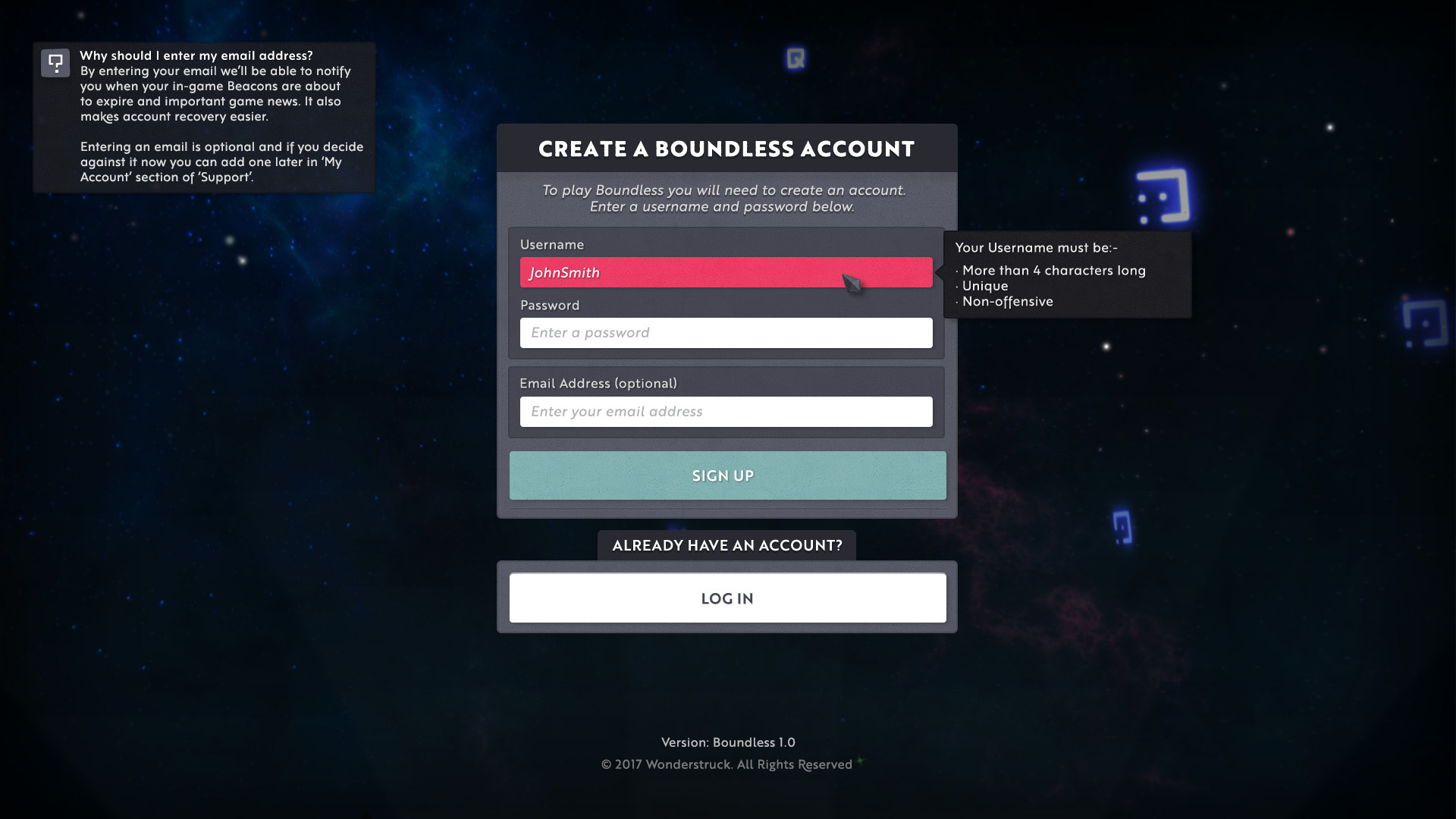
The game loader (a standalone exe on PC, menus integrated into the main game on Mac) has been replaced by new game GUI menus. This consists of a login menu to use for new players who already have a Boundless account, or a “create account” menu for new Boundless users. If you’ve played the game before you won’t see these menus as your SteamID was linked to your Boundless account the first time you played. There is improved error reporting and handling associated with these new menus.
There’s a new splash screen shown after assets are loaded.
SFX + Music:
Fix for server audio state system never setting inCave or underground fields.
New cuttletrunk attack sounds.
Update some Spitter attack sounds.
Engine:
The planets closer than the sun will correctly block out the suns effects now, including darkening the world into an eclipse if the sun becomes largely or completely occluded by a planet.
Removed options for disabling godrays and lensflare, these effects massively change the way the sun appears and with new lighting configs to come, the sun and sky can just look broken without them.
Added options for controlling the resolution scaling of reflections/portals and whether reflections/portals have as full as possible sets of effects (per-pixel lighting, weather rendered etc).
Added options to control number of portal connections that the client will make, and how many portals the client will try to render at the same time, as well as a perhaps harder to understand config value relating to terrain detail through portals which has a strong impact on RAM usage (if the scale value is 200% of the main world, and there are 2 connected portals, then both portals will render with the same terrain detail as the main world, but if there were 4 connected portals, then the terrain detail would be dropped in the portals such that across all 4 portal views, there is at most 200% the amount of chunks downloaded/meshed that there are for the main world, with each of the 4 portals having 70% terrain detail).
Added more resolution scale options, now being decrements of 10% from 100% to 30% of the screen size.
Fixed some misprediction behaviour when using grapples.
Re-enabled the player-player grappling for friends. Player-player grappling will still causes mispredictions however.
Fixed some physics issues on certain diagonally bevelled block shapes that would cause the player to get stuck.
Faster terrain generation on processor with more than four cores.
Significantly reduce the cost of reflections in complex scenes.
Client chunk-cache will use heuristics to help ensure when you configure the cache to use 8GiB, that it will not use (at least much more, generally less) than 8GiB of disk space. Previously it may have actually used upwards of 11GiB on disk.
Reduce VRAM usage of visual effects, which should with performance of older graphics cards.
A new DUI (devs only) command allows disassociation of your SteamID and Boundless account.
It’s possible now to connect a development client build to a deployed game (staging/testing/live) for debugging.
Server:
Fixed an issue where servers could sometimes start to create server wide lag spikes every minute or so.
Bug fixes:
Fix crash approaching a meteorite.
Fix crash displaying information near meteorites.
Fix crash opening the Journal.
Fix day/night cycle out of sync.
Fix for client crash when approaching a falling meteorite just after it impacts.
Fix rare case users were not saved correctly.
Fixed an issue where in very rare cases it was possible for a user to lose progress in their save.
Resolved Known Issues:
The following items were known issues in previous releases and have now been resolved.
Current world filter on Locations Tab includes other world locations.
Drop shadow appears to be broken in places.
Explorer Feats ‘No Going Back’, ‘Collaborative Travel’ and ‘No Warp Too Far’ are not working.
Sun effects are visible through planets.
The message ‘You have been defeated’ can sometimes remain on screen after returning to a world from the sanctum.
When expanding a smart stack offered by another player during trading, it will be empty.
Known Issues:
The following items are known issues in this release.
(new) Capital icon on compass can sometimes be hidden behind portal icons.
(new) Friends list is not sorted into alphabetical order.
(new) Meteorites pass through floating islands.
(new) Pressing Escape key during chat will close and send message instead of closing and cancelling message.
(new) Request Baskets may indicate that there is not enough coin when the total value of sale is just less then the Request Basket Budget due to tax.
(new) Some old beacon information already stored before the places screen update can look inconsistent. But pressing the beacon buttton to get extra beacon information will correct it.
(new) Some weather effects have particles that are way too large and will leak into closed buildings/caves.
Breaking any machine during crafting will destroy the ingredients in use.
Camera is sometimes stuck after exiting GUI menus.
Cannot mine blocks when standing in the same position as a torch.
Creeping on top of chiselled blocks does not prevent characters from falling off.
Distance climbed feats (Mountain Climber I, Mountain Climber II, Ain’t No Mountain High Enough) are not working.
Entity rendering will not always work correctly when there are multiple warps very close together, or where a warp opens up to a location very near where the entrance is.
Grapple tools not working correctly when winding grapple up or down after grappling block drops.
GUI rendered incorrectly on Intel HD graphics (and some AMD / GTX laptop GPUs) on Windows.
Hitting blades of grass after hitting soil blocks resets block damage.
If the game (loader) fails to start on Windows 7 and 8 you may need to install https://support.microsoft.com/en-gb/help/2999226/update-for-universal-c-runtime-in-windows
It’s possible to get stuck between two walls of blocks when using a grapple tool to swing through a portal.
Item placed into Request Basket will disappear when placing the same item into storage.
Item wanted is completely different to what was placed there before on the Request Basket.
Items may unequip themselves after adding a stack of items to a smart stack.
Items will occasionally be unable to smart stack with other items that belong in the same smart stack category.
Left hand sometimes constantly triggers input when inside the sanctum.
Machines sometimes stop crafting after reaching 0s from the Currently Crafting list.
Menus may constantly reappear on screen after closing them.
Minus/negative XP may sometimes appear on screen.
Natural crystal base doesn’t have a mesh and can stick out from storage.
Opening or closing doors and trapdoors when standing too close to them will restrict player movement. To get out of the situation, interact with the door or trapdoor again.
Other players sometimes appear to not be have any items in their hands.
Region names may not be displayed correctly after discovering one.
Request Baskets (previously Buying plinths) that had wanted items set before v151 have unset them. Sorry. Going forward they will be fine.
Shift-clicking any inventory item on the Furnace GUI when ingredient slots are full will cause that item to disappear. To retrieve that item, break the Furnace.
Signs float after destroying blocks they have been placed on.
Skill descriptions are not final.
Some interactive blocks (crafting table, machine, and beacon control) have become corrupted during the migration. This will result in at best those blocks not being able to be interacted with, at worst the game crashing when interacting with those blocks. To fix the issue the block(s) in question need to be re-placed. In the case of anything other than a beacon control the block can simply be broken, picked up, and then re-placed. In the case of a beacon control this will work, although it would result in all the plots having to be re-placed one at a time and during that process the contents being unprotected. A better workaround for a beacon control is to craft a new beacon control, place that, and then break the old one, which will keep the beacon’s plots placed throughout the process.
Sometimes it’s not possible to return to the sanctum after losing all health.
Speech bubbles may still be displayed above players after going through portals.
‘Supply & Demand’ Trader feats are not working.
Terrain Detail on lava is inconsistent depending on the setting used.
Text cursor goes off screen on signs after pressing the Up key when there is more than 4 lines of text.
The recipes are not final.
Torches on sloped blocks have the wrong hitbox.
Release 186.1:
Fix server crash on skill reset.
Fix server crash interacting with plinths.
Fix portal sounds not stopping causing build up of noise.
Release 186.2:
Fix crash joining the game for user with no home location.
Fix warping to home not working.
Fix incorrect warp close effect.
Fix rare crash in the crafting screen.
Fix rare server crash when users exit.
Fix renaming settlements not working.
Release 186.3:
Fix crash placing machines at the top of the world (y=255).
Fix crash with bomb fuses.
Release 186.4:
Improve robustness of chunk cache.
Weekly Dev Update: 2017 November 17th to 2018 January 19th - 8 Weeks of Impactful Sculpting
Since our last Weekly Dev Update we’ve release some impactful features and improvements. The focus of these releases was to make the combat more challenging, scalable, varied and fun. The Meteorite events allow players to opt into more significant and challenging combat. The events scale between world difficulty and locally engaged players.
The other main development focus has been building up to a significant “Crafting and Resources” update that will rework the entire crafting tree, and also introduce Bombs and Brews. Bombs are the mechanism for you to apply status effects to other creatures and players, whereas Brew can be applied to yourself. We’ve already started releasing foundations for this feature release mainly with the introduction of surface resources that complement the in-block resources (coal, ores, gems, etc). Expect to see a Testing release of the Crafting and Resources in a couple of weeks.
Weekly Dev Update - 2017 November 17th
Code
There was a ‘bug blitz’ to tackle the high priority issues, with some of the common crash fixes rolled out in an update to the live game.
The HUD notifications for game events continues, adding the beacon low fuel warnings.
The HUD and GUI have been optimised to reduce frame rate drops that could occur when certain events triggered.
The implementation of the initial game flow is underway, that will ultimately remove the current loader and the way sign-in occurs.
The creature combat update is iterating on the behaviours and balance, including updating the death ray.
Creature targeting is getting an overhaul so they can better target moving targets (i.e. you).
The creature will also now go ‘quiet’ when they are unable to get to their target, meaning they will lurk quietly outside your house.
The regeneration of the world is being updated to support new resources. Where the large plants were will now generate a range of new types.
We are implementing more efficient loading and saving of entities data to allow the server to cope with larger numbers of users.
The rendering optimisation for complex scene continues with focus of the DX11 shaders.
Design This week Ollie did something unforgivable… he nerfed/rebalanced the prestige value of Gleam and now all the former mayors and gleaming settlements are frantically trying to get back control! Apart from changing the entire world, Ollie has been doing a lot of project management stuff and ensuring the next and future updates of Boundless are on course to deliver all the features for 1.0. Luckily Ollie spent some time this week reviewing the new creature combat changes to let off some steam, which led to him making some changes to how many health points you receive per skill-up of Vitality.
The task for creature combat grows but the end is in sight! This week Luke has been implementing feedback from Ollie and the team after a few playtests. The fire rate of creatures has been increased and the damage is now unique per attack instead of a fixed value, so keep an eye on the attacks in future. He’s now looking at upgrading the elemental and special versions of the creatures to make them a bit more unique in combat, specifically they can apply buffs to themselves. Oh boy!
As well as creature combat, Luke has been overseeing the new in-game information section which will present the user with Notifications, Hints, Tips and Contextual messages which is being implemented by Marc. Hopefully all areas of the game are covered so players will have a message telling what is going on or how to use a certain item in future.
Luke has also been coordinating with Luca (not himself, it’s confusing we know) to see how the new surface resource spawning system would work for the new resources coming soon.
Rob has been Rebooting this week. Reboot is what we’re calling Resurrection now, so he’s been reviewing the UI presentation and the icons presented to the player. He’s also been reviewing the machine wear UI and figuring out the best way to present it to the player.
The final part of the week has been looking into a more unified way to show health bars so they are consistent and easier to understand.
This week Matthew has been showing off his world creating skills and has been looking at making home worlds which are a bit more safe and homely for new players. This led to trying out a global water system which means rivers can connect even though they are in different biome configurations. Very cool indeed!
Art Together with the rest of the team we did a two day’s bug blitz at the start of the week. It felt good to clean up various visual niggles and model intersections that we have been living with for a while. With Andy’s help Jim has made better 3rd person impact animations whilst locomoting and placing torches looks nicer in 3rd person too. Jim has also been looking at various VFX bits and pieces to support the Creature and Combat release.
Amanda has been iterating the creature trophy totem concepts so they will stack better in 3D.
Jess has continued adding to the library of creature trophy items.
Weekly Dev Update - 2017 November 24th
Code
The HUD tips and notification have been further polished up.
The health bars are being reworked to better communicate the levels of creatures.
The new player flow progresses working through the, login and region select.
Creature and combat continues worthing through the details of the new creature weapons and attacks.
The Event has had effects added to the meteor to help readability and the attack waves are being polished up.
To help productivity a hot reload of data files has been implemented, which make testing changes faster.
We’ve been optimising the rendering of our DirectX 11 backend, with ~10% improvement in complex scenes.
The backend data formats have been reworked from JSON to mspack3 to improve performance when serialising data to the databases.
Design Ollie’s work on the project management side of the game development continues but in between schedules he has reworked the damage system to include new damage types and renamed existing damage types. He has also been working on improving the Shadow Effect skill so it should work as intended.
Luke has continued to make improvements to creature combat and now Spitters and Cuttletrunks will now use different abilities on different worlds and this will be shown in their visual appearance. For example a generic spitter will use attacks 1 and 2 but an exotic spitter will use attacks 1, 2 and 3. It’s a way to procedurally generate creatures and their abilities. New status effects have been implemented for the creatures along with UI presentation for each effect. The tool tip system is complete and all the information should be presented in the game in a future update.
Luke has started looking at the new meteor event system and working out what types of the creatures will spawn per event and the how the difficulty will scale.
Matthew has continued working on new biomes and using existing prefabs to generate interesting worlds.
Rob has been looking at a new way to present creature health bars so each segment indicates a consistent value. Some improvements have been made to the crafting machine and tax information on plinths to clearly provide information which was not so obvious to players. On top of that Rob has been looking at a new way to categorise the recipe list instead of a standard A-Z format.
Art This week the art team have been with VFX and decorative props.
Jim has been making VFX for the meteor event working with Fooks and VFX for creature attacks. Soon to be revealed in a future creature combat release.
Amanda has been getting up to speed with the weather effects system making new particle types.
Jess has made a start on decorative beam models.
Weekly Dev Update - 2017 December 1st
Code
Work to bring the login and create-account dialogs into the main game within a new startup flow is mostly complete, but still requires careful testing.
The server code has been optimised by storing some of the data it uses more efficiently.
Also some long-standing memory leaks were found and fixed meaning that servers will be more stable (the live servers have been updated with these leak fixes already.)
There’s also been work to improve and fix bugs with the HUD, progress the meteor event presentation, and make creature combat more engaging.
Some investigations in improving networking performance have also been started.
Design Ollie has been reviewing the progress made with meteorite events and how the creatures feel in combat. During the playthrough it was decided that the level for creatures will no longer be shown and instead a string or name will be shown instead to showcase the creatures difficulty to the player. He’s also made changes to the weapons so the projectiles now fire towards or through the crosshair instead of going beneath it. The aim is to make targeting with a slingbow more reliable when using the crosshair to aim.
This week has all been about polishing and refining the combat between players and creatures for Luke. As we’ve improved the prediction for creature projectiles we’ve needed to reduce the amount of damage done by creatures as they’re now a lot harder to dodge than they were previously. Make sure you get your healing brews stocked up! Work has started on developing unique waves for the new meteorite event.
Matt has been updating all 136 of our pre-made biomes this week and he’s been looking at ways to improve the look and use of materials. He’s also created new biomes for mid and higher tier worlds.
Rob has been split between icons for hints and contextual messages as well as at looking improvements to the Places menu.
Art Jess has added to our library of decorative beams.
Jim has been working on VFX for the cuttletrunk beam attack. A powerful burst of destructive plasma. He’s also been providing animations for Luke’s work on the creature attacks and VFX supporting Fooks on the meteor creature event.
Amanda has rolled her sleeves up and launched into all things weather related.
This weeks been focused on getting the feature ready for the Testing update.
The creature combat, attacks and effects were polished up.
New prediction logic was implemented to make them more responsive and predictable on the client.
The Event added more effects to help readability of the meteor strike.
The GUI continues to implement the start of game flow, mainly reworking the Mac login.
The hints and tips were polished up and optimised. The logic for learning to tips and moving them into a Knowledge GUI is still required.
For the backend we worked on some of the admin tools to help with larger universe management.
The DirectX rendering was further optimised to help more complex scenes.
We are also adding a version check to help notify users when new versions of the client are required.
Design Ollie has been working with Andy and Luke this week to help test and balance the new creature combat features for the update as we prepare to get it ready for public release. They also generated data for the different creatures and patterns used in a meteorite event.
Rob has mostly been working on planet markers, updating the storage design and bit of work on the action log. Rage and Focus now have new icons and will appear when the feature is added to the live version of the game. Rob has also been looking at polishing up the new entry flow to the game by adding additional options for players to tailor their experience before they start the game. The last task was to update the request basket and shop stone UI to make it harder for players to accidentally buy damaged tools.
Matthew spent some time this week investigating an issue where player appeared to have lost some plots from the game. He also created analytics to trick the new meteorite event system to help the developers see how they are working and how players are interacting with them. He has been creating new biomes and prototyping different ideas suggested by the team. Some examples here:
Art This week the art team have been supporting the creature combat release, hope you enjoy it!
Jim has been working on meteor and creature attack VFX.
Jess has continued creating decorative beams. Below is ornate stone beam.
Amanda has continued developing weather effects.
Weekly Dev Update - 2017 December 15th
Code
This week has mainly been focused on updating our live version of the game, polishing features and addressing some niggling bugs!
We’ve made good progress polishing Meteorite Creature spawn and improved creature attacks, continuing to add more effects and audio for the Creatures and their attacks. All in all giving a more compelling combat experience.
The GUI sign-up and sign-in flow has been implemented for the Mac and is now also working on the PlayStation 4. Additional feedback and fail cases are being added for user interactions.
We are reworking the client chunk cache to better support all platforms and be more robust.
As a visual bonus the eclipses of the sun and moon have been implemented, let us know if you spot one!
Design This week in design we’ve mostly been play testing and balancing the creature combat and meteorite features before the system went from testing to live. The combat and events have been further balanced, bugs related to the events have been resolved and analytics were set up to provide key information which is helping us to understand how to balance the system further.
Art This week Jim has been supporting the Meteorite release with VFX and testing. Hope you enjoy!
Jess has continued with decorative beams.
Amanda has been continuing with making new weather and ambiences effects using the weather effects system.
Weekly Dev Update - 2018 January 5th
Code
The first week back we been fixing a number of issue from the previous release for an upcoming patch.
The meteor event continues expanding, adding beacon rules to avoid being able to beacon the meteor.
The new sign in flow is nearing completion and ironing out the last issues.
The HUD is adding additional markers to make it easier to navigate to locations.
We are also updating the information about non-combat actions, such as mining.
The resource generation for new prop meshes (rocks, more plants etc) continue.
We also been updating the backend servers.
Design After the festive break most of the the team have returned to work and started working on 2018 features.
Ollie has been reorganising the schedule to make sure everyone has tasks assigned to them for the start of the year and he’s working with Jess to arrange a list of assets which need to be generated for the new recipes and resources.
Luke has been working on the balance for surface resources to get a nice distribution of the different resources on the world surface and in caves. He’s also created several new objectives to help players understand new features coming soon.
Rob has been updating the flow for how players use the worlds menu to make it easier to understand and organise what worlds, settlements and beacons you currently follow.
Art This week the art team is working on the resources and recipe release.
Jim has been iterating despawn VFX, listing visual polish bugs and looking at lighting and eclipse issues.
Jess has been working with Ollie creating a final list of food and drink items. She’s also been supporting Luke was adding natural surface resources like rock stacks, dripping fungus, stalagmites etc into the spawning system. She has also continued with decorative beam assets.
Amanda has been continuing building our ambient weather systems library.
Weekly Dev Update - 2018 January 12th
Code
The new sign-in has been completed.
The GUIs mainly working through the Places screens, additional navigation options and information.
The meteor event continues to tweaks the rule set, for example who is eligible for drops and the spawn logic. We’ve also been doing a lot of little tasks, such as fixing some exploits, and bug fixes.
The reworking of the local cache continues to improve behaviour across all the platforms we support.
We’ve been updating the server deployment to help scale up in the future.
We’re also looking in to performance on lower end machines.
Design Ollie’s week has been busy focusing on project management with James and organising the data for the new recipes.
As we prepare for the next major update Luke has been looking at the reboot (death and resurrection) system, the stamina and hunger system and the new skills for rage and focus. Between that he’s started investigating and outlining how the intro flow of the game will work and kick starting the integration process.
Rob has been making changes to the worlds menu as a well as improving how the main notification UI appears. Part of the changes has introduced a new feature where players can tag other players in the game and track them on the compass.
Matt has continued his work on Biomes and the universe structure. Here’s some new work in progress biomes. (Note the block colours are placeholder for testing only.)
Toxic Cliffs
Tiny Islands
Thorny Forest
Colourful Mountains
Sliced Sky
Grand Chasm
Art This week the art team has been a bit light with illness.
Jim has been animating consume animations for food and brews.
Amanda’s continued with ambient weather effects.
Jess is nearing the end of the beam decorative props. She’s also started on new food and drink concepts for the future recipes release. More of this next week.
Weekly Dev Update - 2018 January 19th
Code
Creatures spawning in caves has been added, with subsets of the creatures selected.
We’ve been prototyping a procedural clouds system as part of a richer weather system.
We are developing a new version of the sanctum and have been adding a new workflow to improve the iteration process.
There are lots of small tasks at the moment, rounding off features and supporting localisation.
The World Builder has been adding extra options to support the world generation exploration.
Scripts to support the large scale world generation and universe deployment continue.
The GUI buttons continue to be polished up. The resurrection GUI is being added.
Design More project management and recipes tweaks for Ollie this week. He’s also started experimenting with the Forge and explaining how the system will work to the team. No one understands it - so it must be good!
Luke has been looking into the prototyping the new Sanctum as well as reviewing the current set up for surface resources. He’s also been working on some new objectives to highlight areas of the game some players are missing and fixing several issues.
Rob has been working with Ollie and Marc this week to establish the UI style and flow of the Forge. He’s been looking at a new layout for the character profile screen.
Matthew has continued to review the current biomes, making new ones and working with Luca to develop new and interesting techniques for generating new biomes.
Sawtooth Mountain
Gleam Forest
Floating Paradise
Art The week the art team has been working on beams, new brew items, natural resources and ambient weather.
Jim has been working with Michael on the tinting of the natural resource props. Rock props take on the colour if spawned on a rock block. Any other block type the colour taken is sand. He has also been making spark VFX to show wear on machines.
Jess has completed our library of beam assets for release 1.0.
She’s also made new concepts for cups to hold brews. We’ve decided to use the current bottles in the game for other types of liquids. More info on this in the future.
Amanda has continued building an arsenal of weather and ambient effects.
Portal Frame Building Competition - OFFICIAL
Originally posted by James and cross referenced from the Devlog Forum
Portal Frames!
There are many amazing builds in Boundless, but some of my absolute favourites are the creative portal frames. Something that decorates the portal with a thematic presentation beyond just the portal itself. I love these because they embrace something unique to Boundless and celebrate it. A few of the most recent are below:
We’re now running a portal frame building competition. Something similar to the amazing chisel contest run by Cookviper but focused on decorating Portals.
Portal Frame Building Competition - Ready to go!
How to get there:
Via portal at [-1927N, 1390E] in “The Moebius Plaza, Therka”. (Thanks the-moebius.)
Via portal at [-1667N, -277E] in “Pixel Gate, Solum”. (Thanks Stretchious.)
… to …
Competition walkway [-572N, 2284E], Solum.
How it works:
There are currently 24 small plots and 18 large plots to claim. We can add more plots if there is interest. Please let us know once you have claimed a plot.
Small plots are 8m x 8m (any height).
Large plots are 16m x 16m (any height).
YOU NEED TO PLACE A BEACON AND CLAIM A PLOT
You can build whatever you want in the plot, but there must be a straight walking path from your portal to the 2 compact copper blocks on the Walk Way. There can be steps or slopes between your portal and the connecting points.
We want players to be able to walk directly out of your portal into the next portal opposite. So there is a single direct path through all the portals.
For entering the competition you get the following gear:
1x Silver Chisel
1x Gold Chisel
1x Titanium Chisel
8x Portal Conduit blocks.
Contact James, or Stretchious, or AmandaPan (via the forum) to get access to your entry tools.
By default all the portals must be 2m wide x 4m tall. The plots and portals are in pairs, and this is noted in your plot’s info sign. For example: PLOT-2-SOUTH is linked with PLOT-3-NORTH. If you agree with the player entering in your plot/portal link to build a different shaped portal then you can do so. Maybe enter in pairs and agree up front?
We want to link all the portals up in following way. (Thanks AmandaPan!)
The competition will run from 2017-12-25 on Sir Isaac Newton’s birthday, to the end of January (exact time TBD).
Stretchious, willcrutchley and AmandaPan are assisting running the competition.
The community will vote on the winners and amazing prizes will be awarded! OooooooOOooo)))000000ooozero000oooOOo)).
Think you can do better than these (work in progress) creations by Aqu, Swede, and SolFall?
Players and Plots:
Come make your mark and join the walk way:
Check the forum post here for the current list of participants and available plots.
Release 184: Meteorites and Combat!
This update is accessible via the “Live” release of Boundless on Steam.
Please restart Steam to make sure you get the latest version of Boundless. If the update happens whilst Steam is open it’s unlikely you’ll get the latest version.
Overview:
Welcome to the new Meteorite combat events, scaling from 1 player up to 100.
Internally we’ve been calling this our “Creatures and Combat” release in which we’ve been focusing on adding to the excitement of exploring and hunting. We’ve been improving the feel of combat with making the responsiveness and physics of shooting better, as well as improving the way we deal with hits and damage in an online, potentially high-latency game. The creatures themselves are much more accurate and dangerous, and have a huge number of new attack types and special moves for you to deal with. We’ve also added a new feature - Conduit Meteorites - which crash down onto the planets ripping out uncontrolled portals through which waves of creatures pour. Defeating all the waves of creatures allows the meteorites to be harvested for large amounts of conduit-fused Oortstone.
The next releases will continue to build on this work, with a full balance of damage and skills to ensure that different play styles are supported in combat and for other areas of the game. Also the addition of new features such as Rage and Focus, Stamina and reviving. We’re not just focusing on combat though – we’re also planning changes to the recipes in the game, and a lot more resources to collect from exploration, hunting and mining.
If combat isn’t your thing, then don’t worry - Boundless will be equally playable by players who want to avoid all combat.
Please checkout the ever awesome Jiivita’s video that explores and introduces the new Meteorite combat events:
This release contains a significant networking optimisation for sending player input to the game server. The aim of these networking changes is to make the game more robust against variable and poor quality local network connections.
Please report how these networking changes perform for you in comparison to earlier Live versions. Hopefully there should be reduced latency and rubber banding. We’re particularly interested to hear how the game performs for players who have experience consistently bad connections in the past.
Please share feedback on the combat and drop balance. It’s a work in progress.
Release Notes:
Art + Animation + Assets:
Creatures:
Added new spitter and cuttletrunk attack animations.
Added new cuttletrunk beam attack VFX.
Scaled down and reshaped the spitter projectile model so it’s more realistic.
Conduit Meteorites:
Added meteorite signal VFX so the meteorite site is visible from a distance.
Improved meteorite effects.
Crafting + Resources + Equipment:
Changed light cube so it can be shaken while the light is on and increased light time to 10 seconds.
Slingbow projectile physics adjusted to allow make their flight travel through the cross hairs and be easier to aim.
Raw and Cooked Starberries now recover an additional 100 hit points each.
Food and brew consumption speed has been adjusted depending on the healing amount.
Master Beacon Controls:
A Beacon Control can now be set as the Master Beacon Control.
This defines the location of the Beacon for warping into. This allows players to control the entry point of their beacon.
The location of a Settlement on the compass is now defined by the location Master Beacon Control of the Beacon with the highest prestige. Allows players to better define the “centre” of a Settlement.
The Master Beacon Control can only be destroyed if there is only 1 plot left in the beacon. It’s now no longer possible to have a beacon without a beacon control.
It’s not possible to unplot the plot containing the Master Beacon Control.
Creatures + Combat + Characters:
Creature combat overhaul. Creatures are being updated to be more competitive in combat and to have a lot more variety between their tiers and worlds. Please be aware that combat is going to get a lot more challenging if you do not have the right attributes before entering the current moon or ring world. This is an initial pass on the spitter and cuttletrunk species and you can expect further changes to the other creatures, balance changes to player and creature attributes as we continue to make combat more fun and interesting. We intend to add options at a later date which will make combat easier to avoid for people who have no interest in it. There is a skill in the skills menu (Shadow Effect) which makes you harder for creatures to detect.
Wildstock charge at their target multiple times. Added a short pause between charges.
New Creature Generation Rules:
When a creature is generated for a world it is assigned a random bundle of attacks. This means creatures on world-A may not use the same attacks as creatures on world-B.
Elemental spawning has been changed to a fixed percentage chance making it more consistent between the worlds and tiers.
Exotic creatures distinguishable via the presence of decals will have different attacks to creatures without decals.
Creature Behaviour:
Spitters and Cuttletrunks have various weapons to select between and can perform different actions in combat such as dodging, attacking or flanking.
Each power tier is now unique and has different behaviours and weapons for you to discover and conquer.
Creatures can now apply status effects to themselves to improve their defence and damage potential. There are ways to prevent the creatures from using the status effect, see if you can figure out how to.
The dodge speed and distance has been updated so smaller creatures move slower but larger creatures move faster.
New Creature Weapon Types:
Spread – Creatures can now fire multiple projectiles in a horizontal, vertical or spread format in a single attack like the player’s slingbow.
Rapid – Creatures can now fire bursts of projectiles.
Rate Of Fire - The speed of each rapid attack has been balanced with its own rate of fire time.
Arc – Creatures can now fire any projectile in a sweeping horizontal arc from one side to another.
Shotgun – A large projectile which deals damage and knocks the player back.
Homing – A player seeking projectile which can move fast or slow and damages the player on impact.
Beam – A continuous laser beam attack which deals damage to the player when they are in the beam. They can be used as a sweep or directly at the player.
Bombs:
Explosive Bombs – A projectile which explodes on impact and deals an area of effect damage to nearby players.
Timed Bombs – A projectile which bounces off the surface and explodes after a period of time dealing an area of effect damage to nearby players.
Sticky Bombs – A projectile which sticks to the surface and explodes after a period of time dealing an area of effect damage to nearby players.
Cluster Bombs – An upgraded sticky or timed bomb projectile which fragments into multiple bombs on detonation.
Lobbed – Creatures can fire their projectile along a vertical arc in addition to the current direct shot.
Please note: Some weapons do not currently use the intended model or visual effects.
Please note: Some of the attacks do not use the correct audio.
Creature Combat Balance:
Damage for Spitters and Cuttletrunks has been adjusted to account for the new weapons.
Each creature weapon has been balanced individually for combat orientated players.
Please be aware that further adjustments on player and creature attributes will be made during development, so you can expect to see big changes to your attributes and the creatures’ in future.
Made spitter projectiles slightly less accurate.
Spitter movement speeds have been adjusted. Low tier spitters are now slower and high tier spitters are now faster.
Tier 1 spitters do not have the 3 shot rapid attack by default. A special spitter with decals is now required.
Wildstock charge attack speeds have been adjusted, Low tier wildstock now charge slower and high tier wildstock now charge faster.
Roadrunners now use their immense speed to help them run on water.
Creature Attack Improvements:
Creatures now have a cooldown for each attack to prevent them from using their best attack too frequently.
Creatures have certain conditions which need to be met before they start using certain attacks. For example, the number of attacking players, the amount of health remaining on the creature, weapon used and a few others for you to discover.
Creatures will sometimes perform a tell animation before they perform certain attacks. Look out for these if you want to avoid powerful attacks from a creature.
Improved the shot accuracy of projectiles fired by creatures. The projectile attacks will now be able to hit you very accurately, so you need to be much more nimble to respond to the projectile once it has already been fired instead of being able to easily trick the AI into firing wildly far from you.
Projectile sizes have been adjusted to match the new projectiles and to make dodging creature attacks easier because of the improved creature accuracy.
Creature prowl:
Creatures will now give up on a target that they haven’t seen for a while.
They are still aggressive when prowling and if they see you they will attack straight away.
While prowling creatures will make fewer sounds (so less annoying when you are inside).
The Hopper will not whistle while prowling.
Conduit Meteorites:
Meteorites will now occasionally aggressively impact nearby to players.
They can be found more quickly by exploring.
Creature portals spawn around a meteorite and drop creatures who will try to protect the meteorite.
Once all of the creatures have been killed the meteorite can be mined.
Inside the meteorite blocks is a meteorite core that can be looted for drops!
The more players in an area at the start of the event the harder the meteorite will be to beat.
Harder meteorites will have better loot.
New drops have been added and the amount of drops depends on the size of the event and the type of drops depends on the world difficulty.
The amount and power of the creatures spawned has been altered to make it easier for solo players and more challenging for groups.
Meteorites will not spawn within 64m of a beacon.
Drop Rates:
Removed Oort Stone from all creatures except the Roadrunner as the new meteorite system is intended to be how you collect Oort Stone.
Lowered the drop rates of certain items as the items were being dropped too frequently and in very high quantities.
Creature General Improvements:
Hoppers will not explode on the other side of a wall to their target.
Hoppers now have an additional delay on explosions they should always whistle for 1.5 seconds before they can explode.
Creatures’ power level is now represented with a name rather than a number.
Improved projectiles fired by creatures, their projectile attacks will now be able to hit you very accurately, so you must be much more nimble to respond to the projectile once it has already been fired instead of being able to easily trick the AI into firing wildly far from you.
Improved behaviour of Hopper explosions and any other relevant damage that is not (and should not) be predicted by the client so that its effects are delayed and distributed to the client to coincide with the time-point in which the client observers the Hopper (or whatever is otherwise causing the damage) to be in the visual state where the damage would be applied… aka you receive damage when the Hopper explodes visually on your screen. This also means the Hopper cannot magically hurt you even if you had moved away from the point of the explosion from your perspective.
Fixed an issue leading to rubber banding if a Hopper jumps at you just before exploding where you would be pushed away from the Hopper and then rubber banded back to where you were before once it explodes.
Fixed a bug where the client would mispredict hitting a creature if the projectile hit the creature at the end of its range just before it would have vanished from travelling too far.
Full support for creatures to throw timed bombs that can start their fuse on contact, and for projectiles that explode on contact, and that can be set to bounce off the ground and only explode on contact with entities.
Projectiles and bombs fired by creatures will ignore dead bodies lying on the ground, firing/moving through them. But client projectiles will still interact with them so that you can gather the loot.
Can now give entities different hitboxes when dead, stopping strange interactions with players who are dead on the ground, but also giving us scope to improve more interactions with dead creatures too. Prediction systems extended to support this.
Sanctum + Tutorial + Objectives + Progression:
Changed it so that you can warp any distance with any size of Warp (skill limit still applies). No more frustratingly large Warps required. The ultimate aim is to encourage Warps constructed in the worlds rather than using the emergency Warps in the Sanctum.
Health gains from Vitality reduced to start slower, and then accelerate towards 100%.
Threat and Aggression
Shadow Effect is now a multiplier rather than a subtractor.
Rebalanced Shadow Effect.
Rebalanced Threat Modifier.
GUI + HUD:
Mastery effect on tool and weapon speed tweaked, and represented in the GUI.
Fixed filter categories in machines and the knowledge screen.
Recipe and item lists in machines and the knowledge screen are now more usefully categorised and filtered.
Some GUI optimisations that reduce the cost of adding new combat messages.
GUI buttons are more consistent in colour.
Added a new tool tip to explain meteorites and how you need a beacon to play certain blocks.
New notifications have added to better explain how to remove the new master beacon control.
Improved GUI performance.
Defeated text has been made more consistent.
Unified Entity Health Bars 2.0:
Modified the health bar presentation to improve health ranges and progression presentation.
All creatures, blocks, entities and players now share a consistent and unified health bar across all worlds.
The health bar gradually steps up to a higher scale as the health of the entity geometrically increases. This is to keep the presentation tight and more relevant to the scale.
The scale is consistent across worlds to help players understand the relative vitality of new creatures they discover.
As an entity’s health decreases the health bar will step down through the geometric scale.
For players where the maximum health is relevant the health bar will not step down through the scale. This helps players understand how far their health is away from their maximum.
Status Effects:
Added a New Citizen status effect for new players. Players with this effect will not be attacked by creatures (unless provoked!).
Added a new Interstellar Stasis status effect for players who are not authenticated by the server. This is to indicate when you cannot perform certain actions until the server has verified your character after walking through a warp or portal.
New general icons and status effect icons have been added.
Wear Update:
Wear is now presented as total values rather than fractions of percentages.
Different machines have different wear totals.
Different spanners repair different amounts of wear.
Contextual Messages and Notifications:
A message box now appears on the HUD to display contextual messages and notifications.
Notifications are presented to the player when important information needs to be displayed. These are mostly used to highlight the status of your builds and alerts you when your Beacon or Campfire is nearly out of fuel or it has expired.
Contextual messages are general pieces of advice which are used to highlight information to the player.
Contextual messages appear when certain actions are performed and are removed when the action is complete or after a certain period of time has passed.
Contextual messages will appear a certain number of times before they are no longer displayed.
Contextual messages have cooldown which prevents them from showing up repeatedly in a short period of time.
Contextual messages can be disabled in the settings menu at the bottom of the Game tab.
Damage Types Update:
Renamed melee, projectile and impact damage to be kinetic, impulse and falling.
Creature attacks assigned to kinetic or impulse.
SFX + Music:
New meteor sounds.
Further meteor sounds.
Engine:
Fixed a couple of server and client memory leaks.
Minor server tweaks to assist with performance diagnosis.
Fixed a rare issue where a player could get locked onto a world and was unable to rejoin the game until a server was restarted.
Fixed a potential server crash where a user was able to interact with a new character in an unexpected way before the server was alerted to the character creation.
Rendering performance:
Set level of detail distances for effects and meshes to improve performance in busy areas.
Added graphics option to set object detail level, which scales effects and meshes draw distances.
Added graphics option for ‘target minimum fps’ that will dynamically alter the detail levels if the frame rate drops too low. Defaults to 20fps.
~5% speed increase in complex scenes on all platforms.
Additional ~10% speed increase in complex scenes on Windows.
Client now sends all game inputs to the server over UDP instead of WebSocket. This should hopefully mean that people suffering from packet loss can play the game much more smoothly. The “Disable unstable network” option is now defaulted to “on”. Data about this traffic has been added to the debug screens and to the latency screen.
New version check code to spot client running on the wrong version.
Fixed drop shadows sometimes looking incorrect.
Bug fixes:
Fixed an issue where it was not possible to complete all requirements for the objective ‘Add A Member To Your Beacon’.
Fix for Cuttletrunk pull attack effect playing after the pull attack has finished.
Fix for Hoppers exploding multiple times and not dying.
Fix for camera flicker when sending chat messages.
Fixed other players being able to grapple your item pickups from creatures.
Fixed dead creatures with their items collected blocking player shots and grapples.
Fixed mispredictions sometimes when interacting with the world if there were players/creatures walking around in front of you, and fixed the interaction with blocks to be consistent with the GUI, so that you cannot interact “through” players/creatures to a block.
Fixed camera not resetting when creating a new character.
Fixed missing held items on Mac version.
Fix for hoppers continuing to play their steam whistle even after calming down.
Fix for some effects not playing on the meteorite (flames, smoke).
Fix meteorite crash landing audio playing multiple times.
Resolved Known Issues:
The following items were known issues in previous releases and have now been resolved.
Choosing Return to Sanctum option briefly displays ‘wrap error’ text on screen.
Clicking the Craft button very quickly may close the active recipe.
Damage indicator circle can sometimes remain on screen even when no damage is received.
Number of available feats is incorrect.
Objectives & Feats - Some tasks are not being tracked correctly.
When Beacon fuel is nearly full, adding extra fuel will display a message saying that there are no consumable fuel items.
When selecting a skill, if the Cancel option is overlapping it, the skill will be unselected.
Z-fighting with some items (workbench and other machines) when placed underwater.
Known Issues:
The following items are known issues in this release.
(new) ‘Supply & Demand’ Trader feats are not working.
(new) Breaking any machine during crafting will destroy the ingredients in use.
(new) Camera is sometimes stuck after exiting GUI menus.
(new) Cannot mine blocks when standing in the same position as a torch.
(new) Creeping on top of chiselled blocks does not prevent characters from falling off.
(new) Current world filter on Locations Tab includes other world locations.
(new) Distance climbed feats (Mountain Climber I, Mountain Climber II, Ain’t No Mountain High Enough) are not working.
(new) Explorer Feats ‘No Going Back’, ‘Collaborative Travel’ and ‘No Warp Too Far’ are not working.
(new) Fog can linger inside closed buildings.
(new) Grapple tools not working correctly when winding grapple up or down after grappling block drops.
(new) Hitting blades of grass after hitting soil blocks resets block damage.
(new) It’s possible to get stuck between two walls of blocks when using a grapple tool to swing through a portal.
(new) Left hand sometimes constantly triggers input when inside the sanctum.
(new) Machines sometimes stop crafting after reaching 0s from the Currently Crafting list.
(new) Minus/negative XP may sometimes appear on screen.
(new) Natural crystal base doesn’t have a mesh and can stick out from storage.
(new) Other players sometimes appear to not be have any items in their hands.
(new) Signs float after destroying blocks they have been placed on.
(new) Sometimes it’s not possible to return to the sanctum after losing all health.
(new) Sun effects are visible through planets.
(new) Terrain Detail on lava is inconsistent depending on the setting used.
(new) Text cursor goes off screen on signs after pressing the Up key when there is more than 4 lines of text.
(new) The message ‘You have been defeated’ can sometimes remain on screen after returning to a world from the sanctum.
(new) Torches on sloped blocks have the wrong hitbox.
(new) Water can flow through closed doors.
Entity rendering will not always work correctly when there are multiple warps very close together, or where a warp opens up to a location very near where the entrance is.
GUI rendered incorrectly on Intel HD graphics (and some AMD / GTX laptop GPUs) on Windows.
If the game (loader) fails to start on Windows 7 and 8 you may need to install https://support.microsoft.com/en-gb/help/2999226/update-for-universal-c-runtime-in-windows
Item placed into Request Basket will disappear when placing the same item into storage.
Item wanted is completely different to what was placed there before on the Request Basket.
Items may unequip themselves after adding a stack of items to a smart stack.
Items will occasionally be unable to smart stack with other items that belong in the same smart stack category.
Menus may constantly reappear on screen after closing them.
Opening or closing doors and trapdoors when standing too close to them will restrict player movement. To get out of the situation, interact with the door or trapdoor again.
Region names may not be displayed correctly after discovering one.
Request Baskets (previously Buying plinths) that had wanted items set before v151 have unset them. Sorry. Going forward they will be fine.
Shift-clicking any inventory item on the Furnace GUI when ingredient slots are full will cause that item to disappear. To retrieve that item, break the Furnace.
Skill descriptions are not final.
Some interactive blocks (crafting table, machine, and beacon control) have become corrupted during the migration. This will result in at best those blocks not being able to be interacted with, at worst the game crashing when interacting with those blocks. To fix the issue the block(s) in question need to be re-placed. In the case of anything other than a beacon control the block can simply be broken, picked up, and then re-placed. In the case of a beacon control this will work, although it would result in all the plots having to be re-placed one at a time and during that process the contents being unprotected. A better workaround for a beacon control is to craft a new beacon control, place that, and then break the old one, which will keep the beacon’s plots placed throughout the process.
Speech bubbles may still be displayed above players after going through portals.
The recipes are not final.
When expanding a smart stack offered by another player during trading, it will be empty.
Release 184.1:
Crafting + Resources + Equipment:
Gravity has been removed from the grapple projectile. Expect more balance changes in the future.
Sanctum + Tutorial + Objectives + Progression:
Forced a player skill reset to allow players to recover skills lost when they were renamed.
GUI + HUD:
Added new log messages for invalid player interactions.
Improved the warning log messages presentation.
Engine:
Tweaked the configuration of networking on Mac OS X to improve performance.
Bug fixes:
Fixed an issue where you couldn’t withdraw coin from a plinth.
Release 184.2:
Creatures + Combat + Characters:
Improved the estimation of players who will attack a meteorite. Players should now see the larger meteorite types more often.
Server:
Added logging to try an debug a server crash when world regeneration tries to remove machine blocks.
Bug fixes:
Fix for server crash when creating a meteorite portal on a chunk border.
Release 184.3:
Re-enabled world regeneration after working around a recurring crash on Elopor (still working on a permanent fix).
Fix for client crash when being shot at by a Spitter then walking through a portal.
Fix for rare client crash when a server shuts down.
Fix for dead creatures showing up on the compass.
Release 184.4:
Added logging to help debug a crash when firing a grapple.
Added logging to help debug a crash when removing meteorite effects.
Blacklist corrupt chunks from regeneration on server failures. Chunks will be analysed to determine fixes.
Fix for Spitters getting stuck prowling when their target is closer than 18m.
Fixed issue choosing a spawn location.
Fixed issue from cuttletrunk beam attack.
Fixed issue when backing up player status.
Fixed rare character manager crash.
Prevent GUI client crashes in RecipeScreen, InventoryScreen, TradingScreen, PowercoreScreen and MachineScreen.
Weekly Dev Update: 2017 October 6th to November 10th - 6 Weeks of Rage and Focus
Since our last Weekly Dev Update we’ve released some significant features and improvements:
There are still a few more improvements to come in the Portal and World loading systems. We’re also starting to focus on the rendering performance.
The main gameplay focus has been across 2 large areas: Creatures & Combat and Recipes & Resources. These domains will makeup the main changes in the coming feature releases.
Code - October 6th:
We are adding the Creature Spawn Events where hordes of creatures will attack a random player every half an hour or so. We are adding the Rage and Focus for players that allow them to use skills in combat against creatures. We’ve continued on the player resurrection code, which is like to become more helpful as creature become tougher as they are evolving a new range of attack abilities.
Work on in game Signs continues, further polishing the GUI and adding smaller sign support to give you more options to leave messages in the game world. Whilst you’ll see changes to the HUD with an added stamina bar and further information displayed in the combat log, both should make it easier to see how much damage has been dealt to creatures and to your Citizen.
Machine refactoring is now complete, addressing scalability issues for larger contraptions and introducing Machine wear. Now, Machines will need regular maintenance to stay functional. Machine pipes will now show whether they are powered or not by Spark Cores and an vfx is displayed when Engines connect to a Machine allowing a smoother Machine experience.
The Windows full screen update is completed and out in the Live version. We’re adding support for automatic crash dump collection so we can more efficiently analyze crash data.
Code - October 13th:
Creature spawn events are progressing well, adding multiple portal spawners for creatures to drop into the world. New creature behaviour and attack types are also being added (including homing shots!) Both features will help make combat more compelling for players.
We have been working to make the tutorial feel more intuitive, adding prompts to help guide new users through the early game. Likewise, following player feedback, the way the users add friends is being overhauled to make it simpler. We are also looking at allowing adding Steam friends in game.
The signs continue to be polished with richer font rendering and further GUI polish.
Soon, Portals should start to feel smoother and smarter with a rework of the portals activation logic. A new wobbly fx on open portals replaces the old placeholder gray quad and these are now also visible through portals. The back end of portals are being updated to help prioritise user wanting to join the World, over spectator portals.
For a more immersive experience, further sound effects are being added with elemental explosions variations and projectiles now whizzing past your head.
We’ve also replaced the backend crash logging on Windows to allow users to upload the crash dumps rather than emailing them in. Less time explaining, more time playing!
Code - October 20th:
We’ve made good progress polishing the Portals, working on making them more responsive when opening up, as well as refining the effects. You should have a much smoother time using Portals soon.
A lot of work has gone into Creature Events Spawning over the past few weeks, we are now at the stage of adding support for more Creature types, such as the Cuttletrunk. The overhaul of the Creature Weapons includes creatures now having a selection of weapons and attacks to use.
The GUI is now re-skinning the headers and footers of the screens to add richer information whilst The HUD is adding a newsflash to inform the user of important information. We’re getting close to making sure you have all the information you need at a glance.
Work on Signs continues, with the sign code continuing to be polished up including an updated beveled font rendering.
We’ve also spent time updating some of the backend libraries and looking into memory use to improve server and client performance.
Code - October 27th:
It’s been a busy week over with our Coders (as always) with lots of work going into making your Boundless experience even better. Creature Events continue to be finessed with a Meteorite deposited in world and the drops being able to be collected per user, like creature drops. The new creature attack variations continue to be fleshed out, with homing projectiles.
The HUD newsflash is now integrated into our next release, giving users more obvious information updates at a glance.
We been adding support to allow user to add their Steam friends in game.
We added saving and loading of world physics data on the server to increase the speed that things can move around. This also helps when portals are opened, reducing the occasional stutter; polish continues.
We’ve upgraded the PlayStation memory allocator to jemalloc, an allocator that performs far better in threaded systems. This increase speed overall and reduced frame spikes. We’ve also fixed some memory issues that will increase stability and reduced ram use overall.
Code - November 3rd:
Much of the time was spent on updating the game for the Release 182, polishing up features, balance and bug fixes.
The Event continues to work on the creature spawn rules, aiming to get the most creatures around the meteorite impact. The creature’s combat improvement continues, with further attack variations, such as barrage and timed ‘bombs’ as well as new behaviours.
The HUD is reworking the information for beacons and settlements. The beacon controls is being changed to allow a single Master Beacon Control. This will stop players accidentally removing all their beacon controls whilst there are still active plots in the world.
We continue looking at the client performance in the built up areas to maintain a higher frame rate. As part of this the level of detail ranges for effects and objects have been set, with a new game options to allow the object detail to be scaled.
Further portal polish reprioritized the order that the worlds are meshed to make one being looked at become visible more rapidly.
On the backend we continued design work on scaling up the world generation and universe infrastructure.
Code - November 10th:
The creature combat update continues to polish up the new attacks. The Cuttletrunks are being upgunned with a new death ray to make them even more lethal. The meteor event continues to be expand with mineable resources and the meteor health depending on the creatures spawned.
The HUD has added a new tips feature to help the game features to new users. The beacon GUI has been polished up.
We are looking into the performance in built up areas and are optimizing some of the hot spots. To help performance in very detailed areas we are adding a dynamic level of detail adjustment option so you can help control desired minimum framerates.
We are evaluating the new Amazon C5 instances that offer improved servers performance, especially in network bandwidth.
Design - October 6th:
This week Ollie has been finalising the design and requirements for the new recipes and resources. He has also been nurturing the Rage and Focus system which is being implemented by Andy. Rage and Focus will make higher level combat more rewarding.
Luke has been working on new behaviours for the Spitter and Cuttletrunk to make them more unique and interesting to fight against and to give them fun and varied combat patterns and moves.
Rob has been working with Marc to implement the combat log system as well as refining the stamina UI. Now, he’s on to the list of tasks compiled from last week’s playthrough. Rob likes a challenge.
Matt has changed the telemetry system so we can now get accurate data from players based on their characterIDs instead of usernames. The better the data we collect, the better we can make your time in the game world.
Design - October 13th:
This week Ollie has continued finalising the new items and recipes and has started integrating them into the game. He’s also been supporting James with management stuff and Dave with a fancy creature spawning system.
Luke has continued to balance the Rage and Focus system to make combat at higher levels more interesting and rewarding. He’s also been working on behaviours and attacks for creatures with Andy to give a more unique feel to creature encounters.
Rob’s task for this week has mainly been to improve the profile screen. The aim is to allow players to see each others information and to make it easier to befriend or trade with each other. The last part of the week has been polishing up the Stamina feedback system with Marc along with improving the newflash layout and timings. In between that, he’s started looking at ways to improve the Beacon Control UI to make it easier to see what’s happening with each of your Beacons.
More telemetry from Matt this week. He’s implemented a system which allows us to see all their characters and look into specific stats about that character. He’s also been improving how we gather data as well as fixing issues with the current system.
Design - October 20th:
This week Luke has been polishing up his work on Creature attacks and behaviour as well as his work on Rage and Focus. This will add a greater depth of challenge and fun to Creature attacks and hunting.
Rob has been working with Marc on how to improve messaging in the game, including contextual tips and ‘did you knows?’, the combat / action log and the gain log. All this should make it much easier to understand what is happening, especially for new players. He’s also been working out a better approach for the initial flow around account and character creation.
Ollie has been continuing to work out the new crafting and recipe stuff (no one has attempted to make a real life Boundless Pie yet though), as well as adjusting the tools we use to edit that data.
Matt has been checking and improving our telemetry “rollup” so that we can manage the vast amount of data produced. He’s also been looking at neat ways we can send surveys to get feedback from a wider range of players.
Design - October 27th:
This week Ollie spent some time looking at the tiny interaction distance for signs, which has spread to all interactive items in the game. In a future update the amount of control you have will increase the range at which you can interact with items. Work continues to progress with the new recipes and resources. As well as that, he’s been reviewing and iterating the new creature spawning system with David.
Luke has been continuing his work on creature combat this week with help from Andy. Together they have been creating new attacks, patterns and behaviours for the Spitter and Cuttletrunk species with the aim of making combat more challenging and unique between the different tiers. In addition to creature combat, Luke has been polishing the rage and focus system for players to have fun and unique upgrades to their character for mid to endgame combat.
Rob’s week has been split between multiple tasks as he’s been reviewing a lot of Marc and Simon’s efforts in finalising the Newsflash and Objective presentation, as well as starting work on a new presentation for Beacons and boot flow. The remainder of the week has been finalising the design for the game connection status and updating the UI style guide for game.
Matthew has been analysing the telemetry data this week and hunting down discrepancies in the data and trying to fix the issues he’s found. He’s also been refining how we present the data for members of the team to review.
Design - November 3rd:
A mixture of bug fixing and work on new areas has been the highlight of this week.
Ollie’s week has been split between managing this week’s release and hotfixes as well overseeing the new spawning event being developed by Dave. In between that, Ollie managed to squeeze in time to update the machine repair system and continued working on the new recipes, including the elusive forge.
Luke continues with creature combat this week, with cuttletrunks and spitters receiving new attacks and behaviours depending on their tier. They’re a lot harder to fight now, so further work is needed to make sure combat is fair for the players.
Rob has been working on the entry flow for a new user and existing user on PC and console. The cross-platform feature has caused a bit of complexity with the flow but all areas should now be covered.
Now that we are gathering large amounts of telemetry data Matthew has been going through and optimising it to reduce the amount of data we request. In addition to that, he’s also created a timeline to show how players are playing the game. The timeline shows us how long players are taking to complete feats and objectives, which should help us balance the game and find problems with our progression.
Design - November 10th:
This week Ollie has been busy with project management work. He’s mostly be bogged down with organising tasks for the next release and planning future updates to the game to give the team a clear roadmap for the coming months. Recipe work is still ongoing but it has taken a backseat this week.
The creature combat continues to be refined and polished. Luke has been fixing up several issues with the new Spitter and Cuttletrunk combat behaviours and balancing them accordingly. Thanks to some new weapon set ups and configurations, the creatures have a few more tools up their sleeves in combat.
Matthew has been busy investigating how we can probe players for information by using a target e-mail survey, so you might see one soon. As well as that, he is still checking for bugs with the timeline data and roll up queries. Luckily, his telemetry tasks are beginning to dry up so he’s started looking at a developing new worlds.
With the entry flow from last week finalised, Rob has been reviewing the rage and focus presentation and has been refining how it is presented to the player. He’s also created several unique icons for some new status effects which will help players to see when a certain effect is applied to them. As well as that, he’s been reviewing a number of screens and figuring out ways to improve them, including the furnace, journal, wear and times on Beacons.
Art - October 6th:
This week the Art team have continued to work on sign, fences, door, beam concepts, more decorative prop modelling and new recipe items.
Amanda has been working on Signs and frames in different materials. Check out her forum post with Sign concepts update below, and yes Rick-rolling is still going strong:
Aside from Signs, Amanda has been looking at concepting fences along with doors and beams for rock/stone to see how they have consistency in situ:
And more door concepts. These are exploring a stained glass style.
Ollie and Luke are working on a final set of comprehensive Recipes for the next larg(ish) release. Jess has taken a look at those Recipes and started to concept some delicious art! Anyone fancy a slice of Boundless Pie?
Between concepting food stuffs, Jess has created even more new decorative pole models:
Jim has been finalising 3rd person held items and providing animation support for the new Spitter and Cuttletrunk ranged attack behaviour Luke’s working on. Both features are looking great.
He has also continued to work on lighting balancing and adding bloom which until now has been fairly non-existent. Adding bloom gives a gentle glow to all Gleam blocks and Lanterns making your builds look even more special.
The ultimate goal is to balance the lighting so torches, Gleam, midday sun - all lighting situations work pleasingly together and don’t blow out.
Art - October 13th:
This week in the Art Team it’s been a mix of finalising props, concepting and getting those Signs prototypes functional.
Amanda has been finalising doors. Here’s the latest material progression concepts. Nearly there!
We’re also looking at the creature totems so Amanda has provided B+W orthos of the Spitter Totem.
Whilst Jess (along with Luca’s coding skills) has continued with the Signs prototype. It’s looking good so far. We have a tileable 1m x 1m sign system and a standalone single smaller sign.
Last but not least, Jim has been working on lighting, specifically torches, in an attempt to fix the current extreme lighting levels. We’re aiming for ambient rather than blinded by the light!
Art - October 20th:
Over in the Art team we’ve been continuing to develop the features we were working on last week doors, fences, Signs and lighting.
Amanda is exploring some great door and fences concepts.
Carrying on with Sign prototyping, Jess has made Stone versions of the Signs which we will be providing for testing soon. The Stone Sign. The stone colour/tint will come from the world stone colour.
Jim has continued working with Luca on balancing lighting and torches and also providing feedback for a new portal effect to be played when multiple open portals are visible.
Art - October 27th:
The art team have been busy on prop concepts and consumable items.
Amanda’s concepts for unique fence types. These will provide more variety for decorating builds in addition to the material progression fences we shared previously.
Ollie and Luke have been working on the list new items and recipes. We have the list of new foods which Jess has been creating.
Art - November 3rd:
This week the art team have been supporting release 182.1 and working on prop concepts and new items.
Amanda has been finishing off Decorative props, posts and beams. See Amanda’s forum post.
Jess has finished the new foodtuff items with the bean model. She’s moved onto rare creature drops. Collect enough of these and you can craft a cool creature totem as seen in Amanda’s previous post.
Please restart Steam to make sure you get the latest version of Boundless. If the update happens whilst Steam is open it’s unlikely you’ll get the latest version.
Overview:
Get you “Lorem ipsum dolor sit amet, consectetur adipiscing elit, sed do eiusmod tempor incididunt ut labore et dolore magna aliqua.” - on stand by. This Testing release contains a wide collection of improvements, but most significantly, a first implementation of player creates Signs. Everything from “SHOP” to “Home Sweet Home”.
Please checkout Jiivita’s video that explores and introduces the new Signs:
All skill points have been refunded. You will be asked to re-skill your character when you first enter the game world. (Don’t forget to learn your inventory expansions!!)
Release Notes:
Art + Animation + Assets:
Improved scale, rotation and position of objects for storage, plinths, basket and GUI.
Softened the Warp edge VFX to look more consistent with the Portal VFX.
Improved the 3rd person take hit small flinch animation.
Fixed artefacts with rain and snow weather FX caused by horizontal drift.
Consuming food and brews is now quicker.
Make Spitter projectile physics smaller.
Fix Spitter shooting animation to be in-sync with the projectile.
Fix for characters playing the wrong animation when creeping after running.
Updated all animations to have a short time to impact for a more responsive feel.
Crafting + Resources + Equipment:
Updated how colour of crafted output items are chosen.
Randomise the rotation + flip of resource decals on blocks.
Building:
Fix placing torches onto invisible walls when placing a torch whilst selecting a flower.
Allow changing the “type” of grass on a block using seeds directly without having to remove the old grass first.
Fix that when placing blocks on top of grass that now don’t remove the grass, that the long bits of grass were not at least being removed.
Beacon plots can now be coloured from Gleam to help distinguish between your different beacons.
Allow more than 25 adjacent storage blocks in any orientation.
Update Beacon Plot drawing to be clearer, plus fix not always drawing plot surfaces and not drawing plot when placing beacon control.
Allow non-activated portals, and non-locked signs to be broken as individual blocks. Once activated, or once locked, the entity will become breakable as usual as an entire unit together.
Machines:
Machine crafting (including spark-cores and pipe networks) re-worked for performance and stability (was causing a fair amount of server crashes), generally speaking, you shouldn’t notice the difference, except that various restrictions will now have been lifted, such as being more free with placement to put machines that are a different type right next to each other for example. Pipes will now also show correctly whether they are connected to a spark-core with non-zero spark or not so you can see if a pipe is able to transmit spark to a machine. This also fixed bugs if you ever had longer pipes, where the machine GUI would show the incorrect amount of available spark if the spark-core was too far away from you. The one exception to this is spark-cores, which are now constrained to be at most 4 blocks wide on any axis, this may mean that one or more of your spark-cores may be removed from the game, but in locally migrating all the live worlds, this was less than 10 across the whole universe so actual impact is minimal.
Machine pipes now have much tighter physics rather than being the full voxel size, and client will do a better job at predicting the changes to pipes and their neighbours when placing and removing them, now being much more important that they have tighter, dynamic physics shapes.
Machine engines and advanced engines will now render lightning when connected, and not fully worn, towards the machine that they are powering… not that engines are available just yet for users to actually player with…
Machines can now take ingredients from the machine output and players' backpack.
Various fixes around durability/wear of machines and sparkcores etc, correctly displaying wear in the GUI and preventing stacking which destroyed the wear state of the machines/cores. Power-cores will now correctly wear out, and display wear in the GUI and must be routinely repaired as machines do. Wear is now correctly applied to crafting tables, furnaces and unreleased engines. When placing spark-cores and machines, the durability values will be combined appropriately to get an average value. Wear will now also be visible in the hud details when hovering over machines, powercores etc.
Portals:
Portal activation/rendering logic update, portals should be much more responsive in terms of starting to load and being rendered when looked at, and will now take into account occluding geometry to not allow the client to start connecting to a portal that he can’t even see which may “sometimes” mean a portal takes longer to load because it waits to start loading until you can see it, but generally will mean far less “pointless” loading of portals just whilst walking around a town.
Portal visuals updated when a portal is not being rendered to not just be a flat grey/black colour, but to use the atmosphere colour of that world with a more interesting effect displayed.
Portals will now be visible through other portals (always as the above coloured state, no recursive portal through portal through portal through portal rendering nonsense!).
Signs
Initial implementation of Signs.
Signs have a display text visible in the world, and a longer piece of additional text that can be read by anyone regardless of permissions if they interact with the sign.
The display text on a sign has a choice of regular, bold, or italic font and will auto-scale to try to best fit the sign, the text is multi-line and be left or right aligned.
Signs come in two types, a “standalone” sign that is a fixed, sub-voxel size and is like a placard that can be rotated.
The other are “combining” signs which are always 1m in size, and will combine with neighbouring sign pieces that are of the same block type, colour and direction, to make up bigger and bigger signs (10x10 at maximum).
The combining signs will be placed as “crates” similar to machine blocks, and whenever a valid rectangle is made, will be replaced with proper sign pieces showing it can now be interacted with.
Once a combining sign has had text added to it, it will stop combining and will be broken as a whole. Once a combining sign has had text assigned to it you can then rotate the sign text and change its properties.
Signs have fixed physics similar to a door piece (but thinner) so will be collided with and walked on top of. The standalone sub-voxel sized signs will still have a fixed physics shape the same as combining ones.
Creatures + Combat + Characters:
Character now doesn’t start placing blocks until the mouse selects a valid place to put a block. This makes building vertical columns far easier just look down, hold place block and jump.
Fixed projectiles failing to hit the player often when the player is stood right next to a wall.
Fix for client misprediction when walking at an entity while killing it.
Physics:
Physics tweaks to prevent the player fitting into half-block gaps consistently now.
Physics tweaks to make swimming a bit more responsive and to fix issues of not being able to consistently swim above the surface of the water, and not being able to consistently jump out of the water onto ledges.
Prevent edge-climb ability being used whilst attached to a grapple to not conflict with existing grapple-jump behaviour (no more accidentally letting go of grapples when near ledges due to edge-climb)
Prevent edge-climb ability, grapple jumps, and jumping out of water from activating unless facing in the direction of the ledge.
Creatures:
Resistance is now a percentage chance to take no damage rather than a damage reduction.
Elemental creatures' resistances now consider element class.
Fix for creature idle animations repeating until the creature moves. Creatures now randomly pick a new idle animation each time they complete an animation.
Cuttletrunk projectiles now fire faster
Death
A new presentation has been implemented for when you die. You now need to hold the RMB (right mouse button) to return to the sanctum after you’ve died.
A negative status effect is now applied when you have been defeated. The Death Sickness reduces your attributes temporarily.
Your health is restored to 25% after you’ve died. You’ll need to consume food to replenish your health.
These changes are part of the new resurrection system where players can resurrect other players.
Sanctum + Tutorial + Objectives + Progression:
All skill points have been reset! Visit the skill screen to reallocate them.
The crafter feats have been split up into the following categories: “Basic Crafter Feats” and “Advanced Crafter Feats” as there were too many for one category.
Skills
Added advanced block placement skill (in the core tree) to allow choice between fully rotational placement and simple placement.
Reduced number of mastery skills from ten down to five, and balanced the effects across them.
Added chisel skills to allow use of precision chisels (part of the tool mastery tree).
Increased the number of skill points gained to be 1200 at level 50. The skill tree and the number of skill points is still a work in progress and will continue to change in future releases.
Rearranged Resurrection and Rage & Focus skills in preparation for the release of those features (in the future).
Changed the interaction distance to be the same as the block placement distance.
Objectives
The number of items required to complete Hunting Creatures has been reduced.
The number of items required to complete Time To Collect Resources has been reduced.
The Fire Pit and Crucible objective have been merged into a single objective.
The UI for the objectives shown on the HUD has been improved.
Added an objective to teach players about adding Friends to their Beacons.
Removed the sprint skill – you can now sprint from the beginning of the game.
Removed objective claiming to fully complete an objective. Now the objectives autocomplete automatically when the player completes all the subtasks.
GUI + HUD:
Main Menu
Added new Knowledge screen with the information of resources and recipes currently unlock by the player. Press K to access the screen or access it via the Main Menu.
Please note the shortcut for friends list has been removed.
The Knowledge list expands when you discover new items and recipes.
Social section has been removed. You can now find your friends list in the Character section.
Improved footer legend information for all GUI menus
The completed section of the Journal has been merged into the Objectives section to compliment the new filter system.
Social has been removed from the Main Menu. The Friend list is now located in Character menu.
The Boundless Characters of all of your Steam friends are now automatically added to your in-game friends list making it easier for new players to connect with their friends already in the game.
Improved GUI objective log presentation.
Made GUI Field Of View consistent across all GUI screens
Added new game options to show/hide gain, combat and chat logs.
Show Mastery effects on item detailed info popups.
Entities
The beacon Permission tab now shows all your Characters (as well as your Friends).
Added filter bar in machine, knowledge, character, objective and universe menus.
Furnace crafting GUI has a perfectly smooth timing bar showing the crafting process, and much better responsivness when starting and stopping the furnace. The GUI now correctly clears the information about what is going to be burned when you remove the inputs.
Crafting:
Updated recipe lists GUI, separated out Mass and Bulk crafting into tabs.
Added reason why something cannot be crafted to Craft button.
Corrected text and icon showing skill required to craft ingredients.
Fix issues with various GUI screens like the warp screen that occur for a period of time after changing character (like not being able to warp to your location or beacon for a period of time for no particular reason).
HUD
Improved the stamina bar feedback.
Updated GUI’s newsflash presentation.
Added new newsflash events.
SFX + Music:
Creature projectiles have audio attached to them.
Explosions now have elemental variations.
Engine:
Application Systems
Improved Windows client crash handler. If the client crashes there should be a higher chance of generating a minidump to enable debugging of the crash. When the client is restarted after a crash which created a crash dump you will also be offered the chance to submit the crash dump to us, this will upload the minidump and previous session game log to us with the simple click of the yes button when asked (i.e. no more hunting down crash dumps to email to us).
Change of log locations. On Windows the log is still found in %LOCALAPPDATA%\Turbulenz\Boundless but is now simply called log.txt rather than boundless_log.txt, we also now rotate the logs so you’ll find log.txt, log.txt.1 etc with up to 4 logs kept. On Mac OSX the log path has now moved to Library/Logs/Boundless/log.txt in your users home folder. As with the Windows version the log is rotated to main the 4 most recent logs.
Don’t intercept app command keys to try and fix media keys not working with apps like Spotify.
Portals and Warps and Worlds:
The way the client chooses which meshes to use across different levels of detail has been updated and should remove the vast majority of z-fighting seen whilst waiting for the world meshes to be created, and you should no longer ever find yourself stood inside of low-level detail meshes for the world.
Portals/Warps should generally load in much faster than before, with the game better prioritising what to load and create meshes for.
Portals/Warps that are open, but not “fully rendered” (showing the “Waiting for Data” message) will now show a progress bar of the loading in the HUD so you can have an idea of how long it will take to fully load and become able to be walked through.
The way the server deals with physics meshes has changed, making them a persistent part of the world instead of created on-demand. This means the server no longer has to create physics meshes for the world which would often cause stalling/laggy behaviour when there were more players/creatures on the world due to it being too slow to create them, they are now loaded out of the world data directly and is much more responsive, this should hopefully mean that you never see laggy behaviour when going through portals/falling from heights/speeding around with the grappling hooks on busier worlds.
Travelling through a portal/warp should virtually never cause mispredictions or rubberbanding even if changing inputs whilst going through.
Travelling through a portal/warp, it was previously quite easy in more confined areas to end up teleporting up out of the ground after going through the portal because the spawn location calculated was inside of the terrain. This should no longer be possible.
Reduce chunk data by >50%, giving quicker downloads, better caching and lower RAM use.
Added support to allow delivery of chunk data via CDN’s, this will help reduce load on the servers and also allows users to fetch chunk data faster where other users in the same geographical region have previously loaded those chunks.
Fixed a controls issue that led to things like “sticky keys” when going through portals to another world if keys were released at the instant moment you stepped into the portal.
Rendering
Fixed issues in updating of Level-of-detail chunks when blocks are modified that would lead to straggling bits of geometry hanging in the air after removing natural terrain, or that would lead to the lack of proper slope-generation in the LODs of user-built structures. This will not affect any issues that already exist in the worlds, but any changes to the worlds from now-on will have proper lodded-geometry created.
Increased the accuracy and resolution of block-lighting’s affects on normal mapping, block-lighting should look more “accurate” now in terms of lighting directions. An immediate result, is that the sanctum corridor is now symmetrically lit, instead of having the left side far too dark with strange lighting artefacts.
Holding a torch or other light-emitting block in your hand, and placing it onto the ground should now produce very similar results in terms of the characteristics of the light’s brightness and falloff, though holding it in your hand will still produce a “spherical” falloff rather than the “diamond” shapes falloff that lights placed in the world will have so along diagonals, the hand-held light will still reach a bit further.
Removed options to disable weather and volumetricFog. These are debug options which persisted into the GUI. The PostEffects option is also removed to simplify the screen as all it did was hide some of the other option toggles. There will be more changes here in the near future.
Made liquid simulation more intelligent in the presence of all the new more complex shapes.
Significantly reduced memory use in the culling mesh and lighting generators. Can save >200mb in complex environments.
Bug fixes:
Fixed a crash bug when the players travel through portals/warps.
Fixed the latency graph to sample the max latency every 0.1 seconds rather than the current value every 0.1 seconds.
Fix being able to bulk craft without the skill.
Fix crash entering non-ASCII text.
Fix crash right clicking on items in storage.
Fix sign colour crafting and placement.
Fixed an issue where the death penalty reduction skill was actually increasing the death penalty.
Fixed an issue with remapping the interact button to a key other than ‘E’. NOTE: If you have already remapped the interact button you will need to select “Reset Controls To Defaults” on the Main Menu and redo your button choices before you’ll see a change.
Fixed memory leak when changing world and moving to new areas.
Resolved Known Issues:
The following items were known issues in previous releases and have now been resolved.
Breaking the Campfire during the initial tutorial will reset some objectives and display the ‘Build a Temporary Campfire’ objective again.
Cannot close Inventory when Chat is used.
Changing the Chunk Cache Size in fullscreen mode will disable game functionality.
Game displays welcome message for a world through a portal without going through it.
If you spend a skill point before the tutorial asks you to, you will be required to unlearn and relearn the skill again.
Pressing the Enter key on the Rename Beacon box will disable game functionality. Avoid this by clicking the Confirm option instead.
Some feats are not shown on the GUI.
Using D3DGear http://www.d3dgear.com/ crashes the game on start up.
Known Issues:
The following items are known issues in this release.
Choosing Return to Sanctum option briefly displays ‘wrap error’ text on screen.
Clicking the Craft button very quickly may close the active recipe.
Damage indicator circle can sometimes remain on screen even when no damage is received.
Entity rendering will not always work correctly when there are multiple warps very close together, or where a warp opens up to a location very near where the entrance is.
GUI rendered incorrectly on Intel HD graphics (and some AMD / GTX laptop GPUs) on Windows.
If the game (loader) fails to start on Windows 7 and 8 you may need to install https://support.microsoft.com/en-gb/help/2999226/update-for-universal-c-runtime-in-windows
Item placed into Request Basket will disappear when placing the same item into storage.
Item wanted is completely different to what was placed there before on the Request Basket.
Items may unequip themselves after adding a stack of items to a smart stack.
Items will occasionally be unable to smart stack with other items that belong in the same smart stack category.
Menus may constantly reappear on screen after closing them.
Number of available feats is incorrect.
Objectives & Feats - Some tasks are not being tracked correctly.
Opening or closing doors and trapdoors when standing too close to them will restrict player movement. To get out of the situation, interact with the door or trapdoor again.
Region names may not be displayed correctly after discovering one.
Request Baskets (previously Buying plinths) that had wanted items set before v151 have unset them. Sorry. Going forward they will be fine.
Shift-clicking any inventory item on the Furnace GUI when ingredient slots are full will cause that item to disappear. To retrieve that item, break the Furnace.
Skill descriptions are not final.
Some interactive blocks (crafting table, machine, beacon control) have become corrupted during the migration. This will result in at best those blocks not being able to be interacted with, at worst the game crashing when interacting with those blocks. To fix the issue the block(s) in question need to be re-placed. In the case of anything other than a beacon control the block can simply be broken, picked up, and then re-placed. In the case of a beacon control this will work, although it would result in all the plots having to be re-placed one at a time and during that process the contents being unprotected. A better workaround for a beacon control is to craft a new beacon control, place that, and then break the old one, which will keep the beacon’s plots placed throughout the process.
Speech bubbles may still be displayed above players after going through portals.
The recipes are not final.
When Beacon fuel is nearly full, adding extra fuel will display a message saying that there are no consumable fuel items.
When expanding a smart stack offered by another player during trading, it will be empty.
Z-fighting with some items (workbench and other machines) when placed underwater.
Release 182.1:
Updating objective strings as players are not required to activate objectives anymore.
Changing Difficulty to Mastery Required in the item tool tip.
Adjusted loading/meshing priorities again. Now when looking directly at a portal, the game will choose to prioritise all the area around that portal over chunks and meshes around the current player location, rather just the 3x3 around the portal exit. This means that the game will prefer to fully load the portal you are looking at instead of only fully loading it once the entire world around you has loaded (the idea being, if you are looking at the portal you probably want to go into it soon, so we should prefer to load and mesh it over the current world you are likely about to leave).
Fixed a server crash loading ammo not in backpack.
Fixed balance of held light sources and self light skill range. This will change again in a future lighting balance pass.
Fixed crash on exit on Windows.
Fixed health bar not updating when changing character.
Fixed issue where exceptions could be generated editing sign text.
Fixed issue where ingredients were taken directly from a player’s Backpack when using the Furnace.
Fixed issue where non-gleam items could be QuickMove’d into the Beacon colour slot.
Fixed missing impacts effect from slingbows
Fixed the jump jump height for Jump Height 2 skill from 0.5m to 1.2m.
Fixed various crashes in GUI interactions.
Release 182.2:
Fixed bug that produced empty price list in selling plinth screen.
Fixed charged shot on slingbows.
Fixed client crash when opening a Smart Stack in Storage.
Fixed creature counts getting out of sync (possibly causing creatures not to spawn).
Fixed machine placement ordering, the choice of the 4 visual parts will now be defined by the time at which that machine block piece was placed which should match older behaviour.
Fixed some missing shader parameter sets that would have caused some funky behaviour from held lights / skill-light for fog and weather-particulates.
Fixed unwanted icon behind recipe ingredient meshes, when ingredients are insufficient.
Further fixed and tweaked physics-stuck logic to remove more false positive cases identified.
Release 182.3:
Increased maximum friend limit from 100 to 250
Improve logic that puts the player into 2 high gaps to work with the even stronger jump strengths.
Allow various mesh blocks (but not standard storage that is effectively a full block visually) contain liquids and have liquids pass through them etc, including beacons and storage shelves, machines and pipes.
Allow slab/walls shapes to be either bevel or square chiselled, regardless of which was used to create the slab/wall.
Reduced the prestige value for gleam, crafting tables, fire pits, crucibles and storage.
Tweak water shader to avoid z-fighting in most cases when flowing through bevel/square chiselled blocks.
Tweak portal effect to remove lines near the top and bottom.
Fixed ore-decals from changing their rotation sometimes when neighbouring blocks are changed.
Fixed an issue with bevel-chisels where based on direction you were chiselling, it may not have let you chisel when it should have.
Fixed trap-doors to be symmetrical.
Fixed an issue that allowed trap doors to continue to be placed next to a maximum-length trap door if the existing trap door was opened first (leading to some weird behaviour/visuals).
Fixed having to re-open a location twice in the warp screen to have it correctly refresh, after a few moments the data should now populate and button become usable.
Fixed occasional crash after exiting a portal when creatures were around.
Fixed occasional crash when cuttletrunks appeared.
Release 182.4:
Fixed an issue where the game would freeze when dragging or resizing the game window on Windows.
Prevent a rare client crash when aborting chunk requests which are no longer required.
Improve stability of the client chunk cache to try and prevent a rare client crash.