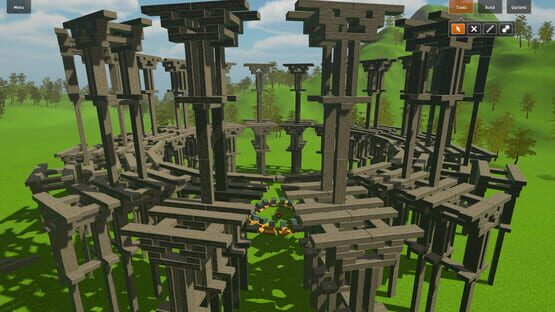
The big 1.1 update is out and brings a lot of new features and improvements for the game. Besides many others, the main additions/changes are:
10 New Singleplayer levels
New Special block: Bouncing Ball
Invention tool
First person camera (shortcut [F], only in Sandbox mode)
Slow motion function (shortcut [M])
Redesigned menus & in-game UI
Have a look at the changes in the new trailer:
https://www.youtube.com/watch?v=yCclmdqeKS0 The singleplayer levels included in this update are split into two categories in a new singleplayer campaign so that they can be played even if you haven't finished the old levels. Furthermore, each category has it's own progress so you can choose which type of levels you want to play first. The new category system also allows me to easily add new categories and levels.
The Invention tool allows you to save things as inventions in any game mode without having to leave the game and switch to the Inventor mode. This makes it a lot easier to build repeating structures and is especially useful in multiplayer games.
A major part of this update is the redesigned menu and in-game UI, which is now easier and faster to use while offering more information (like preview images for maps/inventions). In the game, I got rid of the menus at the top which you had to click on to open the tools or blocks and grouped them together. Another change is that the multiplayer sandbox menu is now integrated in the multiplayer menu and can be selected as game mode.
Apart from everything mentioned above there are a lot of smaller changes like object highlighting, performance improvements or more precise dragging of blocks. I'm currently working on the Steam workshop implementation which is about halfway done and will be part of the next update. Have fun!
Full update notes:
New Features
10 new Singleplayer Levels
New campaign with 2 categories
Does not require original campaign to be finished
New Block: Rubber ball
New invention tool (Save constructions as inventions everywhere in the game, without having to switch to the inventor mode)
New first person camera (shortcut [F], only in Sandbox mode)
Selection outline around blocks (Block highlighting)
Info for inventions & maps
Preview images for inventions & maps
Added slow-mo function (shortcut [M])
Improvements/Changes
Redesigned main menu
New, faster ingame UI
Performance improvements for particle systems
Faster editing of big amount of blocks (Hold button for delete and join)
Added Ambient Occulsion
More accurate dragging of blocks
Moved multiplayer sandbox creation to multiplayer menu
Level 3: Changed height limit from 25 to 20.
Level 4: Moved construction area closer to the castle, increased resources from 500 to 750
Level 7: Increased resources
Level 12: Increased resources from 1000 to 1200
Level 13: Decreased height limit from 60 to 50
Bugfixes (since v1.0.5)
Fixed camera flying into space if not above terrain
Fixed wrong physics calculations on Level 2
Update v1.0.5
Hi guys!
It took me a bit longer than expected to finish the patch as it contains many changes and fixes that were more complicated and initially caused some problems. Here's the full changelog:
Improvements:
Changes in the tutorial to explain things in more detail.
Trigger now display connections which are over the maximum length as red lines.
Reduced network overhead in multiplayer sandboxes that have many special blocks.
Blocks that are very far away from the map will now be deleted (In order to prevent needless physics calculations and network traffic)
Added option to change the keys for camera movement.
Changes:
Increased maximum length of connections of triggers and gates from 16 to 20.
Bugfixes:
Fixed broken inventions in the multiplayer sandbox (If a client with a slower internet connection placed a big invention with many connected blocks, it could happen that it wasn't created the right way)
Fixed a bug where the camera could get stuck under the terrain.
Fixed a bug where the camera could become stuck in the wall separating the players in the multiplayer (with phases activated).
Fixed wrong tooltip on height display in the multiplayer mode
Fixed a bug that camera objects don't get deleted if player leaves a multiplayer sandbox.
Fixed "Not enough resources" text in the sandbox mode (Couldn't reproduce the bug but it should be fixed now, if it still occurs, please write a message)
Fixed bug where inventions with vertical rockets couldn't be placed on the floor.
I'm currently busy working on the bigger 1.1 update which will introduce several new things and will improve some of the existing things in the game - more info soon. That's all for now, stay tuned!
Update v1.0.4
Just released a new version of Brick Inventions, containing several bugfixes and a new shortcut/feature. The most important changes are a fix for the multiplayer synchronization issue as well as a new option to deactivate the grid snapping.
Changelog:
Improvements:
Added shortcut [G] to enable/disable grid snapping of blocks, allowing to place blocks more precisely.
Added restart button to level 14
Bugfixes:
Fixed a bug that caused the block synchronization to stop when producers are deleted in the multiplayer mode
Fixed broken restart button in level 13
Fixed a bug that would crash a part of the UI when deleting a block with a shortcut while in connect mode of a gate or trigger
Changed message that occurs when the player doesn't have enough resoruces to connect blocks (It said "Cannot be placed here" before)
Fixed broken "Menu" button when Singleplayer levels are completed
Update v1.0.3
Hi everyone!
The first update for Brick Inventions is out (v1.0.3). The most important change is the addition of shortcuts for selecting blocks and rotations. Here is the full changelog with all the changes and bugfixes:
Improvements
Added "Next level"-Button to go to the next level without having to go through the menu.
Added "Reset"-Button to reset the current level on levels where the player can run out of resources
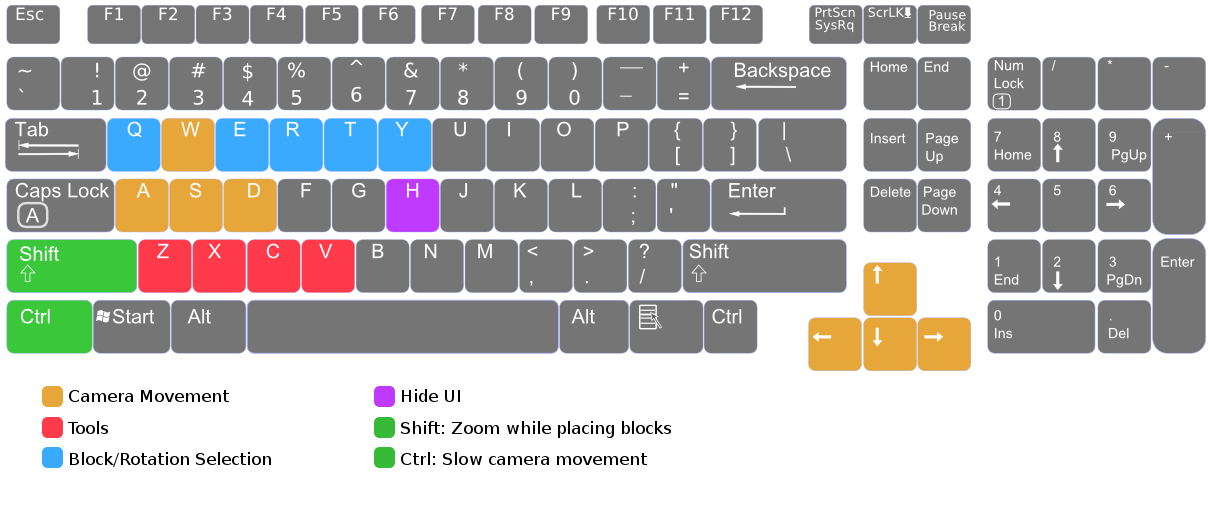
Added shortcuts to make selection of blocks/rotations things faster (shortcuts can be edited in the options)
Shortcut [Q]: Select/Change standard block material
Maps and Inventions are now loaded automatically when created in the menu
Game detects system language to properly set default shortcuts
Changes:
Set resources from 400 to 500 on level 4
Bugfixes:
Fixed a bug that caused the sound of rockets to stop after some time.
Fixed a bug that opened the chat window when pressing [space], preventing the function to switch between "drag" axis to be called
Fixed flickering of the transparent block when the rotation is changed
One of the next things I want to improve in one of the next couple of updates is the tutorial which should be a bit more detailed and should also explain the new shortcuts. If you have anything specific you want to be improved, just write a comment below an I will try to include it in the next patch.