

Build a Game Universe
Update in Progress...
(September 15th, 2018)
Build a Game Universe is preparing for the latest updates.
Which means:
+ Access to Build a Game Universe is closed until changes are complete.
+ Estimated time to reopen - 9.15.2018 - cst (night)
[Edited: 9.16.2018]
+ We found a couple bugs tonight and need to fix/test them some more. Will update (make live) Build a Game Universe 9.16.2018 - cst (evening).
[Edited: 9.17.2018]
+ Nearly there (later today we hope)! We've been testing and fixing small things for the past two days. Just want to be sure that your experience is a fun one. :) Talk with you soon! Thank you for the support! :)
If you have any questions till then, feel free to post them below.
Thank you!
Chad - Nathan - Eric
Update 76 - Mid-month News!
(July 21th - August 16, 2018)
As the month draws to a close, we want to let you know what's about to happen!
We are 'finally' there. :)
End of this month should be a new build, hundreds of bug fixes, new tiles to work with, a fresh market center, new product page options, screenshot/video system, and much more!
We look forward to sharing with you all the hard work that's been put in to Build a Game over the past few months!
Thanks!
Chad - Nathan - Eric
Update 75 - July News
(June 10th - July 20th, 2018)
We're back with more updates on Build a Game Universe!
First.
Updates
+ Lot's of fun things on the business side pulling together and prep work for our next build update!
+ This might be the longest quiet time on record - (Let's not do that again)
+ And it's the longest non-pushed-up-changes on record. (Fixing that next month)
+ Things are about to change. :)
Second.
Features!
A Music Notes tile type and new Play system are coming!
Music notes tile provides an enjoyable memory skill play system with options (and audio, not in gif).
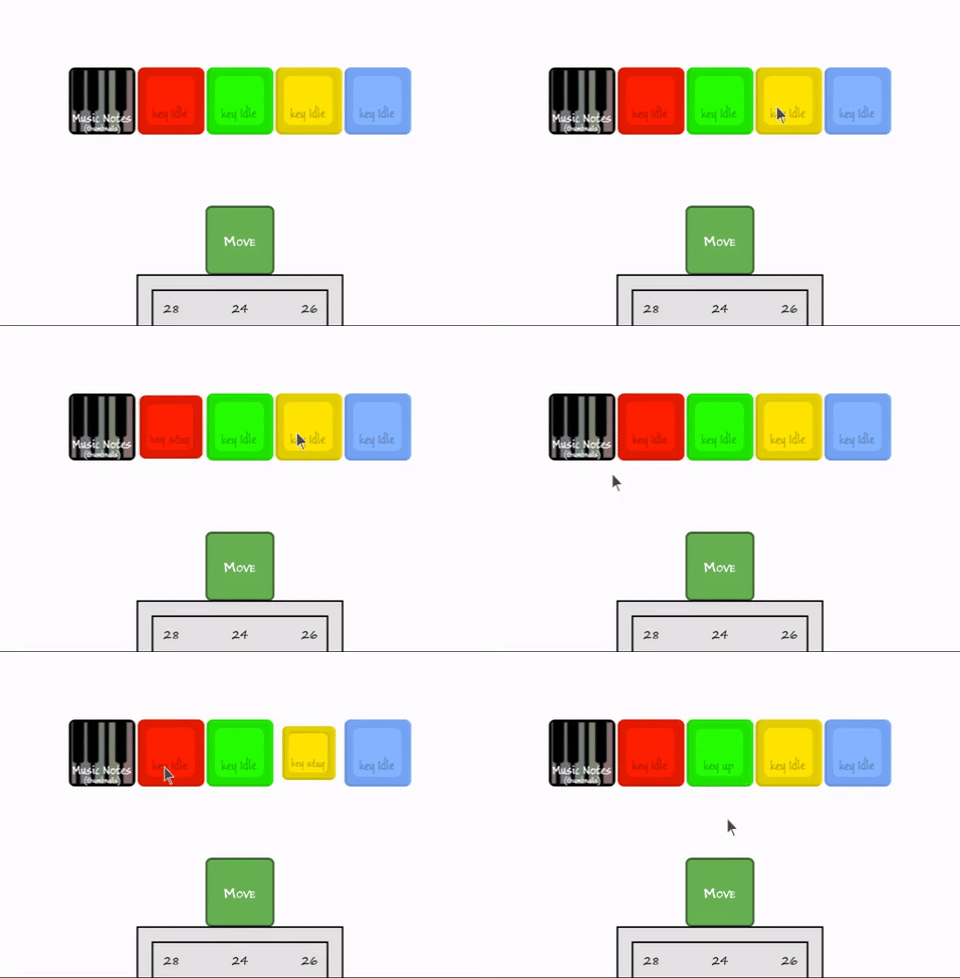
Play Tile System
Something fun to come!
The Music Note tile is the introduction to the 'play' system. Well, actually 'Player Tile' was, but think of these as mini-games (or a complete game), which have adjustable rules to play with.
Play tiles will include an array of games like checkers, chess, cards (regular, black jack, freecell), match 3, memory match, connect four, hangman, pong, tennis, puzzles, and much more. All play tiles can be played by themselves and/or together with other play tiles. No rules on that part. We'll talk more on this when we begin rolling out the systems for it.
Tile Connections
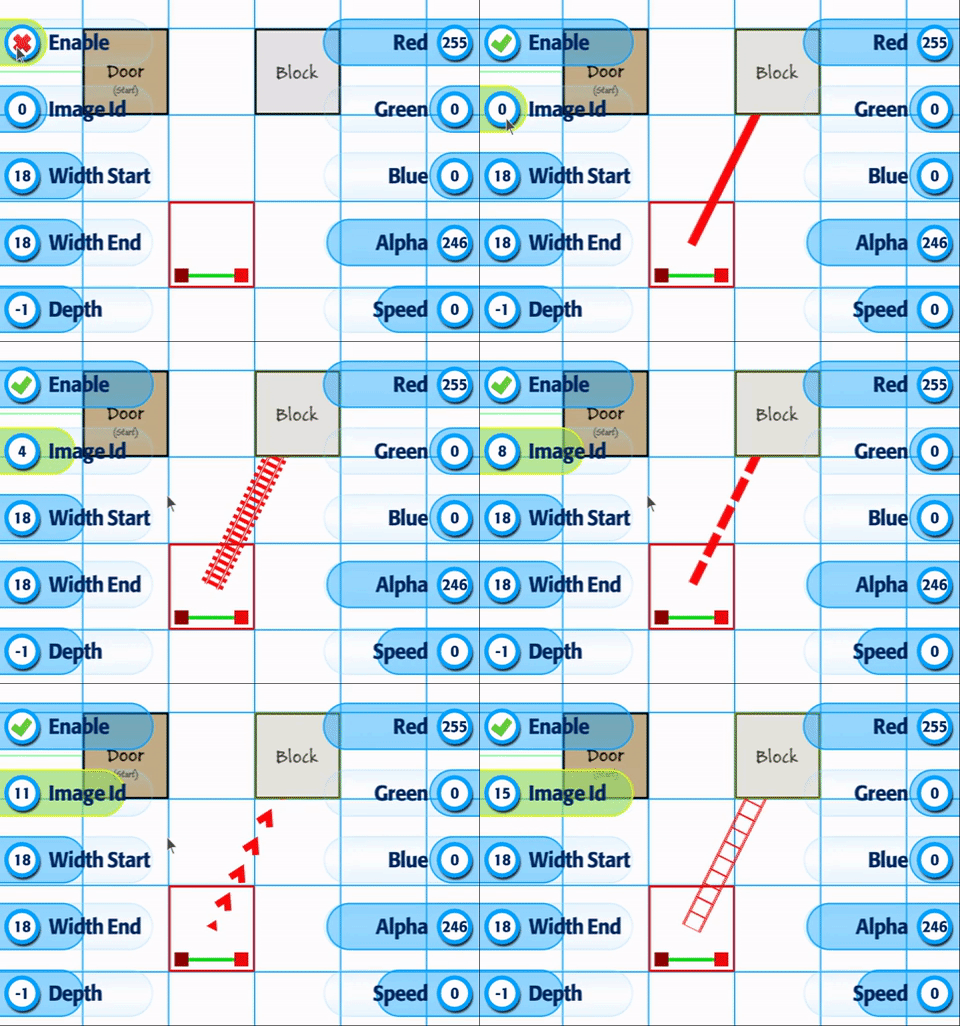
Connections in Build a Game Editor are important. And understanding 'visually' what's connected to what is super helpful. So, we've got a fun 'connected to' option to help you identify how your game flows.
+ Simple connected line from one tile to another
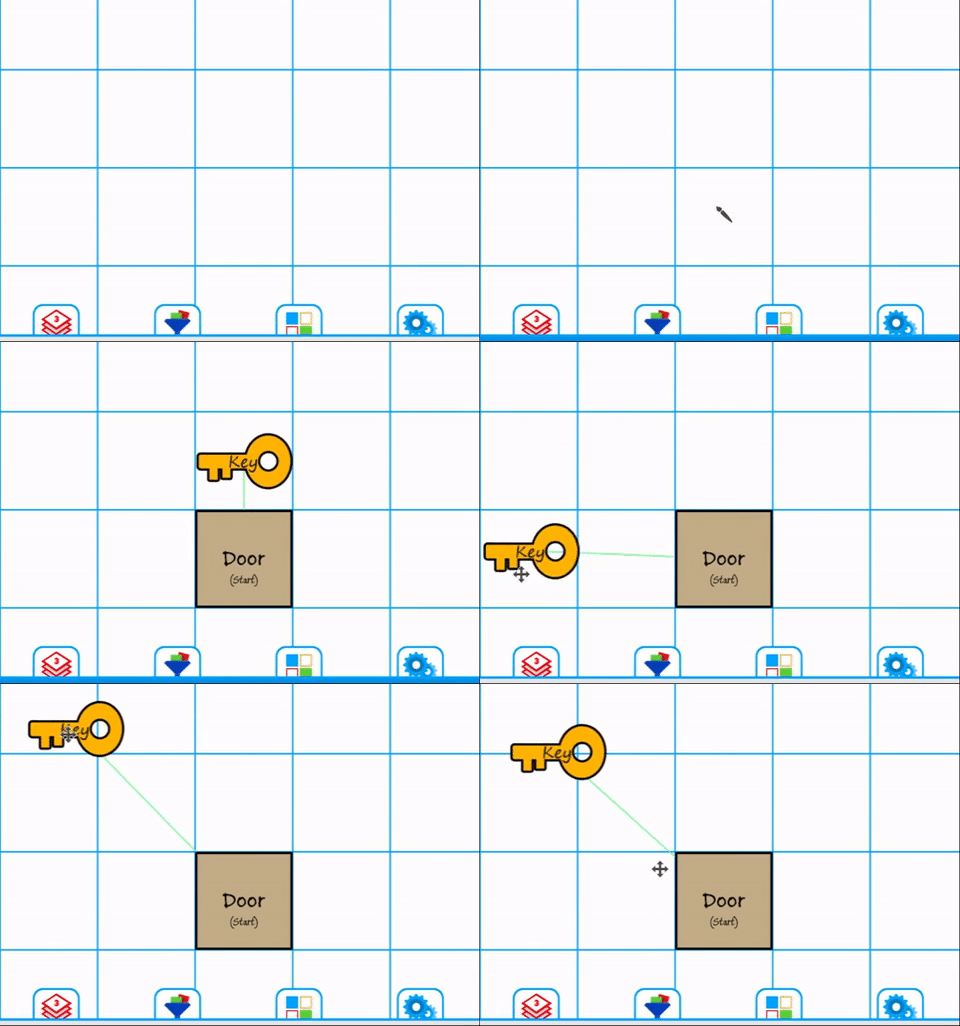
+ Optional image pattern for lines
+ Movement (speed)
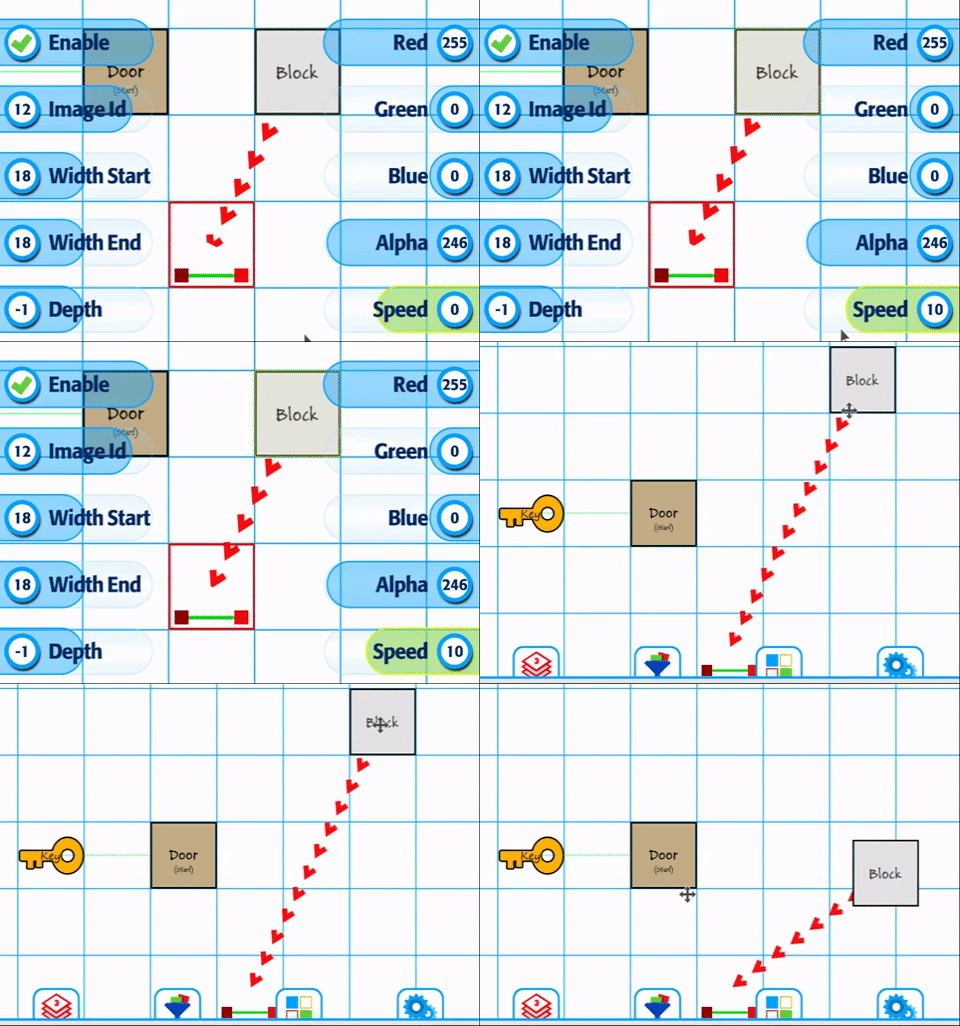
+ Multi-connection
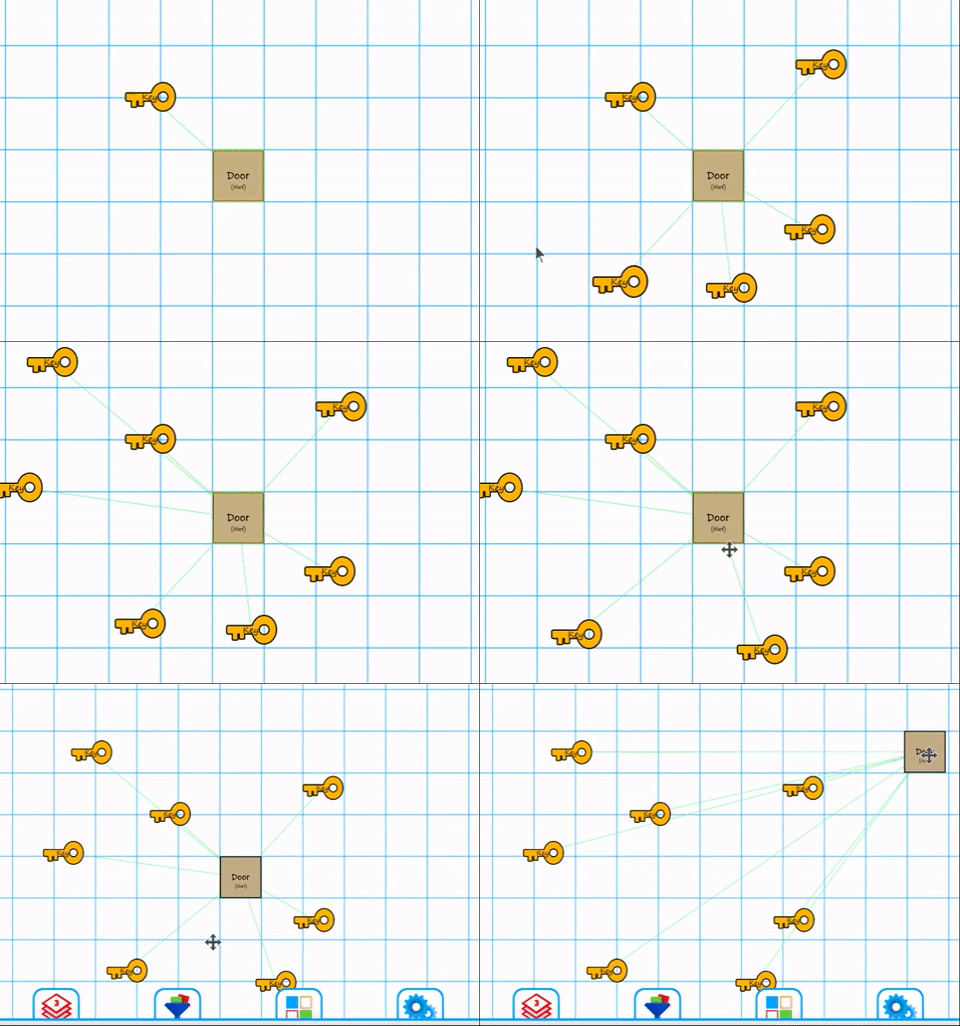
In addition, the Trigger Event system continues to be polished and bug fixed. The updates will provide a smooth way to work with unique events in Build a Game (next month)!
Third.
Training Videos
1025+ videos are available for learning Build a Game!
116 videos are available for learning Tile Builder!
Our Silver Standard Reminder (Silver Coin Allowance)!
During the beta program, you will receive 1,000 silver coins into your account each week. Have fun purchasing games and tiles!
Beta Group Signup
Sign up for the Beta. Email steamkeyplease@buildagameuniverse.com to get your steam key and be a part of the testing. =)
Have fun creating with Build a Game Universe!
Thanks!
Chad - Nathan - Eric
Update 74 - Coming Attractions!
(May 5th - June 10th, 2018)
We're back with more updates on Build a Game Universe!
First.
Updates
With a month of work complete, we are overdue for an update!
Here's a quick overview.
+ Bugs -> Over 350 commits, revisions and fixes last month.
+ Features -> 10 new features and updates (below).
+ 26 gifs showcasing new bag things!
+ Market Center reset is still on the todo list.
+ New Tile -> Offscreen Indicator!
With that said, let's jump to the features!
Second.
Features!
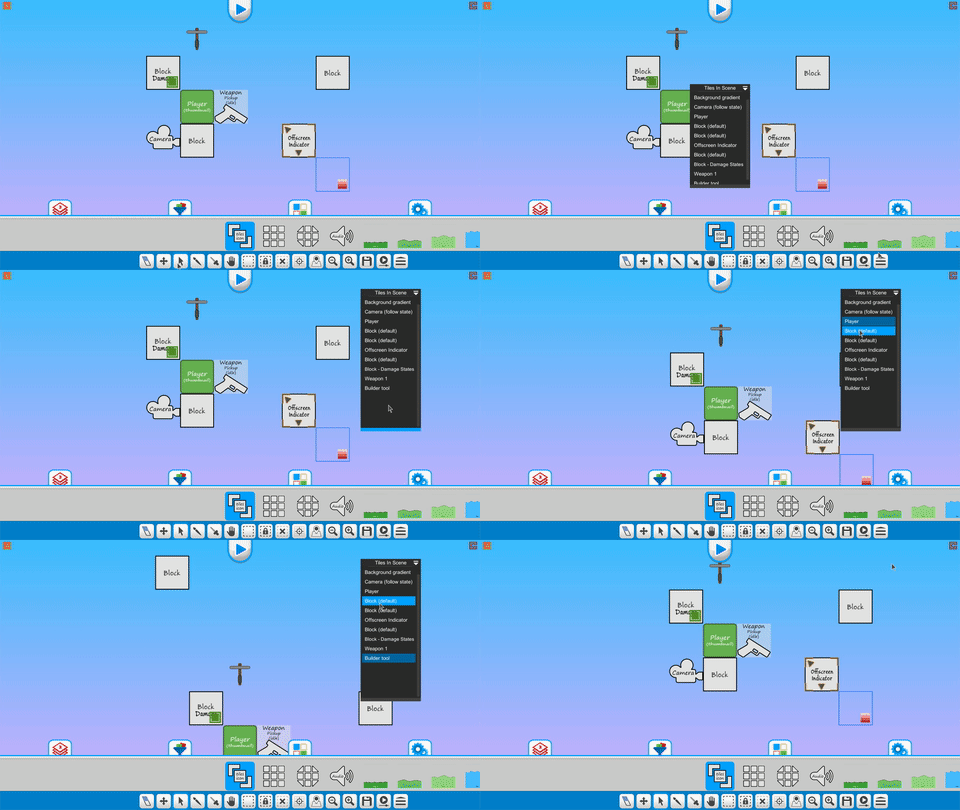
+ Editor Tile List Tool
The tile list tool provides quick access and navigation to all tiles in the scene.
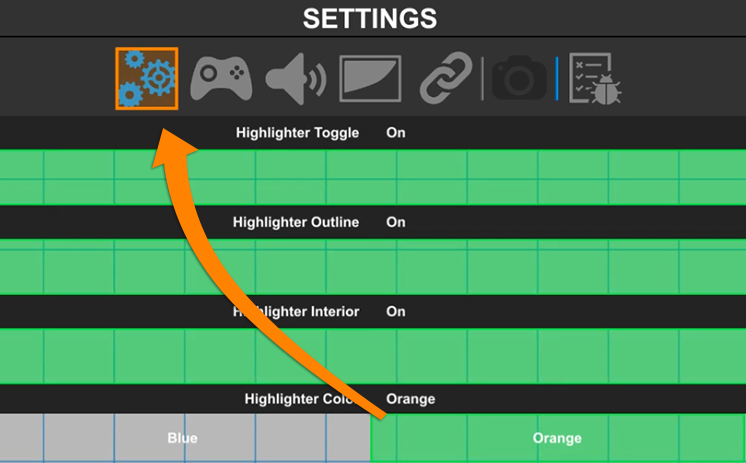
+ UI Highlighter
Added highlight option to make joystick navigation more noticeable.
+ Editor Slider Bars with Input!
When updating values in the editor, you can click on the text box to adjust the value directly.
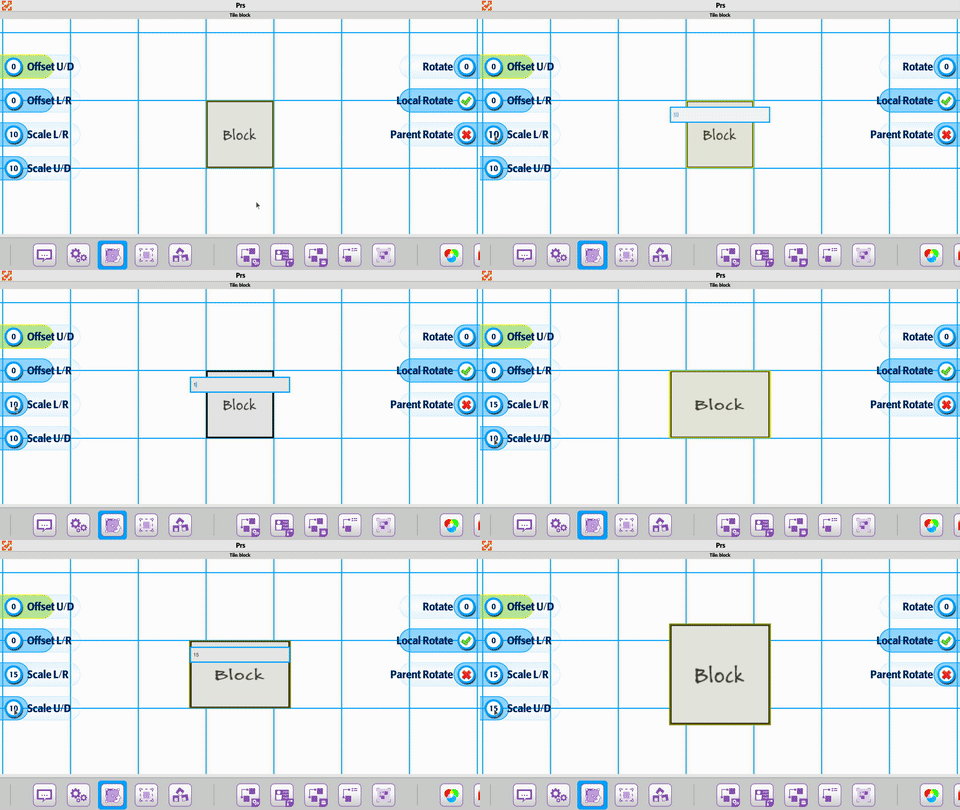
Multiple selection and adjustment

+ Product Page Updates
The background image option is now in place.
This provides one more way to make your product page more personal.
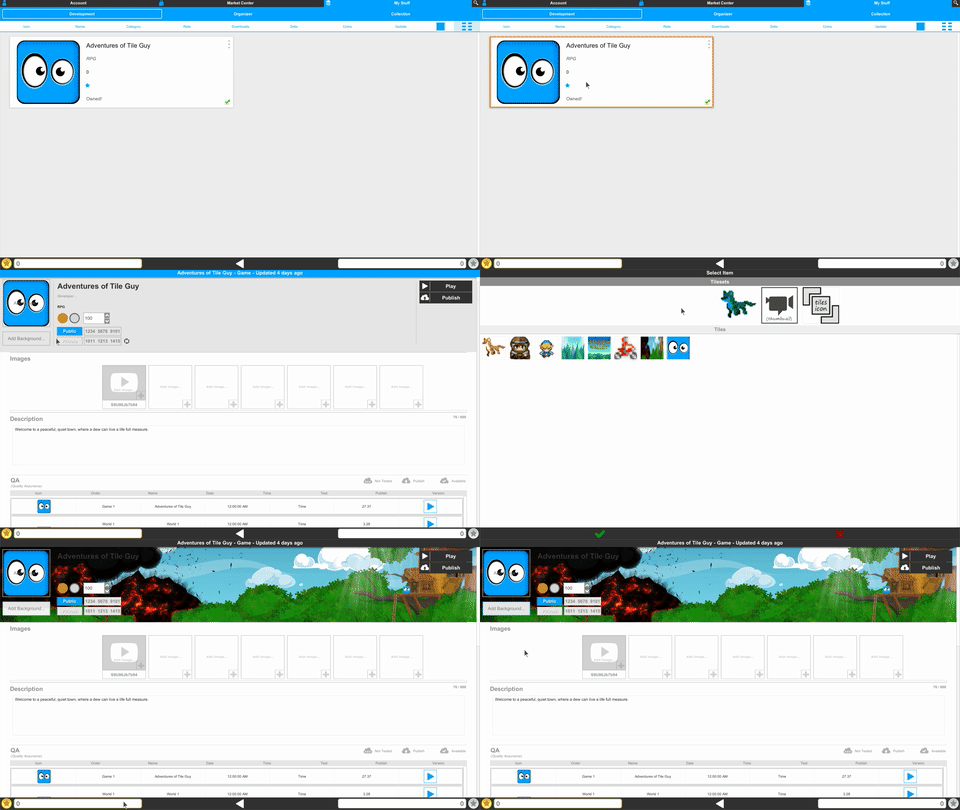
The Screenshot system is nearly complete for developers. It provides the option to embed a youtube video.

A carousel viewer is in place to showcase your game videos and screenshots.
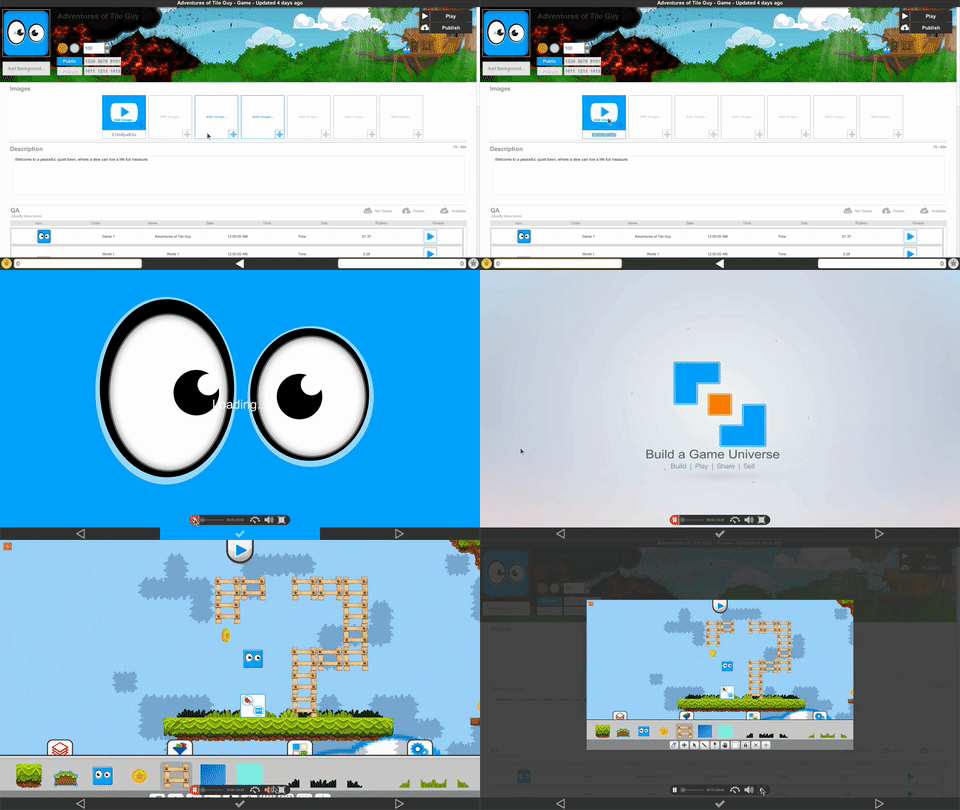
Here's a quick look at the videoplayer controls.

Screenshot adjustable size and viewing.

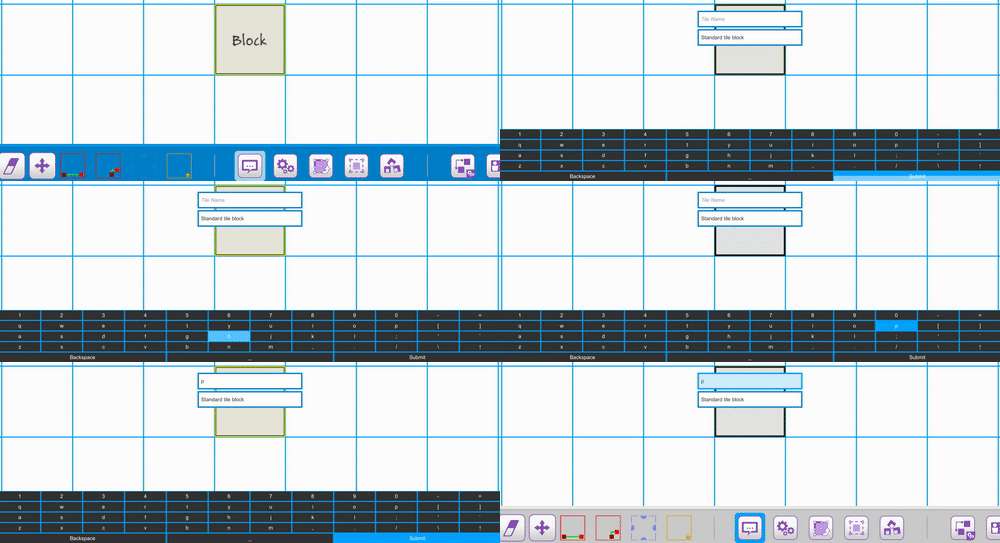
+ Onscreen Keyboard Updates
The keyboard layout is now 'squared-off' for easier navigation.
+ Teleportation Tile
The teleportation item is complete with a fun set of features.
Three features are showcased below.
Teleporting Guide - Shows where you're going
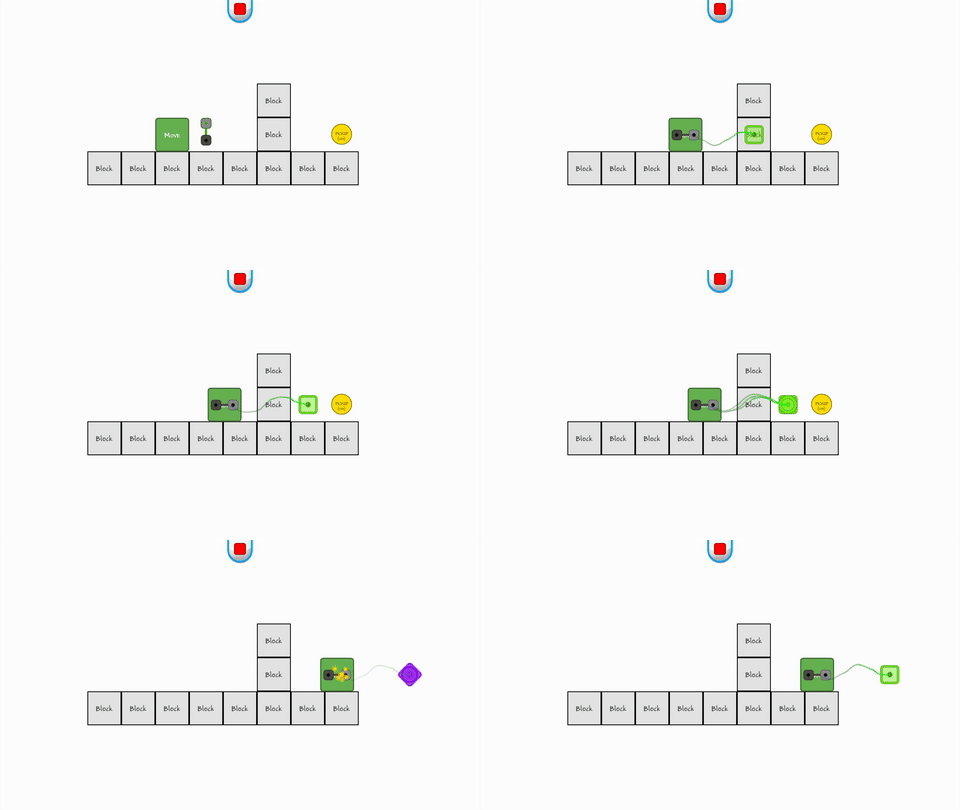
Teleport Blocker - Prevents teleporting through certain walls (based on ids)
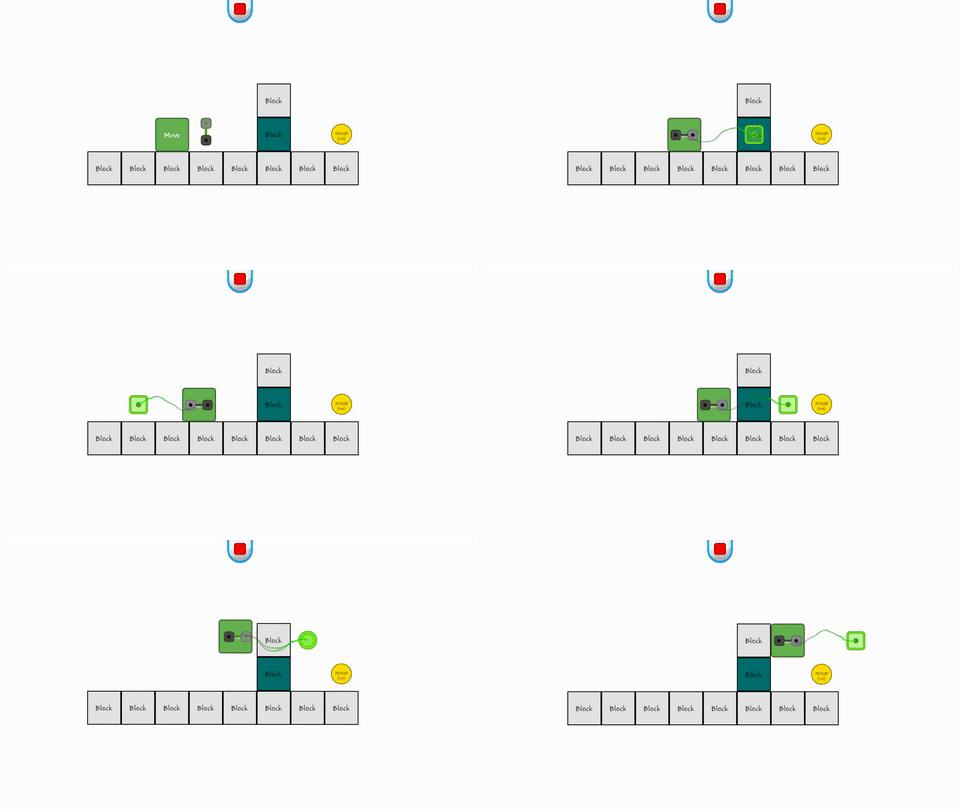
Quick example of teleporting within a level
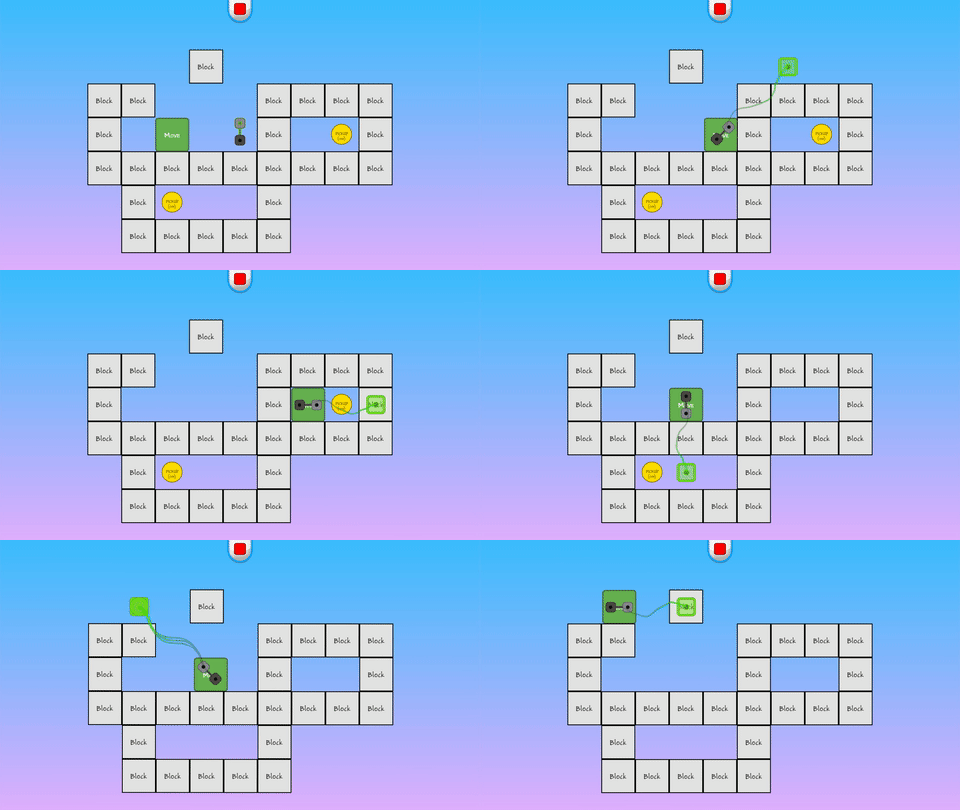
+ Gui Tile Updates
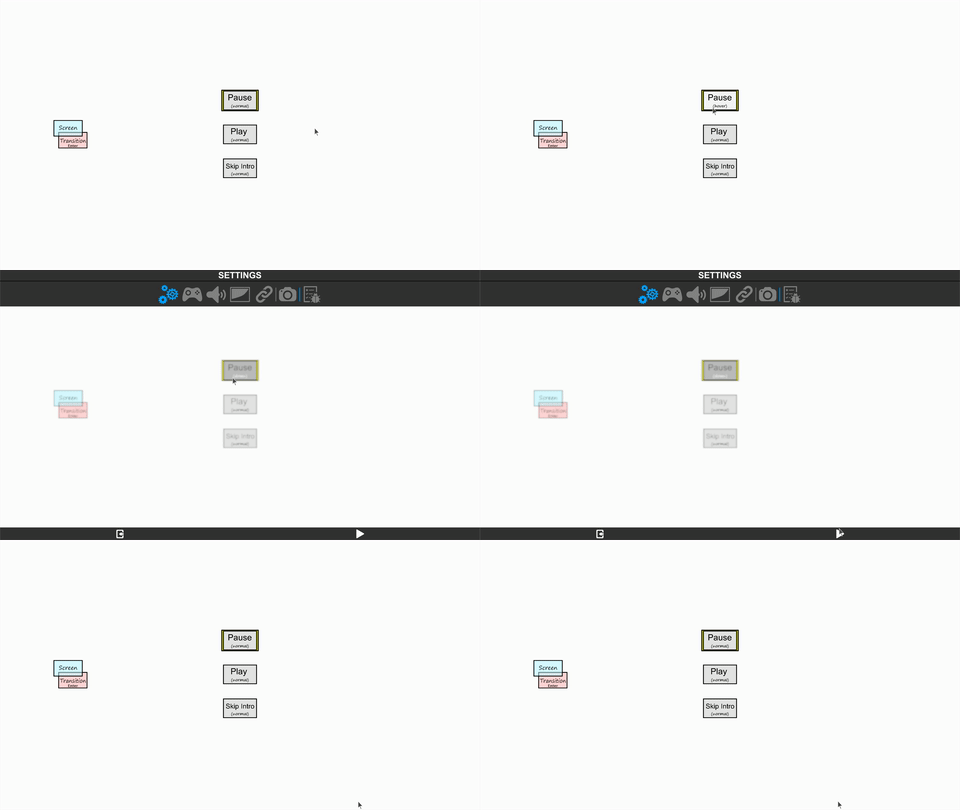
Two quick features in gui, are the popup message system and user enabled pause option.
Direct access to the pause system (in game)
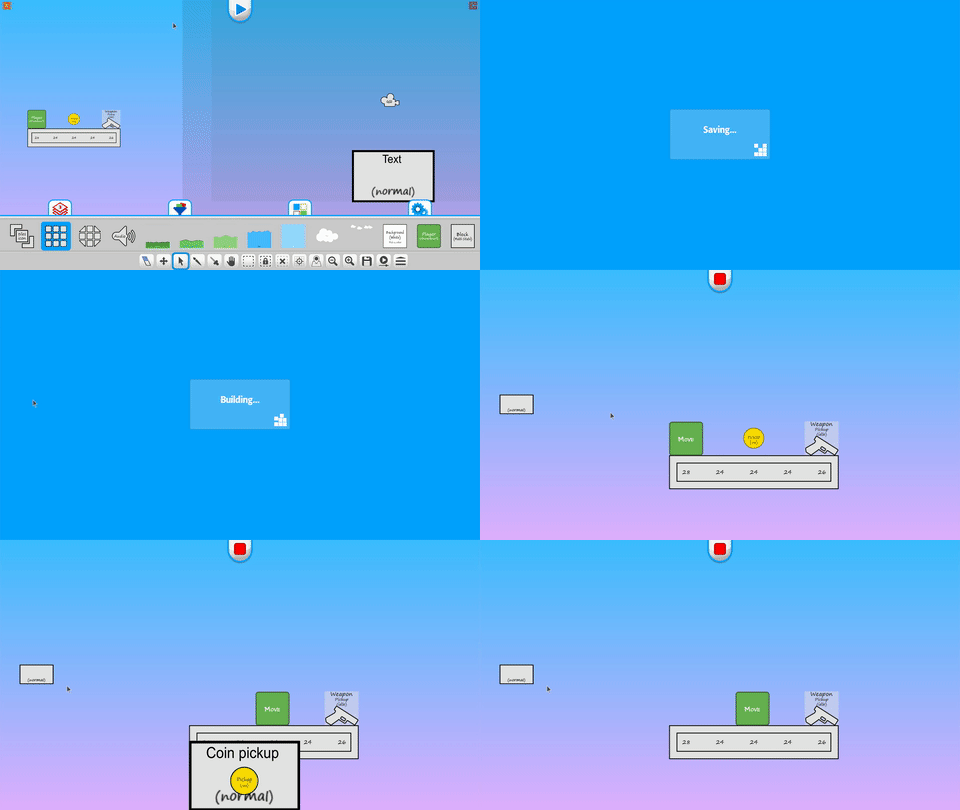
Ability to pass tile information to a gui connection (receiver)
+ Screen Transition Tile Updates
Added an option for text fading and flashing on enter/exit states

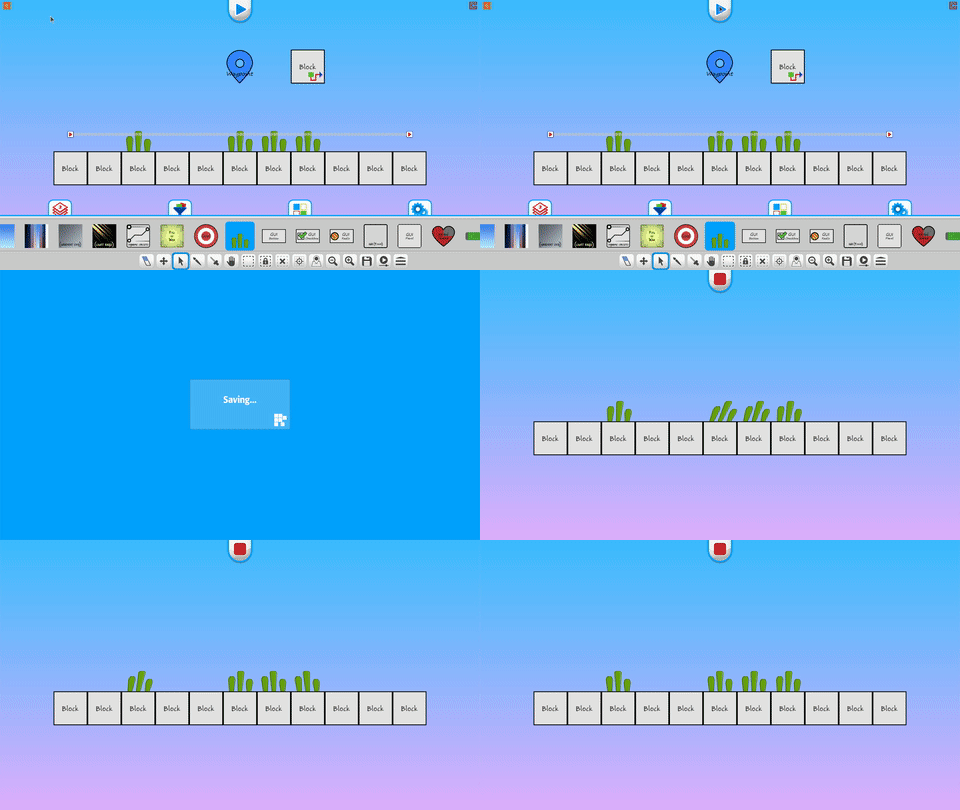
+ Waypoint Tile Updates
Waypoint targets now have direct control of their behaviors
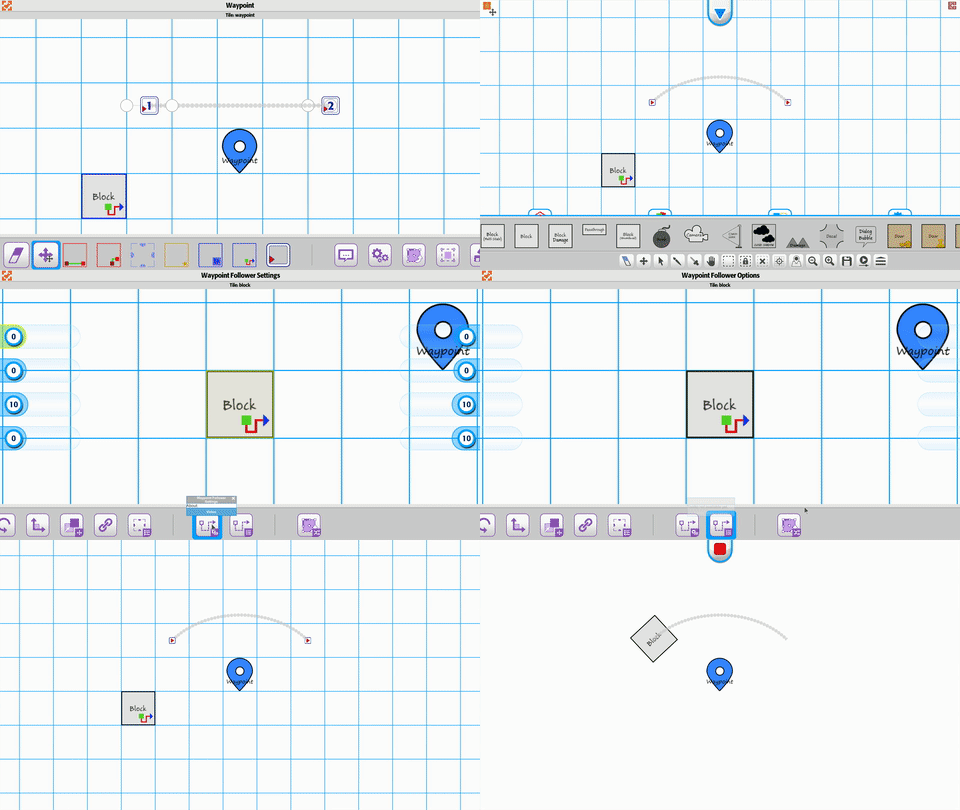
Simplified the connection for waypoint targets
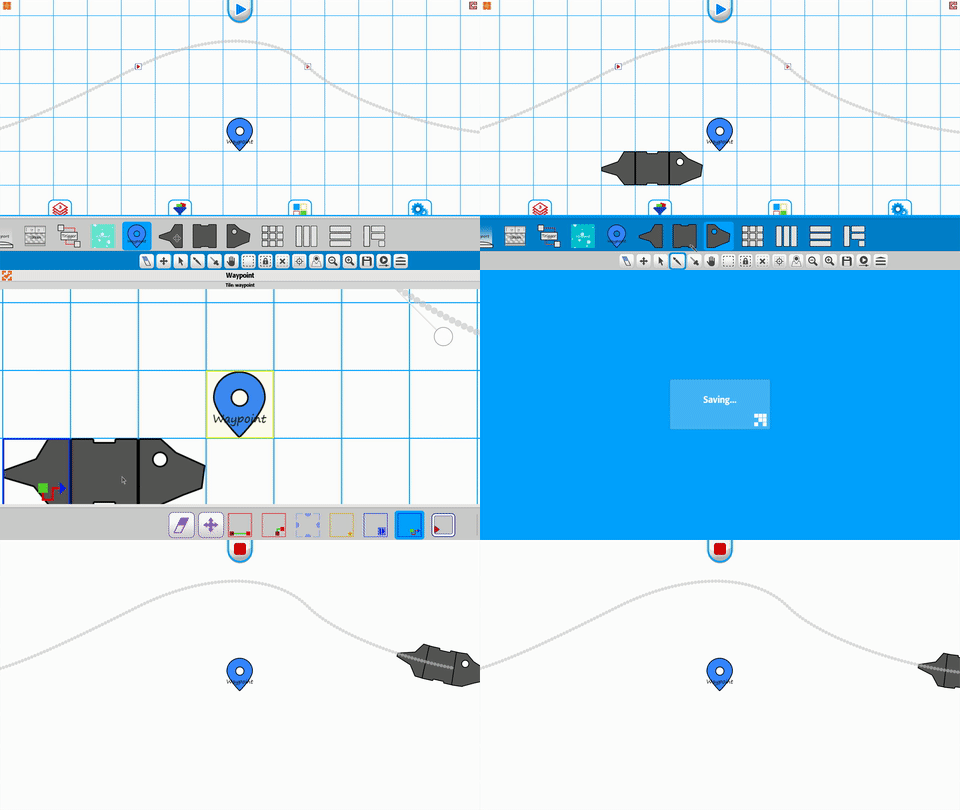
Example using the waypoint for grass blowing :)
+ Offscreen Indicator Tile
The new offscreen indicator tile allows you to track tiles where ever they are.
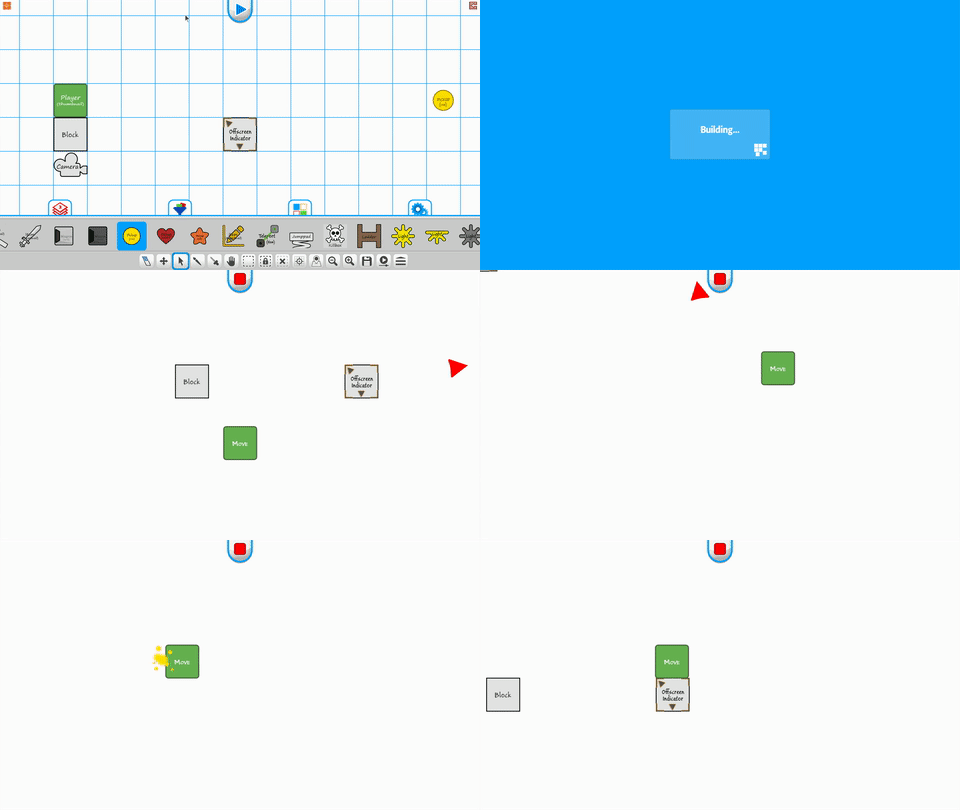
Indicators can enable/disable based on pickup/putdown states
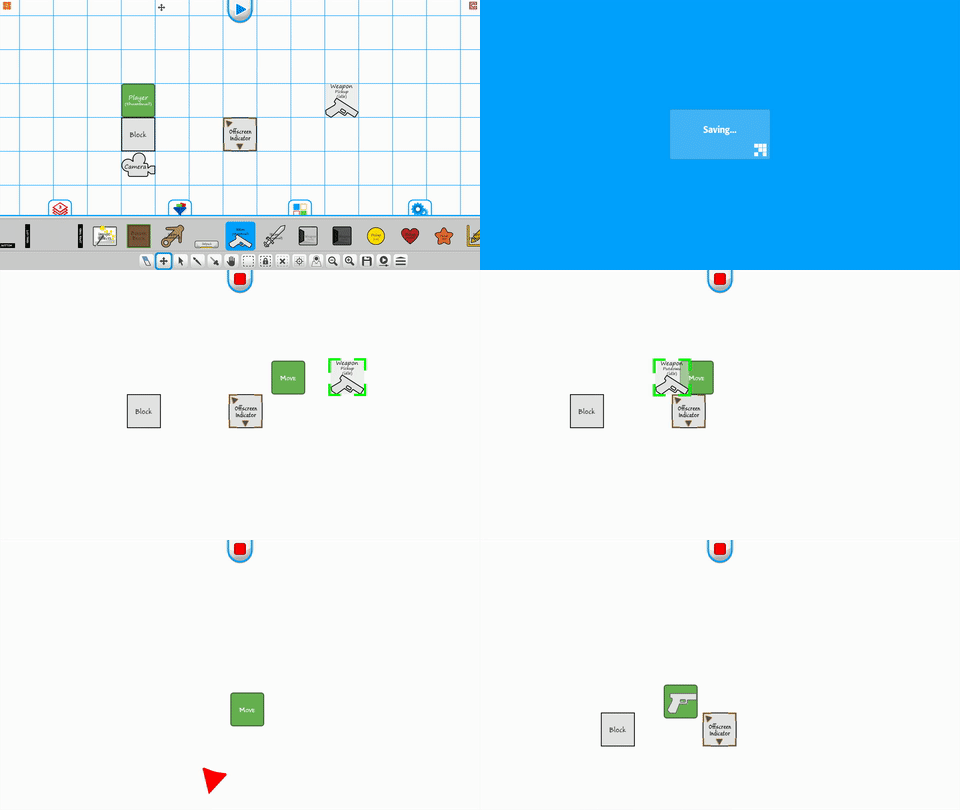
Indicators can be disabled on the die state

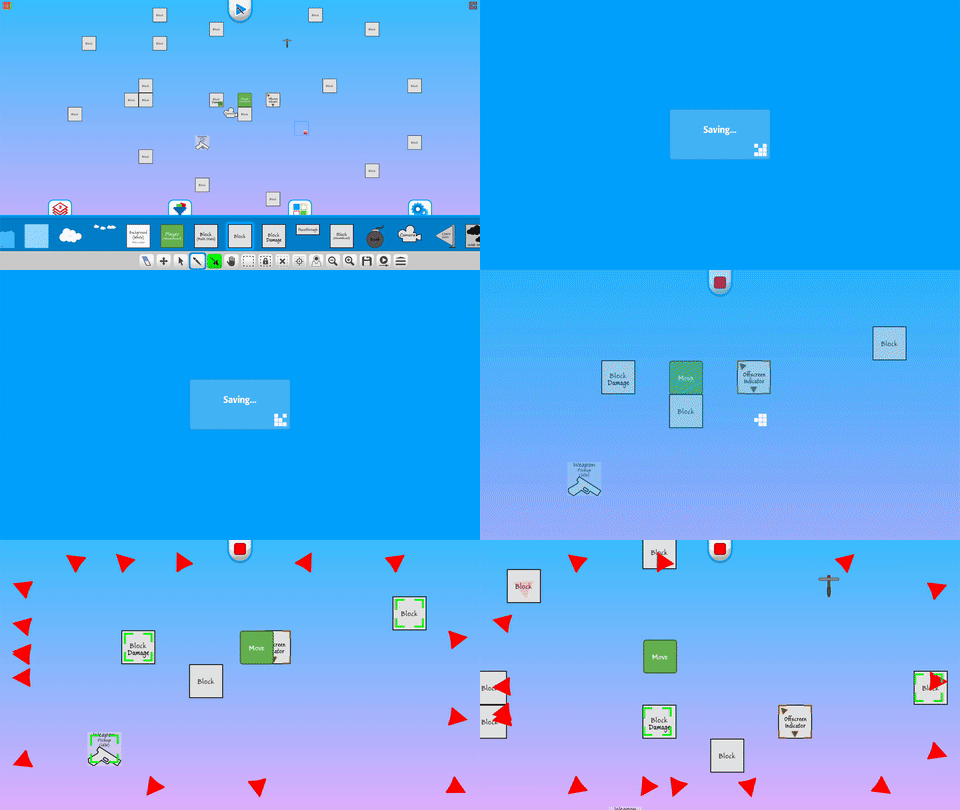
Indicators can be triggered and track multiple objects
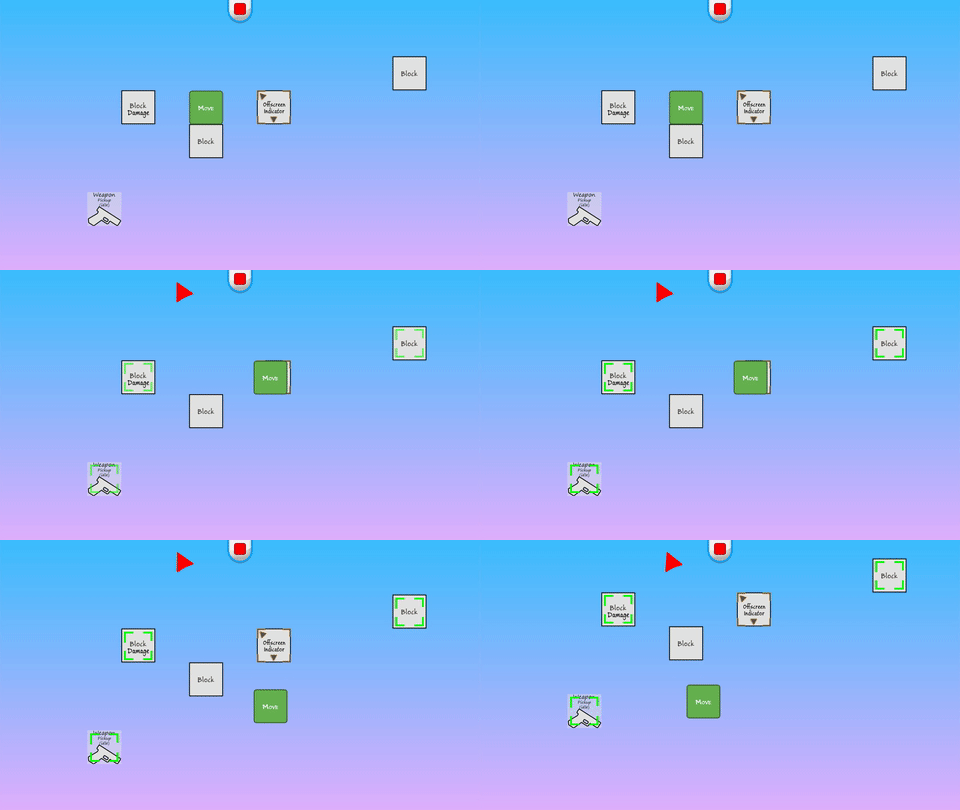
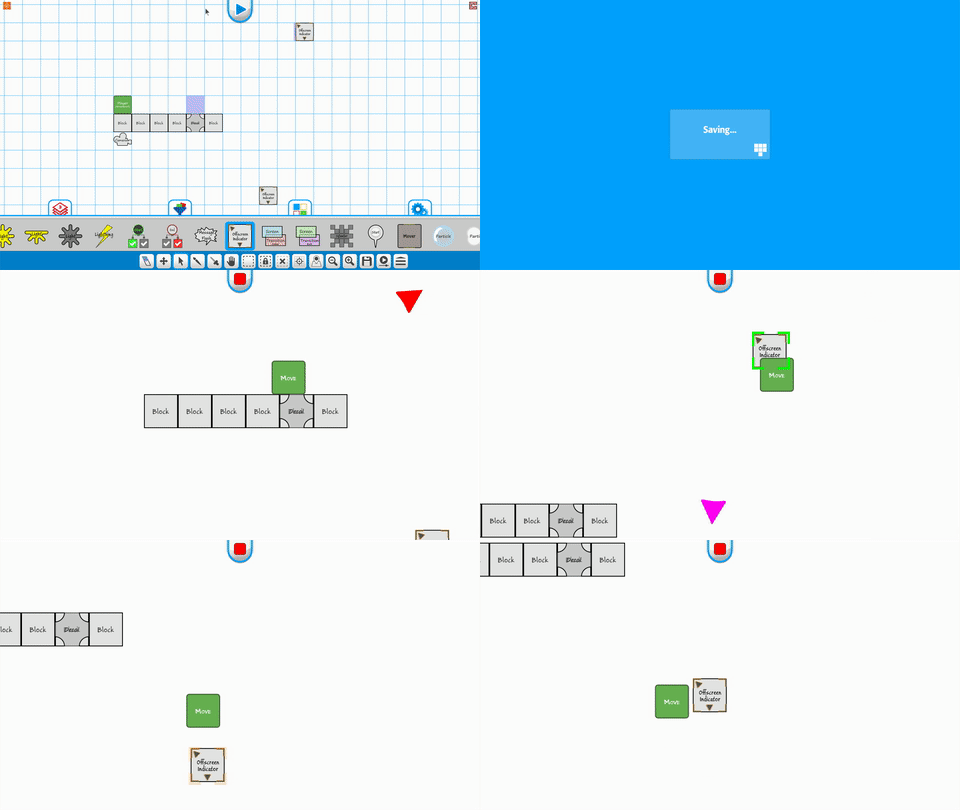
Indicator path follow - Allows point to point trailing
Multi-indicator tracking
+ Easter Egg
The first egg is hidden. :) We'll give hints once Build a Game is updated. :)
Third.
Training Videos
1025+ videos are available for learning Build a Game!
116 videos are available for learning Tile Builder!
Our Silver Standard Reminder (Silver Coin Allowance)!
During the beta program, you will receive 1,000 silver coins into your account each week. Have fun purchasing games and tiles!
Beta Group Signup
Sign up for the Beta. Email steamkeyplease@buildagameuniverse.com to get your steam key and be a part of the testing. =)
We're looking forward to getting all this in to your hands for testing...soon!
Thanks!
Chad - Nathan - Eric
Update 73 - Performance, Optimizations and the Market Center
(April 14th - May 4th, 2018)
First.
Updates
+ Three weeks of work on performance, polish, and bugs. (More on that below)
+ Major update 'likely' to happen this month. Lot's of things coming together.
+ Market Center overhaul and reset (Happening soon. Really great reasons below)
+ Next week, we demo the Teleportation tile, which has some awesome, fun features and mechanics.
Second.
Performance Gains!
The last few weeks major testing has been done on mobile and console.
With that said, we focused on key areas for improvement.
+ Loading into Build a Game happens immediately.
+ Going into the level editor loads much faster with intelligent tileset checking.
+ RAM usage is significantly less in multiple areas, namely loading and unloading of tiles.
Important!
Overall, file load/save/use is 1/3 the original size, which means Build a Game works on mobile devices, consoles, and lower end computers.
With every great optimization and performance boost, something has to change...or in our case a 'Reset' to the Market Center. :\
If you are new to this (within the last 2 months), let me quickly explain what will happen.
The Bag Team(Us) will do the following.
+ Set a date for the Market Center Reset.
+ Let you know the timeframe.
+ Then clear (delete) Games and Tilesets from the store.
The Beta Testers(You)
+ Submit your Tilesets to the store again.(This will update them to the new system)
Games(Everybody)
+ The optimizations are breaking changes for all games.
+ Once we update, old games will no longer work.
Note:
In previous updates, the changes were small, however with the new improvements to Build a Game, it requires a fresh start.
For the games we are developing, we're taking screenshots and video so that reproducing them will be quicker on the remake. We hope that idea helps with your projects, as well. :) Thank you for your understanding and support during the beta testing period.
Third.
Market Center
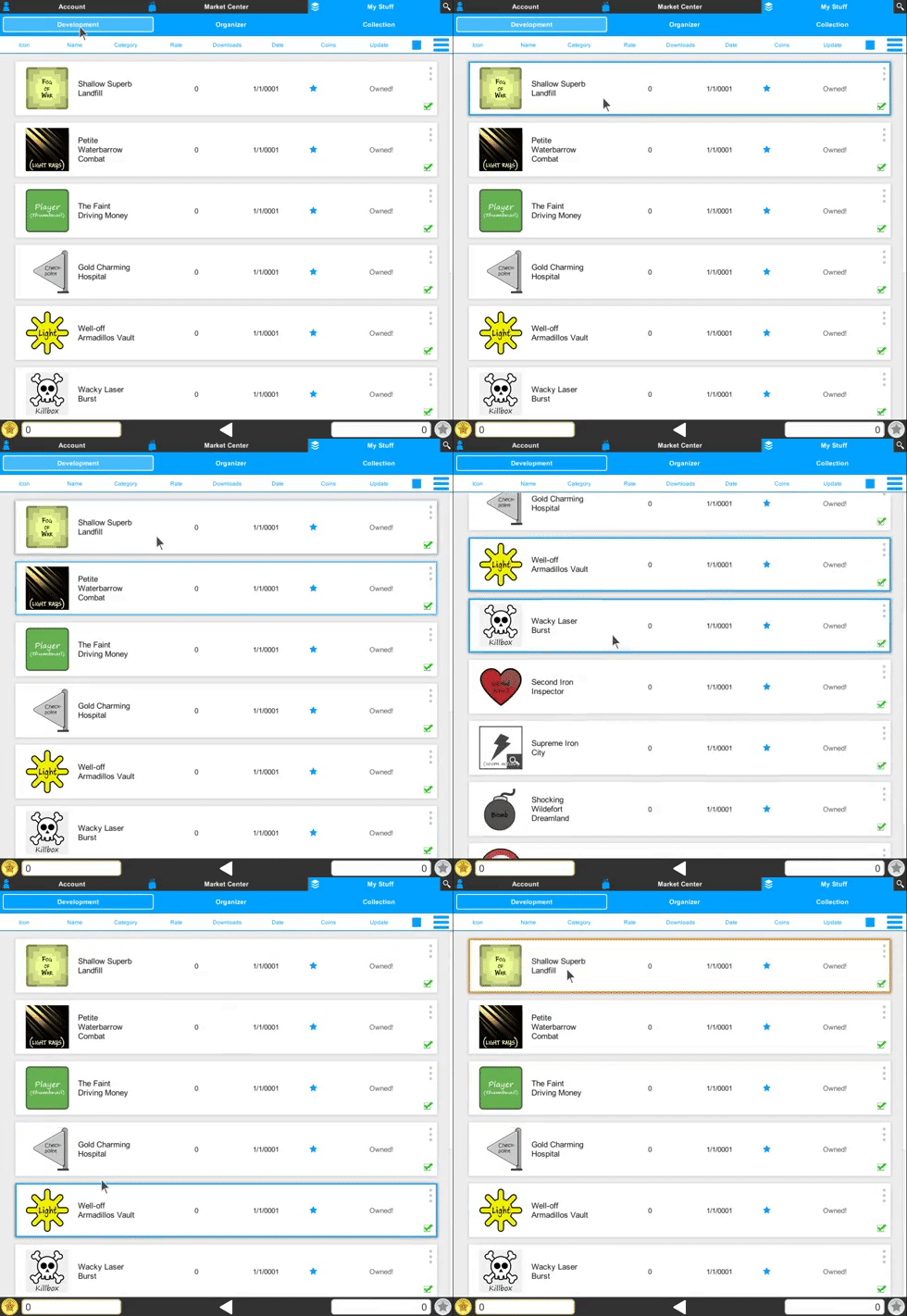
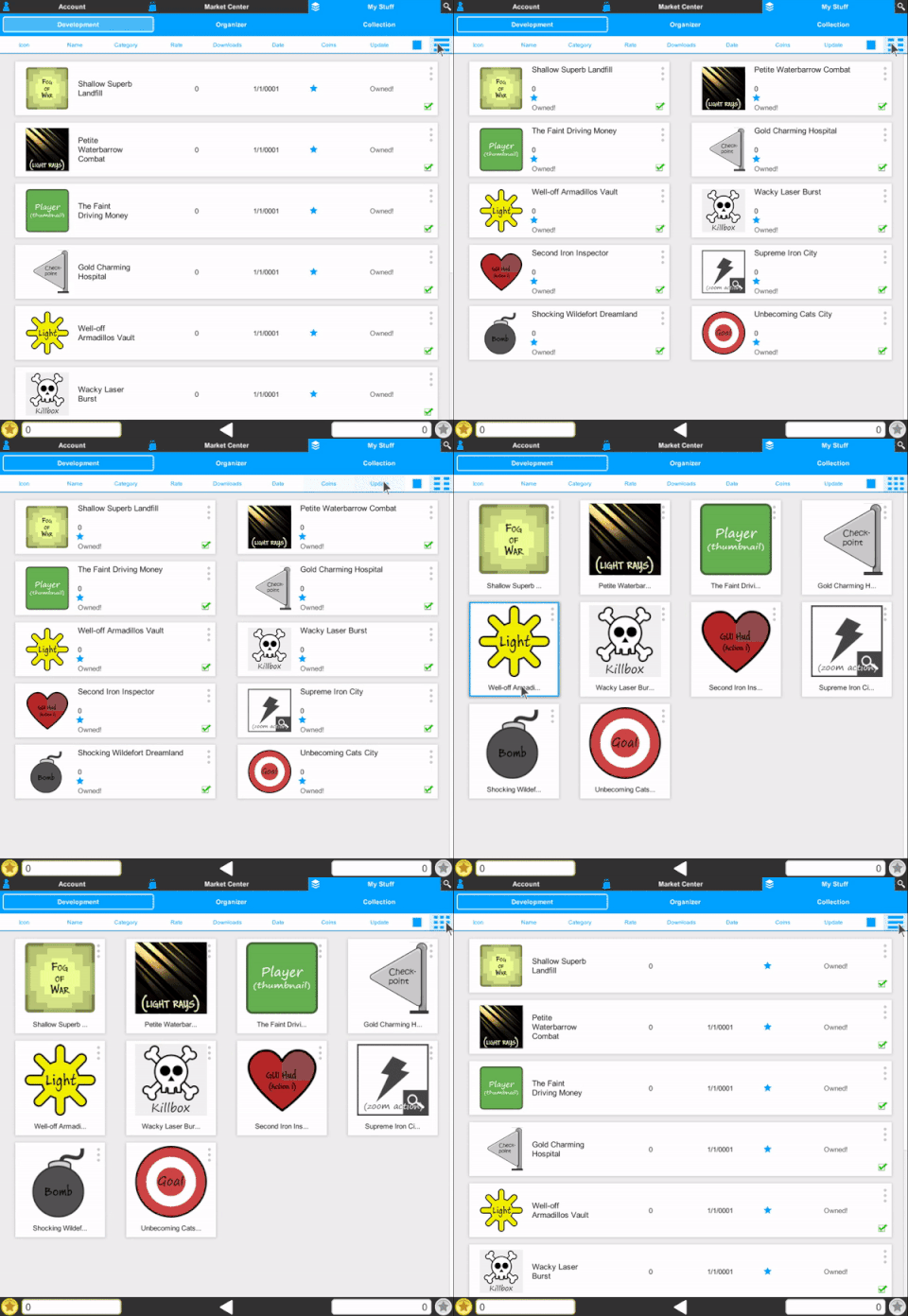
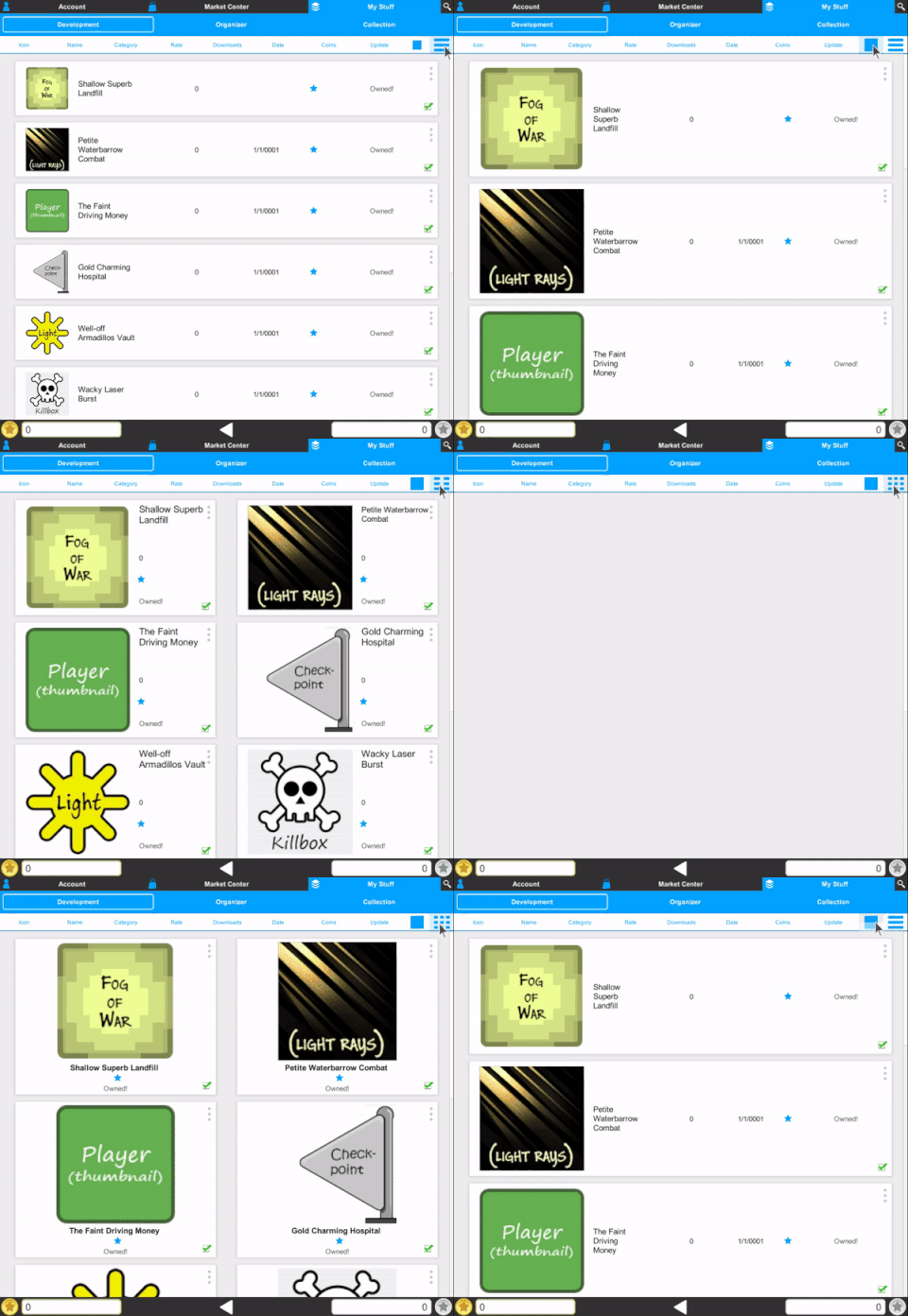
The product view and product page have been updated to support list, column, and grid layouts.
+ Market Center - List View (Fresh Design)
+ Market Center - View Type (List, Column, Grid)
+ Market Center - View Sizes
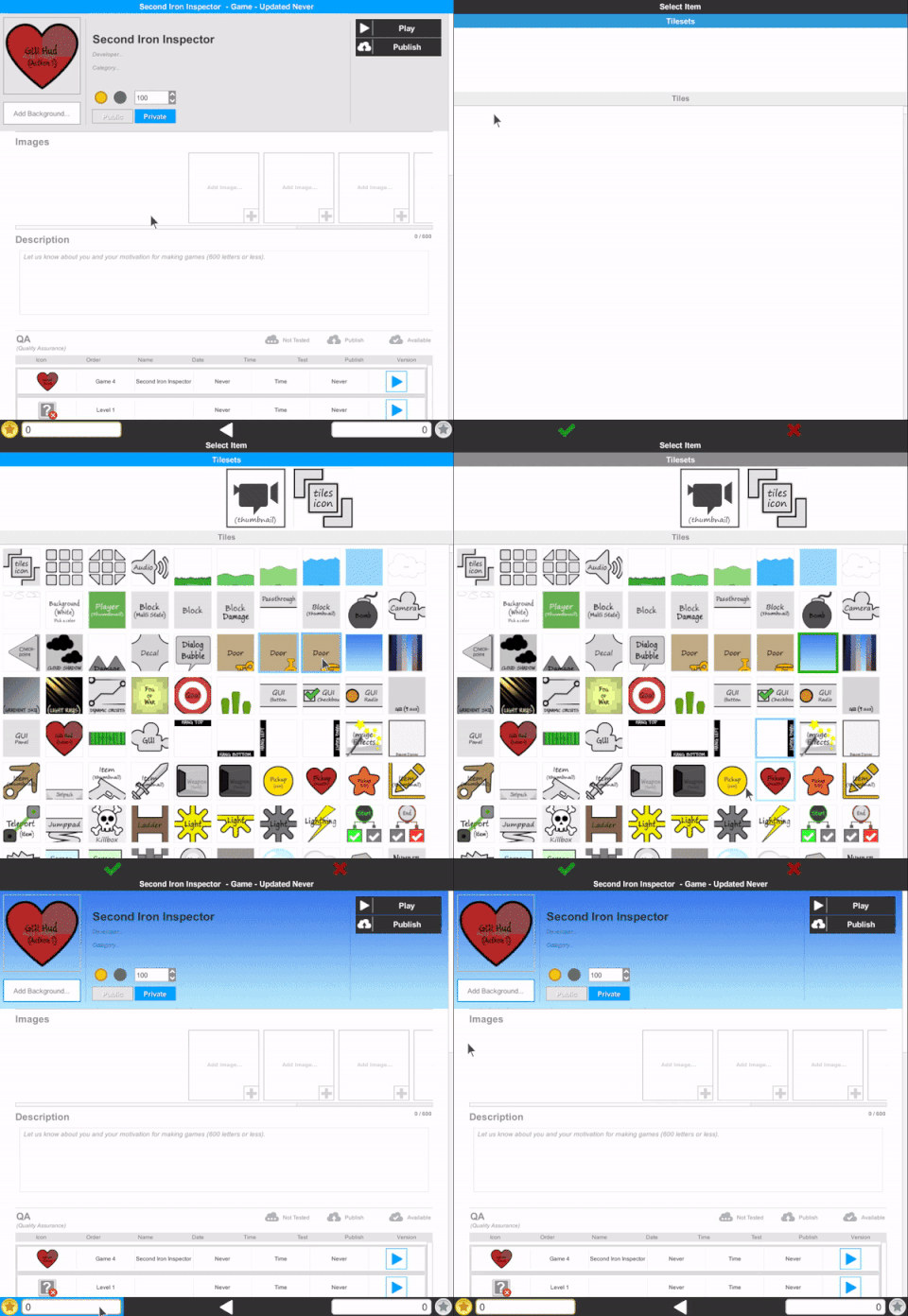
+ Market Center - Product Page Background
You can read the release notes here:
Release Notes (and current bug list)
Training Videos
1025+ videos are available for learning Build a Game!
116 videos are available for learning Tile Builder!
Our Silver Standard Reminder (Silver Coin Allowance)!
During the beta program, you will receive 1,000 silver coins into your account each week. Have fun purchasing games and tiles!
Beta Group Signup
Sign up for the Beta. Email steamkeyplease@buildagameuniverse.com to get your steam key and be a part of the testing. =)
Thank you for being a part of this great adventure. :)
Chad - Nathan - Eric
Update 72! - New Tileset and Teleport Item!
(April 1st - April 13th, 2018)
First.
Updates
+ Welcome new beta testers! The Universe keeps expanding by the hundreds. :) Hope you have fun building and playing inside of Build a Game Universe. Let us know if you have any questions. :)
Second.
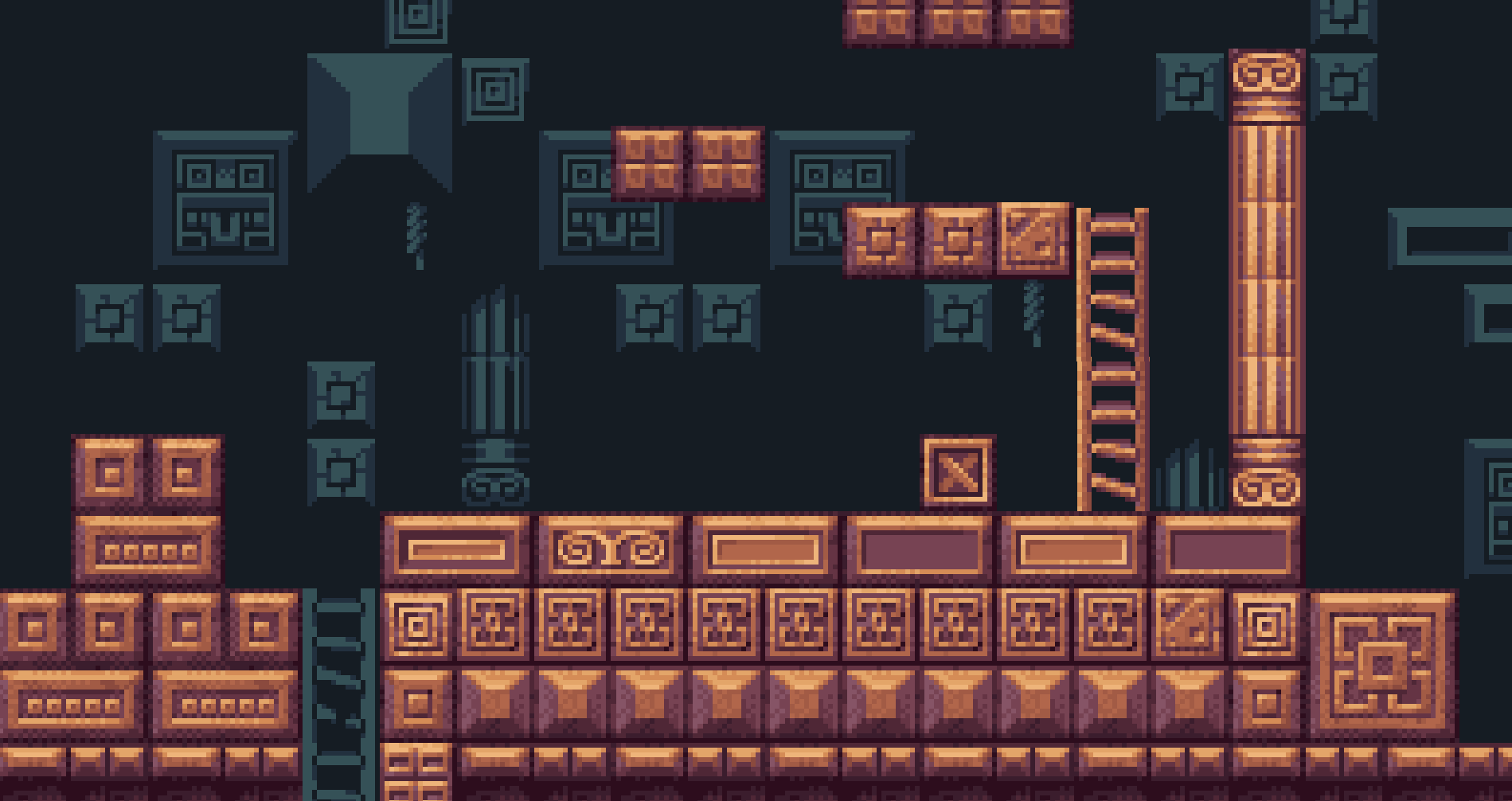
Tileset - Inca Temple Platformer Pixel

Create ancient temples for your adventures in this unique Inca tileset! Download them from the Market Center today!
Third.
Teleportation Item - New Tile Type!
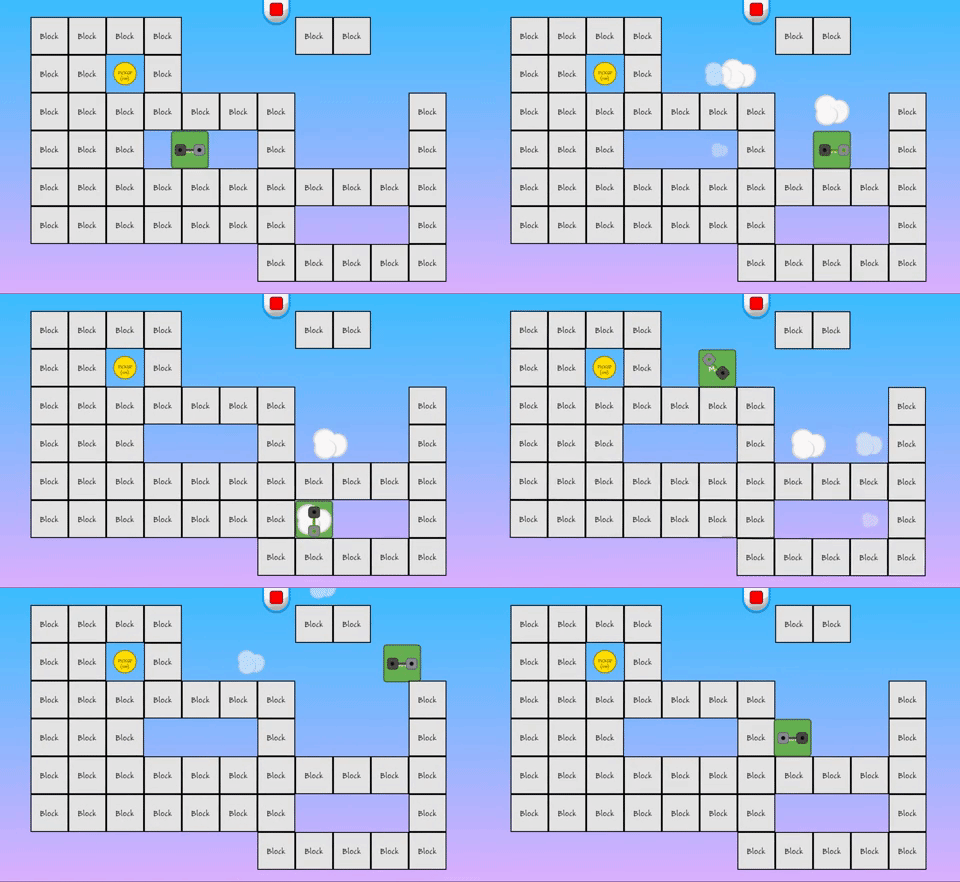
The tile teleportation (item), will be available in the next Build a Game update (coming soon).
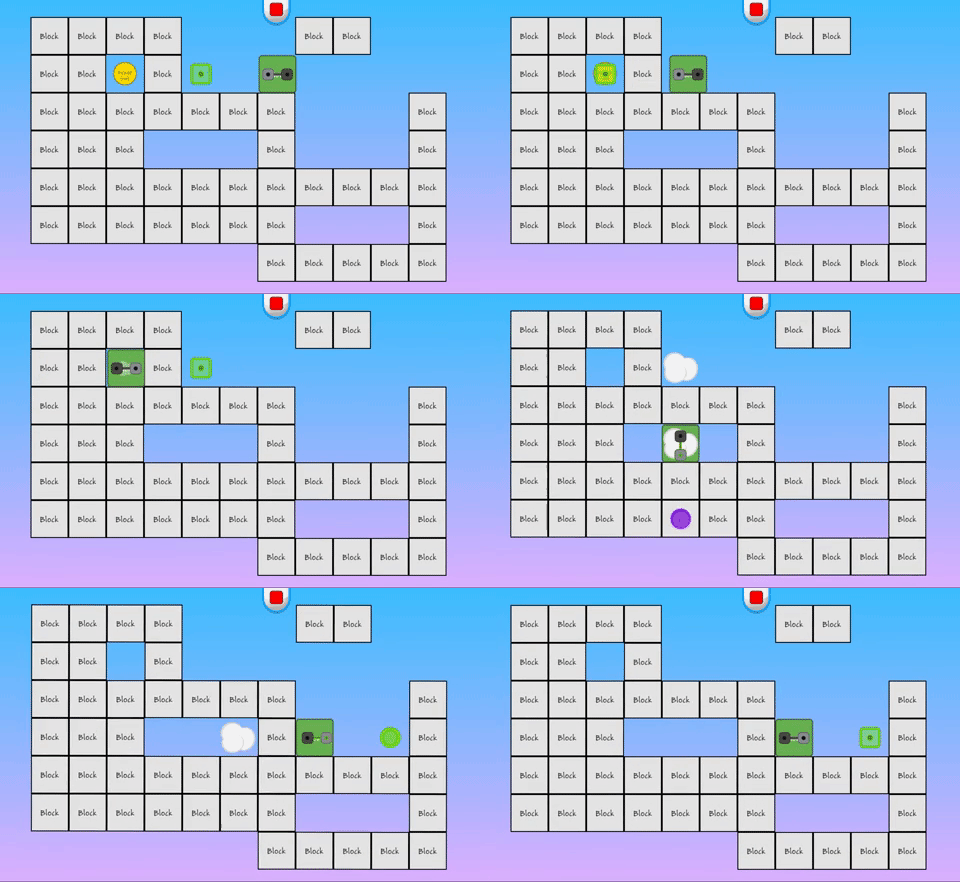
Until then, here are two gif's showing it in action.
+ Teleportation - Free range teleporting
+ Teleportation - Teleporting to a controlled target point and coin pickup!
More Teleportation features, videos and tutorials will be up after the update. Hope you enjoy!
You can read the release notes here:
Release Notes (and current bug list)
Training Videos
1025+ videos are available for learning Build a Game!
116 videos are available for learning Tile Builder!
Our Silver Standard Reminder (Silver Coin Allowance)!
During the beta program, you will receive 1,000 silver coins into your account each week. Have fun purchasing games and tiles!
Beta Group Signup
Sign up for the Beta. Email steamkeyplease@buildagameuniverse.com to get your steam key and be a part of the testing. =)
Have fun with the new tileset! And when you get a game (or level) built let us know so we can share in the fun. :)
Thank you!
Chad - Nathan - Eric
Update 71 - Mega Pixel Pack Extended
(March 16th - March 30th, 2018)
First.
Updates
+ Another month gone! Based on our previous ability to 'guess the future release date', let's instead, focus on finishing strong with solid updates till Build a Game is ready. :)
+ Also, we've been prepping Build a Game for mobile (iOS, Android) and console (xbox one), which is providing us more opportunity to increase performance and speed. We haven't rolled any of these changes out (yet), but will be doing so, soon.
Second.
Tilesets!
Mega Pixel Pack extended! This extension tileset includes damage items, fences, and flames. :) Download them from the Market Center today!
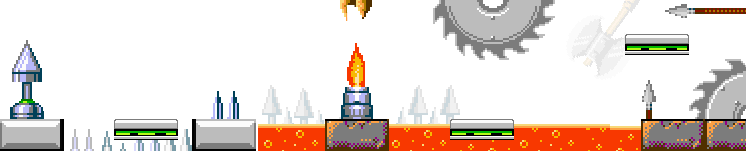
Mega Pixel Pack - Damage
Mega Pixel Pack - Fences
Third.
Tile Spotlight -> Health, Hit, Regenerate!
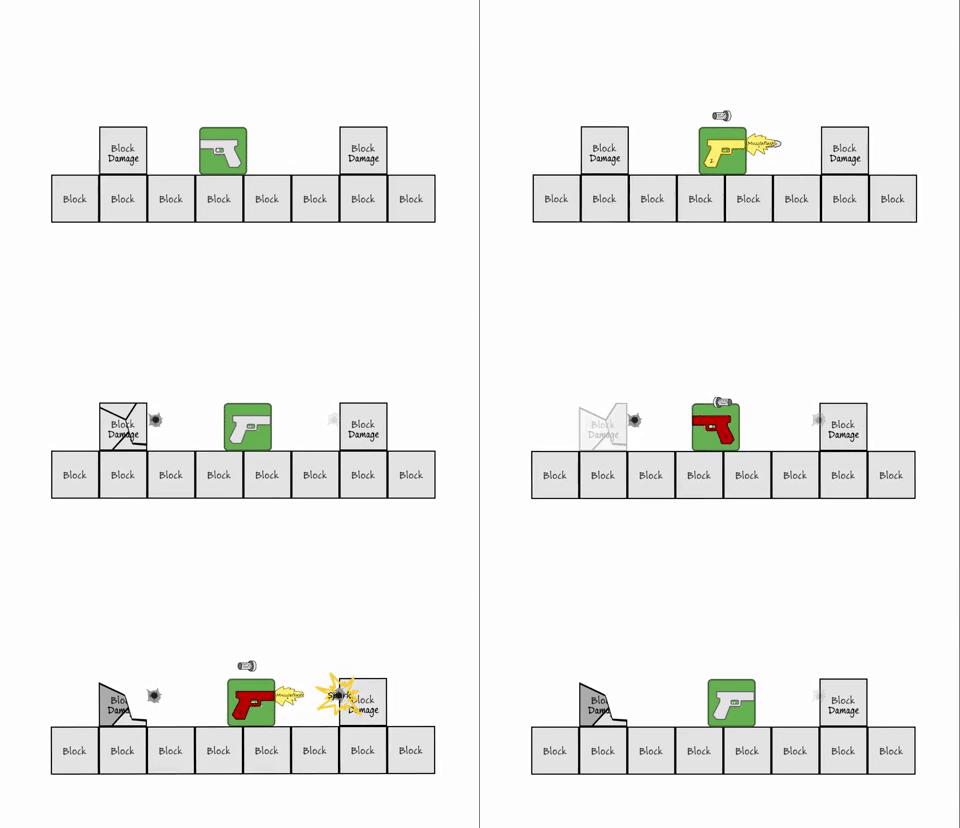
This week the spotlight is on the basics of using health on tiles and receiving hitpoint information while regenerating.
Ex. Tiles setup with different ID values. The bullet is only looking for one.
Ex. Tile regenerating and re-animating after hurt state happens.
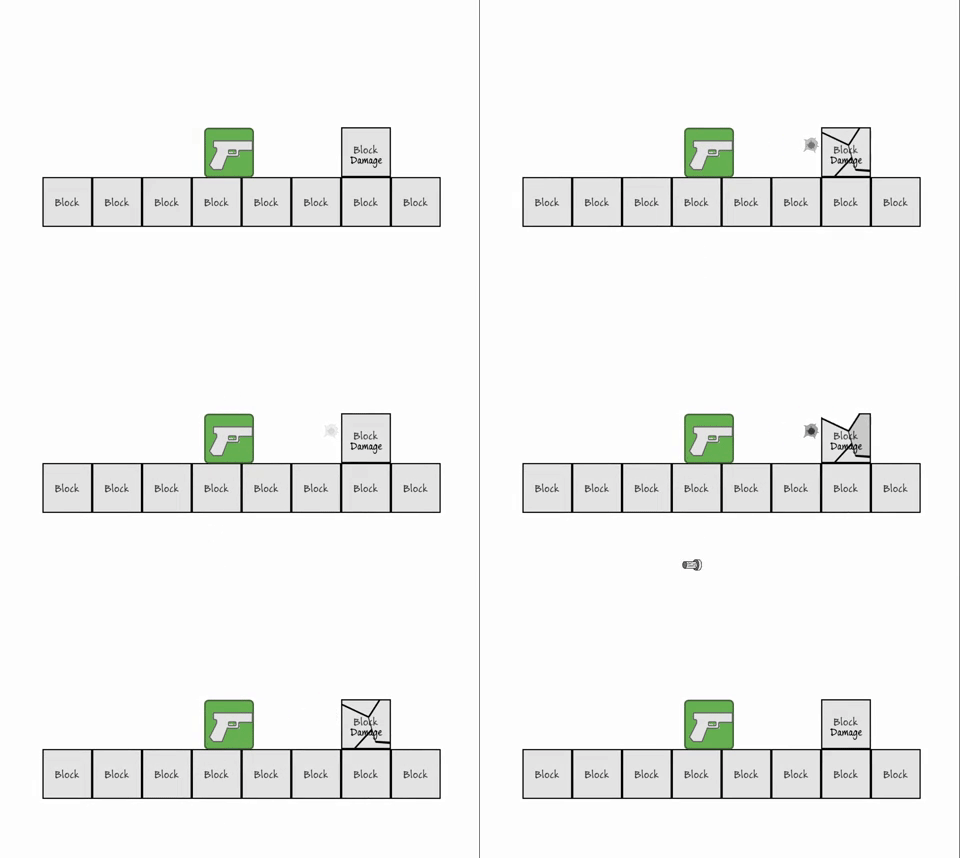
When it comes to defining individual tiles for giving and receiving hitpoints (basics), it comes down to the tiles ID and Hitpoint settings.
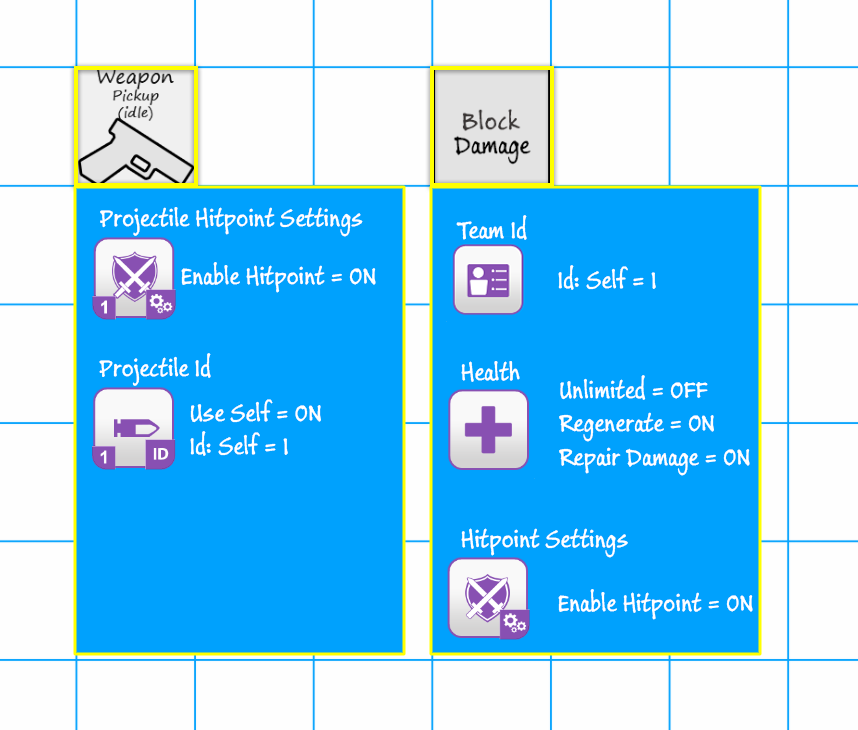
Note: If all tile ids are set to zero '0', then if hitpoint is enabled and health unlimited is off, it can be hit. :)
Check out the full set of features here:
Tile Builder
Health Setup
Health Regenerate
Damage Repair and Regenerate
You can read the release notes here:
Release Notes (and current bug list)
Training Videos
1025+ videos are available for learning Build a Game!
116 videos are available for learning Tile Builder!
Our Silver Standard Reminder (Silver Coin Allowance)!
During the beta program, you will receive 1,000 silver coins into your account each week. Have fun purchasing games and tiles!
Beta Group Signup
Sign up for the Beta. Email steamkeyplease@buildagameuniverse.com to get your steam key and be a part of the testing. =)
Have a wonderfully blessed Easter weekend!
Thank you!
Chad - Nathan - Eric
Update 70 - New Tileset!
(March 9th - March 16th, 2018)
First.
Updates
Great things happened last week! But, nothing we can show and tell...yet. :\ When it's finished (1-2 weeks), we'll be sure to make a big deal of it in a news update. :) In other news, we have an excellent new tileset coming to the Market Center (this weekend) and a spotlight feature on Image Effects (below). :)
Second.
Tileset!
Combat Joe Platformer Pixel! That's right, it's time to put some soldiers in the playing field. :) Joe is a 2D side-scrolling, platform jumping soldier with fun weapons that make a big impact on the tiles! Tileset will be available this weekend.

+ Third
Tile Spotlight -> Image Effects - LUT!
This week we're checking out a great feature in Image Effects -> LUT.

When working on a game with different tilesets, they don't all 'sync' together sometimes. With LUT, it allows you to 'blend' the colors to have a matching game.
>> How does LUT work?
Think of it like a math problem: R = S + L
R is your result or what you want to get
S is your source or what you start with
L is your LUT (difference needed to make up between your source and your desired outcome)
Let's pose the question.
>> How do I make all my tilesets blend together? (Image below needs some help)

Let's walk through an example of correcting this image.
1. For starters, we need the Image Effects tile. (Available in the Default tileset)

2. In the tile properties, you can adjust the LUT type which will result in different blending modes. Here is an example.

3. Also, you can adjust the Blend Value (and others) to control the final output.

4. For this example, I've selected LUT Texture Id: 73 and 75
ID: 73

ID: 75

5. And then to wrap it up, we've added a final image effect around it. :)

Check out the full set of features here: Image Effects Tile
You can read the release notes here:
Release Notes (and current bug list)
Training Videos
1025+ videos are available for learning Build a Game!
116 videos are available for learning Tile Builder!
Our Silver Standard Reminder (Silver Coin Allowance)!
During the beta program, you will receive 1,000 silver coins into your account each week. Have fun purchasing games and tiles!
Beta Group Signup
Sign up for the Beta. Email steamkeyplease@buildagameuniverse.com to get your steam key and be a part of the testing. =)
We hope you have an excellent week with Build a Game Universe.
Thank you!
Chad - Nathan - Eric
Update 69 - Tilesets, Templates and More!
(March 1st - March 9th, 2018)
First.
Updates
Friday = Updates, going forward! :)
Second.
Tilesets!
Variety Sets by PixelIcon! As we continue to develop the Market Center, we're looking at product development in 'packs' (ex. smaller sets). So, how small can a set be that is still manageable and fun to use in the editor. Let us know what you think of the tileset sizes. Thank you!

Look for the Mega Packs in the Market Center today!
Mega Pixel Pack - Objects
Mega Pixel Pack - Crates
Mega Pixel Pack - Ladders
Mega Pixel Pack - Windows
Mega Pixel Pack - Platforms
Mega Pixel Pack - Blocks 10x10
+ Third
Tile Builder Tips!
Two tips this week for using Tile Builder!
Exporting a Project
Have a tileset project? Wish you could use that one as a starter project for other tilesets? You can!

1. Bottom left corner you'll see four buttons. Click on the disc with the green arrow.
2. Create a folder or navigate to an existing one.
3. Click the 'Export Project' button.
4. Done.
That's all there is to it. Now you have a full copy of the project to use for a new starter project. When you open it up, you can replace (Right click on tiles and replace images) tiles and already have all your properties completed. Yea!
Check out the video example to see how quick and easy it is. :)
Exporting a Tile Builder Project
Template Loading and Saving
Templates allow you to Save and Apply tile properties within different projects (tilesets). Meaning -> You spent hours on a player tile and want to apply those same values to another tileset player. Now you can. :)

1. Open Project'A'. (Any project you want)
2. Right click on a Tile. Select the Save as Template option.
3. Give it a name when prompted (Ex. Player Tile - Dog 1 )
4. Open Project'B'. (Any project you want - or use it in the project you already have opened)
5. Right click on a Tile. Select the Apply Template option.
6. Select the template you want to apply. Tile Builder will automatically assign it to the selected tile.
Here's a simple video showing how to do it :)
Template Saving and Applying Explained
Tile Spotlight -> Spawn on Die
This week we're going to take a moment to review the spawn properties available in most tiles. If it's your first time spawning tiles, be sure and check out the video links (below).

Spawn On Die - When a tiles health reaches the minimum amount (0), the tile goes in to a spawn item stage. Meaning, when a tile dies, you can have it provide loot -> a coin, a pickup, and even a ladder. :)
Example Videos
Spawn a coin!
Spawn a set of walls
If you enjoyed the spawn on die options, there's a full Spawn Tile that allows for even more fun.
You can read the release notes here:
Release Notes (and current bug list)
Training Videos
1025+ videos are available for learning Build a Game!
116 videos are available for learning Tile Builder!
Our Silver Standard Reminder (Silver Coin Allowance)!
During the beta program, you will receive 1,000 silver coins into your account each week. Have fun purchasing games and tiles!
Beta Group Signup
Sign up for the Beta. Email steamkeyplease@buildagameuniverse.com to get your steam key and be a part of the testing. =)
Thank you!
Chad - Nathan - Eric
February Updates
(January 30th - February 28th, 2018)
First.
Updates
It's great to be back and posting! :) Looks like even with crunch, there's only so much time in the day (and night) to work. We are a month closer to release, but not there yet. Build a Game still has some bugs that need fixed before official launch. We want players to have a fun experience building and playing games, which means more bug squashing. :)
Thank you to all those that continue to submit bugs to us (You're awesome!). :)
Second.
Tilesets!
We will be releasing Tilesets each week(hopefully), starting with Indie Jones - Adventurer. Indie Jones will whip and punch his way through mummies, bats and snakes in his quest to find more gold. He will be available in the Market Center later today (tonight).

In-die Jones In Action! (Video)

+ Third
Features! (My favorite)
Tile Offsetter
This creates the depth effect with 2d objects in the scene. You can use it in your ui and during the game. When the mouse moves it offsets the tiles enabled based on their properties.

Learning Modes
New to Build a Game Universe is the 'Learning' rollout (Top left of main menu).
We have several learn modes that will be available in Build a Game.

1.Quick Start Guide. We walk you through the 'basics' of building your first game. Video Demo
2. Classroom training for badges, certificates and more. Video Demo
3. Online reference manual and videos Video Demo
4. Video player (really cool!). You can actually play the videos in the background of the editor to follow along. Video Demo
Be sure to check out the video player features (below).
Bag video player features

Also, we updated the release notes (below).
Release Notes (and current bug list)
Final Notes.
In order to make this next month go by with a smile, we'll start posting again each week. :)
Training Videos
1025+ videos are available for learning Build a Game!
116 videos are available for learning Tile Builder!
Our Silver Standard Reminder (Silver Coin Allowance)!
During the beta program, you will receive 1,000 silver coins into your account each week. Have fun purchasing games and tiles!
Beta Group Signup
Sign up for the Beta. Email steamkeyplease@buildagameuniverse.com to get your steam key and be a part of the testing. =)
Have an excellent week building and testing!
Thank you!
Chad - Nathan - Eric