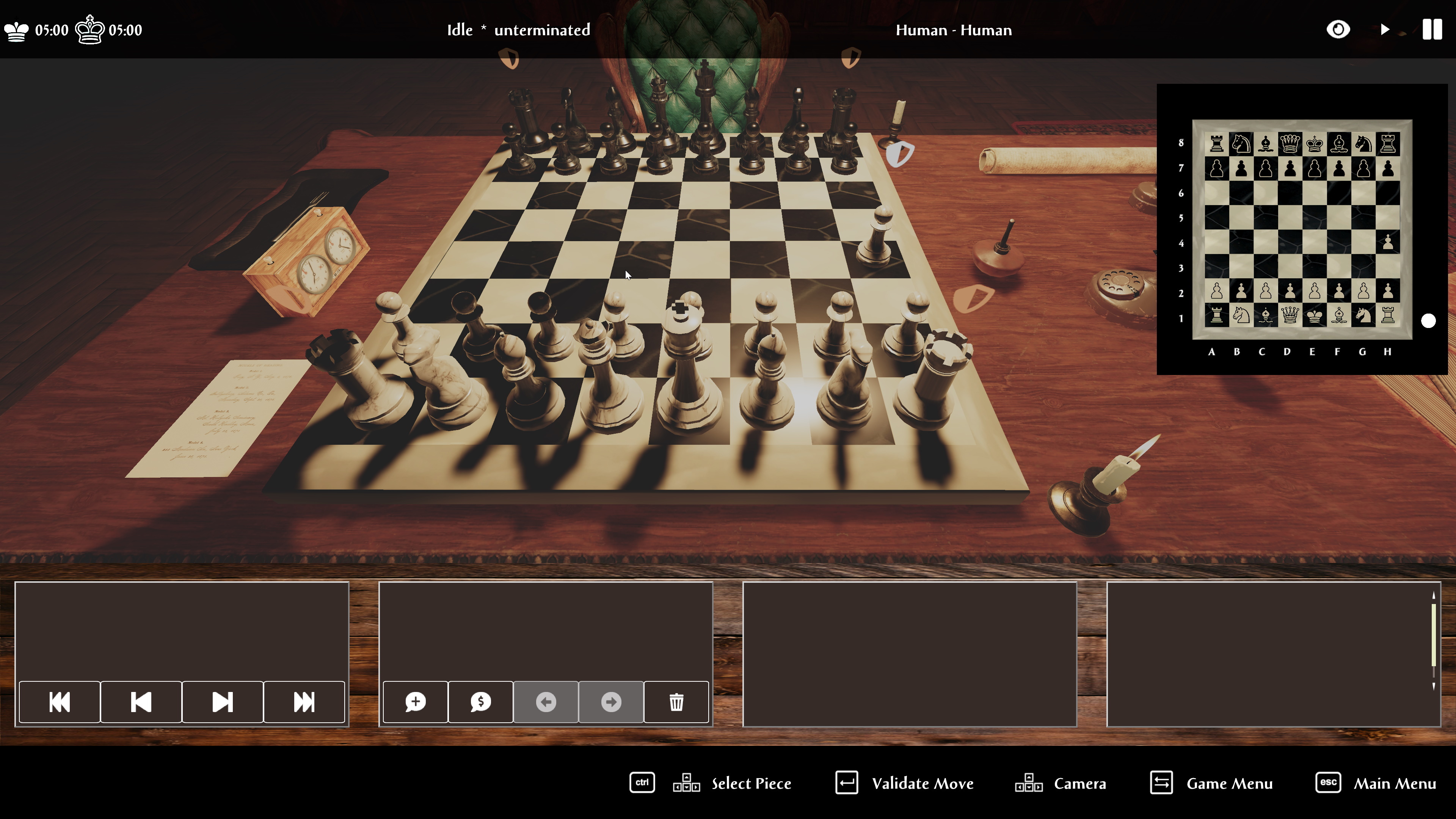
When I announced that the next update would cover UI and gamepad I expected it to take at most 3 months. Alas, several real life and technical issues have slowed me down to the point that I was not able tp make any progress. However I have been able to achieve most of my goals. Let's have a look, shall we?
Here you can see that the main UI has been redesigned so that the chessboard is never hidden. At the bottom the 4 panels represent the game moves, the comments, the evaluation of the move and the last one is for the analysis window. You can cycle through these panels with the gamepad.
You can also notice a status bar at the bottom that indicates the available commands depending on the panel you are interacting with.
And of course, the lighting of the scene has been corrected, it looks much better now.
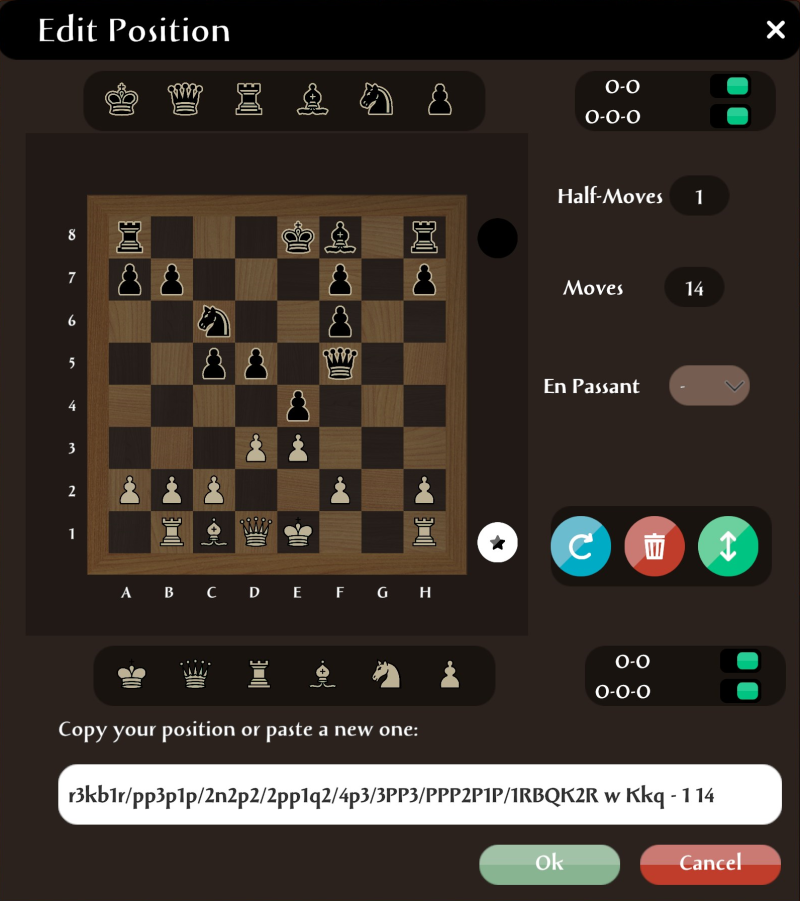
The position editor has been improved, no more drag and drop but a cursor mechanism. Editing a chess position is fast and easy with it.
The clock has been entirely redesigned. You can check the times with real sentences that tell you exactly what the time control will be doing.
The chess engine console is a new feature that lets you see how Caïssa Board interacts with your chess engines.
What is left to do?
I am going to replace the icons above the chess pieces, finalize the new help window and verify that the gamepad works correctly. I will also add the Steam feature Remote Play Together so that you can invite friends to play with you but that's only a parameter to check in Steam. This will take some more time but the unstable channel will be updated very soon so you can check in realtime the final steps.
The next update
In the next update I will focus on the games database so that we will be able to move onto multiplayer after that.
Analysis Update
As announced before, the first big update of Caïssa board is about Analysis and everything related. Caïssa Board now supports variations, comments, numeric annotation glyphs and features a position editor. The chess engines (UCI and CECP) can be used to analyze your games by entering the analyze mode. When you stop analyzing, the position resumes to where it was when the analyze mode was entered. Caïssa Board has been tested successfully with very complex PGN files and is able to save them back. This also includes PGN extensions such as %eval and %clk which are detected properly.
Improvements
Position Editor
Caïssa Board now offers a full featured position editor that includes the castling and the en passant square. You are still able to copy and paste FEN position lines for fast sharing and setup.
Variation Lines
You can visualize and edit variation lines in your games.
Analysis
There is a new orange 'A' button in the Chess Engines window that lets you pick a chess engine for analysis.
When analyzing the moves are displayed on the left bottom of the screen and an arrow points at the best move calculated by the engine.
Clear Text Annotations
Defined by the PGN format, the numeric annotation glyphs are often displayed as esoteric symbols. This explains why they are so rarely used. Caïssa Board displays them in clear text and breaks them into categories so that you can easily add them whenever it is necessary.
PGN Format
I have searched over the net for very complex PGN files to test with Caïssa Board. The PGN reader is now very robust. Games are exported with their comments, annotations, variation lines and the PGN extensions that were found before (Caïssa Board does not add any PGN extension as of today).
Other improvements
2D Board
The 2D board can be now flipped by pressing F9
The pieces move instead of being shifted instantly.
Game Panel
Navigations buttons have been added to the game panel
The players names now appear in the top bar rather than in the game panel
3D Board
Right clicking on a square creates an outline
Right click and drag between 2 squares creates an arrow
The pieces move instead of being shifted instantly.
Bugfixes
The complete list of moves was not sent to stockfish and other UCI engines, which led them to ignore repetition draws.
Underpromotion was sometimes ignored which led to illegal moves
Known Issues
Caïssa Board does not use any other character set than UTF8 when reading and writing PGN files, which can cause some compatibility issues with older programs (and strictly speaking the PGN format itself). I will consider improving that part only if there is sufficient demand, because UTF8 is the modern way of handling text files.