
CanopySim: Skydive Landing Simulation
Jet Packs!
For instruction video on how to use Jet Packs and other tutorials please visit our website: SkydiveSim.com/videos
Multiplayer vibration for Hi Fives and Ride Along feature!
Added Ride Along. With Ride Along anyone can enjoy the SkydiveSim experience without a learning curve. Think of it as a Virtual Tandem Skydive!
Tutorial graphics update to improve intuitive controls
Added coins to catch under canopy!
AAD is now on by default and can be turned off under the options menu
Added option for Metric units and more!
Added ability to put Altimeter on top of the wrist instead of the bottom (set in the options menu)
Added malfunction animation if the user pulls hackie while in sit fly (Beta)
New Options menu graphics and UI
Added more sounds for realism
Predictive Landing Assist & more!
***Added ability to turn on/off landing assist.
***Added more feedback for hand position in the tutorial while guiding the canopy through the rings
***Visual enhancements and optimizations
***Cutaway and Reserve functionality for non-VR (Steam only)
Swooping functionality Added!
Optimization for Quest 3 and new UI controller map to reflect the new Quest 3 Headset.
* Better overall performance and smooth playability in all scenes.
* You can now change the Quality settings even in Quest standalone for clearer images. (Too high of settings may impact frame rates in some scenes)
* Bug fixes and other enhancements.
Canopy Physics enhancments
* You can now turn off the front hackie and use the advanced hackie which is set up where the hackie is in real life.
* Fine-tuned Expert and Advanced canopies
* Longer and more natural canopy opening animation
* BASE jump canopies now open faster
* Enhancements to the menus UI
This update enhances canopy physics and controls.
Cutaway and Reserve handles are now active!
Soar to new heights and embrace the serene beauty of controlled descents with SkydiveSim's latest update! Our premier skydiving simulator has undergone a groundbreaking transformation, focusing on the realism and artistry of canopy flight. Glide gracefully through the virtual skies, mastering the intricacies of parachute control with our meticulously redesigned physics engine.
* Added ability to track
* We are excited to announce the introduction of cutaway and reserve in this 2.0 version of SkydiveSim! In future updates, we will be adding canopy malfunctions which has been a very popular request.
* You can now turn off the front hackie and use the advanced hackie which is set up where the hackie is in real life.
* Fine-tuned Expert and Advanced canopies
* Longer and more natural canopy opening animation
* BASE jump canopies now open faster
* Enhancements to the menus UI
Performance and Visual enhancements
Tracking is also an amazingly fun type of skydive as you get to fly across the Dropzone.
Added ability to pitch and bank to the left and right during free fall. This new feature adds even more realism as the player can now shift to the left and right quickly by using same style body and hand positioning as they would in real life. This feature also comes in handy when you are using the new tracking feature and need to make quick adjustments to your heading.
Audio mixer can now be accessed from the pause menu. Also added volume control for Voice to the mixer for multiplayer sessions.
As SkydiveSim gets more popular, more and more users are trying the multiplayer feature. Having the Audio mixer readily available in the pause menu, players can now easily adjust audio levels of Music, SFX, and Multiplayer Voice so they can hear each other with ease.
Leaderboards now show more users for more engagement. Competitive scores are now even more engaging in SkydiveSim.
Enhancements to Physics and UI
Tracking is also an amazingly fun type of skydive as you get to fly across the Dropzone.
Added ability to pitch and bank to the left and right during free fall. This new feature adds even more realism as the player can now shift to the left and right quickly by using same style body and hand positioning as they would in real life. This feature also comes in handy when you are using the new tracking feature and need to make quick adjustments to your heading.
Audio mixer can now be accessed from the pause menu. Also added volume control for Voice to the mixer for multiplayer sessions.
As SkydiveSim gets more popular, more and more users are trying the multiplayer feature. Having the Audio mixer readily available in the pause menu, players can now easily adjust audio levels of Music, SFX, and Multiplayer Voice so they can hear each other with ease.
Leaderboards now show more users for more engagement. Competitive scores are now even more engaging in SkydiveSim.
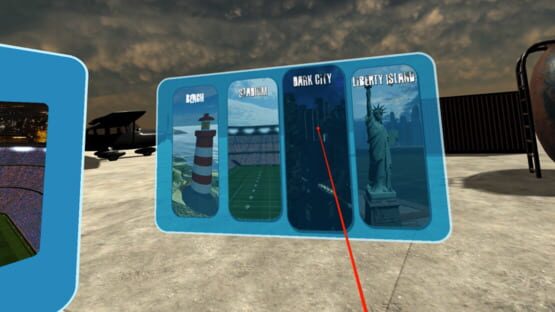
Moved in-game VR menus so they don't move with the head. This feature makes it easier to see the in-game Wind speed and direction so the player can be less distracted