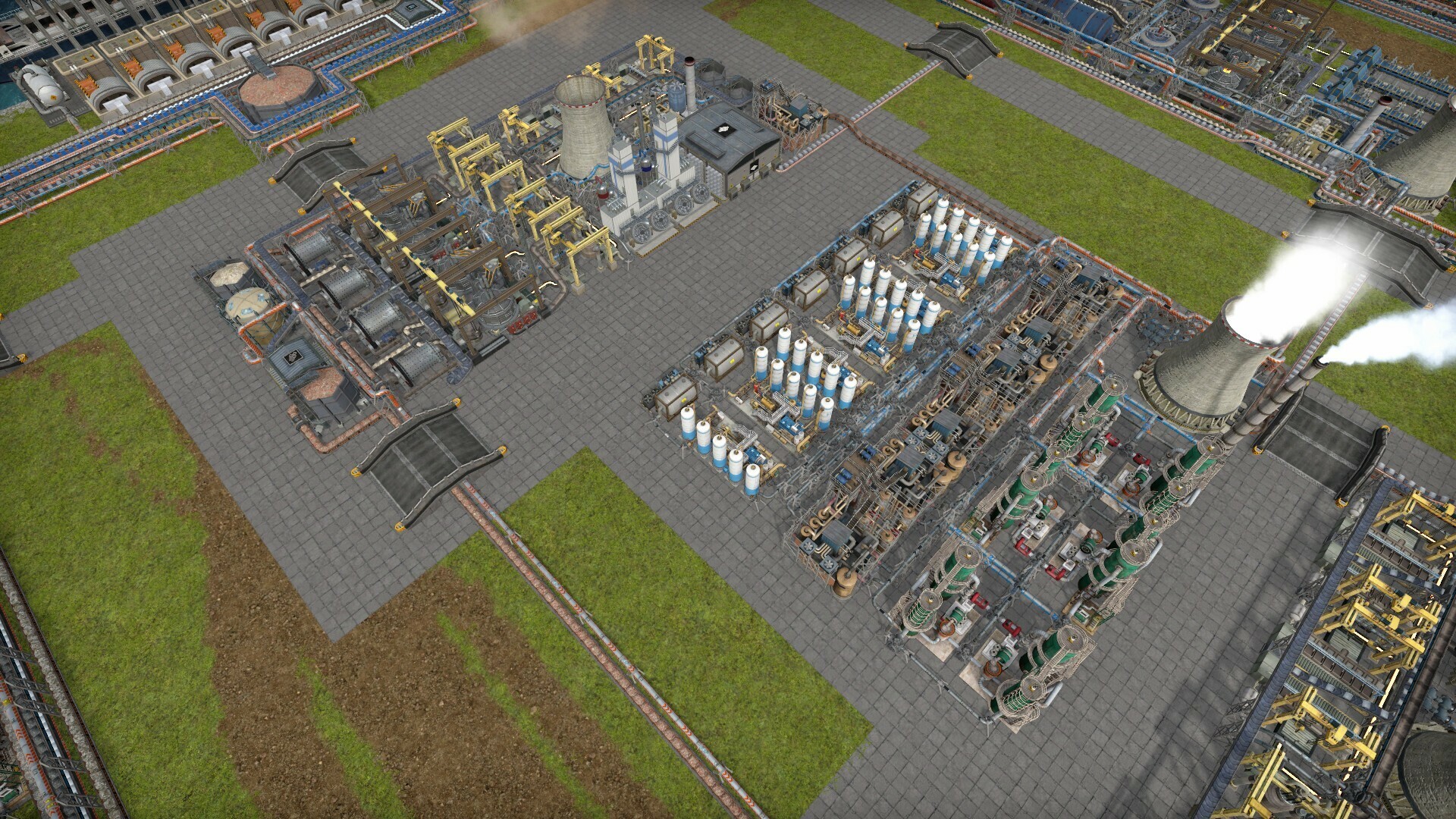
Welcome to another edition of Captain’s Diary, this time with Captain Filip. As we mentioned in our previous post, the Update 2 is coming out on April 5th, which is super close. So, I would like to share a few final updates on what we've been working on. Let's dive right in!
Loans
Have you ever found yourself running low on something crucial? Or maybe you've been in a situation where, for the last 30 minutes, your excavators have been digging up nothing but dirt instead of coal? At moments like these, you probably wish for a magic button to instantly refill your coal supplies. It's scenarios like these that can lead to the dreaded death spiral.
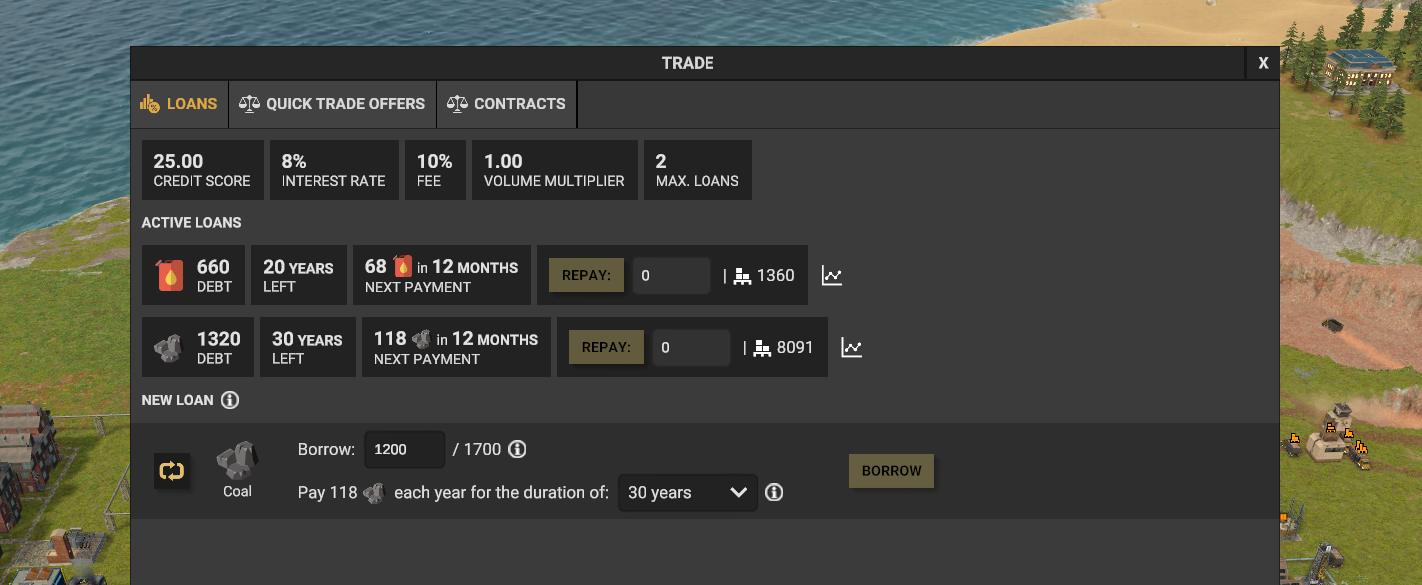
To address challenges like this, we are introducing a new feature. You will be able to buy in-game products with your real money! Just joking! The new feature is ... Loans! The title gave it away anyway, I guess. This feature allows you to borrow all the essential resources from local settlements. The amount you can borrow will depend entirely on your production track record, meaning the more you produce, the more you can borrow. We believe loans are a perfect solution, especially since quick trades are often limited by the lack of the right products to exchange. We hope this feature will offer a lifeline when you're teetering on the edge of a spiral!
The new loans feature for Update 2.
It’s entirely up to you how you approach loans. You can keep them for emergencies or use them as a continuous injection to advance your progress. And here's the interesting part: the better your track record, the more favorable your loan conditions will be. And if you don’t pay back? The bank will kidnap your people and pillage your silos … just like in real life … I’m kidding; the settlements will simply be more hesitant to lend you products in the future.
Loan repayments, together with interest rates, are taken automatically from your trade dock.
Difficulties
We've heard your feedback loud and clear: CoI can be pretty challenging. Striking the right balance is tricky because everyone enjoys a different level of difficulty. We prefer realism because it allows players to optimize more than just layouts, as there is an entire economy to deal with. This route introduces complex systems that can lead to death spirals, which, understandably, some players prefer to avoid. To address this, we're making the game's difficulty settings more granular and customizable.
The first half of the new difficulty selection journey.
Game difficulty configuration is now split into two parts: difficulties and mechanics. Difficulties adjust factors like production, yields, and resource availability, much like what you're used to. Mechanics, on the other hand, alter your gameplay in more significant ways. We've taken existing CoI's realism features (like trucks stopping when out of fuel and machines breaking down), and grouped them into a new "Realism" mechanic. So if you are looking for a less “death-spirally” experience, simply disable the Realism mechanic.
New mechanics screen for simple but powerful customization of your experience. This one shows the pre-selected options for Admirals.
To make the game easier for new players, we added the following simplifications (all of them are toggleable):
Vehicles now slow down rather than stop completely when out of fuel.
Cargo ships out of fuel? They can chug along on Unity now.
If your groundwater’s gone, pumps still work, just slower.
World mines out of Unity will keep mining but at a reduced pace.
Even when broken, machines and vehicles won’t quit; just slow down.
And if a machine runs out of power or computing, it’ll keep going at a reduced rate for a bit, thanks to a sort of "internal battery."
This approach also lets us introduce new challenges or modify gameplay without disrupting the core experience. For example, Update 2 will seamlessly introduce an ore sorting feature I'll discuss later in this post.
You can always go to the full difficulty settings menu to fine-tune every option.
Another big news is that you will be able to change difficulty settings during the game. This comes in handy when you’re 120 hours in and realize a certain setting just isn't working for you. Note that changing a difficulty option comes with a cooldown, and your adjustments are logged in your save file. This feature will work with your existing game saves too.
When you adjust difficulty settings, it's our little secret—just between you, us, and the NSA (and anyone you share your save file with).
Besides this, we made a couple more changes in the difficulty department.
Full Deconstruction Refund: Now an option, though we've removed the research nodes for gradual increases.
Research Costs: Sailors now enjoy a 25% discount, while Admirals face a 50% increase.
Disease Mortality: Halved for the base game. Admirals see a 100% increase (back to the original rate), while Sailors experience zero mortality.
Quick Actions costs: Increased by 25% across the board, with Admirals incurring an additional 50% on top.
Power Production: We've removed the multiplier for traditional generators. However, we added a multiplier for solar panels.
Ore sorting plant
After we added the mixed cargo feature, many of you expressed a need for a more realistic approach - having to sort the cargo through a sorting plant instead of having trucks magically sort it. It doesn’t happen often that you ask us to add more complexity, so we couldn’t miss such an opportunity and added a new ore sorting plant. Now, whenever your trucks carry mixed cargo, they must stop by the sorting plant to get everything in order. It works similarly to the waste sorting plant.
A truck delivering mixed cargo to the new ore sorting plant.
The nice thing about our new mechanics system is that we were able to add the ore sorting plant without disrupting existing game sessions. We placed it under a standalone mechanic called “Ore sorting”. This mechanic is pre-selected for Admirals. But, of course, it's available to all players. Plus, you can activate this mechanic on save files created before Update 2, ensuring everyone can enjoy sorting through piles of rocks.
Ore sorting can be enabled in the new mechanics' selection screen.
With the introduction of the ore sorting plant, power generation will be required from the very start of your game. This adjustment allows that even the assembler I and research lab I will require power.
Custom surfaces unleashed
Remember when we teased the ability to lay down your own concrete? Well, we might have gotten a little carried away—in the best way possible. You're not just getting concrete; you'll have 10 different surfaces to choose from! And for our Supporter Edition, we're adding an exclusive golden surface to complement the golden Statue of Maintenance. Given our variety of surfaces, we also implemented automatic curb generation to provide a neat separation between surfaces.
Check out the first set of new surfaces, featuring a fuel truck comfortably parked on one, basking in a 20% maintenance cost reduction.
The second set showcases our metallic options, each ready to add a sleek touch to your island.
To ensure these new surfaces look great on large areas, each surface comes with 8 unique textures. These textures are randomly arranged to give a seamless and dynamic appearance. That's a grand total of 88 new textures!
You can also replace the default concrete that comes with the original buildings.
Decals
As we expanded the surface options, we considered adding some hazard versions for each. That's when a lightbulb moment happened: why not offer something far more versatile? And the idea of custom decals was born. In the upcoming update, you’ll be able to paint lines, stripes, arrows, and more directly onto any surfaces.
Decals in action. We can’t wait to see your creations!
You can choose from 70 different decals in 8 different premium colors hand-picked by our scientists.
New trees
So far, we have just one single tree type. With the upcoming map editor, it was the right time to add more variety. We are adding several new tree types, including dry variants.
Each tree is harvestable using a tree harvester and features levels of detail (LODs) for optimal performance. You’ll be able to place them in the new map editor.
Timeline details
We've been on quite the journey since launching Update 1 in May 2023, and I want to clarify a few things about our process. Post-launch, we didn't just sit back; we squashed bugs, enhanced pathfinding and logistics, and in August, rolled out new animation textures that significantly boosted FPS in large factories (CD #37). This set the stage for the main work on Update 2 beginning in September 2023.
Not counting the performance patches, Update 2 still took us quite some time. But there are reasons. Besides working on the large map editor, we were building infrastructure supporting a few features, such as roads and trains. We had hoped to introduce roads in Update 2, but that would delay the update until summer, which wasn’t reasonable. So, with a heavy heart, we had to postpone that effort. This was a difficult choice for us as well. On the bright side, Update 3 will come this year with a shorter wait than Update 2, mainly thanks to the investments we made during our work on Update 2. So, no progress was lost.
We are also working on improving some of the particles in Update 2. The big balls in the background won’t be included though, you’ll need to bring your own when playing on Admiral.
Answers to your comments
I've noticed some discussions suggesting we don't support mods. Let's set the record straight: CoI has built-in mod support. We also have a sample mod on our GitHub to get you started. While modding in CoI still has rough edges, adding things like machines or new recipes is actually fairly straightforward. We still plan on improving the modding experience, but at this point, we had to prioritize features like map editor and CoI Hub as we believe these will benefit the game in the long run, even if it means mod support isn't as smooth as it could be at this moment.
I will leave this one to your interpretation.
Regarding the new CoI Hub, I’ve seen questions about why we're not utilizing Steam Workshop or other third-party services. Our vision for CoI's future is ambitious, and we want to ensure that our community's creations remain in the community's hands, the same as with our self-hosted Wiki. The new CoI Hub allows for more independence, deeper integration, and better support for features like blueprint and map parsing and version management. While third-party platforms offer reasonable services, they can't provide the level of integration and control we aim for. Also, when it comes to mod security, caution is always advised, regardless of the platform.
I admit it: the decals can get a bit addictive.
My final confirmation is that Update 2 will be fully backward compatible with your existing save files from Update 1.
That wraps up what we wanted to share today. See you in Update 2!
CD #42: Map editor and Update 2 release date
Welcome everyone, Captain Marek reporting for the 42nd edition of the Captain's Diary! I have lots of exciting information for you today, so let’s get started.
Update 2 release date
Many of you are eagerly awaiting the release date for Update 2, so let’s cut straight to the chase. It’s April 5th, 2024! We were initially aiming for an earlier date, but we wanted to make sure that the game is in a solid state for the release.
We plan to run a closed testing version of the game around a week before the release so if you want to be part of it, keep checking our Discord. And if you’d like to be notified about the release, subscribe to our mailing list!
The other project
The work on Update 2 took us longer than anticipated and one of the reasons was that we spent a lot of time working on this other game. And as you can imagine, developing another game takes a lot of time!
The other game is called Captain Cartographer, and you play as a… Just kidding, it’s the map editor for COI. You can lower your pitchforks for now; there are no other projects that we are working on except COI. I just wanted to emphasize that the map editor is comparable to a smaller game in terms of complexity.
Captain Cartographer, our new experience is coming out on the 5th of April!
Map editor
As mentioned in the previous paragraph, the editor is a large project, and there are a few reasons for it. First, we developed a new and future-proof map representation that is extensible and moddable. This ensures maps created by our community will remain functional for a long time, and future game updates won’t break them.
Second, COI maps are more complex than those in other games, as the terrain materials underground matter. Simple sculpting tools and texture brushes won’t work in our case; we had to develop new tools and techniques to provide an easy way of creating terrain features that are above and below ground.
Third, we wanted to make the map creation experience easy and intuitive, even for beginners and non-artists. Creating a nice-looking mountain range should not take hours, but rather just a few minutes.
Map editor showing a work-in-progress map with editable features and their configuration.
Map representation in COI
Maps in simulation games typically fall into two categories: Procedurally generated or manually created. Each approach has its own pros and cons. In general, procedurally generated maps can be configurable and large, offering greater replayability, with minimal manual effort.
On the other hand, procedural generation can struggle with creating something concrete or unique, which is where manually created maps shine. They offer more creative freedom, allowing for the creation of specific features that would be difficult to make procedurally.
Captain of Industry adopts a hybrid approach, which is quite unique. Our maps are manually assembled from procedurally created elements. How does this work? Here is an example: Imagine you’d like to create an island with a mountain range on one side and a forest on the other. Instead of sculpting the terrain and manually placing trees, you generate three procedural nodes: island, mountain, and forest. Then, you can configure each node to your liking and you are done!
A simple map created using three features: Plateau, mountain, and forest.
There are several more advantages to this hybrid approach. First, all operations are non-destructive and reversible. You can always move or modify a procedural node without losing previous work. Is the mountain too close to the forest? Move it! Too small? Make it bigger! Want another one? Copy-paste it! Plus, we implemented a familiar undo-redo feature for all operations!
The previous island, but with another duplicated mountain, which was also resized.
The second advantage is that creating visually impressive features, such as mountains or plateaus, is just a few clicks away. We provide numerous presets with the procedural parts already configured; all that’s left is to place them on the map to your liking. These procedural features can be further customized, which is considered more advanced.
An example of presets for some terrain features.
Another benefit is the efficiency of map data storage. The map is just a compact list of procedural nodes and their configurations, requiring significantly less data than the final generated map. To be more concrete, a final generated map can range from 20 MB to 500 MB in size, but the hybrid format typically remains under 1 MB. This allows us to embed the entire map in each save file without inflating its size. As a result, both we and map creators can update and refine existing maps without breaking saves that utilize them.
However, there are some disadvantages. Performing small manual edits, like raising or lowering terrain with a brush, is relatively tricky. This requires defining small features and adjusting their parameters to achieve what you need, which can be a bit tedious. This should improve over time as we learn what operations are missing and implement them (or mods!).
Procedural nodes configurability
Now that you understand maps are composed of manually placed procedural nodes, it's important to note just how extremely configurable each node is. I don’t use the term “extremely” lightly. There are three levels of configurability.
First level of configurability: This involves changing the shape, position, and basic parameters of map features. Many features, such as mountains, are defined by a polygon and its position, shape, and number of vertices can be easily changed via intuitive UI. For example, creating a mountain shaped like the letter 'U' is as simple as manipulating the polygon. You can also modify basic properties such as the terrain material for mountains and the type of trees for forests. Most of the parameters are documented in tooltips.
An example of forest node configuration. You can also see our new tree models!
Second level of configurability: At this stage, you delve into the parameters of the procedural model itself. This advanced technique allows you to modify properties like the slope of a mountain, scale of generated details, surface material, etc. This is meant for more experienced users who want precise control over the procedurally generated pieces. However, mastering this level requires spending some time to understand how the procedural model works and what each parameter does.
An example of advanced parameters that control the function defining a mountain shape. The white surface is a real-time preview of the mountain feature.
Third level of configurability: Now we reach the pinnacle of customization - the extreme part. Some nodes, like the ones that generate mountains, have a fully configurable procedural model. This means that the procedural functions and the way how they are connected to each other can be configured via our simplified pipeline language. It’s even possible to add new functions and transformations via mods! This is intended for expert users who are familiar with 2D noise functions and their composition.
A previously shown mountain with an added warp function that twists it into an interesting shape.
Map post-processing
A map includes not only a list of features, such as plateaus, mountains, and forests, but also elements known as post-processors. A post-processor transforms the generated map features in various ways. Good examples of post-processors include one that generates grass on rock surfaces that aren’t too steep, another that mixes two types of grass for better visuals, and a post-processor that automatically generates rocks and flowers on grass. These post-processors are as configurable as the map features themselves. For instance, the flower-seeding post-processor uses a configurable noise function to determine the appearance and distribution of flower patches – it’s all fully configurable!
Additionally, we have post-processors for localized terrain shaping operations, such as smoothing, ramp creation, and flattening. These operate within a configurable polygon area and perform exactly as their names suggest.
A ramp tool allows you to create a smooth ramp between different heights.
Erosion simulation
Another post-processor worth highlighting is the Erosion simulator. This is an entirely new post-processing step that simulates hydraulic erosion by modelling millions of virtual rain particles falling on the terrain, eroding it in a realistic way. I could write (and maybe I should, at some point) an entire blog post about this process, but for now, the short story is that it makes any map and, especially mountains and cliffs, look so much more natural and realistic. Check out the before/after animated gif below to see the difference. Notably, this entire process is also fully configurable for those willing to delve into the 20+ parameters. We also put a lot of effort into making this process parallelizable, utilizing all available CPU cores; otherwise, just the erosion simulation alone would take 30+ seconds to finish.
A comparison of a mountain before and after simulated hydraulic erosion.
Map sizes
In the map editor, you can select a map size from a recommended list or enter a completely custom size! The only limitation is that the maximum map area cannot exceed 17M tiles, and no single map dimension can be larger than 16k tiles. This allows for unique map shapes, such as 512x16k. It's worth noting that, up to now, the largest map size was around 4M tiles.
A “ribbon” map that is 512 tiles wide and 16k tiles long. As you can see, you can’t see from one side to the other :)
Other editor features
There are several other neat features in the map editor:
The ability to add one or more starting locations.
An x-ray tool that reveals material layers beneath the terrain surface.
The option to plant individual trees and place other props.
Configuration option for virtual resources, such as crude oil deposits.
Map generation that is fully parallelized, using all the cores your CPU can spare!
A screenshot from a tracing tool showing parallel map generation on a 6-core CPU (Intel i7-8750H).
Map editor demonstration live-stream
As you can see, the map editor is a beast. To showcase all its capabilities, we’re planning a live-stream demonstration covering everything described in this article and more! This event will scheduled closer to the release, and we’ll make a separate announcement.
COI hub in March
To enable our community to share and download all the maps they create, we are launching the CoI Hub website in March this year. We originally announced it in Captain’s Diary #39.
And that’s everything for today, mark your calendars for the 5th of April and see you soon! Captain Marek out.
CD #41: Hydrogen vehicles in Update 2
Ahoy everyone, Captain Filip here! Our entire team is working tirelessly on Update 2, and I wanted to share more details on what's coming your way. We've touched on several features in our previous posts, but there's more we're finalizing just now, and I'm thrilled to present them to you. So let’s dive right in.
Hydrogen vehicles
We've been eager to introduce hydrogen vehicles for quite some time. End-game factories, equipped with robotic assemblers and advanced nuclear reactors are literally asking for an alternative fuel source for your vehicle fleet. And the time has come!
We've developed hydrogen variants for all higher-tier vehicles. This lineup includes the Large Truck, Haul Truck, Large Excavator, Mega Excavator, Tree Harvester II, and Tree Planter. We've actually given these vehicles a bit of a makeover and are introducing them as entirely new models.
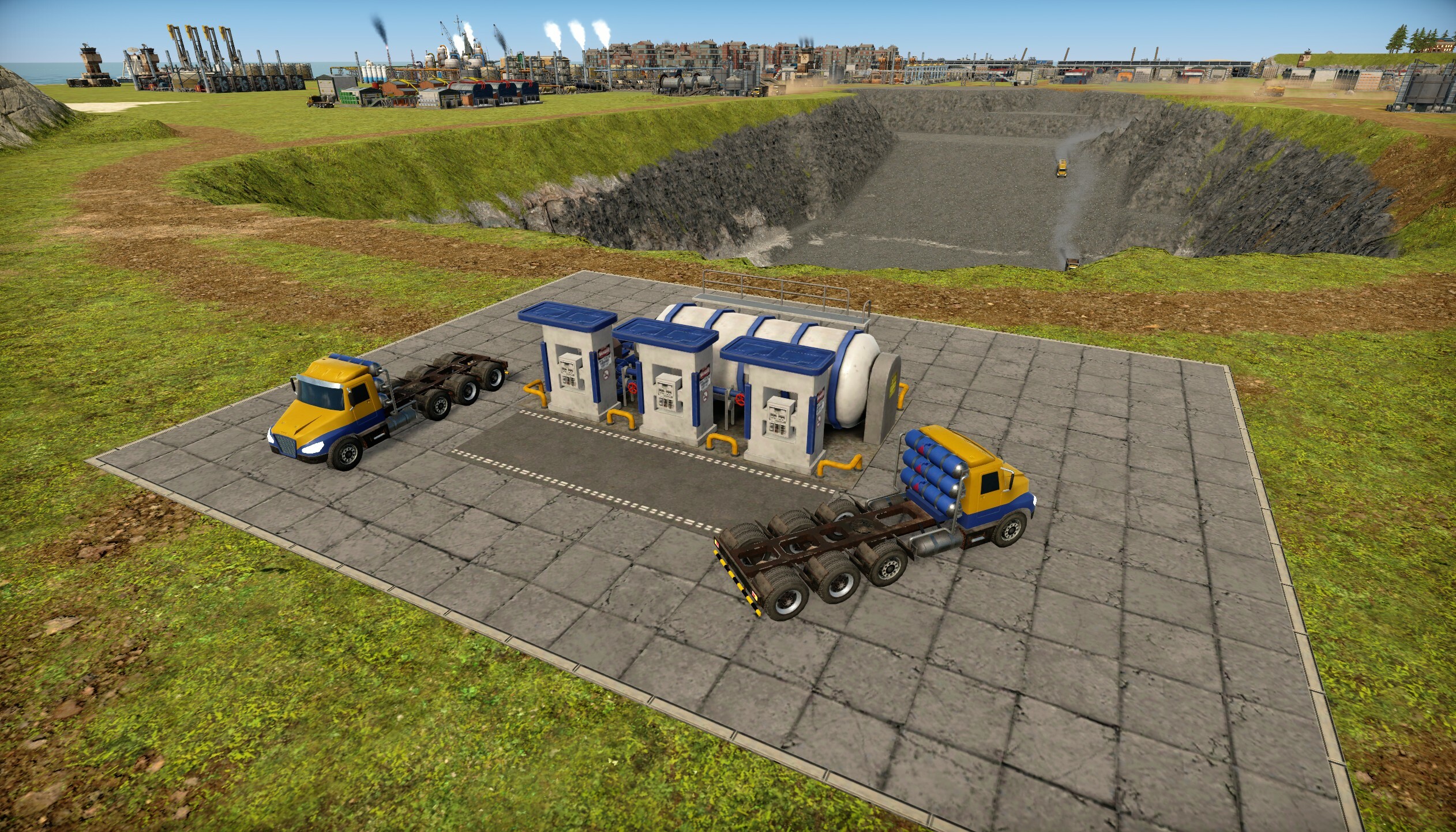
New hydrogen trucks next to the new hydrogen fuel station.
In addition to the introduction of hydrogen vehicles, we're implementing a pollution penalty for diesel-powered vehicles. This is something we've aimed to do for a while but were previously unable to, due to the lack of alternative solutions to mitigate pollution.
You might be asking why would you want to switch to hydrogen besides pollution free logistics? The first reason might be that you want to reduce your dependency on crude oil and diesel becomes just an unnecessary production step for you. You might want to power your vehicles by producing hydrogen using your solar farm or using an already existing recipe that efficiently uses steam from your fast breeder reactor.
Another compelling reason to adopt hydrogen vehicles is the potential for reduced maintenance costs. Since hydrogen vehicles utilize electric motors, they are less costly to maintain compared to their diesel-guzzling friends.
Diesel haul truck on the left, new hydrogen haul truck on the right.
Cargo ships - hydrogen & heavy oil
On our journey towards hydrogen-first logistics, we can't overlook another significant diesel consumer: cargo ships. To facilitate this transition, we've implemented the option to upgrade your cargo ships to hydrogen-powered models. Alongside this upgrade, we're introducing a pollution penalty for diesel-powered cargo ships.
In the process of integrating fuel type switching for cargo ships, we saw an opportunity to further support player progression, especially in the early game phases. To this end, we've introduced the option to use heavy oil as fuel for your cargo ships. Once you unlock heavy oil, you can utilize it to simply burning it off in a flare or boiler. Implementing heavy oil as a viable fuel option not only adds a layer of realism but also diversifies your fuel choices. We still intend to keep diesel as the default fuel as it offers flexibility without the added pressure of immediate resource management adjustments.
In update 2 you will be able to choose from heavy oil, hydrogen and diesel fuel for your cargo ships.
Vehicles navigation
Since this post is about logistics there is another fitting improvement we did in this area. Previously, when a vehicle couldn't reach its intended destination, it would get stuck and generate a notification, urging the player to resolve the issue. This approach had several drawbacks. For one, a vehicle stuck on an unreachable target stopped doing useful work and put more pressure on the logistics network. Additionally, haul trucks often attempted to navigate to locations that weren't critical, creating more disruptions. Also, some of these issues were temporary or not urgent, yet they demanded immediate player intervention to free up each vehicle.
Addressing the challenge of vehicles getting stuck due to unreachable destinations required a careful approach. The initial idea was straightforward: if a vehicle can't reach a destination, mark that destination as unreachable and move on. However, this solution wasn't without its complications. For instance, it might not be the destination that's the problem, but the vehicle itself being stuck. To tackle this, we implemented thresholds and automatic invalidations for unreachable goals after a certain period.
However, the largest obstacle to implementing the new solution was that our job assignments for picking and delivering cargo were managed independently, each with its own navigation task. This system led to trucks being dispatched to collect cargo without confirmation they could successfully complete their delivery. The result was a logistical bottleneck, with trucks accumulating near a silo, collecting cargo, then realizing they had nowhere to go, leading to a standstill. This was especially noticeable with dumping jobs.
Loaded trucks getting stuck one by one with cargo they just loaded from the silo unable to deliver to the blocked one.
The solution to this issue involved refactoring how we schedule jobs. Let's say we have a job to pick up cargo from storage A and deliver it to storage B. Previously, we would find a path to A, drive there, pick up the cargo, and then search for a path to B and try to drive there. In the new system, we still find a path to A, but we then run another pathfinding task from A to B before the truck departs. If the path from A to B is not found, we discard both jobs, and the truck doesn't depart. Furthermore, we mark B as inaccessible for our truck, meaning that, in the future, the truck will not be assigned a job to go there.
In update 2, an inaccessible silo shows a notification and ends up being ignored by all the trucks. Trucks no longer end up stuck with cargo loaded from the source silo.
Pathfinding isn't a trivial operation, and with this new change, we risked running the same pathfinding task twice. To address this, the new solution incorporates caching. When we find a path from A to B, we cache it. Once the truck arrives at A, it uses the precomputed path to B and executes it.
In update 2, clicking on the unreachable storage silo highlights all the vehicles that failed to navigate to it. These vehicles will occasionally re-test the path.
Some of these improvements wouldn't have been possible without the groundwork laid shortly after we launched Update 1. We introduced features such as automatic throttling of pathfinding for stuck vehicles and prioritizing smaller tasks. These enhancements have significantly increased the throughput of our pathfinder, enabling us to prune and retest unreachable goals regularly.
There's another exciting reason behind these improvements. In Update 2, players will gain the ability to lay their own surfaces, like concrete, directly on the ground—a feature we've hinted at in previous posts and will expand upon soon. This new surface-laying functionality will be carried out by trucks. Ensuring these vehicles don't get stuck due to unreachable surface designations was crucial, as it would have compounded existing logistical challenges. Faced with a substantial workload, we committed to making this enhancement to improve the gameplay experience and maintain our commitment to improving the quality of the game as much as we can.
Hydrogen excavators that are coming in update 2.
That's all the updates I have for you today. We have several more exciting features and improvements being worked on behind the scenes. I'm looking forward to sharing these with you soon. Thanks to all the fans and community for their continuous support. We are happy to have you! Stay tuned for more updates, and I’ll see you in the next one!
CD #40: Happy New Year & community rewards
Ahoy everyone, Captain Marek here and on behalf of the entire MaFi Games team – Happy New Year!! Lots of things happened in 2023 and even more things are planned for 2024! We are thrilled about what’s coming and I have some exciting announcements. But first, we are rewarding the most active and helpful members of our community so let’s start with that.
Community Rewards
Last year we gave out more than $800 in rewards to the most active translators, wiki contributors, moderators, and members of our community, and this year is no different! We truly appreciate the extra effort that many of you put into helping others and giving back to the community. For example, COI is translated into 11 languages and 7 more languages have more than 50% coverage, all thanks to the community. Also, the COI wiki looks great and is full of useful info. Amazing work, thank you all!
We’ve contacted all reward recipients via email and most of the rewards are in the form of Steam gift cards or COI merch. Hopefully, our bank won’t block our credit card for purchasing so many Steam gift cards this year (guess what happened last year).
Community screenshot from discord user BarBarBar
Community screenshot from discord user DeathFire
Community screenshot from discord user Deimosian
Community screenshot from discord user Sarda
2023 recap
It's easy to forget how many things were added over 2023. Just the changelog has 5707 words, so I won’t be listing all of the changes but I just wanted to mention a few highlights.
First, the biggest update yet, the Update 1 landed on May 30th 2023. It was actually COI’s first birthday as well! It added things like tree replanting, vertical pipes, extended nuclear power, new dynamic ocean, and improved graphics. For details, see the release announcement here.
Before Update 1 a smaller update landed that brought blueprints. Initial implementation did not support conveyors and pipes, but that was later added as well. Now we are working on the COI Hub website announced in Captain’s Diary #39 that will make blueprints sharing easy.
We’ve also optimized rendering, gaining 2x FPS on large factories. See Captain’s Diary #37 for more info.
And there is one more major update that was not as flashy, but it was the single biggest game change we’ve ever done: The terrain representation revamp. It’s hard to convey just how large of a change this was internally. The main CL (change list, or commit) was nearly 100k lines of changed code. This magnitude of changes in a released game is rare, and to be honest, a little reckless, but we pulled it off. If you’d like to read more about it, see Captain’s Diary #35.
Update 2
Now it’s time for some more info about the upcoming Update 2. Here are features that were already announced:
Map editor
Pipes and tank trucks coloring
Icons on storages
Stackable balancers
Conveyor lifts
Particles on terrain
Custom surfaces
Cloud shadows
This is not all we’ve planned for Update 2, though. We have many more features to announce, but we are reluctant to announce things that might not make it since our priority list is constantly changing.
However, since it’s New Year, I will make an exception to this rule today. But please keep in mind that if this feature ends up being too complex, we will have to postpone it to Update 3. It’s roads!
Roads
Yes, we are working on roads! It’s the #1 requested feature on our ideas tracker with 1.8k upvotes, and we’ve been internally talking about it for a long time, but it’s finally happening.
Roads are not just a terrain decoration, though. They are special entities that allow vehicles to drive on them while obeying traffic rules (at least that’s the final goal, we might release a first version without traffic rules). This also means that entering or exiting the road network will be possible only at designated places.
Vehicles will be free to choose whether to drive on terrain or on a road, but they will strongly prefer roads if possible. Building highways that connect distant places in your factory will make path-finding faster, allowing more vehicles to operate on your island.
Debug visualization of a functional roundabout composed of many smaller road pieces.
Debug visualization of a 90 degree turn of a double-lane road.
There are many more things regarding roads and their mechanics, but we will share them once they are ready, so stay tuned!
User interface
And since you read this far, I have one more teaser for you. We are working on UI refresh and while things are still heavily in progress, here is a mock of the new loading screen. Let us know what you think about this new art style! Keep in mind that the art is not final and we don’t plan to change all game UI in Update 2, it will be more gradual.
Mock of the new Load Game window showing the new UI art style.
And that’s all for today. Happy New Year again, and see you around!
Captain Marek out.
Patch notes for v0.5.5d
* Fixed a rare case of disappearing buildings. * Fixed vehicle pathabiliy overlay on very high or low terrain.
Captain's Diary #39: Lifts, tanks, conveyors, and Collin!
Ahoy, everyone! Captain Marek reporting in. I have lots of updates about our progress towards Update 2, so let’s jump straight in!
Welcome, Collin!
Before we get into the game updates, it’s my pleasure to introduce you to Collin – our new senior software engineer from Seattle! Collin is not new to the gaming industry, he was working for Zachtronics on some of their iconic games, such as SpaceChem. Since then, he has been working on some non-gaming projects, but he is back at game dev, and we are happy to have him! He will be focusing on the UI/UX at first, and he already started to rewrite our UI framework. Here are a few words from him:
“Greetings! I'm happy to join the MaFi team to work on improving my all-time favorite factory builder game! I look forward to helping accelerate development and improving the user experience for Update 2!”
Improved fluids recognizability
In our ongoing quest to enhance the factory building experience, Update 2 brings improvements to fluid recognizability. Fluids, whether they're liquids or gasses, have always been stored and transported in closed containers. However, players have faced challenges in distinguishing between them at a glance, especially in areas filled with various types of processed fluids like refineries or power plants. For instance, all steam types are represented in white, making differentiation a frustrating task.
Moreover, to identify the contents of an empty storage unit, players had to click on it, and it was not even possible to tell what fluid was present in an empty pipe.
Update 2 addresses these issues through three key enhancements:
Icons on fluid storages: Fluid storages will now have an icon representing the assigned product, even when empty. This means you'll be able to identify its contents with a quick glance.
Icons on tank trucks: Trucks transporting fluids will now display the product icon prominently on their sides. Additionally, the tank itself will be colored according to the specific product being transported. This means no more confusion about what products are being transported.
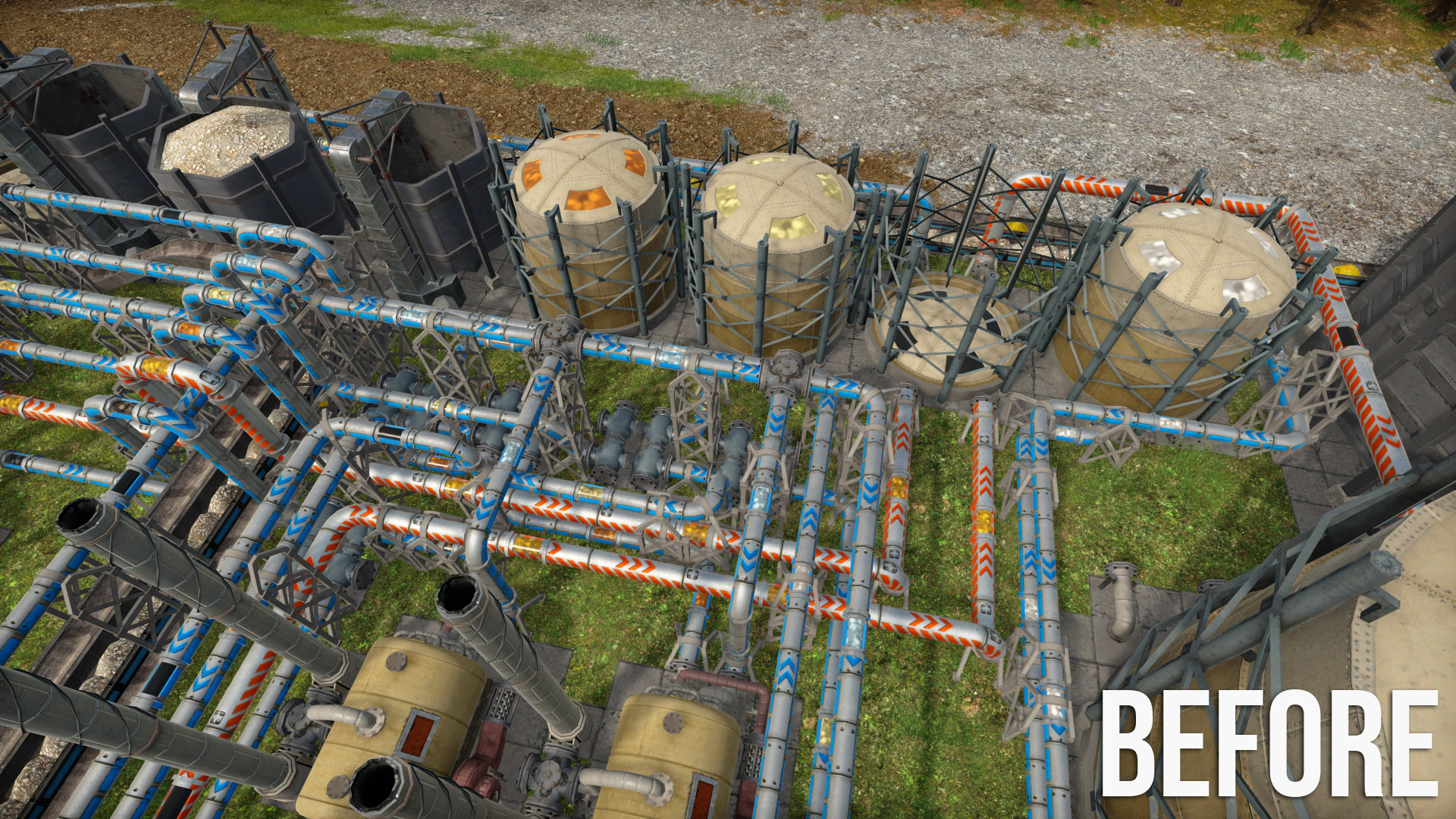
Pipes reflecting transported fluid type: One of the most significant changes arrives in the form of color-coded pipelines. Now, pipes will be tinted based on the product flowing through them. However, to ensure a seamless visual experience, these color changes will occur gradually, avoiding any abrupt transitions. This enhancement allows to quickly trace the path of different fluids through intricate pipeline networks.
Here are some comparisons of before/after:
New pipes and storages coloring (Update 2). Notice that now you can clearly see that the empty storage in the top right is for diesel, thanks to the icon and colored pipes.
New truck tank coloring (Update 2). You can also see the new and improved tank truck model.
In case you were wondering, none of these changes will have any effect on the game's performance.
Conveyor lifts
Last update we’ve added vertical pipes and this time it’s time for conveyors! This feature is a hot topic on our ideas website having over 1k votes and it’s finally happening!
Designing and implementing conveyor lifts took us a bit longer because we were committed to getting them right. While vertical segments are a natural fit for pipes, the same logic doesn't apply to conveyors. Our goal was to enable simpler and more compact factories without compromising immersion or realism.
In real life, vertical conveyors, often known as "bucket elevators" for loose products, are commonly employed in filling large silos with bulk materials such as grain or cement. I bet that some of you have encountered these machines firsthand (if so, share some photos on our Discord!). For others, here is a short video explaining how they work in real life.
Our design process also considered gameplay mechanics. We wanted to avoid overloading conveyor lifts, especially in areas where space isn't a concern, and using ramps would be both practical and realistic.
This has led us to the following design: Conveyor lifts are stand-alone entities that can lift both unit and loose materials and occupy a footprint of 2x1 tiles. This offers substantial space savings compared to a conveyor ramp, which requires at least 3x1 tiles to change height by one tile, and 5x1 for a difference of two, 7x1 by three, etc.
However, there are some trade-offs when opting for lifts. They require significantly more power than using a conveyor ramp, and their construction must be done separately from building the conveyors. Here is how they look in action:
A comparison of assemblies connected via conveyor ramps (left side) compared to the new conveyor lifts (right side), which allow for more compact builds.
While conveyor lifts allow for more compact builds, the feature that excites me, even more, is the ability to be able to convey material over retaining walls! Take a look!
Conveyor lifts are used to transport mined iron ore from a deep mine over retaining walls. Notice that the middle lifts are built on raised pillars (they do not have to have the lower part touching the ground).
We are looking forward to seeing what new builds will emerge with the ability to use conveyor lifts!
Cloud shadows
Cloud shadows is a feature that was initially implemented for Update 1, but we had to remove it last minute due to significant performance regression. Turns out that Unity decided to draw the entire scene twice when cloud shadows were enabled using a directional light cookie (a mask that selectively blocks light based on a provided texture).
Despite the setback, we were committed to integrating cloud shadows into the game as they make the weather more interesting and realistic. It was Jeremy who found another way to do the clouds shadows without the crazy performance penalty so now we have clouds “for free”! See the before/after below!
Cloudy weather in Update 2 (with cloud shadows)
By the way, these screenshots were taken from JD Play’s ultimate island adventure finished in the year 1000. He was trying to secretly escape the island in his rocket with a lot of gold waiting for him at a secret place, but people on the island found out and tried to sabotage his escape plan by flooding the crater. Did he manage to escape or did the crater get flooded? See his last episode #79 to find out!
Optimizing save size
A few weeks ago, we received a bug report that the game crashed when the population statistics were switched to the maximum range (showing all years played). Turns out that the person’s save was 25k years old (yes, twenty-five-thousand!) and Unity could not handle a plot with 25k data points.
Seeing this issue, we realized that saving data from all years is not the best way, and it also uses up a LOT of space in the save file, around 50% (or 50 MB) for that 25k years save file to be precise. To fix this problem, we have limited the number of years stored to 100 and introduced new quarter-century statistics that are stored for all years played. This reduced the stored data by a factor of 25.
When we fixed this issue, we decided to go one step further and write a save analyzer that can quickly tell us what is actually using space in a save file. It’s a simple tool that visually shows the contents of a save file using a tree-map. Here is how it looks on that 25k year save after the statistics were consolidated:
A tree-map visualization of a 25k-year-old game save. The area of each rectangle is proportional to the disk space it uses.
We were happy to see that statistics are now a small portion of the total size, and the terrain is expected to be taking the majority of the save size. However, we were completely baffled about the mysterious queue in the vehicle path-finding manager that is taking over 40% of the save file. After a quick glance at the code, it turns out that this was some legacy code that was saving every fulfilled terrain designation, but this queue was never emptied, so it kept growing. Thanks to this tool, we were able to find it and fix it.
These two fixes were also back-ported to the live branch and released in patch v0.5.5c. Our in-house game serialization code is very flexible so we were able to do the statistics transformation and queue removal without breaking the save compatibility so that you all can enjoy smaller save files and faster saving/loading right away! COI Hub I am excited to tell you about the upcoming COI Hub! It’s our community portal built by us for you. Its main purpose is the easy and convenient sharing of game content such as blueprints, maps, and mods!
We’ve seen a great need for sharing blueprints and mods, and with the upcoming map editor, we needed a central place to share maps as well. We had a few options.
The first option was to do nothing and leave it up to the community to figure things out. This solution is the least work for us, and there already are some blueprint-sharing websites, such as Captains haven. We are truly amazed and grateful for the incredible work done in community-driven projects. However, such projects can lose momentum when maintainers face other life commitments, which perfectly makes sense. But we're dedicated to ensuring this doesn't happen, keeping the content alive and thriving.
The second option was to use some third-party solution such as Steam Workshop or mod.io This solution is a moderate amount of work for us, and many games use these. However, we don’t think it’s the best user experience for players due to the lack of tight integration with the game. For example, when a game has a major update breaking some compatibility, third-party services cannot automatically mark all incompatible content, and it just rots on the platform.
So this leaves us with the most complex solution – build it ourselves from scratch – and that’s what we are doing! We believe that the tight integration with the game will allow us to do really cool things such as:
Show a list of machines from blueprints and filter based on this data.
Show map previews and metadata such as map size, amount of resources, etc.
Validate mod version compatibility and show various metadata.
And much more!
Here are some screenshots from the work-in-progress COI Hub.
A work-in-progress COI community hub showing some blueprints for download.
COI hub blueprint detail showing metadata about what machines are present.
Work on the COI hub is completely independent of Update 2, and we will release it once it’s ready. If you have any questions or ideas regarding this project, feel free to let us know on our Discord!
Steam Awards
The prestigious Steam Awards season is upon us. We'd totally love your vote, but let's face it – our game does not have enough players to be nominated for a Steam Award just yet.
But wait! How about giving us a review on Steam? It's like our own mini awards show! Your feedback is the secret sauce for our game's improvement. I personally read every review, and lots of ideas and improvements come directly from them! Thank you!
Update 2 – when?
We initially planned to release Update 2 this year, but we have decided to postpone the release to Q1 of next year so that we have time to add even more awesome features and ensure that everything is stable and polished. We will keep you updated with our Captain Diaries along the way!
And that’s all I have for you today, thanks for joining the adventure, and until next time, cheers!
We are hiring!
Still reading? Ever thought about enhancing the 3D models in our game or brewing up your own ideas? Perfect, because we're on the lookout! Join us as a low-poly 3D artist. Know someone perfect for this? Spread the word! Check out the details here https://www.captain-of-industry.com/jobs
Patch notes for v0.5.5b and v0.5.5c
v0.5.5c * Annual stats have now history reduced to 100 years but a new quarter-century stats with unlimited history was added. - This fixed crash when viewing annual statistics for saves with 10k+ years. - This significantly reduced save file size by up to 20% and increased speed of save/load.
v0.5.5b * Increased terrain physics processing speed 4x to prevent issues with terrain collapse being too slow. * Fixed ocean rendering when repeatedly swapping rendering quality settings.
Patch notes for v0.5.5a
* Fixed rendering glitches such as disappearing terrain when a moving vehicle was being tracked in photo-mode for a long time. * Fixed texture glitches on shipyard cranes. * Improved texture of T2 truck wheels. * Added a new option to track vehicle position and rotation at the same time (Shift + T).
Crowdfunding rewards are ready!
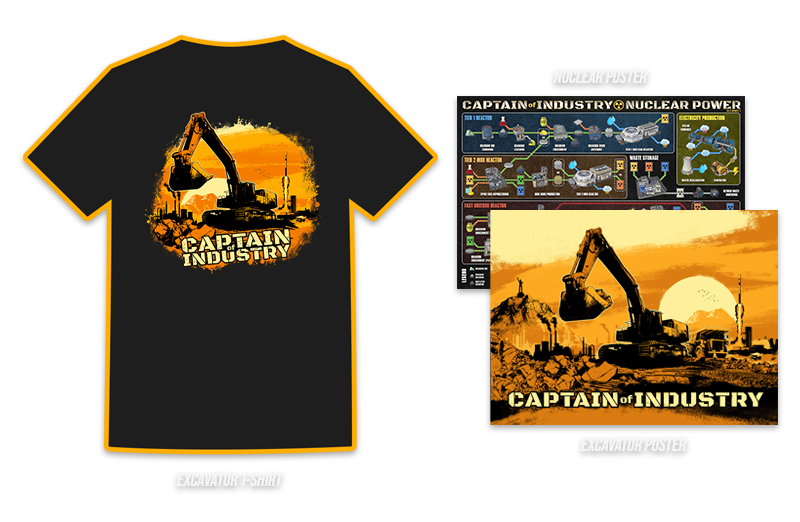
Ahoy Captains, today we have just a quick message to our beloved backers. More than two years ago we ran a successful crowdfunding campaign on Kickstarter and many of you are still waiting for the physical rewards: t-shirts and posters.
The good news is that we are ready to start shipping the rewards! If you are expecting a reward, please check your email. You should see a message form us with the subject line "Captain of Industry rewards are here, pick designs, confirm address!". You will need to fill a short survey regarding t-shirt size and your choice of a poster design, and verify your shipping address. If you don't see this email, reach out to support@coigame.com. Please answer the survey as soon as possible so that we can start manufacturing and shipping. Thanks!
If you didn't pledge for a physical reward but would want one, unfortunately we are currently not accepting new orders as we are laser-focused on the Update 2. However, if everything goes well, we will have more merch offerings in the future. Consider subscribing to our mailing list or follow us on Twitter to get notified.
There is one more reward that we have not fulfilled yet - the Journey of the game ebook. But our journey is not done yet! That's why we decided to postpone production of this book to the 1.0 release (full release from Early Access), when the journey will be complete!
Thanks for your generous support and let us know once you receive your rewards!
CD 038: v0.5.5, Update 2 teasers, and Techtonica
Ahoy everyone, Captain Marek speaking, and today I've got some exciting news to share about Update 2 as well as info about the patch v0.5.5 that just landed! But wait, there's more – let me introduce you to Techtonica!
Techtonica + COI bundle
Techto-what? Well, we've teamed up with the folks at Fire Hose Games, the devs behind the recently released title called Techtonica. This game isn't your ordinary factory sim; it's a first-person factory automation full of caverns, machines, conveyor belts, and fully destructible 3D terrain! Plus, there's a good dose of exploration to spice things up.
And here's the best part – we’ve made a discount bundle so that you can get both games at 12% discount! If you're already the proud owner of COI, you can snag Techtonica with this discount through this bundle too. I personally took Techtonica for a spin shortly after its release, and let me tell you, it's fun! So consider giving it a try.
Next, let me show you some new things coming in Update 2. And to give credit where credit is due, these are mostly made by Jeremy, so you know to whom you can address your praises or further requests :)
Custom surfaces
It’s coming ladies and gentlemen, custom surfaces, so that your new steel or nuclear plant does not have to be on a grass field! For now, we have a custom concrete mostly working, but we plan to add more visuals so that you will be able to customize your factory visuals to your liking.
The new concrete surface feature won’t be just visual. We plan to lower vehicles’ maintenance and fuel consumption while they are driving on reinforced ground.
Balancers on pillars
Another feature coming in Update 2 is balancers on pillars. You will be able to build elevated balancers and sorters that are supported by the same pillars as transports. This should simplify the branching and sorting of elevated transport lines. You can also notice that pillars can now be attached to balancers from the top.
Terrain dust particles
In Update 2, every terrain change will emit dust particles, making the terrain mining, dumping, and collapsing more realistic and visually appealing. It’s a relatively small change but it adds a lot to the overall immersion (and helps to hide sudden terrain changes a little).
Patch v0.5.5
We’ve just released patch v0.5.5 and there are some changes I’d like to briefly talk about.
One-line change resulting in 4x terrain physics speedup
Yes, we’ve identified a one-line change that led to 4x terrain physics speedup which resulted in ~30% sim speedup when terrain physics is active. Here it is:
[FieldOffset(0)] public readonly int X; [FieldOffset(4)] public readonly int Y;
[FieldOffset(0)] public readonly ulong XyPacked;
...
public override int GetHashCode() { return XyPacked.GetHashCode(); } }[/td] [td]public readonly struct Tile2i {
[FieldOffset(0)] public readonly int X;
[FieldOffset(4)] public readonly int Y;
[FieldOffset(0)] public readonly ulong XyPacked;
...
public override int GetHashCode() { return X ^ (Y << 16); } } [/td][/tr] [/table]
The next part will get a little technical but let me decipher the code for you. The `Tile2i` is a simple structure for a 2D tile coordinate that has 32-bit X and Y coordinates. We also have a 64-bit field that overlaps the X and Y data so that operations like equality can test one 64-bit value instead of two 32 bit values.
Memory layout of the Tile2i struct.
The `GetHashCode` method is used when a tile is a key in a hash table. I won’t spend much time explaining hash tables here but the gist is that anything can be efficiently looked-up in a hash table using a “hash code” that is some value that represents the underlying data. In C#, hash code is a 32-bit integer so we just called `XyPacked.GetHashCode()` that does the job of figuring out hash code for 64 bit data for us.
One thing you should know is that a hash table organizes values in an array indexed by the hash code (modulo the table size), so when two values have the same hash, it’s called a “collision” and the hash table stores all collided values in a linear list inside of a bucket for the respective hash. So with many collisions, fast lookups turn into slow linear searches.
You probably see where I am going with this. The old implementation caused a lot of collisions. The C# implementation of `GetHashCode` for 64-bit ulong is just XOR of the first 32 bits with the last 32 bits, so that’s identical to `X ^ Y` (the ^ symbol is bitwise XOR). So why were there so many collisions? Let me demonstrate this in an example.
Imagine we’d like to store 100 unique Tile2i values in a hash table of size 100. These values will be all possible coordinates in a rectangle from (1,1) to (10, 10). The first hash can be computed as `(X XOR Y) MOD 100`, here is the resulting table of hashes:
Table of hash values using the `(X xor Y) MOD 100` function, X coordinates are rows and Y coordinates are columns.
As you can see, all of our hash values are in the 0-15 range. This means that we are squeezing 100 values into 16 buckets. For example, the hash 0 has 10 occurrences, hash 3 has 8 occurrences. That’s way too many collisions and the majority of the 100 element hash-table is not even used!
Let’s look at the improved hash function that makes 32-bit hash code by combining 16 bits from X and 16 bits from Y: `(X xor (Y << 16)) MOD 100` (the “<<” is a left bit-shift). When use this function we get:
Table of hash values using the `X xor (Y << 16) MOD 100` function, X coordinates are rows and Y coordinates are columns.
Now look at that! Fairly even spread of numbers between 0 and 99. There are still some collisions, for example hash 45 and 46 appear twice, but that’s totally acceptable and expected. Note that X and Y coordinates in COI are never larger than 16 bits so this new hash function will actually produce a unique hash for every possible coordinate (hash collisions can still happen due to the modulo operation).
So how did we get speedup from this? We store lots of things in hash tables with `Tile2i` as a key. For example, we saw 4x speedup of terrain physics which updates various things on terrain movement. Another example is the data structure keeping track of the tile on which each tree is placed". Overall this resulted in ~30% reduction of sim time.
To prevent issues like this in the future, we are planning to implement some automated detection of excessive hash table collisions so that we can have a piece of mind that there are no more cases like this one ever again.
Transport path-finder improvements
The final thing I’d like to mention today is how we improved transport path-finder’s responsiveness. Transport path-finder is the piece of code that searches for the shortest path for your conveyors and pipes, so given a start and goal, it performs the shortest path search.
Jeremy had this genius idea that when the goal is not selected yet, for example when start was just selected, there are usually a few frames before the player moves the mouse to a new location and we could still do some search in this period.
You might ask, what path could we search for when we don’t know where to go? The answer is simple, just explore all existing paths and keep track of what we saw. When the player’s cursor finally moves and it selects an already explored position, we can instantly present the shortest path to that point! And thanks to the heavy caching, lots of progress is preserved even when the mouse continues to move.
And this is all for today’s post. If you have any questions or comments, let us know on Discord or Steam!
We are hiring!
Still here? Did reading about hash tables and path finding did not make you close this tab? Great, we are hiring! We are looking for a software engineer with specialization for UI & UX. If you or someone you know fits the open position, please get in touch! See details here https://www.captain-of-industry.com/jobs
Full changelog for v0.5.5
Transport path-finder now performs an undirected search when there is no goal set yet, improving response time once mouse cursor moves and goal is set.
Improved internal hashing algorithm for tiles resulting in 4x speedup of terrain physics and around 30% overall simulation speedup when mining/dumping is active.
Slightly reduced font sharpness to make the text more readable.
Trucks with cargo are no longer reported as idle in the vehicles overview.
Paused mine tower no longer affects dumpable products in its area of influence.
Recipe book now shows recipes with mechanical power and other virtual products.
Results of in-game calculations via the search bar are now shown at the left side of the entities menu.
Fixed a rare issue with (auto)save which was not able to be completed in some cases.
Fixed ship fuel checking when navigating to some locations.
Fixed minor rendering issues of some buildings caused by the latest optimizations.