Fixed incorrect work of force feedback when using steering wheels
Changes:
Fixed spawn points in XDS competitions
Fixed a bug with displaying clipping zones for the pursuer in the XDS Twin Drift competition
Fixed a bug where the steering wheel was displayed as a gamepad in the room information window
Fixed bug with double exit from the game
Fixed bug with UI freezing in replay mode
Fixed bug with wheelbase displacement after entering the "Modifications" window
Fixed a bug with the ability to write to chat and put a nickname with a huge font
Fixed a bug with duplicate stickers in the category lists of the vinyl editor
Visual improvements to GloriousXZ and Penguin cars
Improved the quality of DLC body skins on low graphics settings
Fixes for displaying stickers
Fixed incorrect work of some sounds
Reduced steering feedback
Fixed a bug when the list of rooms is not updated immediately after changing the server
In case you’ve experienced any problems with games’s stability and performance we do recommend to turn off all modifications you’ve got installed. If it doesn’t help - please let us know.
PTR 2.11.1 (v.2)
Patchnotes:
Force feedback:
Fixed incorrect work of force feedback when using steering wheels
PTR 2.11.1
Changes:
Fixed spawn points in XDS competitions
Fixed a bug with displaying clipping zones for the pursuer in the XDS Twin Drift competition
Fixed a bug where the steering wheel was displayed as a gamepad in the room information window
Fixed bug with double exit from the game
Fixed bug with UI freezing in replay mode
Fixed bug with wheelbase displacement after entering the "Modifications" window
Fixed a bug with the ability to write to chat and put a nickname with a huge font
Fixed a bug with duplicate stickers in the category lists of the vinyl editor
Visual improvements to GloriousXZ and Penguin cars
Improved the quality of DLC body skins on low graphics settings
Fixes for displaying stickers
Fixed incorrect work of some sounds
Reduced steering feedback
Fixed a bug when the list of rooms is not updated immediately after changing the server
How can I play the PTR update 2.11.1?
To select the version of the game with the update you need:
<*> Go to the Steam library <*> Right Click on CarX Drift Racing Online <*> Select properties <*> Go to the BETA VERSIONS tab <*> Select version ptr_2.11.1
In case you’ve experienced any problems with games’s stability and performance we do recommend to turn off all modifications you’ve got installed. If it doesn’t help - please let us know.
Update 2.11.0
What’s up, Racers!
We are happy to inform you that the long awaited 2.11.0 CarX Drift Racing Online Update is already available!
What’s new:
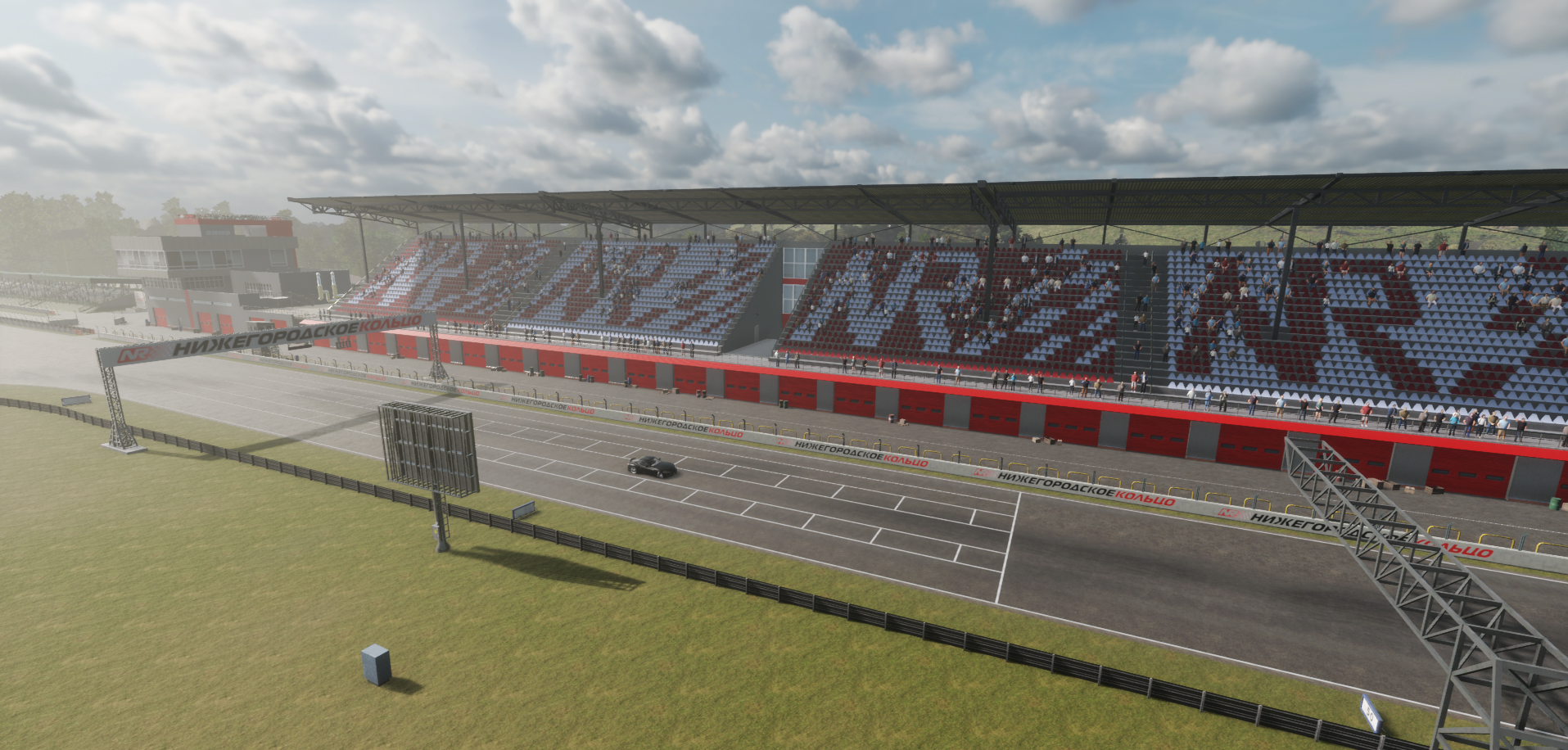
Added a new NRing map.
Three new cars:
Penguin
GloriousXZ
Flash
Three new body kits for:
Vanguard- StreetX + New rims in the D-spec category
Karnage 7C-ProFlow
Cobra GT530- StreetX
Name of UI body kits:
The names of body kits and individual body parts appeared in the customization menu.
Liverys.
New stickers have been added in the categories:
Flames
CBW
Pro drift Sticker pack
Street class Sticker pack
The room information window has been changed.
You can now see the controller used by the player through the player list in the room.
Improvements:
Added the option to disable the glass and the pilot from the passenger compartment.
The pilot now supports steering wheel animations at 180, 360, 540, 900 degrees.
The camera settings window has been improved.
The option to disable the rudder and pilot has been moved. Added a new option to disable first person glasses.
Updated XDS configs on all maps.
The default auto settings have been changed in tiers 4-5.
Physics update:
The physics of tires has been improved.
Improved rudder feedback.
Improved the realism of the suspension.
Improved the realism of the engine response to the analog gas pedal.
Fixes:
Fixed unnecessary adjustments in the XDS race.
Reflection on Atron has been fixed.
And one more thing..
All Steam players won’t be able to play with players from other platforms till the release of the update.
We can assure you that the 2.11.0 update will be released within two weeks for our Xbox and Playstation players.
But, in case you don’t want to play CarX Drift Racing Online without your friends from other platforms, we’ve got the solution for you: <*> Go to the Steam library <*> Right click on CarX Drift Racing Online <*> Choose “Info \ Properties” <*> Go to “BETAS” <*>Choose version ptr_2.10.2
PTR 2.11.0 (v.4)
Fixes:
Fixed wrong position of stickers in vinyl editor on Flash car
Fixed the volume of the gearbox on gamepad
Returned chat work
How can I play the PTR update 2.11.0 (v.4)?
To select the version of the game with the update you need:
<*> Go to the Steam library <*> Right Click on CarX Drift Racing Online <*> Select properties <*> Go to the BETA VERSIONS tab <*> Select version ptr_2.11.0
In case you’ve experienced any problems with games’s stability and performance we do recommend to turn off all modifications you’ve got installed. If it doesn’t help - please let us know.
PTR 2.11.0 (v.3)
Fixes:
Fixed display of tracks in "Twin Drift" mode
The volume of the gear change is now linked to the volume of the car sound
The disappearance of the engine sound on the Sorrow car has been fixed
Fixed twitching of transmission indicator in competition
Fixed not saving the "Engine boost" parameter
How can I play the PTR update 2.11.0 (v.3)?
To select the version of the game with the update you need:
<*> Go to the Steam library <*> Right Click on CarX Drift Racing Online <*> Select properties <*> Go to the BETA VERSIONS tab <*> Select version ptr_2.11.0
In case you’ve experienced any problems with games’s stability and performance we do recommend to turn off all modifications you’ve got installed. If it doesn’t help - please let us know.
PTR 2.11.0 (v.2)
Fixes:
Fixed suspension height on Fujin SX, UDM 3 and Zismo cars on Ultimate modifications
The work of the 2nd camera has been fixed
Added sequential transmission setting to Racing modification and moved to the top of the parameter list
Minor changes in the "Camera settings" window
Improved the quality of previews of new cars in the showroom
NRing has been optimized
How can I play the PTR update 2.11.0 (v.1) 0?
To select the version of the game with the update you need:
<*> Go to the Steam library <*> Right Click on CarX Drift Racing Online <*> Select properties <*> Go to the BETA VERSIONS tab <*> Select version ptr_2.11.0
PTR 2.11.0 (v.1)
Patchnotes:
Added a new NRing map.
Three new cars:
Penguin
GloriousXZ
Flash
Three new body kits for:
Vanguard- StreetX + New rims in the D-spec category
Karnage 7C-ProFlow
Cobra GT530- StreetX
Name of UI body kits:
The names of body kits and individual body parts appeared in the customization menu.
Liverys.
New stickers have been added in the categories:
Flames
CBW
Pro drift Sticker pack
Street class Sticker pack
The room information window has been changed.
You can now see the controller used by the player through the player list in the room.
Improvements:
Added the option to disable the glass and the pilot from the passenger compartment.
The pilot now supports steering wheel animations at 180, 360, 540, 900 degrees.
The camera settings window has been improved.
The option to disable the rudder and pilot has been moved. Added a new option to disable first person glasses.
Updated XDS configs on all maps.
The default auto settings have been changed in tiers 4-5.
Physics update:
The physics of tires has been improved.
Improved rudder feedback.
Improved the realism of the suspension.
Improved the realism of the engine response to the analog gas pedal.
Fixes:
Fixed unnecessary adjustments in the XDS race.
Reflection on Atron has been fixed.
How can I play update PTR 2.11.0 (v.1)?
To choose version of the game:
<*> Go to the Steam library <*> Right click on CarX Drift Racing Online <*> Choose “Info \ Properties” <*> Go to “BETAS” <*>Choose version ptr_2.11.0
The Steam Open World Sale
What’s up, Racers!
We’ve got some huge news for our current and future Steam players! In case you’ve been waiting for the best opportunity to join (or pull in your “petrolhead” friends in) the world of virtual drift, well the wait is over! During Steam “The Steam Open World Sale” you can purchase CarX Drift Racing Online with 45% Off! Don’t miss this unique opportunity and don’t forget to tell your friends about it! See you on the track!
CarX Team
Physics update
Improvements:
Improved tire physics
Improved recoil from rudders
More realistic suspension performance
More realistic engine response to analog gas pedal
Added sequential transmission sound for Ultimate mod
Added braking sound
How can I play update physupdate_v3033?
To choose version of the game:
<*> Go to the Steam library <*> Right click on CarX Drift Racing Online <*> Choose “Info \ Properties” <*> Go to “BETAS” <*>Choose version physupdate_v3033