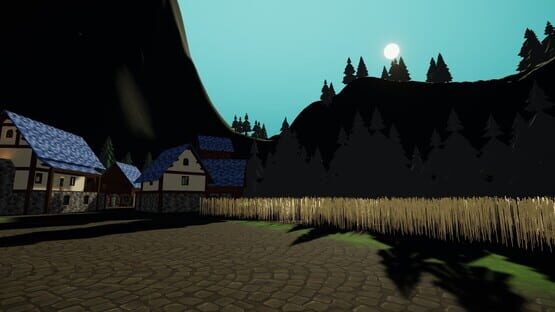
We have just released a new update for ChilloutVR on the stable branch.
ChilloutVR 2022r165
The next game update will include the engine switch to Unity 2021.3. Due to the huge amount of changes needed, the next stable update will take significantly longer.
The Gamekit We added the GameKit to the game. this first implementation aims to give creators the tools to create minigames in ChilloutVR. At the moment the following components are supported in-game:
GameInstanceController: This component allows the definition of teams and the overall game flow. Teams can have player limits and balanced team joins can be enabled. The system also has a ready-up system, so players can ready up after joining and the game will start once everyone is ready or a configurable timer runs out. The game can be split into rounds and played until a certain team won a number of rounds. You have access to a big number of events to customize your game experience. You can also decide if you want to have manual score management or if the server should manage the score via the combat system
CombatSystem: The combat system allows you to define the health pool of the player and the respawn behavior. The player can have up to 3 health pools, health, armor, and shield. Those are just internal names, you can use them how you see fit
Damage: This component can deal damage to the player either directly or as damage over time. You can also define how each health pool is affected.
GunController: This component allows you to set up guns easier by providing functionalities like shooting modes, ammo management, and reload mechanics. Shots are also Synced over the network separately to allow for more accuracy
ObjectHealth: This allows you to give a health pool to an object, similar to the player health pool
ScoreBoardController: This allows you to display team members, team score, game state, and game timers using Unity UI Text elements
New Movement System We have completely reworked the movement System. The new movement system aims to give a smoother feel to the locomotion and allows us to make more extensions in the future. The most meaningful changes are as follows:
The Movement Framerate is now independent of the physics tick
The System still uses a two-way physics interactions, meaning you can push objects and be pushed by objects and particle systems
The Force that is applied to the player is limited before the get applied to eliminate the issue of getting catapulted too far away by certain particle systems
Movement parenting is now available using the CVRMovementParent component. You just simply add this component to an object with a collider and the player will be moved and rotated on the y axis together with the object
Ingame Search You can now access the search in-game. You can use the search to find users, public avatars, public props, and public worlds, but also your own and shared content. Currently, the results are limited to 30 entries per category. This will change with the implementation of the new main UI later down the road.
General Changes
The CVRMaterialDriver now also reacts to changes from non-animation sources
Added CVRGlobalMaterialPropertyUpdater to the prop whitelist
Independent Head turn now also return the vertical axis
Pickup Objects are now respawned when they fall out of the map
Added an option to ignore minimum character collider size. This could lead to falling through small gaps with smaller avatars
We greyed out all buttons without function in the current main menu in order to reduce confusion for new players
Headbobbing is now split into 3 options: enabled, reduced, and disabled in order to provide a mode with 0% animation influence (https://forums.abinteractive.net/d/552-headbobbing-toggle-still-not-helping-much, https://forums.abinteractive.net/d/541-head-bobbing-with-headbobbing-disabled)
Pickup Objects now also reset their main collider state when getting respawned by height
The main menu can now be used with the mouse like the quick menu
Pickup AutoHold is now working in-game. You can drop such objects on Desktop by pressing G and in VR by holding the right grip button and pulling your right stick back
Interactables with custom triggers will not be executed when the GameObject is disabled
The Interactionray will no longer be blocked by players, when no menu is open
World Objects and Props now have their movement synced with 20Hz instead of 10Hz
Video Player Changes
Added a setting for maximum resolution allowed for youtube videos
Added a setting to disable the video stream for youtube videos
Added a launch parameter (--disable-videoplayers) to disable video players throughout the game
Bugfixes
Fixed a bug where CVRTexturePropertyParser could lose its global reference when changing world
Fixed a Bug where Some interactable -> Variable Buffer Setups would break (https://forums.abinteractive.net/d/528-interactable-loses-reference-to-variable-buffer)
Fixed a Bug where Objects would be highlighted in VR by the gaze interaction
Fixed a bug where pickup components were detected from sub colliders
Fixed a Bug where the controller rays would visually separate from your hands while moving too fast
Fixed a bug where the video player would start playing at maximum audio for the first frames of the video
Fixed a Bug that led to onEnterTrigger Interactables firing multiple times for playerlocal
Fixed a Bug that lead to Log spam while sitting on a seat
Fixed a Bug where Objects stood highlighted even after a new one was highlighted
Fixed a number of bugs connected to duplicate Animator LAyer and PArameter names for the Avatar Animator
This months status report will focus on major upgrades to ChilloutVR and changes for creators as well as insight in our short term plans for the game.
The Game Kit
With CCK 4.0 we will release new options to create interactive content in ChilloutVR. The first of many features to come is a fully featured combat system. We will release a demo of the combat system in the upcoming days, in the form of a playable game in ChilloutVR.
What are the other plans for the Game Kit?
Glad you asked! The Game Kit will be updated frequently and aims to make the creation of games of several types possible.
The current plans for the Game Kit include the following:
Combat system
Economy system
Building system
Advanced vehicle controllers
Persistence
A look into the future: Server side scripting
We are currently working on a feature called server side scripting. With server side scripting users will be able to run code for their worlds and games on the game server allowing for full control over parts of the Game Kit as well as better control of persistence and the like.
Server side scripting will be available to reserved instances only, which can be purchased or received as a patreon reward. This feature is currently in heavy development and not publicly available yet but we aim to provide the first users with access to this system later this year.
We have several game modes coming, that will show the power of server side scripting. We will release the first of those game modes in the new "Staff picks" tab in the worlds list within the next weeks.
Interested in server side scripting? Follow us on twitter to stay up to date. Patreon supporters will receive early updates about progress on new features like server side scripting.
Does this mean client side scripting will not be a thing?
The Game Kit is an option we want to provide to creators. It will not replace client side scripting. We still plan on adding client side scripting down the line, but due to the enormous efforts required to make it happen, this will take a while.
Engine upgrade
Over the past months we were investigating the options regarding an upgrade from unity 2019.4 to 2021.3.
Due to the technical differences between the two versions and their different approaches regarding the implementation of XR support, we have been looking for ways to make sure old content remains mostly intact and found a solution to go with.
Unity 2021 offers us great ways to improve on the performance of the game as well as open more ways for ChilloutVR to involve as a general product in the near and far future.
ChilloutVR 2022r165 will be released on the current version of unity. Shortly after, we plan on releasing the first experimental branches on 2021.3 to make sure creators can test their content early. Please note that updating your content to support Single Pass Instanced requires CCK 4.0. Content updated once CCK 4.0 is available will still remain compatible with the stable branch.
What does this mean for my content?
The content in general will remain functional. The difference mostly affect shaders. For old content or content with incompatible shaders, we will replace them on load. This will ensure that the content itself remains functional.
Auto-replacing shaders will cause a loss of visual detail in some cases, which is why we recommend updating your content.
If you are able to re-upload / update your content we recommend that you do so once CCK 4.0 is available
What if my shaders are not compatible?
If you are a shader developer, you can adjust your shaders according to this guide: https://docs.unity3d.com/es/2021.1/Manual/SinglePassInstancing.html If not, contact the authors of the shaders you are using to ask them if it is possible for them to support Single Pass Instanced.
We are currently evaluating options for auto-conversion tools. We can not guarantee that CCK 4.0 will contain a tool that can convert shaders to function with Single Pass Instanced, but we are currently trying to make it happen.
How can I know if my shaders are supported?
CCK 4.0 will tell you if one of your used shaders is not supported.
Does this mean URP or HDRP will be supported?
No, at this point in time we do not plan on supporting HDRP or URP. This is not a definitive no for the future.
My publication request was open for ages, what about that?
We deeply apologize about delays in publication. We have been working on better publication tools along with testing to ensure content published will remain compatible when we do the engine upgrade.
We have just published all worlds and avatars that were waiting for publication.
We are currently testing automated publishing in-house and should have this done by the release of the Content Creation Kit 4.0 (details below). This means that from CCK 4.0 on the majority of the content will be published in less than 24 hours. Accounts with low trust or content that was flagged will still be manually reviewed.
Long story short, get ready for more content!
When is CCK 4.0 going to be released?
We aim to have CCK 4.0 released about 1-2 weeks after this announcement with several other improvements and changes included.
The world list
The world list in the game will be expanded to give a better overview over exciting content everyone should see. Below mentioned categories will be added / adjusted with the next update of the API.
Staff picks
This new category will feature worlds the staff team recommends to users. They can be official or community created worlds. We will use this category to feature worlds that show off new features such as game system integrations.
Popular worlds
Formerly known as trending worlds, is now automatically populated by the system. This category will show the 16 most-visited worlds in the last 24 hours and will be refreshed every day at 00:00 UTC.
Avatar worlds
This category already existed but was not populated with appropriate worlds. All known avatars worlds are added to the row and creators can request their world to be added to the avatar worlds row using the community hub. The hub update to adjust the world search tags will be available within 48 hours from this announcement.
Final lines & social links
Social media
Find us on social media with the links below: Discord: https://discord.gg/abi Twitter: https://twitter.com/AlphaBlendNET YouTube: https://www.youtube.com/channel/UCl8toTHzEER6PXoJyZcTFjg Steam: https://store.steampowered.com/app/661130/ChilloutVR/ Reddit: https://www.reddit.com/r/ChilloutVR/ Forums: https://forums.abinteractive.net
Support Alpha Blend Interactive
Like every company, we need financial support to be able to push updates and improve our product. We are greatful for every bit of support we get. If you want to support us you can do so here: https://www.patreon.com/AlphaBlendInteractive
We are more than thankful for your support!
Not on our Discord server yet?
Use the link above to join our discord server and get in touch with our wonderful community, get help with creation related topics and find people to play with.
ChilloutVR 2022r164
We have just released a new update for ChilloutVR on stable branch.
ChilloutVR 2022r164
New Camera System
The Camera was completely replaced with a new system
The new camera has a system for implementing camera mods. The following mods are included by default:
Camera Attachment: Attaches the camera to the world
Local Player: Toggles if the local Player is visible for the camera
network Player: Toggles if other Players are visible for the camera
Greyscale: Applies a greyscale filter
Sepia: Applies a sepia filter
Auto Exposure: Reduces overall brightness when too bright or increases it when it is too dark
Paneosphere: Allows the capture of 360 stereo panosphere images
Chroma Key: Disables all layers except the 2 player layers and replaces the skybox with green
Player Face Tracking: Automatically points the camera at you
Nightvision: Applies a night vision filter that boosts brightness
Autofocus: Applies a depth of field effect that is focussed on what the camera is pointed at
Image Stabilization: Applies a stabilization to the cameras position and rotation
Auto Orbit: Lets the camera Orbit around the control panel at a configurable distance and speed
Drone Mode: This allows you to control the camera directly
The design was reworked to fit our new design language
The Camera can be controlled using simple gestures
The following will come to the camera soon after with an experimental update:
Color Picker for chroma key
Image Resolution Option
Orbit Origin Settings
UI
Fixed a bug that lead to the advanced avatar menu not loading fully when a 3D joystick was present https://forums.abinteractive.net/d/450-3d-joystick-breaks-quickmenu-adv-settings
Fixed a bug that lead to game crashes when reloading the UI multiple times in quick succession https://forums.abinteractive.net/d/468-ui-refresh-crash, https://forums.abinteractive.net/d/323-refreshing-the-ui-crashes-the-game
The quick menu now has haptic and audible feedback when interacting with the buttons. The new main menu will have the same level of feedback
Fixed the scrolling in the Advanced Avatar Profile List
The pointer ray now has a new design
The painter ray thickness is now scaled with the avatar
General
The intro animation was replaced with a new one
Advanced Avatar and prop Particle interactions no longer require a collider to work, so it can be used on avatars without leading to self-collision https://forums.abinteractive.net/d/271-particle-triggered-advanced-avatar-triggers-yeet-you-in-all-directions/3
Fixed an issue where the area offset was not taken into account on trigger stay tasks set to set from position https://forums.abinteractive.net/d/472-trigger-offset-wrong-value
Fixed an issue were Objects where highlighted even tho the pickup component was disabled https://forums.abinteractive.net/d/264-pickup-object-script
Added options for reference Audio Sources to the Particle Sound Component https://forums.abinteractive.net/d/462-particle-sound-controlling-values-of-its-created-audio-source
Fixed general issues with pointer detection
Changed the initialization of magica cloth. This should reduce the occurrence of magica cloth related crashes.
When the right or both VR hand controllers are disabled or missing, you are able to target objects by looking at them and interact either using a mouse or a gamepad.
Digital Deadzones are now disabled by default
Grip to Grab is now enabled by default
Gamepad Input is now disabled by default
Pictures are now always saved to the picture directory
Pictures are now saved in separate folders for year and month
The Attachment component now supports HMD/MainCamera attachment in tracker mode
Implemented a telepathic Grab System that allows you to pull objects towards you. In VR you need to hold the trigger and flick your controller. In Desktop you can hold left click and scroll towards you
Implemented the first draft of physics-based syncing. This will sync objects after they are thrown or are getting hit by objects held by a player
Objects are now dropped/Deattached when they are moved over the network
Added an Alternative Rescale Mode under experimental settings, for recalculating viewpoint offset in scalable avatars. Disabled by default.
Fixed a bug that led to portal pano image not loading properly. You may need to delete wrongly formatted pano images from your cache.
Avatar
Fixed an exploit, where avatar colliders could bypass the collision settings https://forums.abinteractive.net/d/470-bypassing-collider-settings-for-other-people
Fixed a bug where Advanced Avatar Triggers were affected by Player Intercollision settings https://forums.abinteractive.net/d/460-advancedspawnable-triggers
Avatars now have a default pointer on their voice position with the type "mouth"
Worlds
Fixed a bug where world objects attached to players would not sync https://forums.abinteractive.net/d/466-world-object-attached-to-player-does-not-sync
Interactable on Particle Hit can now specify exclusive particle Systems https://forums.abinteractive.net/d/367-detect-a-certain-particle-with-an-interactable
Interactables now have a gazeEnter/Exit event to detect if a player is looking at a certain object
Fixed an issue where interactable actions with a delay were still executed when the component was disabled
Layer 12 (CVRReserved1) is now set up as a layer that is only visible to the portable camera
Props
Fixed a Bug where Sub Objects were not syncing properly while being attached https://forums.abinteractive.net/d/473-sub-object-not-syncing-when-attached
Fixed a bug where Owner Current Grip was not reset when dropping a prop https://forums.abinteractive.net/d/467-owner-current-grip-does-not-update-properly
Fixed a bug where the "Set Spawnable Value" Interactable action was not executed properly https://forums.abinteractive.net/d/464-interactable-set-spawnable-value-not-working
Spawnable Triggers will use a present collider instead of generating a new one with the given dimensions
The car controller handbrake input is now mapped in VR by pulling back the right stick
Interactable
You can now specify a certain particle system in the interactable action "OnParticleHit"
Fixed a Bug where delayed actions were not cleared when the interactable is disabled
Added new Action "SetPropertyByValue" this allows you to set a component property by a variable buffer
VariableBufferUpdate action now also sync their value when not updated by an interactable
OnCron actions now also trigger directly on world load and don't wait for the next full minute to be reached
VideoPlayer
Audio Playback Mode does now work in-game, can be toggled in the video player UI or via method call on runtime as well
Fixed an issue where playlists would be visible underneath other UI elements
Fixed an issue where dropdowns would not be displayed properly
Fixed an issue where network sync would not work properly on props
Fixed an issue that could lead to blocking the game's main thread
Fixed an issue where initial values were not properly set in the video player
Fixed an issue where initial values were not properly displayed in the UI
Components
NEW AudioMaterialParser: Allows to parse audio data to a selected material https://forums.abinteractive.net/d/495-audio-data-for-materials
NEW CustomRenderTextureUpdater: Allow to force the update of a render texture without the use of an additional camera
NEW CVRGlobalMaterialPropertyUpdater: Allow so update of material properties globally over the whole map
NEW TexturePropertyParser: Allows you to read pixel values from a render texture and applies them to selected properties
NEW SnappingPoint: Can be used together with the PickupObject component to have Objects snap to predefined points
NEW DistanceConstraint: Allows you to constraint 2 objects by a min and max distance
GlobalShaderUpdater can now update textures as global shader textures
Some of the new Components and interactable actions require CCK 3.2 to be set up and uploaded. This Content Creation Kit update will be released in the upcoming days.
We have just released a new update for ChilloutVR on stable branch.
This is a patched version of the game addressing reported issues that we deemed to require immediate attention.
Please note that the ABI Development team will be on winter holidays between December 20th 2021 to January 2nd 2022. Do not expect any updates in that time. Support requests will be delayed.
ChilloutVR 2021r163p1
General
Further increase performance of networkIK
Fixed an issue where dynamic bone collision would not work for VR users
Fixed an issue that lead to dynamic bone interactions to not work in a majority of cases
Fixed an issue that lead to viseme looking choppy
Fixed an issue that lead to the framerate target option to not work properly
Fixed a typo in the quickmenu on advanced avatar color sliders
We have just released a new update for ChilloutVR on stable branch.
The main focus of this update was on improving the general audio system and performance. New features will be delivered with the early updates in spring 2022.
Please note that the ABI Development team will be on winter holidays between December 20th 2021 to January 2nd 2022. Do not expect any updates in that time. Support requests will be delayed.
ChilloutVR 2021r163
General
Fixed the playspace offset while teleporting in VR
Improved the performance of dynamic bones Thanks to Zettai Ryouiki for the Job implementation
Fixed an issue where the quick menu did not reflect the time format setting (https://forums.abinteractive.net/d/377-quick-menu-clock-shows-incorrect-time/3)
Fixed a bug that lead to friend requests to not be displayed in the main menu
Fixed a bug that lead to Player movement to affect the avatar in a chair avatar switching avatar (https://forums.abinteractive.net/d/375-weird-interaction-with-vehicle-chairs)
Fixed missing gamemenu binding for oculus on the right hand (https://forums.abinteractive.net/d/381-missing-main-menu-closing-key-bindings/2)
Asset Support
Updated Magica Cloth to version 1.12.1. This adds support for algorithm 2. For maximum compatibillity we advice to reupload Magica cloth avatars and props with version 1.12.1 and algorithm 2 selected
SteamAudio can now be used for worlds
Interactable
Added Support for APF String Trigger
Added Support for setting Properties by APF Updates
Audio
Changed the spatializer solution from DearVR to SteamAudio
Steam Audio Reverb baking and other advanced features are now supported for worlds
This will increase performance and allows world creators to use SteamAudio components
Changed the error correction of the voice chat. This should reduce the occurence of noise
Changed the viseme calculation to be less recource intensive
Props
Pointers can now interact with props, when they are held by a player
Infrastructure
Changed the way voice is handled on the server side, reducing voice decoder load significantly
Fixed a bug that would cause random disconnects from game servers
We have just released a new update for ChilloutVR on stable branch.
A small preview of the update made by Relic: https://www.youtube.com/watch?v=0mGb-9gpi_8
ChilloutVR 2021r162
General
Fixed an issue that lead to target rotations on teleports to not work properly in VR
Nudity and suggestive tags are now separated in-game and nsfw filter option was replaced by them
Added the following new tags
Extremely Bright
Music
Horror
Jumpscare
Interactable
Added new Unity Events to the "Sit At Position" action for EnterSeat and ExitSeat
Added a "Lock Controls" option to the "Sit At Position" action. You can only exit those seats by opening the main menu
Fixed the offset calculations for offsets in VR for chairs
Chairs now rotate on all 3 axis
Added more filter options to the pointer event
Added a generic input event, which can be used to trigger on key presses
Added a new action to set a sync value of a spawnable component
Added new actions "Play Audio" and "Stop Audio"
Assets Support
Added Support for Azure Skybox Fog Scattering component (https://forums.abinteractive.net/d/318-azure-skies-fog-scattering-not-appearing-in-cvr)
Added Support for Beautify
Added Support for Modern Procedural UI Kit
Added CarControllers to the game. They work together with the interactable "Sit At Position" action and the "Lock Controls" option
Spawnables
Added Unity UI elements to the list of supported components
Added Support for spawnable SubSyncs. You can sync sub transform in exchange for spawnable values. A demo for the sub object sync can be found here: https://www.youtube.com/watch?v=YZYWj3m6ZO4
Increase the max number of spawnable values to 40
Fixed a bug that lead to spawnables being stuck to some avatars when the attachment component is used (https://forums.abinteractive.net/d/294-prop-stuck-to-hand)
Fixed a Bug that lead to spawnable values not being updated, when they were placed below a parameter with update type none (https://forums.abinteractive.net/d/292-parameters-in-spawnables-have-a-weird-behaviour)
Added the generic input event on interactables to the white list
UI
Fixed a bug, that lead to periodic lag spikes every 25 seconds on some connections
Fixed a bug, that lead to the cancel button on the confirmation window to not work (https://forums.abinteractive.net/d/343-the-unfriend-prompt-removes-people-from-friendslist-anyway)
Fixed a bug that lead to items getting stuck to your hand when you drop them while pointing at the menu
Quick menu Added the first version of the new quick menu
The quick menu will give you quick access to the most used actions and the advanced avatar settings of the current avatar
The quick menu will also show you the active world modifiers
The quick menu uses the new menu engine and allows the creation of persistent modifications. A guide on how to create menu modification will follow soon
You can open the quick menu using the left menu button in VR or using Tab on Desktop
You can reposition the menu in VR by holding the left menu button for more than 2 seconds
A user made preview for the quick menu can be found here: https://www.youtube.com/watch?v=E1YUUwzgUAc
Video Player
The Video Player is now using YoutubeDLP which will lead to more reliability when playing youtube videos
Worlds
Added Support for disabling Nameplate world modifier
Avatars
Added the function, that rescaling the avatar using advanced avatar settings will update the IK settings in VR
Added an option, that your movement speed can be affected by your avatar size. This option will only slow you down when smaller and will not be able to make you faster than the default speed
Avatars with smaller file size will now be priority-loaded
Infrastructure
Changed the way asset versions are validated
Content is now loaded from the new storage network
Minor loading speed adjustments
Creating Modules for the new menu system
In order to create modules for the new UI system, you first need to create a directory for your module in [path to your game]\ChilloutVR_Data\StreamingAssets\Cohtml\UIResources\GameUI\mods
In there you need to create a mod.js that contains the following base code. For the example the mod is called testmod:
the info function will provide the menu system with all necessary information about your module. "external_links" can consist of social links with the following structure:
You can also play UI sound from your module. In order for audio files to be detected the files need to be in wav format. You can play those audio files using the following code:
uiRef.core.playSound("testmod_Switch");
The name you need to use is the module name followed by "_" followed by the filename without ".wav"
Inside the register function, you can register for events with the menu system. Currently the following events are supported: "eventUpdate1sec" gets called every second "eventUpdate10sec" gets called 10 times per second "avatarUpdated" gets called when the avatar is switched "advancedAvatarValueChanged" gets called when an advanced avatar setting is changed. has 2 parameters for the callback: name, value
In order to register for an event you use the following code:
Currently every module in the folder will load, but the new main menu will have a dedicated mod settings page, where you will be able to enable and disable modules.
Some of these new features will be available to be set up once CCK 3.0 is released.
Please note, that this update contains features that will be compatible with the upcoming CCK 3.0 update. Those features are not currently available and will become available to everyone once the CCK 3.0 update releases on thursday this week.
We will post another announcement in the upcoming days, asking for feedback regarding the new CDN and storage network. Please make sure to give us proper feedback once that form is available so we can make sure to improve its quality further.