No major announcement this time—just a couple of quick fixes and tweaks following our recent larger update: https://steamcommunity.com/games/262390/announcements/detail/546722128842458766
Window Positioning
The game window will no longer re-center itself every time settings are applied. Now it only does so when changing the window mode or size, which should make multi-window setups much easier—especially for those who stream or record gameplay.
Shield Gates
Fixed an issue where shield gates are not allowed to close when their collision overlaps the players, to avoid unfortunate timings getting players stuck. (If you get stuck by a gate, you can of course shoot it to get free as well).
Assisted Gamepad Camera
Did a minor adjustment to how the assisted camera behaves when performing vertical wallruns, aiming to make it less intrusive when doing finer precision movement.
As always, thank you for playing, and please let us know if you notice any other issues!
Features & Quality Update!
New Features
In addition to new language support, we’ve also added two significant improvements for those who continue playing beyond simply beating the game once.
New Language Support
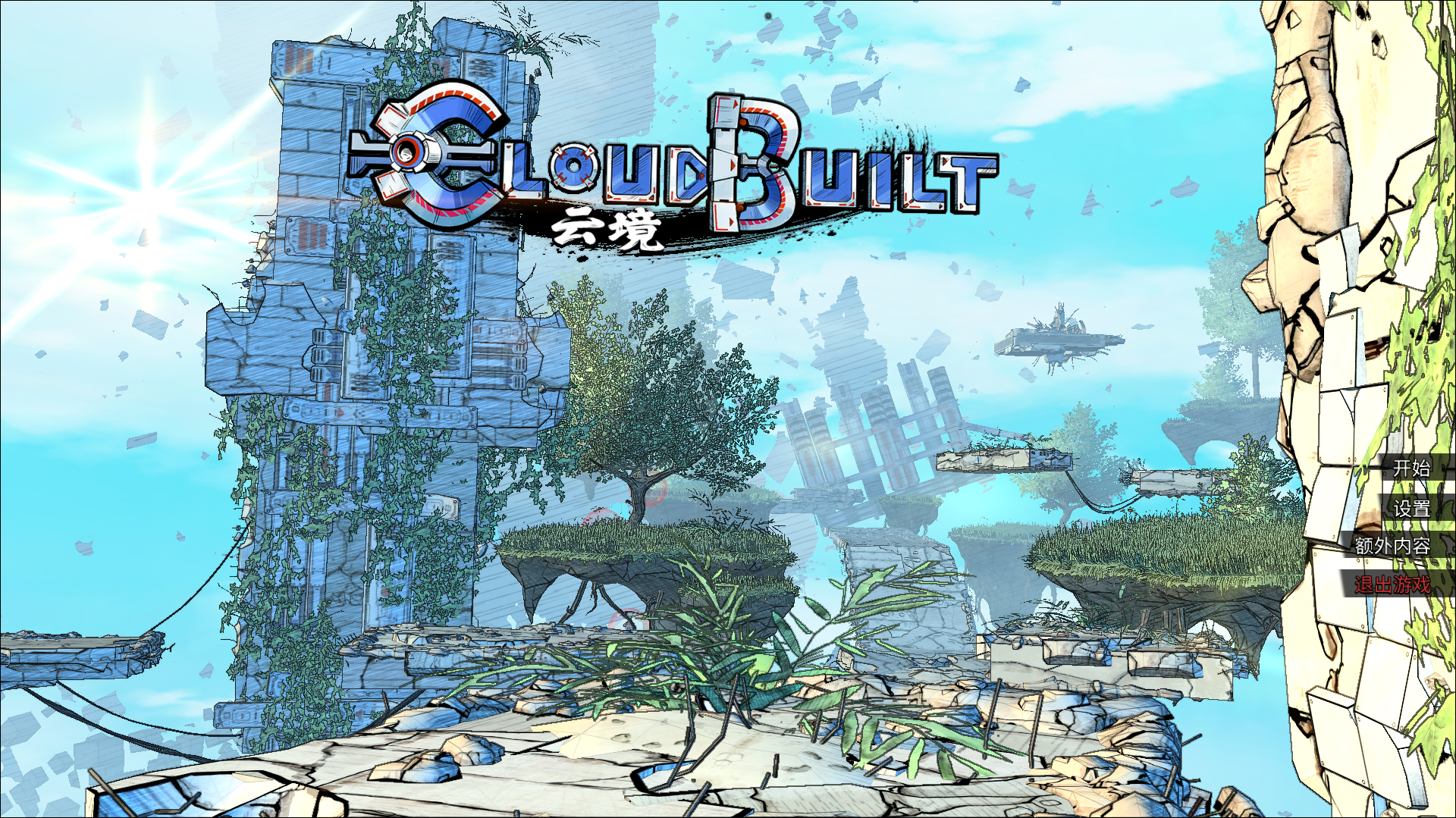
We’re excited to announce that Cloudbuilt now offers full support for Simplified Chinese, thanks to the incredible help of JACKIEXIA! This update makes the game more accessible to Chinese-speaking players, providing a smoother and more inclusive experience. The new language option applies to menus, interfaces, and story text, making the game easier to navigate and enjoy.
How to Select Your Language
Automatic for New Players On first launch, Cloudbuilt will automatically use your Steam language settings, including Simplified Chinese if that’s your chosen Steam language.
Changing Languages Later If you want to switch languages after your first launch, just go to Options > Game and use the spinner at the bottom of the window to pick your preferred language.
A Call Out to the Community
A huge thank you to JACKIEXIA for making this possible. We’re incredibly grateful for his dedication and time. If you’d like to help translate Cloudbuilt into other languages or refine existing translations, please reach out! Your contributions make the game better for players worldwide, and we truly appreciate your support.
Profiles
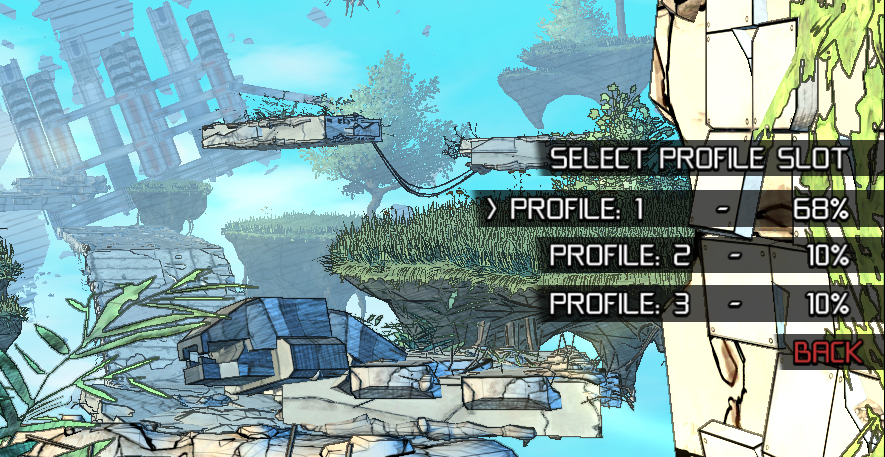
You can now have three simultaneous profiles, allowing you to start a new run from the beginning without losing progress on your previous ones. This is especially handy if you’re aiming for additional skins or achievements. Since the game wasn’t originally designed for multiple profiles, it took some workarounds to implement, but in our tests everything appears stable. If you encounter issues, let us know!
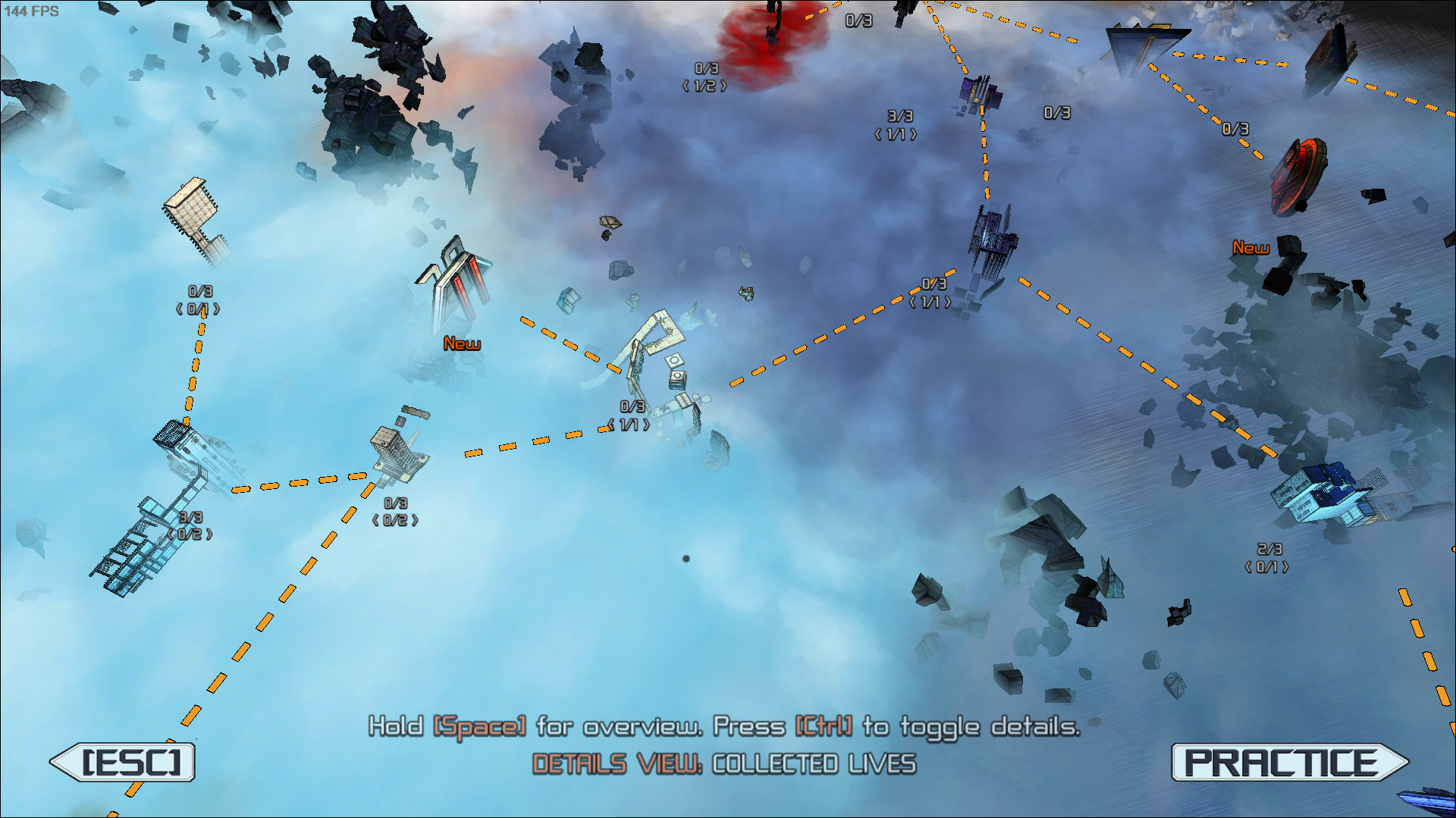
Level Select Details View
We’ve revamped the level select overview feature in Competitive Mode:
Expanded Information Besides your overall best ranking like you could see before, you can now also see the ranking you achieved on your current profile.
Life Tracking A new view mode also shows how many lives you’ve earned on each level (per mode/profile), making it easier to track progress for raising the life cap or collecting pickups.
Available In Any View These additional details can be enabled at any time while navigating the level select menu, not just in the fully zoomed-out view.
(As part of this update, we also tweaked some instructions text at the bottom of the Level Select screen to be more useful and less distracting. Additionally we managed to remove a 1 frame lag we had on some UI elements when the camera moves, making the menu feel more responsive.)
Smaller Updates
Asynchronous Texture Loading
We fixed a bug where the asynchronous texture loader sometimes failed to generate a new texture handle when creating texture resources to swap between levels or after certain setting changes. This could lead to reusing an existing handle and overwriting its contents, causing unexpected visuals in various places. Like in UI elements, shadow hatching textures, and similar. We’ve checked the rest of the texture loading code as well for similar issues and everything else looks fine. Apologies to anyone who experienced odd UI or shading since we introduced asynchronous loading a few patches ago.
PhysX Memory Usage
We’ve tweaked PhysX settings to make memory usage more efficient, because we've become aware that most reported crashes occur in PhysX memory allocation spikes. As a 32-bit Windows application, Cloudbuilt (like any 32-bit program) can only use up to about 4 GB of RAM, so sudden, unpredictable allocation spikes in PhysX can push the total over that limit. We suspect it may briefly duplicate internal data while reorganizing memory, but we’re not certain. Sadly PhysX’s exact internal working is a bit out of our control. The new settings should reduce memory usage and spikes, but at a slight performance cost. The performance impact of the changes should however be mostly negligible. We’ve also verified that Cloudbuilt still reliably runs at 60 FPS on a Steam Deck, even in the most heavy physics scenarios.
Leaderboards and Rankings
Reduced Save Data Bloat
To minimize how much runtime memory is used for the save data, we have introduced some changes to the local leader board data.
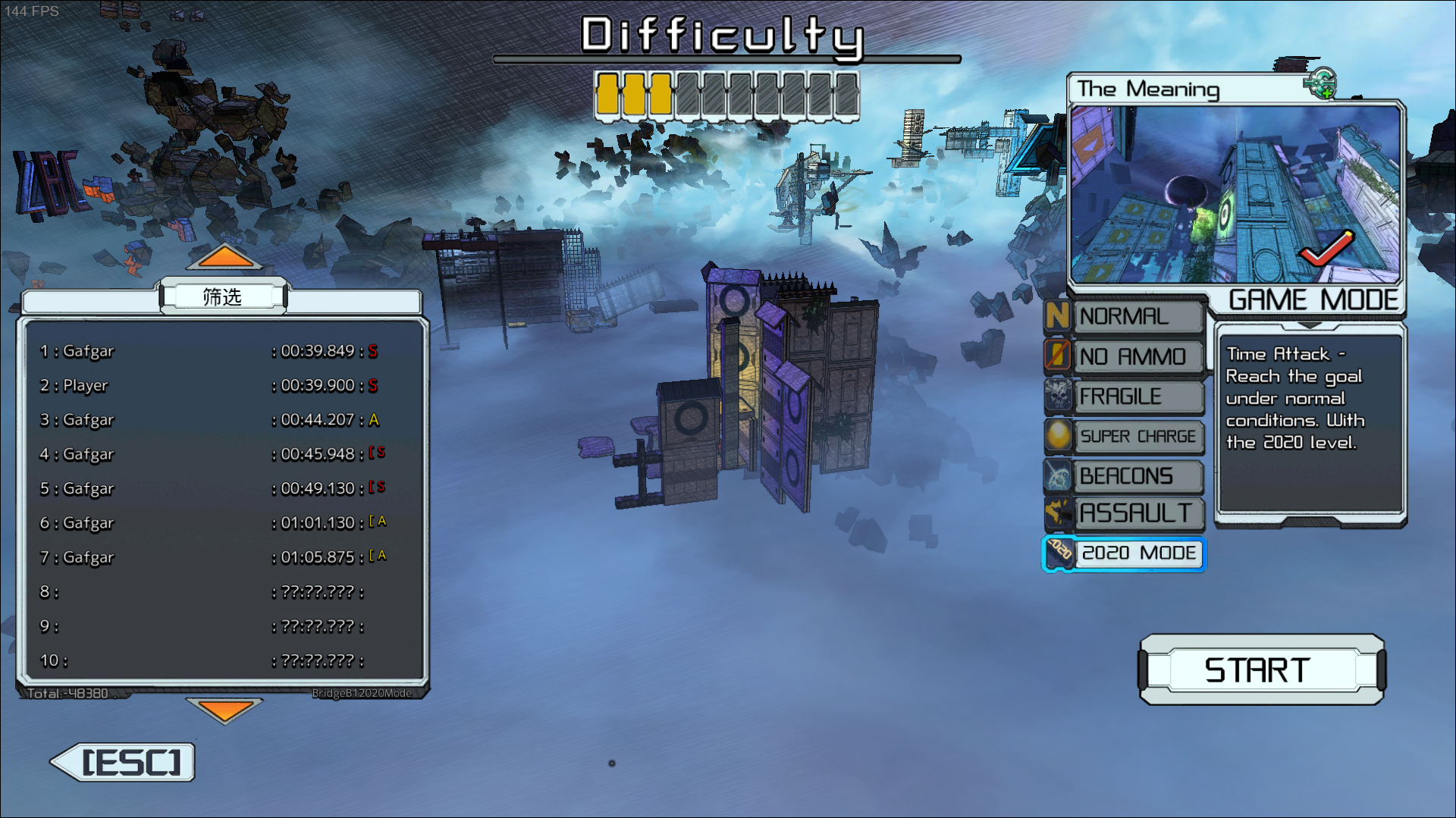
Local Leaderboard Entry Limits We now limit how many entries are stored in your local leaderboards (this doesn’t affect online leaderboards). If you exceed the entry limit, some older entries are removed from the middle of the list, letting you still keep a record of your best and worst runs.
Regular levels: 50 entries
Custom levels: 30 entries
Reduced Extra Data Previously, extra data (like checkpoint/restart timings) was stored for all entries but never really used. Now, we only keep that extra data for your top times; other entries have it removed.
Steam Name If you’re connected to Steam, your local leaderboard entries now store your actual Steam name instead of just “Player.”
Result Screen Time Accuracy Fixed a discrepancy where the results screen time could be one frame slower than the leaderboard-recorded time, causing slight inconsistencies.
Non-Competitive Mode Rankings Locally stored times for Default Mode now correctly use that mode’s rank times (which differ from Competitive Mode) when displayed in the Leaderboard. We mark the Non-Competitive/Default mode ranks with a bracket and the text scaled to 75% size for clarity.
Minor Stuff
Options Menu
Rearranged some settings so related options are more logically grouped.
Adjusted UI elements to shift horizontal alignment depending on the selected language.
Increased text size in spinner-based settings (e.g., resolution, texture quality, language) for better readability.
Logging Improved the log output to avoid false error messages and provide more useful data.
English Text Fixes Corrected some spelling issues in English. If you notice more, please let us know!
Competitive-Mode Hotkey The toggle for competitive mode in the Level Select screen no longer affects your ranking settings.
Achievement Descriptions Added localized achievement descriptions for Japanese and Chinese, and also refined the English descriptions a bit.
Skin Selection Menu Fixed a minor bug where the default skin’s description wouldn’t always appear.
Save File Migration We streamlined how save files migrate from the old directory (still used when not running Steam). The new system:
Keeps one local save for non-Steam play, and a cloud save for Steam
Avoids repeated migration prompts
Supports the new multi-profile setup
There may be some other small improvements, but this list covers the main changes.
As always, we hope you enjoy the patch, and please report any issues or bugs you find. Thanks for your support as always!
Patch Notes
This update brings improvements to the game's reliability and user interface clarity.
Texture Loading Reliability:
We've enhanced both asynchronous and synchronous texture loading systems to better handle file access issues. If a texture fails to load, the game will now detect this and attempt to load it again later in the same frame. These adjustments ensure that textures load more reliably, even in cases where access might be temporarily disrupted.
Rank Overview Display Improvements in Level Selection:
The rank overview display in the level selection screen has been updated for better clarity:
Levels you've cleared but do not have a rank in for the selected challenge mode will now show a faded D rank icon, indicating they are available for that challenge mode.
Cleared levels that do not support the selected challenge mode will show a dark checkmark, helping you quickly identify which levels are completed and which ones are compatible with different modes.
We hope you enjoy the update!ːdeboostː
Minor minor fix
Just a very small patch. Fixing an issue where you would always get the default skin selected after restarting the game.
If you want some more details, here is an explanation: It turns out I introduced a new bug when I optimized the load speeds in one other other patches. The skin menu setup and initiation was big enough to be noticeable on my measures of the startup time, so I made it delay till actually needed.
However, in doing so, I made a small oversight in the skin selection loading logic which assumed that the preview model for the skin was already setup. Which it was not in this case. Leading to the loaded value being ignored. Resulting in the player always getting the default skin after restart.
That should now be fixed.
For more proper info on the other recent patch, here is a link to that one in case you missed it: https://steamcommunity.com/games/262390/announcements/detail/4330859498482084756
Quality and Smaller Feature Patch
We've just rolled out another update focusing on refining the gameplay experience with added features, important fixes, and some quality-of-life improvements. It was intended to just address two bugs, but as I saw some streamers playing, I noticed a few additional things I wanted to fixːdeheadː
The big thing in this patch is the option to turn on rankings in the ‘Non-Competitive Mode’. So everyone who enjoys doing time trials and just wants to find some shortcuts, get a good run, and get scored on that can do that now without worrying about leaderboards, or the other aspects of the competitive mode.
New Features:
Ranking Support in Non-Competitive Mode: We've introduced an optional timer in non-competitive mode. Activating it will now allow you to see your personal rankings. This is designed for players who prefer to set personal challenges and goals without engaging with the competitive leaderboards.
Mid-Level Timer and Ranking Toggle: You can toggle this setting on or off even during a level, making it easier to evaluate and opt in/out. (Unlike the old competitive mode setting for turning off the timer, it takes effect right away.)
Improvements:
Menu Text Adjustments: The text for replaying cleared levels has been updated from "Start" to "Replay Level," making it clearer when revisiting levels. The button has also been adjusted in size and position.
Shield Door and Gate Feedback: We’ve enhanced how shield doors and gates respond when shot, providing more noticeable visual feedback when damaged or turning on/off.
Performance Optimizations:
Faster Hub and Level Select Loading: Load times for the hub and level select screens have been reduced. This was achieved by skipping the initialization of enemy effect objects that are not used in these areas. As these areas are loaded often it's just nice to have them load faster.
Bug Fixes:
Mouse Cursor in Photo Mode: Fixed an issue where the mouse cursor trail would remain visible in photo mode, ensuring a cleaner capture experience.
Aim Assist Camera Fix: Resolved a rare case where a mismatch between the X and Y axes in the aim assist camera could cause math errors, potential division by zero, and abrupt camera snaps in rare scenarios.
Steam Leaderboard Access Issue: Corrected a problem where leaderboards would incorrectly attempt to access data when the game was run without Steam, preventing visual errors and potential crashes in offline play.
Camera Issue with Zero Lives Restart: Fixed a recently introduced bug where the camera could disconnect from the player after trying to respawn with zero lives in competitive mode, which was quite strange (though rarely game-breaking).
Difficulty Animation Display: Fixed an issue where the difficulty animation might not display if you selected a level at the exact moment it was hovered.
Rare Effect Manager Crash: Fixed a rare effect manager crash which could happen when effects were active as a level was unloading, due to resource release order.
That’s it for this time. Hope you enjoy it!ːdeboostː
Patch: Fixes, Improvements, and UI Features.
New Features:
Mouse Pointer Options: We've added support for both hardware and software mouse pointers. You can now choose from a variety of pointer appearances and adjust the mouse trail length to your liking.
The hardware mouse pointer is enabled by default for faster response times. If you experience any issues, please switch to the software cursor.
UI Improvements:
Options Window: To make room for these new features, we've widened the options window and added a new UI-focused tab.
Reorganized Settings: Settings under the game tab have been moved around for better accessibility, making it easier for you to find the important options.
Startup Time: Initially, the changes increased the startup time by 1 second, but we've optimized it further. Starting the game is now approximately 40% faster. On my PC it now loads and starts in 5 sec.
Loading Times: General loading times are also faster as textures now load asynchronously, improving your overall experience.
Bug Fixes:ːcbturretː
Sound Device Bug: We've identified and fixed the real cause of a persistent sound device issue.
Gate Colors: Fixed a bug affecting gate colors in the game.
If you encounter any issues, please let us know. As always, we hope you enjoy!ːdeboostː
Quality Update
Level select UI Updates:
Fixed an issue with the difficulty indicator which had malfunctioned due to a prior update. Now it’s fixed and more thoroughly tested.
Resolved a problem where hovering over a level, releasing, and then re-hovering at a specific timing could cause incorrect UI elements to display.
Corrected a bug that caused leaderboards to display incorrectly for levels that have not been cleared.
Mouse visibility:
I added a small mouse trail in the game when the mouse is visible. This is a countermeasure to a rare issue where some players were unable to see the OS mouse while in full screen. I have only heard and seen of two such cases, so it seems really rare. Though, as it is a pretty tough issue for such players, I wanted to add something simple which can indicate the mouse position even if you don’t see the actual mouse, as it should at least help a bit.
(In case people wonder why we use the OS mouse, it’s because it has the best responsiveness. If we sample the mouse and render it as part of the game graphics, it will likely be one frame behind. Which is why we have not been doing these things before.)
Currently this mouse trail is not configurable, but I will try to add some settings related to this next weekend/soon.
Settings issue on game reset:
Addressed an issue where settings from a previous session would incorrectly reapply after restarting the game with different challenge mode settings. The settings will now persist correctly in all cases as I make sure to save the settings file after the reset has applied its changes.
Wallrun restart boost fix:
Improved the reliability of the boosted wallrun start from wall slide state, which previously could at very specific circumstances fail and revert to a wall slide immediately. The chance of this was usually quite low, but quite frustrating when it happened.
I did a previous attempt to fix this without having time to investigate properly which sadly didn’t resolve it completely. This time a more thorough investigation to understand the full extent of it.
The details are a bit involved, but here is the full rundown for those who are interested. If you have too low velocity in a given frame during a horizontal wallrun, it will end and go into the slide state. Which is how it usually should be, except when starting from this slide state. This only became an issue if you had just the right slide velocity and pushed the right directions, as then the velocity impulse you get from starting the boost would be just enough to cancel out the slide speed and land you at almost zero velocity for the first few frames of the wallrun. This then would make the wallrun exist right away.
I have now made it so that it recognizes that you are starting from this slide state with a boost, which then gives you a leniency time to build up velocity before the velocity check kicks in.
With this fix I have never been able to recreate the bug.
Minor achievement unlock criteria change:
The achievement for collecting all the story logs was set up for the 24 logs of the original game, and didn’t account for the logs you could get from defiance. Meaning players could get a strange and misleading achievement notification when going through the game. It is now updated to reflect this correctly. (This was intentional back in the days when Defiance was not free).
Voice Over Playback Adjustment:
Finally I did another attempt at fixing the voice over when returning to the room. There still seemed to be some players who mid session changed to an alternative sound device and then were unable to hear the VO in the room. But they seemed to be able to hear the VO when manually triggering it from the log window in the room. So I made an attempt to trigger the sound differently now to see if it might help. But as I am unable to reproduce the issue on any of my PCs, I will have to make assumptions and test things this way without knowing for sure. I’m sorry if it were to cause any issues for anyone.
Level Tweak:
The defiance level Expectations got a little bit of clutter removed at the start, which distracted from teaching the power wires setup for the generators.
The defiance level Chains got a small addition and optional section at the sniper dodge area, aimed at trying to give another hint at the ability to dodge the snipers. We have other areas in other levels intended to teach this mechanic, but as players are never required to use it before here, a good portion of players can get a bit stuck on this part. Having this new area right next to where this mechanic is needed I hope will help this a little bit further.
That’s it for this time. Hope you enjoy it!ːdeboostː
Small sound bug fix and UI animation bug
This is a minor patch fixing 2 bugs.
Some sounds created from scripts didn't get their sample rate initiated correctly, so when they tried to adjust pitch they got bugged and turned off. This was so far only observed on the stationary charge boost sound, but this fix should address other cases too if there were any.
When changing between challenge mode and non challenge mode on the level select screen through the hot key, the UI could get buggy at times. This should now be better. There might be a small pop, but the resulting state should be bug free.
Thanks for reporting issues when you find them! It's thanks to the reports we can find and fix bugs like this.
That's all for this time.
Hope you enjoy!
Render Style Setting Added
Due to a request, we just added a new setting to alter the render style. We know that some players dislike the cross hatching style and how it applies to the game. As it is a pretty strong effect and applies to large portions of the game, we can understand where they come from. In fact, this is part of why we added a bunch of rendering settings for Super Cloudbuilt. We just never patched in any such feature to the original game before now, which is something we really should have done earlier.
This is nothing as fancy as the Super Cloudbuilt modes, but there are now 3 presets available.
Default, which is like it has always been.
Reduced Hatching, which removes most hatching, but keeps some of it on darker surfaces or shadows only.
No hatching, which removes all of the cross hatching from the rendering.
As always, if you have any issues with the game, don’t hesitate to let us know!
Enjoy the patch and thanks for playing!
Quality Patch
This patch addressed three bugs, added one minor feature, and one tweak to a level.
First of all, the bugs.
A bug when switching or using different sound devices was fixed.
It appears there were some oversights when optimizing audio playback before. The sound device was not changed properly for all threads, and some sound resources also got buffered and reused, but did not get their device changed properly either. Making some sounds disappear completely when changing audio devices. There were many cases like this, but some examples include the voice lines played when returning to the room, some UI sounds especially in the result screen, and the player boost and weapon sounds.
One more similar bug, is that the 3D audio device settings only got set up for the default device, so all 3D sounds would disappear or get low volumes when another device was used. I am surprised this was not noticed and fixed before now, as it must have left some of the players with very empty sound space. However, the main player character sounds are not actually 3D, so it would not have been quite that obvious.
There was another bug with the level select menu when using gamepads, where the preview hover view of a level would not activate at times. Leading to some strange visuals when using gamepad controls in that menu.
Feature
As for the minor new feature, it is a dark theme of the in game UI. As I was looking at the UI code for one of the bugs, and had considered selectable UI themes for SCB, I figured I wanted to give it a quick test here. By default it is turned off, but can be selected in the game options.
Level Tweak
Finally, the level tweak was to improve readability in Redeployment. One of the jumps down was easy to miss, as it didn’t really look like something was in that direction. Especially since there were other blocks looking more enticing to the side. We added some panels and two pickups to more clearly signal that there is a path here.
Some further logging was also added, so if bugs were to occur, we can get some more data on it.
If you have any issues with the game, don’t hesitate to let us know!




 [/td]
[/td] [/td]
[/td]