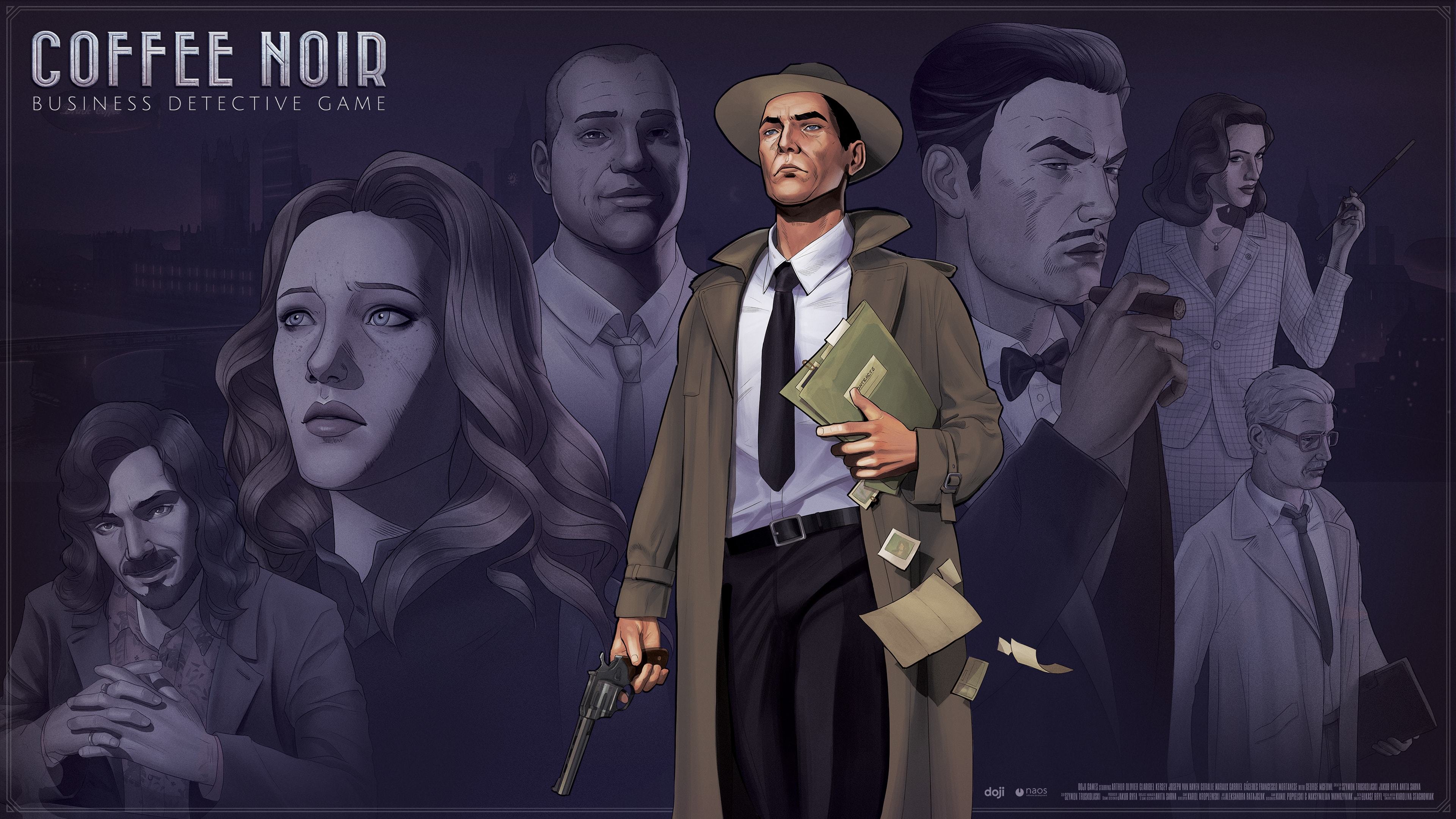
Coffee Noir premieres in September this year. Prepare yourself to put on the detective’s coat and the salesman’s suit and delve into the latest crime mystery of Neo-London. Stay tuned to learn the exact date of the release! Follow us on social media, as we’ll release more about the game soon: Twitter, Facebook and Discord.
Dev Diary: Marketing
So, you have your coffee, you have your employees, but who will actually buy your products? Someone has to hear about them, right? That’s where the Marketing UI comes in.
In Marketing, you will select campaigns to try to get specific people’s attention. Coffee preferences depend on their age, social status and type of work. Let’s see how to use that to your advantage.
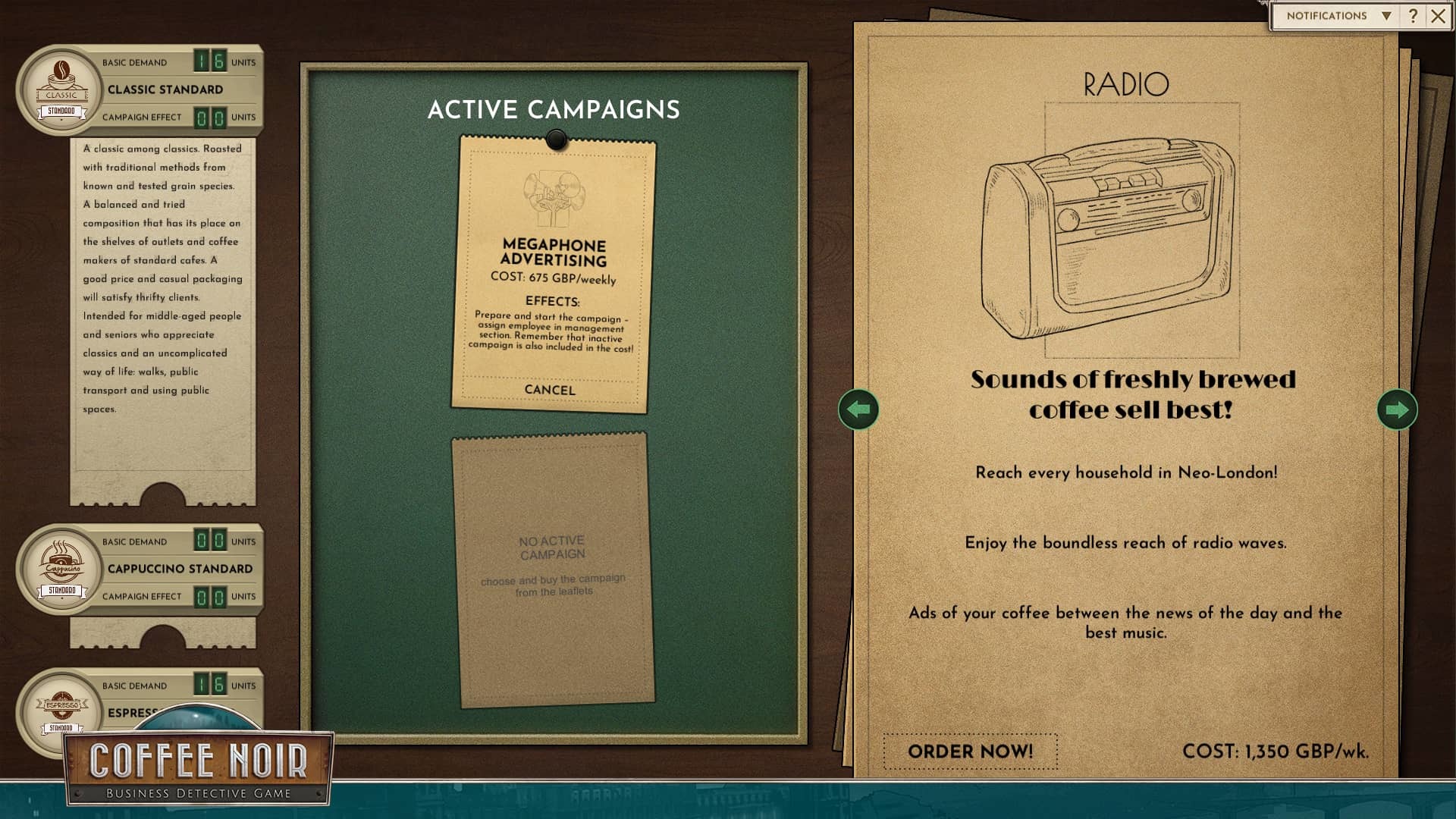
To the left, you have a list of products you have. Each of the products has two numbers, basic demand and campaign effect. Basic demand is the number of coffee units the buyers will purchase even without launching any marketing campaigns. Campaign effect is the additional number they’re buying because of the campaign you chose. Each product also has a description, where you can learn what kind of people like it.
In the middle, there are active campaigns. You can have up to two active campaigns at the same time. Here, you can see their names, costs, effects and the option to cancel them. As you can see in the effects description, you need to assign an employee to the campaign in the Management UI. Otherwise it won’t work. Remember that inactive campaigns also generate costs, but they don’t have effects like the active ones do.
And to the right, there’s a pile of inactive campaigns to choose from. Read their descriptions and try to assess which one will suit what you want to promote. Try to think which advertising method will appeal to specific type of person.
After you sign contracts, buy upgrades, decide to research information on possible new contractors, someone needs to take care of those things. Here comes the Management UI, where you assign your employees to tasks.
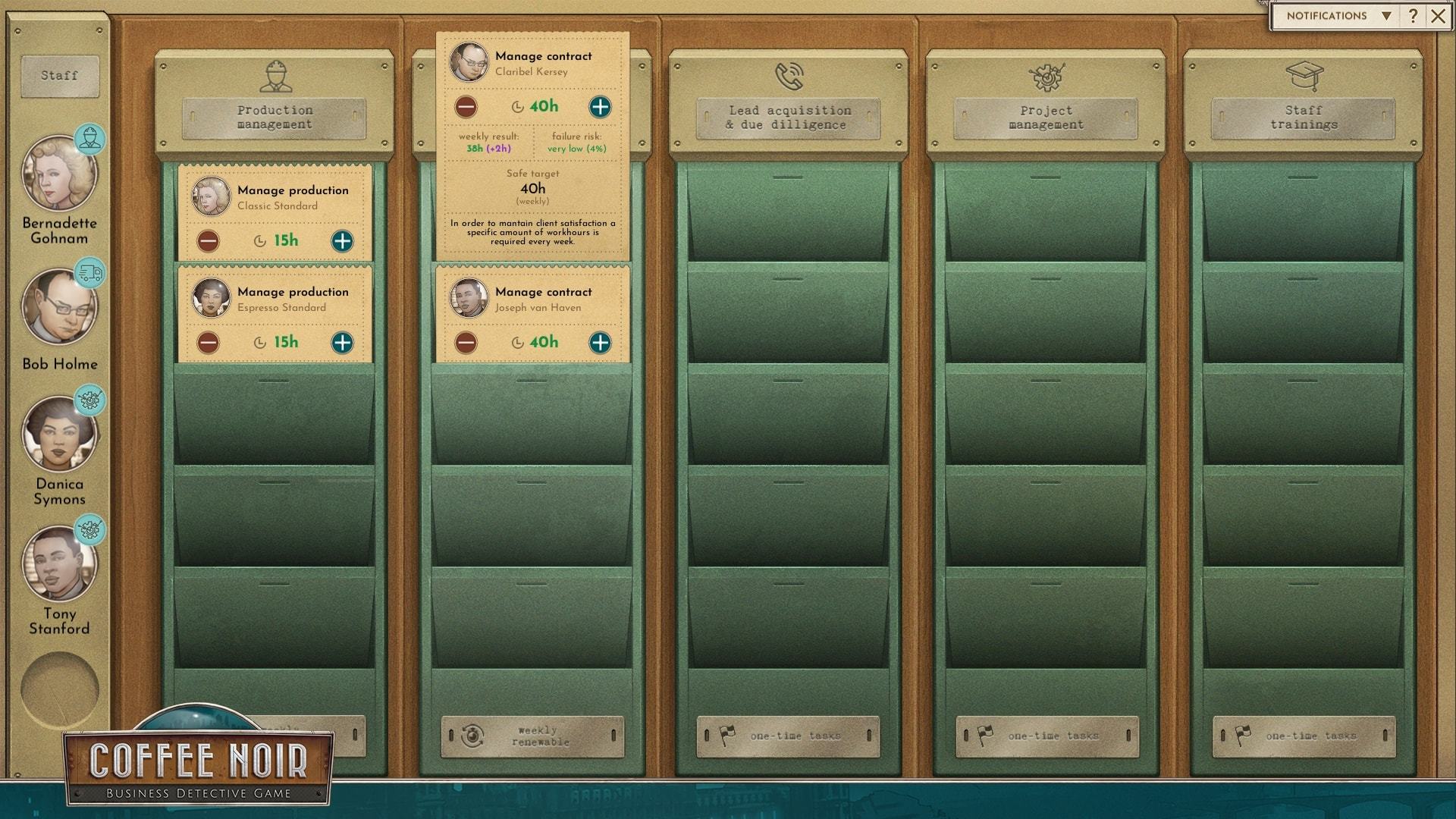
To the left, you have a column with the staff. If you hover on their avatars, you'll see a quick summary of their special skill, workload and work satisfaction. If the satisfaction drops low, go to the HR UI to fix that.
In the Management UI you have five columns for five types of tasks. Tasks appear in them when you do something that creates a new process to manage.
Production management is for tasks that appear when you start producing a new type of coffee, they stay for as long as you produce it.
Post-sale account management is for tasks that appear when you sign a contract, they will stay there as long as you keep that contract.
Lead acquisition & due dilligence is for tasks that appear when you have a new possible contractor and need to gather information about that person before a meeting.
Project management is for tasks that appear to complete a production or warehouse upgrade, or when you buy a marketing campaign.
Staff trainings is for tasks that appear when you send an employee to a training via the HR UI, they disappear when a training is complete.
To assign an employee to a task, simply drag and drop them from the staff list to a task card.
The task card itself contains information about the assigned task and allows you to control weekly time spent on it. On top, you see the task name and information what it's specifically about, for example the coffee type or contractor's name. There's also the employee who's assigned to it, or no employee, if nobody was assigned. Employees are automatically assigned only to their own training tasks, otherwise you need to assign them by hand.
On the card, you can change the weekly time spent on a task. Below the time change option you have the weekly result, failure risk and the safe target. Try to aim for the safe target.
Remember than if the number of hours is lower than intended, the weekly renewing tasks - production management and post-sale account management - will not be effective. The production might fail and the client satisfaction will drop. If it's just an one-time task, you simply need to complete the specified number of hours, it only might take longer if the number is low. If the number of hours is higher than intended, then you lower the risk of accidents that may happen.
If an employee works overtime, a red icon will show up at bottom right of the employee's icon and their workload bar will be red.
Remember to check the Management UI every time after you make changes to production, sales, find a new client and so on. Make sure all tasks have someone assigned and look at the amount of hours spent on them. Do a quick check of workload and satisfaction. If someone works overtime, consider reassigning some tasks or hiring someone new, you can hire in the HR UI. If a staff member's work satisfaction has dropped significantly, go to the HR UI to motivate them.
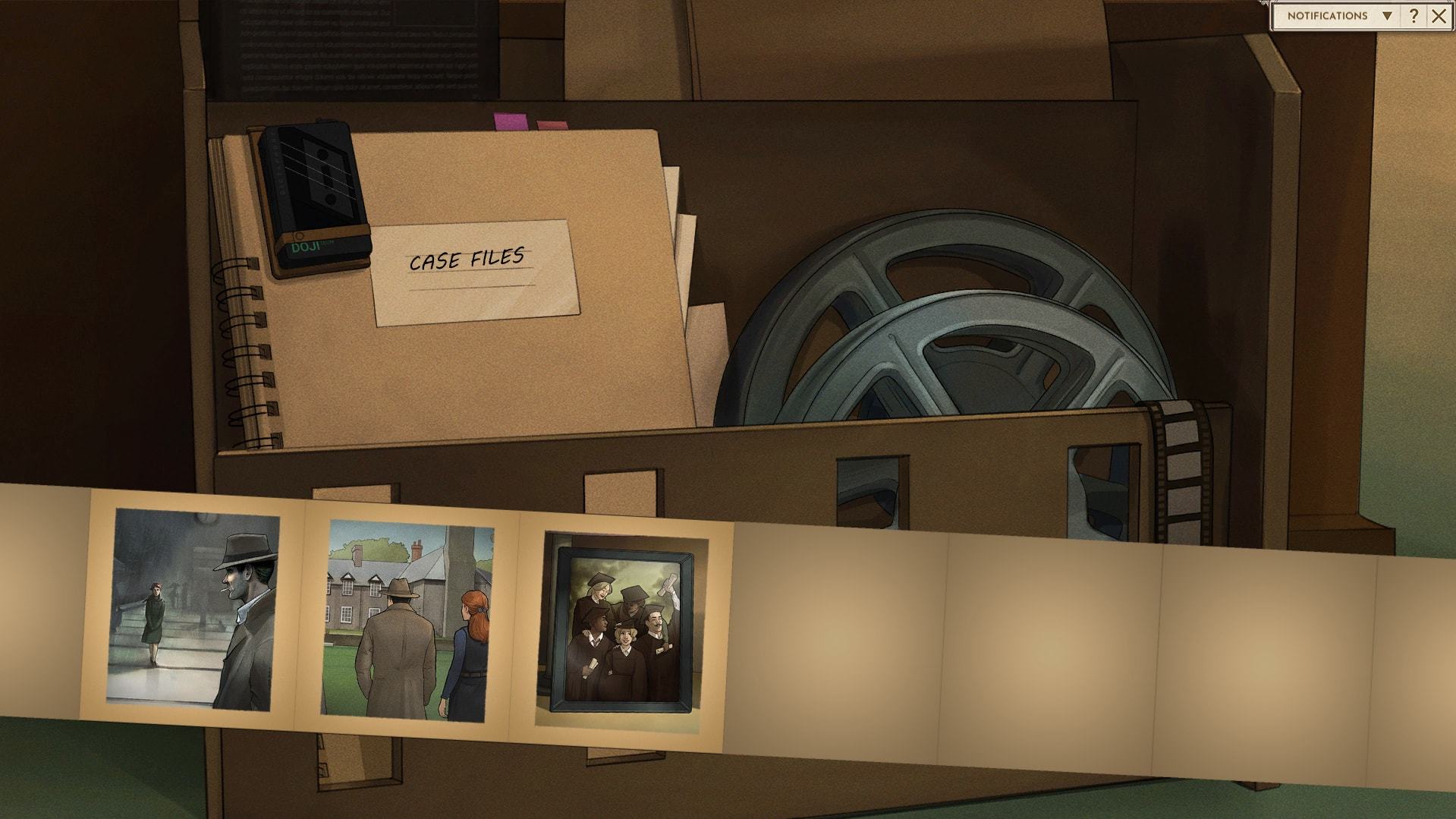
What if you forget about something told in the story, need a refresh after a break in playing, or simply want to replay a comic or rewatch a cutscene? In your office, you have a comic bank where you can see all comics and scenes you’ve already revelead during story part of Coffee Noir.
To the left, you can click on a file with comics, to the right there’s a film spool with the scenes. After choosing either of them, there's a list of available content.
To provide your contractors with enough coffee and the type they prefer, you need to produce enough of it. That's what the Production UI is for. Here, you can control the production, storage and upgrades.
Which coffee and how much?
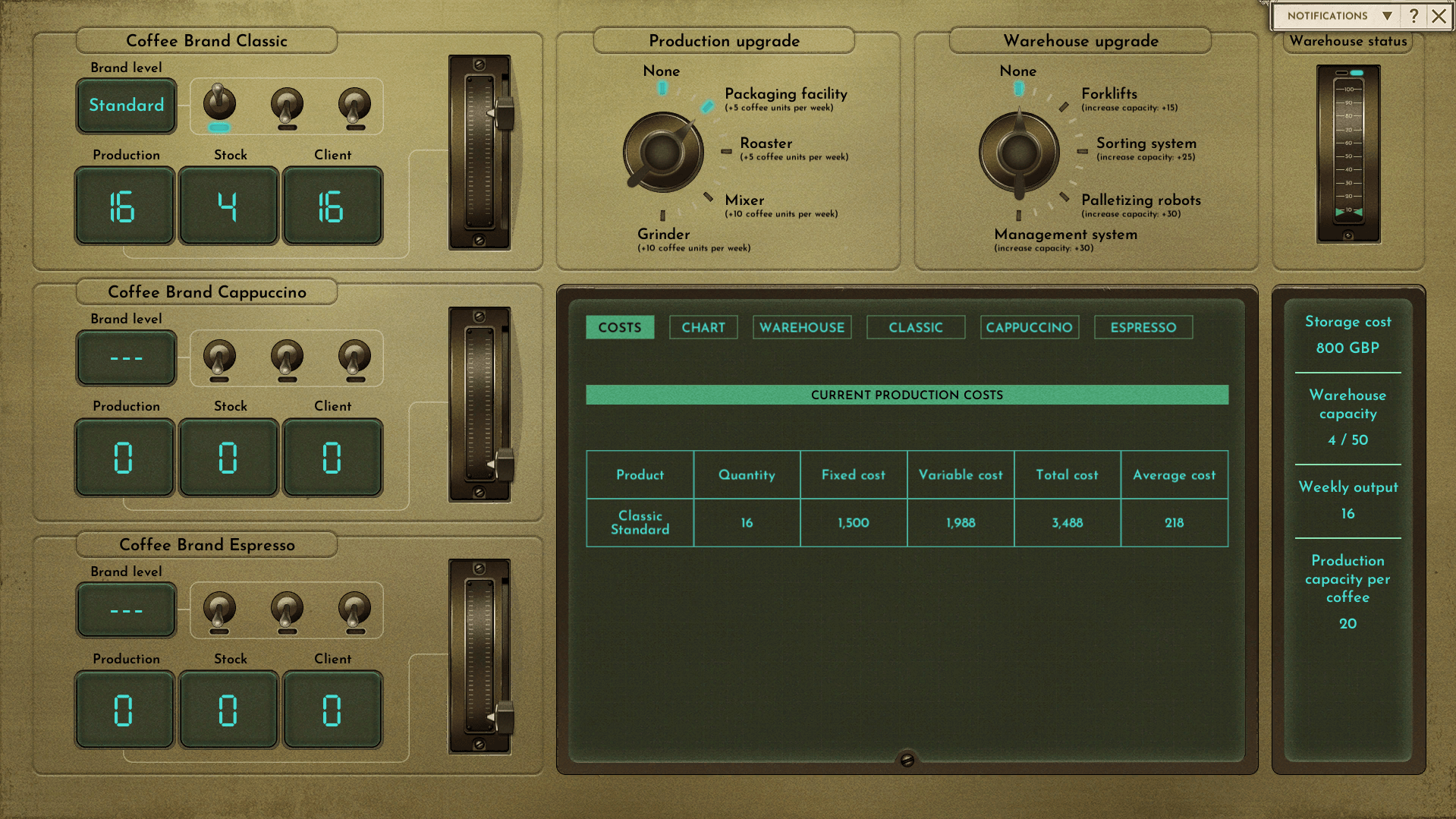
The switches and sliders to the left are for the coffee types: classic, espresso and cappuccino. Here you can see the brand level, production, stack and client demand for each of the types.
The brand level can be standard, premium and superior. You can only develop the coffee further, never go back to a lower quality. You do it by clicking one of the three switches. Doing that is possible at certain points when you progress in the story, otherwise the switches are unclickable.
Below the brand level, you see three windows with information about production, stock and client.
Production is how much you produce
Stock is how much you already have saved up in your warehouse
Client is how much your clients demand in total
The sum of production and stock should be equal to the clients' demand, because otherwise you won't be able to fulfill the contracts you signed.
If the production and stock are not enough to cover the demand, the client demand number will be orange. It will switch to regular neon green when you have enough or more production and stock. To the right, there's a slider. It's there to control the amount of coffee produced to meet the demand.
Let's upgrade and see how much we can store!
Let's move to the top right. There, you see production upgrade, warehouse upgrade and warehouse status.
The upgrade switches are self-explanatory, as all upgrades are explained there in the UI. You click on the switches to get a new upgrade. Sometimes, you might get a notification than an upgrade is not available at the moment, otherwise a pop-up with upgrade explanation and price will show up.
After you buy a new upgrade, the light next to it will blink until you complete the upgrade. You complete it by going to the Management UI, assigning a worker to the task of the upgrade, and finishing the current week. Be careful whether you've done other things you wanted to do during the week before you finish it. When the upgrade is done, the light will constantly be there without blinking.
To the right of the upgrade switches, there's the warehouse status. It shows how much space in the warehouse is taken.
Time for some stats!
At the bottom right, there are two bigger screens with statistics. The one to the left has a number of tabs.
Costs shows you a table with all production costs
Chart shows you a chart with amounts of types of coffee produced
Warehouse shows you the quantity, value and costs of each coffee type in the warehouse plus an option to sell them in the market
Classic, Cappuccino and Espresso tabs show tables with quantity produced and costs of production of each of those types
The screen to the right is a summary of storage and production stats.
Storage cost is how much you pay for storing the amount of coffee you have
Warehouse capacity is how much you can store and how much of that is taken, which can also be checked at the warehouse status above
Weekly output is how much coffee in total you produce
Production capacity per coffee is how much of each type of coffee you can produce
You can improve those stats by buying upgrades mentioned before.
Try to produce as much as the clients demand and not overdo it at the same time, since you can generate higher costs easily. You should also check if new contractors demand new, better levels of coffee. Good luck!
When you play, you might encounter random events. Those events regard damage to coffee bags, accidents at the packaging facility, some worker’s failure etc. To prevent them, you need to skilfully manage your staff.
Others require you to make a decision. You will be presented with a couple of solutions to choose from. You will have to figure out which solution is best, of course, but the game will reveal the right answer after you pick one so you can get proper feedback.
Depending on what you choose, you can get a bonus or loss, the results can also differ in scale, so be careful! Unexpected can happen at any time, but when it does, take it on!
Wishlist Coffee Noir to follow all the Dev Diaries!
Sorry, we're latte
Hey, fellow detectives!
We want to inform you that we’ve decided to move Coffee Noir’s release to 2021 and an exact premiere date will be revealed in Q1. We did it for several reasons.
First of all, thank you for all the feedback about our demo released during Steam Autumn Festival. It’s been both a great success and a valuable lesson on what to do with the game in the next months. We’ve received a ton of comments - about the things you liked, suggestions on what should be changed, as well as some technical issue reports. What we perceive as a success is that since we’ve launched our demo, only a minor percentage of you reported critical crashes. It shows that the game is in good condition, though it obviously still requires some adjustments and bug fixes.
Currently we’re finishing the last stage of development (the rest of voiceover recordings, engine balancing, final graphic touches) and investigating all reports as well as your suggestions, still from our home offices. The COVID-19 pandemic has seriously changed the way our work is organized and things are taking more time than we could’ve predicted at the beginning of the year. Coffee Noir game is our self-published product, while we’re still working on B2B projects for corporate clients to keep our company going. We often mention the huge amount of work we have in our small time, but we always try to avoid crunching at all costs. That is another reason why we let ourselves work on Coffee Noir for longer, to allow good working conditions for all of us in this tough year, and more time to add or fix things you, as our community, have mentioned. We really want our game to be as polished as possible on the day of the release, so we hope you’ll understand our decision. Thank you for your patience and all the kind words we received in the last few months.
Demo of Coffee Noir is still available on Steam, so if you haven’t played it before, now’s your chance! All your feedback is very precious for us!
See you all in Neo-London in 2021, Doji Games team
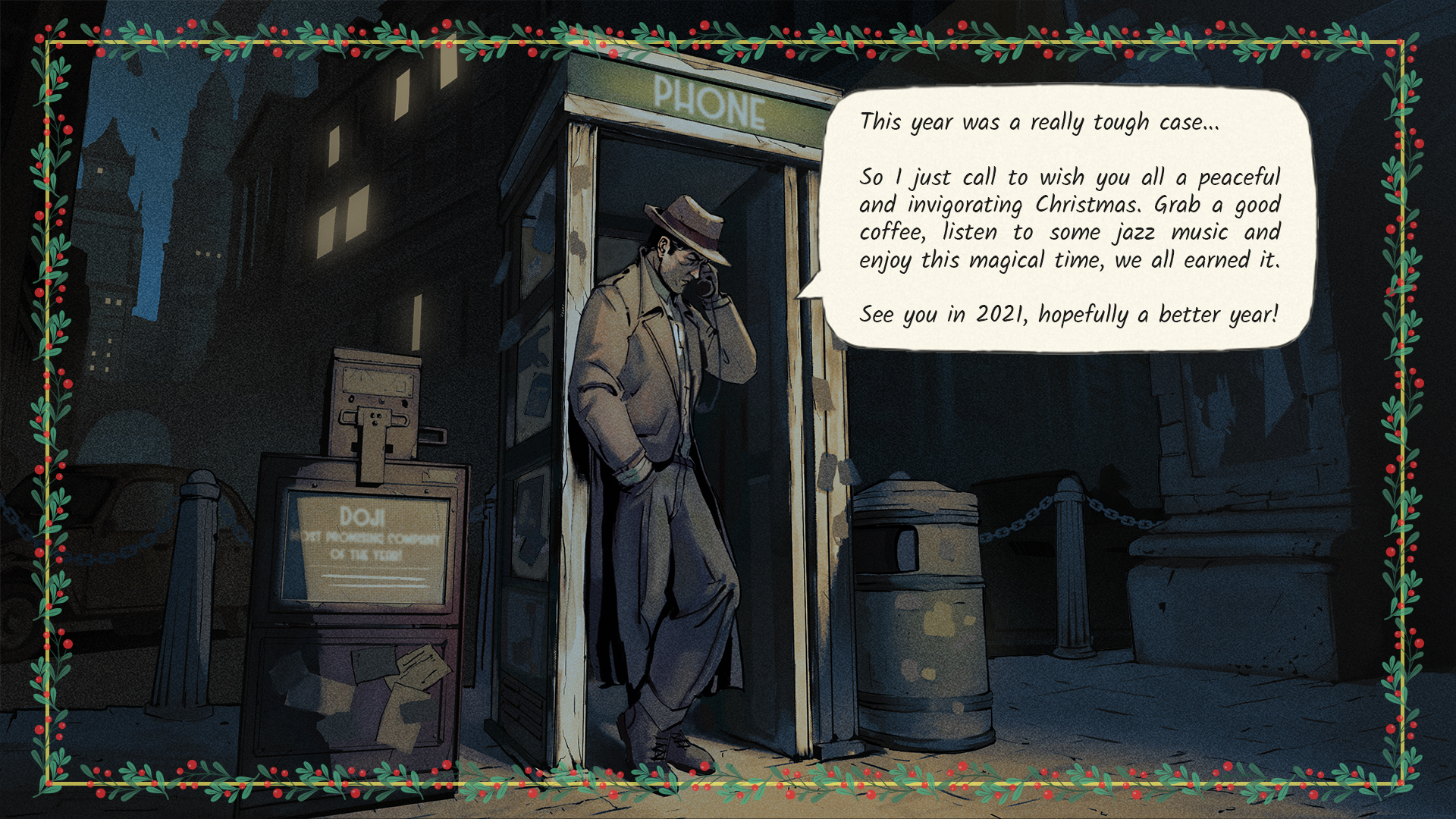
Merry Christmas!
The Doji Games team would like to wish you Merry Christmas! We hope you are and will be healthy and safe, and that you’ll be happy, even though you probably celebrate in smaller groups than usually. We wish you a lot of time to play all the indie games you always wanted to play but had no time (we have a guilty pile of unplayed games too!), a lot of coffee to make your days better, and that you’ll get that extra pair of sweatpants among the gifts - to enjoy home office more. See you after Christmas!
Dev Update 03/12/2020
This autumn has been very busy for us! Apart from doing some final touches on the game, we’ve participated in showcases and shared our demo with the community and media. We encourage you to try a cup of Coffee Noir and play our free demo if you haven’t yet! It’s available here.
We streamed the Coffee Noir gameplay during the Steam Game Festival: Autumn Edition (7-13th October) and that’s also when we launched the demo itself. We’ve received a lot of feedback from you, via Discord, Steam, Facebook and Twitter; we’re thankful for any opinions and suggestions you gave us. If you play the demo and have something to say about it, please contact us.
When the festival ended, we found out that Rock Paper Shotgun has highlighted our demo as one of the best demos participating in the event. They described Coffee Noir as “Part noir mystery visual novel, part (very) detailed business management set in an alternate 2021 where everyone loves a) the 1920s and b) coffee.” which is perfectly true. So exciting news for us!
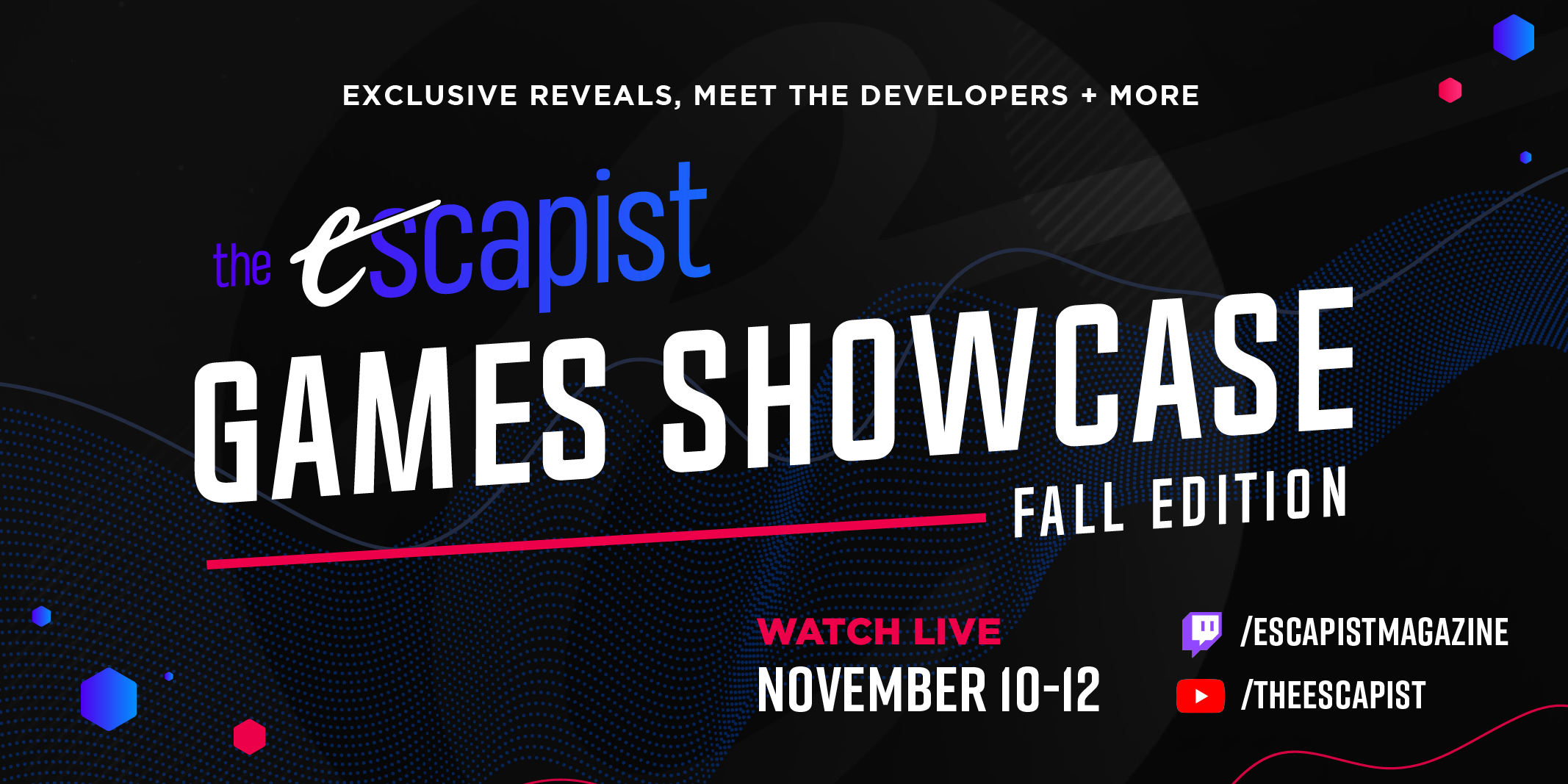
At the beginning of the next month, November, we appeared at The Escapist Games Showcase to talk about the game. Our showcase and interview begins at this moment, but we encourage seeing the rest of the stream as well. This time our team has explained more why we’ve decided and how we’ve managed to merge such distant genres into one game. Some of us couldn’t participate in the interview, but they were lurking on the chat! Thanks for all your commentaries during the interview.
After all those events – and during them – we are fixing and producing the last elements of the game. It’s things like processing audio files of the voiceovers, recording some of the last lines, polishing the clues for the Investigation Board. While some of us are working on those, others adjust the animations so that they’re more smooth and look better, or work on creating some UI files that still need to be added.
In the meanwhile, we also released a short Coffee Noir video to share during Pitch Ya Game. You’ve probably seen most of what’s there, but take a look and share it with your thoughts, if you’d like.
We’ll keep you updated on our progress with Coffee Noir. See you here and at Facebook and Twitter!
Coffee Noir at the Escapist Game Showcase
Coffee Noir will be part of the Escapist Games Showcase that starts at 12pm ET (6pm CEST) today!
Watch it here: Youtube: https://youtu.be/7EH9opDjRdY