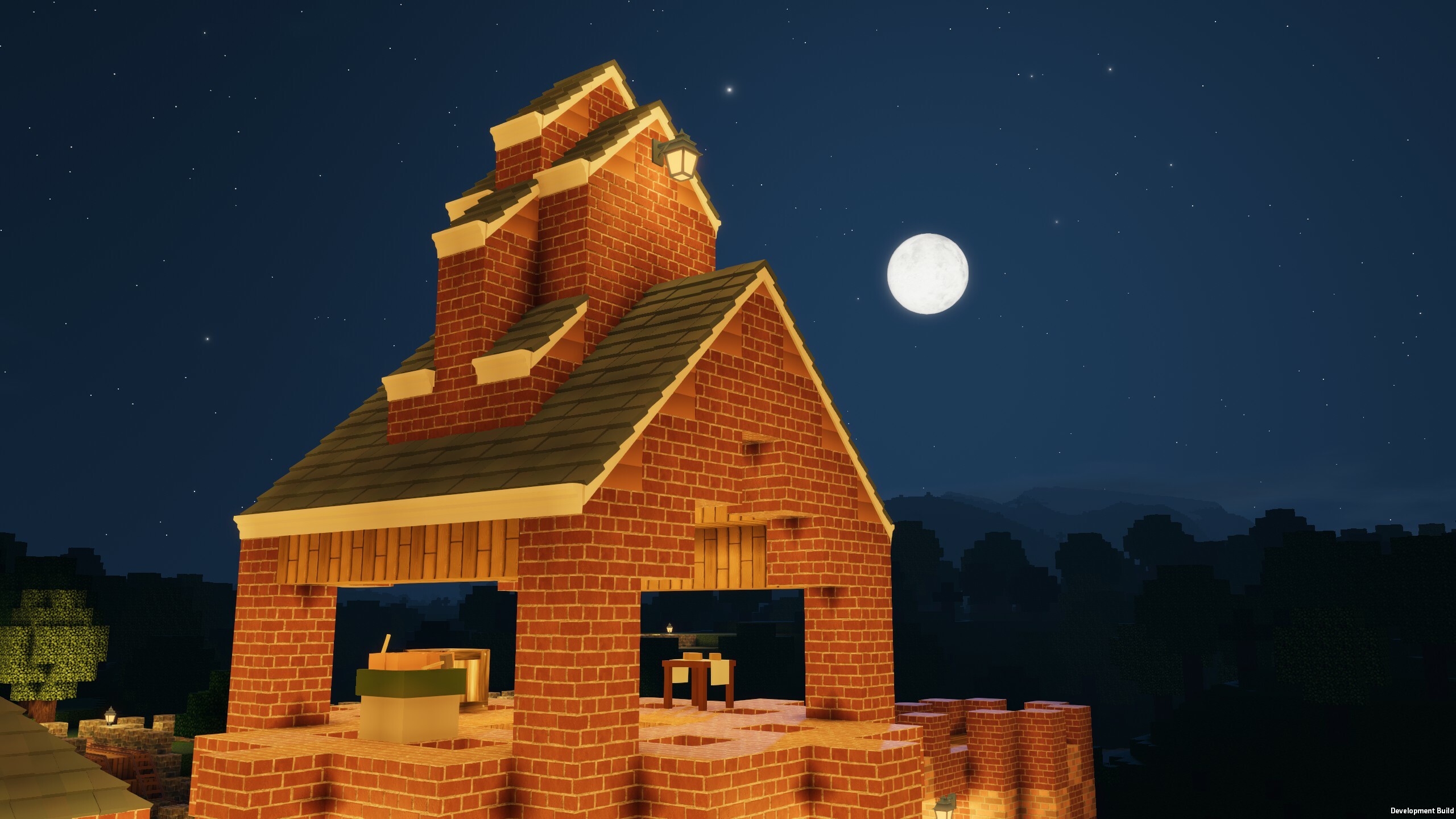
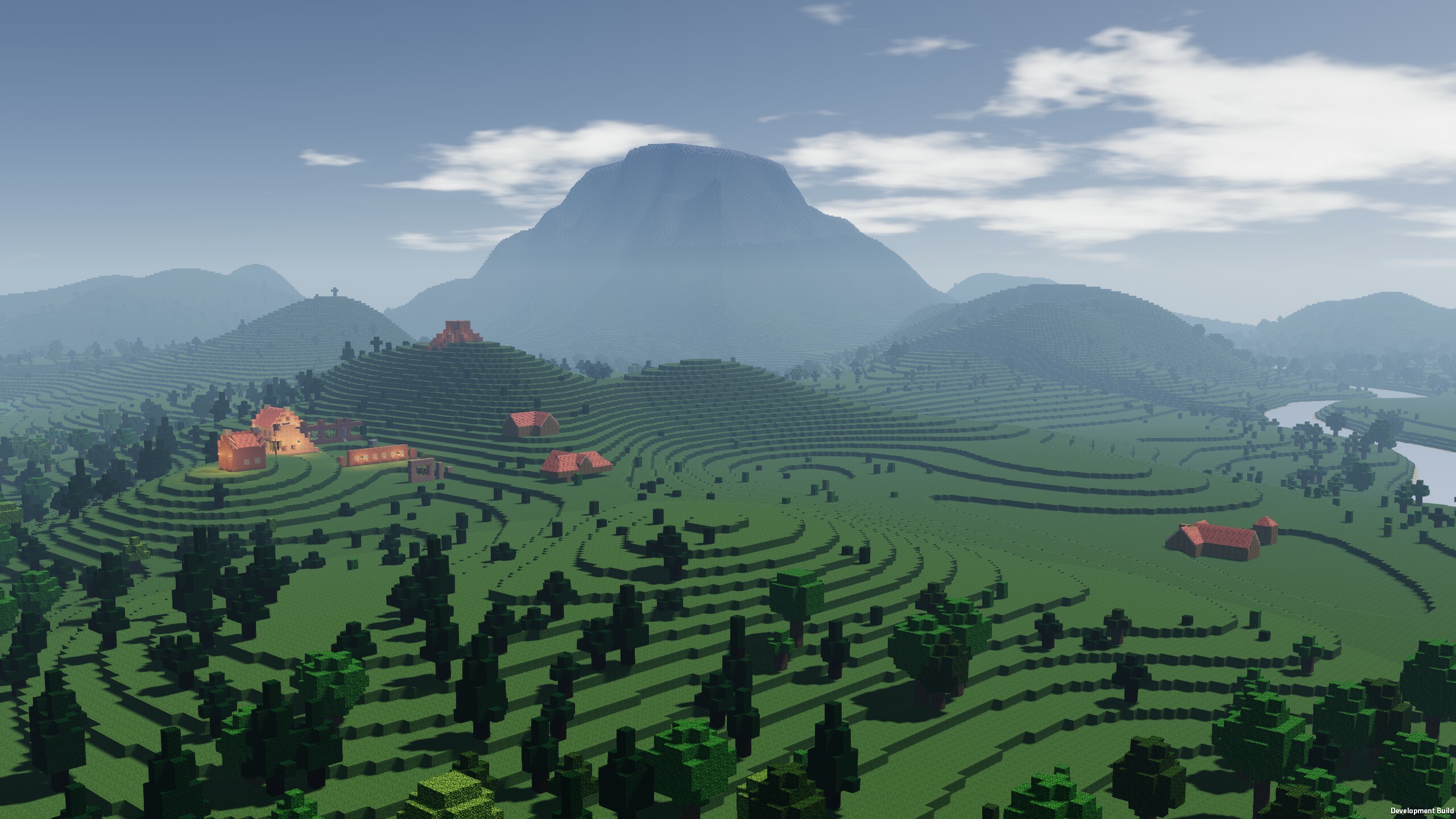
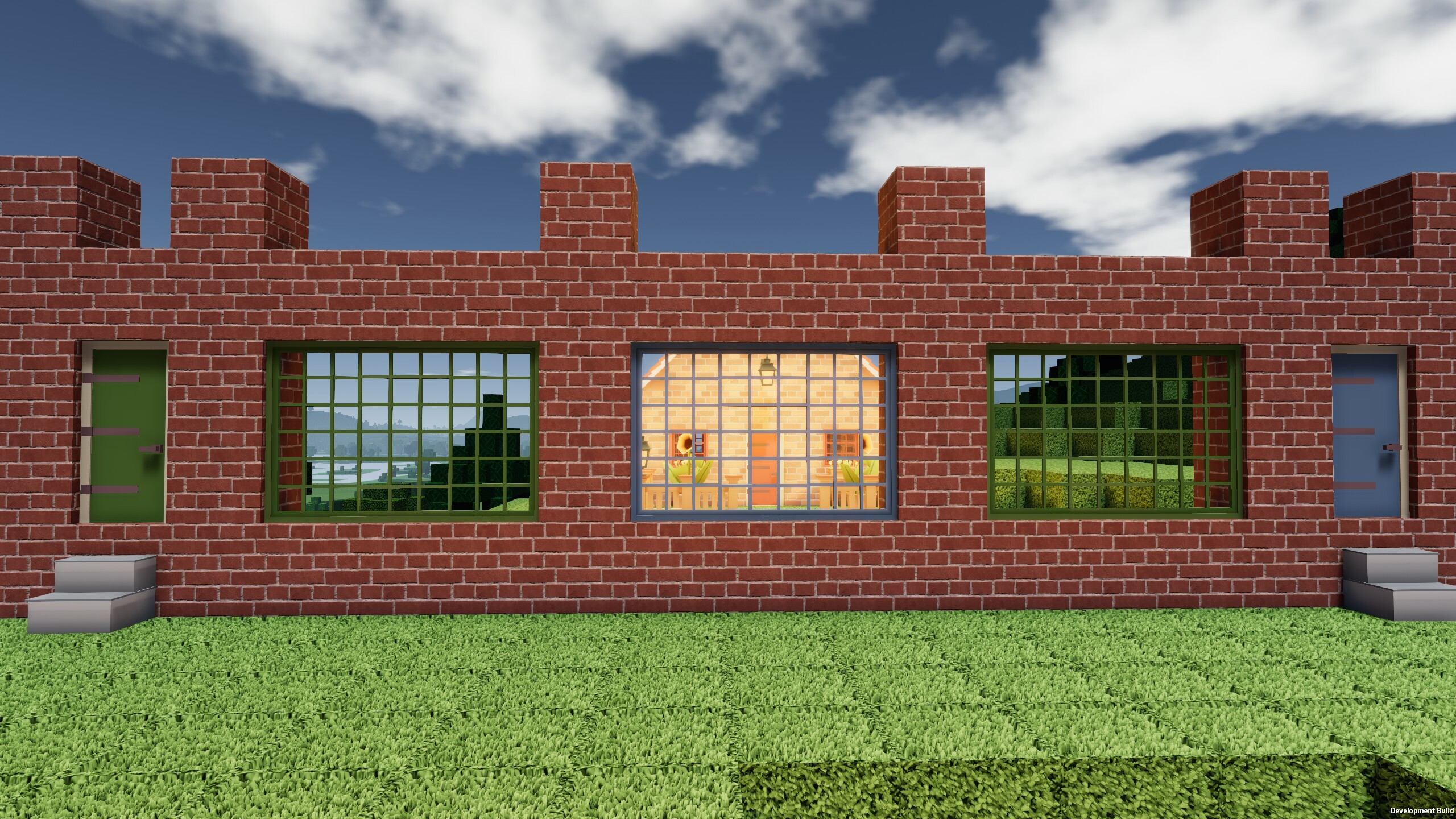
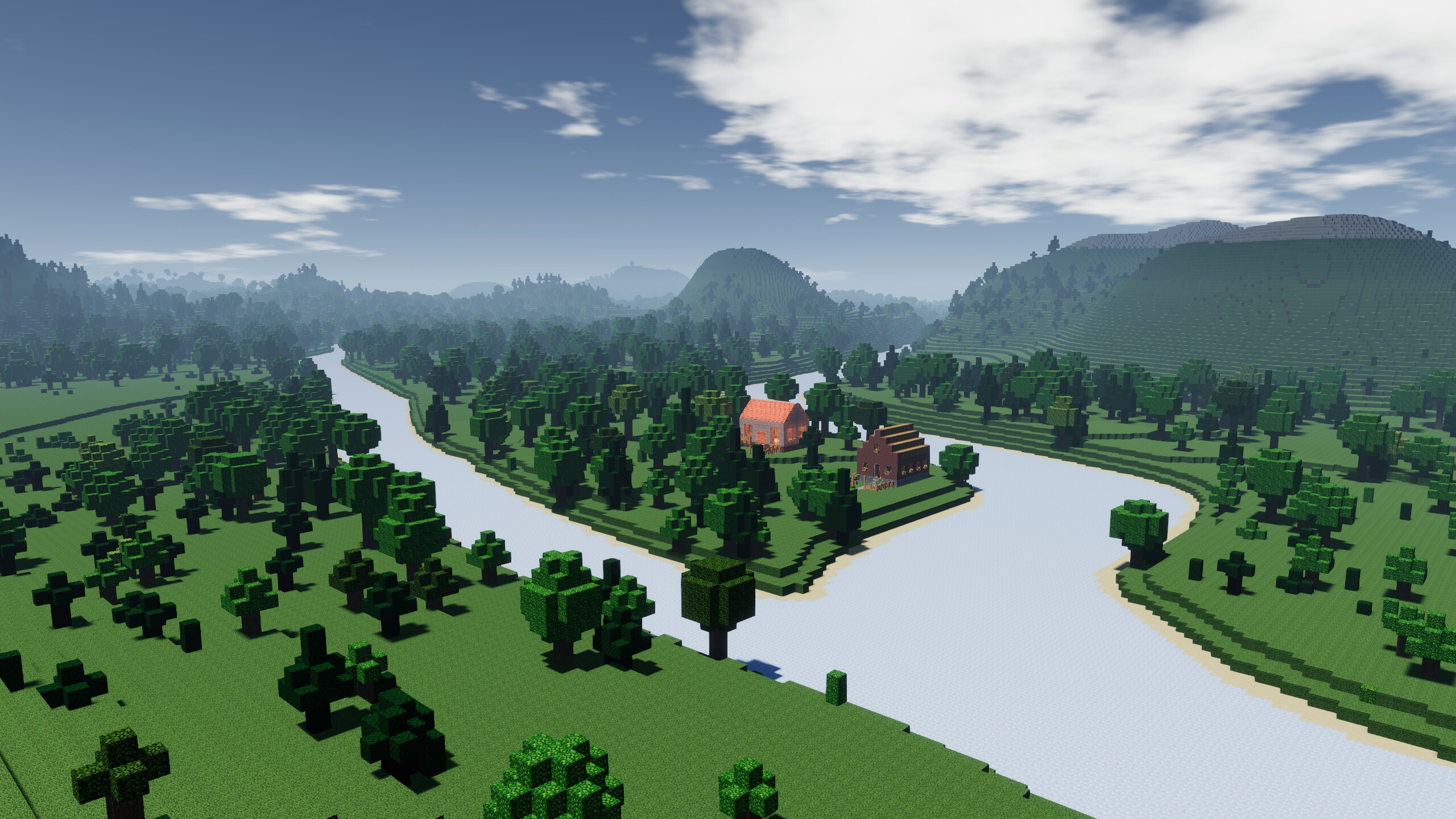
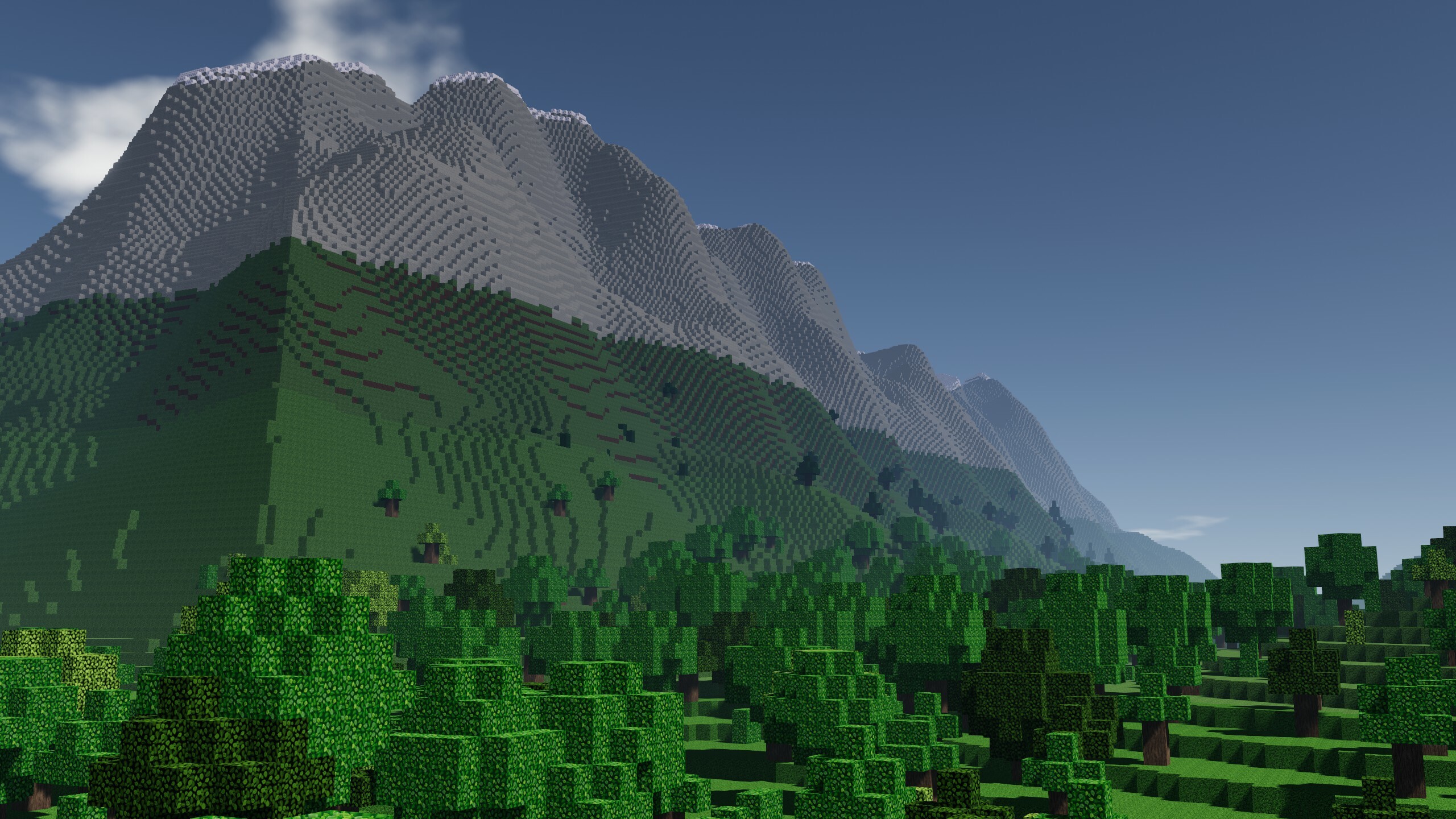
Colony Survival is currently on sale! Pick it up for 30% off between now and January 4. The Builder’s Contest is also still going on. Follow the instructions and upload a world before January 5 to compete for the prizes!
Roughly nine weeks ago, we released 0.10.0. The response has been great! There were some things we still wanted to finish, and unexpected issues that popped up after release, so a bunch of other patches have been released. At the end of November, we hit 0.10.0.12. Then we took a development break in December.
What is 0.11 going to be? What is 0.12 going to be? These are big questions we’ve been thinking about since the release of 0.10.0. I think we’ve been struggling with that question more than we ever did in the history of Colony Survival.
We're full of ideas, but the question is how to integrate them into Colony Survival. In the achievement data, we can see that only a small fraction of players who launched 0.9.0+, less than 1/33rd, has reached the end of the tech tree. Releasing an Industrial Era update and adding it to the end of the tech tree, where it will be experienced only by that tiny percentage of players, seems pretty wasteful.
We could have industrial-like machines earlier in the game, like windmills. But we want them to involve significant gameplay, it should give options to players, it shouldn’t just be a standard jobblock with slightly more complicated requirements. That could mean having to connect things together with for example pipes/cables or something like that. But with our “magic stockpile” and total absence of real life logistics, such things become problematic quite quickly.
Of course, we can change that as well! But we’ve got multiple ideas like this, and we’d basically have to change the core fundamentals of the game and rebuild it entirely from scratch again, in a way that is substantially different from the product that people decided to purchase and that they got used to.
More strongly than ever before, after more than 10 years of working on this project, and after more than 6 years of being in Early Access, we feel like the time for a Colony Survival II might be coming.
We will continue developing Colony Survival "1" in 2024. If we’re going to leave Early Access, we want to do that in a more finished, more polished state. There are still some rough UIs and little things that don’t make a lot of sense. And, this is the time for ‘fun stuff’. Players have mentioned that building big structures without the flight cheat is truly frustrating. To alleviate this, something like an in-game, historically appropriate 'jetpack' at the end of the tech tree seems very suitable. Another example of a “finishing feature” could be a special UI that allows you to create large custom monster attacks, to test your defenses to the breaking point. Things like these wouldn’t be major updates by themselves, but they do help to satisfy some remaining problems and curiosities.
We’re thinking hard about the future of Colony Survival and a potential Colony Survival II. We’re still uncertain about the optimal way to spend our development efforts. Massively change the current Colony Survival? Finish the game up, polish it, leave Early Access and build a CSII with different fundamentals? What things would you still like to see added to CS1 before we leave Early Access? Let us know how you feel about it! Share your suggestions in the comments or on Discord.
We wensen jullie hele fijne Kerstdagen en een gezond & gelukkig Nieuwjaar!
Friday Blog 237: Builder’s Contest! Prizes for the Best Worlds
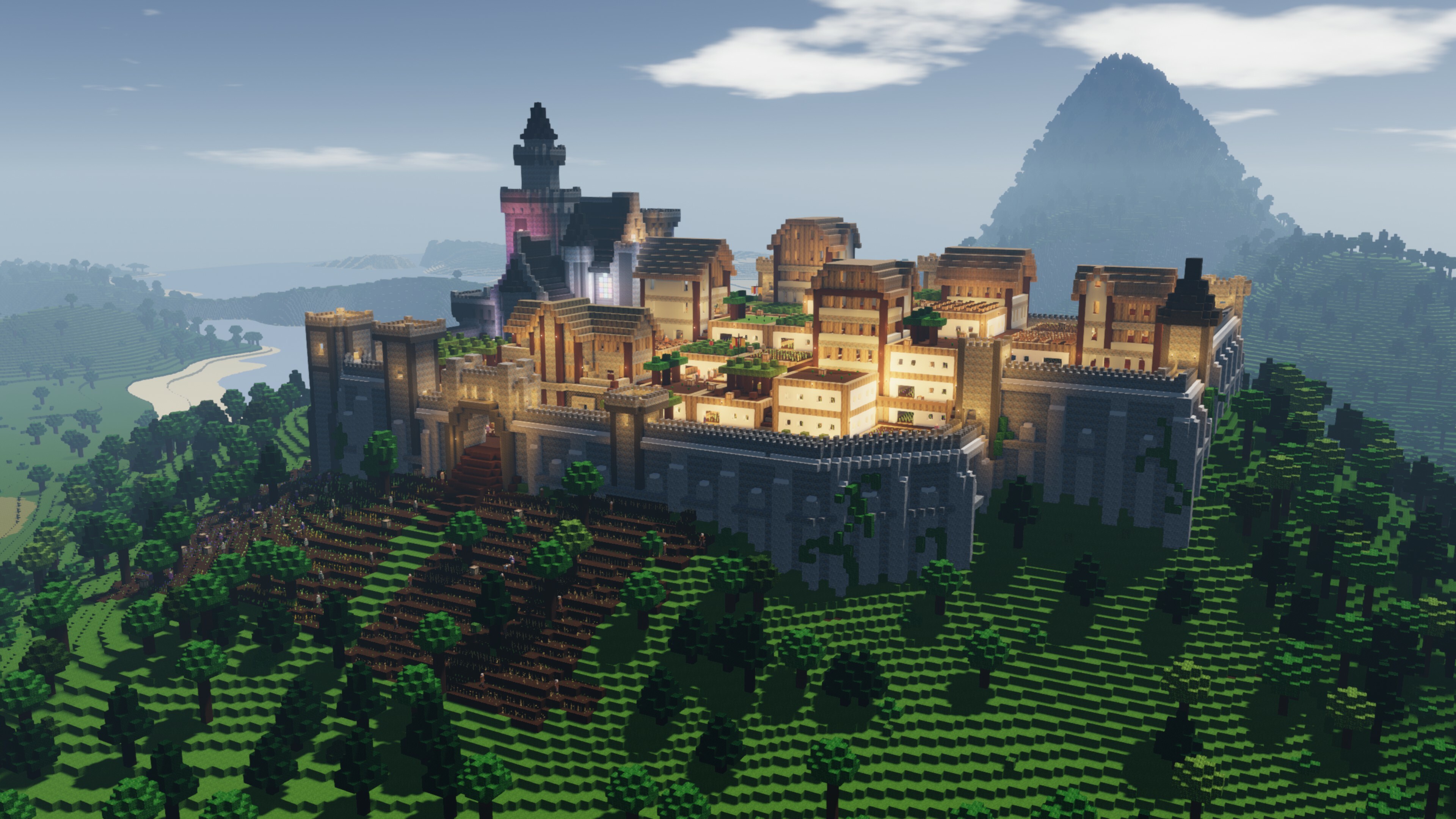
Pathros by PatateNouille
We are organizing a new Builder’s Contest! The best world will win a digital Steam Gift Card worth €100, and the next spots will win €50 / €25 / €15 / €10, respectively. We are planning to use these worlds to film a new main trailer and to make new screenshots for the Steam Storepage. This leads to a bunch of specific needs and preferences:
What are we looking for?
Worlds showcasing many of the features in the game, especially newer features like the rails, roofs, gliders, outposts, traps etcetera
Houses for colonists to work/sleep in
Visually appealing colonies that form a coherent whole, like a village, castle or city.
Functionality of what's built - it should be actively used by colonists and serve a purpose beyond the visual
Visible infrastructure between colonies and outposts, with rails / paths / bridges / gliders
Colonies that do "the whole game"; they should be approximately self-sufficient in the way it ends up when you naturally play the game, they should look "lived in".
Worlds that have depth, that you can get lost in, with outposts in the distance and plenty of small streets and alleys
What are we not looking for?
Huge fields of tightly packed beds
Giant warehouses
"Car park farming"
Worlds that look like they were built with cheats, where it is obvious that the player always used the flight-cheat to move between colonies, that many resources appeared without the required production facilities
Worlds visibly using mods
Purely decorative builds
The rules
Upload your world to the Steam Workshop from Colony Survival (Main Menu > Mod Manager > Create Item)
Navigate towards the Colony Survival Workshop in Steam, acces "Your Workshop Files" and click on the world you just uploaded
Put “2024 Builder’s Contest” at the start of the description
Add at least one screenshot to showcase your colony
Fully publish your world to the Steam Workshop
Do this before January the 5th 2024, 8AM Amsterdam time
It’s fine to use worlds that you’ve started before the start of the contest
It should be a world of your own creation, you’re not allowed to download a stranger’s world and upload that
You’re allowed to upload multiple worlds
We operate according to the spirit of the rules, not the letter of the rules. We might adjust the rules to better fit the goals of the contest.
Good luck and have fun building! The winners will be announced in a Friday Blog after the contest has ended. If you have any questions left, put them in the comments or share them on Discord. We’ve got a dedicated channel called #builderscontest where you can share your progress and discuss the contest with us and others.
Friday Blog 236: Update 0.10.0: Rails, Roofs & and The Rest is now LIVE!
The update has been released to the default, public branch of Colony Survival! By popular request, it mostly adds decorative items like doors and window frames. Much of that content has been detailed in previous blogs, so we’ll start by mentioning some features that have been added since the start of the Open Beta.
0.9.0 added “horizontal elevators” that could quickly move players in a straight line. The Open Beta changed that to actual rails which could go up hills and around corners. This full release adds junctions, both three-way and four-way. Hold the default movement buttons to determine your direction: “A” to go left, “D” to go right.
We’ve also added rail gates. They are closed by default, blocking passage towards both monsters and colonists. When a railcar approaches, it quickly opens and closes to allow the railcar to pass the gate smoothly.
Another new feature that can be seen in the picture is signs! They can stand independently on the ground, be attached to walls or hang from roofs. Players can enter their own custom texts on the signs.
The final important new feature of the last few weeks is Archimedean screws. When you’ve accidentally flooded your mines, this is the new tool to drain them. Sadly, completely realistic, realtime 3D water physics on a large scale aren’t possible yet, so their functioning is a bit wonky. When you place an Archimedean screw, water in a radius around it just straight up disappears. Unrealistic, but practical and computationally inexpensive.
Apart from these recent features, there is a long list of new content and changes. A lot of it is based on a new system of automatic adaptation. Roofs will react to their local environment and other roofs that are placed around them. Doors will automatically combine into double doors, window frames merge with nearby windows. Crown moulding automatically forms proper corners, pillars receive their top and bottom in the appropriate location.
Items like doors, window frames and flowerboxes can be painted to make buildings even more unique. We’ve added “proper” stairs that look much more realistic than the old quarterblocks. Of course, all these new items can be produced by your colonists, requiring a bunch of new recipes, sciences and a new job: the artist. Another practical benefit of 0.10.0: controller support has been significantly improved.
Last but not least are the less practical, less tangible improvements. Zun has done a lot of deep technical refactoring. The networking code has been enhanced, and there are some performance improvements which are mainly noticeable in worlds with enormous amounts of colonists.
Since the release on Steam in 2017, we’ve added large amounts of new content, dwarfing the amount of content on the day of release. Simultaneously, at least 25% of inflation has occurred. As announced before, this is why we’ve decided to do a slight price hike, coinciding with the release of 0.10.0. The price has gone up from €/$19,99 to €/$24,95.
We wish all of you a lot of fun with the new update! Let us know what you think of the changes, and please alert us if you encounter any bugs. We’re planning to film a new trailer showing the new content, so if you build something interesting and/or beautiful and upload your world to the Steam Workshop / to our Discord, there’s a chance of it being featured in the new main trailer!
The new automatic adaptation / paint system gives us a lot of new options for new content. If you feel like some options are missing, if you think you’ve got a good idea that fits in well with the new content - let us know and there is a very decent chance it will get added!
Friday Blog 235 - Open Beta Progress: Rail Junctions, Signs and Better Roofs
We launched the Open Beta a couple of weeks ago and it’s going well! Many people are testing the new content and sharing their feedback. There were some technical issues and a stream of patches has been released to fix them.
But the most interesting stuff is some new features and content! The roofs got some criticism in regards to the front. The “diagonal holes” were filled up with simple 3D-planks. These don’t look like the 1x1x1 block textured planks.
We did some discussing and Zun thought he could replace the 3D planks with the actual texture, to make them match precisely. And he proposed giving the blue roofs the cobblestone texture, so that these can be matched in a different way. He implemented this plan and it looks great!
Rails have received junctions, to make them even more flexible. Paths can cross each other, and players can determine where they go on junctions. By default, players travel in a straight direction, but they can go left by holding A and right by holding D.
Last but not least, we’ve introduced signs! They can be placed on the ground, or on walls, or be hung from the ceiling. And of course, they can be inscribed with your own custom texts! It really helps to personalize your colony, and we’re looking forward to seeing what you will build with all these new things.
The last blog ended with an open problem concerning the bottom of roofs. The response to roofs in general was very enthusiastic, but we also got a fair share of feedback surrounding that specific problem. We think we found a solution: multi-purpose crown moulding. It looks good in combination with roofs, but players are free to build without it, or to use it in other places!
0.9.0 added the “horizontal elevator” to the game. It deliberately wasn’t called “rail”, because it suffered from a bunch of constraints. It could only travel in a straight line. Moving to the left or to the right, or moving up or down, just wasn’t possible. That’s quite problematic.
With 0.9.2’s auto-adaptation system, Zun saw an opportunity to fix this! So the horizontal elevator has been upgraded to true rail. Rails that can navigate corners, and which can climb and descend hills. It’s very convenient - and fun!
We’re planning to release 0.9.2 in a few weeks. That release will be combined with a price hike. Colony Survival was released with limited content and features in 2017, for $20. In the past six years, the amount of content in the game has exploded. Sadly, inflation exploded too. When 0.9.2 is released, the price will rise to $25. If you were still on the fence in regards to Colony Survival, or if you’re planning to invite friends to your colony, this is the right moment to purchase a copy!
Open Beta
Do you want to test the new content? An open beta is available right now! Most of the new content is finished. A bunch of it is decorative: the roofs, flower boxes, street lanterns, doors, windows, pillars, stairs, crown moulding. Many of these have unique variants that are sensitive to their context. The doors and windows can be painted with special paint items.
All of these items should be unlockable without cheats, using the science system and a bunch of new recipes, at old jobs and a new one.
The rails mentioned above are available too, but they’re not totally finished yet. Auto-adaptation doesn’t work yet, so you'll have to manually choose between regular straight pieces, corner pieces, and up/down-pieces.
The update also contains some other changes. The UI has been adapted to be much more controller-friendly, but it's still pretty wonky in regards to the stockpile. The networking code has been improved. There are some optimizations that are mainly noticeable in enormous worlds or on low-level hardware.
If you’re playing the beta, please let us know your opinion! What works, what doesn’t? Is the place of the new content in the tech tree appropriate? Are the recipes reasonable? Are there unexpected problems? Have you got ideas for potential easy additions that would fit this update well? Share your thoughts in our Discord in the #openbeta channel, or in the comments!
To access the beta, right-click on Colony Survival in the Steam Library. Go to Properties, then Betas, and enter the password ForBlogReadersOnly. Select the 0.9.2 branch.
I’ve been thinking about adding “proper” roofs since…. perhaps before the Steam release. It wasn’t possible to add in a practical manner before Zun developed the automatic-adaptation-system. When he started working on it this year, I made the first mockup, just to see what it would look like, roughly.
It was very simple: just one “side roof”. The screenshot already shows more complicated blocks: side roofs with a “front”. But on simple houses, you can get quite far with just side roofs!
But what if the width of your house is not an even number? Then this happens:
So we needed an extra shape: the “middle roof”. And of course, the middle roof also needs a variant with a “front”, one with a “back”, and one with both the front and the back in one block. Problem solved:
Which is nice when you’re building simple square houses. But with this “decorative update”, we want to encourage people to move away from those efficient but boring shapes. What if your house has a more complicated shape?
You lack certain roof shapes: “inside corners”. And at the top, the “middle roof” needs a 3-way corner. Well, we can make these too of course.
But the reverse problem quickly announces itself as well.
The solution: “outside corners”!
And of course, there’s another missing piece: 4-way corners for middle roofs! Here they are:
Are you starting to notice the pattern? Again, the reverse problem exists too. A 4-way corner is basically 4 inside corners. There’s also four outside corners occurring in one middle roof: a pyramid shape. We’ve added that one as well!
That’s not all the options. All of these shapes are available in blue too!
The largest concern still left for the roofs is the bottom side. They lack something like roof gutters. Perhaps we can expand the quarter block system to include corner variants and upside-down variants as if they're gutters.
Building and implementing all these shapes took quite some work. Making sure the right piece is automatically selected in all circumstances is complicated. When working on the automatic adaptation, Zun found a lot of edge cases. We even found some new ones while working on this blog. But we’ve been making a lot of progress and the new roof system is 98% functional now!
Last week, all these items were “cheat-items”, they had to be spawned with commands to be tested. This week, I’ve been working to integrate them into the “real” game. Figuring out where to place them in the tech tree, how to unlock them, to what (new?) jobs the recipes ought to belong, what the ingredients should be. That’s nearly finished as well.
We’ve still got to do some last implementation things, some fixing, some adding. The controller support also needs some more work. But the 0.9.1 release is coming into view! We haven’t yet had a Summer holiday, and we won’t be taking ours before the update is out. And I’d love to have some free weeks before the leaves fall off the trees :)
We’re participating in the Summer Sale, and that means that Colony Survival is currently 25% off!
We’ve continued our work on the new decorative items. Most significantly, we’ve added the framework for the new “paint-feature”. Instead of cluttering your inventory with many colored variants of all “paintable items”, the stockpile will only contain the “basic” variant. You’ve got to grab and use colored paint items to paint those items in the color of your choice. Of course, there’s also a paint stripper item, for when you want to return to the unpainted variant.
This is now working in our unreleased dev-build. Windows and doors can be placed and then painted red, blue or green. It helps a lot to make buildings look more lively and unique!
Apart from that, we’ve added new lanterns which can be mounted on walls, ceilings and the ground. Roofs have been enhanced by adding a “middle roof” variant, solving a problem that happened when your roof had an uneven amount of blocks in its width.
Zun found a complex technical issue in the Steam networking part of Colony Survival. It was a rather persistent issue but he has managed to significantly improve it!
We’ve also had a little Summer holiday. I traveled to Berlin, trying to get some insight on how we can build large colonies/cities that are simultaneously beautiful, enjoyable and functional. I’ve discovered that I like subways/trains more than I thought! We've returned to work this week and are once again making good progress.
Friday Blog 231 - Doors / Windows / Stairs / Flowerboxes / Pillar-Fences / Roofs
In the past month, we’ve continued work on controller support and more decorative blocks. We’ve noticed that large collections of decorative blocks are common in many frequently used mods. We think it would be good to make the unmodded game a bit more like that.
One problematic thing in these mods is the abundance of… “variants”. Firstly, things come in multiple colors. Secondly, there are quite some mods that offer “combined shapes” - like fences that actually link up. Which does require players to have separate items like “fence start”, “fence middle”, “fence end”. If each of these parts has color variants as well, the inventory quickly becomes very cluttered.
To solve this problem, we’ve got paints and “adapting blocks”. Firstly, players will be able to make paint items, and they’ll have to use these items to “physically” paint blocks. This helps reduce all these items to one base color variant.
Secondly, Zun has made great progress on a system that automatically chooses the right 3D-model for the situation. Take for example the fence. A fence can be unconnected - basically making it a wooden pillar. It can be connected to 1, 2, 3 or 4 other fences horizontally. And if you stack the “unconnected fence” (the pillar) vertically, it adapts into a special pillar with unique pieces at the start and end. So we’ve got many different 3D-models for the fence, but only one will be available in the stockpile. That simultaneously helps solve the clutter-problem, and it makes these items a lot more usable!
A special problem was the window. One of the blocks we’re adding is a window frame, and this one will adapt to different window sizes as well. When designing the required 3D-models, I only thought about regular rectangular windows; 1x2, 2x4, 6x4.
But of course, players can build much more complicated window shapes. And in the process of building a large window, or when removing one piece from an existing large window, you also get quite weird, non-rectangular shapes.
Figuring out how to deal with these shapes and making them look relatively sensible and natural was a challenge, but Zun has solved it well! I haven’t been able to “break” the current system.
The new decorative blocks have no “functional” impact on gameplay. They are not required, they don’t make colonists happier or more productive. On one hand, they are merely tools for more artistic players. On the other hand, I do think they’ll influence less artistically inclined players as well. I’ve noticed that due to the new options, I look differently at my buildings. I’m more tempted to make them a bit unique, and I feel more immersed. We hope it’ll be a good step towards making CS feel more alive!
Friday Blog 330 - Controller Support and Better Building
In the past month, Zun has put a lot of effort into adding proper controller support to Colony Survival. For a longer time, it has been possible to access basic gameplay functionality with the Steam Controller or the Steam Deck, but it wasn’t up to standard. And playing the game with a regular Xbox/Playstation/Switch controller was pretty much impossible.
So we’ve been working to improve that situation. Rebinding jumping from space to “A” on your controller, or moving around from WASD to a thumbstick, is not that complicated. What is complicated, is replacing the mouse in the UI.
With a mouse, you just move the cursor to whatever place you need it to be and click to select it in one step. With a controller, you’ve got one button selected, and then you move that selection to another button right next to it. If there’s 10 buttons between the selected button and the intended button, you’ll need to repeat that 10 times.
Connections between buttons in the UI editor
Our interface wasn’t designed with that in mind. In some places, you have to move through dozens of other buttons to get where you want to be. For example, moving your selection through all of your savegames to get to the “play” button. That’s not very practical.
In some cases, Zun improved this situation by refactoring the layout of the UI into a more controller-friendly design. In other cases, this situation can be improved by adding button shortcuts. Instead of having to press the “Play” button in the UI, it could be enough to select a savegame and press for example “X” on the controller.
We’ll have to make those shortcuts visible in the UI, otherwise people don’t know they exist. That means we need support to display all the buttons on most controllers. And the ability to rebind all these buttons in the controls settings menu. By default, Unity doesn’t properly support that, but we’ve found a very useful asset that has helped us integrate all of that.
Good controller support is now roughly 70% finished and will be publicly released in the next update.
Better Building
One of the unexpected results of the survey was a majority preference for us to focus on better building instead of better combat. So I’ve done a lot of investigating and experimenting to see how we could integrate that into the game.
We’ve looked at “building” from a bunch of angles. Better automated construction workers. Blueprints that allow you to copy and paste designs. New requirements for bed and jobs, to prevent massive caves filled with endless rows of beds and jobblocks, devoid of all light and privacy.
Finding the perfect solution has been difficult though. Take those extra requirements for beds and jobs. If they’re simple, players will find them easy to ‘minmax’, and the new solution will be a repetitive chore as well. If they’re very complex, it becomes a completely different game with much more complicated colonists. Let us know if you’re interested in that!
We’re converging at a different solution: allowing players to build more beautiful colonies. How do we make that possible? How do we encourage that? I have to admit, this is not one of my strengths. I find it hard to build truly beautiful things, both in Colony Survival and in other games.
These are complex questions. It involves the very nature of beauty, in a way that transcends current fashion and localised preferences, and asks us to translate that to the constraints of our voxel game.
Wernigerode, Germany
Beauty in architecture is a subject I’ve long been interested in. Scott Alexander wrote a fascinating article about it that raises difficult questions. Last year, before the survey, I had already starting delving into the works of Christopher Alexander (not related to Scott), which strives to provide an answer to those questions.
Christopher Alexander writes a lot about dealing with constraints. Buildings face a lot of them. Take for example a home. It has to provide a place to cook, a place to sleep, a place to face the public world and meet strangers, a more intimate place to relax, a proper transition to the garden. It has to let in light without losing too much warmth. It has to deal with rain, with snow, with gravity.
Dealing with all these challenges properly in a consistent style while using natural materials seems to result in rather cosy places that humans like. But… our colonists are very simple. You don’t have to deal with rainwater, rotting wood, or gravity. Which results in the endless factory-caves being optimal.
So there doesn’t seem to be a perfect solution that automatically helps players build the beautiful towns of the past. But we’re working on the next best solution: give players more tools to achieve a semblance of that look, if they choose to do so.
Currently, players can pretty much only use 1x1x1 cubes. Build a wall of them and each block is identical to the next one. We want to add more detailed meshes that are more interactive. Think of pillars which automatically add a decorative top and bottom. Think of fences which connect to each other. Think of doors and window frames.
An experiment with pillars
These automatic connections between meshes are perhaps a good stepping stone towards more complicated mechanics and infrastructure in future updates: think of pipelines and electric grids.
To prevent red stone pillar / green stone pillar / blue wooden pillar / white wooden pillar from cluttering your stockpile, we’re considering a “paint feature”. Equip the red-paint-item to paint pillars/doors/fences red, and certain blocks as well.
Let us know how you feel about this! Which detailed decorations would you like to have? What features do you need to make more beautiful colonies? How would you feel about more complex colonists with more realistic needs - perhaps in a totally separate mode?
Friday Blog 230 - Controller Support and Better Building
In the past month, Zun has put a lot of effort into adding proper controller support to Colony Survival. For a longer time, it has been possible to access basic gameplay functionality with the Steam Controller or the Steam Deck, but it wasn’t up to standard. And playing the game with a regular Xbox/Playstation/Switch controller was pretty much impossible.
So we’ve been working to improve that situation. Rebinding jumping from space to “A” on your controller, or moving around from WASD to a thumbstick, is not that complicated. What is complicated, is replacing the mouse in the UI.
With a mouse, you just move the cursor to whatever place you need it to be and click to select it in one step. With a controller, you’ve got one button selected, and then you move that selection to another button right next to it. If there’s 10 buttons between the selected button and the intended button, you’ll need to repeat that 10 times.
Connections between buttons in the UI editor
Our interface wasn’t designed with that in mind. In some places, you have to move through dozens of other buttons to get where you want to be. For example, moving your selection through all of your savegames to get to the “play” button. That’s not very practical.
In some cases, Zun improved this situation by refactoring the layout of the UI into a more controller-friendly design. In other cases, this situation can be improved by adding button shortcuts. Instead of having to press the “Play” button in the UI, it could be enough to select a savegame and press for example “X” on the controller.
We’ll have to make those shortcuts visible in the UI, otherwise people don’t know they exist. That means we need support to display all the buttons on most controllers. And the ability to rebind all these buttons in the controls settings menu. By default, Unity doesn’t properly support that, but we’ve found a very useful asset that has helped us integrate all of that.
Good controller support is now roughly 70% finished and will be publicly released in the next update.
Better Building
One of the unexpected results of the survey was a majority preference for us to focus on better building instead of better combat. So I’ve done a lot of investigating and experimenting to see how we could integrate that into the game.
We’ve looked at “building” from a bunch of angles. Better automated construction workers. Blueprints that allow you to copy and paste designs. New requirements for bed and jobs, to prevent massive caves filled with endless rows of beds and jobblocks, devoid of all light and privacy.
Finding the perfect solution has been difficult though. Take those extra requirements for beds and jobs. If they’re simple, players will find them easy to ‘minmax’, and the new solution will be a repetitive chore as well. If they’re very complex, it becomes a completely different game with much more complicated colonists. Let us know if you’re interested in that!
We’re converging at a different solution: allowing players to build more beautiful colonies. How do we make that possible? How do we encourage that? I have to admit, this is not one of my strengths. I find it hard to build truly beautiful things, both in Colony Survival and in other games.
These are complex questions. It involves the very nature of beauty, in a way that transcends current fashion and localised preferences, and asks us to translate that to the constraints of our voxel game.
Wernigerode, Germany
Beauty in architecture is a subject I’ve long been interested in. Scott Alexander wrote a fascinating article about it that raises difficult questions. Last year, before the survey, I had already starting delving into the works of Christopher Alexander (not related to Scott), which strives to provide an answer to those questions.
Christopher Alexander writes a lot about dealing with constraints. Buildings face a lot of them. Take for example a home. It has to provide a place to cook, a place to sleep, a place to face the public world and meet strangers, a more intimate place to relax, a proper transition to the garden. It has to let in light without losing too much warmth. It has to deal with rain, with snow, with gravity.
Dealing with all these challenges properly in a consistent style while using natural materials seems to result in rather cosy places that humans like. But… our colonists are very simple. You don’t have to deal with rainwater, rotting wood, or gravity. Which results in the endless factory-caves being optimal.
So there doesn’t seem to be a perfect solution that automatically helps players build the beautiful towns of the past. But we’re working on the next best solution: give players more tools to achieve a semblance of that look, if they choose to do so.
Currently, players can pretty much only use 1x1x1 cubes. Build a wall of them and each block is identical to the next one. We want to add more detailed meshes that are more interactive. Think of pillars which automatically add a decorative top and bottom. Think of fences which connect to each other. Think of doors and window frames.
An experiment with pillars
These automatic connections between meshes are perhaps a good stepping stone towards more complicated mechanics and infrastructure in future updates: think of pipelines and electric grids.
To prevent red stone pillar / green stone pillar / blue wooden pillar / white wooden pillar from cluttering your stockpile, we’re considering a “paint feature”. Equip the red-paint-item to paint pillars/doors/fences red, and certain blocks as well.
Let us know how you feel about this! Which detailed decorations would you like to have? What features do you need to make more beautiful colonies? How would you feel about more complex colonists with more realistic needs - perhaps in a totally separate mode?