
- Removed holiday theme

Comedy Night
Removed Holiday theme
Christmas Theme
- Added Christmas theme
ver 1.8.9
- Removed Halloween theme
- Reduced install size & memory used
- Bug fixes
Comedy Night Halloween Event
Come back to the Comedy Night Club this Halloween for some Live Comedy, a few songs, and some great stories. The Club has been given a Halloween theme make-over along with some great new features that we have rolled out over the last few months
New Premium Steam Profile Pic T-Shirts!
Giving you endless possibilities for T-Shirts!
We have also released a Free Demo for Comedy Night, so if your friends haven't bought the game yet they can try it out and join the same rooms as the players who have already purchased the game.
Change Log:
- - Added the new white & black premium Profile Pic Shirts
- - Fixed a bug where the Stage Timer would reset if you changed your flag whilst on stage
- - Updated the Splash Screen to the new microphone image
Comedy Night - Halloween Update
Trick or Treat
To kick off Halloween properly we have rolled out a update to Comedy Night that adds new content, a Halloween room theme and fixes a few issues that have been floating around for a while.
Free Banners
We have added a 4 new banners to spice up your game profiles.


Glasses
We added new Halloween themed glasses for your avatars. The Bulging Red eyes and the Bat Glasses

Themed Room
We gave the Comedy Club a make over and put up some Halloween Decorations. This theme will only be around until Halloween is over, so take a look and let us know what you think

Bug Fixes
There are a few bug fixes and tweaks that were made with this build. The most notable one is that
a bug that prevented Beers / Food / Tips from working if you went into the Player Setup screen and returned to the game.
Thanks again for all the support , we hope you enjoy this update.
version 1.8.5 (20 Jul 2021)
- Prevent Rich Text (color/font size) in Steam Names.
The Big Beer March Update
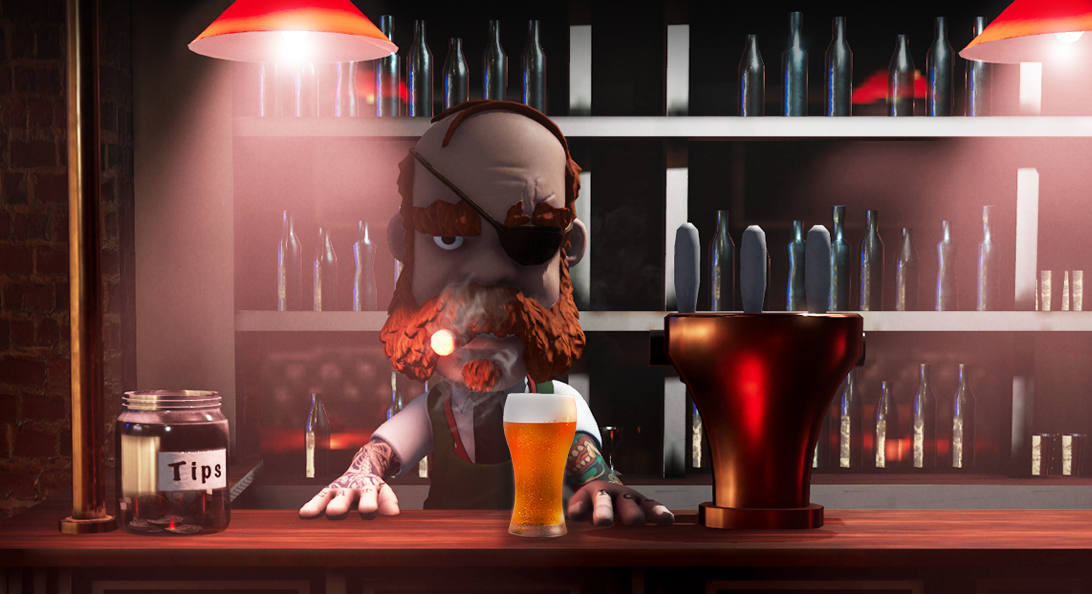
Barman Willy McGregor, the bare-knuckled boxing champion of Dublin
The Bar is now Open
This month's update is a big one with some major features being added including the much-requested addition of a barman. Let me introduce our one-eyed Irish barman, Willy McGregor.
Drinks, Food and Game Tokens
Unlock Free Game tokens every day to spend at the bar (receive a free game token every day, and one extra per hour of gameplay (max 3 a day)). Buy drinks and food for yourself or for other players. Eating or drinking items unlocks new animations and sound effects. A well-timed fart in a crowded room always brings a smile. Buy your favorite performer a drink or a can of beans to show your appreciation, tipping the barman with a Game Token is also an option.
Let us know in the comments what other items you would like to see added to the menu.

Order from the menu using game tokens
New Animations and Sound Effects
Eating or drinking an item unlocks new animations and sound effects. Toast a player's performance, have down-downs, or nurse your drink and sip it slowly and enjoy it. Between eating and drinking, check the animation panel to see what new sfx and actions you can use.


Leaderboards and Earning Points
Eating, drinking, gifting, and tipping all earn you points to climb the Leaderboards. You can now know for certain if you Comedy Night's Biggest Drinker, Most Gifted, Top tipper or a Top players.
Take a look a the leaderboards and see how you stack up.

Updates and Improvments
We have added some quick access admin buttons, to help players manage the rooms better as well as performance improvements, the Scottish and Welsh flags.Below is a list of all the features added in this update.
- Added a Barman - Willy McGregor
- Bar Items are now for sale with Game Tokens
- (receive a free game token every day, and one extra per hour of gameplay (max 3 a day))
- Beers now available from the Bar (on consuming unlock special action - Burb)
- Beans now available from the Bar (on consuming unlock special action - Fart)
- Leaderboards - Biggest Drinkers, Most Gifted, Top Tippers, and Top Players
- Earn points for eating, drinking, tipping, receiving gifts, and giving gifts.
- (available from both the Main Menu and the Player Badge)
- Tip Barman (show your generosity on the new Top Tipper Leaderboard)
- Beans and Beers can be gifted too other players
- Admin now has Quick access buttons below the performers Player Badge to Kick off Stage or Ban from Room (only visible when you move over the badge area)
- OTHER CHANGES
- Added Scottish Flag
- Added Welsh Flag
- Splash screen now maintains aspect ratio correctly
- Performance improvements to some avatar and avatar items
- Prevent issue where it would show the "connecting" menu forever when you had lost connection to Steam (now displays a message box that you failed to connect)
- Few minor tweaks and improvements
Thanks for all your support and suggestions. See you all down at the bar tonight.
Comedy Night - February Update
Game Update
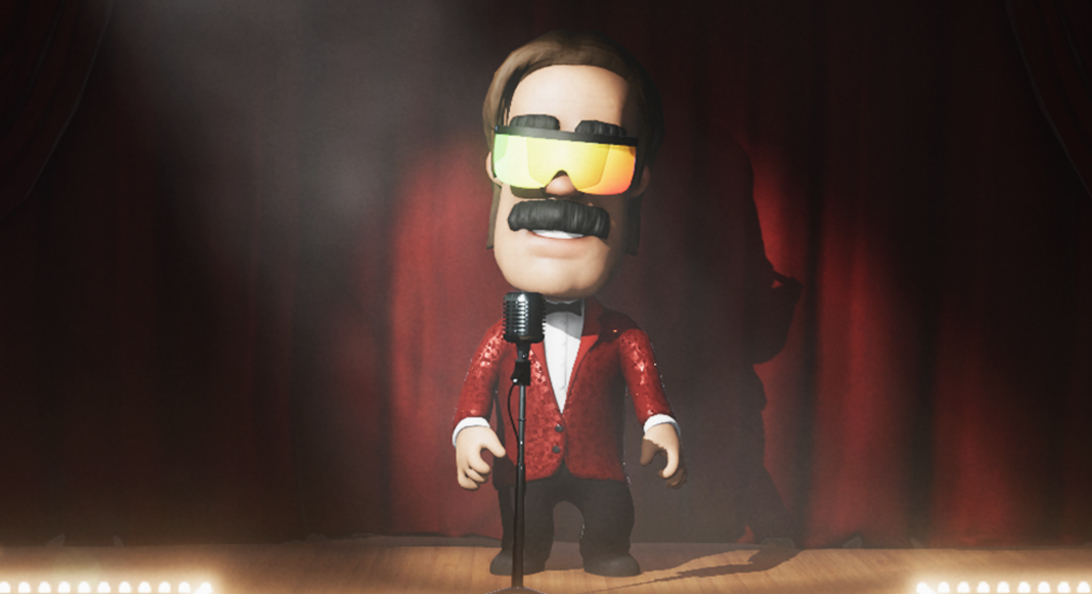
We have another great update this month for Comedy Night, things may look and feel a bit different as we have overhauled the visual effects in the room so not only do things look better but it runs faster too.
We have added a new "Offensive" Room tag (so players know what they can expect when joining some of the more edgy rooms) Hopefully this helps players find the sessions they want to be in. We have added more admin controls and the room settings have been simplified, we now only show the important stuff.

Simplified room settings and new offensive room tag
A great new feature that makes it easier to identify players has been added, right-click on a player in the room and they highlight, hovering over a player's name in the Quick Menu will also highlight the player, and hovering over the Admin panel in the top right corner will highlight the room admin.

Right clicking on players highlights them

New graphic settings panel with more options and a FPS counter
These are only a few of the main features of the update. See the changelog below
Keep the feedback coming and let us know what you want to see in next month's update.
Game Changelog
- Graphical visual effects overhaul (looks better and runs faster)
- Shiny Female Blue dress enhanced effect
- Shiny Red Blazor enhanced effect
- Improved visor glasses effect
- New options menu settings - MSAA now supported
- New options menu settings - New shadow quality improvements
- Glass effect for side panels (both left and right)
- New "Offensive" Room tag (lets players know what they can expect in that room)
- Simplified the room settings on the right of the screen only showing the important stuff
- Room settings on the right now shows what Room Type you are in (Music, Comedy etc.)
- F9 now turns on/off a FPS counter
- Options menu now automatically shows a FPS counter
- You can now click on the players in the Queue list to view their steam profile
- Hovering over the players in the queue will now highlight where they are in the room
- Hovering over the Admin panel in the top right corner will now highlight the Admin in the room
- Hovering over a players name in the Quick Menu on the left will now highlight the player in the room
- Right-clicking on a player will now highlight the player so you know exactly who you have selected
- New Right-Click player menu
- As a Room Admin it now instantly shows the players name when you hover over a player as well as highlights them so that you can easily identify a player if you need to kick/mute/ban them
- When you hover over a player it now also shows their Flag next to their name
- When someone is talking in the crowd for a few seconds all the players will now look at that player (except if the person on stage is talking then they will remain looking at them)
- Added the Trans Pride flag
- Added the Australian Aboriginal flag
- Added more font special characters (so fewer square symbols should show)
- Removed the Yellow from the Lobby warning system
- Bug Fix - Timer on Player Badge showed even when it was disabled
- Bug Fix - Timer did not show for the player on stage if changed whilst on stage
- AFK will now kick the player from the room (prevents the bug with 2 AFK players constantly swapping admin) and also frees up a seat.
Comedy Night -January Update
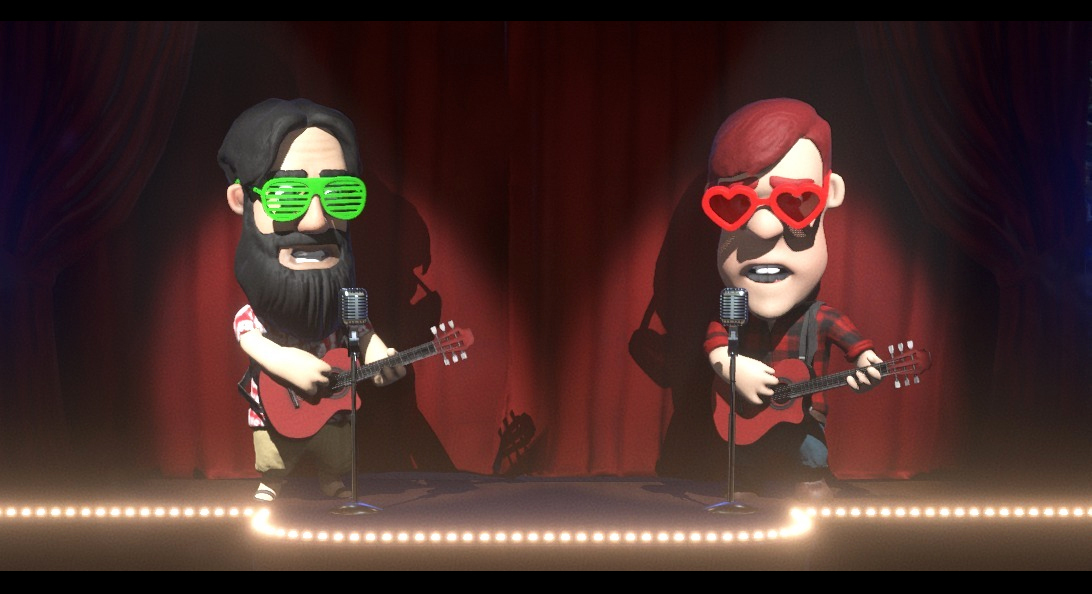
We rolled out a number of changes this month to improve the Comedy Night experience. Many of these features are based on community feedback, thank you for all the suggestions. We have a great roadmap of new features coming up over the next few weeks/months that really is going to be game-changing.
- Added a Leave Room button to the Quick menu (so you can leave without using a keyboard)
- Added more racist filters to Room Names, Descriptions, and text chats.
- If the Room Admin is AFK for 15 minutes it will auto switch to a new Room Admin (it will prompt you first and you have 15 seconds to respond before it switches).
- If there is nobody in the room then it auto shuts down the room.
- If a Room Admin Mutes a player it Mutes that player for everyone in the room.
- If a Muted player tries to talk it now shows their chat bubble in Red with a Mute icon
- If a Muted player goes up on stage and then sits back down it now remembers that they were muted (previously they would become unmuted)
- Room admin can now enable/disable crowd voice chat from the quick menu when someone is on stage.
- Added new Free Player Banners
- Added new premium glasses
- Glasses & Instrument bundles now show in the Player Badge lists.
- Fixed a bug where if you are in a room and on stage and then join another room via invite or via Steam friends list you would show up in the new room on stage (even if someone was already on stage)
Thanks for the support, see you all at the Comedy Night Bar tonight.