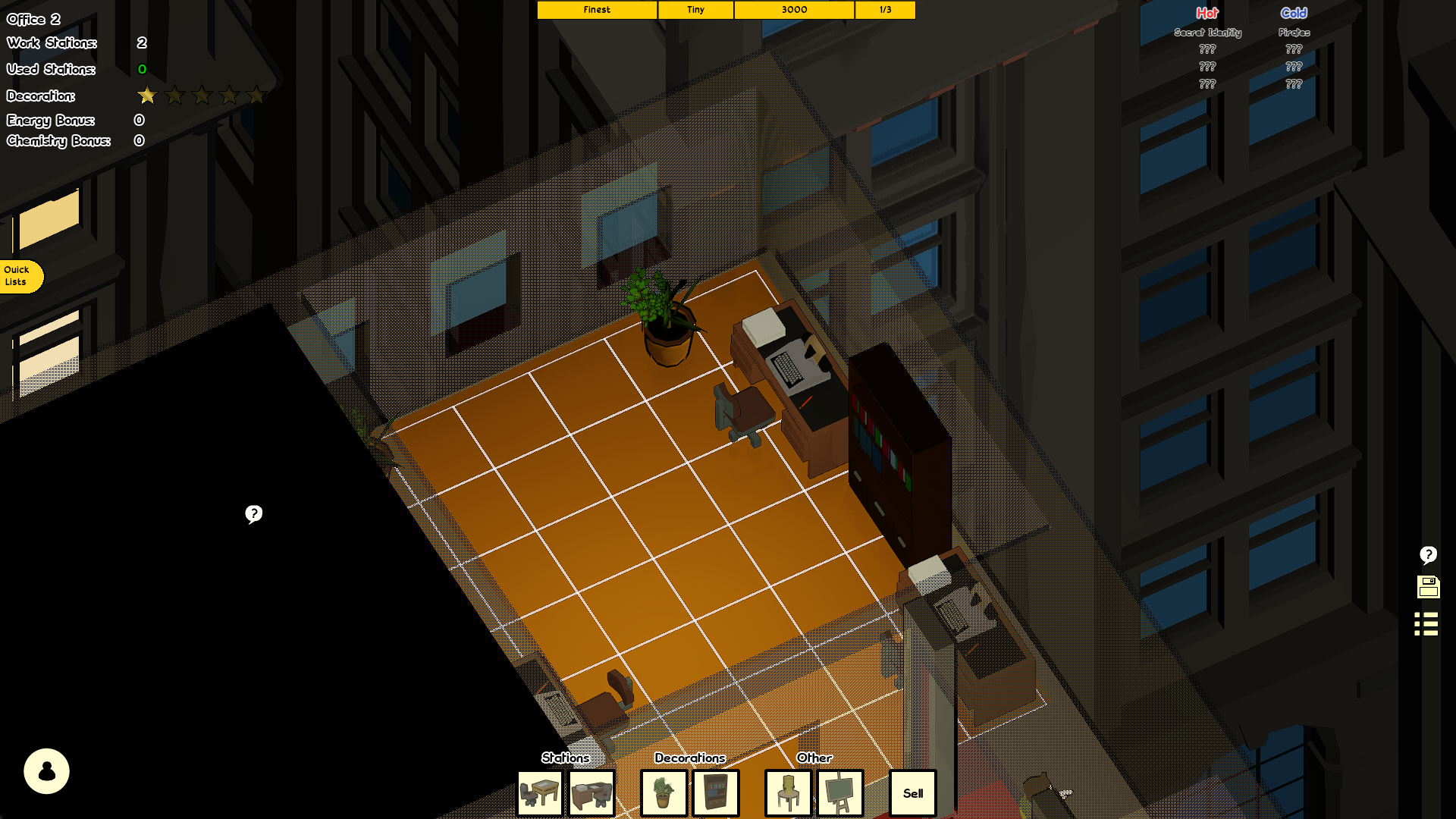
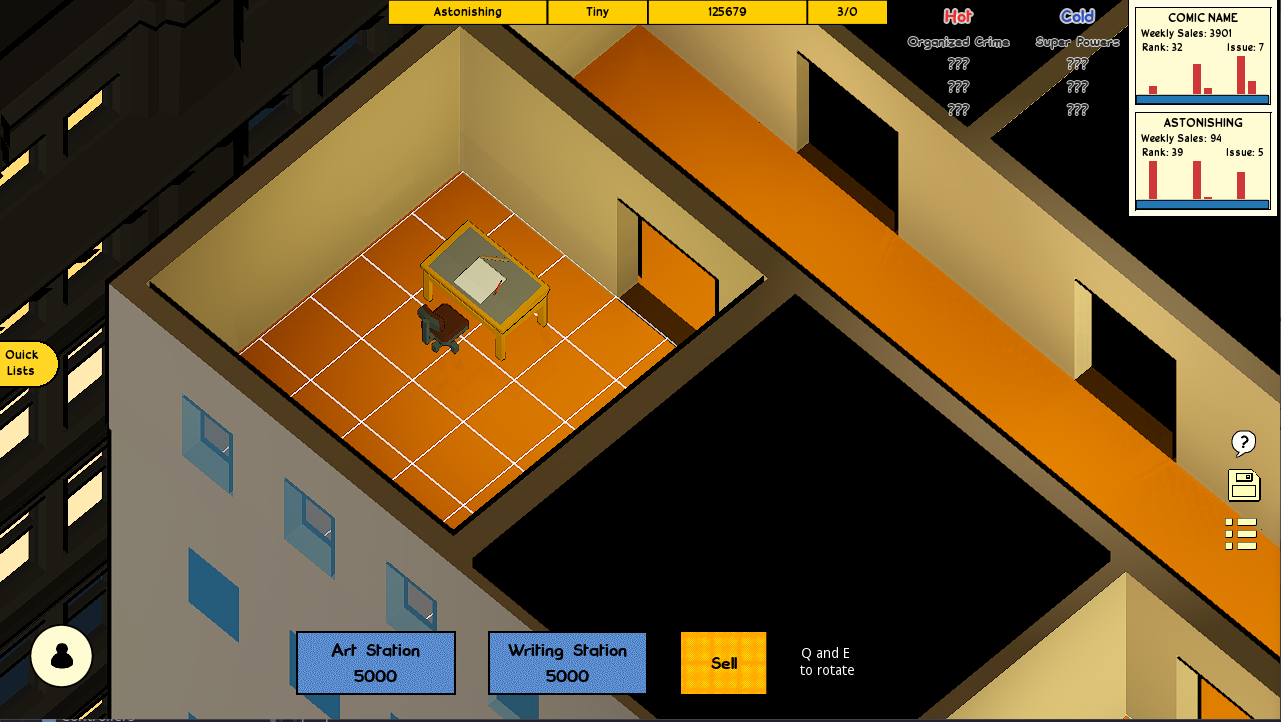
This update includes the basic version of new worker behavior. Workers now will look for stations where they can do work and once they reach them they will start working.
For breaks they must reach a relevant item like coffee station or a nice chair
This is roughly the version that will go to main branch of the game. Most likely there are lot of bugs that I will have to hunt down first.
Some furniture also had their size changed which might lead to some weird behavior on loaded games
Changes
Workers look for stations relevant to their task and go to them
Visual changes to building items
Work stations split to writing and art stations
Adjusted the size of ui when clicking a worker
Station level will influence the quality of the workers work
Workers should work slightly faster now
Some furniture like coffee stations have had their size changed
Fixes
Chemistry bonus furniture was not working correctly
Worker name was missing from their info window
0.9.1.4 - Beta Branch Update
First part of overhauling how workers create comics is ready for testing. Also I have added a demo for the game but if you are reading this I assume you already own the game.
In this new system workers create all parts of separately over the weeks as opposed to old system where comic was just created when it was time to publish it.
New workflow is following: First writer creates a script for the comic, then penciler does the base art, next up is inker and last work to be done is the colors. Workers cannot work on their tasks if the previous task is not done. Once the comic issue is done it goes into storage to be ready for publishing for when its release date comes. This way you can in fact create comic issues in advance of publishing if your workers are fast enough.
Workers also now need to take breaks. It just a task like any other at the moment but in future they will need to go a place like coffee station to take their break.
Next part of the overhaul will make it so workers must be at a correct work station to do their work. This should hopefully be done next week.
Also since to limit how many comics workers were able to do at once an energy system was used. New way comics are created eliminates the need for this so energy system is removed from player workers. Also energy giving furniture now speeds up the workers instead of giving energy recovery
Default publishing schedule is once a month. Being late will give you a fame penalty. In future I will be adding an option to decide how often you want to publish a comic
Changes
Workers now do work on their comics over time
Energy system is removed
You can now create issues in advance of their publishing date
When creating a new comic new issue is not immediately created
UI updates to show what tasks workers are doing
It is now possible for companies to lose fame
Energy giving furniture now gives work speed
0.9.1.3 - Small update to main branch
This update is a collection of small changes that were earlier added to beta branch.
Next update might take little longer as it will overhaul how player creates comics by having the workers actually perform parts of creating the comic like writing, drawing etc. This a fairly big change and will need lot of testing.
Changes
Worker positions are now saved and loaded. They don't all just leave the elevator every time you load game
Shadows added. They can be toggled off in the options
You can now view team chemistry on finished issues
Various performance updates to get sometimes high GPU usage down
UI updates to make things little clearer
Fixes
It was possible to get review window stuck in a way that you could not close it. This was fixed
0.9.1.3 - Beta Branch Update
This update is a collection of small changes
Changes
Worker positions are now saved and loaded. They don't all just leave the elevator every time you load game
Shadows added. They can be toggled off in the options
You can now view team chemistry on finished issues
Various performance updates to get sometimes high GPU usage down
UI updates to make things little clearer
Fixes
It was possible to get review window stuck in a way that you could not close it. This was fixed
0.9.1.2 - Hotfix
This update is mainly a fix for a crash happening when hiring workers. It includes few small other changes I have been working on but nothing significant
Changes
Added 3 levels for work stations, currently the have no different in game effects
Workers get chemistry bonus now when working in the same room
Fixes
Fixed crash happening when hiring new workers
0.9.1.1 - Small update
This is small update to add some more furniture and fix few bugs
Changes
Added new furniture
Added development bonus furniture
Reversed camera rotation controls
Added little more money to start to help players buy furniture
Made mouse drag speed slower when moving camera
Fixes
Fixed build mode showing incorrect item sometimes
Fixed two rooms being unlocked at the start instead of one
Fixed a possible crash source from the starting a new game
Fixed furniture selling not working correctly
0.9.1 - Office Furniture Update
The office furniture system is now finally ready for the main branch of the game. It adds the basic system that should work. Still lot to add to it like extra furniture, new worker behavior inside the office and separate station types for different tasks.
The look of the game is little changed too. Mostly it comes from moving to isometric camera. You can also now rotate the view with Q and E buttons. Mouse controls for camera are also added. Holding middle button allows you to drag the camera around. Holding right button allows you to rotate the view.
Main feature here is the new offices system.
All workers are now assigned an office as long as you have enough work stations. If you somehow end up with more workers than work stations, the worker without one will get large morale penalties.
To assign an office to a worker you can either do it through their info window. There on their “Work” tab you find a button to assign office to them. The other option is to do it through the office window that can be opened from the icon at the bottom of the screen. There you can see a list of your offices and by clicking them you can see a list of workstations. Free stations are marked with “+”. Clicking them allows you to assign a worker to them. Workers working on the same comic do not need to work in the same room.
You can build furniture into the rooms by clicking the build button on the bottom left of your screen. To return to normal mode click the build button again.
Rooms have 4 different statistics that affect workers working in them:
Work stations are simply the amount of stations in the room. Even though they are split into art and writing stations they currently have no game play difference.
Decorations improve the look of the room. It is measured by 1 to 5 stars. Offices under 2 stars are going to reduce the morale of people working in them. Above that will give a morale bonus.
Items that give energy bonus will help people working there recover their energy faster
Chemistry bonus items will help with teamwork and give a chemistry bonus for workers working there.
Changes
Changed camera view to isometric
Added camera rotation controls
Added mouse controls for camera rotation and movement
New Office model
Added furniture system
Added room rating system
Added worker room assignment system
0.9.0.2 - Beta Branch Update
Lot more additions to the new office building system done now. Main branch version of this system is now very close.
Changes
Workers should avoid walking trough furniture now
Added new pieces of furniture to build
You can now rotate the camera with Q and E buttons
You now rotate furniture with R and Tab keys
Fancy building animations and sounds
Decoration, chemistry and energy scores from rooms now affect workers
You now can assign workers to offices. This feature is not completely finished and will be getting better UI later. Now you can do it from "Work" tab on worker info window
Fixes
Clicking workers works correctly again
0.9.0.1 - Beta Branch Update
Finally I managed to get some kind of update out to you. Sorry for the delay. There was many systems to overhaul and change behind the scenes. Unfortunately it doesn't really add that much yet. Its mostly a preview of whats coming.
Main addition here is the building system. You can now set up your offices the way you like. Currently there is only two stations to build however. I will add much more for the final version.
You can access the building by clicking the button on bottom left of the screen and go back to normal mode from the same button
The navigation is bit unfinished too so don't be surprised by very weird worker behavior.
The visuals style is also changed to be isometric with new office model. Even that isn't finished and lacks detail.
Next updates should come out much faster now that the basic system is mostly built
0.9 - Franchises And Merchandicing
Merchandising and Franchise systems are now implemented in the game
Next up is the office overhaul and lot of visuals in the game will be changed too. Then its time to finally leave early access!
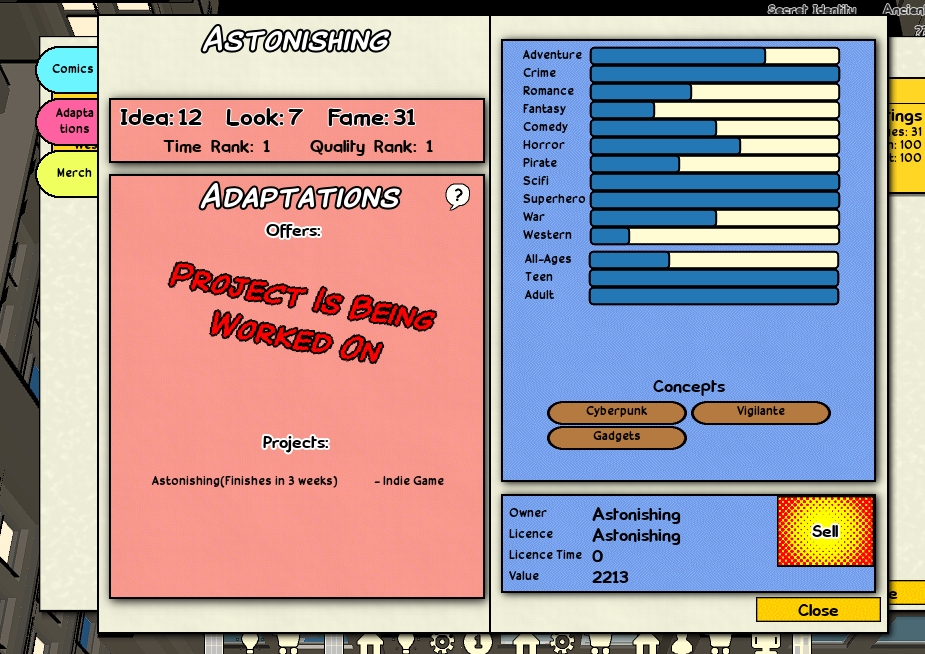
This update introduces Adaptations to the game
You can access this feature in franchise info window
Adaptations represent media made from your franchises that are not comic books. For example movies and games.
You do not create these adaptations yourself. Their creation is handled by outside studios that you sell the license to. They have minimum fame requirements and their own reputation scores. Higher reputation studios usually produce better work. Different types of adaptations also have different fame requirements. You can have only one project going at a time for each franchise.
What you gain from adaptations is money. First you get a sum of money when you give out the license. When the project is done you have a chance to get part of the profits. This depends on the success of the adaptation. The success will also affect the possible fame gain or loss you get from the project. Successful projects can raise the fame of the franchise and failed projects can decrease it. The franchise quality also has an effect on the result.
It is also possible for the project to be canceled. This is more common for low reputation studios. Franchise quality has no effect on this. Cancellation results in no extra profit or fame loss or gain. Rights return to you immediately.
Indie Game: This type of adaptation has the lowest fame requirement and generates lowest amount money.
Mobile Game: This type of adaptation generates lot of money but is unlikely to raise the fame of the franchise. Franchise look is a lot more important that its idea
AAA Game: One of the biggest type of adaptations. Can generate lot of fame and money. Franchise look is more important that its idea
Cartoon: Type of adaptation that generates average amount of money and fame. Franchise look is more important that its idea
TV Show: Type of adaptation that generates high amount of money and fame. Franchise idea is more important that its look
Movie: One of the biggest type of adaptations. Can generate lot of fame and money. Franchise idea is more important that its look
Changes
Adaptations added
Updated bottom icons
Re balanced franchise creation scores
Order more button added to merchandise info
Franchise done popup looks less bad
Fixes
Public domain franchises were displaying non-existing comics