

Conductor: Creative Joy Engine
Multiplayer will be down starting June 1st.
We have some unfortunate news. The networking solution we are using to provide multiplayer to Conductor has decided to shut down the version that we are using in Conductor.
At the moment we can't presently afford to upgrade it into the next version, as we have had a number of issues attempting to update to their newest version and it is looking like a much larger undertaking than we were originally expecting.
At this point we can't estimate how long multiplayer will be down for, but we'll be sure to put out an update in the future if / when we are able to dedicate the time and resource towards either implementing a new solution, or are able to get the newer version of our current solution working properly.
- Club Transcendia
Conductor 2021.4 Released!
Conductor's first update has arrived!
Hi there, friends!
Conductor 2021.4 brings with it not only a handful of bug fixes, but two new features as well as a much needed music import clarification in the interface.
Feature Additions to Conductor 2021.4 include:
- Audio and Video track repeat. Now you no longer have to manually restart your tracks or your videos, and have the freedom to watch and listen to them for as long as you please!
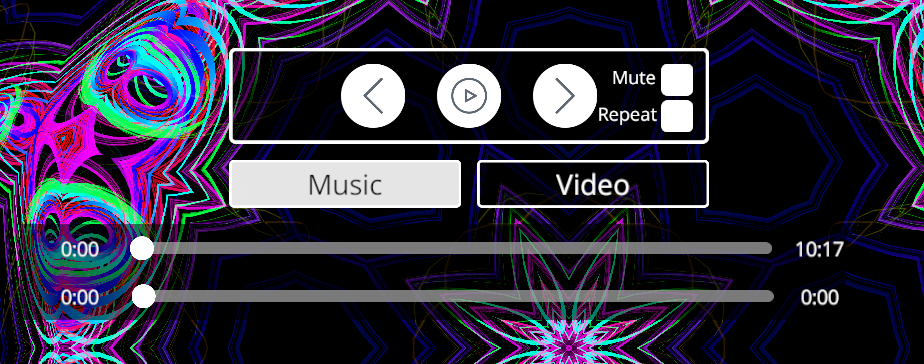
Bug Fixes in Conductor 2021.4 include:
- Imported videos will now respect whether you have their audio muted on import or not.
- Advanced mode animator tabs will now no longer cause their features to disappear if double-clicked too many times by accident.
- Track selection using the playback controls panel arrow buttons under the music tab will now always bring you to the proper forward and backward track, rather than skipping over the track that had just finished.
- Reactivity Spheres will no longer shrink in VR when added into the orbit of a Geometry Sphere.
Music Import Clarification:
- Conductor's Import Music button now describes how to properly import music, rather than having that bit of knowledge only in the readme.

As always, thank you for your interest in Conductor and don't forget that you can stay up to date with our development on our Public Roadmap and by joining our Community Discord!
If you like what we're doing here with Conductor, please consider supporting us on Patreon or picking up our first content DLC here on Steam!
https://store.steampowered.com/app/1575490/Conductor_Content_Pack_1/
How To Import Music
To load in your music, open up the Now Playing/Import Music panel from the Control Panel, and left click on the Import Music button to select a folder on your hard drive that has music files in it.
(IMPORTANT: Select the folder that the music is contained in and not the individual music file. Once a folder has been selected, click the Open button on the file browser UI)
Conductor currently supports these audio formats, with support for more formats coming in future builds:
◦ MP3
◦ OGG
◦ XM
◦ IT
◦ MOD
◦ S3M
◦ WAV
◦ AIFF
Once you’ve loaded in your music, you can navigate through the tracks with the left and right arrow buttons on the Playback Controls panel when the Music tab is highlighted or or open up the Track List panel to be brought to a track selection playlist.
For more information please check out the full readme over at: https://docs.google.com/document/d/1XW0eORp13a8e3jTqXOnrf-YTnr74lXyA2HVu3FTlq40/edit
Thanks everyone!
- With Love, Club Transcendia