To celebrate the new year we have a little update for you:
All users who login until January 3rd will automatically get the permanent opportunity to activate as many fireworks as they want.
You don't have connect yet? You can also watch the firework in a 360° YouTube video and share it with your friends if you like: https://youtu.be/UfGewcc7pZ0
To get this unlimited firework you need to collect 5 hidden keys first to unlock the weather station and then click onto its logo.
If you can't find 5 keys, here are two important tips for you:
1.) Look at the best hidding places you can imaging.
2.) Some keys are easier to find in 3D mode than in VR and if you want to search them in VR, you should use the function to change your size. Get tiny small by pressing the minus key on the keypad or become a giant with the plus key.
By the way, there are more than 55 keys hidden in this small loft! We would be very interested to know how many you can find - some of them are really hard to get. We would love to see some screenshots of your progress here on Steam! ːsteamhappyː
You can take screenshots with "P" or "Print" and with "O" or "F10" you can switch between normal screenshots and 360° pictures.
Click on the logo of the weather station once you got it as reward for the first 5 keys and enjoy the most environmentally friendly firework ever.
Have fun and success with your key search! ːsteammockingː
Beta Release!
Finally the time has come - connect is officially released.
Don't forget: connect also makes fun in 3D - no VR glasses needed!
What's new? What can I do in connect?
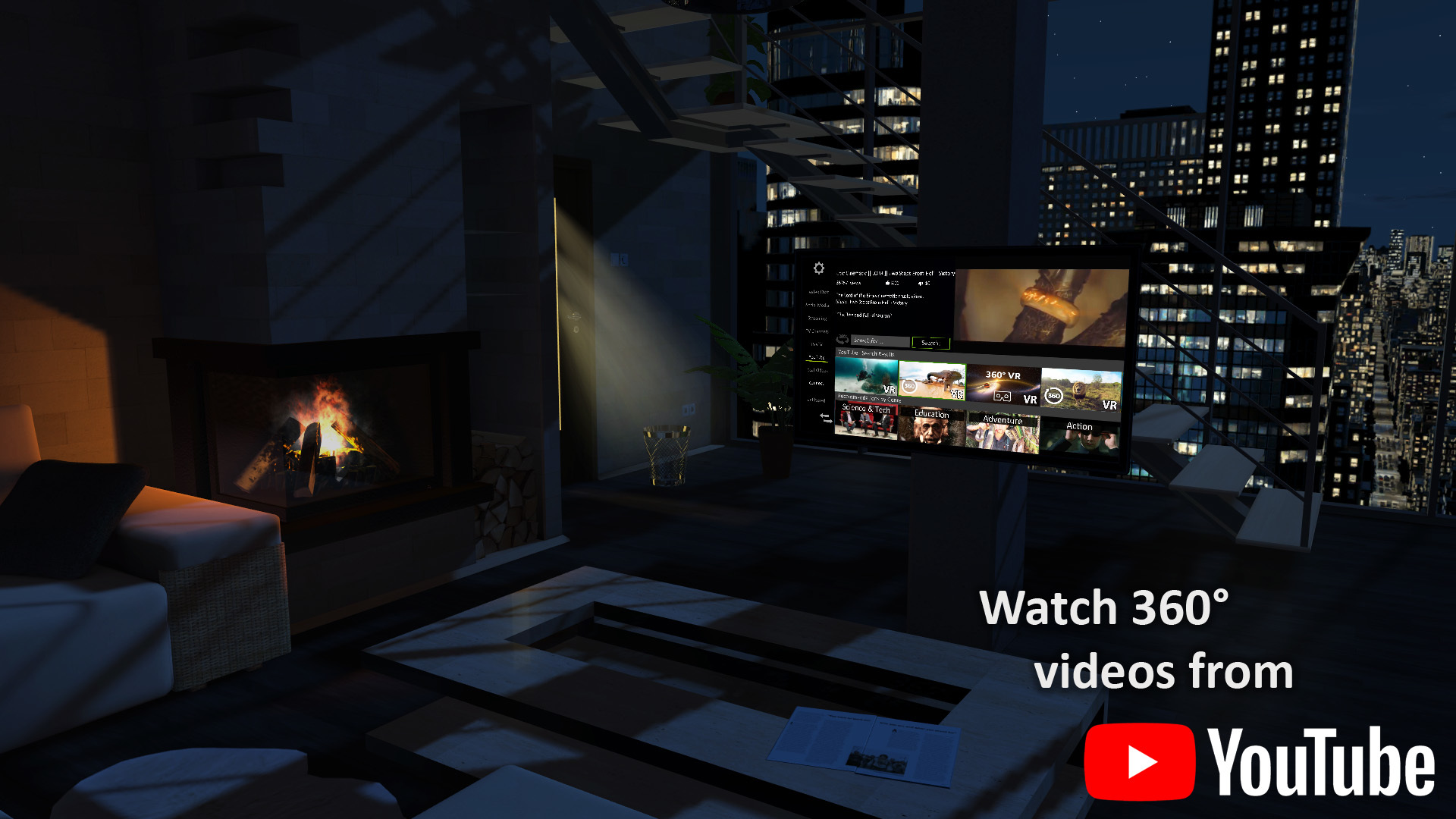
- Enjoy YouTube videos in 360°, in cinema format or as look out of the window
- Listen to music and read magazines (new content coming in Q1 2019)
- Find secret functions and hidden objects
- Create a profile and chat with friends (own end-to-end encrypted connect chat)
- Play "Connect Four" with friends (reward for completing the tutorial from “Tutorbot”)
- Send 3D objects, exclusive stickers, photos and screenshots via chat
- Make videos and screenshots (also in 360°) and share them with friends
- Teach your radioactive baby duckling tricks (gift until 31.03.2019)
- Get a gray baby ducking if you report a bug or give feedback to “BugBot”
- Change time of day, weather, wind speed and all lighting conditions
- Furnish your loft (changing materials and furniture, exchanging pictures and outlooks)
- Change gravity (letting things levitate) and your size (tiny small vs. giant)
- Find up to 55 hidden keys and use them to unlock rewards
- Whoever finds all 55 keys will receive a worldwide unique(!) reward automatically)
- Set up the room with 3D objects (and position or throw them)
- Enjoy special effects (tip: take a closer look at the shelf)
- Freely scale and position user interfaces such as the gallery
... and much more ...
In a few days there will be an update with a new quest system, which will help you to get to know the many possibilities in connect and at the same time to unlock special rewards with collected points.
Make a wish!
We want to work as closely as possible with you and implement your feedback. connect's vision is too big to be able to complete everything at once, so we would be happy if you would also vote on what you would like to see next in connect:
https://poll.fm/10198966
We have already implemented your biggest point of criticism - which was responsible for almost half of all negative reviews: Now it is no longer necessary to create an account, connect can also be used without registration!
Reward until 31.03.2019: Radioactive baby duckling
New users until 31.03.2019 get a strictly limited radioactive baby duckling that glows in the dark.
Adult content
If you are over 18 years old and want to unlock adult content on YouTube, enter "18+" in the search field of the TV (and scroll to the right in the recommended videos section).
Have fun with connect!
We are a very small, independend team and give our best. Please help us to realize our vision of a data-protected virtual world that not only integrates all digital content, but also continues to grow through user and partner generated content - e.g. by showing connect to your friends or posting 360° screenshots of your new virtual loft in social media. Thank you so much!!!
Epic rare tiger duckling until end of 2017!
We are very happy about every early access tester of our brand new VR social network!
Join our virtual world until end of 2017 and secure a free LIMITED EDITION tiger duckling! This virtual pet can be traded, gifted or sold and will get a high collector's value.
Tell your friends about this special chance - only some days left! Merry Christmas!
Registration via Mail
Dear User!
We have just released a new update that responds to your wishes and now also allows a registration by mail (instead of mobile phone number).
In addition, we have fixed some navigation bugs, that could have affected you too. We are working on the next major patch, which will bring customization options and is expected to be released still within the year 2017.
Please give us feedback or report bugs to us: support@4connect-e.com.
Thank you!
Find up to 50 hidden keys!
Did you already find one of the 50 hidden keys in your virtual home? I only found 49, but I know, that there are 50 keys in these 2 small rooms.
Let's bet. I don't think, that you can even find 30 of these 50 keys. If I am wrong, make a screenshot as proof and send it to us (support@4connect-e.com) and we will give you a code, with which you can activate a weather station in your album (register tab) in the virtual organizer.
https://youtu.be/PvwaRIaJkuU
With the weather station you can change the time of day and the weather (rain, thunder, snow) as you like - you become a weather god!
Have fun and good luck... you will need it, it's not so easy.
PS: Or course you can also post your screenshots here, if you want.
PPS: Please consider: When you start connect new, you will have to find the same keys once more (on the same hiding places) - your progress will not be saved, you have to remember, where the keys are hidden. ːsteammockingː
Update (Bug Fixes)
We just launched an update with some VR bug fixes. If you had problems with VR before, they should be fixed now.
Please make sure that you use the new version (the background of the virtual laptop and while loading now contains instructions for the navigation) and check that the modules "connect Home" and "connect Media" are activated. While loading, press the ESC key on the keyboard to enter the settings. There you can set the two modules to "activate (fast load)".
connect still has some flaws and bugs, but we will greatly improve this Early Access version over the next few weeks. Please be patient, thank you.
- VR needs to load the room first (loading bar on your virtual phone).
- connect doesn't have a VR interface for the loading sequence so far, but that's something we will offer soon. So please be patient until the room is loaded.
- If you have any problems or bugs, please report them to us, thank you! support@4connect-e.com
---------
There is a rare bug (which we will fix soon!), that sets the laser pointer to the wrong controller (e.g. you press a button on controller A, but controller B shows the reaction).
Avoid it with HTC Vive: Please activate both HTC Vive controllers before you start the game or only use one of them.
Avoid it with Oculus: Please press any button on your Oculus controllers while loading.
(solved!) Problems with Oculus Controller
(solved) Oculus controller doesn't work (will be fixed within this week)
Some of you had problems with the Oculus controllers (they couldn't use them e.g. to move around or interact with objects in VR) and we were able to reproduce the bug.
We are working on a quick bug fix and apologize for the inconvenience!
We expect to release a new version on Wednesday or Thursday that fixes the problem. If you want, you can try connect in 3D mode in the meantime.
We have temporarily hidden the support of the Oculus.
Oculus VR doesn't work at all (please wait until the room is loaded)
So far we can not reproduce that VR does not work at all. The Oculus glasses work for us. It is correct that the 3D space is only displayed on the VR glasses after the loading or the room has finished. There is no display of the loading process in VR yet (we will integrate it soon), but you can see the loading bar on your (real) monitor (shown on the virtual smartphone at the virtual desk). Depending on your device, the loading process can take between 30 and 90 seconds, so please be patient.
Thank you for your understanding and patience.
connect can be used in 3D too! Get some special rewards!
You don't have to use connect in VR - you can use it in 3D too! (like a game). You may switch between a "2D" (birds view), 3D or VR mode within the app, please have a look on our manual below.
Switch between "2D" (birds view) and 3D mode:
https://4connect-e.com/share/pc.pdf
Press any button on your VR controller after the room finished loading (that means, there is no more loading bar on the virtual laptop and virtual smartphone on the desk) to enter the VR mode.
Run around in VR:
https://4connect-e.com/share/htc.pdf
Interact with objects in VR:
Up to now, many hundred users tested connect within the last 48 hours. We are very thankful for your interest!
We did not advertise or promote our early access version, because we know, that there are many features missing. We wanted to give you the possibility to get some first VR expressions, but it will take us some additional weeks to complete our to 95% realized promised functions like multimedia and customization.
In the meantime you may teach your LIMITED EDTION virtual pet (a tiger duckling for all new users until end of 2017!) some special tricks, when you reward or punish its reaction after clicking on different parts of its body.
You also may search for hidden keys - there are 50 keys in your virtual apartment. When you can find at least 30 of them, we will reward you with a weather station with witch you can changing the time of day and the weather. Just send us a screenshot (with the number of collected keys) to support@4connect-e.com and we will send you a code, which you can enter in your album in the virtual organizer.
Some of you seam to have problems with entering the VR mode, please check out our "Problems?"-Update!
We were able to help many of them and found out, that in most cases, the problems occurred, because "connect Home" was not loaded at the time of testing. If our "Problems" Update doesn't help you, please write us a mail to support@4connect-e.com or talk with us in Skype (search for: "connect (e.com)"). Thank you!
Problems?
Do you have problems with this early access version?
Check this out:
https://4connect-e.com/en/help
https://4connect-e.com/share/htc.pdf
https://4connect-e.com/share/pc.pdf
FAQ:
1.) I cannot change from "standard mode" (bird's-eye view) to the "3D mode".
https://4connect-e.com/share/pc.pdf
Hold the right mouse button pressed (it's the look around) while you press one of the following letters on your keyboard: wasd. With wasd you can run, with the pressed right mouse button you can look around.
Doesn't work? Please check that the modules "connect Home" and "connect Media" are activated. You can press the ESC key while the app is loading/starting to open the settings. There you will be able to set these both modules to "activate (fast load)".
2.) I cannot interact with virtual things via my controllers.
https://4connect-e.com/share/htc.pdf
One of the buttons of your primary controller (the one with the gray "coin" on it) can activate the laser pointer (check the link above). With the laser you point at anything and then press the button for your index finger.
Doesn't work? Please check that the connect window has focus, that means, that you have to click on it with the mouse. When the window loses the focus (mouse click outside the window), the laser won't work anymore. We are trying to fix this bug.
3.) Do you have different problems? Please send us a mail, we will answer you within a day: support@4connect-e.com
Have fun with connect and please don't be to critical - it's an early access and many new content and features will get implemented soon.
We tried to hide some bugs for you, if you find them and report them to "BugBot" (you will find him in your message list in the virtual organizer), we will reward you with a epic rare gray duckling! Thank you! ːsteamhappyː