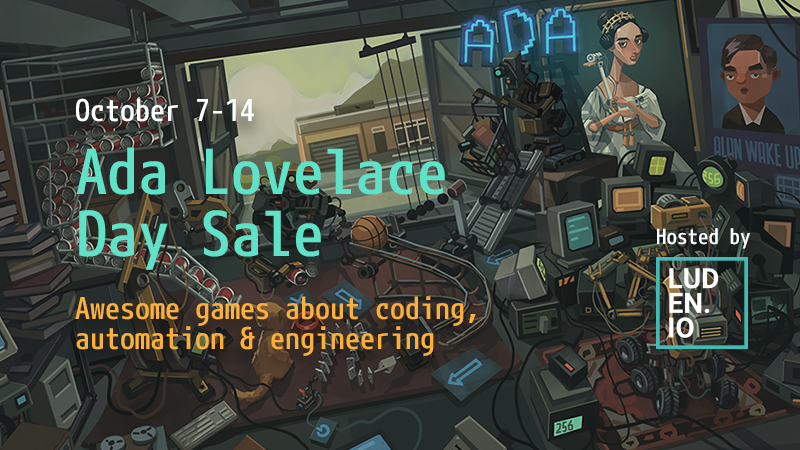
It's Ada Lovelace Day Sale, Craftomation 101 is 25% off!
Hey mates!
If you're following our news for some time, you might know that in our spare time from making games, we're also organizing an event that gathers games about programming, automation and engineering.
This year it is dedicated to Ada Lovelace Day, celebrating the first programmer in the world. We've got over 80 participants this year, and you might find some familiar names and hidden gems there:
And of course, all our games are discounted as well. Craftomation 101 is sold 25% off the price throughout this whole week, and the DLCs are 15% off as well:
In this update, we added 3 new programming blocks, and that is not even our final form! These three just lay the foundation for some more exciting ideas that we plan to introduce until the end of the year.
In the meantime, check out the new blocks and let us know what you think of them in the comments and on our Discord server.
v0.83 Released!
New programming block: 'uncombine' lets your CraftoMates to decompose any complex Object into simple components
New programming blocks exclusively for CargoMates: 'get load amount' lets them detect the number of objects they're carrying (and, subsequently, use it as an argument in Variables), and 'get load type' allows them to detect the type of Object on their back (surprise!)
Added an option to give custom names to Variables and inputs/outputs of Functions
We've unified tooltips so that they work the same way in all the game's menus, with an option to pin them and open nested tooltips
Fixed a bug that caused CraftoMates to incorrectly interpret the coordinates of a Storage unit carried around by a CargoMate
See you in a couple of weeks, when the next update rolls out!
And if you haven't done it already, please don't forget to add Craftomation 101 to your wishlist, it is an important marker to us, that brings the game's release closer:
Today we're adding a whole new entity to the game, with the potential to change the way you interact with your CraftoMates!
v0.82 Released!
Enter the Ale Sprinkler and his big brother Big Ale Sprinkler*. It will dispense any kind of Ale you load into it.
Ales no longer force switch speed settings of your bots. Instead, if a player changes the speed for a CraftoMate that's affected by an Ale, the speed will be multiplied by the bonus of that Ale
Primordial Ale no longer charges robots; instead, it recharges 2 points of their batteries each second, for a total of 45 seconds. Use the new Sprinkler to create areas in which your robots will be automatically recharged!
We added a new camera module that makes zooming and moving the camera around smoother. Let us know how you like it now, please
Entering numbers as arguments to Variables is now available from the keyboard as well (oh, yeah!)
In a new game, a frozen CraftoMate was added to the map: when warmed out, it will start producing food for other CraftoMates (to give the new players an example of writing such programs)
Other bug fixes
*we've had a lot of fun inventing these very extravagant names. In fact, we had so much fun that we would like to do it again: share your ideas for naming these machines in the comments, or talk with us directly on our Discord server.
And if you haven't done it already, please don't forget to add Craftomation 101 to your wishlist, it is an important marker to us, that brings the game's release closer:
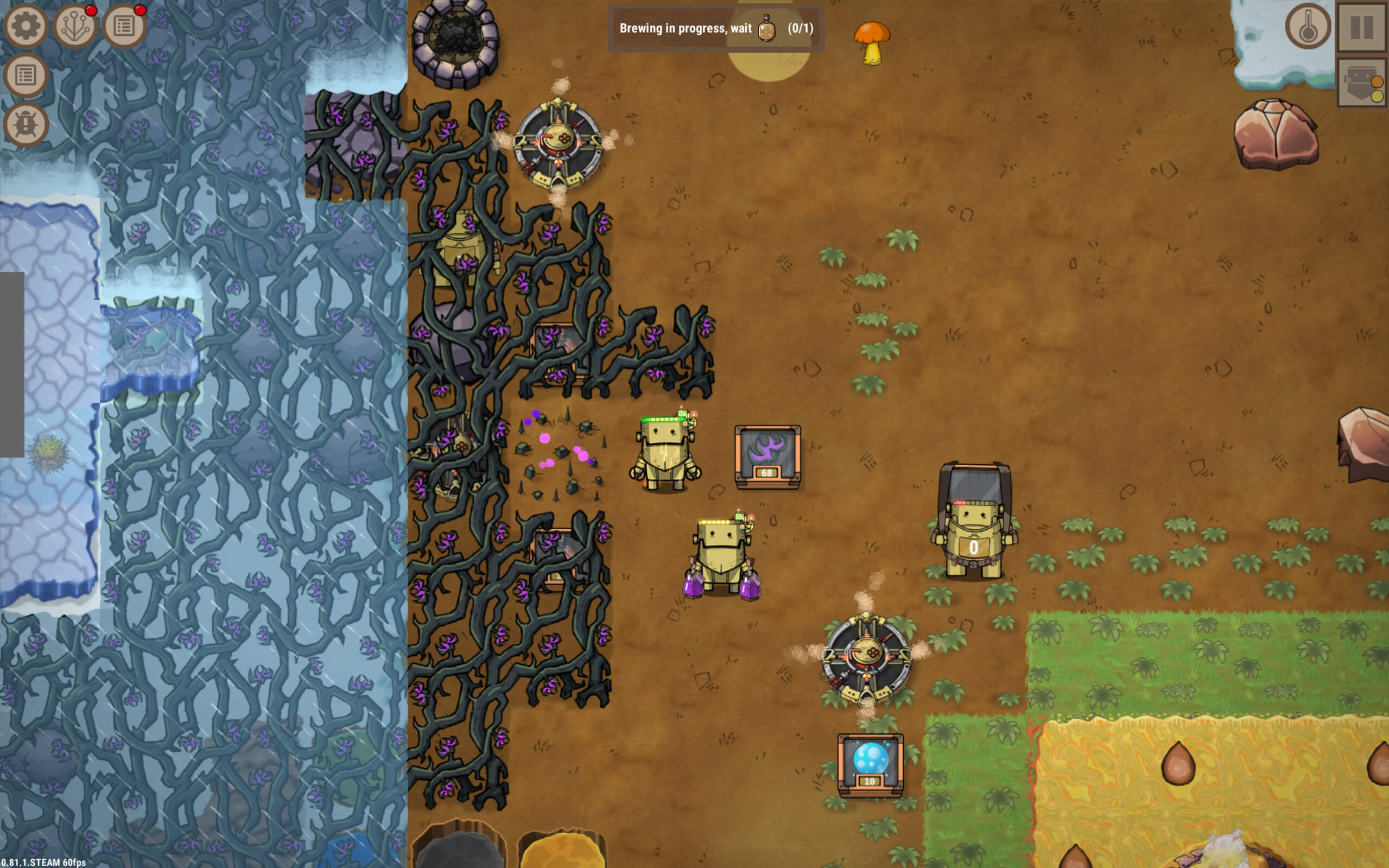
Hey mates! This update is basically dedicated to Thorns and how to get rid of them... Though maybe you'll want to keep some of them, with all the changes we made:
v0.81 Released!
Thorns can now be used to produce Fire
New Ale type in the Brewery: Uproot Beer will help you get rid of Thron roots permanently
Thorn bushes grow back at a slightly faster rate
A player no longer needs to harvest Thorns from Thorn roots to prevent them from growing back
Effectively, the roots grow back into Thorns eventually (if not destroyed with Uproot Beer), but it's happening at a slower pace: about 4 minutes, if not stimulated by warmer ground tiles around
Also, Thorns don't grow back, if there is an Object on top of Thron roots
Added an 'Unlimited progress' option to the menu: it allows you to unlock Upgrades, even if you don't have enough Progression points
Numerous UI/UX improvements and bug fixes
We'd like to say a special 'thank you' to our community on Steam forums and our Discord server - for pointing out the issues with Thorns, and helping us come up with new mechanics for them!
Bear in mind, that we have other interesting changes we'd like to try out for those Thorns, so follow the updates, and let us know what you think. After all, our main goal is to make Craftomation 101 more fun for you, so every opinion matters!
See you in a couple of weeks, when the next update rolls out!
And if you haven't done it already, please don't forget to add Craftomation 101 to your wishlist, it is an important marker to us, that brings the game's release closer:
Very Able Variables - Craftomation Dev Diaries, August 2024
Hey mates!
It's been some time but we spent it productively!
Remember summer reading programs? In a way, that's what we were doing: reading lines of code, reading your feedback, sometimes even trying to read the cards, asking them to show us the way! Ok, maybe the last one didn't happen but we were observing user reviews on Steam closely (please keep them coming!), along with conducting internal tests. More on this below, but first we'd like to discuss something more exciting: new content!
What's New
As we wrote once already, the variables system in Craftomation 101 was a legacy from early versions’ times, and we started planning to improve them shortly after the Early Access release. A couple of months back we already made it so variables would accept game object types (Stones, Iron, Fire, etc.) as arguments. With the last update, we completed the picture and unlocked an option to enter numbers as arguments, too!
To our surprise, introducing this feature led to the introduction of seven new programming blocks*, to perform all kinds of operations with numbers and Variables:
'get type' - detects the type of Object on a selected tile and assigns it as an argument for a connected Variable
'get amount' - checks the number of items on a selected tile and assigns it as an argument to a Variable
'get length' - computes the distance between the coordinates provided by two connected Variables
'coordinate to var' - transforms two numbers into a coordinate that can be used as an argument in a Variable
'split var' - transforms a coordinate into two separate numbers
'check var' - checks the argument of a connected Variable with a selected value for equality
'compare numbers' - compares numbers from the arguments of two connected Variables
*we also renamed the entities formerly known as ‘nodes’ and ‘commands’ to ‘programming blocks’ because it sounds more integral and makes things easier when translating the term to other languages
With these around, we felt there was no more need for the ‘counter’ block because you can do the same thing with Variables, which brings the rules of Craftomation 101 closer to real-life programming logic:
With their new features, Variables provide you with more flexibility, allowing you to parametrize all kinds of things. For example, some of our players want to control the precise level of charge of their CraftoMates - with new blocks it becomes possible:
This will mean more blocks in a Program, but the blocks themselves are now more intuitive and flexible, with no more need for clumsy nodes that do ‘magic stuff’, made by developers. Instead, you are now able to reproduce the logic by yourself and, therefore, better understand how it works. Just look at the way of organizing cycles before and after the update:
All in all, the work on Variables, as we see them, is almost finished now. We will, however, add at least one more important block to your deck: ‘get required type’ (work in progress name) will allow your CraftoMates to detect whatever type of item is needed on a selected tile - the type of fuel for a heating device, for example.
What's Next
We had plans to add even more content to the game after we were done with Variables. But then some new reviews came in, and we ran a couple of playtests - and decided that it would be better to concentrate on UI/UX tasks first: a bunch of minor features/bugs we were pushing away since the release turned into a huge snowball of problems. We have been thinking of dealing with them for months, but you know how it is: once you get locked into a serious content implementation, the tendency is to push it as far as you can!
This ends soon: we have a list of 70 improvements/fixes we'd like to make to the game in the upcoming weeks (some of them will be in the game by the time you have read these lines). That includes hotkeys, opening the Editor by double-clicking a CraftoMate, a battery indicator that changes colors, etc. We hope that combined, they will make Craftomation 101 a smoother experience.
Those are planned to be introduced in one of the next updates. But the work on making buffs more valuable has already started: in the last update we added visual effects for Ales, so you can know for sure who's under influence:
A related issue that is going through internal discussion is: what do we do about those Thorns? We initially added them to make the second part of the game more challenging. That is why Thorns cannot be eradicated permanently, which, in turn, is irritating some of the players.
But it's not just that: harvesting Thorns gives you the only and completely useless item (Thorn roots). The logic by which they work is unique, compared to other entities in the game: Thorns grow on tiles but do not occupy them, so a player can place an Object on top of a tile with Thorns, effectively making it impossible to interact/deal with them. Our idea was to motivate the players to find a solution around this, by either harvesting/eating Thorns or withholding their growth by surrounding them with low-temperature tiles.
Clearly, this idea is not communicated well enough and Thorns in general look a bit… odd? In any case, they must be improved. We're planning to make them slightly more useful by adding a crafting recipe that would allow you to make Fire from Thorns. After that, we might expand that potential by allowing you to make Ales from them. Some changes in their growth mechanics are also on our minds, but that's food for further thoughts and experiments.
That concludes our review of the latest news and immediate plans for Craftomation 101, but there's one thing left: there will be a nice 2-day sale of the game, starting on August 28! Save the date, or, even better, add Craftomation 101 to your wishlist on Steam, and you'll get notified when there's a discount:
Hey mates! This update brings an array of small changes, which make Craftomation 101 a better game!
v0.80 Released!
CraftoMates now have visual effects when buffed by Ales (see video below)
Added hotkeys for most crucial actions, along with proper naming for the key setting menu:
Added a separate Connector block for Variables
The blocks 'sum', 'difference', and 'compare num' no longer need to have two Variables as an input (but it's still possible if you prefer it this way). Instead, you can enter a number from a Variable to one of the blocks and get a result passed as an argument to the next Variable:
Fixed a bug that made blocks start disappearing from the screen after a player had a certain amount of CraftoMates
Fixed a bug with the 'Enter' button working incorrectly in text input fields
Fixed a bug that caused the 'organics tools' upgrade to not unlock 'set speed' block
P.S. We know we promised on Discord that we'd add an option to start a new game with the upgrade Tree unlocked, but we just didn't make it into this patch. We did not forget! We'll try and add it in the next patch.
See you in a couple of weeks, when the next update rolls out!
And if you haven't done it already, please don't forget to add Craftomation 101 to your wishlist, it is an important marker to us, that brings the game's release closer:
Hey mates! Unlike the previous update, this one's pretty big: we have reinvented Variables, and shaken the Upgrade Tree really well! Please share your thoughts in the comments, on the forums, or on our Discord server!
v0.79 Released!
Variables & Numbers
Variables can now work with numbers, coordinates, and Object types (the latter two are unlocked by separate upgrades). That led to adding a bunch of new blocks for working with numbers and Variables:
'get type' - detects the type of Object on a selected tile and assigns it as an argument for a connected Variable
'get amount' - checks the number of items on a selected tile and assigns it as an argument to a Variable
'get length' - computes the distance between the coordinates provided by two connected Variables
'coordinate to var' - transforms two numbers into a coordinate that can be used as an argument in a Variable
'split var' - transforms a coordinate into two separate numbers
'check var' - checks the argument of a connected Variable with a selected value for equality
'compare numbers' - compares numbers from the arguments of two connected Variables
The last block, combined with an ability to add up and subtract numbers, allows creation of proper counters, thus rendering the previous counter blocks obsolete (they were removed from the list of blocks from now on),
In future updates, we will add more options for interacting with numbers and Variables!
Rebalanced Upgrade Tree
We have moved a bunch of upgrades around to make it more balanced and interesting: now players won't have to choose between an upgrade that gives 1 new block and the other upgrade that unlocks 5 blocks. But that's not it, here's a bunch of highlights:
'eat' and 'compare energy' nodes are now unlocked with a single upgrade, so you could start making auto-feeding CraftoMates right away
'find and drop' node, previously known as 'drop to Storage' was confusing to some players in the early parts of the game, so it is now unlocked along with 'smart find and pick'. The latter, in turn, was brought closer to the beginning of the Tree
Optimization: Another Round
A round of optimization we started a couple of updates back is now complete! The game runs faster on bigger factories, and dropdowns to 50 FPS at the beginning of the game are not supposed to be happening anymore. The quest for ultimate performance optimization will continue!
Other Stuff
Improved button looks on the main screen
Fixed a bug that allowed CargoMates to put Storage units into Bonfires, which used to cause distress
Fixed a bug that was hiding one of the connection lines of a Variable in cases when a player connected one Variable to two inputs of a single block/Function
Fixed a bug that blocked game input when a player would try to delete a CraftoMate's code with the Upgrade Tree screen opened
Other bug fixes
See you in a couple of weeks, when the next update rolls out!
And if you haven't done it already, please don't forget to add Craftomation 101 to your wishlist, it is an important marker to us, that brings the game's release closer:
The last couple of sales were especially rich with precious, precious feedback from our new, and not so new, players. That subsequently led to extra time for head scratching, and then the great bug purge began, with the occasional break for QoL renovations.
Anyway, here are the first (but not last!) results of our processing your generous feedback:
Hotfix v0.78.4
Bug fixes
Fixed the bug that caused the Editor to freeze and stop refreshing if a player removed the 'Idle' block from the Editor work field
Fixed the bug that caused a newly added programming block to freeze over the right panel of the Editor
Fixed a bug that caused CraftoMates not to regard a programming block as executed, if the execution occurred at the moment when a CraftoMate got frozen, or if the player was saving the game at the time. Effectively, a CraftoMate would skip a step in executing a Program. This shouldn't be happening from now on
Made some fixes in the copying/pasting tool, which should work in a more stable way now. Also, clicking on a space outside of selected blocks should deselect the entire group from now on. And the default selection button is now 'Ctrl' (formerly - 'Shift')
Upgrade Tree can now be closed by hitting 'Esc' button, which turned out surprisingly hard to implement
Other improvements
The dropdown menu for selecting an argument or a number in certain blocks could previously disappear under the lower screen border. Now it will drop up if a block is too close to that border
Added an option to reassign the button for dragging the game field (previously one could only do it with the left mouse button)
When the Command Center extends its manipulator to grab a quest item, that item can no longer be stolen by a passerby CraftoMate, because stealing is bad
Various fixes in the game's copywriting. The important part: 'nodes' and 'commands' will be known under the collective term 'blocks' from now on
If you're still thinking about buying Craftomation, consider adding it to your wishlist - this way you'll be alerted about big discounts:
Although the hotfix we just released was the main reason for this post, there's a bunch of awesome Craftomation-related news today!
Hotfix v0.78
Fixed the bug that prevented CargoMates from swapping Storage units
Fixed the bug that swapped the names for inputs and outputs in the 'Energy check' command for some languages
Fixed the pathfinding bug that made robots to ignore closer, newly discovered object sources and choose those discovered earlier (even when they were further away)
Fixed the bug that made it impossible to detect an object with 'Find' and 'Find and pick' commands, if that object was on the same tile as a robot
Fixed a bug that caused the manual game saving window to work incorrectly
Another great news: The Automation Games Sale event starts today, and Craftomation 101 is participating! You have a week to grab the game with a 23% discount:
But wait, there's a delicious piece of charcoal on top: we have released a bunch of Craftomation 101-themed items in Steam points shop, and you can now decorate your profile with new backgrounds and enrich your conversations with Craftomated emoticons:
Until we meet again!
---------------------- How to get more involved?
If you want Craftomation 101, we got you! Here's what you can do:
Join our Discord server, find your mates and chat with us, the devs
Subscribe to our mailing list to get the latest Craftomation-related news