Creature Lab cover
Creature Lab screenshot
Steam
Genre: Simulator, Strategy, Indie

Creature Lab

The Sandbox Mode playtests have started!

Hi, city-conquering big (and mad) brains!

Today is the day. Our playtests for Sandbox Mode in Creature Lab are open. You've got a whole weekend to test it out and help us find any issues that may lessen the quality of the experience. Additionally, you have an occasion to be the first to customize your gameplay thanks to the Sandbox Mode options, as well as see the visual indicators of the creature's composition we are adding to the game.

Please remember that you will find bugs in this version of the Sandbox Mode. We are aware that this build will not reflect the final state of the mode and can have potential issues preventing us from having a great experience with the content. That's why we have decided to do playtests and we are thankful that so many of you are ready to try out such an early version of the mode!

Feel free to share any feedback thanks to the survey available on hand at all times. We will be glad if you will report any bug you find, big or small. We also hope that in addition to this bug-hunting, you will have some quality fun with the new mode!

The Sandbox Mode playtests have started!


As a reminder, playtests will be ending on Monday, August 11th at 11 AM CEST/ 2 AM PT / 4 AM ET.


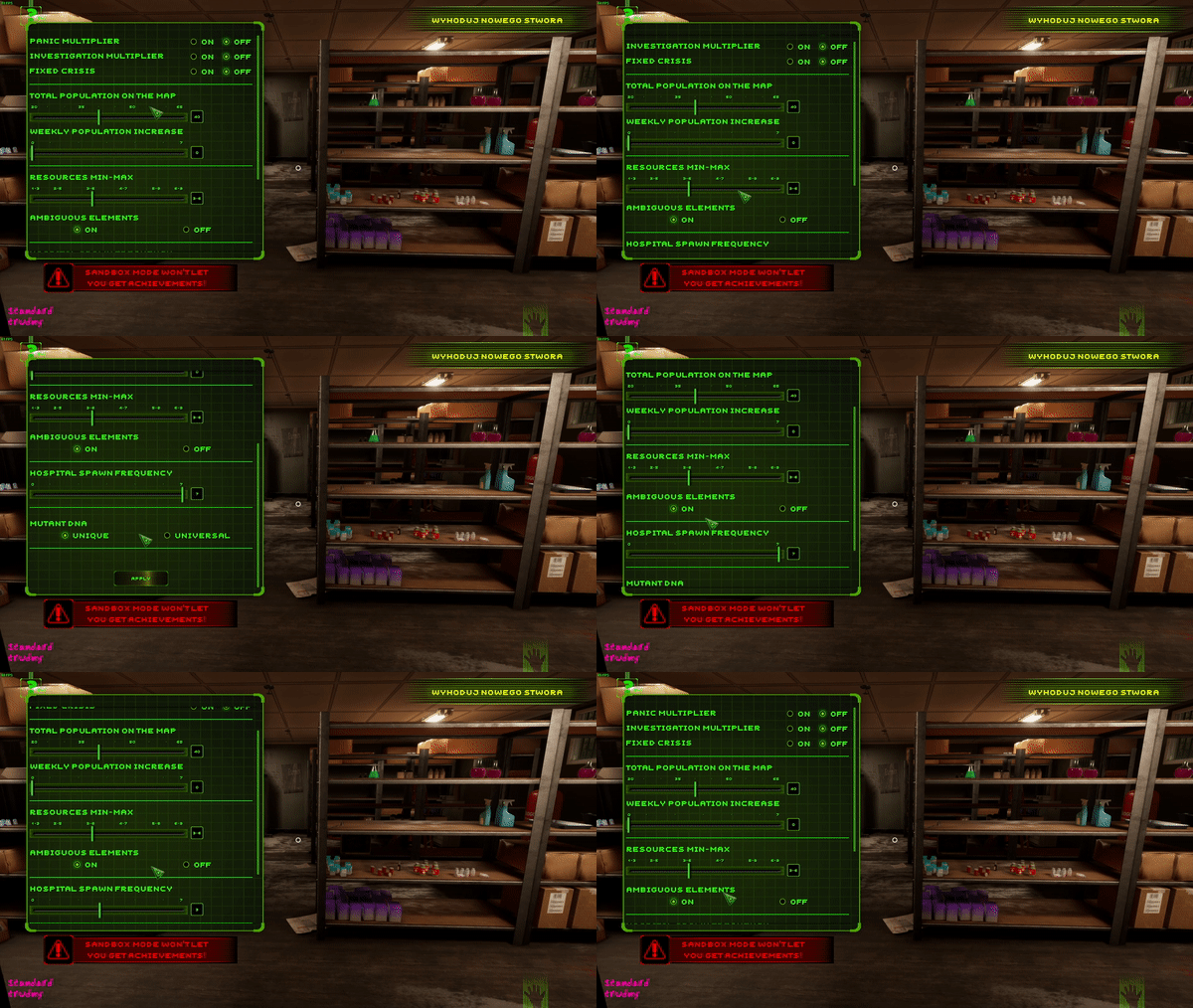
To start the game, click the Sandbox button in the difficulty selection screen. Please note that difficulty levels will be not selectable as when normally starting a campaign, but you can choose a difficulty in the Sandbox Mode setup window which will appear after clicking the button. You can access Sanbox Mode menu, which allows you to customize the game, from:

  • difficulty selection menu


  • pause menu (ESC)


  • by pressing F2


There are also some known issues we'd ask you to be mindful of. Please report any bugs related to:

  • map freezing issues (should be already patched out, but we would be grateful for confirmation and info if you spot any instance of freezing)
  • issues connected with saving and anomalies after loading a save
  • Some of the visual representations of elements don't spawn on a petri dish under the microscope
  • The icons for hospital and lab equipment don't show immediately after skipping a day, but for example only when you enter the region and go back to the map, or when you skip another day
  • The status of a boosted mutant who has already used up the buff during missions is still visible on his Creaturopedia card after saving/loading
  • On Hard/Insane there may be visible differences between unknown elements as shown in Mixturopedia and pinned on HUD for the same mixture
  • The O key (Last Story Prompt) is not working and pressing it will make the game lose focus, forcing a need to reload

And one small note - if you need to take a screenshot when playing the game, you can use the Steam screenshot function by pressing F12. The screenshot will be saved in your images catalog on Steam.

Hope our joint effort will be fruitful and we'll make Sandbox Mode a smoothly working feature of Creature Lab!


And remember that you can ask us directly about anything via Discord:


https://store.steampowered.com/app/1309990/Creature_Lab/
The Sandbox Mode playtests for Creature Lab will start this Friday!

Hi, freestyle creature creators!

A few weeks ago we opened the registration for playtests of an entirely new, but highly anticipated way to play Creature Lab. Of course, we are talking about Sandbox Mode. And we have good news for all of you eager to help us make this mode work smoothly and issue-free!

We are happy to inform you that the special playtest build is ready for your feedback. This weekend, you will be able to delve into it and thoroughly check key features that we want to offer in an upcoming big update of Creature Lab. Please report any issues you will find in the build, as well as share your thoughts on the mode itself - we have prepared a special survey accessible straight from the game.

Of course, each of you will find at least some bumps on the road, so all the bug reports are super important to us. Let's iron out the Sandbox Mode together to make it a great experience!

Sandbox Mode playtests for Creature Lab will start this Friday!


The playtests will last the whole weekend:

  • Starting on Friday, August 8th at 3 PM CEST/ 6 AM PT/ 9 AM ET
  • Ending on Monday, August 11th at 11 AM CEST/ 2 AM PT / 4 AM ET


Below you will also find useful information to be mindful of during our tests:

  1. The test build consists of Sandbox Mode plus the visual changes in the presentation of the monster depending on their composition
  2. You cannot access the Campaign and the Dark Web in the test builds
  3. Saves made in the test build will not work in the full game, and saves made in the full game will not be loadable in the test build
  4. The test build is not the final version of the Sandbox Mode and may be susceptible to change, including changes based on your feedback
  5. You can access the Sandbox Mode menu from the difficulty selection panel, by entering the pause menu (ESC) - you will find a separate button for Sandbox Mode in the lower right part of the screen - or by pressing F2
  6. You can always access the feedback survey for playtests by using the F3 key or from the pause menu


After the playtests wrap up, we will announce either the next round of playtests or the launch date for the big update including Sandbox Mode - depending on the results of the tests.

See you on Friday and we hope you'll have fun customizing our own Creature Lab experience!


And remember that you can ask us directly about anything via Discord:


https://store.steampowered.com/app/1309990/Creature_Lab/
Join the Creature Lab playtests for the brand-new Sandbox Mode!

Hi, die-hard mad science adepts!

The title probably said it all. As promised in our roadmap, we are working intensely on the new content for you. Many players requested Sandbox Mode as their dream addition to Creature Lab and we have listened to your feedback. Currently, we are working to incorporate the Sandbox Mode seamlessly into the existing gameplay.

And that's where we need your help!

Join the Creature Lab playtests for the brand-new Sandbox Mode!


As we want to give you quite freedom in setting up your Sandbox Mode, we'd not like to rush it out of the door without being sure that it is a complete and issue-free feature. That's why we decided to push the update back, but instead organize playtests. Sandbox Mode is an idea that came from the community and we'd like the community to be able to feedback on our vision for this mode and help us with ironing out any possible technical and non-technical issues.

We are also aware of the situation during the launch of Creature Lab when you found a lot of bugs and glitches that our internal and external testing missed. This big patch will be a very important step for us in supporting the game. That's why we decided to get your help in testing new content - especially in the context of trying it out on many different configurations. We are committed to avoiding repeating the type of problems we had at the launch with this very special update.

That's why we open the sign-up for upcoming playtests today and invite you to join in! You can ask for access on the game's Steam page.


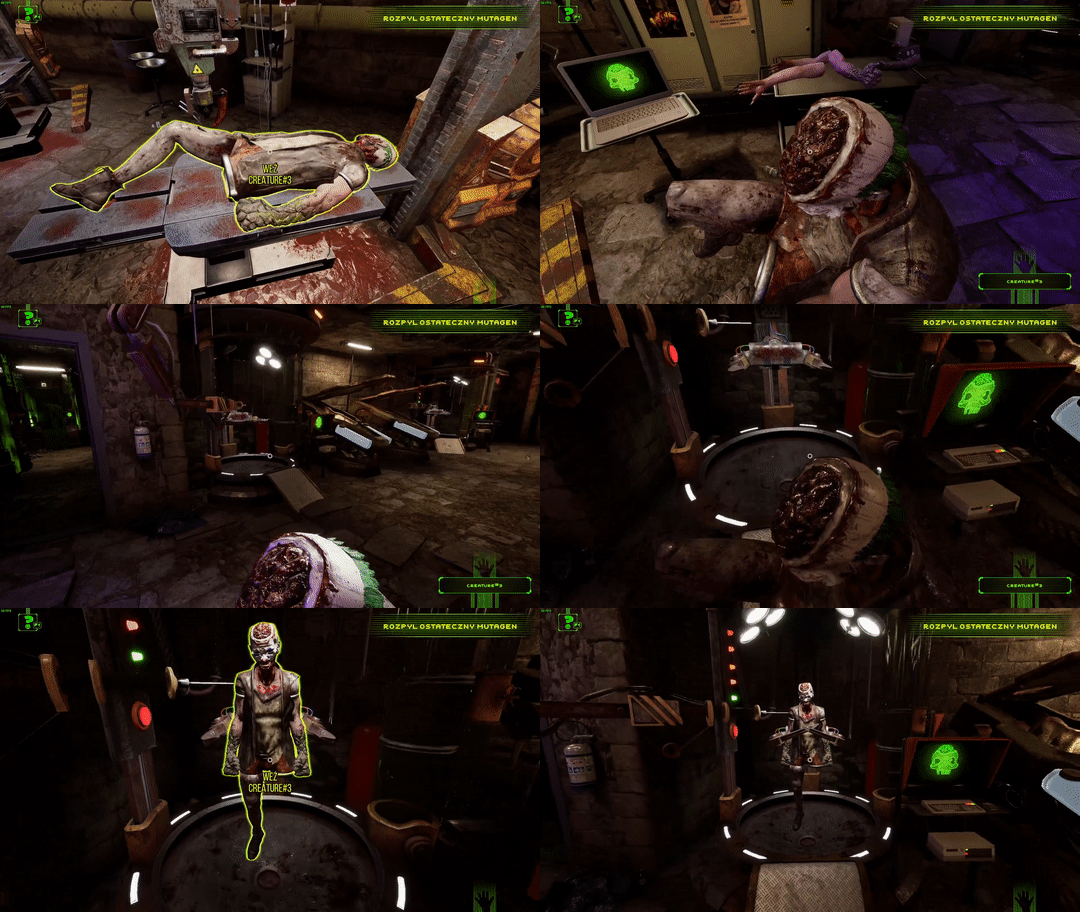
Additionally, we have prepared some visual changes in the presentation of our monsters, which will be dependable on the substances used to create them. We are very curious how you will like those new visuals, so we will also include them in the playtest build.

Some important notes:


  1. We're still preparing the build for playtest because we want it to be as close to a complete experience as possible. So playtests will begin at a later TBC date, which we will provide as soon as it will be set.
  2. When it comes to the number of playtesters we will offer access to the build, it's not fixed right now. We will start with a small number and we will increase it according to our needs.
  3. The playtests may have several rounds depending on interests and our needs for feedback/evaluation.
  4. You don't need to own the full game to participate in playtests.
  5. Please note that the build will still be an unfinished version of Sandbox Mode, naturally. We want it to be close to the final experience, but it may not have some features included and may not be as stable as the final version.
  6. The mutant visuals are also subject to change.
  7. It will also be a build containing exclusively Sandbox Mode and visual changes - there will be no campaign and possibly other features known from the full game.
  8. The saves from the full game and the playtest build will be not compatible - you will not be able to use your existing saves or transfer the playtest saves to the full game.


We are very eager for you to explore our customizable Sandbox Mode and test out all the possibilities, so we encourage you once again to sign up!


And remember that you can ask us directly about anything via Discord:


https://store.steampowered.com/app/1309990/Creature_Lab/

Update 9 for Creature Lab - a giant set of fixes + a new "rocky" limb

Hi, experts in bringing mad ideas to life!

We know there's been a bit of pause in our patching efforts, but that's due to simultaneously working on some bigger updates promised in our roadmap - more info soon. Nevertheless, we didn't intend to leave you for long without a slew of new fixes... and oh boy, we are bringing a lot of them today!

First and foremost, we continue the tradition of bringing you new limbs for more fun mutant combinations. Today you get the Stone Arm, which is kind of sturdy, to say the least. That's why it gives your creature a solid boost to vitality. After all, it's hard to hurt something that can put up a rock-hard block with its arms. As usual, the new limb is unlocked with story progression, and if you passed the point of unlocking, you will already find it in your incubator menu.

As for the fixes, we have brought solutions for some outstanding issues. We have repaired a memory leak that caused the map to freeze at the end of the missions for players that have already put some hours into the game and had a very active map. We have also worked with the system that manages the display of vessels to take off the load for players that have accumulated a lot of them, which caused significantly slower loading times. We have also sorted out a lot of pesky minor issues, especially in the Dark Web, that used to confuse players.

We hope that our efforts will make you experience with Creature Lab even better!

Update 9 for Creature Lab - a giant set of fixes + a new "rocky" limb


We also want to send special thanks to all the people whose feedback is helping us to combat the most persistent issues in the game. Especially those community members that send us their DxDiag files, save files, and other data that help us directly in locating and reproducing the issues. Big kudos!


The patch introduces the following changes:

  • A new limb - Stone Arm
  • Fixed the freezing issue occurring at completing the mission when playing the game for a long period and having lots of activity on a map
  • Improved the vessel display simulation, which should make loading times shorter for people that accumulated a lot of mixtures
  • Amended the FOV parameter reset when relaunching the game
  • Amended the interaction prompt from one object showing incorrectly on other objects after moving the camera between two objects
  • Fixed the issue of not getting the game over after bringing the city population to 0
  • Removed the possibility of deleting all of the flasks available during tutorial - now players cannot delete below 3 bottles
  • Added the "Destroy Flask" button to the gamepad keybinding screen
  • Amended the issue with Dark Web missions not being pinned on HUD
  • Fixed the wrong number of tokens possible to earn for a mission displayed on the Dark Web
  • Fixed the wrong number of tokens acquired after completing the mission displayed on the Dark Web
  • Fixed the icons of the rewards in Dark Web missions being incorrectly highlighted or not highlighted
  • Amended the claw arms being displayed as another limb when completing a Dark Web mission
  • Amended the limb picture and name being changed to "test text" when completing a Dark Web mission
  • Fixed a bug allowing to use up a token without selecting a target district
  • Resolved a bug with gamepad controls getting blocked by opening FAQ when a mission prompt appears
  • Amended the possibility of a mixture having two of the same element in composition on Hard and Insane difficulties
  • Added color for mutagens and elixirs acquired as rewards from Dark Web
  • Amended the possibility of vessels levitating in the space around the automated alembic
  • Changed the frame on the keybinding screen for visual clarity
  • Resolved the issue of lack of object highlights when reloading the game
  • Repaired the disappearing cursor when using the scroll on the city map
  • Fixed crashes that happened at 9X% of loading a saved game
  • Fixed the bug during loading a saved game when the game indicated that it is loaded at 101%
  • Amended the issue with zooming a district when the camera zoomed below a target district
  • Added minor missing translation
  • Amended the minor distortions of UI in some languages

For the map freeze issue, we are still seeking videos of the issue happening, so if you have such a video or would be able to make one, we would be grateful if you sent it our way at marek@imagepower.pl, on the Steam forum, or via our Discord. We also would be grateful for the DxDiag.txt file to check if the configurations have a part in generating the issue.

If you are experiencing the issue with a black screen appearing after the Image Power logo and not loading the game further, please check if your configuration meets the minimum requirements as described on the Steam store page. If it meets the requirements, we kindly ask you to send your DxDiag.txt file to marek@imagepower.pl, on the Steam forum, or via our Discord, to analyze your configuration.

As usual, we invite you to use our dedicated bug reporting thread in our Steam discussions:
https://steamcommunity.com/app/1309990/discussions/0/3809529789908529375/


And remember that you can ask us directly about anything via Discord:


https://store.steampowered.com/app/1309990/Creature_Lab/
Update 8 for Creature Lab - a new limb + a plethora of fixes

Hi, resurrectors of the human-sourced dead matter!

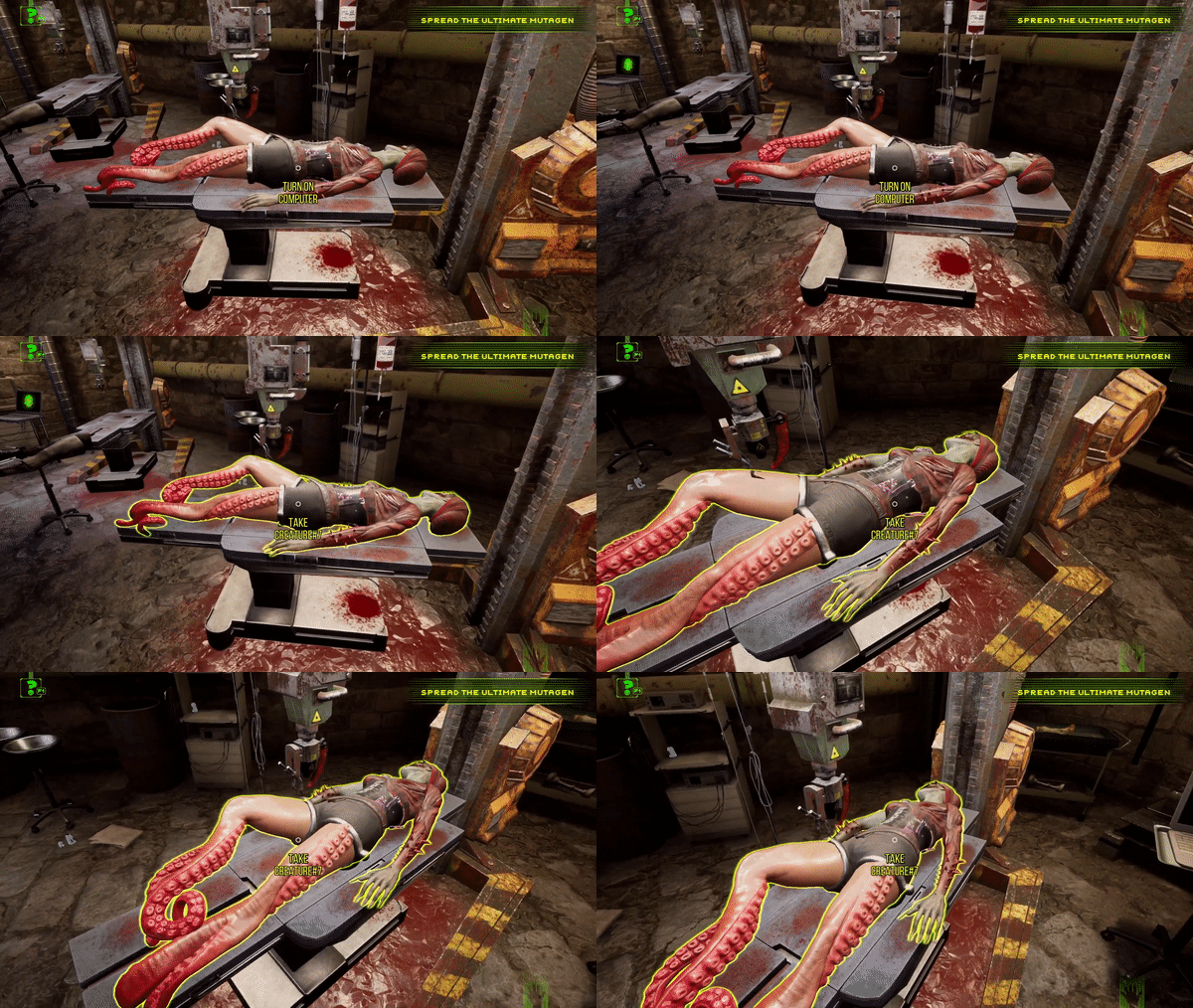
As promised, we continue to deliver the updates for Creature Lab - and new limbs for your mutants with them! Today our offer is a bit tentacley one. You'd think that having the octopus-like leg would not be useful on, you know, land. But a brilliant (and appropriately mad) mind can make everything work!


Octopus Legs are very useful in combat, so expect a raise in minimal and maximal damage. They are also quite sturdy, so the mutant armed with them will have better vitality. It will also get SLOW special ability, because hey, what you have expected while using sea creature parts on the beforementioned land! As per usual, you can unlock the limb by progressing the story or will have it unlocked automatically if you have progressed beyond the point of unlocking it.

In addition, we bring a lot of major and minor fixes with this patch. We have made the map widgets UI cleaner, so expect some frames in the mission report or district panel to change positions a bit. With this change, we have eliminated the need to scroll some of the lists vertically and horizontally, such as substance list.


We have also amended specific but persistent issues with nourishing creatures, as well as Dark Web errors with a mixture of descriptions and rewards. We also removed a small bug in the container cleaning system introduced in the last patch. We have also added further revisions to the Chinese translation.

Enjoy the game and we'll be back soon with more updates!

Update 8 for Creature Lab - a new limb + a plethora of fixes


We also want to send special thanks to all the people whose feedback is helping us to combat the most persistent issues in the game. Especially those community members that send us their DxDiag files, save files, and other data that help us directly in locating and reproducing the issues. Big kudos!


The patch introduces the following changes:


  • added a new limb to use in the game - Octopus Leg
  • added a counter of substances the player has in storage to the map UI
  • changed the positioning of map widgets (mission start, mission end report, and district view) for clarity
  • removed the necessity of scrolling the lists in map widgets (mission start, mission end report, and district view)
  • resolved the issue of limbs locking themselves after being unlocked in the tutorial
  • resolved the issue of removing a container from the basket with the R key causing the basket slot to be permanently unusable
  • resolved the issue with nourishing a mutant on Normal and Hard due to which the game accepted only the same activator as used when making the mutant, where it should accept any activator
  • resolved the issue with nourishing a mutant on Insane, due to which the game didn't allow the use of elixirs and prompted the not-compatible info when using the correct mutagen
  • resolved the issue of players receiving improper mutagens and elixirs (such as substances without activators classified as mutagens) as Dark Web rewards
  • amended the commission descriptions in Dark Web to better convey that the wanted elixirs should have certain elements, but not exclusively those elements
  • updated Chinese translations for better localization quality


For the map freeze issue, we are still seeking videos of the issue happening, so if you have such a video or would be able to make one, we would be grateful if you sent it our way at marek@imagepower.pl, on the Steam forum, or via our Discord. We also would be grateful for the DxDiag.txt file to check if the configurations have a part in generating the issue.

If you are experiencing the issue with a black screen appearing after the Image Power logo and not loading the game further, please check if your configuration meets the minimum requirements as described on the Steam store page. If it meets the requirements, we kindly ask you to send your DxDiag.txt file to marek@imagepower.pl, on the Steam forum, or via our Discord, to analyze your configuration.

As usual, we invite you to use our dedicated bug reporting thread in our Steam discussions:
https://steamcommunity.com/app/1309990/discussions/0/3809529789908529375/


And remember that you can ask us directly about anything via Discord:


https://store.steampowered.com/app/1309990/Creature_Lab/
Update 7 for Creature Lab - first new limb, Polish language, and more fixes!

Hi, enthusiasts of very deadly limb manufacturing!

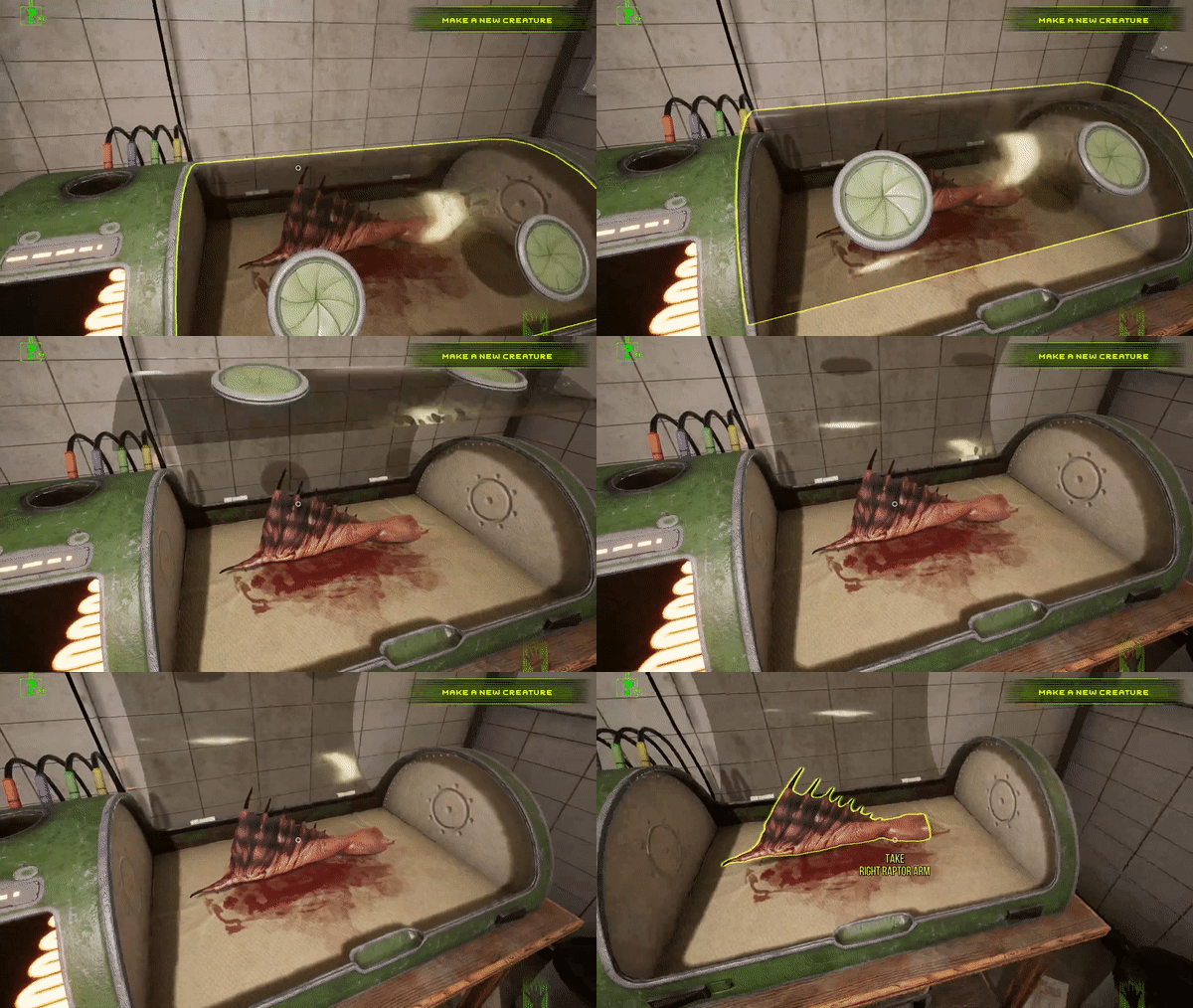
The limb is a keyword of today's update. because as we have communicated in our roadmap for Creature Lab support, we are starting to drop new limbs in updates. Today's specialty is the Raptor Arm. This dangerously looking appendage is good both in countering light attacks, as well as armor-piercing attacks. It has also a positive effect on your creature's endurance. We hope you like the new design! You can unlock it by progressing the story. Or, if you passed the mission that unlocks it already, you will find it in your incubator menu.

Update 7 for Creature Lab - first new limb, Polish language, and more fixes!


We are also starting to address the bigger quality of life needs that you have reported and feedbacked a lot. The prime issue you had was... too much glass. The system of bringing vessels to the Devourer was indeed not the most efficient method of cleaning up. So up from today's patch you just have to aim at an empty vessel and press R to break the glass. It will disappear with an appropriate sound indicating it got recycled. Of course, you can rebind it from R to any key you want.

Another quality of life request was to make the elements board that hangs on the wall more visible. Now you can see the icon of magnifying glass when you aim at the board. It enlarges the graphic to a very large size that you can scroll with the mouse and close by clicking the X icon.

Please note that the background posters and documents were not localized to different languages, so the poster is available to view in English only.


In addition, we are rolling out the Polish language in this patch. Thank you for your patience regarding this localization. From today, all Poles can enjoy the game fully translated.

We are also still solving some of the less common issues you have reported to us. Today we provide a solution to the Q binding problem which bothered players using keyboard setups alternative to WSAD. We made bodies and substances spawn a bit earlier when you skip the tutorial, so you will have access to them even without doing the Check the TV task, which previously spawned the items. We're also clearing up minor blockers in specific places of the game - we're aiming to remove any soft-lock possibilities from the game.

We also want to send special thanks to all the people whose feedback is helping us to combat the most persistent issues in the game. Especially those community members that send us their DxDiag files, save files, and other data that help us directly in locating and reproducing the issues. Big kudos!


The patch introduces the following changes:


  • added a new limb to use in the game - Raptor Arm
  • added Polish language option and full translation to Polish
  • added a new recycling system based on pressing R when aiming with a mouse at an empty container, which makes the container disappear
  • enabled players to view the board with the element's effects description as a widget
  • resolved the issue of the Q key not working when binded
  • made bodies and substances spawn before the Check the Tv task, so players have access to them even if they have not performed the task
  • removed the possibility of soft-locking yourself in tutorial by waking up mutant when using computer panels
  • amended the collision issue in the magazine space that could lock the player character in place


For the map freeze issue, we are still seeking videos of the issue happening, so if you have such a video or would be able to make one, we would be grateful if you sent it our way at marek@imagepower.pl, on the Steam forum, or via our Discord. We also would be grateful for the DxDiag.txt file to check if the configurations have a part in generating the issue.

If you are experiencing the issue with a black screen appearing after the Image Power logo and not loading the game further, please check if your configuration meets the minimal requirements as described on the Steam store page. If it meets the requirements, we kindly ask you to send us your DxDiag.txt file to marek@imagepower.pl, on the Steam forum, or via our Discord, so we can analyze your configuration.

As usual, we invite you to use our dedicated bug reporting thread in our Steam discussions:
https://steamcommunity.com/app/1309990/discussions/0/3809529789908529375/


And remember that you can ask us directly about anything via Discord:


https://store.steampowered.com/app/1309990/Creature_Lab/

Patch 6 for Creature Lab - saving system improvements

Hi, adepts of unconventional chemistry!

As you all know, this week we are deep in the fight with the issues connected to saves and scientist missions. The matter is complicated and we may have still some work to do to eliminate all possible sources of the problem. However, we want to provide you with valid solutions to make your experience run smoothly, so today we are introducing an improvement to the saving system. It should lower the possibility and frequency of issues with saves.

Please be informed that the improved save system will also not work retroactively - saves that were already corrupted due to the issue will remain corrupted.


After testing this solution, we trust that it will protect your game saves in a significant manner. However, we cannot guarantee that it will eliminate all of the issues upon implementation. We will be still working on perfecting the new system. We have also modified the type of data saves provide us with, so with new systems saves will carry even more information crucial to reproducing the issues and finding their source.

Due to this, we kindly ask you to contact us if you experience any further issues and send us your saves via Steam, Discord, or to marek@imagepower.pl. Please send the whole contents of the C:\Users\ USER NAME \AppData\Local\CreatureLab\Saved\SaveGames folder.

Besides the save issues, we are fixing the bug in today's patch with two mission popups appearing at once and causing map freeze and some other possible soft locks. We also amend the issue that causes a reset of save names when overwriting.

Additionally, we have introduced changes that may lower the possibility of map freezes - but as this bug is particularly hard to reproduce, we cannot guarantee that it resolves all instances of it. We managed to reproduce this bug only once in the testing environment, so we're working on limited data. The community feedback will allow us to estimate how our solution is helpful in practice.

Patch 6 for Creature Lab - saving system improvements


We also want to send special thanks to all the people whose feedback is helping us to combat the most persistent issues in the game. Especially those community members that send us their DxDiag files, save files, and other data that help us directly in locating and reproducing the issues. Big kudos!


The patch introduces the following changes:


  • implemented a new system to lower the occurrence of save-related issues
  • fixed a bug with simultaneous mission popups causing map freeze
  • fixed an issue with resetting save names when overwriting
  • implemented a possible solution to lower the frequency of map freeze bug
  • resolved issues with mutagen compatibility when nourishing the mutants on Insane difficulty
  • fixed the issue with opening the pause menu when loading the game
  • fixed the issue with the space key interacting with a locked button improperly in certain situations
  • disabled the district selection arrows when the nearby region is not active
  • added fixed padding to Mixturopedia, so that entry panels should not move when hovering the mouse above them
  • locked the possibility of having the "obtain equipment" mission available when all three upgrades for Automated Alembic were already collected - please note this will work only for new saves created after the patch

In addition, we made Steam Trading Cards available for you in this update. From now on you can earn cards by progressing the game - and if you're already deep into Creature Lab, you will receive cards according to your progress without a need of playing any part of the game again. If you think you should have a card and you don't see it added to your collection, please contact Steam support -as cards are their area of expertise. With Steam Trading Cards, we of course added profile backgrounds, badges, and emotes for you to earn.

Check out some of the cards below:


For the map freeze issue, we are still seeking videos of the issue happening, so if you have such a video or would be able to make one, we would be grateful if you sent it our way at marek@imagepower.pl, on the Steam forum, or via our Discord. We also would be grateful for DxDiag.txt files to check if the configurations have a part in generating the issue.

As usual, we invite you to use our dedicated bug reporting thread in our Steam discussions:
https://steamcommunity.com/app/1309990/discussions/0/3809529789908529375/


And remember that you can ask us directly about anything via Discord:


https://store.steampowered.com/app/1309990/Creature_Lab/
Patch 5 for Creature Lab - fixes to persistent issues

Hi, serial mutant producers!


First - thank you for your understanding! We have informed you that we had taken another
day to prepare a solution for save games/sending scientists to missions issue. However, it
turned out that this problem is particularly complicated to resolve from a technical standpoint.We are working hard on it and consider it our highest priority. We will provide the promised solution ASAP, but it didn’t make it to the today’s patch.

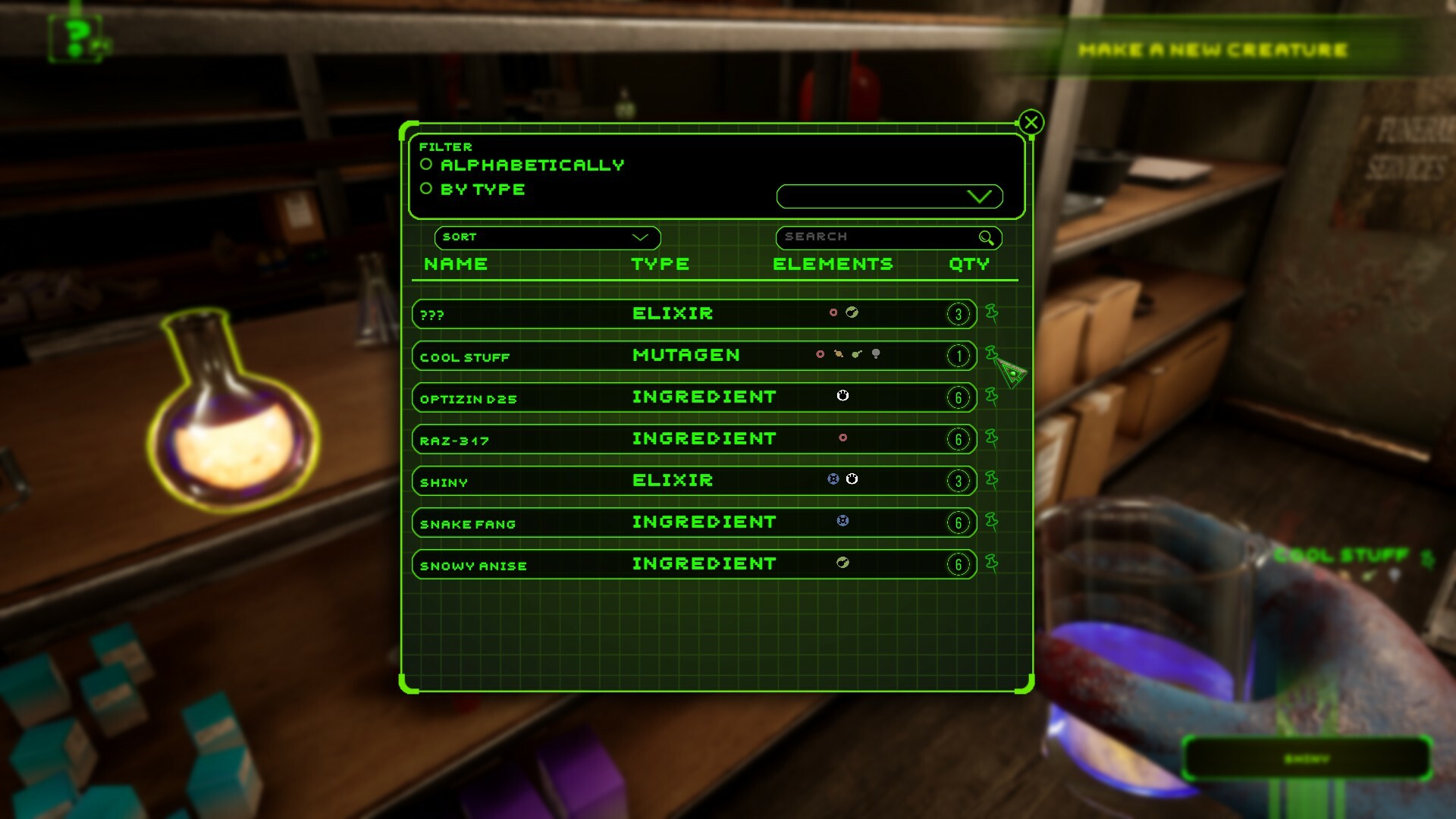
However, we are delivering fixes to other persistent issues in today’s patch, including the much-requested revision of custom substance naming. From now on your custom names should appear on the map and everywhere else, which will help you locate substances on your terms - please note that you have to rename the substances again (as the new system works upon confirming the custom name you're entering).

We have also amended the issue with Dark Web missions, where players were asked to deliver not the type of limb that they really should deliver. More info on fixes is in the patch notes below.

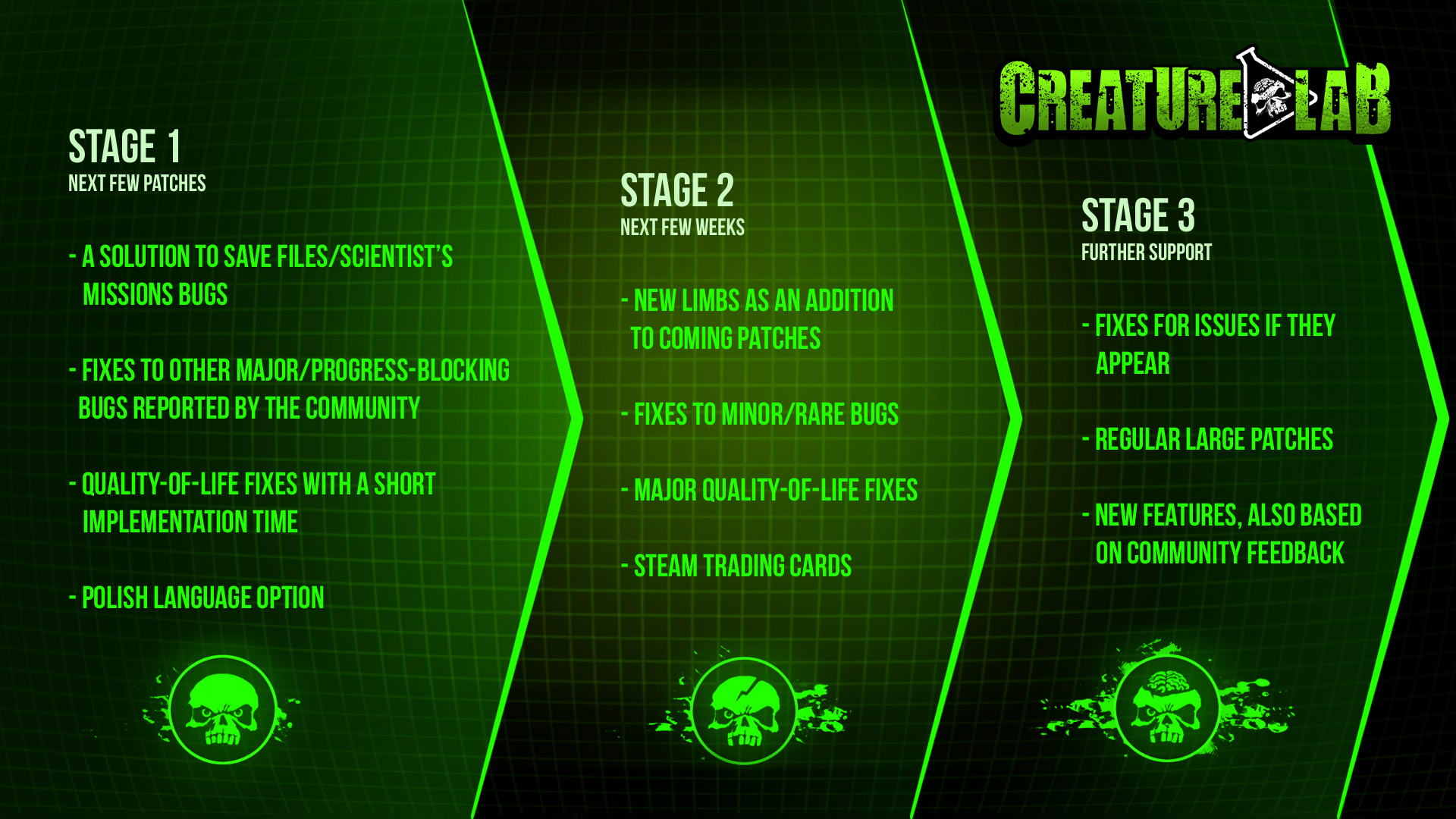
We have also decided to present you with a visual roadmap of our future updates. Hope it will give you full clarity of what are our plans for supporting Creature Lab.

We also want to send special thanks to all the people whose feedback is helping us to combat the most persistent issues in the game. Especially those community members that send us their DxDiag files, save files, and other data that help us directly in locating and reproducing the issues. Big kudos!


Patch 5 for Creature Lab + Roadmap


As for the roadmap, you can find info on our plans for further patches, including content updates below.


The patch introduces the following changes:


  • removed the issue with saving custom names for substances, and made the custom names visible on the map, and every other place they weren't properly displayed
  • resolved the issue of missions in the Dark Web improperly communicating which type of limb is to be delivered to fulfill the commission
  • slowed down the default speed of the combat visualization and added buttons to speed up, slow down or pause the combat
  • added a bilingual pop-up during language change that informs the player about the need to close the game and restart it to change to the desired language
  • blocked the possibility of pouring elixirs (non-mutagen mixtures) into the stasis chamber and added a text informing what should be done to use the stasis chamber properly
  • revised the text suggesting using wrong elements in the second mission based on drinking an elixir
  • repaired the texts that displayed code fragments instead of proper icons
  • added certain missing text fragments in all supported languages
  • minor revisions to the Chinese-language translation

Please also know that we are working on all the technical issues reported by you:

For the black screen issue upon trying to run the game, we have determined from the data gathered from players that the most likely reason for the issue may be that system configurations don't meet the minimal requirements for the game - but we continue to investigate further.

For the map freeze issue, we made progress in pin-pointing the possible sources of the issue, however we are still seeking videos of the issue happening, so if you have such a video or would be able to make one, we would be grateful if you sent it to our way at marek@imagepower.pl, on the Steam forum, or via our Discord. We also would be grateful for DxDiag.txt files to check if the configurations have a part in generating the issue.

As usual, we invite you to use our dedicated bug reporting thread in our Steam discussions:
https://steamcommunity.com/app/1309990/discussions/0/3809529789908529375/


And remember that you can ask us directly about anything via Discord:


https://store.steampowered.com/app/1309990/Creature_Lab/
Patch 4 for Creature Lab - temporary fix to save-related issues

Hi, mutagen-mixing geniuses,

In the last few days, you have reported some issues that seemed to be centered around saving games - some more serious, like losing part of the progress, some smaller, but still affecting the quality of the experience.

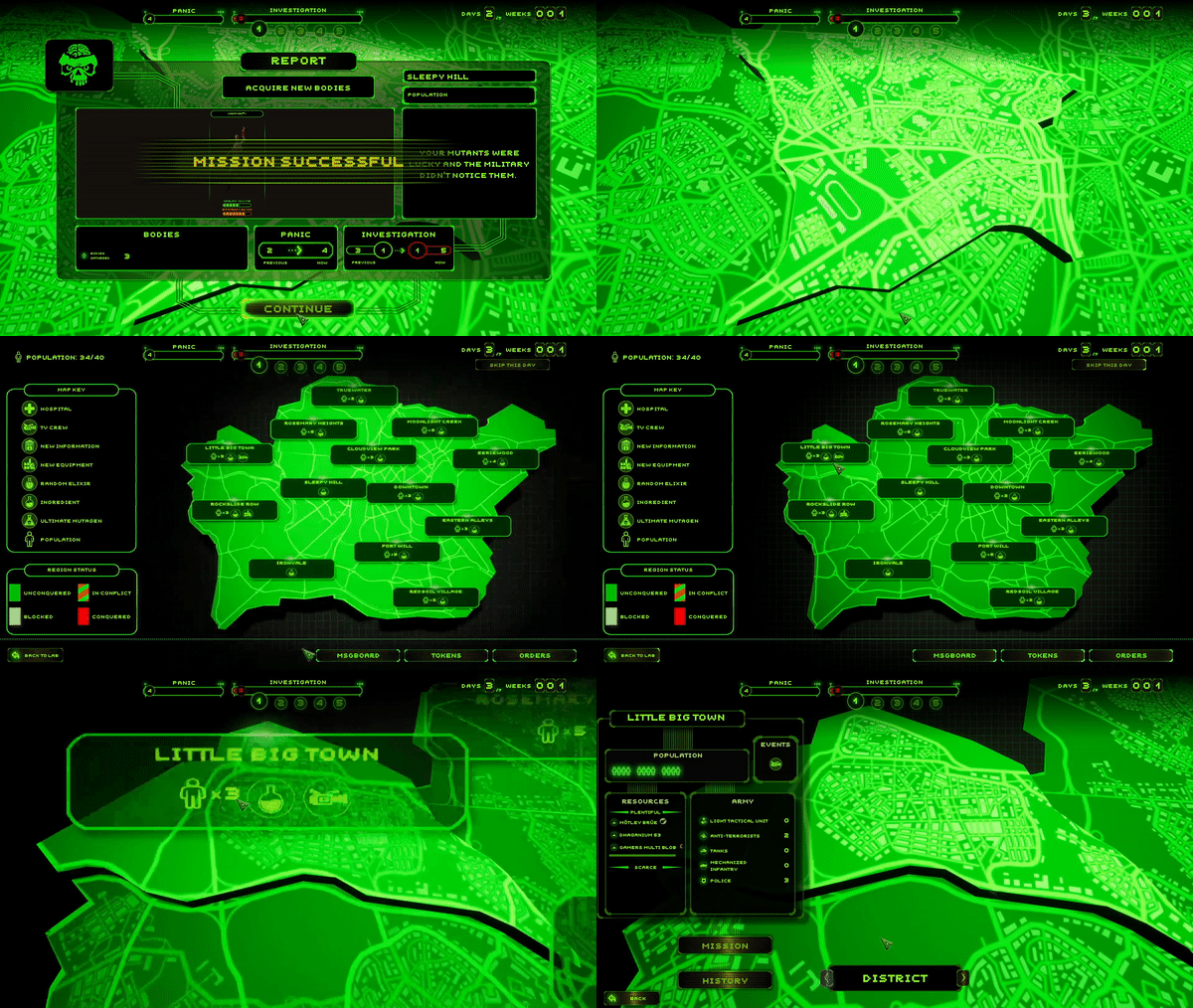
We have determined that the source for many of these issues is a bug that is connected with sending scientists on a mission. We have also determined that we will need more time to eliminate the issue. Due to that, we decided to temporarily block the possibility of sending the scientist to missions, so no more players would experience save-related issues coming from this source.

Upon fixing the issue for good, we will unlock the scientist for missions once again. The next patch is scheduled for Monday. We hope that by then we will be able also to provide a permanent fix for the scientific issue.

As always, thank you for actively supporting the game and helping us with ironing out bugs and glitches! For this patch, we wanted to especially thank also all the players that were kind enough to share their save files and specs with us - you helped a lot with this one!

Patch 4 for Creature Lab


The patch introduces the following changes:


  • blocked sending the scientist to missions to remove the possibility of generating further save-related issues for players
  • restored the missing highlights of equipment and body (tutorial hints) in the mission of creating a second mutant in the tutorial
  • removed the issue with unpinned substance becoming pinned again upon leaving a computer panel screen
  • removed the issue where skipping a day in tutorial mission in the district with a hospital resulted in a total freeze
  • removed a minor issue with the Start Mission button, which resulted in UI-related glitches

Please also know that we are working on all the technical issues reported by you:

For the black screen issue upon trying to run the game, we have determined from the data gathered from players that the most likely reason for the issue may be that system configurations don't meet the minimal requirements for the game - but we continue to investigate further.

For the map freeze issue, we are unable to reproduce the bug in the testing environment. We suspect that it is either very rare, or it triggers upon very specific conditions. To get the chance at reproducing it properly, we are seeking videos of the issue happening, so if you have such a video or would be able to make one, we would be grateful if you sent it to our way at marek@imagepower.pl, on the Steam forum, or via our Discord. We also woul be grateful for DxDiag.txt files to check if the configurations have a part in generating the issue.

As usual, we invite you to use our dedicated bug reporting thread in our Steam discussions:
https://steamcommunity.com/app/1309990/discussions/0/3809529789908529375/


And remember that you can ask us directly about anything via Discord:


https://store.steampowered.com/app/1309990/Creature_Lab/

Patch 3 for Creature Lab - better clarity of tutorial quests

Hi, Dr. Frankenstein's spiritual successors!

We are constantly gathering feedback and bug reports from you. Thank you again for your activity and support! Today's patch addresses some of the most frequently reported tutorial issues since the launch of the game.

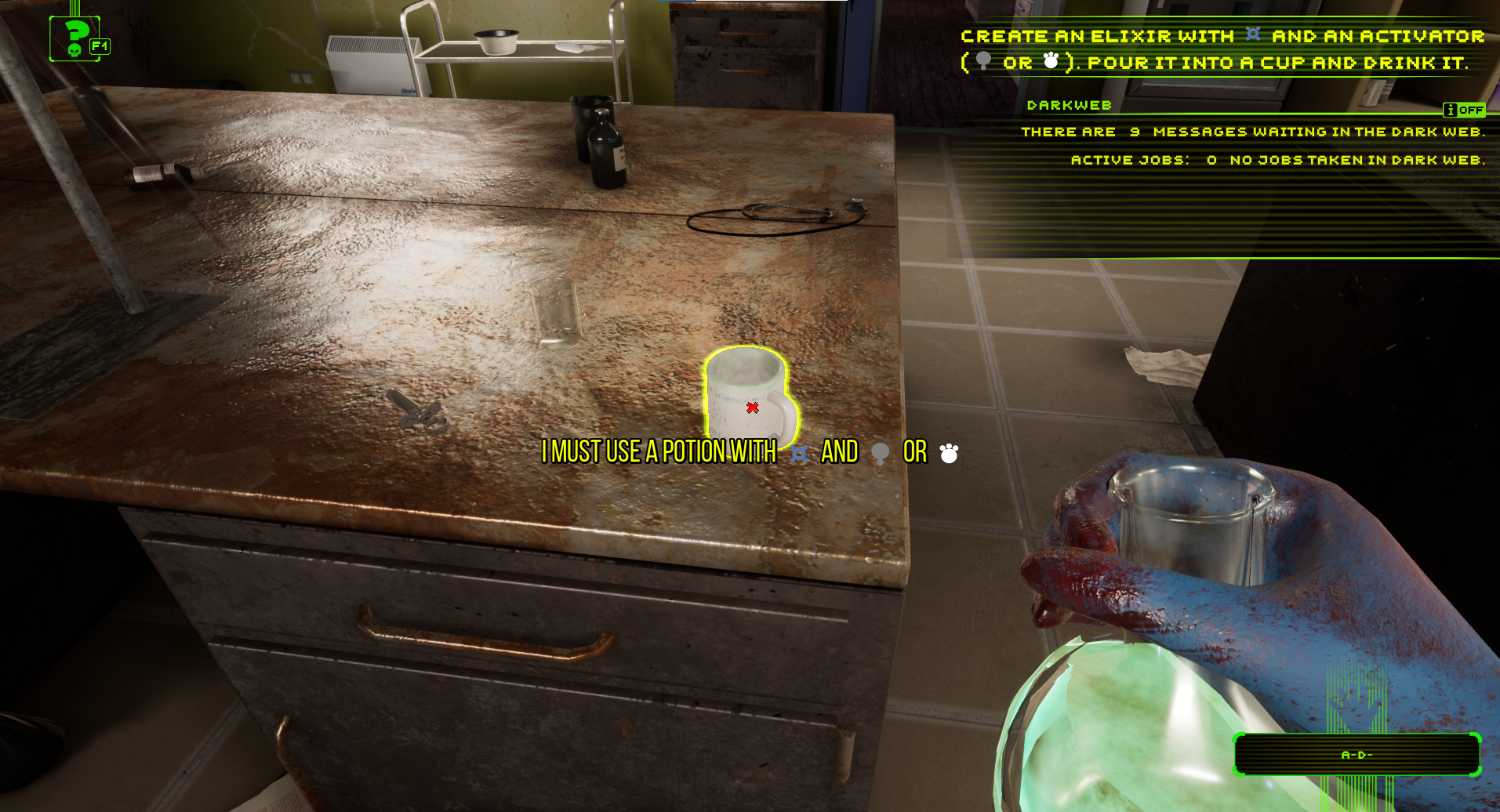
The most important change we have introduced due to your popular demand is clearer communication of the tasks that require you to drink an elixir. Now you will not be able to pour the wrong substance into the cup and you will receive a clear visual prompt that the mixture you try to use is not the right one.

We have also noticed that the visibility of some substance names from the pool of those named by Kickstarter backers was not proper. Sorry for this issue - from this patch on all the backer-named substances will be visible properly to all players. And thank you again for supporting us also on Kickstarter!

Patch 3 for Creature Lab


The patch introduces the following changes:


  • the players are not able to pour the wrong substance into the cup anymore in quests that use the drinking mechanic
  • a large X graphical prompt now shows when you try to pour the wrong substance into the cup
  • When trying to pour a substance into the cup, there is an additional prompt that explains what exactly you need to make to fill the cup with proper elixir/mutagen and trigger the drinking mechanic
  • the prompt "Check the mutagen you made" was changed to "Open Mixture Encyclopedia with E"
  • made the names of all substances named by Kickstarter backers visible in-game
  • revised text pools to make longer substance names view better
  • repaired the first mutant made in game image in the UI of computer panels and encyclopedias, so the creature doesn't appear lying down anymore


Please also know that we are working on all the technical issues reported by you, including the black screen after the Image Power logo issue and the map freezing issue. We of course need your help in solving technical problems, so if you have encountered any of those known issues or have spotted some new problem, please report it to us and provide us with your dxdiag.txt file.

As usual, we invite you to use our dedicated bug reporting thread in our Steam discussions:

https://steamcommunity.com/app/1309990/discussions/0/3809529789908529375/


And remember that you can ask us directly about anything via Discord:


https://store.steampowered.com/app/1309990/Creature_Lab/