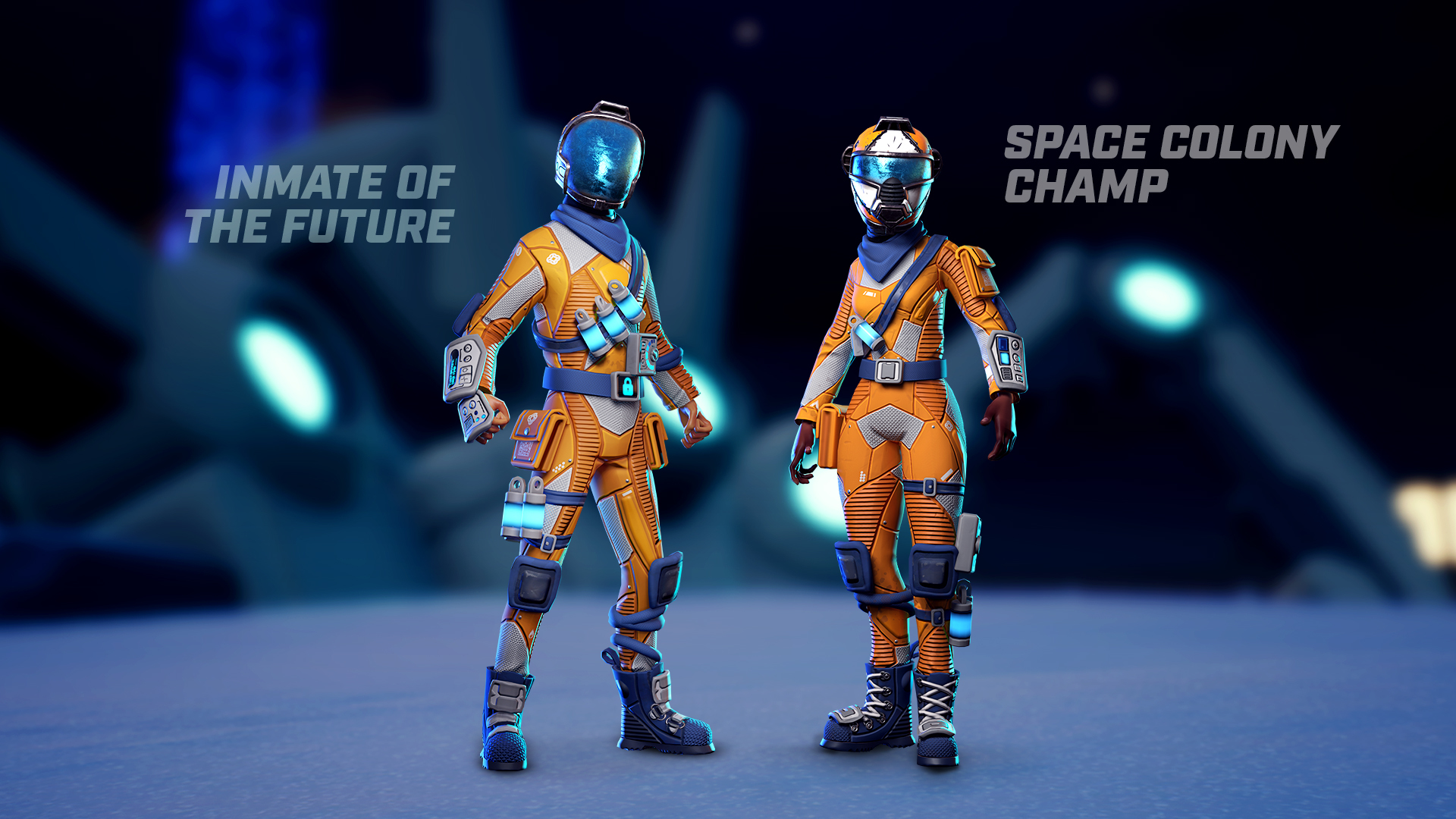
We are releasing patch 1.21 with the objective of fixing several bugs and preparing for the full release of Darwin Project this winter. There are no big gameplay changes in this one but several updates for both the backend and the UI. The intention of this patch is also to test the technical stability after those changes are implemented to ensure nothing will break at launch.
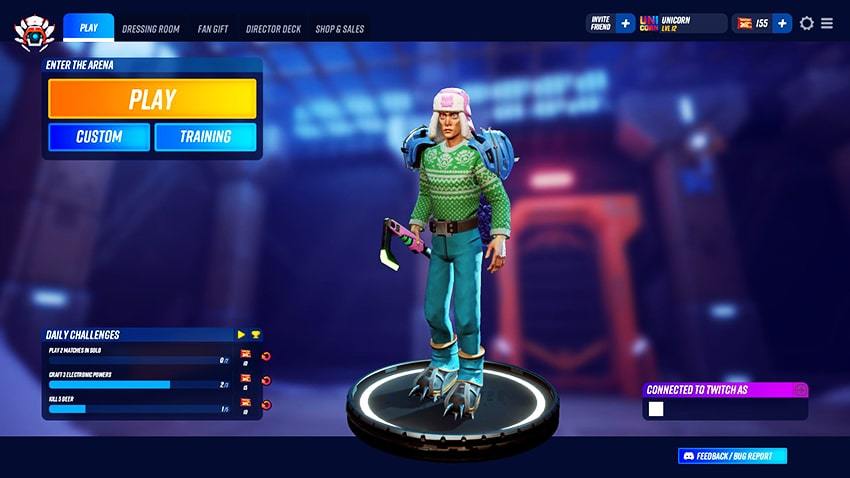
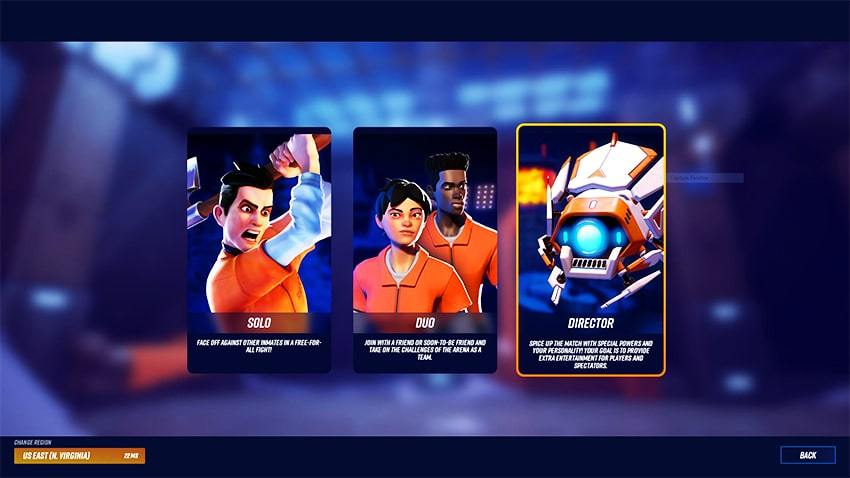
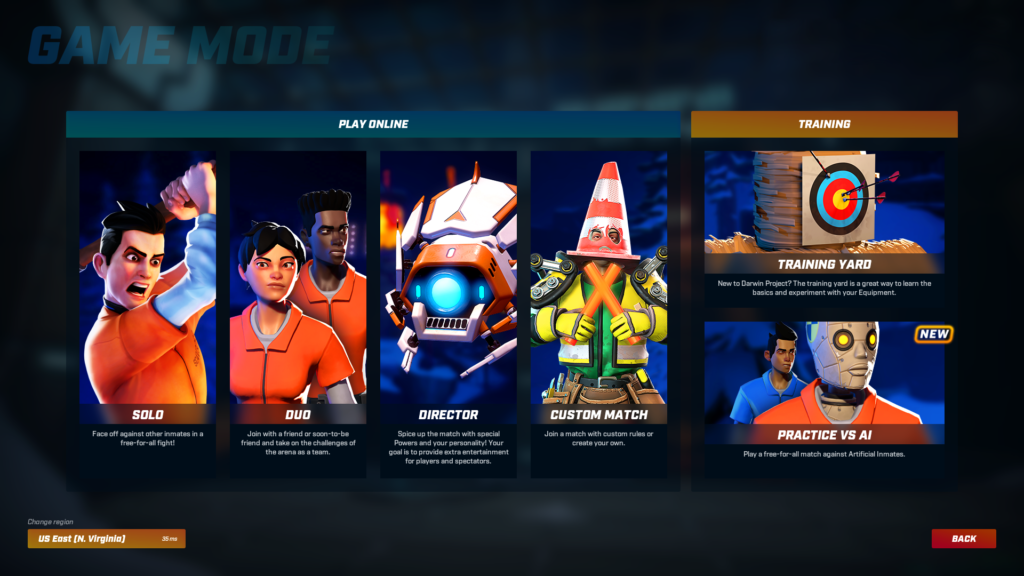
New main menu layout
The main menu gets a facelift! We reworked the navigation and the visuals on the main menu in order to support future additions to the game.
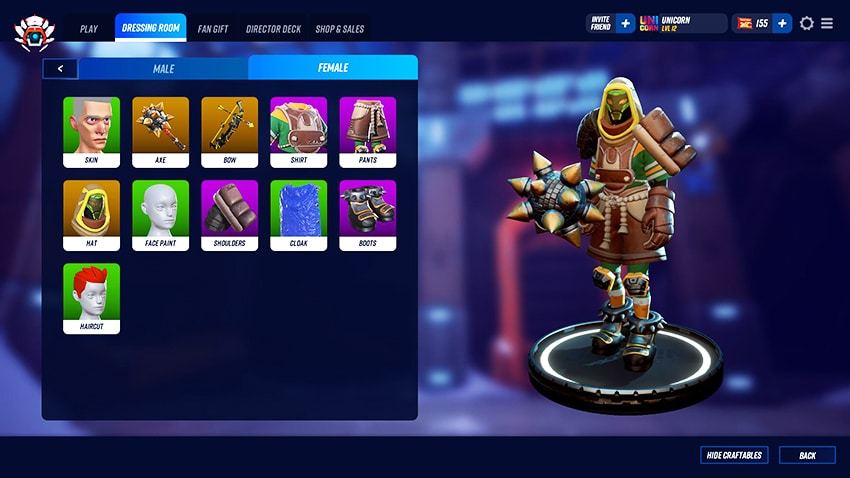
New dressing room and shop
You can now access all of the cosmetics from the dressing room! All the available items can be bought at any time. The previous shop is replaced with a tab called ‘Shop and Sales’ which will display some special offers from time to time.
Back end technical update
We are updating our backend systems to prepare for Darwin Project’s official launch this winter. This will help us to increase the backend stability. These changes also remove the current career profile, stats and leaderboards.
Spectator experience on Twitch
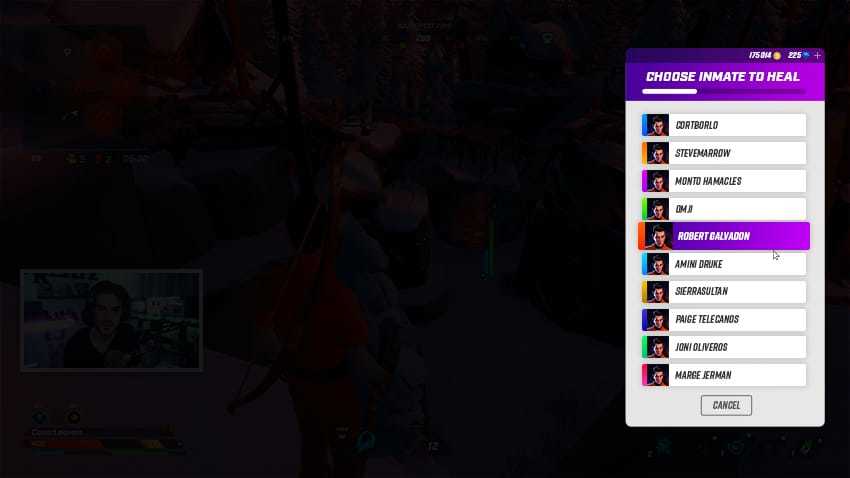
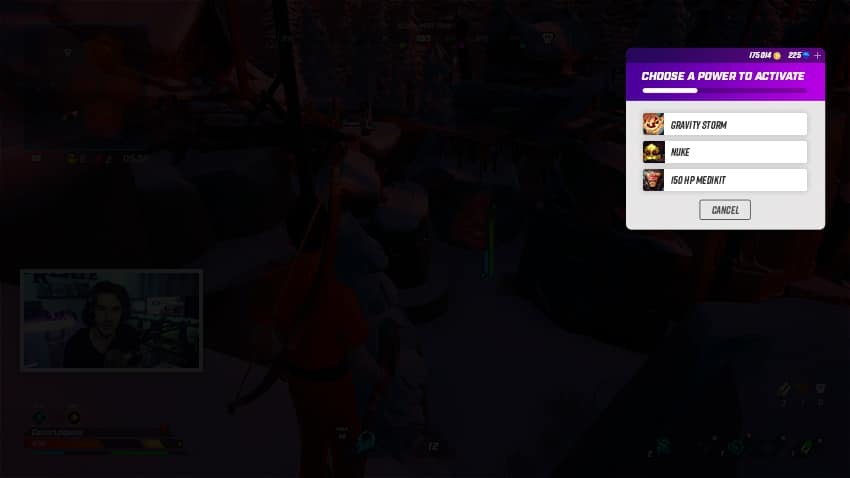
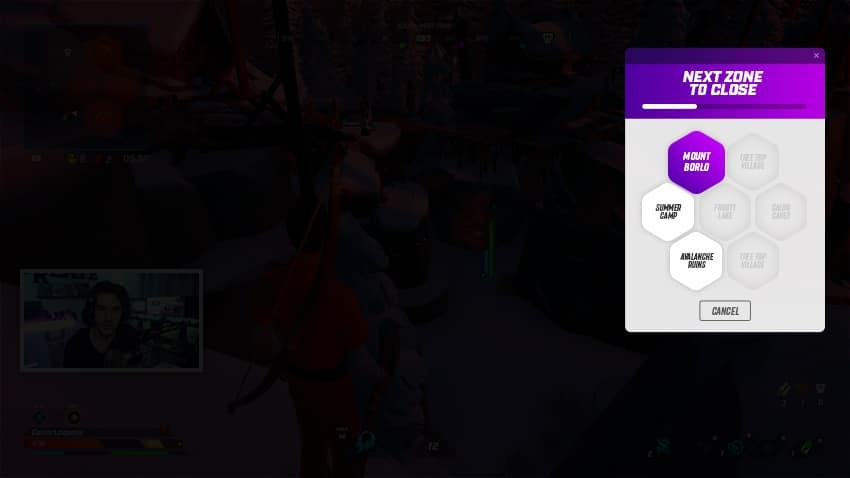
Darwin Project’s Twitch extension also gets a facelift! While implementing a new UI, we disabled Darwin Coins, Twitch leaderboards, Betting and Spectator Powers in order to prepare for the official Launch. Votes are the only interaction enabled...for now!
Gameplay
Despite saying we didn’t do major gameplay changes, we couldn’t resist making a few tweaks:
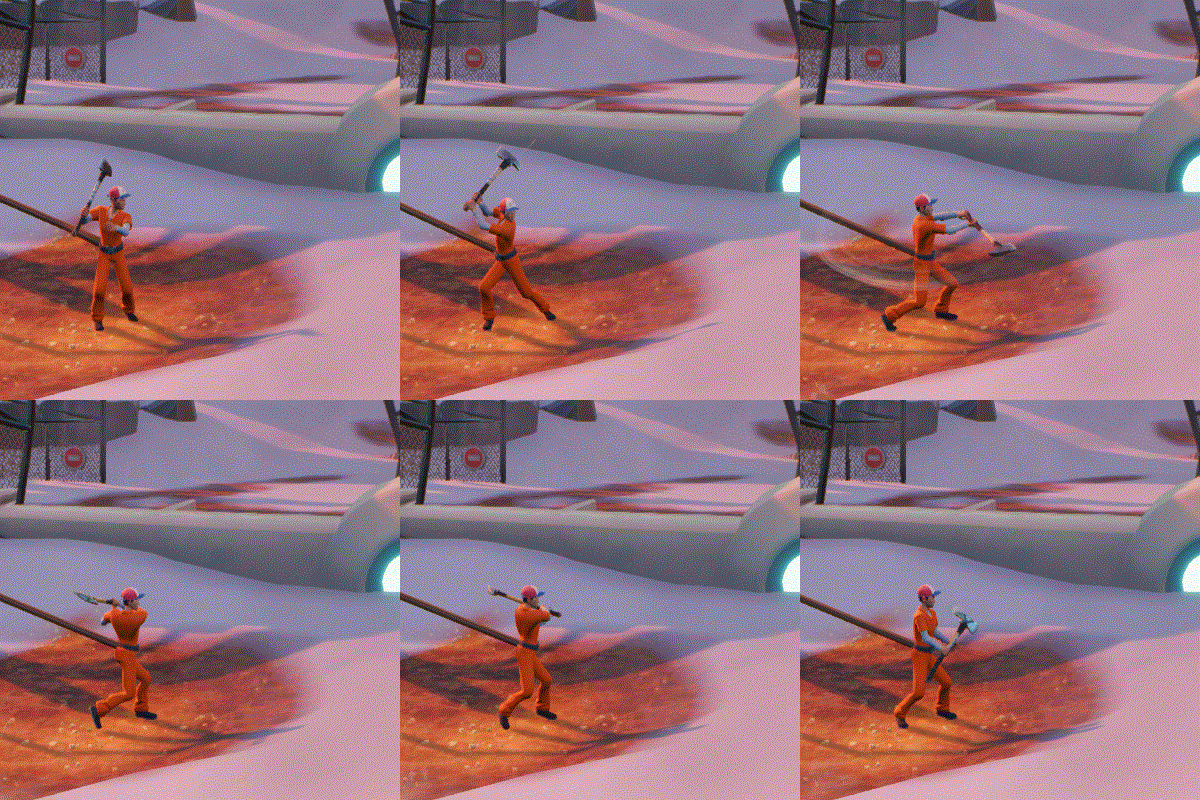
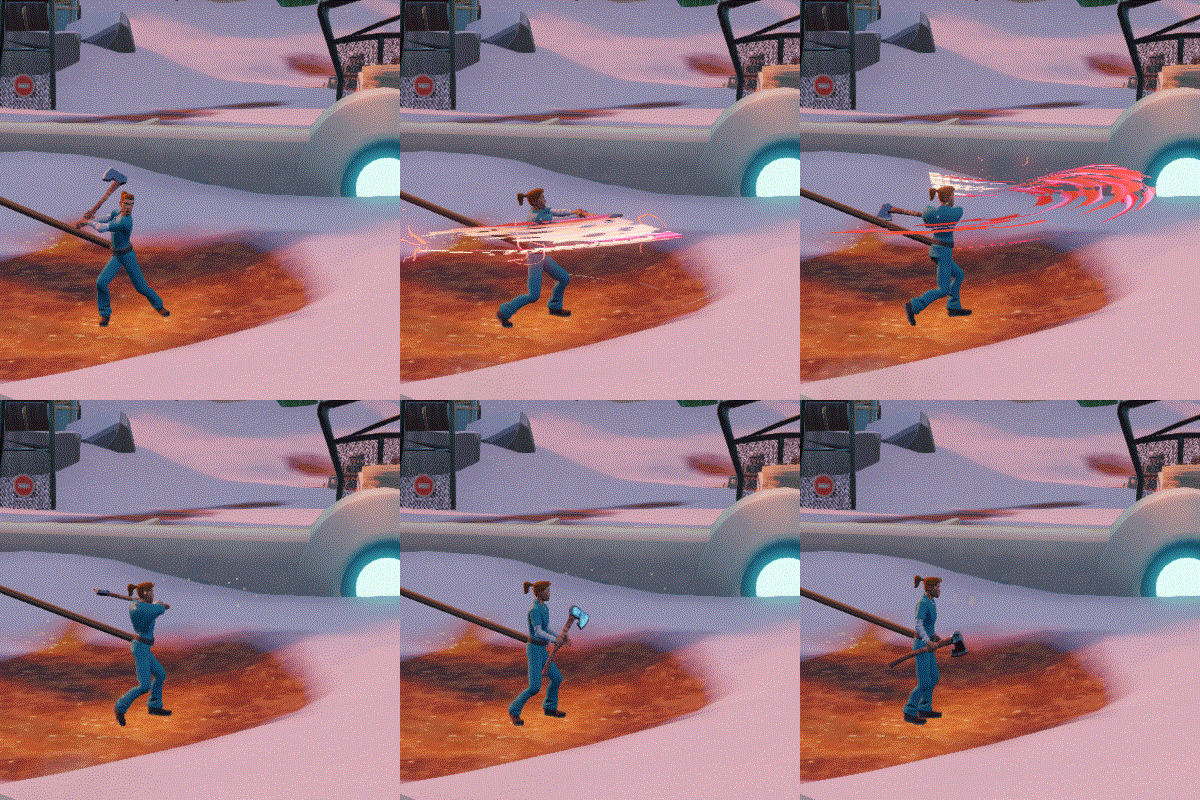
Updated side roll attack: we changed the animation and the collision for side roll attacks in order to remove the ‘whirlwind’ effect and get something more steady and clear. It now uses similar animations and collision than the front roll attack: a vertical top-down slice.
Removed Scavenger mode in custom match as it was the least used mode in the pre-set custom matches modes we released.
Replaced the ‘First win of the day’ bonus xp with the ‘First top 3 of the day’ bonus xp.
Arrows are now automatically picked up when walking on them
Patch Notes 1.20 - Changes for April 16
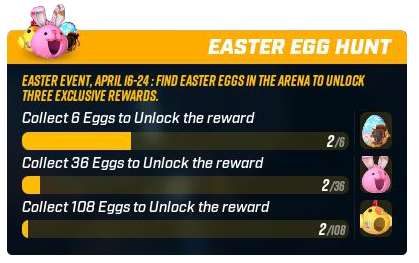
Special Event: Easter Egg Hunt
From April 16 to April 24, you will have to be on the lookout for Easter eggs scattered around the arena in public Solo and Duo matches. This limited time event will run right after maintenance until Wednesday, April 24, at 11:59 PM UTC. You can read more information about it in our previous blog post.
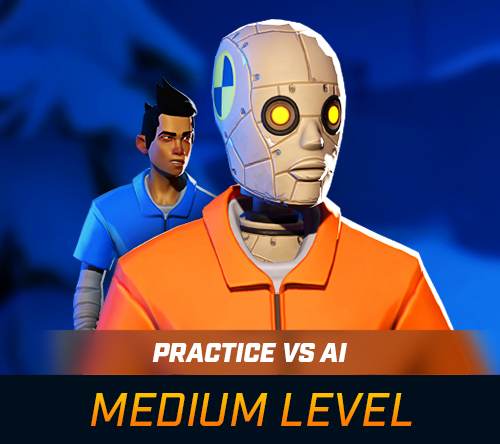
Medium Setting for AIs on Practice vs AI Mode
These new Artificial Inmates are more advanced than their predecessors, with more accurate attacks and dynamic movements in combat.
GAMEPLAY
Increased Arena size by 80%
Developer comment: While the initial intention of the Arena was to be an offensive power to catch opponents and force them into combat, it has turned to be a very powerful defensive power as well with no real counter play. We are still working on a solution to make it work as originally intended. In the meantime, this change in the size should make it more balanced with the other powers.
Inmates now can’t carry more than 2 of each Consumable
Developer comment: Stacking Consumables has shown to be too valuable especially during the later parts of the matches. Capping its usage to two should decrease the impact they have on the outcome of a match.
Added a small delay before inmates can jump or swing their axe after a roll attack
Developer comment: This change should allow for more opportunities to counter roll attacks while preserving the satisfying movement fluidity.
Increased the characters’ size while using the Shrink by 10%
Developer comment: With patch 1.19 and the addition of directional axes, shrunk inmates have become very hard to hit with the Axe. This change should ensure more enjoyable fights against those tiny opponents.
Slightly increased the time window for parrying or deflecting
Improved the consistency of some Axe attacks
Inmates with equipped Armors now have floaters on their arms when the Beach Party power is activated
Improved deer behaviour
Ensured that the holographic maps in cabins no longer collide with the environment
VISUAL
Polished placement of lava particles
Added wind to the clothes on the clotheslines in Gould City Tile
Refined the visual effect for Axe trail
Refined the visual effect of Arrow trails
Refined visual effect of the impact of Arrows when hitting another player
The colored trails when players load Arrows added in Patch 1.19 are now also applied after the Arrows are released
Updated the timing of the visual effect for the Arena
Reworked the visual effect for parrying
Added an animation to the embers in burned textures
Replaced the deer model with a new one
Replaced the deer death animation with a new one
Updated the visual effect of the Turret laser
USER INTERFACE
Updated the Show Director Deck Menu
Made small visual adjustments to the following:
→ Status bar and player icons
→ Name and bar above inmates’ head when viewing as a Spectator or Show Director
→ Challenges section in the Main Menu
→ News section in the Main Menu
→ Added a section for the Easter Egg Hunt collection (limited time only)
OPTIMIZATION
Optimized the visual effect for when an Electronic is activated in the arena
Optimized the visual effect of the mist
Optimized the visual effect of the Turret
Optimized the visual effect when an Armor is broken
OTHER
Added Color Blind Mode option
Added Easter Egg collection leaderboards (limited time only)
Added Advanced Graphic option (Steam only)
Fixed a bug that sometimes caused Arrows to not get released towards the reticle
Fixed a bug that sometimes caused stats to be incorrectly displayed on the End Game menu
Fixed a bug that would cause a duplicate sound when an armor was broken
Fixed a bug that would cause the axe trail to remain visible longer than intended when using invisibility
Fixed a bug to the female character that caused all visual effects to be less accurate than on the male
Fixed a bug that prevented some lights from being turned on at night in the Gould City Tile
Fixed a bug that caused the top of the church to light up at night in the Gould City Tile
Fixed a bug that sometimes caused the voice chat to stop working until a Show Director would use Telepathy in Duos
Fixed a bug that sometimes caused the voice chat to stop working after using the Play Again button
Fixed a bug where players could sometimes hear the voice chat while loading into a lobby
Fixed a bug that caused the female character to not have the same size than the male in the Dressing Room and the Shop
Fixed a bug that would cause the Radar to not detect Turret
Fixed a bug that caused an the card of an activated Spectator Power to be duplicated in-game
The Easter Egg Hunt is Back This Year!
The eggsciting Easter Egg Hunt event is back this year with new special Hats! Be on the lookout for some Easter eggs we’ve hidden all around the Darwin Project arena on public Solo and Duo matches.
Here are the special rewards you can earn this year:
Remember, these eggs will not appear in Custom Matches.
This limited-time event runs from Tuesday, April 16 after the maintenance to Wednesday, April 24 at 3 PM EST.
Happy hunting!
Patch Notes 1.19 - Changes for February 19
Hello inmates!
As promised in our blog post earlier this year, we’ve focused on addressing key areas that our community have felt strongly about for some time now. Although it required a longer development time, we’re excited to release patch 1.19 and all its updates on Tuesday, February 19th!
Thanks again to everyone who played an early version of this update during our technical playtests and submitted feedback!
The patch notes are also available in our official website here.
Axe Rework
We said we’d mercilessly tackle the axe and just as promised, we put a lot more focus on improving the axes and the melee combat experience for this patch update. After months of discussions, development, and playtesting, we think that the changes and improvements we did this time addresses many concerns about this mechanic.
Reworked Timing To make the axes feel more dynamic and responsive, we reduced the duration of its wind up animation, resulting in a melee combat that is more about reacting to your opponent’s actions rather than having to anticipate them. Moreover, the timing required to land a hit, parry an attack, or to deflect an arrow should now feel more intuitive and consistent.
Directional Swings Instead of swinging horizontally all the time, your character will now attack with the axe towards the direction of your reticle. This adds a new layer of skill and enables players to fight more effectively along steep slopes or against jumping opponents.
Reworked Visual Cues An issue we identified with the melee combat was the lack of visual cues that players can refer to when engaging in combat, making the experience seem more inconsistent than how it is supposed to be. To address this, we first tweaked the camera’s position so inmates can see what they hit more easily and thus estimate their distance from the target better.
Next, we made slight adjustments to the axe animations to better suit the changes in timing and the implementation of directional swings.
Lastly, we also reworked the visual effects for the axe trails so players can better see the trajectory of the axe swings, improving feedback and visibility for both players engaged in combat. These new visual effects will also aid players in identifying which melee Perk and to which level their opponent’s axe is crafted to. This would be useful information to have, more particularly if your opponent crafted an Axe Sharpener. You can read more details about this on the Visuals sub-section below General Improvements.
BEFORE
AFTER
New Show Director Power: Lava Floor
Lava Floor is a new Show Director Power that fills a Tile with scorching molten rock, forcing inmates to flee or move to high ground immediately. Similar to the Nuke, Show Directors can drop the Lava Floor on any Zone of their choice, or call for a vote to let Spectators decide. Once activated, it fills the floor of an entire Zone with rising lava and creates a deadly wall around the edges of the Zone, which cause immediate death to players in contact with the lava.
However if you manage to find higher ground in a Zone with an activated Lava Floor Power, you will start warming up. This lava stays for 10 seconds after it reaches its maximum height, after which it will start falling back to the abyss.
Show Directors can only have one Lava Floor Power in their deck and costs five Action Points to activate. To unlock it, you simply need to level up as Show Director!
A New Way to Train: Practice vs A.I. (Artificial Inmates)
Practice vs A.I. is a new game mode that players can enter to practice their survival skills before joining other inmates in the Arena. While Lancaster D.O.D. and the Training Yard (formerly called Playground) were designed to help new players learn about the basic game mechanics and equipment available, the first set of Artificial Inmates will help inmates practice combat playstyles and tactics to help them be better prepared for the real challenges out in the Arena.
This game mode uses a static map and places a player in a match against 9 Artificial Inmates, which are designed to gather resources, craft Tools, and engage in combat just like a real inmate would. It is currently only available on Easy Mode, but we plan to bring more advanced AIs in the future with higher difficulty settings so even players who are more familiar with the game mechanics will find them helpful.
Play by Your Own Rules with Custom Matches
Joining and Creating Custom Matches
We’ve completely revamped the Private Matches feature to allow players to find and join those matches more easily through the Custom Match server list. Creating your matches also just got better as you can now customize specific settings to truly make these matches your own.
Each custom match generates a four-letter password, which hosts can send to other players they would like to invite. If the host chooses to make their match visible to everyone, the match will be shown in the Custom Match server list where other players can find it and join by clicking on the match of their choice. Otherwise, other players will only be able to join a match that is set to private through the password.
We prepared some pre-set matches for you to start with which you will see when you create a custom match, but you’re more than free to set up one on your own by pressing My Custom Match. We’re working on bringing more customizable settings in the future, so you can look forward to making these matches even more interesting!
Join a Custom Duos Match with your Friend
Players can now join custom Duos match with another inmate of their choice! Simply invite them to join your party by clicking the Invite a Friend button, then join or create a custom Duos match.
Only the Party Leader will be able to choose a role, and they must select an Inmate role so they can be paired with their friend once the match starts.
25+ New Cosmetic Items
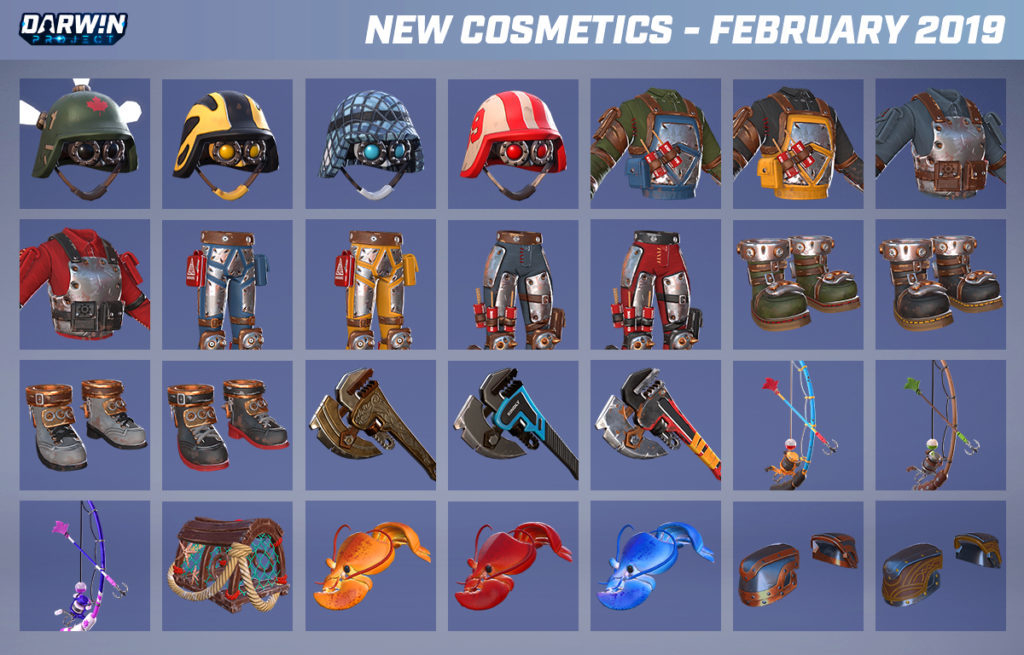
Taking on new challenges such as the new Lava Floor Show Director Power demands new outfits. Over 25 new items will be obtainable from Fan Gifts and will also be purchasable with Ramen from the Shop.
Gameplay
Updated the stamina system
→ Reduced sprint stamina cost from 18/s to 6/s
→ Reduced jump stamina cost from 33 to 25
→ Reduced roll stamina cost from 40 to 30
→ Axe attack nows cost 10 stamina
→ Aiming with the bow now costs 6 stamina per second
Developer comment: Because stamina management outside of combat seemed unnecessary, we put more focus on combat to reward better stamina management.
Increased the speed of roll attacks
Removed the brief stop that would occur after roll attacks
Developer comment: These changes allow the roll attack to match the new timing of the axe swings. On top of that, allowing players to continue moving after a roll attack not only makes the transition between combat movements smoother, but also decreases the chances of getting punished (especially by arrows) if the roll attack was missed.
Resized the female character’s height to be the same size as the male’s
Developer comment: Although the female character has always had the same hitbox as the male, this character’s height was initially shorter. This often lead to confusion regarding hitboxes. This change aims to make the combat more consistent regardless of gender.
Improved character hitbox to better suit the player’s movements
Optimization
Servers tickrate has been increased from 32 to 59 updates per seconds
Developer comment: This allows for smoother and more accurate interactions between players, more particularly in terms of movement and combat.
Multiple improvements due to engine updates
Optimized character model and animations
Optimized visual effects
Optimized day and night cycle
Optimized level of detail in the Mt. Borlo Deer Workshop Tile
Optimized physics computation of players that are not in sight
Developer comment: We know optimization is highly important for the community, and we’ve been hard at work to strive towards the smoothest experience possible. With this patch, all players should notice an improvement in framerate, particularly Xbox players as we continue on our road to reach a stable 60 frames-per-second. While we do still anticipate some small dips here and there, we believe this patch is a step in the right direction for achieving this goal for our Xbox community.
Visuals
Added colored trails to Axe swings to indicate the type of melee Perk that is being used. The visual effects for these trails will increase as the Perk levels up:
→ White when no Perk has been crafted
→ Red for Axe Sharpener
→ Green for Lumberjack
→ Yellow for Scavenger Axe
Added colored trails when players load Arrows to indicate the type of Arrow that is being used:
→ Red for Berserk Arrow
→ Blue for Basic Arrow
→ Green for Hunter Arrow
→ Orange for Fire Arrow
Added a flashing light to indicate when an arrow is ready to be fired
Updated the visual effects for the Fire Arrow, including the lingering burning damage fire
Updated the visual effects of Blood Moon and Beach Party
Removed the Christmas lights from trees in all Tiles
User Interface
Updated the Play menu and the flow to start a match
Added a clearer “On Air” notification while being followed by the Show Director
Updated the bottom left part of the interface while playing a Custom Match with a disabled Player Minimap setting as an inmate
Polished in-game notifications text
Other
Renamed Playground to Training Yard
Renamed Daily Rehab Program to Daily Challenges
Reduced the volume of the sounds found in the Show Director Soundboard
Increased the volume of inmates' footsteps
Increased the duration of Invincibility and Speed Up to 30 seconds (For Spectator Powers only)
Fixed an issue that would cause the axe to scale up during rolling attack and could cause hitbox inconsistencies
Fixed a crash that would sometimes happen when joining a lobby [Xbox only]
Fixed an issue in which players could get stuck in burnt tree trunks in the Mt. Borlo Deer Workshop Tile
Fixed an issue which caused some lava lighting to not work properly in the Mt. Borlo Deer Workshop Tile
Fixed an issue where player would get stuck over lava around the middle island of the Mt. Borlo Workshop Tile
Fixed an issue where a few bows had incorrect materials
Fixed an issue where some trees would have an incorrect trunk texture applied to them
Fixed an issue where various snowman Hats would have no visible neck when used with the male character
Fixed an issue where players who equipped the Ponytail Hair would have incorrect eyebrow colors
Fixed an issue where some Helmet sizes were incorrect
Fixed an issue in the Gould City Tile where some tree leaves would intersect through house roofs
Fixed an issue where the Kiwi Climber Hat would have an incorrect icon
Fixed an issue which could prevent some lava splashes from appearing
Fixed an issue where the Armor crafting sound duration would not match its actual crafting time
Fixed an issue where trees would keep moving if a player died in it
Fixed an issue where the headshot hitbox would remain the same size when using the Shrink Electronic Power
Fixed an issue wherein changing the graphics quality during Beach Party while playing as female character could cause two skins to overlap
Fixed an issue where joining a Twitch tournament with a controller could sometimes prevent any further menu navigation
Join this Year’s First Playtest on Steam this February!
Hello inmates,
We know you’ve been waiting for an update this year! A brand new Show Director Power, axe improvements and more updates are coming your way this month. You’re invited to preview and help us improve them in a Technical Playtest on Monday, February 4!
Don’t forget that the features you’ll see in the Playtest are still in development, so you may experience some issues.
WHAT EXACTLY AM I TESTING?
We’re looking for your feedback about the new Show Director Power, axe changes, and the new Practice vs. AI training mode, in particular. We’d also like to know what you think and how your experiences are with creating Custom Matches.
Show Directors, we know you’re all curious about the new Show Director Power, so stay tuned to our social media channels for some details in the next few days, or go in blind for a surprise on Monday!
WHEN IS THE TECHNICAL PLAYTEST?
The Technical Playtest will take place on Monday, February 4 from 4 PM EST (9 PM UTC) to 6 PM EST (11 PM UTC) on Steam.
HOW CAN I PARTICIPATE IN THE PLAYTEST?
Go to your Steam Library
Right-click on Darwin Project and select Properties
Go to the Beta tab and enter the playtest code: playtest124357689
Click Check Code, then select Playtest from the drop-down menu
Restart Steam and launch Darwin Project
Important: Don’t forget to opt out of the Playtest branch once it is over! You can do this by going back to the Beta tab in the game’s Properties and selecting None from the drop-down menu.
CAN I STREAM OR RECORD THE PLAYTEST?
Yes! We also encourage those who are not able to participate to tune into the streams if they’d like. Don’t forget to opt out of the Playtest when you are done playing before continuing to stream Darwin Project.
HOW CAN I SEND YOU MY THOUGHTS?
We’d love to hear your feedback about the the upcoming patch! We will be posting the link to the post-playtest survey in the playtesting build as well as our social channels. Please take the time to fill it out and help us make this update the best it can be!
WHEN DOES THE FEBRUARY CONTENT UPDATE DROP?
The next patch will be available on February 19, with patch notes published a few days earlier as usual.
We hope you’ll join us, and see you in the arena!
Scavengers Team
An Early 2019 Development Update
Hello inmates,
We hope you had a wonderful holiday season! We’re back at the studio in full force and intend on making 2019 a huge year for Darwin Project! We’re kicking it off by putting together an enormous patch that will require a bit more time to release, but that will take a lot of the feedback you’ve been sending us and channel it into improvements for our biggest Technical Playtest yet.
We’ve said that we won’t launch Darwin Project out of Early Access until all its systems meet our quality standards for fun factor, balancing, and polish. And when we talked about the road to release, we identified several improvements we want to make before going into full launch. While we’ve had to tweak that roadmap from July 2018, lots of the important additions we highlighted did make it into the game: The Tile Mapping System, three brand new Tiles, Duo Mode stats and leaderboards, the Playground (“Training Room”), Daily Rehab Program (“Quest System”), and tons of cosmetics and optimization.
Beyond what was planned in the roadmap, we’ve also surprised players with our first-ever Battle Pass: The Death and Life of Roger D. Glanton, groundbreaking spectator interaction features on Twitch, controller support on Steam, bears, the Show Director Soundboard, new Private Match options, and more.
As we sat down to nail down what else is coming to Darwin Project in the short-term, we found ourselves wanting to address key areas that we and the Darwin Project community feel strongly about, but that would require more work than what our current monthly development cycles allow for. Chief among those is getting melee combat to a spot where it’s as clear and comfortable as it can be. We’re currently experimenting with various timing tweaks, developing clear and dedicated animations to reintroduce the upward and downward Axe swings, prototyping new visual effects on the trajectory to better help players identify exactly where Axe swings are going, and more.
We’ll be tackling the Axe, as well as other improvements that require a longer development time, mercilessly throughout January and most of February. This means that Darwin Project will not receive a content update this month. It also means that the next patch is going to be absolutely massive, and that your feedback on the work-in-progress version will be more important than ever! Please stay tuned for the exact dates of the Technical Playtest(s) on Steam. If you’ve been answering our surveys saying you’re dissatisfied with the Axe, we’d love for you to let us know whether it feels better for you in a Technical Playtest!
We’ll still be holding a devstream on Tuesday, January 15 from 11 AM EST to 12 PM EST. Tune in on our official Twitch channel as usual as we look back at the greatest moments in 2018, answer your questions, and do a bit of Darwin trivia with some members of the team!
We know you’re excited to find out what else is coming for Darwin Project and when. We’ll have more details to share as soon as we get a preliminary feel for some of the ideas we’re considering. These ideas wouldn’t have been possible without your help, so do keep sending in your feedback!
- The Scavengers Team
Patch Notes 1.18 - Changes for December 18
Hello inmates!
We’re targeting Tuesday, December 18 to release patch 1.18 on Steam. Read on to see what the latest update contains!
Again, thanks to all the Steam players who previewed these changes in our Technical Playtest and sent in feedback! Don’t hesitate to keep sharing your thoughts about any of the improvements below on our official channels.
Scavengers Studio will be out for the holidays from December 22 to January 1, so please expect delayed replies.
See you in the arena, and happy holidays!
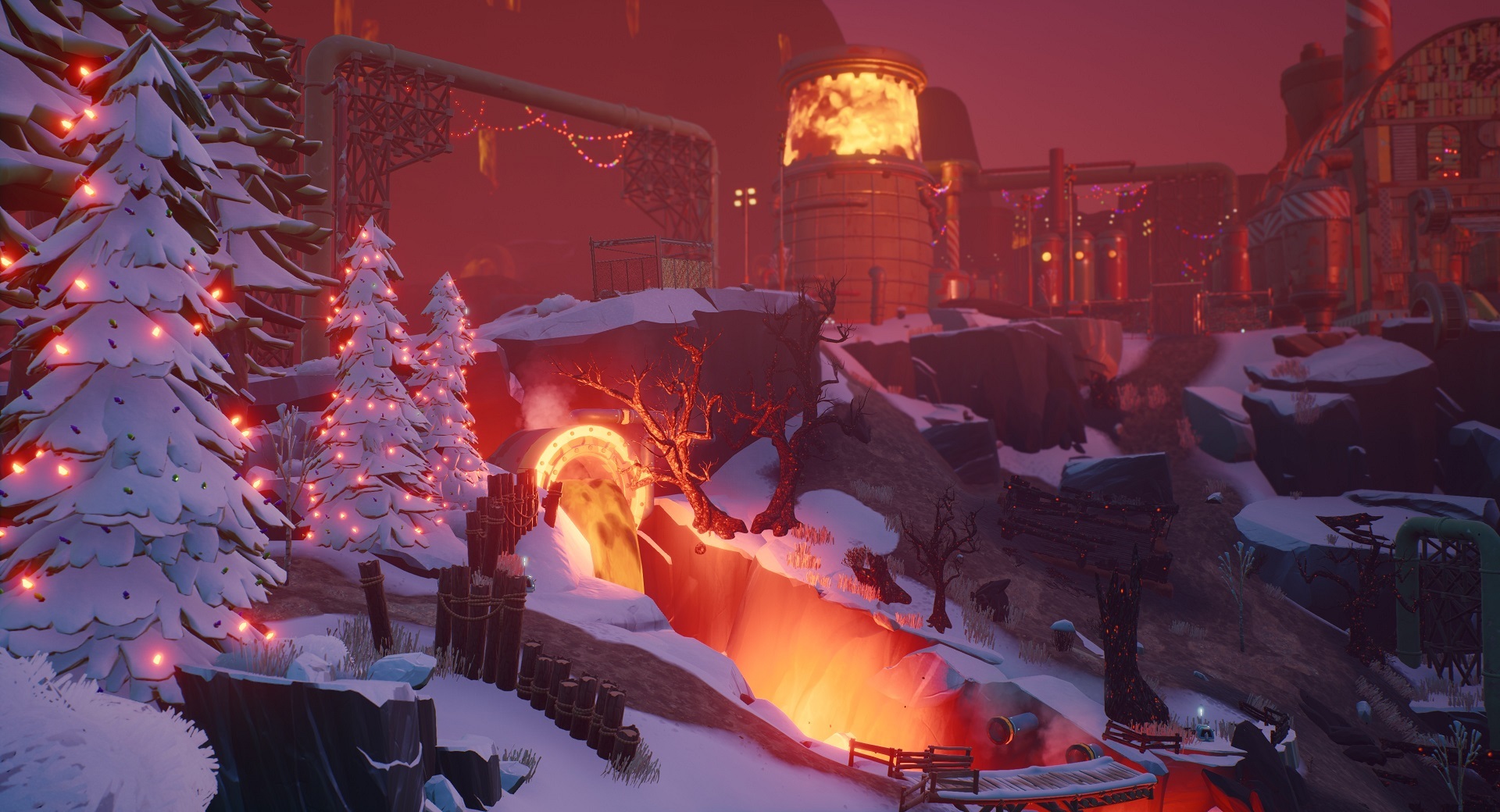
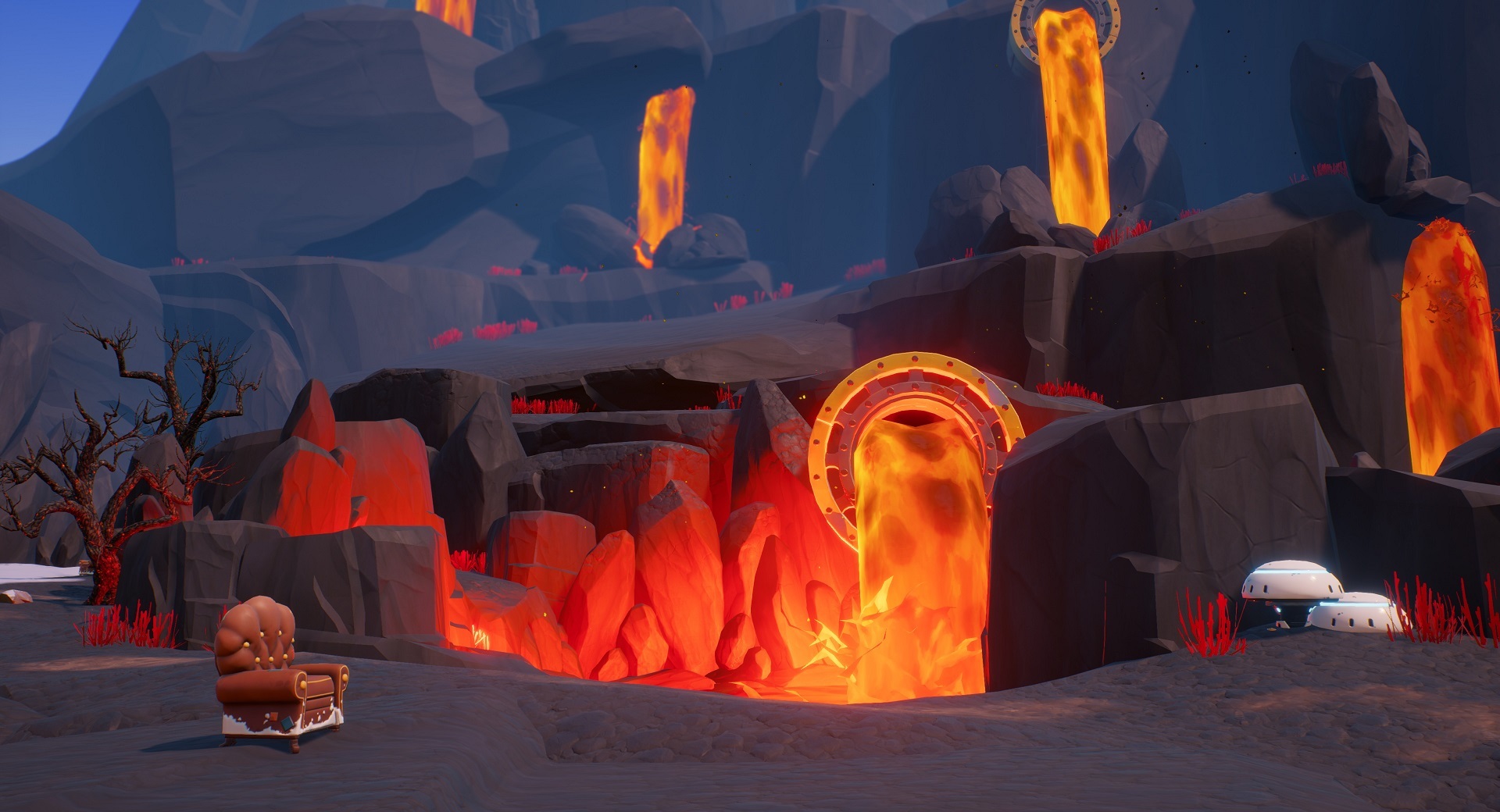
New Tile: Mt. Borlo Deer Workshop
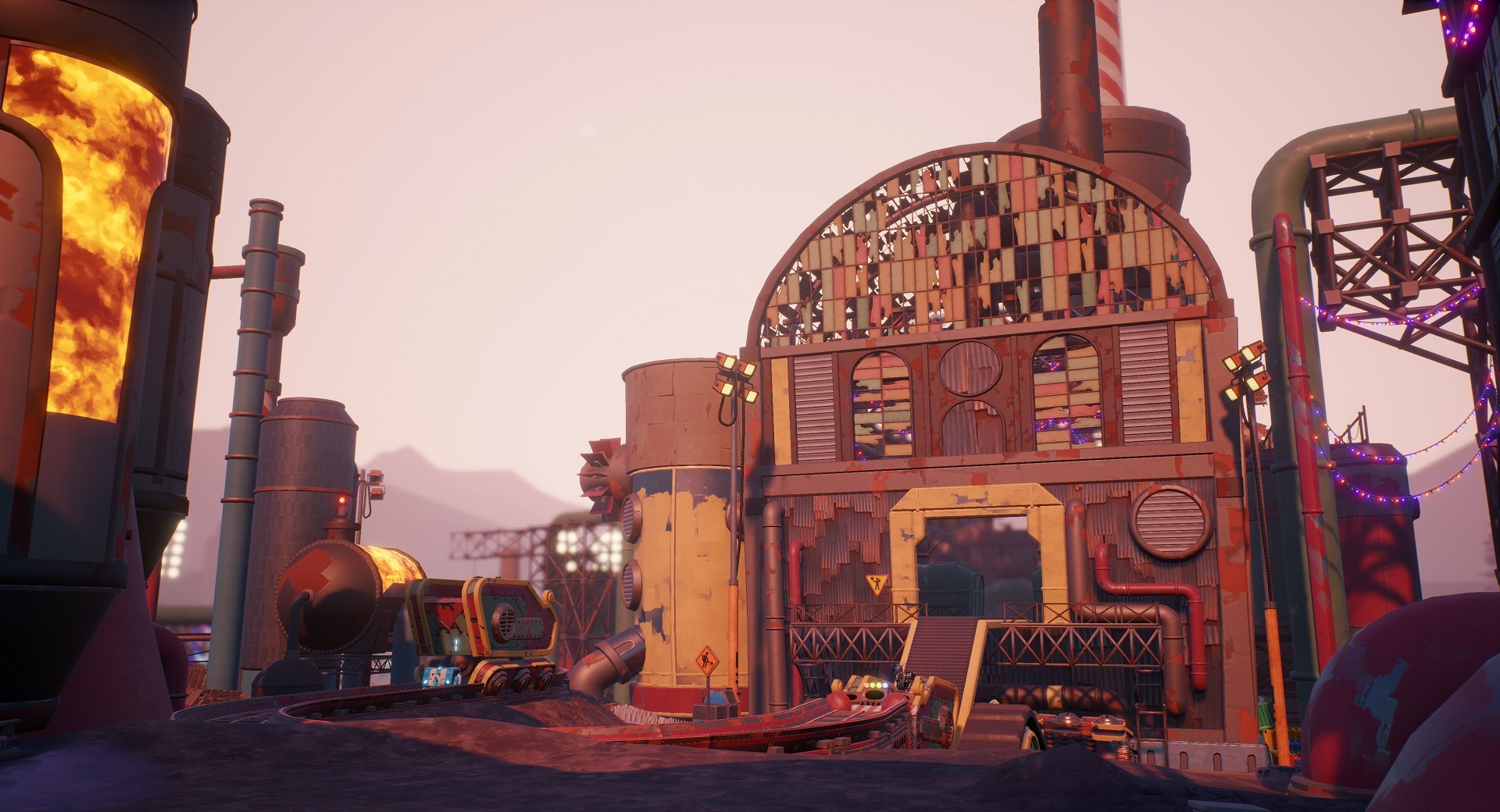
Volcanic, rocky, and scorched all over, Mt. Borlo is the perfect fiery backdrop for fierce showdowns. Its glowing lava falls and towering peaks are inviting, but make no mistake: Mt. Borlo Deer Workshop is one of the most treacherous Tiles yet. Lots of uneven terrain and pools of lava mean that inmates will have to pay more attention to their surroundings and carefully evaluate the trajectories of Power Leaps and BoomShroom bounces.
On one of the tallest cliffs stands the Deer Workshop. A large building that inmates can fight in, the Deer Workshop produces what many consider a key resource of the Darwin Project arena. The goods are transported using metal wagons on elevated rails, with a number of industrial lights and pipelines supporting the mysteriously self-sustained production.
Some of you might recognize one of the islands in Mt. Borlo Deer Workshop from the pre-Tile Mapping System map!
New Show Director Power: Give Leather
Some of you may have seen this coming, but… The leather makes it better!
When activated, the player targeted by this Power will receive two Leathers. Give Leather costs one Action Point to use and Show Directors can have a maximum of three copies of it in their Decks.
Just like other Powers that require a target, the Show Director can let any stream viewers vote for the player who will receive the Leather.
To unlock up to three copies of Give Leather for your Show Director Deck, continue leveling up as the Show Director.
New Show Director Power: Open Zone
Open Zone allows Show Directors to reopen a zone that was previously closed. It costs five Action Points to activate and Show Directors can only have one copy in their Decks.
Just like other Powers that require a target, the Show Director can let any stream viewers vote for the zone that will be reopened.
Note that Open Zone can be used on a zone that is becoming forbidden (as soon as the countdown begins), but not on a zone in which sudden death is active.
To unlock Open Zone for your Show Director Deck, continue leveling up as the Show Director.
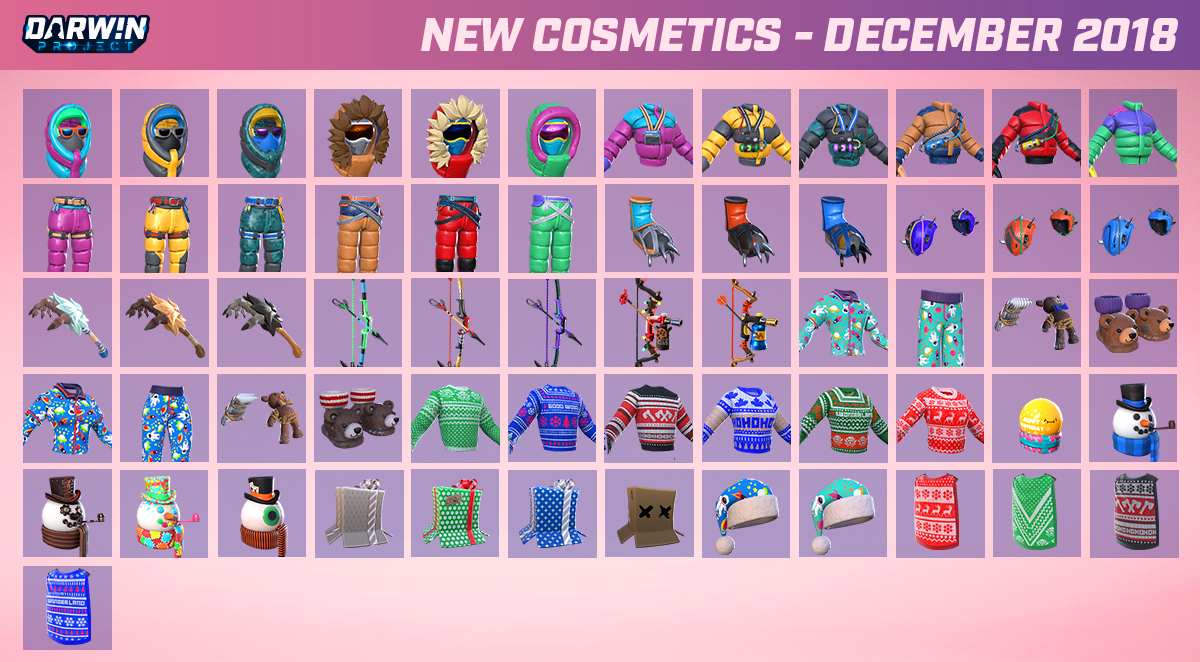
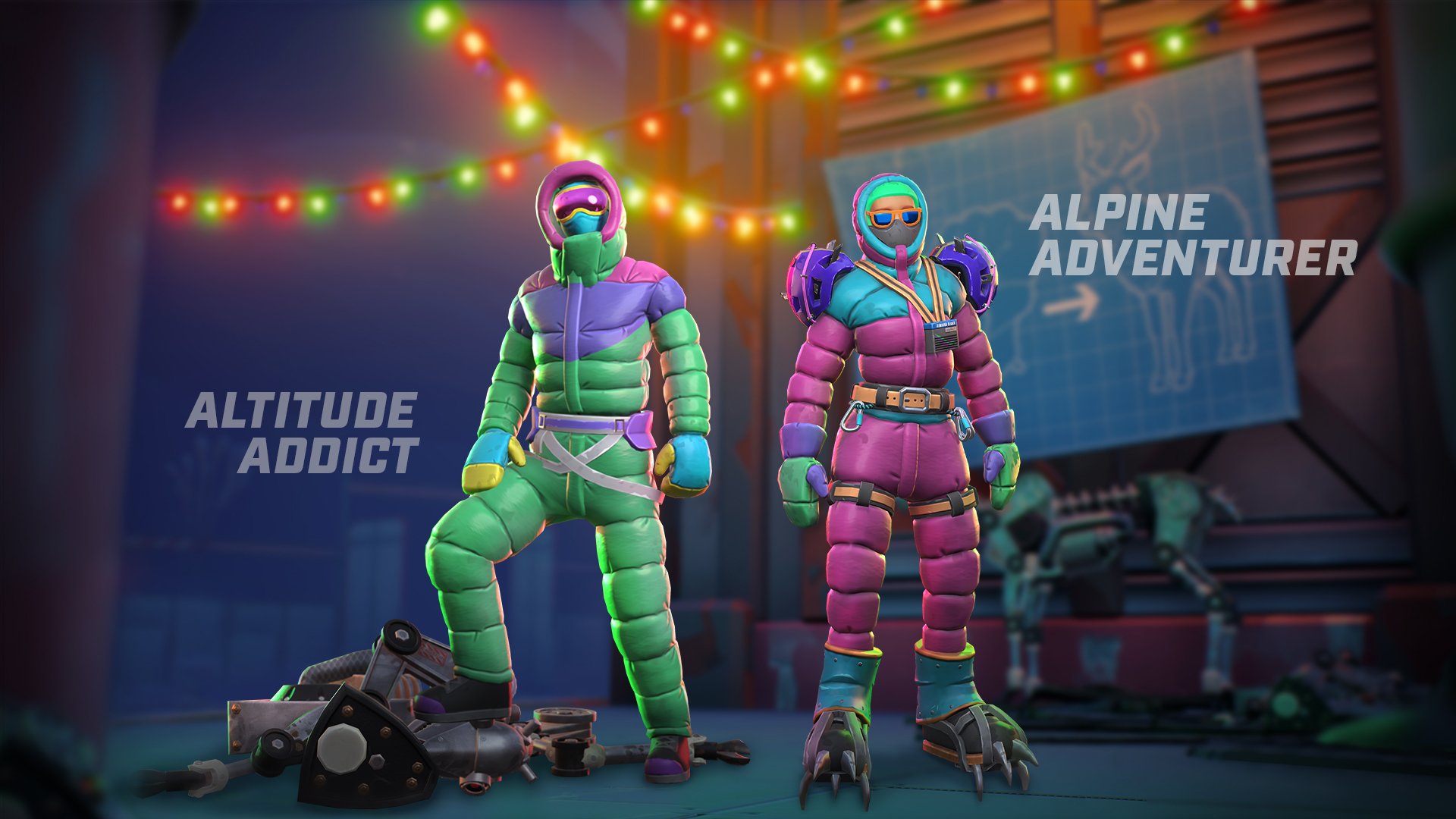
60+ New Cosmetic Items
Whether you’re facing the cold head-on or looking to cozy up in festive wear this holiday season, patch 1.18 has some outfits for you. Over 60 new items will be obtainable from Fan Gifts and will also be purchasable with Ramen from the Shop. Here’s the overview:
Note: The Santa Hat will not be obtainable through Fan Gifts or purchasable in the Shop, but will instead be given as a free reward to all players who log in between December 21, 2018 at midnight UTC and December 31, 2018 at midnight UTC. The cosmetics list has been updated to reflect this.
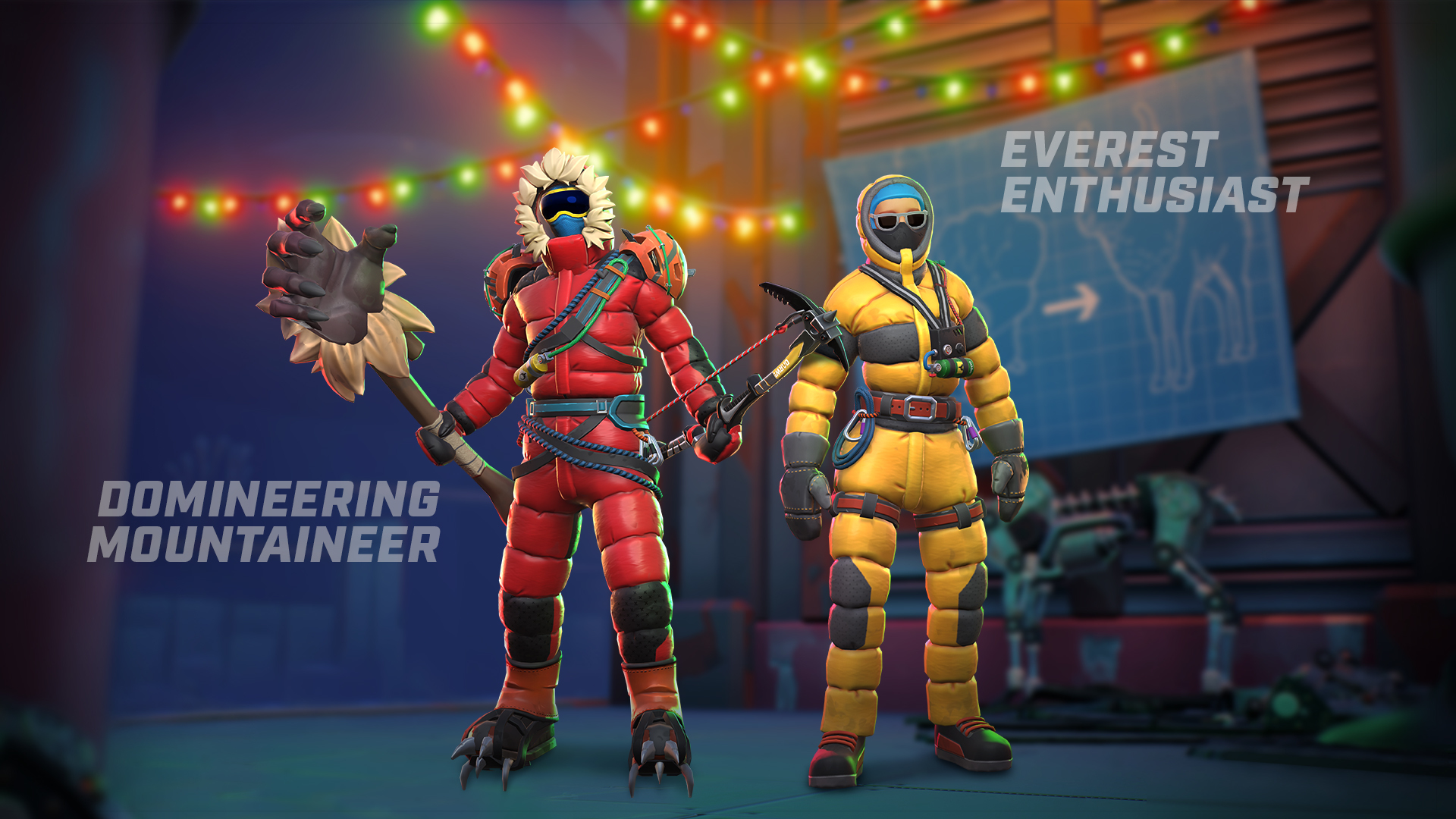
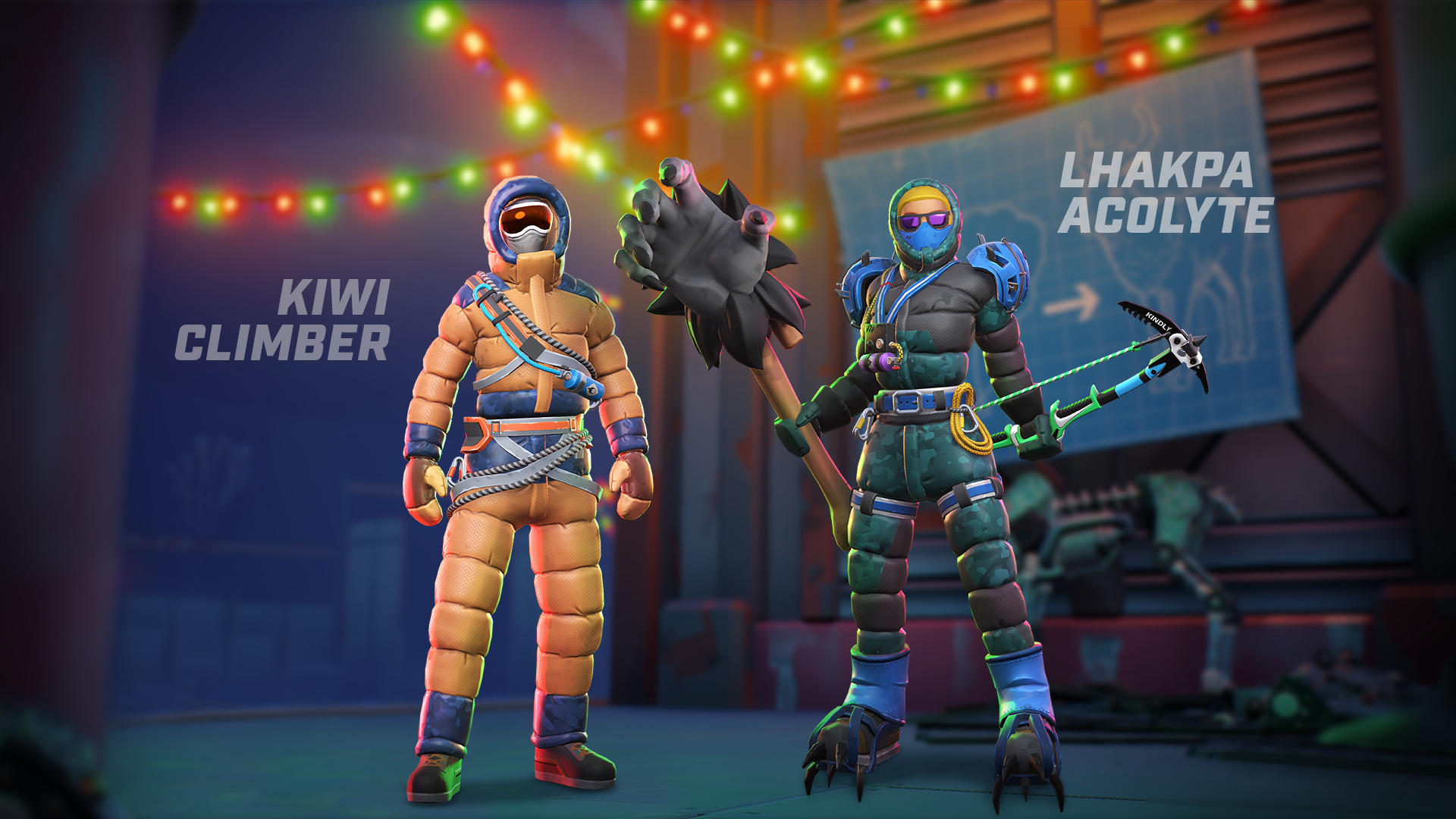
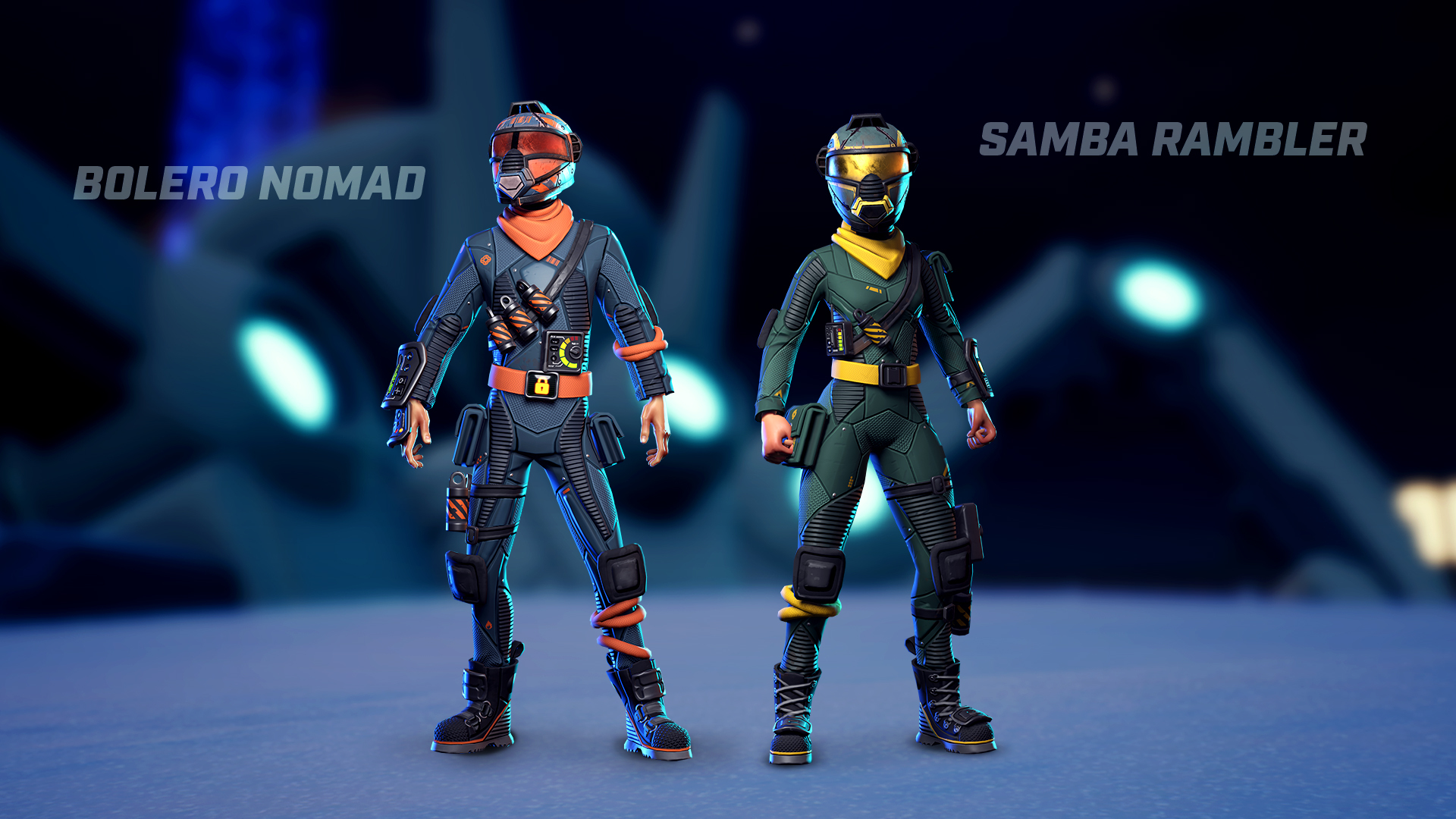
Hike up Mt. Borlo in style with these mountain climber outfits:
Spectator Interaction Improvements
New Feature: Events
Since we’ve introduced Betting to spectator interactions on Twitch, viewers have been able to watch a variety of streams to build up a wealth of Darwin Dollars (still a work-in-progress currency) and use them to wreak havoc in Private Matches that have Spectator Powers enabled. The new Event feature allows the streamer to place all viewers on a level playing field and see which one manages to make the best use all available spectator interactions and finish with the thickest wallet at the end of a stream.
To create an Event, streamers on Twitch with the official Darwin Project Spectator Experience Extension enabled will need to click the new button called Create Event directly on their stream, then create a Private Match.
When the streamer has an active event, stream viewers will receive a second wallet containing 1000 Darwin Dollars, and any Bets and Power Bids made during the event will use this dedicated wallet. All stream viewers of the match, even if watching a different streamer than the one who created the event, will have the dedicated wallet made available.
Streamers can end an event at any time by going to their stream again and clicking Finish.
If the streamer does not end the event, it will end automatically after 24 hours. Note that streamers cannot begin or end an event while already in a match or in a lobby.
At the end of the event, three leaderboards will appear with the top 10 spectators in each: Current amount of Darwin Dollars, total gain, and largest gain in one shot. The leaderboards can also be viewed at any time by clicking the crown icon next to the event wallet.
Viewers will still earn Darwin Dollars for their regular wallet on top of the dedicated wallet when watching a stream in which there is an active event.
Betting Update
First off: we’ll be resetting all spectator wallets and leaderboards. Don’t be alarmed!
As a first step to balance Darwin Dollars, we’ve set a maximum amount that spectators can bet at once: 5,000 Darwin Dollars in Private Matches and 100,000 Darwin Dollars in Public Matches. We’ve also updated the formula that determines the payout multiplier.
Voting Update
The Electronic Show Director Power has been added to the list of Powers that can be voted on by the audience. When the Show Director chooses to let the audience vote, spectators will be able to click on the zone where they want to see an Electronic resource be activated.
Gameplay
Added three new Private Match options (the following can now be toggled on or off by the Private Match host):
- Player Minimap Hidden (off by default): Removes the minimap in the bottom left corner of the screen and replaces it with a compass at the top of the screen
Developer comment: Finding cabins with Holomaps becomes much more important when this option is turned on, especially when zones begin closing!
- Auto Zones/Electronics (on by default): Zones will close and Electronics will activate without the Show Director’s help
- Names on Holomaps (off by default): Names will appear on Holomaps (maps present inside some cabins)
The Axe swing will now be more closely tied to the player’s latency
Developer comment: We adjusted the Axe’s lag compensation such that it works similarly to Arrows, making it no longer possible for players to take a hit from an enemy with high latency without seeing it coming. This also results in a tighter synchronization of swing animation and hitbox.
Slightly lowered the Axe hitbox for the spin attack and strafe jump attack
Developer comment: We noticed that players would often swing their Axe in mid-air expecting to connect with the enemy’s head, only to miss by a few inches.
Increased Armor crafting time from 3 seconds to 5 seconds
Developer comment: This balance change is intended to add a higher level of risk to crafting Armor in the middle of a fight.
The Hook will no longer grapple players frozen by Ice Bolt
Developer comment: This improvement will make the Ice Bolt behavior consistent with other Tools in the game, while also preventing situations where a frozen player could be Hooked toward hazardous ground with no opportunity to react.
Optimization
Slightly optimized fog effects
Slightly optimized smoke effects
Slightly optimized cloud effects
Visuals
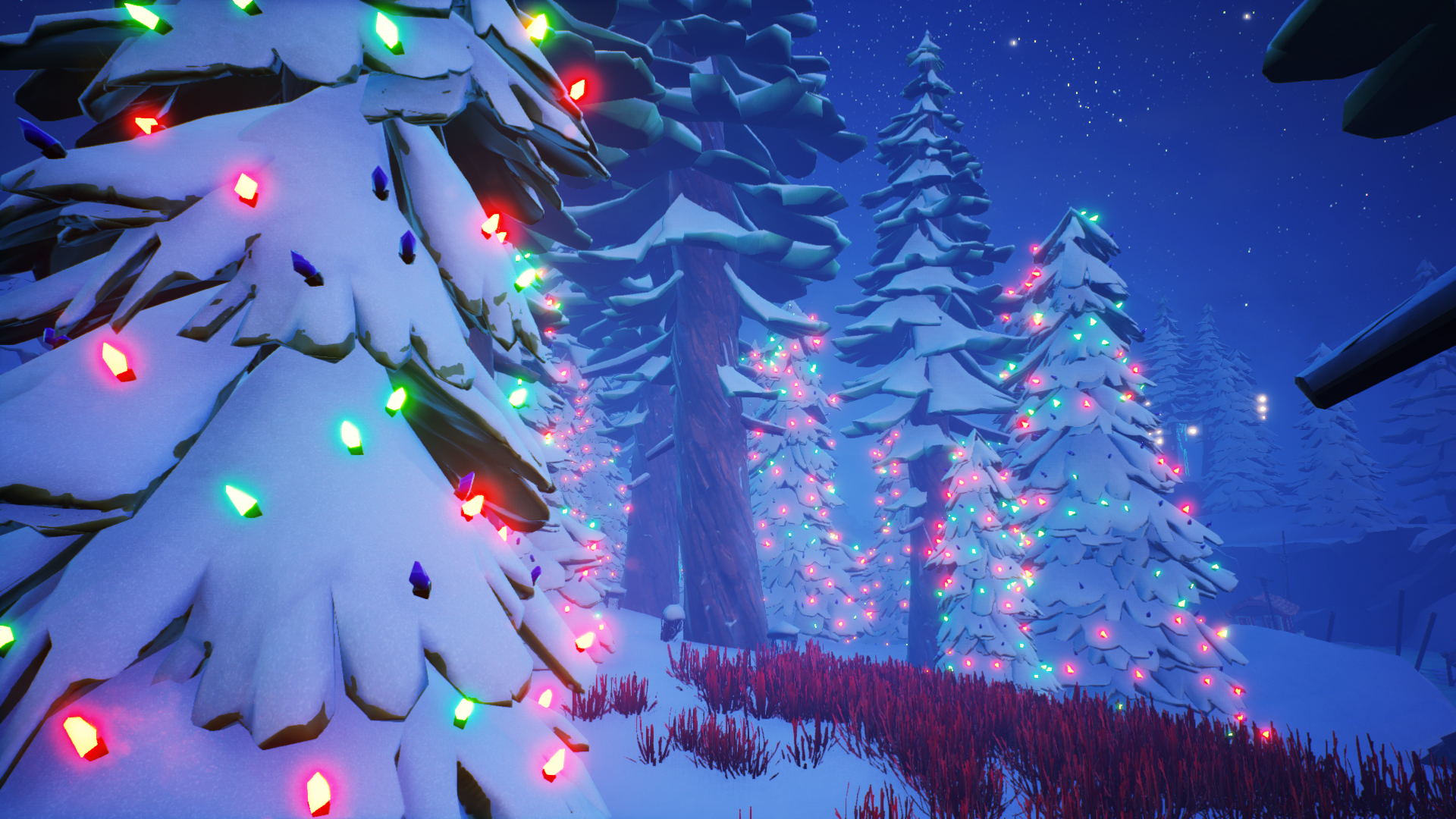
Added Christmas lights to trees in all Tiles [for a limited time only]
Updated lava texture and behavior so that it can flow in a specific direction
Animation
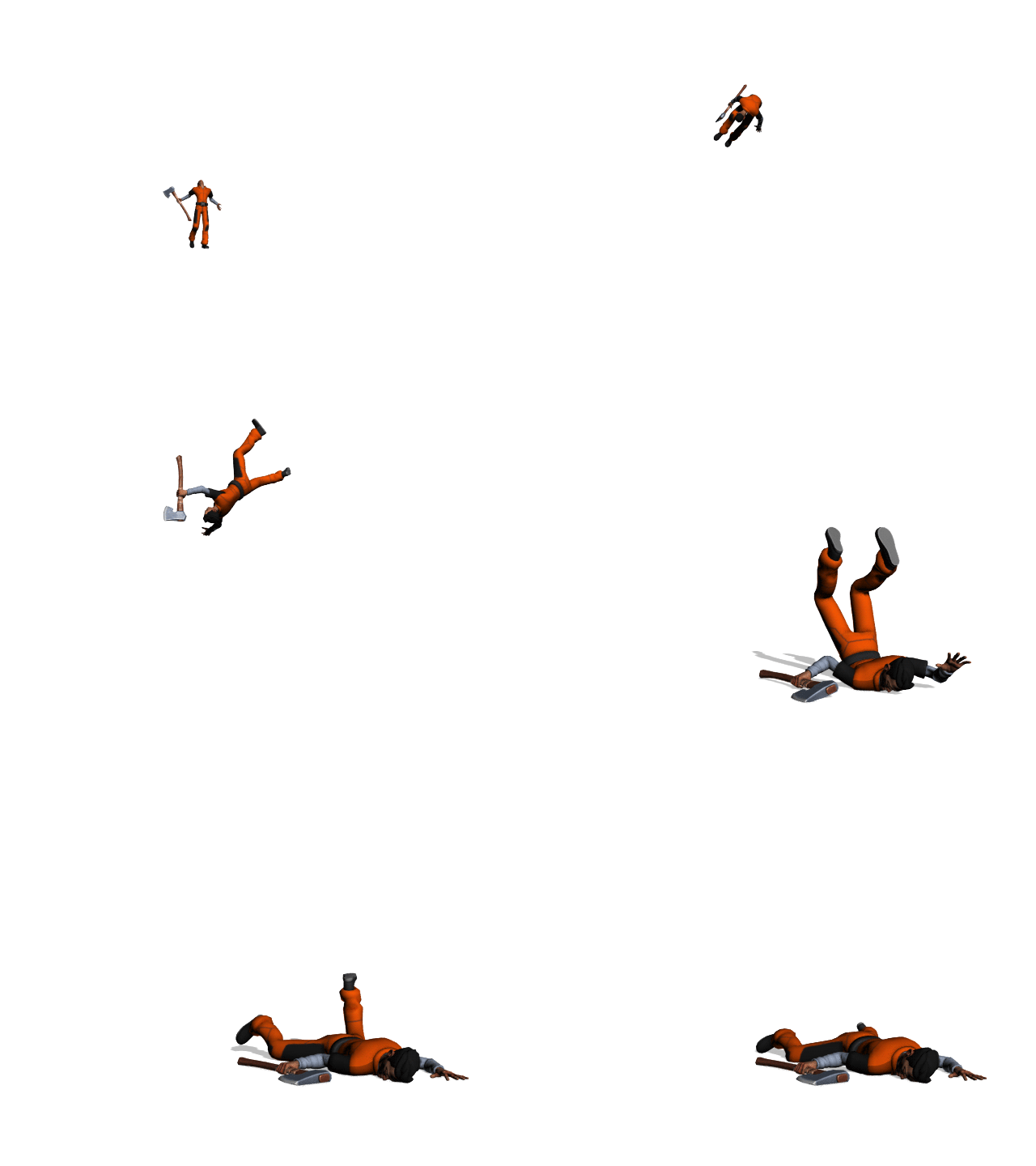
Replaced the death animation by four all-new animations
Added a front hit reaction
Updated the Arrow nocking animation
Other
Reworked the menu flow upon defeat
- When defeated, players will automatically be turned into spectator drones (not to be confused with support drones in the case where your ally is still alive in Duo Mode). Pressing Esc with mouse and keyboard or Menu with a controller will bring up the match stats and allow players to go back to the main menu or play again.
Developer comment: This change will allow players to more easily view the different ways other people play and potentially pick up a few tips!
- Removed the Play Again button while in a party to prevent the party leader from interrupting their ally when reviewing match stats
- When viewing stats at the end of a match, players will automatically be queued for matchmaking in the same game mode after 40 seconds
Reworked the pause menu
- Daily Rehab Program progression and some Career stats will now be visible in the pause menu
- Players will now be able to give the Show Director Prestige during a match through the pause menu
Added an option for players to set a distance between the edge of their TV or monitor and the game UI in Video Options
The cursor will now always appear at the center of the screen when Show Director opens the Power Bar
Added a second input for the roll, bound to the middle mouse button by default
Developer comments: Don’t forget to rebind any inputs you currently have on the middle mouse button if you’d like to use the roll there instead!
When defeated, players’ match stats will now be compared to their average instead of their all-time best for that game mode
UI
When clicking to see the details of a set in the Shop, players will now get a 3D preview as opposed to seeing only a 2D image, giving a much better idea of how the items will look when worn in the arena or in the Dressing Room. Note that this feature will be updated to include individual items in the future.
Added a loading icon on a player’s avatar when they are in the process of loading into the lobby
Moved Scavenger Mode into Private Match options
Made small visual adjustments to:
- The icons above stray Arrows
- The tips that appear when approaching a lootable item
- In-game news
- The Connect to Twitch or Mixer button location
- The Connect to Twitch or Mixer menu
- The Daily Rehab Program
- The ally information in Duo Mode
- The latest news pop-up
- The victory screen
- Names above player heads
- The Dressing Room
You may now register for this month's Darwin or Die!
Get ready for another Darwin or Die this December! If you think you have the charms and wit to survive the crazy matches in this event, register here now! You will also find the full details on the same page.
Registration period is until Friday, December 14, at 10 AM ET.
This Month's Technical Playtest is Tomorrow, December 11!
Hello inmates,
A brand new Tile, Show Director Powers, and more are coming your way next week, and you’re invited to preview and help us improve them in a Technical Playtest on Tuesday, December 11.
Don’t forget that the features you’ll see in the Playtest are still in development, so you may experience small issues.
What Exactly Am I Testing?
We’re looking for your feedback about the new Tile and new Show Director Powers in particular, but you’ll be able to share your thoughts about everything in this version in the post-playtest survey. What are the new Tile and Show Director Powers, you ask? Stay tuned to our social media channels for some details in the next few days, or go in blind for a surprise in Tuesday’s Playtest!
When Is the Technical Playtest?
The Technical Playtest will take place on Tuesday, December 11 from 3 PM EST (8 PM UTC) to 6 PM EST (11 PM UTC) on Steam.
How Can I Participate in the Playtest?
1. Go to your Steam library
2. Right-click on Darwin Project and select Properties
3. Go to the Beta tab and enter the playtest code: playtest73421013
4. Click Check Code, then select Playtest from the drop-down menu
5. Restart Steam and launch Darwin Project
Important: Don’t forget to opt out of the Playtest branch once it is over! You can do this by going back to the Beta tab in the game’s Properties and selecting None from the drop-down menu.
Can I Stream or Record the Playtest?
Yes! Don’t forget to opt out of the Playtest when you are done playing before continuing to stream Darwin Project.
How Can I Send You My Thoughts?
We’d love to hear your feedback about the the upcoming patch! We will be posting the link to the post-playtest survey in the playtesting build as well as our social channels. Please take the time to fill it out and help us make this update the best it can be!
When Does the December Content Update Drop?
The next patch will be available on December 18, with patch notes published a few days earlier as usual.
We hope you’ll join us, and see you in the arena!
- Scavengers Team
Patch Notes 1.17 - Changes for November 20
Hello inmates,
As promised in our latest Behind the Scenes video, we’re taking a good look at balance in Darwin Project as part of efforts to polish the overall experience. You’ll find lots of gameplay adjustments in this patch that are meant to address the discrepancies with how frequently certain equipment is used, with developer comments for each. Patch 1.17 will become available on Tuesday, November 20. Expect maintenance to begin at our usual time of 11 AM EST.
Thanks again to everyone who played an early version of this content update during our technical playtest and submitted feedback! We’ve improved this patch with your help, but don’t hesitate to continue sending us your thoughts about these changes through any of our official channels.
As a reminder, the Halloween atmosphere will disappear from Darwin Project with patch 1.17. We hope you had fun shooting pumpkins in the lobby and harvesting jack-o’-lanterns!
Important note: Due to some improvements that patch 1.17 makes to various options, any players’ remapped inputs will be reset to default. We apologize for the inconvenience!
See you in the arena!
3 New Ways to Make Private Matches More Spectacular and Interactive
As you know, our objective with Darwin Project is to further connect players and spectators, which means navigating the dichotomy between player interest and viewer entertainment. We’ve already seen that giving spectators and Show Director the power to influence matches in significant ways was at odds with the experience that many players expect―and in response to that feedback, we’ve made specific changes such as not permitting the Show Director to activate a targeted Power during a fight.
But in Private Matches, where players deliberately join with friends and agree to play by the host’s rules, where’s the harm in a little chaos?
We’ve added new options to spice up Private Matches and re-empower Show Directors and spectators―to a potential point of extreme unfairness, yes, but also of extreme entertainment and interactivity with viewers. In fact, our vision is to progressively build the Private Match into a small build-your-custom-show toolkit.
Note that all these are optional and can be disabled by the Private Match host. Show Director Unleashed and Spectator Power checkboxes have been added to the options bar when choosing between the inmate or Show Director role, while Scavenger Mode can be freely turned on or off in the lobby.
Show Director Unleashed
Show Directors ignore all the rules of normal play and have access to unprecedented privileges. Enabling Show Director Unleashed in a Private Match allows the Show Director to:
Have immediate access to all Show Director Powers (Powers will be unequipped from non-unleashed Directors in other modes)
Have access to the Invincibility Power that was previously removed
Use equipped Show Director Powers as many times as they want
Use Show Director Powers on players in combat
Use the Megaphone every 5 seconds (compared to 90 second cooldown in normal play)
Use the Soundboard as often as they want (compared to 30 second cooldown in normal play)
Gain Action Points at 10 times the normal speed
Close zones with no restrictions
Spectator Powers
UPDATE 11/20: Spectator Powers are now expected later in the week. Please stay tuned to our official channels!
With Spectator Powers, spectators on Twitch have the opportunity bid for Powers usually reserved for Show Directors using Darwin Dollars (the same currency earned through Spectator Betting) during the lobby. The spectator who wins a bid for a Show Director Power will see it added to the stream’s interface and will be able to launch it at any point during the match they’re spectating―without having to boot up Darwin Project.
At the beginning of each match, three Powers among the following will be randomly selected and made available for viewers to bid on:
Nuke
Close Zone
Manhunt
Speed Up
Warm Up
Invincibility
Heal (300)
Broadcasters on Twitch, are you ready for your spectators to wreak havoc in your Private Matches? Just make sure the host leaves Spectator Powers turned on in the Private Match options and your streams will be more interactive than ever. Note that the official Spectator Experience Twitch Extension is needed to experience the mayhem of Spectator Powers.
Scavenger Mode
In this new mode, added as a prototype, players begin with an empty Crafting Wheel and must rely on finding Blueprints for new craftable items (Arrows, Tools, and Perks) in Loot Chests and deer. These Blueprints will be added to players’ Crafting Wheels until they fill up. In addition, harvesting an Electronic will grant players an Electronic Power that’s ready to use as opposed to a resource.
Because players won’t know which equipment they’ll have access to before they start searching, Scavenger Mode puts a heavier emphasis on their ability to adapt as well as their proficiency with all available Arrows, Tools, and Electronic Powers―not just those they usually equip.
We’ve decided to add an optional version of this mode in Private Matches for players who like to be kept on their toes or just want to freshen up their Darwin Project experience. We’re interested to hear whether Scavenger Mode is a hit among you and your friends in Private Matches. Please send us your feedback on any of our official channels!
Playground
The Playground is a new training room type game mode that players can enter to practice their survival skills safely. While Lancaster the Darwin Orientation Drone provides tasks to help inmates with the main mechanics, we wanted to provide new players with a way to interact with resources and experiment with their equipment without having to worry about being attacked by another player.
The Playground is a small map divided into areas meant to help players get acquainted with specific mechanics. In the Trap Museum, players can see what Traps look like when laid by another player (and even get caught inside them to understand their effects). The Archery Range is perfect to practice aiming and shooting with the Bow, and dummy inmates are also present to take any Axe swings, Arrows, and Electronic Powers coming their way. Resources (trees, leather armchairs, and Electronics) as well as Loot Chests respawn after being harvested in the Playground. More areas, marked “under construction,” will be added at a later date.
In the Playground, players can easily make changes to their Crafting Wheel by going back into the chalet (the main structure). They can also clear their inventory at any time by pressing V on a keyboard or A+B on a controller.
In this first iteration, players can only enter the Playground as an inmate.
Show Director Soundboard
The Show Director Soundboard allows the Show Director to play various sound effects, either for all inmates to hear or only those in the vicinity. The Soundboard can be used by pressing R or Y during a match and lobby, and has a cooldown of 30 seconds.
This new feature is meant to allow the Show Director to make matches more show-like and highlight the coolest moments of the match with increased emotional and narrative impact.
In this first iteration, these 12 sounds are available in the Soundboard:
What
Nice shot
Oh Yeah
Hot Damn
Sweet
Awkward
Lol
Boo
Disappointed
Laughs
Love in the air
Gasp
Spectator Betting Now Enabled in Public Matches
Betting is a work-in-progress improvement for spectator interactions that allows viewers on Twitch to place bets on which inmate or team they believe will be the last one standing.
Following positive feedback from a previous update in which we enabled spectator betting in Private Matches, we decided to integrate this feature permanently to Public Matches. The crowd favorite vote that normally appears at the beginning of a match will now be fully replaced by the betting interface in both Private and Public Matches as long as at least one player is streaming on Twitch with the Spectator Experience extension enabled (and, in the case of Private Matches, as long as the Spectator Betting option is turned on).
Note that the economy will be balanced over the next few months, so please don’t grow too attached to your wallet of Darwin Dollars as it will be reset!
80+ New Cosmetic Items
Patch 1.17 contains the largest amount of new cosmetics items we’ve added at a time since April’s customization-focused update! Over 80 new items will be obtainable from Fan Gifts and will also be purchasable with Ramen from the Shop. Here’s the overview:
Here’s a closer look at some of the styles you’ll be able to complete, but we encourage inmates to mix and match collected items to create unique outfits (and don’t forget to share them in the #fashion-project channel of the official Discord server!)
Gameplay
Removed the Axe and Teleport combination (aka “Tele-Axe”) where players could swing the Axe and immediately Teleport to damage anyone in the Teleport trajectory
Developer comments: This combination was not only impossible to counter due to how fast it could be executed, but it was also very difficult for new players to understand what happened when they were damaged by it. The Teleport became an automatic choice for a lot of players, and its prevalence in matches had a detrimental effect on equipment variety.
The Glider will now accelerate progressively instead of starting at full speed, reaching maximum speed after 3 seconds
Developer comments: The Glider’s immediate burst of speed proved very powerful in almost all situations, especially as a way to quickly dodge Arrows or flee from combat, which made many players pick it over other available Tools. This change aims to limit its impact mid-fight without affecting its value when it comes to map traversal.
Removed the Show Director light
Developer comments: After an in-depth review of player feedback about how Show Directors and inmates interact, we determined that the Director drone’s light did little to improve either the Show Director or inmate’s experience.
Increased the Arena’s radius by 15%
Developer comments: This change is intended to balance the way inmates use the Arena. Prior to patch 1.17, the Arena was overwhelmingly used defensively, and this adjustment should make the Arena more viable offensively.
Increased Hook cast time by 0.15 seconds
Developer comments: This change will make the Hook slightly more difficult to land, and combined with its new animation, will give targeted players more of a chance to deflect or dodge it.
The Turret will no longer detect (or shoot at) players who are hidden behind obstacles
Developer comments: When the Turret was able to detect enemies outside of its field of view, it essentially acted as a detection device on top of putting constant pressure on its target.
Increased movement speed/lvl for Evader and Hunter Boots from 3%/lvl to 4%/lvl
Decreased Hunter Boots movement speed/lvl when tracking an opponent from 4%/lvl to 3%/lvl
Hunter Boots will now also grant 3%/lvl more stamina when tracking an opponent
Evader Boots will now also grant 4%/lvl more stamina when being tracked
Developer comments: These changes aim to reduce the gap between movement speed conferred by the different types of Boots in order to make the Hunter and Evader Boots more viable compared to the Speed Boots and encourage players to try out the specific play style associated with different Boots.
Damage done while under the effect of Shrink is now reduced by 50 instead of 100
Developer comments: We felt that Shrink’s damage reduction was too significant, and this change should make it a more viable offensive option.
The Lumberjack Axe will no longer increase crafting speed or Clue harvesting speed
Developer comments: The multiple effects of the Lumberjack Axe made it a Perk that served too many purposes. These changes will refocus it on its core purpose: resource harvesting.
The Scavenger Axe will now also increase crafting speed by 10%/lvl
Developer comments: This addition simply aims to make the Scavenger Axe more viable compare to other Axe Perks.
Inmates who equip Fire, Berserk, or Hunter Arrows will now start with two of them instead of zero (the starting amount for regular Arrows remains unchanged)
Developer comments: Starting with no Arrows gave players a sometimes frustrating disadvantage in early encounters against opponents equipped with regular Arrows because they didn’t have as many chances to retaliate.
Removed the Detector
The Radar will now also detect resources, Loot Chests, and deer
Reduced the Radar’s duration from 15 seconds to 10 seconds
Developer comments: The Detector was vastly underused as an Electronic Power that could only detect resources, so we’ve combined it with the Radar to make this new Power more valuable in the arena. Note that the Radar will not detect Traps.
Adjusted the amount of items that inmates can receive from deer and Loot Chests during Beach Party
Deflected Arrows can now be picked up before they touch the ground
Players will now be able to look just as high in the standard view as they can while aiming
Added a buffer to the Smoke Bomb use to prevent players from accidentally consuming more of them than they intended
Optimization
Optimized cosmetic item icons in the Dressing Room
Visuals
Inmates will now wear swimsuits when the Show Director activates Beach Party
Developer comments: The implied nudity wasn’t ideal for family friendly players (especially content creators), and it didn’t add much to the game beyond an initial chuckle―which we think these flower-patterned swimsuits will also achieve.
Added a set of reticle customization options under Gameplay Options: Reticle Type, Reticle Color, Reticle Thickness, Reticle Length, Reticle Opacity, Center Gap, Outline Opacity, Dot Size, and Dot Opacity
The pre-1.16 reticle, now called Classic, will return as the default
Reworked the status bar and player icons
Animation
Added animations for the Cloak
Improved the animation for the male character moving backward
Improved the character skeleton to eliminate small inconsistencies such as the Axe leaving the character’s hand while crouching and discrepancies with Bow sizes
Improved the male character’s mid-air rotation animation to be consistent with the female character’s
Improved the Hook animation
Developer comments: The Hook was a bit too hard to read, so we updated its animation to one that will allow opponents to see it coming more easily and improve counter-playability.
Audio
Removed music during game startup
Other
Simplified role selection in the main menu by grouping role and game mode together
Changed the input to start a Private Match in Duo Mode with a controller to A+B
Renamed option to turn off for blood and Beach Party visual effect to simply “Remove Blood” now that the Beach Party implied nudity has been removed
Replaced the Detector with Shrink in the Hunter Playstyle
Moved the Shoot on Release option from Gameplay Options to Mouse and Keyboard and Controller Options
Changed default Shoot on Release inputs to left click for aim/shoot and right click for Axe Attack
The Hook will now be available immediately like other Tools instead of unlocked by completing the final task assigned by Lancaster the Darwin Orientation Drone
The Arena wall visual will now disappear twice as fast to better synchronize with the collision’s disappearance
Changed the Show Director Megaphone input to D-pad right on a controller
Allowed players to save two sets of inputs for Axe Attack and Aim in the Mouse and Keyboard Options (to account for the Shoot on Release Bow configuration being on or off)
Fixed an issue where the match auto-start feature (whose timer is now hidden) would sometimes not wait for players loading into the lobby and instead add them to the match as spectator drones
Fixed an issue where it was possible to begin to fire some projectiles before the previous animation was finished (applies only to the Snowball, Hook, Ice Bolt, and Arrow)
Fixed an issue where players could get stuck in the Arena wall or inside a Rigged Chest
Fixed an issue where using the Teleport would sometimes cause the player to become stuck inside some objects
Fixed an issue where players were able to Teleport through the Arena wall
Fixed an issue where players affected by the Show Director’s Exposed were not able to track other players anymore
Fixed an issue where it was still possible to shoot a Snowball through a wall if the player was behind cover (“right side peek”)
Fixed an issue where the sudden death zone would sometimes completely disappear
Fixed an issue where the mini-map would not show the correct position of the moving sudden death area
Fixed an issue where roll attack would sometimes not damage Cage Traps
Fixed an issue where previewing a set of cosmetics in the Shop would display incorrect item icons
Fixed an issue where it was sometimes possible to Hook an opponent such that they would become stuck inside objects
Fixed an issue where players were sometimes not able to craft a second Electronic Power
Fixed an issue where the Turret would sometimes not be destroyed by Arrows if placed very close to an Electronic
Fixed an issue where trying to view a non-existent player’s profile could cause a crash [Xbox only]
Fixed an issue where getting caught in a Bear Trap would not interrupt crafting
Fixed an issue where it was not possible to continuously attack with the Axe by holding down the attack button when using the Shoot on Release Bow configuration
Fixed an issue where drawing the Bow with Shoot on Release enabled and opening the pause menu or Crafting Wheel would cause the draw animation to repeat endlessly
Fixed an issue where the Axe would appear in the character’s hand as soon as an Arrow was fired when Shoot on Release was enabled
Fixed an issue where rebinding the cancel aim button when using Shoot on Release would not change the hint visual
Fixed an issue where winning a match with Shoot on Release enabled would cause the character to draw their Bow repeatedly during the victory animation
Fixed an issue where the Electronic harvesting progress bar would freeze when multiple players were attempting to harvest the same Electronic
Fixed an issue where the Shrink effect indicator would be displayed red
Fixed an issue in Duo Mode where ally and opponent name colors would be inverted in the damage notifications when an ally would successfully trap an opponent
Fixed an issue where spectator drones in Duo Mode would receive damage notifications about players other than their ally
Fixed an issue where the EU server would sometimes become permanently highlighted when navigating the Choose Region menu with a controller
Fixed an issue where accepting a party invitation when already in a match would quit the current match and enter a new lobby
Fixed an issue where players were not warmed up when hit by Fire Arrows
Fixed an issue where the mic icon in the top right corner of the screen would appears as unmuted when spectating
Fixed an issue where Ramen would stay highlighted in the main menu when switching from keyboard and mouse to controller
Fixed an issue where aiming the Bow in a specific angle would make it disappear
Fixed an issue where navigating the Choose Region menu with a controller would also navigate in the main menu
Fixed an issue where players were able to craft while throwing a Hook
Fixed a display issue where the damage dealt by a Turret would appear doubled on the end game screen
Fixed an issue where swinging the Axe immediately after using an Ice Bolt would sometimes not play the swing animation
Fixed an issue where a player who wasn’t the party leader would be able to start a Private Match with a controller
Fixed an issue where equipping an Electronic Power during the last second of the lobby would sometimes prevent the player from crafting it during the match
Fixed an issue where harvesting a resource would sometimes be interrupted if playing with high latency
Fixed an issue where it was sometimes not possible to finish harvesting a tree
Fixed an issue where an Electronic being harvested by an opponent would sometimes not appear red on the mini-map
Fixed an issue where the Show Director was able to target defeated players with their Powers
Fixed an issue where viewing Boots in the Dressing Room with the Show Craftable option turned off would cause cosmetics to overlap
Fixed an issue where Traps and Turrets placed on the Arena wall would float after the Arena disappeared
Fixed a typo on the Cardigan Cloak
Fixed an issue where Clues collected as a drone in Duo Mode would count in the Clue Time Career stat
Fixed an issue where shared items would be identified as male character only in the Shop
Fixed an issue where some female character soccer-themed cosmetics would not have the soccer ball icon
Fixed an issue where it was possible for players to loot a dead player, a deer, or pick up a Clue while placing a Trap at the same time
Fixed an issue where the number of Electronic resources would sometimes not be updated if the player had more than two and tried to craft a Power
Fixed an issue where the “On Air” indicator would disappear if the Show Director switched very quickly between two players
Fixed an issue where receiving an Electronic Power as a Manhunt reward while crafting that same Power would still consume the Electronic resource
Fixed an issue where moving at the end of a harvesting action with roll on double tap enabled would sometimes make the player roll
Fixed an issue where pressing RB or LB while in the purchase screen of the Shop would still navigate the Shop sections
Fixed an issue for Show Director and spectators where spectating a dead body would display its cold and health bar as full
Fixed an issue where accepting a party invite for the first time after launching the game would trigger a loading screen for the party leader
Fixed an issue where landing a Berserk Arrow at the end of the unlimited stamina boost would make the stamina effect indicator disappear
Fixed an issue where Arrows would go through harvestable trees
Fixed an issue where using a Glider while crafting or looting would not make the player fly forward
Fixed an issue where the flame effect of the Fire Arrow would appear even if the player tried to aim when out of Arrows
Fixed an issue where it was not possible to navigate from the Daily Rehab Program to the bottom of the main menu with a controller
Fixed an issue where the Tripwire description was not correct in the Crafting Wheel customization menu
Fixed an issue where using D-Pad right and left to navigate between available Powers as the Show Director would exit Power selection instead
Fixed an issue where pressing X to sort the Power Deck as the Show Director in the lobby would instead close it
Fixed an issue where the Blood Moon Show Director Power would increase inmates’ Clue Time stat
Fixed an issue where trying to activate Expose as the Show Director while Blood Moon was active would display an incorrect error
Fixed an issue where dead deer would disappear in a nuked or closed zone
Fixed an issue where the female character would be affected by a visual glitch when using the Glider