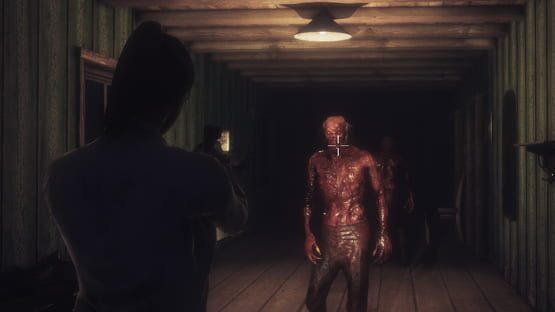

Dead Frontier 2
Hotfix #3
- Fixed a bug that caused inventory positions to reset on each login
- Potential fix for category dropdowns
- Fixed a bug that sometimes causes equipped weapons to temporarily disappear
- Fixed a bug that caused the character preview to show after leaving the stats page from the leaderboard menu
- Various fixes and tweaks to inventory item images
Hotfix #2
- Fixed a bug which stopped the category dropdown from working
- When you buy multiple items from the market, if one fails the rest of the items are still purchased.
- Fixed & improved many different inventory images
- Fixed a bug that caused the scroll bar to keep moving to the bottom on changing page/category
- Fixed a bug that would give a black screen if there was a connection error
- Fixed a bug that caused certain mission items to stay visible in your inventory after handing in
Inventory UI Overhaul
- All inventory screens have been completely overhauled so that we now have nice shiny UI icons that can be dragged and dropped. Additional actions can be performed by right clicking.
- You can now shift-click on items and then right click to use that action on all the items at the same time. This should save you a lot of time.
- Hovering over a piece of equipment will now show you an additional tooltip of your equipped item for easy comparison of stats etc
Story:
- New mission chain has been added to the game. Find Faded Notes (lvl 15+) and follow the clues to unlock a mission giver that offers new rewards!
- New secret weapon blueprint has been added to the game.
- New mid tier raidable building has appeared in the city.
- Increased drop rates for Scavenger and Utility pouches blueprints.
- Greywood Star Hotel now contains a new NPC that might give you some clues.
Balance:
- Jog & Sprint Speed have been capped at 150%. Walk & Sneak Speed at 200%. Sprint Duration is also capped at 200% and Move Speed at 50%. This is to try and reduce bugs from characters having too much total speed
NOTE: This update was technically made live yesterday, but because there were so many bugs I didn't want to announce it officially as I didn't want to bring more players in to a non-functioning game. Luckily most of the early issues have been resolved now 🙂
NOTE #2: To get this update you'll need to download the latest client from Steam. If the download doesn't start automatically try logging out of Steam and back in again
Really hope you guys like it 🙂
LEPORIPHOBIA EASTER EVENT
DF2: LEPORIPHOBIA EVENT HAS BEGUN!
From now until April 23rd you will be able to:
- Battle the terrifying new Bunny Hulk boss!
- Loot or craft a powerful new unique pistol that is only available during the event
- Join in with Easter themed challenge events, battling both new and old event enemies and earn new crafting materials
- Take down Easter infected that grant large amounts of bonus EXP!
- Loot some Chocolate Eggs and enjoy the easter high
- Get a new piece of cosmetic head gear from the credit shop
- Get +100% EXP, +100% Ammo Loot, +100% Elite Find Chance AND +100% Unique Find Chance!
- Get 20% off all purchases!
Miss it at your peril! =D
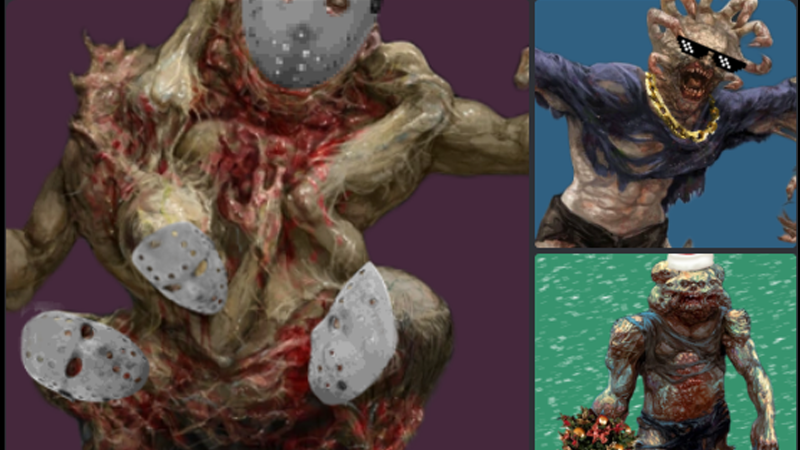
Dead Frontier NFTs
We are thrilled to announce the launch of our brand new NFT collection, exclusively available on the Dead Frontier website! As the world evolves into a more digital space, we are excited to bring our community along with us on this journey.
Our NFT collection features a range of unique and exciting designs, created by our talented team of artists. Each NFT is one-of-a-kind, making them rare and highly collectible. Owning one of these NFTs means you have a piece of Dead Frontier history in your virtual collection.
But that's not all - our NFTs also come with some exciting perks! Depending on the rarity of the NFT you own, you may be eligible for exclusive in-game rewards, such as rare weapons and items. Plus, you'll be able to show off your collection to other players in the community.
We understand that the world of NFTs can be confusing, so we've made it easy for you to get started. Simply head to our new NFT webshop (https://deadfrontier.com/buynfts), browse our collection, and choose the NFT you want to add to your collection. Once you purchase it, the NFT will be transferred to your digital wallet, where you can store it safely and securely.
We are excited to see the reaction from our community, and can't wait to see who will own the most coveted NFTs in our collection. Don't miss out on this opportunity to own a piece of Dead Frontier history!
https://deadfrontier.com/buynfts
Sincerely,
The Dead Frontier Team 🙂