

We just checked a graphic issue some users pointed out.
We found out that the option that we provided with you for a better graphic quality caused some users feel that there is blurriness.
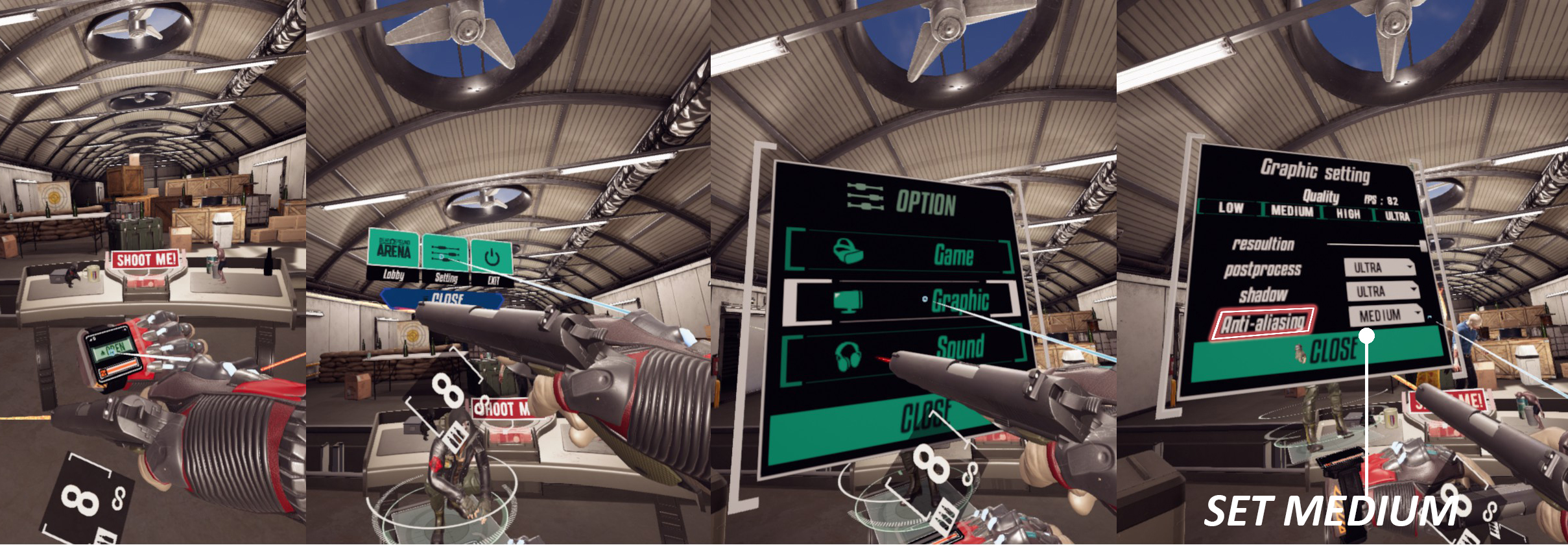
If you want to have "SHARP" graphics then please go to the option-graphic-antialiasing and then change antialiasing from "ultra" to "medium".
Please refer to the screenshots below which show how to change the options.


Thank you and enjoy your game.