DEATHLOOP Game Update 4 – GOLDENLOOP Update Patch Notes
Check out the full patch notes for the GOLDENLOOP Update, which includes a new weapon, a new power, new enemies, crossplay and more. Learn more about the GOLDENLOOP Update in our in-depth feature.
NEW CONTENT
- Added a new ability, Fugue Slab: Stun and confound your foes with this ability and it’s 4 upgrades - Added a new weapon, HALPS Prototype: Use it to fry your enemies - Added 2 new enemies: Face off against the armored Garbage Collector and the dangerous Paint Bombers - Added an extended "Break the Loop" ending - Added 4 upgrades to the Masquerade ability: Customize Julianna’s Masquerade Slab with new Trinkets while protecting the timeloop - Added new Double Trinkets: Enhance yourself with 19 new two-in-one trinkets - Added 11 new Trinkets and 4 new Weapon Perks - Added a new explorable area to Karl’s Bay - Added new player idle animations: Show off your mastery of weapons and slabs by doing nothing at all!
CROSSPLAY MATCHMAKING
- Added new cross-platform invasion option across PSN, Xbox, Steam, Epic, and the Microsoft Store environments. You can set your Cross-Platform Matchmaking to a setting of Any (all platforms) or Same (just your platform). You can also set your Cross-Platform Matchmaking controller also to Any (all controller types) or Same (just the one you are using)
GAME UPDATES / TWEAKS
- Refined “Hacker” and “Trinket Creator” side missions - Refined rewards for several side missions - Added more Trinkets to the loot pool (drops from enemies) and placed in some areas in levels - Refined the Delivery Booth by adding a clear confirmation message and turning on the Delivery Booth screen so the status of orders can be checked immediately - Added photos of the four HZN doors to the knowledge cards for “Julianna’s Lead: The Hunt” - Moved throwable bottles away from health pickups - Replaced art for the completion card for the Lead “Rise to Power: Infusion” - Clarified Egor’s Visionary and Golden Loop marker in Updaam (evening) so they are consistent with Wenjie’s in Updaam (evening) and with Egor’s in The Complex (evening) - Added a new Battery Station at near Aleksis' mansion in Updaam. Find it behind the statue, near the cliff - Tweaked some Accessibility options: Renamed “Combat Difficulty” to “Loop Stress”, removed “Lock Loop Stress” and added “Loot Quality” - Made miscellaneous improvements to text localization
CONTROLLER IMPROVEMENTS
- Added Inner and Outer deadzone adjustment in options menu - Added Axial Damping (corrects vertical inputs to help looking straight up or down) adjustments in options menu - Added Camera Acceleration in options menu - Added Camera sensitivity (speed) in options menu
BUG FIXES
- Fixed an issue that could cause the player to be stuck in menus - Fixed an issue that could cause the player to be stuck in connection queue after failing to connect to a friend invasion - Fixed several random crashes and stability issues - Made miscellaneous bug fixes
Beginner's Guide to DEATHLOOP
Headed into Blackreef for the first time? Check out these tips to help guide you through breaking the timeloop.
DEATHLOOP’s Game Update 3 Includes Photo Mode, New Accessibility Options & More
DEATHLOOP’s third major update is now available on PC! Game Update 3 introduces a brand-new Photo Mode, added accessibility options, and more, all for free. Check out the full patch notes for Game Update 3 here, and read on for highlights on Photo Mode and the new accessibility options, with insights from members of the team at Arkane Lyon.
Photo Mode
Express yourself with a wide variety of filters, stickers, poses and other customization options in DEATHLOOP’s brand-new Photo Mode. Available only in single-player, Photo Mode is accessible through the Pause menu in any map or by activating the Photo Mode shortcut (set to “P” on PC keyboards by default).
“This Photo Mode is such a great way to allow our players to get creative by using the unique art and levels of DEATHLOOP,” says Producer Jeremy Leulier. “The only creative limitations are defined by our players’ imaginations. We’re very excited at Arkane to see how deep the players will dig into all of the different options and what they will come up with.”
In addition to being able to select your filters and angles like a photography pro, you can swap between Colt and Julianna, change out your outfits and weapons (including the specific weapon variation and skin), and drop into over a dozen share-worthy poses.
“One of our biggest challenges was to adapt Photo Mode for a first-person shooter where your character isn’t displayed apart from the hands and weapons,” explains Leulier. “We wanted to offer the best possible experience for this mode and took the time to playtest it thoroughly and even asked for insight from players who are experts in using different Photo Modes in games. We took so much pleasure testing Photo Mode that we added a lot of relevant options for the player to make it even more fun and funnier to use.”
“Each time we release a game, Photo Mode has been one of the most requested features by the players,” adds Studio Director Dinga Bakaba. “Seeing how virtual photographers were able to make incredible shots in our worlds without one, we can't be more thrilled to empower the entire community with these tools.”
Learn more about the new Photo Mode (including a complete breakdown of all of the options) in the full patch notes for Game Update 3.
Accessibility Features
“We are truly grateful to the players and the ally community who gave us so much feedback when DEATHLOOP was released,” says Lead UI/UX Designer Yoann Bazoge. “We took the time to read all of the accessibility reviews and watch the videos of players explaining why they couldn’t play DEATHLOOP. We then worked on a document listing all of the feedback and drew up a roadmap of what the additions would be for Game Update 3.”
Game Update 3 introduces over 30 improvements and added accessibility options, from menu navigation improvements and interface options to a host of new gameplay options. The update also adds a dedicated Accessibility category, which can be found in the options menu. This new menu wraps up the existing options as well as many of the new options available with this update, including:
- New gameplay settings that allow players to further customize combat in Single-Player Mode (most are not available for Online or Friends modes). This includes increasing or decreasing combat difficulty, adjusting number of Reprises and slowing game speed. - New HUD and subtitle options, such as customizing the size, opacity and color of various text and graphical elements - Easier menu navigation, allowing for the use of directional buttons on the controller to navigate up and down menu lists. The cursor speed can also now be adjusted in settings to help with navigating the settings with a controller.
"One of the things we didn't expect when starting on accessibility features was how some of these options can be useful and fun for everyone,” says Bakaba. “My favorites are slow-mo, which enables everyone to make otherwise nearly impossible chain of actions, and Reprise count, which allows you to experiment without consequence with the infinite setting. On the contrary, you can use the Reprise count to make the game more challenging by turning Reprises off entirely."
See the full list of accessibility options included in Game Update 3 here.
“Accessibility in games is a complex subject,” says Bazoge. “We estimate that over 400 million players need some additional assistance when playing. That’s a lot of people that can feel left out without some of these options. When we began discussing it with our teams, people were very motivated about the idea of developing all of this.”
*Arkane Lyon would like to thank Joshua Straub of Apex Access ([@JoshPStraub and Jérome Dupire of CapGame (@AxGameDesign) for helping us improve accessibility in DEATHLOOP. We are also grateful to Ludovic Helme (@shinobi_space) for his tireless work on our new photo mode. Thank you!*
DEATHLOOP – Game Update 3 Full Patch Notes
Check out the full patch notes for Game Update 3, which includes a new Photo Mode, a slew of accessibility options and more. Detailed descriptions of the accessibility options have been provided by Elisabeth Whyte, Senior User Researcher (Accessibility). For more details on Game Update 3, including insights from members of the team at Arkane Lyon, check out the in-depth feature here .
PHOTO MODE
Game Update 3 introduces a new Photo Mode allowing players to take their own stunning in-game screenshots.
- Players can access Photo Mode from the Pause menu in any map of the game - Player can also access it by activating the Photo Mode shortcut - Available in Singler Player mode only - "Camera” options:
Mode
Third -person view
First-person view
Player (show/hide)
NPCs (show/hide)
Floating Messages (show/hide)
Field of View
Tilt
Blur Intensity
Autofocus
Focus Min Distance
Focus Max Distance
Flash Intensity
Flash Color (7)
Grid (Add grid for picture composition)
- “Filters” options:
Filters (17)
Filter Intensity
Exposure
Saturation
Contrast
Vignette
Chromatic Aberration
Sharpen
- “Characters” options:
Character (Colt or Julianna)
Outfit (12 for each characters + Deluxe Edition outfits)
Weapon (14 weapon poses for each character)
Weapon Variation
Weapon Skin
Pose (dozens of poses for each character)
X offset
Y offset
Z offset
Rotation
- “Stickers” options:
Possibility to include up to 4 stickers (40 stickers available)
Frame (14 frames available)
*Note: All base game outfits, weapon skins and weapon variations will be automatically unlocked for Photo Mode even if you haven’t unlocked them in the game. However, Deluxe Edition outfits and weapons will only be available if you have Deluxe Edition. The Arkane Outsiders exclusive outfit and unique weapon are also unavailable unless you join the Arkane Outsiders, which you can still do to receive the “Eternalist Colt” outfit and “Ever After” unique weapon in-game!*
ACCESSIBILITY
DEATHLOOP’s third major update also includes new accessibility options, from a new “Accessibility” category to the menu and menu navigation improvements, to gameplay accessibility and difficulty options and more.
Menu navigation improvements
- Menu navigation has been improved with support for keyboard and directional buttons. This is in addition to the previous support for mouse and controller analogue stick navigation. This improvement should make it easier to navigate the menus, particularly for players using a controller.
First launch accessibility improvements
- Players can now change the subtitle color when first launching a new game with a new save
- This first launch menu also now includes a preview of the subtitle formatting. This preview will show the impacts of the size, color and opacity choices on the subtitle display.
Accessibility menu category
- A new dedicated Accessibility category can be found in the options menu, including both existing options and new options available with this patch. The accessibility menu includes four categories: Visuals, Gameplay, Interface and Menus.
- All settings in the Accessibility category are duplicated in other menus. For example, the HUD accessibility options are also available in the Interface category. We hope this allows players to easily find relevant options.
Gameplay accessibility options
- Number of Reprises
Players can now choose between 0, 1, 2, 3, 4, or infinite reprises (Single Player only)
Increase or decrease the difficulty of the game by choosing how many times Colt can die before the loop is reset. For example, zero reprises means that the loop will reset the first time Colt dies.
Online or Friends modes will always require the 2-reprise default setting
- Aim assist lock
Full aim assist lock on NPC, Camera, and turrets is now available when enabling this setting (Single Player only)
When this setting is enabled, using the controls to aim a weapon (for most weapons) will cause the crosshairs to snap to the target and lock on. This can improve targeting enemies during in gameplay and is disabled by default.
- Hacking mode
Players can now change the input for hacking from a Hold (default) to a toggle
When set to a toggle, pressing once will begin the hacking and will auto complete after the timer has completed. Pressing a second time before it completes will cancel the hack.
- Aim mode
Players can now change the input for aiming down sights from a Hold (default) to a toggle
When set to a toggle, pressing once will enter aiming down sights and pressing a second time will stop aiming down sights
- One shot kills
When this new setting is enabled, all enemies (NPC, cameras, turrets) are killed instantly when hit with a weapon shot, machete or grenade (Single Player only)
- Combat difficulty
Three preset combat difficulty options are now available: Lenient, Default and Harsh (Single player only)
On higher difficulty settings, enemies attack more often and are more accurate
Only the Default setting is available for Online or Friends modes
- Lock loop stress
Enabling this new setting will remove the difficulty increase linked to the loop stress augmentation system
When this option is disabled, the game will automatically adjust difficulty based on the player’s success in killing visionaries, leading to increased difficulty when multiple visionaries have been killed in the same loop. This setting is set to disabled by default.
- Adjust Game Speed
This new setting will reduce the speed of the game, from default (100%) to either 75% or 50% speed (Single Player Only)
Combat, player movement and enemy animations are all impacted by this setting
- Adjust Game Speed mode
When the Game Speed is set to either 75% or 50%, this new setting allows players to choose whether the mode is set to Always or Toggl
View the binding for this toggle in the Controls menu for both keyboard and controller
- Pause game while wheels active
Enabling this new setting will cause the game to pause when a player activates the weapon wheel (Single Player Only)
- Tag multiple enemies
Enabling this new setting will tag multiple nearby enemies in a radius around the player or in line of sight (Single Player Only)
When this setting is disabled, only the targeted enemy will be tagged
ADDITIONAL GAME FIXES
- Level design:
Global bug fixes and improvements
- Narration:
Various text updates to support Photo Mode, accessibility and new options
Various Localization fixes
- PC only:
AMD FidelityFX™ Super Resolution (FSR) 2.0 Support
DEATHLOOP Patch – Epic Launch Suppport
Hey Everyone,
Today we’ve released a small patch that supports bringing DEATHLOOP to the Epic Games Store. You can find the patch notes below.
Patch Notes:
- Steam players will be able to Invade Epic friends in Friends Only mode - General bug fixes
DEATHLOOP Game Update 2 Hotfix Patch Notes
Hey Everyone,
Today we released a Hotfix to address a couple of topics that community members have brought up after Game Update 2.
Today's update sits at ~580 MB and you can find the notes down below.
- Fixed an issue that was preventing the “Play it Again, Colt” achievement from unlocking properly
- By popular demand, restored players’ ability to attach mines to throwable objects, to enable more creative traps
We hope you have fun!
P.S. If you come up with any wild mine plays, be sure to share them with us!
DEATHLOOP Game Update 2 Available Now
DEATHLOOP’s second major game update is now available on PC. Game Update 2 improves NPC reactions and pathing, UI clarity and appearance, audio mix quality, and many other elements.
Read on below for the patch notes.
NPC Behavior
NPCs now react to bullets passing close by, such as headshots that miss
NPCs now react when another is assassinated close by
NPCs now hear better and react faster to nearby footfalls
NPCs under fire no longer move to take cover if the player is too close
NPCs can now deduce the direction from which a grenade was thrown
NPCs no longer stop trying to kill Colt if Julianna uses Nexus to link him to them
Interrupted aerial assassinations will no longer cause NPCs to become mostly invulnerable
Numerous other small fixes and improvements to NPC behavior, reactions, pathing, and placement
Charlie Montague no longer gets stuck in the floor or ground if he’s kicked while using Shift
Quality of Life/Accessibility
Added controller remapping and left/right stick inversion
UI buttons and text in options menu are now larger, as are their selectable areas
We continue to listen to community feedback and explore more quality of life and accessibility options for a future update.
Invasion
Colt dropping the game now counts as a win for a player-controlled Julianna
AI-controlled Julianna is now more reactive to Colt’s actions
The antenna that Colt must hack to escape now takes slightly longer to hack
AFK players are tagged
Colt players who linger in Colt’s tunnels for too long are automatically tagged and that causes the tunnel doors to open
Higher chance that you will invade players on your Friends list while they are playing in ‘Online mode’
Strelak Sapper Charges thrown by NPCs that Julianna has attacked will no longer create false Colt tags for Julianna
Players now properly hear audio reactions from the opposing player during melee
Strelak Sapper Charges will now stick to Julianna as they do to other NPCs
User Interface
The UI is now clearer regarding Residuum loss on death
The appearance of weapons and other items is improved within the Loadout UI
The UI HUD will now properly display updates made to key bindings and controls
The game will now pause fully during the Game Over splash screen
Melee will now be labeled correctly when in the weapon cycle on a controller (Y)
When aiming down sights, crosshairs will no longer disappear while the player is close enough to an NPC to perform an assassination
The Heritage Gun’s reticle will now indicate the increased scatter from the Scattergun perk
Players will no longer be asked to confirm changes to visual settings if nothing was changed
Fixed an issue in which mouse wheel sensitivity was overreduced when zooming in or out to view a weapon in the Loadout UI
Misc. Gameplay
Duplicate Slab upgrades are now converted to a harvestable Residuum object
In Karl’s Bay, Harriet and her cultists can no longer shoot at Colt through the closed security door to her office
Also in Karl’s Bay, a certain window in Hangar 2 has been restored to its intended functionality
Strelak Sapper Charges can no longer be thrown in a way that enables the player to clip through doors or other surfaces
Kicking a Strelak Sapper Charge while “cooking” it no longer causes the Charge to explode and no longer causes subsequent Charges to disappear when thrown
Turret placement can no longer be used as a way to enable the player to clip through doors or other surfaces
Hackable antennas now give clearer audiovisual feedback of their hacked status
Fixed an issue that could result in Colt having 2 guns in the same hand or one gun in the left hand instead of the right hand after a reprise
Fixed an issue that could prevent a weapon from being further reloaded if player switched to a same ammunition type while reloading then switched back to original weapon
Fixed an issue that could cause the Hackamajig not to be automatically equipped to an empty hand when first picked up
Fixed an issue that could lead to a player using the Shift Slab to reach a ledge, triggering the vaulting action, and getting stuck in the ledge instead of vaulting it
Fixed a case in which 2-Bit interactions were not working as intended
Fixed an issue that caused some hackable doors to become unopenable if kicked while hacking
More than one turret can no longer occupy the same space
Fixed an issue that could trap players if Fia’s large bunker doors close on them
Graphics/Audio
Fixed an issue in which the player could unequip the machete during an assassination animation
Corrected some issues with FSR integration and improved overall implementation.
Fixed in issue in which the player could unequip a jammed gun during the unjamming animation
Fixed bugs, including some that could cause crashes, related to the DLSS and ray tracing graphics options
Fixed numerous minor visual glitches, including some related to indirect lighting
Fixed or improved numerous audio details and timings, including some improved voiceover lines
Improved audio mixing across the board
Fixed an issue that could cause graphical glitching when a door is opened at the same time a sensor closes it
Turret indicator lights now no longer function if the turret’s battery is destroyed
The hostile/friendly indicator lights on Field Nullifiers are now consistent with those on turrets
Fixed an issue that caused deactivated turrets to sound as though they’re deployed when thrown or dropped
Fixed an issue that rarely caused closed doors to appear as though they’re open
Achievements/Trophies and Feats
Fixed an issue that enabled Julianna to be rewarded with duplicate trinkets
Fixed an issue that prevented the “Ensemble Tragedy” achievement from being rewarded properly
Fixed an issue that prevented Julianna from earning the Double Vision feat if killing Colt via assassination while Masquerading as a Visionary
Fixed an issue that enabled Julianna players to earn the Sorceress feat even if weapons were used
Fixed an issue that counted Colt’s own deaths to Julianna’s gunfire toward the “Don’t Mind Me” achievement
Stability
Fixed an issue that could cause the game to crash while using the Strelak Verso
Fixed an issue that could cause the game to crash if Colt dies just as a cinematic begins
Fixed an issue that could rarely cause the game to become unresponsive on exiting the Journal
Fixed an issue that could cause the game to become unresponsive while remapping controls from keyboard to controller or vice versa
Connection-Related
Fixed an issue that could cause the first weapon to be dropped when the Julianna player picks up multiple weapons at once
Fixed an issue that could cause the mission results screen and progression to be skipped for the Julianna player if that player goes straight to Invasion matchmaking after successfully breaking the loop as Colt and watching the game credits
Fixed an issue that could cause the “network connection to the server failed” message to remain on-screen after being resolved
Fixed an issue that could cause Julianna to spawn above the ground, having to briefly fall before being able to move
Fixed an issue that caused the visual effects of Karnesis, when used on an NPC, not to appear from Julianna’s point of view
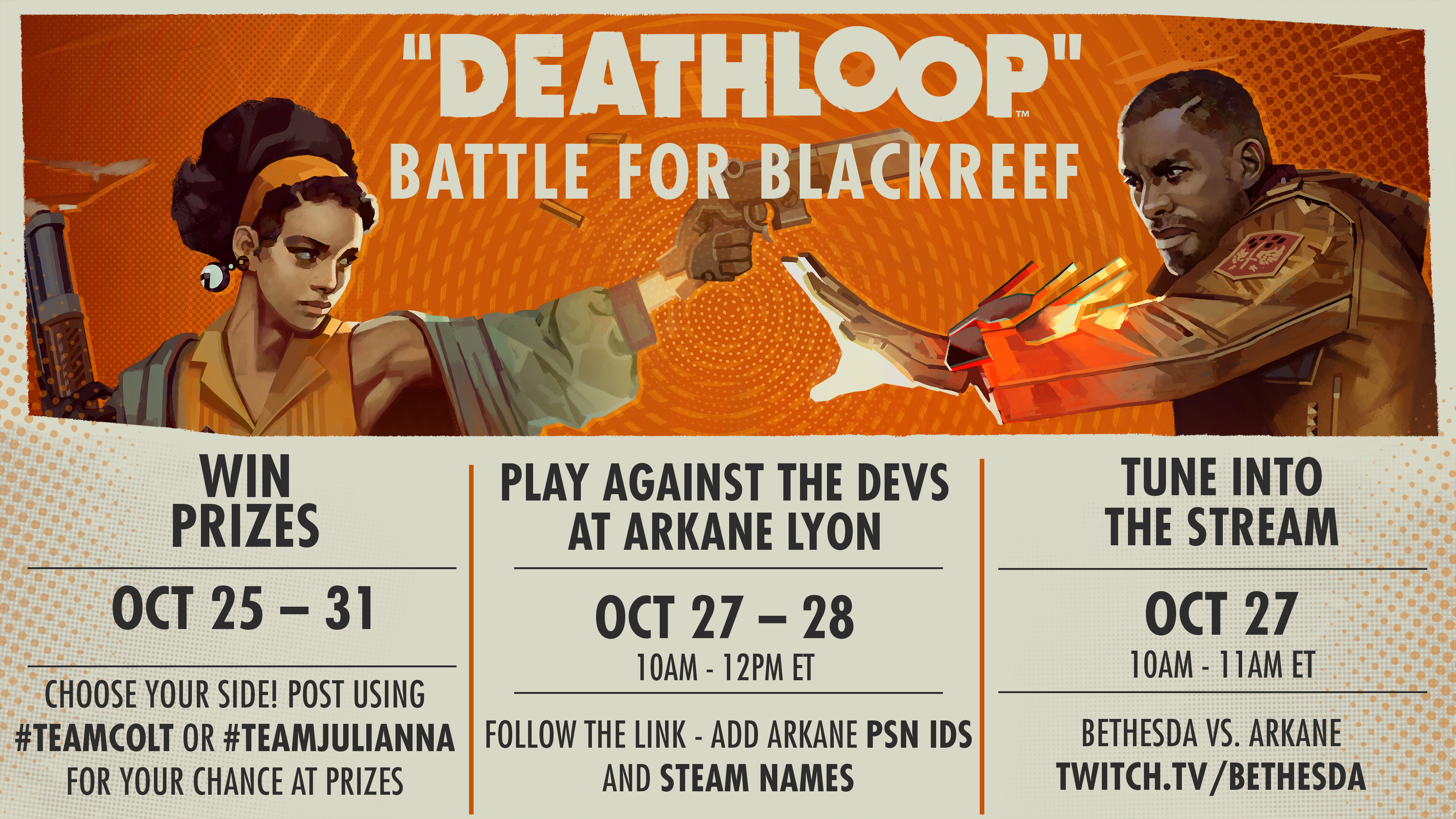
Battle for Blackreef PvP Event
Join the team at Arkane Lyon for a celebration of rivalries as Colt and Julianna battle it out for control of Blackreef. From October 25 through October 31, there will be giveaways, streams and, best of all, some friendly competition.
Prize Giveaways October 25-31
All this week we'll be giving away prizes, including DEATHLOOP mousepads, custom vinyl records, and DEATHLOOP posters signed by members of Arkane Studios! For your chance to win, play Protect the Loop mode, then post on Twitter using the hashtags #TeamColt or #TeamJulianna. You can share your screenshots, clips, or just post your support! Read the full rules here.
Face off against Arkane Lyon
Take the competition to the creators and play PvP against the team at Arkane Lyon. Devs will be playing with members of the community on October 27 and October 28 from 10am until 12pm ET. All you need to do for the chance to invade the developers (or be invaded by them) is find their account names on Steam and add them as a friend. Here’s the full list of participating developer accounts:
Steam
October 27 & October 28:
ArkaneLyon_SneakyV
ArkaneLyon_VZP
ArkaneLyon_ejonas
ArkaneLyon_Julien
ArkaneLyon_GALLEGOR
ArkaneLyon_KaneteTV
ArkaneLyon_Morkel
Mortalemperor_bethesda
October 27 Only:
ArkaneLyon_Hoshun
ArkaneLyon_Shua
FatMuta
ArkaneLyon_Pawel
October 28 Only:
ArkaneLyon_Statch
ArkaneLyon_Leplubodeslapin
ArkaneLyon_Laerin[
Even if you’re not joining in on the developer PvP event, you can still hop in and play with other members of the community. Step into Julianna’s shoes in Protect the Loop mode and rank up to earn unique outfits for both Colt and Julianna!
Bethesda vs. Arkane Stream
Join us on October 27 from 10am to 11am ET for a showdown between Narrative Designer Bennett Smith and members of the Bethesda team. Head to the Bethesda Twitch channel to watch Bennett absolutely wipe the floor with those poor, unsuspecting souls.
Game Update 1
DEATHLOOP’s first major game update is now available on PlayStation 5 and PC. Game Update 1 (approximately 11GB on PC) improves several aspects of the gameplay experience, camera smoothness and NPC behaviors. It also resolves several issues that could cause the game to crash. (This update also includes all fixes found in the beta branch.)
On PC, we’ve added Nvidia DLSS support, support for the Sony DualSense controller audio, settings for fog quality, and an onscreen poor-connection indicator.
Below are the highlights of what’s included in today’s update. We’ve been thrilled to see so many of you enjoying the game, from your gameplay videos to your fan art and your cosplay. We hope you continue to enjoy the game!
https://www.youtube.com/watch?v=kzDhTd49Lxc
PC Update Highlights
Fixed issues that were causing dropped frames and hitches in camera movement
Added support for Nvidia DLSS
Added support for Sony DualSense controller audio
Added an indicator of poor connection quality in the upper right of the screen (resembles a speedometer with an exclamation point)
Improved performance and stability, especially with ray tracing
Improved NPC pathing and reactions to the player
Improved audio mix quality
Fixed laser mines, turrets and fireworks for both Colt and Julianna players
Fixed issue with mouse wheel. Using the mouse wheel to switch between weapons will now work properly and will not cause weapons to be dropped.
Fixed unlock issue with “Oops” and “Deathday Suit” achievements
Fixed issue that could cause Colt’s progression to be reset even if player chose ‘no’ on confirmation
Fixed crash issue when a player unlocks a feat using Havoc while playing as Julianna
Fixed Aleksis Dorsey reactions, making him easier to identify among his party guests
Fixed issue that was causing assassinations to glitch sometimes while playing as Julianna
Julianna’s actions will no longer directly unlock achievements for Colt
Julianna players will no longer hear radio conversations meant for only Colt
Fixed issue with leaning inconsistency (inputs will no longer be ignored sporadically)
DEATHLOOP PC Framerate Issue Update
This beta branch addresses framerate issues experienced by some players on PC. If you are experiencing framerate issues on PC, we would like your help in testing the beta branch. Please contact customer service at https://help.bethesda.net and submit a ticket detailing your experience.
Thank you for your patience, and your continued help in submitting support tickets and participating in the beta branch.