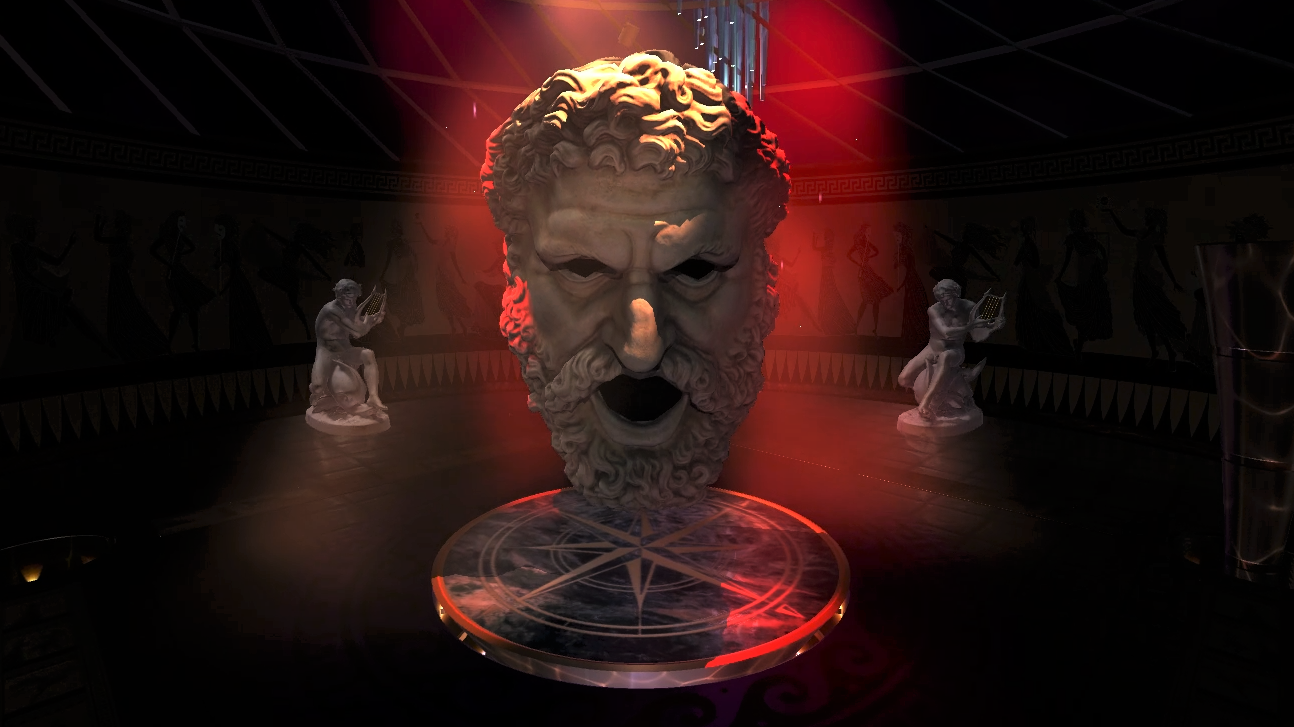
Created a new game space and experience with a mysterious 'look', illuminated by programmable volumetric spot lights and leveraging Realtime physics: the Event Space.
The Event Space features replaceable textures and decorations and a central stage that dramatically rises from beneath the floor to reveal a featured Hero object, character, or characters.
For AQUA, this featured character is an imposing, towering digital recreation of the Mask of Melpomene the Muse of Tragedy, courtesy of the 'Muzeul Școlii de Arhitectură' in Bucharest (Centrul Expoziţional Documentar UAUIM). See the real marble sculpture at the Musée du Louvre being held in the right hand of an anonymously-carved statue from ca. 50 BC.
Once the mask is introduced, the Player launches their companion Guide Sphere at him, attempting to bounce or directly hit as many as possible into his cavernous open mouth or eyes.
To jump directly to this scene after game starts press N and then F7.
Housekeeping Changes:
Made many specific object behavior changes, hierarchical changes, and numerous code adjustments to both existing object and Player scripts, as well as Unity Analytics to address the new space and interactions.
Wrote many new lighting, texture, sound, behavioral, physics and collision scripts to address the many new Event Space-specific requirements.
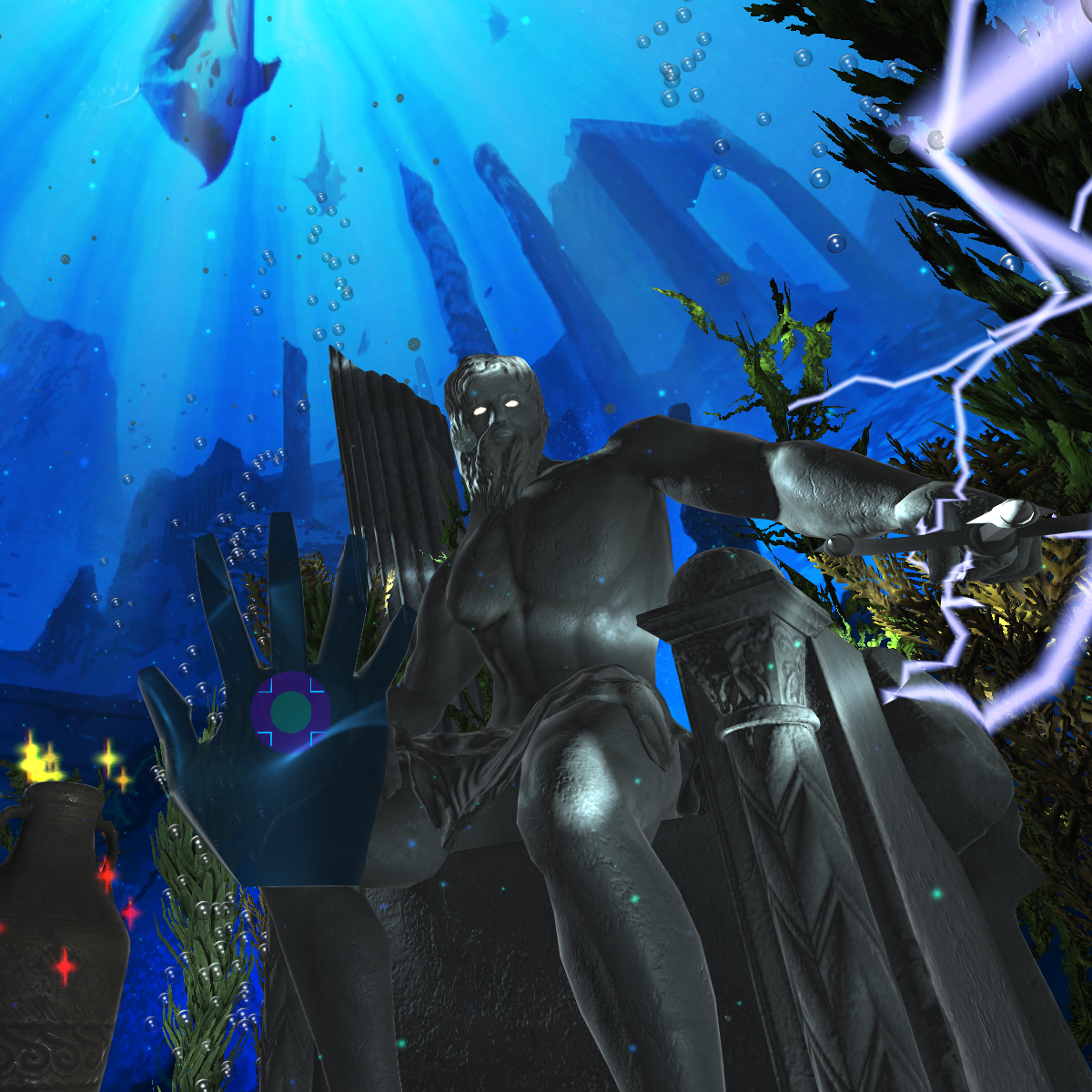
Added some new detail work and collision meshes to existing objects like the 'Arion assis sur le dauphin' statue by Ernest Eugène Hiolle, (can be seen for real at the musée d'Orsay).
Activated Part A of the scoring system, which tracks all interactive objects and displays a countdown timer for each space, as well as the running totals of interactions on screen overlays (for Desktop Mode), large in-space displays (for XR), and on the dashboard console when it is visible (for both Desktop and XR modes).
Made the Player motion in the Event Space responsive to the Player's chosen motion sensitivities.
Added HMD-dependent Render Quality Level adjustment at Startup.
Added keyboard-shortcut-responsive Render Quality Level adjustment during Game Play. '[' decreases Render Quality. ']' increases Render Quality.
Created a new 'Dark Mode' Console Screen for use in 'HIGHLY Motion Sensitive' Event Space game play with the dashboard console.
Added two Melpomene Masks, the Guide Sphere, and a third Trident to the collected items appearing on the Dashboard Console and in the Fishbowl for the final splashdown.
Revisited and fixed many old miscellaneous minor bugs in scripts outside the scope of the Event Space.
Additional reward-based scoring system improvements continue to be made behind-the-scenes, 'coming soon' to a future major revision.
May Update - DEPTHQVR_AQUA v1.11.00.29
Gameplay Changes: Made a complete 'Tabula Rasa' (i.e. 'Blank Slate') theme set of essentially test pattern images to replace every texture and demonstrate theme-change capability. This theme requires the original full minute to load and replace all the assets.
Added sine wave band to floating spheres to add dimensionality in Desktop Mode.
Reward-based scoring system improvements behind-the-scenes, 'coming soon' to a future major revision.
Housekeeping Changes: AQUA Skin assets are now 'baked in' at Startup, so the initial load time is reduced significantly.
Added command line and config.ini parameters to launch app into a specific Theme.
Made some specific object behaviour changes, heirarchical changes, and numerous code adjustments to the State Changing and Theme Changing scripts to address a complete change to new theme and back.
Added memory management to theme change scripts, which reduces memory bloat during a theme change.
April Update - DEPTHQVR_AQUA v1.11.00.24
Gameplay Changes:
DEPTHQVR_AQUA now supports Steam VR and 'Desktop' gameplay modes.
'Desktop' (non VR) is supported via Keyboard/Mouse and Xbox Controller; an extendable Hand is controlled using the Mouse, WASD Keys, Arrow Keys and Xbox Controller Joysticks, Rocker Arms, Triggers and Buttons.
• Use WASD / Arrow Keys or XBox Controller Left Joystick or Rocker Buttons to Move/Gaze Up, Down, Left & Right.
• Use Mouse or Xbox Controller Right Joystick to position Hand.
• Use Left Mouse button or Right Xbox Trigger (or X Button) to reach out and touch objects. Double click any of the three to reach out twice as far.
• Hand-preference for Mouse control toggles from Right-Handed to Left-Handed and back using keyboard shortcut 'M'.
Advanced and intuitive 'MixMode' (default) allows Mouse and Xbox Controller Right Joystick to simultaneously control Move/Gaze and Hand Position, but can be toggled ON/OFF using keyboard shortcut 'Alt + M' for more traditional, separated functions.
Added animateable 'Pitch' methods to extend the ride transporter automation capability. Automated pitch upward when popping the highest Giant Touch Bubble in XR mode so Viewer gazes upwards to the Cathedral Dome apex.
Added interactibility to even more objects since reach in desktop mode can now extend twice as far as in XR mode.
Housekeeping Changes:
Both XR and Desktop modes launch from the Main Menu Manager, and the game experience is altered based on the Motion Sensitivity chosen by the Viewer at Startup. Motion Sensitivity can still be an issue even in Desktop Mode when sitting close to large monitors or projections.
Desktop mode supports 4K at 60 FPS.
Bug fixes in Motion-sensitivity-based agency and dashboard controls, Poseidon lightning targeting, game sequencing and control, internet detection, framerate optimization, multi-game functionality and other important background tasks.
Added command line launch argument capability to pass arguments to the executable at launch, allowing for instance XR vs. Desktop modes to be invoked without separate executables.
Reward-based scoring system improvements behind-the-scenes will be available in a future revision.


 Gameplay Changes: