Today we have another small update, while the major one is in progress.
Valve Index support:
For the SteamVR version of the game we added support for Valve Index, or namely its unique controllers. With Index you can grab and let go of items and levers in Derail Valley by physically squeezing or letting go of the controllers, which are attached to your hand by a clever strap system.
Apart from that, the behavior is mostly the same as with other kinds of VR controllers. We couldn't take advantage of finger tracking unfortunately, as this isn't supported by the third-party VR input system that Derail Valley is based on, yet.
Bug fixes:
We fixed some of the most pressing recent bugs, namely the locomotive remote being unusable in VR, and the cars appearing sunken through the rails.
Progress on the upcoming Hazmat update:
In case you missed it, we wrote a bit about the Hazmat update progress in our Build #78 news post. We're happy to say that we've solved some major obstacles since (got massive explosions working, made a notable performance improvement and got coupler & derailment overhaul working), and the update has been shaping up nicely, day by day.
Full changelog:
Controls:
- (SteamVR) Added support for Index controllers (legacy, no finger tracking)
- Fixed being able to get stuck moving in VR smooth locomotion, when no input was given
Bug fixes:
- Fixed locomotive remote joysticks being difficult to grab in VR
- Fixed some cars having bogies appearing off-tracks until touched with another car
For many months now, we've been working on an upcoming major update, known as the "Hazmat update". In the last few weeks the whole team's been working on it exclusively, so the number of isolated fixes ready to release in the meantime was limited. Still, today we've accumulated enough of the fixes to constitute an in-between update.
Notable improvements:
Today's update mostly focuses on bug fixes, such as:
- Fixed the camera tilt bug
- Fixed VR belt points taking items when they shouldn't
- Optimized item spawning
- Alt-tab now pauses the game
- Pause stops the sounds too
Progress on the upcoming Hazmat update:
Despite being called "Hazmat" (short for Hazardous Materials cargo), the update will include a lot more. We grew the scope, so its primary mission would be to reach a stable version - as if we were releasing Derail Valley for the first time. Apart from explosions, the main improvements will include the overall fidelity and game-play improvements (more goals, more challenges, better tutorial). This will involve a complete coupler rework, speed signs, new licenses, among many more additions. We will have dedicated news posts for each feature subset, as we near the update release.
At this point, most of the core features for the Hazmat update are near completion. About two weeks ago we started testing them and are now doing optimizations and general polish. That's the current status, but note that this will take a while. There is no release date estimate yet.
In the meantime we are likely to release a few more smaller bug fixing updates, such as this one!
Full changelog:
Bug fixes:
- Fixed the recent bug with camera tilting while in a locomotive cab
- Fixed VR belt point getting stuck in grab mode
- Fixed sound playing when the game is paused
- Improved prevention of falling through ground when teleporting to steep slopes in VR
Misc:
- Optimized item spawning
- Game will now pause when switching windows (alt-tab)
- Controls booklet now dynamically adapts to current input device
- Fixed being unable to zoom with a booklet in hand in NonVR
- Extended remote controller battery life
- Command debug.toggleui now also disables in-game tooltips (NonVR)
- Shunter’s reverser can no longer be changed when throttle is applied, in NonVR
- Increased NonVR crosshair and interaction text font size on high-res screens (e.g. 4k)
Build #77 - Fixed tunnels, various bug fixes
Hey all,
We've got more bug fixes this week! There are many more changes in progress, but they are mostly piling up for the big Hazmat update coming next month, so stay tuned!
Fixed impassable tunnels for good:
As "caved in" tunnels have been a recurring issue, we took the time to entirely rework how the game determines tunnel holes. This change should eliminate the possibility of trains hitting terrain in tunnel entrances, and also prevents visual glitches where holes would disappear, fully or partially.
There are still a rare few tunnels placed in such a way that terrain can be still seen in them (e.g. east of Harbor), but this will be fixed separately in the next world update and is now harmless.
Bug fixes, improvement to controls and performance:
We're continually working on bug fixes, and the goal is to reduce them to the absolute possible minimum by the time Hazmat update rolls out.
Notable highlights are that we fixed frequent CPU spikes in VR (actually caused by third party code, thanks for this video), as well as the bug in NonVR where items would drop out of hands and become unable to be picked up again, among other fixes.
--- Full changelog: ---
Railway:
- Reworked tunnel entrances
- Fixed tunnels missing holes sometimes (looking caved in)
- Fixed colliding with terrain at tunnel entrances sometimes
- Fixed tunnel holes being visible (terrain faces sticking out of tunnel walls)
Performance:
- Reduced CPU spikes in VR, caused by 3rd party code (console, VRTK)
Controls:
- Fixed being unable to teleport to shunter from its right cab side
- Fixed a bug where mouse-look could make held item untakeable
- Fixed mouse-look being usable during stashing/unstashing animations
- Fixed locomotive remote battery indicator showing as not charging
Misc:
- Fixed car ID plates having no spaces in cargo names
- Load machine now displays its corresponding track’s ID
Today we have some notable stability improvements:
Stability & crash fixes:
Following some testing with the community over the past few weeks, we upgraded Derail Valley to Unity version 2018.3. For some players this could be major news, as reportedly it eliminates rare crashes during gameplay and removes the annoying crash dialog when quitting the game. Those with older-generation CPUs will be thrilled to know that Derail Valley no longer has a SSE4 requirement!
Apart from stability, the upgrade also brought slight performance and appearance boost to terrain rendering.
Cars cargo:
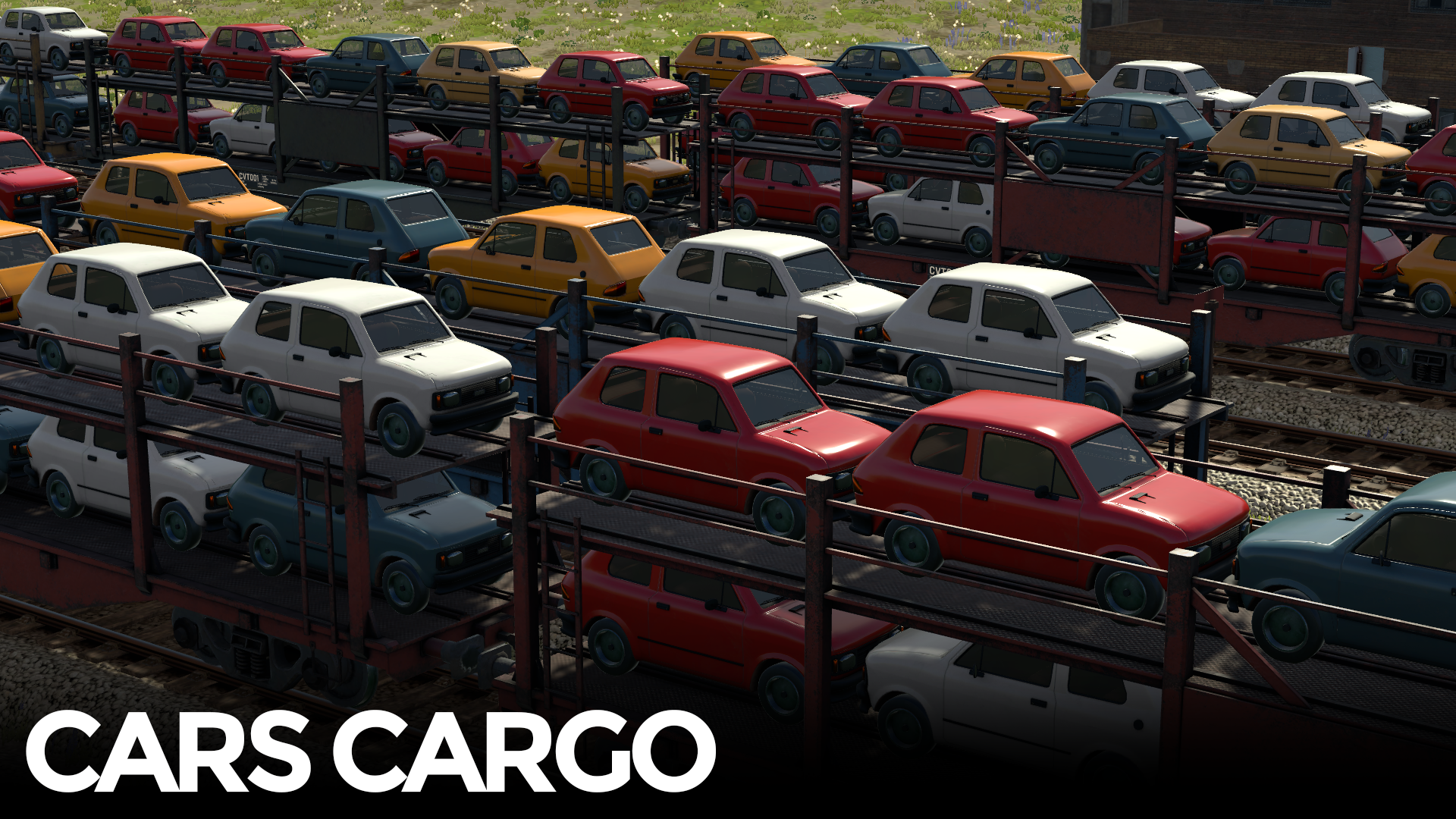
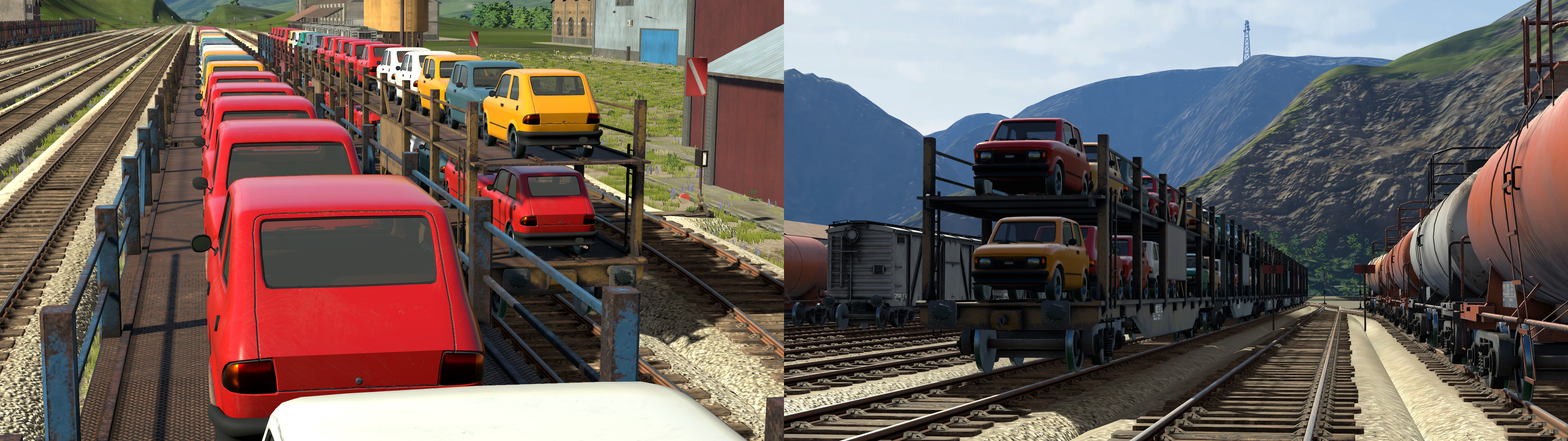
Loaded autorack are now filled with shiny new cars! Being the last cargo type missing a model, these little cars will bring a lot of color to the sight of Machine Factory and Harbor!
As usual we made various more bug fixes for VR and NonVR! Some of them include no longer dropping items out of belt when grabbing them accidentally, no longer inventory getting bugged when taking money in VR, job booklets saving as regular inventory items, and lots more!
--- Full changelog: ---
Build #76 - May 15, 2019:
System:
- Upgraded Unity to 2018.3
\ Improved performance (terrain rendering optimization)
\ Removed SSE4 requirement (can be played on older CPUs, e.g. Phenom II)
\ Should fix crash when quitting game
\ Should fix rare in-game crashes for some players
\ Slightly Improved terrain graphics
Cargo:
- Added cars cargo models
Jobs:
- Job booklets are now saved as items, preserving inventory slots and job ID
- Fixed inventory bug in VR, caused by validating booklets or taking money
- Restart button now deletes all active job booklets (previously only from inventory)
Controls:
- Fixed colliders on loaded cars not working properly when teleporting onto them
- Fixed items easily falling from belt in VR when accidentally grabbed (e.g. loco remote)
- Fixed belt slot sometimes disappearing in VR
- Decreased locomotive remote battery consumption
- Fixed a bug when dropping an item during the mouse-look exit animation
- Fixed grabbed items having incorrect velocity when dropped after teleporting to a moving train
- Fixed Bob’s vehicle brakes not working (keyboard)
- Fixed a bug with shunter exhaust which could make player get stuck in the air if stepped on
Build #75 - Bug fixes, NonVR inventory improvements and more!
Hey all,
We have a new round of bug fixes this week!
Fixed save-game player position corruption (VR):
Some VR players were getting their save-game corrupted. This could happen if you selected "restart at nearest station" while on a train. The game could then teleport away from the world and subsequently save this player position. The game could no longer load this position, effectively rendering the save-game corrupt. This is now fixed, and if you were affected, the game will now be able to fix your save-game and spawn you at tutorial depot.
Further NonVR inventory improvements:
You've surely at some point moved selection to an item, while already holding another item. Pressing Tab would then return your selection to original slot. This is now improved so that the game will auto-stash your current item to the first empty slot and automatically equip the newly selected one.
You may have noticed that with some items it's no longer possible to scroll through the inventory, because they use mouse wheel when equipped. This is now possible to override by holding Alt, which forces inventory scrolling.
Mouse-look can now be used in either toggle or hold modes, depending on how long you hold the Alt button pressed. Leaving the mouse-look range will now smoothly blend held item back into position.
These are the highlights for this update, but there are many more small fixes and improvements - make sure to read the full changelog below!
--- Full changelog: ---
Bug fixes:
- Fixed bug with “restart” button moving player into the sky in VR and corrupting savegame
\ Also prevented loading screen freeze at 71%, for affected players (savegame auto-fix)
- Fixed a bug that could prevent the game from starting on first launch after installation
- Fixed some booklets not being placeable in VR belt
- Fixed an error with VR belt
- Fixed loading screen background image not preserving aspect ratio when resizing window
- Fixed incorrect boxcar normal map export
- Fixed items not giving back scroll wheel focus when destroyed
- Fixed pocket watch alarm sound playing at the player's position even when the watch is somewhere else
- Fixed pocket watch crown and watch hands sometimes being misaligned
- Fixed low initial player position in tutorial
Controls:
- Alt-scroll now forces inventory scrolling
- Tab now unstashes selected inventory item even when you already hold an item
- Mouse-look can now be toggled with a single key press, or activated when holding the key
- Fixed steam whistle being activated when using locomotive remote horn using keyboard
Items:
- Items now animate into place when leaving mouse-look mode
- Improved lighter lid closing interaction with the fire
- Lighter fire can no longer be extinguished by clicking
- Increased the success chance of lighting the lighter
- Fixed map indicator sometimes spinning
- Added “job” suffix to job booklet item name
Misc:
- Updated DV Guide and Controls NonVR pages with latest info
- Reduced tender hatch spring resistance
We've squeezed in more bug fixes and a few NonVR features this week, while working on the big hazmat update.
Mouse-look:
Press Left Alt and you can aim and interact with particular joysticks and buttons of items in hand. Many of you asked to be able to use the locomotive remote with your mouse, and now you can!
Mouse-look now also lets you view items while zoomed in (RMB), such as your map or your watch.
Number key item selection:
Pressing keyboard numbers 0-9 now automatically unequips your current item and equips another, like in most FPS games.
Other notable changes:
- Fixed missing track joint sounds
- Use mouse wheel to turn booklet pages (rebindable to keyboard)
--- Full changelog: ---
Controls:
- Added mouse-look feature to NonVR
\ Press ‘Left Alt’ to toggle on/off
\ Useful for operating items in hands using mouse, such as the loco remote
- Keys 0-9 now automatically equip items from the requested slots
- Booklet pages are now turned with the scroll wheel in NonVR
- Made scroll wheel controls bindable to keyboard (for those without the wheel)
- Updated item hover highlighting to highlight more sensible parts of items
- Fixed lighter lid being controllable with the scroll wheel when not held
Sounds:
- Fixed track joints not playing sound when crossed over by wheels
- Fixed pocket watch sounds sometimes being spatially incorrect
UI:
- Reworded “respawn” to “restart” in UI texts
- Updated job booklets to better format cargo names
Build #73 - Bug fixes, increased loco remote range
Hi everyone,
While we’re heavily working on the upcoming big hazmat update, we'll try to release a few more bug fixing patches in the meantime, such as today's one:
Bug fixes:
We fixed an error that may have been the cause for VR bugs such as being unable to take items out of belt-points or items falling through ground. We also fixed the orientation of some items in VR being broken when held. Players in NonVR can now see the teleport gizmo once again.
Other tweaks:
- Increased shunter remote range and battery drainage
- In NonVR lighter lid now opens using the scroll wheel
This change comes with more items being moved to use the scroll wheel soon, as item selection will be reworked to function with keys 0-9.
--- Full changelog: ---
Bug fixes:
- Fixed an error potentially causing all belt and item -related problems in VR
- Fixed teleport gizmo not showing in NonVR
- Fixed pocket watch clock hands sometimes clipping into the watch body in NonVR
- Fixed some items having wrong orientation when picked up in VR
- Fixed some items having wrong orientation in belt in VR
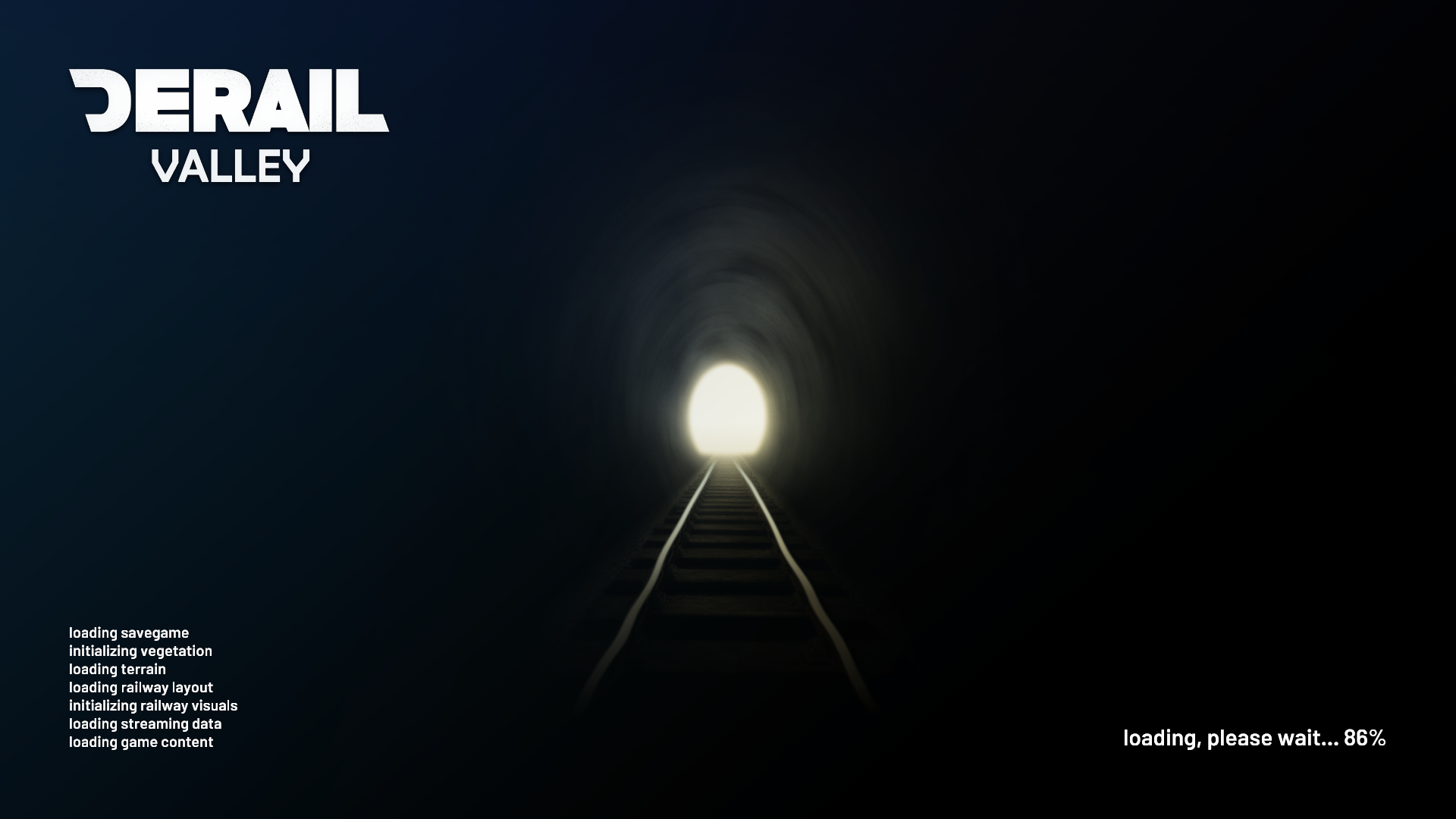
We reworked the way Derail Valley is being loaded, preventing issues such as falling through terrain at game start. It now shows a loading screen with progress percentage, completing all loading before you actually start playing. VR players: note that the loading screen will only appear on the monitor, not in the headset.
Pocket watch:
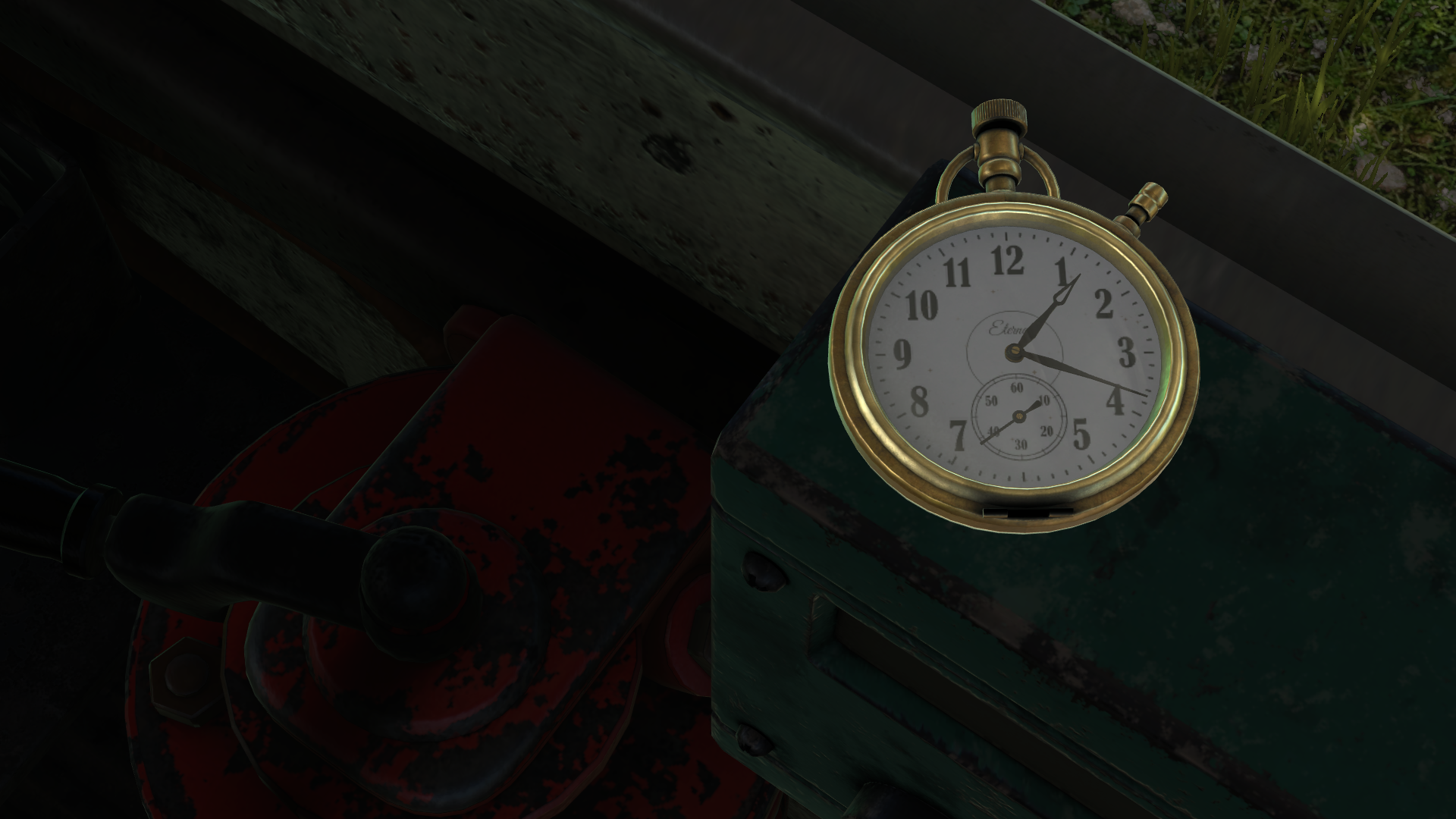
You can now buy a watch in shops, letting you measure time, using either its stopwatch or timer functionality. This is useful when chasing your job time bonus! When used as a timer, the watch will ring when it counts down to zero, even if it’s in the inventory.
In VR the watch is placed a bit inconveniently high in the store, but note that in due time we will rework the shop layout.
Other notable changes:
- Parked trains no longer slide on slopes
- Potentially made game playable on undefined controllers (e.g. Pimax with Vive)
Our focus is now on hazmat jobs and related improvements!
Full changelog:
Build #72 - April 19, 2019:
System:
- Reworked game loading
\ Now shows loading progress (screen only)
\ Fixes player falling through terrain when starting game
\ Smoother experience after game loads in
Items:
- Added pocket watch
\ Can be bought in shops
\ VR controls: Button - start/pause, Knob - set time
\ NonVR controls: LMB - start/pause, Scroll - set time
\ To use as stopwatch, start at zero time
\ To use as timer, start at set time
\ Alarm goes off when timer runs out
\ Works while in inventory too
\ Gets its status saved during play
- Save-game can now track item-specific states
Trains:
- Trains no longer slide when parked on a grade
- Increased coupler strength 50%
Controls:
- Potentially fixed undefined device controllers not working (e.g. Pimax with Vive wands)
- Fixed walk/run speeds in nonVR being increased in a recent build
Misc:
- Added pages about derailing and item storage to DV Guide
- Fixed crash when using teleport console commands while being on a vehicle
- Halved job validator cooldown
Build #71 - Fixed impassable tunnels
Hey all! Quick update this time.
As some you noticed, as of update #70 sometimes you'd not be able to go through tunnels. This build should fix that. Have fun!
Full changelog:
World:
- Attempted fix for not being able to go through tunnels
Build #70 - Removed trees from tracks, non-physical shovel, better brakes & more!
Hi everyone,
We have several notable fixes today!
Removed vegetation from tracks:
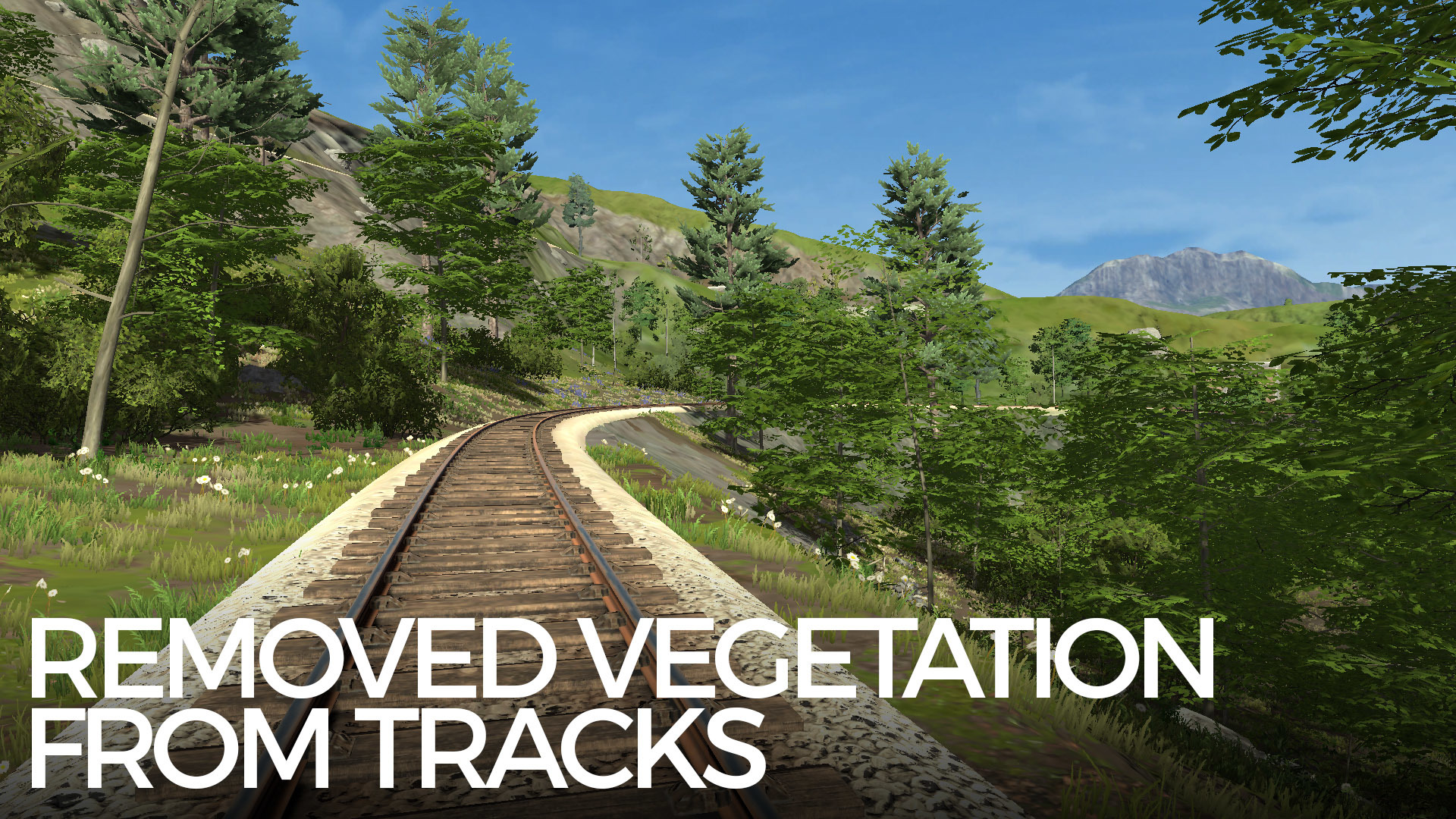
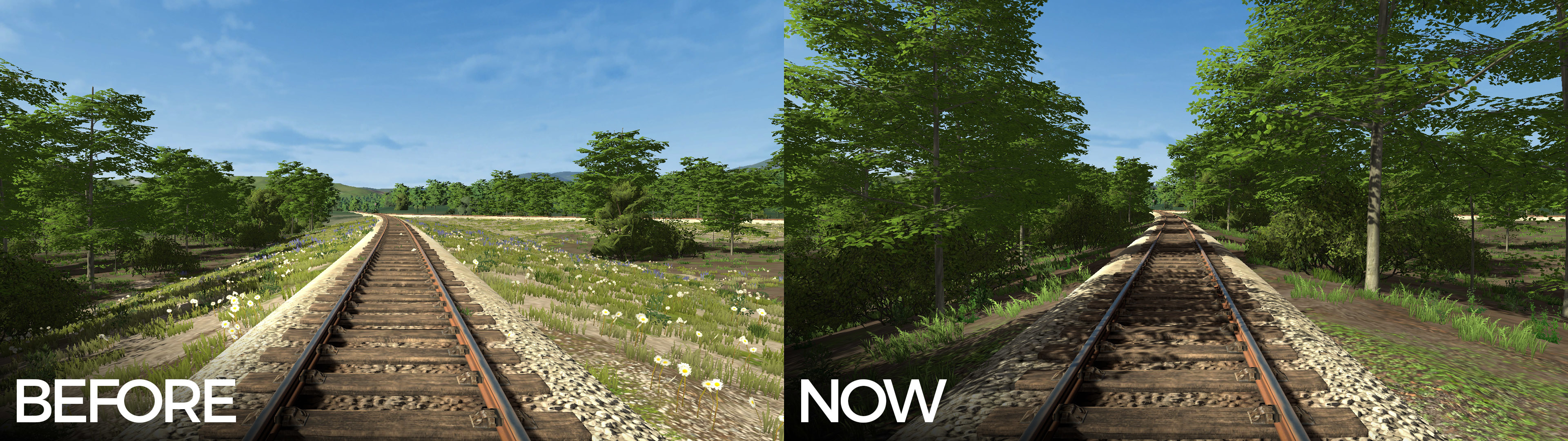
All of it. Trees, as well as rocks, will no longer appear on tracks. Moreover, we’ve been able to gain quite a visual improvement too. With the new approach the gravel texture previously painted next to tracks to remove vegetation is no longer necessary. This brought a lot more track-side texture variety, and allowed us to bring vegetation closer to the tracks, making all environments feel more authentic.
In the future, once aged tracks are implemented, this will also allow us to make abandoned tracks somewhat more overgrown than others.
Fixed vegetation blinking:
One of the most obvious issues with the game was that, when transitioning to a new area vegetation would blink for a few frames. This made hangs a lot more noticeable than they really are. As of this build vegetation will no longer blink.
Non-physical shovel (VR):
We know that shovel in VR is often wonky. Until it’s reworked, there’s now a temporary setting in Misc submenu, that lets you interact with coal in a way that doesn’t involve physics. This means that lags or losing tracking will no longer launch your coal into orbit.
Braking cars no longer buckle:
Despite simulating train brake you’ve all experienced cars buckling and sometimes causing derailments in turns when braking. All the cars shared the same braking power, however their mass differed. Being heavier, some cars would push against the light ones as they had a harder time stopping.
Now, car brakes are automatically adjusted for car and cargo mass, ensuring that the entire train brakes with mostly the same force.
More bug fixes:
Many of you wrote to us about bugs with jobs stuck in inventory and loader levers not working. Both of those issues are now fixed.
Full changelog:
World:
- Removed vegetation and rocks from tracks
\ Removed need for gravel texture next to tracks (more natural track-side)
\ Allowed bringing vegetation closer to tracks
- Fixed vegetation flickering at terrain loading
- Fixed terrain bump at lake loop
Jobs:
- Fixed non interactable levers on load/refill machine (introduced recently)
- Fixed being unable to take out job booklets from inventory (introduced recently)
Steam locomotive:
- Added non-physical shovel option for VR, making coal stick to the shovel
\ Can be found in settings, under the Misc submenu
\ Can be switched on and off during gameplay
Cars:
- Brake strength now automatically adjusts for car mass (no more buckling)