
Dishonored 2
Free Content for Dishonored 2 & Death of the Outsider!
The new content includes:
Mission+
Take a trip back in time to any previously completed mission from the campaign and experiment freely with all powers and weapons.
Black and White
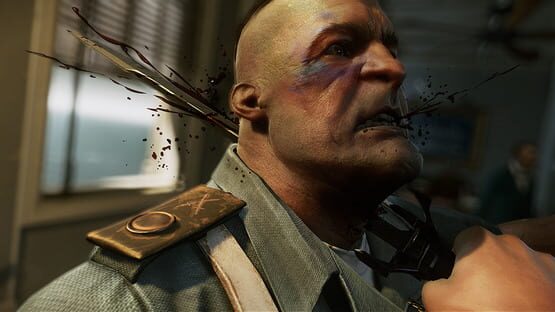
Feeling moody? Black and White mode lets you experience the game in a new visual style. This filter does exactly what it says on the tin, but all blood will remain red. See? Moody. You can toggle between Black and White mode and the original color mode at any time.
And an Imperial Assassin's Pack, which is now available in your cabin.
Read more about this free new update here: https://beth.games/2zV5x3S
Dishonored 2 - Game Update 5 Patch Notes
Please find the full list of fixes below for game update v5.
PC ONLY
- Fixed various UI crashes
- UI optimization
- Fixed a bug when ALT-TAB on Windows 10 RS3 causes issues.
- Added Dishonored: Death of the Outsider link to Steam page on main menu
- Fixed a bug where creating new user name with the special Russian ₽ character is giving "insufficient storage" message when starting a new game on Windows 10.
- Fixed a bug where AMD Eyefinity and nVidia Surround causes difficulty navigating to some UI elements with mouse.
- Fixed a bug where framerate sometimes drops heavily during a short time when switching equipment especially while moving
- Fixed a bug where game can stay stuck on the loading screen before the main menu when plugging a screen on an integrated chipset instead of the video card.
GENERAL
- Fixed a bug where keyhole Peek prompt produces inconsistent muffling of sound for the player
- Fixed an audio bug where position and orientation were wrong in keyhole peeking
Dishonored 2 - Steam Update 4
Please let us know your feedback in the Dishonored 2 PC Update 4 Beta Forums on Bethesda.net: https://bethesda.net/community/category/39/pc
Thanks for your support!
Dishonored 2 - Free Trial Available Now!

We’re pleased to announce that we’re releasing a free trial for Dishonored 2 for Steam on April 6! The free trial will allow players to dive into the first three missions of the campaign as either Empress Emily Kaldwin or the Royal Protector, Corvo Attano.
The free trial can be downloaded from Dishonored 2’s store page on Steam. What’s more, players that decide to upgrade to the full game during or after the free trial will keep all of the saves made during the trial, and can continue enjoying Dishonored 2’s campaign from where they left off.
https://www.youtube.com/watch?v=wwTUjgh1G3c
Take on the role of a supernatural assassin in Dishonored 2, the follow up to Arkane Studio's first-person action blockbuster that earned more than 100 'Game of the Year' honors. Dishonored 2 has been praised by IGN as “amazing” and “a superb sequel”, declared a “masterpiece” by Eurogamer, and hailed “a must-play revenge tale among the best in its class” by Game Informer. Named ‘Game of the Year’ by PC Gamer, ‘PlayStation 4 Game of the Year’ by IGN, and winner of ‘Best Action-Adventure Game’ at The Game Awards 2016, Dishonored 2 has garnered over 100 ‘Best of 2016 Awards.’
When the mad witch Delilah seizes the throne, the fate of your Empire is left hanging in the balance. As Emily or Corvo, travel beyond the legendary streets of Dunwall to Karnaca, the once-dazzling coastal city that holds the keys to restoring Emily to power. Armed with powerful supernatural abilities, weapons and gadgets, how far will you go to hunt down your enemies and take back what’s yours?
Dishonored 2 - Game Update 3
- Fixed a bug where AMD 400 Series Crossfire enabled GPUs will have lower auto graphics presets than the single card GPU
- Fixed a bug where the player can get control-locked in the Keybind menu if they use a mouse and gamepad.
- Fixed a PC bug where the player will lose in-game sound/audio after alt-tabbing too quickly
- Added option to hide the quick select dock
- Fixed a bug where Quick Save / Quick Load is available in Iron Mode
- UI optimization
- Fixed a bug where the FPS drops when the player looks at a gravehound's smoke.
- Fixed a bug where possessing a Gravehound causes their smoke effect to build up.
- Fixed shadows missing on particles
- Fixed a bug where normal maps were inverted with negative scaled objects
- Fixed a bug where using Far Reach on a hanging speaker causes strange physics in subsequent Far Reaches
- Fixed a bug where aiming Focused Strike or Spyglass at the sky results in poor depth of field masking
- Fixed a bug where Jindosh still talks to player in lab after death or being rendered unconscious
- Fixed a bug where the journal may become blurred
- Fixed a bug in Long Day In Dunwall where screen turns dark a short time after speaking with Meagan
- Fixed a bug where the player becomes control-locked when attempting to load corrupt mission saves
- Fixed a bug where overwriting corrupt New Game + save with no free space can cause a crash during or after credits
- Fixed a bug where Autosave Thumbnails persist after switching Profiles
- Fixed a bug in "Long Day in Dunwall” where saving as the mission causes the Mission Save to not be created
- Fixed a bug where canceling a mission selection on the main menu and then starting a New Game + prevents selecting a difficulty setting
- Fixed a bug where mantling as the elevator hits the ground will cause game to crash
- Fixed a bug where Doppelgänger doesn't replenish mana with Corvo
- Fixed a bug where NPCs will rediscover bodies after a save/load and enter search mode a second time
- Fixed reported issues with some localization text
- Fixed a bug where Springrazor traps attached to Rats and Bloodflies will not go off if possessed
- Fixed a crash when Far Reaching to an NPC while killing them with Shadow Kill
- Fixed a bug where Rats were unable to consume severed limbs
- Fixed a crash that could occur during a fight with a rewired Clockwork Soldier
- Bloodthirst post-process is now brighter
- Fixed a bug where one-handed thrown objects were misaligned to the right of the crosshair
- Fixed a bug where the Springrazor won’t trigger when it is put on a bolt
- Fixed a crash when player falls off of platform inside painting while in possession.
Dishonored 2 - Game Update 2
FEATURES
- Added new mode:
----->Custom Difficulties
- Added Mission restart / Mission Select
----->Mission restart available from pause menu and result screen
PC FIXES
- Fixed a bug where Switching off the V-Sync for the second time set the FPS Limiter to 30 instead of 60 by default
- Fixed a bug where changing the settings from TXAA to FXAA and not applying the change made the TXAA Sharpness turn to 1 instead of its previous value
- Fixed a bug where turning off TXAA Anti-aliasing does not visually disable TXAA Sharpness slider
- Fixed a bug where the changes made to V-Sync were reverted to the previous setting when turning on then cancelling
- Fixed bug where the volumetric lightning is not turned on by default at launch if it was set to off on a previous version and it can't be turned on manually anymore
- Fixed a bug where the "Fog Quality" setting is set back to low after restarting the game
- Fixed a bug where Keyboard/mouse shortcut UI could show up during possession & keyhole peeking
- Fixed a bug where Emily’s feet can be seen floating during the throne room cutscene with high FOV settings
- Fixed a bug where the Low Chaos Sokolov epilogue slide will have black windows if Volumetric Lighting is off
- Fixed a bug where the screen post processing persists in Ansel mode
GENERAL FIXES
- Fixed various crashes
- Fixed various save issues
- Fixed various localization issues
- Fixed various rendering issues
- Fixed various audio issues
- Fixed various collision issues
- Fixed various UI issues and added new UI for Game Update 2
- Fixed a bug where the player will instantly die if he possess a Gravehound
- Fixed a bug where a "8" could appear on the screen
- Fixed the LOD of the watchtower
- Fixed a bug where walking down stairs while a wolfhound runs up would cause the hound to bounce backwards
- Fixed a bug where pickpocketing Jindosh's pistol may cause him to throw nothing during combat
- Fixed an audio issue while loading save games
- Fixed a bug where NPCs can suddenly be seen standing during the recover from ragdoll animation
- Fixed a bug where Far Reach pulling a guard that is mantling will have no effect on the guard
- Fixed a bug where NPCs can be involuntarily dropped from a choke, causing their AI to break
- Fixed a bug where making a quick save behind a NPC while using controller configuration C would cause the player to choke the NPC instead of creating a save
- Crushing an unconscious enemy in the safe door will no longer count as both lethal and nonlethal in the stats page
- Fixed a bug where using Domino and Shadow Walk in combination will kill Hypatia without her ever transforming into Grim Alex
- Fixed a bug where the awareness feedback is triggered again when loading a save made after NPCs gained attention
- Fixed a bug where performing slide tackles or ground kicks on NPCs in moving elevators causes them to float or fall through
- Fixed a bug where the witches will idle if the player exits and re-enters a hideout during upgraded Bend Time
- Fixed a bug where guards that see a door opened by a possessed NPC ask who opened it
- Fixed a bug where the facial animation was not launched during key target assassinations
- Fixed a bug where a Sleeping Overseer may face the chair upon waking up despite knowing where the player is
- When sprint and lean mode are set to "hold", the change is now reflected in the tutorials
- No awareness is now used for corpses spotted
- Fixed a bug where Clockwork Soldiers were triggering a Snap Reaction when player is undetected
- Fixed a bug where causing an explosion during Stop Time can stretch out and break NPC models
- Fixed a bug where the gameplay thread was not updated every frame and can miss input
- Fixed a bug where physic objects go active when using the Spyglass although they're far from the player
- Fixed a bug where NPC heads do not appear on screen when picked up and cannot be thrown
- Fixed a bug where Guard NPC heads with helmets have unnatural physics when beheaded and thrown
- Deactivated Redirective Blink when swimming up/down
- Fixed a bug where the player can choke an NPC from very far away if they pull them with Far Reach while Bend Time is active
- Fixed a bug where the player is able to duplicate items by Far Reach pulling and picking up at the same time
- Fixed a bug where the Guard by Ramsey disappears shortly then returns ignoring the player when attacked from above
- Fixed a bug where the player could fall OOW when exiting a rat tunnel
- Fixed a bug where Past Stilton does not alert to the player properly after he panics once
- Fixed a bug where the game will black screen if the player dies during the transition to Long Day in Dunwall: Streets
- Fixed a bug where the player may become control locked and see OOW if they use the Timepiece and a key hole at the same time
- Fixed a bug where the player will fall OOW if they use the Timepiece during a kill move
- Prevented the player from grappling the crossbow in Edge of the World to avoid a weird retargeting if the player is far from the door or blocked by a collision
- Fixed a bug where the Gravehound skull can sometimes go through walls/ground when killed
- Fixed a bug where the amount of available traits is incorrect when replacing a trait during a craft by the same trait
- Fixed a bug where the Watchtower red light projector flare was drawn behind environment elements
- Fixed a render issue on Corvo during character selection
- Fixed a bug where a bright light during transition in time remains if the Timepiece is used to interrupt picking up a corpse
- Fixed a bug where the effects of the Dust Storm can be seen inside the Silvergraph Studio
- Fixed a bug where the living highlight sometime stutters when using Dark Vision
- Crafted Bonecharm list is now sorted
- Fixed a bug where Doppelgangers will instantly despawn on particular spots
- Fixed a bug where using Shadow Walk takedowns on Meagan and Sokolov will have the wrong animations
- Fixed a bug causing the watchtower’s position to reset
- Fixed a bug where the FOV changes during jump or sprint
- Fixed a bug where walking with a possessed NPC into water doesn't count as a kill
- Fixed a bug where the player's weapon is automatically switched when restoring health using the D-pad
- Fixed a bug where the Weapon Wheel was not slowing the duration of Bend Time
- Fixed a bug where Catfall is triggered when using Far Reach after vaulting into water
- Fixed a bug where enemies are still active after the player has killed them right before using the Timepiece
- Fixed a bug where the player is unable to switch quick select items using D-pad while the Health Elixir prompt appears
- Fixed a bug where the game terminates while entering connected standby at the end of mission cutscenes
- Fixed a bug where returning to the initial interactive screen via established user sign out while in active control areas will not present the Main Menu Load Screen
- Fixed a bug where the NPCs are ejected in the air after being shot with a sleep dart
- Fixed a bug where the player can fall from a great height onto the cliffs and survive
- Fixed a misaligned animation for an Adrenaline kill
- Fixed a bug where the player was able to fly if they Far Reach pull and picked up a whale oil tank at the same time
- Fixed a bug where Far Reach pulling NPCs then assassinating them near edges pulls the player over the edge
- Fixed a bug where NPCs are unable to be pulled with Far Reach while they are falling asleep from a sleep dart
- Fixed a bug where canceling Far Reach mid pull drops the body or object that the player is holding
- Fixed a bug where the Doppelganger appears in a T-pose when the player summons her
- Fixed a bug where Redirective Blink does not affect sitting or cowering NPCs
- Fixed a bug where jumping after using a jump Blink will cause the cooldown of Blink to return
- Fixed a bug where changing the resolution or display mode can break the rendering as if everything was rendered twice
- Fixed a bug where speakers don't play any announcements
- Fixed a bug where the player can view the Adrenaline/Blood thirst meter while looking through a keyhole
- Fixed a bug where exiting Pause Menu, Weapons Wheel, or Journal while holding The Dealer targeting or Piercing Insult charged shot auto fires
- Fixed a bug where player may become control locked and see out of world if they use the Timepiece and key hole at same time
- Fixed a bug where with 5 traits of the Bonecharm "Strong Arms"; no longer possible to grab an NPC since it's instantly choked
- Fixed a bug where the player can repeatedly initiate a combat choke on Grim Alex with no prior actions required
- Fixed a bug in Medium difficulty where Health Regeneration is set to Limited by default
- Fixed a bug where NPCs could be put into walls when using Doppleganger Swap during a corpse throw
- Fixed a bug where choking any NPC then immediately pushing them off may cause the chokehold audio to persist
- Fixed a bug where the UI Post Process isn't blurred in Pause Menu
- Fixed a bug where Player's hands have a broken texture in some spots during a dust storm
- Fixed a bug where striped shadow lines can be seen on Outsider and other NPCs
- Fixed a big offset in animation during a drop assassination on the Clockwork
- Fixed a bug where throwing a bottle at Mindy's head after completing her quest breaks her model and can lag the game
- Fixed an occlusion issue outside Jessamine's hidden chamber
- Fixed an occlusion issue across from Galvani's apartment
- Fixed a hole in Addermire building during carriage ride scene
- Fixed too loud footsteps SFX
- Fixed the marker "investigate about Sokolov" which was misplaced
- Fixed a bug where after looting unconscious Paolo player may kill Paolo and loot him again for a second Risky Parry Bonecharm
- Fixed a bug where picking up the rune in the flooded basement awards 1 coin in no powers instead of 200 coins
- The Outsider and Jessamine are no longer factored in the Global Kill Ratio
- Outsider Shrines are no longer factored in the Global Kill Ratio on the Current Stats Screen
- Meagan is no longer factored in the player’s Global Kill Ratio on the Playthrough Stats Screen
- Delilah is no longer counted towards the player’s Global Kill Count each time she appears
- Unkillable NPCs are no longer factored in the Global Kill and Global Non-Lethal Ratios on the Stats screen
- Fixed a bug where the player may never transition to the Epilogue if they chose to take the secret passage to the Throne Room
- Fixed a bug where black Occlusion walls are visible around Jindosh's mansion when red buttons are pressed consecutively
- Fixed a bug where the player may be prevented from finishing the Non-Lethal resolution cinematic if a witch or a Gravehound interrupts the scene
Dishonored 2 - Game Update 1
Recommended drivers:
NVIDIA driver 375.95
http://www.nvidia.com/download/driverResults.aspx/111026/en-us
We have identified an issue with drivers 375.70 & 375.86 unique to Dishonored 2 which impacts performance. If not already, we strongly advise updating to driver 375.95.
AMD driver 16.11.4
http://support.amd.com/en-us/download/desktop/previous/detail?os=Windows%2010%20-%2064&rev=16.11.4
NEW GAME PLUS
- Added New Game Plus
PC
- Fixed a bug where Switching off the V-Sync for the second time sets the FPS Limiter to 30 instead of 60 by default
- Fixed a bug where changing the settings from TXAA to FXAA and not applying the change makes the TXAA Sharpness turn to 1 instead of its previous value
- Fixed various crashes to desktop
- Game now runs on Phenom processor
- Fixed physics step variation limitation
- PC Load screens - the mouse cursor is now hidden - can press any key to continue
- Fixed Triple Buffering description text to match the option
- Fixed various bugs releated to PC Visuals Options
- Improved input management when the game runs at 120fps, during bendtime or slowmo
- Fixed a bug where plugging and unplugging controller after game has launched locks controls until either the controller button or Alt Tab is used
- Improved Ansel integration
- Fixed a bug where the resolution of the timepiece's preview keeps changing when opening a menu while playing with the adaptive resolution and FXAA
- Fixed a bug where the cursor was misplaced during greater blood thirst
General
- Fixed spiritual pool and strong arm bone charms not working correctly
- Fixed a bug where audio persist after chocking and pushing away an NPC
- Fixed a bug where Delilah was misplaced during the second part of the intro
- Fixed some clipping issues
- Tweaked some animations
- Fixed some lighing issues
- Fixed cases where sounds were cut
- Fixed a bug where Audiograph subtitles did not pause with the voice over
- Fixed a case where placeholder images were incorrectly replacing Save thumbnails
- Fixed a bug where changing the Audio Setting from Default to English would remove VO and Subtitles from NPCs
- Added auditory feedback for selecting the "No" option on a confirmation screen
- Fixed a bug incorrectly attributing to the player when an NPC accidentally falls into the water
- Fixed a bug where the Clockwork Soldiers' vision lights do not despawn when the head is destroyed during stop time
- Fixed a bug on harder difficulties, where player can waste mana potions with the Auto Use Mana Elixirs options
- Updated flee distance for burning venom
- Fixed a bug where Delilah ending cutscene was interrupted without any reason and blocked the player
- Fixed a bug where mana still regenerates when player has Witch's Skin bonecharm equipped
- Fixed the Vengeance bonecharm that was not giving the player adrenaline when taking melee damage
- Fixed a bug when player cures Hypatia before she transforms and talks to her at the same time causing both cutscenes to be skipped
- Fixed a bug where NPC falls to the floor dead while being choked near Wall of Light
- Fixed a bug where the Baffling Shade upgrade affects other Doppelganger clones
- Fixed a bug where mana bar regeneration breaks when using Void Armor bonecharm with Corrupted Trait Restorative Glimmer
- Fixed a bug where player can't consume health potion when unconscious or about to be killed
- Fixed a bug where Jindosh cannot be interacted with if player dominos doppelganger and Jindosh when in chair
- Spiritual Fortune bonecharm - removed delay for mana regeneration when its effect occurs
- Fixed a bug where Display Tutorial Notifications also turns on/off the on screen Jindosh Lock Combination
- Fixed a bug where the monologue of "A Crack in the Slab" could turn black after a couple of seconds
- Void Rapture doesn't affect Breanna now
- Updated the Savage Scream corrupted bonecharm trait description
- Fixed a bug where Leech Cuts bonecharm gives health when striking Clockworks with 0 damage
- Fixed a bug where Clockworks will go into full alert and count a detection against the player through collision when damaged by grenades or drop assasinated
- Fixed a bug where dead bodies can damage breakables without velocity
- Fixed a crash when player engages Clockwork Solider and Witches in the hallway of the security room
- Fixed a bug where NPCs can suddenly be seen standing during the recover from ragdoll animation
- Fixed a bug where the player was able to stun NPCs through walls
- Guards body now cast shadow when player carry it around
- Fixed a bug where Male elites/veterans have displaced pistols if attacked by bloodflies after being alerted
- Fixed a bug where killing multiple NPCs using upgraded Windblast near a Wall of Light causes audio distortion
- Fixed a bug where NPC killed by environmental fire while being choked or thrown cannot be carried
- Fixed a dirty frame during the mine reload
- Removed equip animation and swarm distraction on nestkeeper
- Fixed a bug where the player could not slide until the crossbow was reloaded
- Fixed choke sound when curing Hypatia
- Fixed a bug where Grim Alex could get stuck on a counter after being Windblasted
- Fixed a bug where Delilah has broken pathing if player shoots her while stealthed
- Fixed a bug where unconscious bodies do not take damage from part of the electric rail
- Fixed a bug where guards in photo lab have inconsistent and delayed alert behavior
- Mana regen rate is now faster when a mana potion is used
- Added a slowmo at the end of the bloodthirsty double kill
- Fixed a bug where the sword could damage NPCs during the preparation animation of focused attack
- Corrupted bonecharm effect of Electrical Burst increases the range of stun mines instead of decreasing
- Fixed a bug where Far Reach pulling an NPC then assassinating them pushes the NPC extremely far away
- Awareness marker are only displayed within 25m from the player
- Fixed a bug where Souvenirs does not require the Syringe to be unlocked
- Fixed a bug causing "Ghost Between the Cogs" not to unlock
- Fixed a bug where using the Heart while Delilah is on the throne will break the ghost playthrough
- Good Doctor - Fixed a bug where the Player cannot talk to Meagan after all objectives are completed
- DTTE - Witch on bridge now reacts to her friend being killed
- Fixed bug where Game over was triggered when sleep darting Sokolov after Save/Load
- Fixed splashscreen shader for unusual resolutions
- Fixed some shadow/light pops in the machine room
AI
- Fixed a bug where guards spotted and attacked player through elevator shaft walls in hard difficulty
- Fixed a bug where a Guard NPC will begin to flee after killing Hatter NPC
- Fixed the Leech Cuts black bonecharm that was fully healing the player when killing an unconscious NPC
- Fixed a bug where Cilvilians have delayed response after player was in combat with Overseers
- Fixed a bug where Clockwork soldiers becomed stuck in table while stepping off
- Added distance to panic when a Civilian see a corpse
- Fixed a bug where possessing Breanna as she teleports caused her to lose AI and turn invisible
- Fixed a bug where NPC stop moving when they are too far from the player
- Fixed a bug where choking and dropping a guard on an Upper Aventa Ledge will cause him to run OOW
- Fixed a bug on Good Doctor where Meagan may not talk to the player preventing completion of the level
- Fixed a bug where throwing a conscious NPC through a window does not alert nearby guards
- Fixed a bug where player falls to the ground below after loading a save made standing on a watchtower
- Fixed a bug where hitting Delilah with multiple grenade explosions causes her to never return from her teleport or to return not immortal
- Fixed a bug where immolated howler wouldn't stop speaking
- Fixed a bug where a clockwork soldier was locked in place after loading
- Fixed a bug where a rewired Clockwork Soldier who loses an arm during combat with NPCs will become hostile to the player again
- Fixed a bug where NPCs do not react to headless clockwork soldiers unless attacked
- Fixed a bug where Delilah clones don't fight back
- Fixed some issues with the gravehound skull
- Fixed some issues with the wolfhound
- Fixed a crash while the witches are fighting the Grand Guard
- Fixed a bug to prevent NPCs getting stuck when exiting possession
- Fixed a bug where the render of the black elements in the background of the credits video looks bad
- Fixed a bug where witches could teleport to same location
- Fixed a bug where a NPC can accidentally fall into the water while chasing the player.
- Fixed hair rendering being too dark
PLAYER
- Fixed a bug where the player can be executed by an NPC as he uses a health elixir and dies with health above 0
- Fixed a bug where players may experience their sliding and crouching animations playing at half speed after loading a save
- Fixed a bug where the sprint blur remained on screen
- Fixed some camera issues
- Fixed a bug where the player is missing arms when loading a save created while swimming
- Right hand is now displayed if you jump in water while holding Focus attack
- Fixed a bug where choking any NPC then immediately pushing them away may cause the chokehold audio to persist
- Fixed a bug where the player couldn't switch equipment when the current one is being unequipped while blocking
- Fixed a bug allowing player to push NPC OOW through certain walls
- Fixed a bug where the Dealer upgrade was depending on control settings
- Fixed a bug where Corvo's Crossbow Masterwork The Dealer creates unretrievable bolts on multitarget hits
POWERS
- Doppelganger can now be spawned on stairs
- Fixed a bug where canceling far reach mid-pull will reset the cool down
- Fixes on the Possession and Bend time Combo
- It's now possible to combine double fatality and Far Reach
- Fixed a bug where Mesmerize can despawn instantly and act improperly when used in an elevator
- Fixed a bug where the player cannot use Transposition on a Doppelganger summoned during Stop Time
- Player is now teleported back to his start position when possession is cancelled
- Fixed a bug where fall damage can be cancelled through Far Reach
- Doppelganger timer is not reset when started anymore
- Fixed a bug when using Doppelganger or Mesmerize on certain objects can cause them to spawn underground
- Fixed a bug where the player can be killed by explosion damage when possessing a corpse
- Possessed rats and bloodflies now take damage from electric rails
- Fixed a bug where witches can be possessed while teleporting
- Fixed a bug where possessed NPCs always turned unconscious when unpossessed after a Save/Load
- Fixed a bug where casting Possession on a Civilian at start of a level caused him to lose VO
- Fixed some rat swarm issues
SAVES
- Fixed various issues related to Save/Load
UI
- Fixed a bug where HUD was visible during keyhole
- Fixed a bug where Bloodthirst Fatality prompt is given while carrying body parts or a body
- Fixed a bug where no tasks were displayed in journal in hide mode when the objectives contains a parallel with one active branch
- Update abbreviations for Hours, Minutes, Seconds for time played Stats / Statistics / Results in certain languages
- Fixed a bug where HUD displayed equipment was wrong when switching ammo types while blocking
- Grenade cooking gauge is now hidden when using the spyglass
- Added lean/sprint toggle options in the menu
- Fixed a bug when loading a day1 patch save with a build including the power wheel filter feature makes the powers/weapons hidden by default
- Fixed the trademark symbol next to Game Time in the Statistics menu Spanish
Thanks for your support!
Dishonored 2 – PC Update 1.3 Live to All Steam Users
Recommended drivers:
NVIDIA driver 375.95
http://www.nvidia.com/download/driverResults.aspx/111026/en-us
We have identified an issue with drivers 375.70 & 375.86 unique to Dishonored 2 which impacts performance. If not already, we strongly advise updating to driver 375.95.
AMD driver 16.11.4
http://support.amd.com/en-us/download/desktop/previous/detail?os=Windows%2010%20-%2064&rev=16.11.4
Update v 1.3 overview:
- General performance and optimization improvements
- Added a setting to turn OFF Camera Motion Blur
- Additional mouse improvements
- Fixed various issues related to user interface
- Fixed various issues related to the Option menu
- Fixed various issues related to multiple monitors
Update 1.3 notes:
Options
- Added a setting to turn OFF Camera Motion Blur
- Fixed a bug which caused some textures to be missing when Texture Quality was set above Medium for some GPUs
- Fixed a bug where the game sometimes launched in the previously saved resolution in the top left corner of the screen
- Fixed a bug where "Adaptive Resolution" was incorrectly set to "Manual"
- Fixed a bug where changing the Screen Resolution, Monitor, Windowed Mode or Triple Buffering did not properly revert after selecting "No"
- Fixed a bug where the player was incorrectly asked to confirm changes when no changes were made
- Fixed a bug where V-Sync settings did not match the monitor refresh rate when higher than 60hz
- Fixed a bug where pressing "No" in the confirmation prompt when changing Triple Buffering setting sometimes made the prompt appear again
Display / Monitor
<*>Fixed a bug with multiple monitors which caused the game to not display on the primary monitor by default
<*>Fixed a bug which caused some UI elements to be misplaced when using 5:4 or 4:3 aspect ratios
<*>Fixed a bug which caused the game window to appear off screen when resolution was set below the native resolution for 1440P and 2160P monitors.
<*>Fixed a bug which caused incorrect Resolution Scale FPS Target when changing V-Sync mode
<*>Set default value for Resolution Scaling Quality to "Quality"
Rendering / Performance
- Fixed a rendering bug affecting the lighting on some NPCs which sometimes caused a red glow
- FPS limiter set to 60 FPS by default
- Adjusted Shadow Quality settings – “High” setting and below have a more significant visual and performance adjustment
- Reduced performance impact of transparent surfaces & VFX
Mouse
- Fixed a bug impacting mouse movement speed
Known Issues
- Switching off the V-Sync a second time sets the FPS Limiter to 30 instead of 60 by default
- Changing the settings from TXAA to FXAA and not applying the change sets the TXAA Sharpness to 1 instead of its previous value
- Disconnecting and reconnecting a controller during gameplay may cause the controls to become locked
----->Alt-tabbing or pressing the Xbox button on the controller should return controls - The game crashes to desktop when loading into gameplay on a Phenom II processor
----->Phenom II processors are currently not supported - Adaptive Resolution can get stuck at -1 when restoring video settings
----->Changing the V-Sync option will allow the Adaptive Resolution slider to move again
Thanks for your support!
Dishonored 2 - PC Update 1.2
Update 1.2 will replaced Update 1.1 for players who already downloaded the previous update.
NVIDIA driver 375.95
http://www.nvidia.com/download/driverResults.aspx/111026/en-us
We have identified an issue with drivers 375.70 & 375.86 unique to Dishonored 2 which impacts performance. If not already, we strongly advise updating to driver 375.95.
Update v 1.2 Overview
- General performance and optimization improvements
- Auto-detection of the Visual settings was re-worked based on player feedback and observed issues. If still experiencing issues after updating drivers and downloading patch 1.2, advise using the “Restore Settings” option to apply the recommended settings for your hardware.
- Max pre-rendered frames is now managed by the game, advise removing any previous manual customizations in graphics driver control panel
- Fixes multiple related to game logic
- Fixed various issues related to user interface
- Fixed various issues related to mouse/KB and gamepad, including:
---- Mouse smoothing is now set to minimum by default - Fixed various issues related to using alt-tab related bugs
- Fixed various issues related to multiple monitors
---- Fixed a bug where Resolution Scaling was deactivated when the game ran above 30 FPS
---- Changed the Resolution Scaling settings to be more clear - Added new settings in the Options menu:
---- Added a Framerate Limiter so the player can limit framerate fluctuation when playing without V-sync
---- Added TAA Sharpness option
---- Added more options to V-Sync settings. NOTE: If you previously disabled V-sync, please check your FPS limiter setting to ensure it is set to your desired limit.
---- Added Triple Buffering option
Update 1.2 notes:
PERFORMANCE
- Reduced framerate stuttering
- Added a customizable FPS limiter to reduce the fluctuation
- Framerate capped at 120 FPS to prevent physics issues which occur only above 120fps
- Max pre-rendered frame is now managed by the game
- Adjusted Texture Details settings so settings make a significant visual and performance change
- Fixed a bug where AMD GPU experienced huge framerate drops when there is cloth simulation in the environment.
- Adjusted ocean settings for perf improvement
- Added frequency in V-sync UI
- Fixed a bug where VRAM usage was higher than available VRAM
- Fixed a bug where auto-detected settings were set too high for certain hardware
- Added HBAO+ support for AMD GPUs
- Fixed a bug where turning HBAO+ ON created some bad shadowing on player's hands
- Removed Environment Details settings as it was strongly tied to View Distance
- Removed Fog Quality settings as it was not impacting the visuals or providing performance advantages
- Adjusted auto detected settings for R9 290X2
- Fixed a bug where Water Quality settings was only impacting ocean, not canals or pools
- Improved CPU cores utilization on high and low-end machines
MOUSE, GAMEPAD, & CONTROLS
- Fixed a bug where mouse sensitivity was framerate dependent
- Fixed a bug where the controller vibrates continuously it the player switched from gamepad to mouse and keys while the gamepad was vibrating
- Fixed a bug where Aim Friction didn't work with a gamepad
- Fixed a bug where the gamepad could not be recognized if plugged after the game was ran
- Fixed a bug where resolution could not be changed with mouse
- Mouse smoothing setting is now set to minimum by default (setting won't get overwritten if customized by the player)
ALT+TAB
- Fixed a bug where using ALT + TAB could result in endless switch between the game and other programs
- The player can no longer bring up the Pause menu when using ALT + TAB while dying
- Fixed a bug where the bug kept on registering mouse movements while in background after the player used ALT + TAB to switch to another program
CRASH FIXES
- Fixed a bug where the game could crash if the player decided to leave the Clockwork Mansion while Clockwork Soldiers were beheaded
- Fixed a bug where the game crashes if the player attempted to go into visual settings menu after disconnecting a monitor in game
- Fixed a crash when selecting a video card without attached monitor to it
- Fixed a bug where game could freeze in "Another Strange Visit" when opening the weapon wheel with Middle Click button and then scrolled if the player used gamepad before
MENU & OPTIONS
- Fixed a bug where the collar of the player was visible while using Shadow Walk assassination in large FOV
- Fixed a bug where the game could stretch the resolution to fit screen while using a non-native resolution and switching from Borderless Windowed Mode to Windowed Mode
- Fixed a bug where the menu was not filling the whole screen in some resolutions
- Fixed a bug where Mouse Smoothing setting was sometimes not properly displayed even though it was properly saved
- Fixed a bug where ‘Unassigned’ text for unassigned buttons overlaps nearby text with Keyboard and Mouse controls
- Fixed a bug where the player was unable to switch to Full Screen or Windowed Mode after he switched to Borderless Windowed Mode
- Added a Framerate Limiter so the player can limit framerate fluctuation when playing without V-sync
- Added TXAA sharpness setting
- Changed the Aim Assist settings to be more clear
- Added Triple Buffering option
- Added more choices to V-Sync settings
- Monitor/Resolution
- Fixed a bug where restoring default settings activated the second monitor as the default monitor
- Fixed a bug where the game switched to Borderless Windowed when the player changed resolution while in windowed mode
- Fixed a bug where the game was displaying a black screen if the resolution was set to 1786 x 992 in full screen
- Fixed a bug where expiration of change monitor confirmation dialogue while game is minimized can cause display to stop functioning
- Fixed a bug where Resolution Scaling was deactivated when the game ran above 30 FPS
- Changed the Resolution Scaling settings for a better understanding
- Added resolution ratio to the Resolution drop list
- Fixed a bug where resolution scaling setting was not saved when quitting the options menu
- Fixed a bug where the current game resolution was applied to the monitor when switching monitor even if this resolution was not supported
UI
- Fixed a bug where mouse Wheel pop up will highlight as selected incorrect slot after holding key corresponding to an empty slot
- Fixed a bug where initiating Black Market shop with keyboard displays gamepad prompts on menu until additional keyboard or mouse input
- Blink, Far reach and The Heart are now automatically binded to shortcuts after being acquired
- Fixed a bug where the Gun shortcut was not automatically assigned if bullets were picked up before the gun
- Fixed a bug where "<" key appeared as "Unassigned" in game when bound to any action
MISC
- Fixed a bug where sabotaging the Oraculum device would count as 2 kills and prevent getting the "Clean Hands" achievement
Update 1.2 known issues:
- Incorrect labels in the Options menu:
---- “Windowed Mode” should be “Display Mode”
---- “Adaptive Resolution FPS Threshold ” should be “Adaptive Resolution FPS Target ”
---- “Borderless windowed mode ” should be “Borderless Fullscreen ”
---- “Field of Vision” should be “Field of View ”
---- “God Rays” should be “Light Shafts ”
---- Adaptive Resolution FPS Threshold setting is not accurately reflected in the Visuals menu after restarting the game when FPS Limiter is used.
---- Adaptive Resolution FPS Threshold becomes locked to the previous FPS Limiter setting when V-sync is enabled.
---- Workaround: Toggle V-sync off, then change the FPS Limiter to the desired setting before re-enabling V-sync. - A visual distortion may occur at the bottom of the screen when toggling Triple Buffering while in-game.
---- Workaround: Toggle Triple Buffering at the Main Menu, or turn it off then back on while in-game to remove the distortion. - The in-game Framerate may remain locked to 60 FPS when the V-sync setting is set to Full on a monitor that supports higher than 60Hz refresh rates.
---- Workaround: Disable V-sync and manually set the FPS Limiter setting to higher than 60 to achieve Framerates above 60 FPS. - The FPS Limiter setting only displays text in English and is not localized.
---- Workaround: None. Localization is expected to be implemented in a future update. - The Adaptive Resolution setting will change to display as Manual when exiting and re-entering the Visual settings menu after setting it to Always.
---- Workaround: None. This is a visual issue with the menu. The Adaptive Resolution setting will still be enabled and set to the default for the Always setting. - Keyboard and Mouse controls may display latency in menus and during gameplay when V-sync is set to Half.
---- Workaround: Either Disable V-sync or change the setting to Full. - Framerate may not be accurately locked to 30 FPS when setting V-sync to Half
---- Workaround: Disable V-sync and change the FPS Limiter setting, or increase the V-sync setting. - Multiple confirmation prompts may appear when cancelling a change to the Triple Buffering Setting.
---- Workaround: None. Cancel the prompt again until it no longer appears. - Framerate may be decreased when using V-sync without Triple Buffering Enabled
---- Workaround: Enable Triple Buffering to see if that increases performance, or disable V-sync. - Controls may become locked if a controller has been disconnected while the game is running
---- Workaround: Use Alt+Tab to leave the game window then return, or reconnect the controller. - Setting the Adaptive Resolution to Off changes the Adaptive Resolution FPS Threshold to 29.
---- Workaround: None. This is a visual issue with the menu and does not affect the actual in-game Framerate.
If you run into issues or have questions please let us know in the public Dishonored 2 Steam v1.2 Beta Forums on Bethesda.net: https://beta-community.bethesda.net/category/139/dishonored-2-steam-beta
Thanks for your support!
Dishonored 2 PC Update - Steam Beta Update
Today we’re beginning the process with new NVIDIA PC drivers (375.95) and our first post-release title update (Update 1.1).
PC users on NVIDIA cards should grab this driver update before playing.
NVIDIA driver 375.95 Link
For users with AMD cards, the recommended driver is still 16.10.2. Look for more information from AMD on CrossFire support in the near future. As we have new information on drivers for both card types, we will update our forums.
Additionally, a new title update for Dishonored 2 (v 1.1) is now available via Steam as a Beta update – see below for instructions. Update 1.1 includes a small number of fixes including:
- Mouse improvements, including a fix for sensitivity being framerate dependent
- Fixes an AMD cloth physics issue, which impacts framerates at various points in the game
- Fixes an issue affecting CPU task priority - the game no longer switches CPU task priority
If you run into issues or have questions please let us know in the public Dishonored 2 Steam Beta Forums on Bethesda.net.
Our work on Dishonored 2 continues. Update 1.2 development is underway and will address a broader range of issues including performance and is estimated to be available in the next week.
How to access the Steam Beta
- Log into Steam.
- Right Click on Dishonored 2 in your Library.
- Select Properties.
- Select Betas.
- A drop down menu will appear. Select BetaPatch.
- Select OK.
- Wait a few minutes for game to update.
- When done, Dishonored 2 [BetaPatch] should appear in our Library.
Thanks for your support!