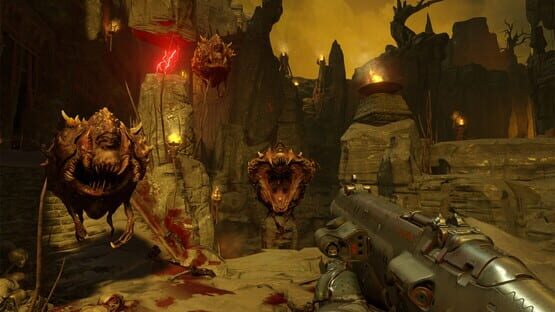

Doom
Completed: Server Maintenance - 12pm ET on 9/14
We'll be performing server maintenance today at 12pm ET, expected to last a couple hours. To clarify, this is strictly a server maintenance period, and does not include Free Update 3, which will launch next week. The Multiplayer and SnapMap servers will be offline during this time. We'll provide an update as soon as they are back online.
Thanks for your patience!
Multiplayer Weapon Rebalance: Now Live (8/18)
--
Here are the rebalance changes:
Rocket Launcher
The last pass on this made it very spam friendly and decreased skill requirements. Based on extensive feedback, we have reduced the ammo count and also reigned in the splash and detonate damage values to place more emphasis on control and skill when using the weapon.
Heavy Assault Rifle
We have increased the damage, reduced the spread increase when zoomed, and removed the additional movement penalty when using the scope. We really like how it’s feeling now, and this should make the weapon more competitive in both the hip-fire and zoom modes.
Hellshot
This weapon now has an increased fire rate and does more damage when hitting enemies in the body. We have also bumped up the burn damage for the weapon mod behavior. This should bring the Hell Shot in line with the other precision weapons in the game, and a gun you’ll be wanting to equip more often.
Shotguns
The last pass on adjusting the switch timings for the shotguns fixed the issue with a loadout exploit but also removed dual shotguns as a viable loadout for close-range engagements. We got a lot of feedback here, and we’ve reduced the length of the switch timings so that this loadout is viable again.
Regen
We adjusted the amount of health received per tick so that players have better survivability.
DOOM – Unto the Evil Now Available
Unto the Evil is available now for Steam, and can be purchased for $14.99, or as part of the DOOM Season Pass.
Unto the Evil includes the following:
Three new multiplayer maps: Offering, Cataclysm and Ritual
-A new player-controlled demon: Harvester
-A new weapon: UAC EMG Pistol
-New equipment: Kinetic Mine
-New ways to customize your DOOM Marine, including additional armor sets, patterns, colors and taunts
-New hack modules
At QuakeCon, DOOM Executive Producer Marty Stratton announced a double XP weekend to coincide with the launch of Unto the Evil. Also coming soon is classic deathmatch, which attendees got to try exclusively at the show.
DOOM Update #2 - Release Notes
DOOM Update #2 Release Notes
Single Player
Fixes and Optimizations
- Fixed an issue where performance gradually decreased in the Polar Core level
- Fixed an issue where the Gauss Cannon’s charged mod alt-fire did less damage than the base fire damage
- Fixed an issue where players were unable to unlock the Argent Overload achievement/trophy if they began their progress after the release of Update 1
- Fixed an issue where players were unable to unlock the Tinkering trophy if they began their progress after the release of Update 1 (PS4)
- Fixed an issue where some users were not able to progress weapon and rune masteries after the release of Update 1.
The “What Else Ya Got” achievement/trophy no longer is blocked for those who have not completed the “Double take” challenge.
- Fixed an issue which prevented users from using Combat Shotgun mods when out of shells, with “Rich Get Richer” enabled.
- Multiplayer damage indicators have been removed from the single player mode.
- Fixed an issue where users experienced a crash to desktop while using current NVIDIA drivers. (PC)
- Fixed an issue which prevented users from assigning menu-specific actions to the Steam controller. (PC)
Multiplayer
New Features
- Added two new multiplayer game modes
- Sector – Capture and Hold
- Exodus – Capture the Flag
Improvements to Matchmaking
- Fixed several cases of party invites not working after the host leaves.
- Improved host migration success rate.
- Fixed issues with network connectivity loss resulting in being unable to join future matches
- when connectivity was restored.
- Improved handling of party peers in the game lobby.
Fixes
- Fixed several third-person weapon issues (animation shaking, customization not appearing).
- Fixed an issue with the magnetism hack module where power-items would not return to their original position if the player died while in transition.
- Fixed an issue where taunting many times in a row could cause the player’s third-person animation to be stuck in one pose.
- Fixed cases of loading screen tooltips not showing up correctly.
- Fixed issue with Clan Arena and Freeze Tag showing the incorrect amount of player icons on the HUD (top-left player indicators).
- Fixed issue with level up rewards, including level up rewards not being awarded properly).
- Fixed presentation issue in the Intro sequence (disabling weapon GUI being displayed early).
- First person hands customization fixes (fixed some cases where first person hands customization meshes weren't being shown correctly).
- Fixed duplicate selection boxes in the Challenges screen.
- Fixed issue where the previously played map could be loaded into the playlist again.
- Fixed issue with PS+ offer being shown at an inappropriate time (PS4).
SnapMap
Community HUB Improvements
- Added Find Open Match, a public match browser displaying all available public lobbies
- Added a Recently Played Maps list
- Added ability to Subscribe to maps and browse them from the new Subscribed Maps list
- Improved the Map Browser with additional sorting options
- Added new unlockable images for customizing published maps (11 new backgrounds, 10 new mode icons, 20 new miscellaneous images)
- Added icons on the Map Browser to identify Cloud/Local maps
Editor Functionality Improvements
- Added God Mode and Infinite Ammo as testing settings for map authors
- Added Movement Speed settings in the editor
Content Additions
- Added a customizable Weapon Wheel that allows the player to hold any number of weapons
- Added 30 new Hell themed Modules including indoor and outdoor environments
Increased the number of weapons available by adding the Pistol, the Chainsaw and the Static
Rifle
- Added Skull Keys, and Hell Barrel
- Added The Unwilling to the available AI
- Added the Mancubus as a selectable Player Demon
- Added new Interactables including the Gore Nest, Hell Tablet, and Tripod Panel, a customizable touch screen panel
- Added weapon-specific ammo to Pickups and AI drop tables
- Added all new Hell Props including a giant demon skull, altars, cauldrons and more
- Added construction props such stone blocks, rocks, columns, and arches for customizing
Hell environments
- Added Launch Pads with logic to control distance, speed, direction, and destination
- Added new FX to accompany the Launch Pads
- Added new Demonic and Origin Hell Voice Speakers
- Updated Speakers to include new instrument sounds
- Added a Switch object which triggers only one output based on a specified index
- Added a Custom Event object which triggers all instances of an event when any instance of it is signaled
- Added three new Filters including Equipment, Weapon, and Cached Entity Filters
Improvements to Logic and Object Functionality
- Weapons now have a property that allows players to pick up weapons when touched
- AI have two new properties to Set Stagger Percentage, and Enable/Disable Stagger
- Players now have the On Health Percentage Reached output
- New style properties have been added to Light objects to create light FX such as blinking, strobe, rotating, and more
- Props and Player Blocking Volumes now have a Static property that will return their
- Network budget value, but will disable all inputs (show, hide, etc) during a match
- Updated the Inventory entity to manage multiple weapons
- Updated Player Loadout object to include Demon Player race selection
- The AI Conductor behavior can now be altered when entering a module
- AI spawning can be inhibited in a module through logic
- Module Environments can be changed during a match with logic
- Friendly AI health bars and POIs can be hidden or shown
- Hazard damage can be set to a Variable
- Color properties are now shown in a color swatch
- A large health bar is now available as an Objective
- Use Alternative AI Drop Table that simulates Campaign drops from demon kills
Fixes
Update 2, Unto the Evil, PartyPlay, & Double XP Weekend!
DOOM's Free Update 2 launches tomorrow, July 29! The free update kicks off with two new multiplayer modes, Sector and Exodus. Sector is a capture and hold mode while Exodus brings capture the flag to DOOM. We're also adding Hell modules and environments to DOOM SnapMap, plus new objects like Launch Pads, and last but not least, the campaign weapon wheel comes to SnapMap! And of course, the update will include tons of optimizations and improvements. Look for full release notes when the patch goes live tomorrow.
Unto the Evil, DOOM's first DLC, launches August 5! We're thrilled to announce that our first premium multiplayer DLC will launch on August 5. The DLC includes three new multiplayer maps (Cataclysm, Ritual, and Offering), the new UAC EMG Pistol, and the new playable demon, "The Harvester." We're also introducing a new feature called PartyPlay. Want to play the DLC maps, but don't own Unto the Evil or the Season Pass? Party up with another player who has purchased the DLC, and you can play the new maps! If a DLC map comes up as part of the rotation, you and your party can play just as you have with the game's original multiplayers maps. Conversely, if you have purchased the premium DLC pack, anyone in your party can play any of the maps from the DLC as long as they’re with you.
Double XP Weekend kicks off July 29! To celebrate the release of Update 2, we're launching our first Double XP Weekend. Level up all weekend long while playing our two new multiplayer modes.
To read all about today's announcements, including additional details, be sure to read a note written by Executive Producer Marty Stratton on https://bethesda.net/#en/events/game/doom-big-updates-new-content-and-partyplay/2016/07/28/160
Note: The deployment of Update 2 will require a maintenance, scheduled for approximate 12pm ET on July 29. We anticipate the maintenance will end approximately at 2pm ET. We'll be sure to update you when our multiplayer and SnapMap servers are down for maintenance.
DOOM Demo - Now with Vulkan!
When launching DOOM from Steam, you’ll be prompted with a new menu to choose either OpenGL or Vulkan. To play with Vulkan, select the second menu option. You can also switch between OpenGL and Vulkan in game via the Advanced Settings options menu. The game will restart whenever you switch between OpenGL and Vulkan.
Please be sure to update your drivers to these new version:
NVIDIA: 368.69 - Download the latest NVDIA drivers: http://www.nvidia.com/Download/index.aspx
.
AMD: 16.7.2 - Download the latest AMD drivers:
http://support.amd.com/en-us/download
Be sure to review our full FAQ for additional information and troubleshooting:
https://steamcommunity.com/gid/103582791440638840/announcements/detail/874079593008589523
Vulkan Support Now Live - FAQ
Please be sure to update your drivers to these new version:
NVIDIA: 368.69 - Download the latest NVDIA drivers: http://www.nvidia.com/Download/index.aspx
.
AMD: 16.7.2 - Download the latest AMD drivers:
http://support.amd.com/en-us/download
FAQ
What is Vulkan?
Vulkan is a revolutionary graphics and compute API technology developed by the Khronos Group that allows game developers to interact with graphics hardware at a lower level, allowing for more efficient use of hardware, improving game performance.
On DOOM, Vulkan allows PC users to experience significant performance boosts on supported GPUs and CPUs, translating directly to better gameplay feel.
Most users on the minimum spec end of hardware will experience better performance at higher video settings. Users whose have recommended or above specs will experience exceptional performance with DOOM’s advanced video settings cranked up to full effect.
We’ll continue to work with AMD, NVIDIA and the Khronos Group to unlock the Vulkan API’s full potential through idTech 6, giving DOOM PC players a gameplay experience unlike anything else. Stay tuned for more updates.
For additional information on the Vulkan API, please visit the following links.
https://www.khronos.org/vulkan/
AMD: https://community.amd.com/community/gaming/blog/2016/07/11/radeon-graphics-takes-doom-to-the-next-level-with-vulkan-implementation
How do I get the Vulkan API?
DOOM Vulkan support will be enabled via a patch that goes live on Steam at 10:00am ET on Monday, July 11th, 2016. Vulkan will not run properly without updating to the latest unified drivers from AMD and NVIDIA for supported GPUs.
For more information on drivers, see the article below:
http://help.bethesda.net/app/answers/detail/a_id/33712/~/what-video-card-driver-versions-should-i-install-to-play-doom%3F
How do I get DOOM to run on the Vulkan API?
When launching DOOM from Steam, you’ll be prompted with a new menu to choose either OpenGL or Vulkan. To play with Vulkan, select the second menu option. You can also switch between OpenGL and Vulkan in game via the Advanced Settings options menu. The game will restart whenever you switch between OpenGL and Vulkan.
Does my graphics card support Vulkan?
If your graphics card meets the DOOM minimum requirements, it likely supports* Vulkan, but you’ll need the correct version of your GPU drivers in order to take advantage.
*Vulkan is not currently supported on NVIDIA GPUs with 2 GB of RAM on Windows 7 or on the GTX 690. Users with these GPUs need to run DOOM on the OpenGL graphics API.
For more information on drivers, see the article below:
http://help.bethesda.net/app/answers/detail/a_id/33712/~/what-video-card-driver-versions-should-i-install-to-play-doom%3F
Does Vulkan support change DOOM’s minimum PC specs?
The minimum PC specs for DOOM remain the same.
Does DOOM automatically have uncapped framerate when running on Vulkan?
To enable uncapped framerate, Vertical Sync needs to be disabled via the in-game (Video Settings) options.
Does DOOM support asynchronous compute when running on the Vulkan API?
Asynchronous compute is a feature that provides additional performance gains on top of the baseline id Tech 6 Vulkan feature set.
Currently asynchronous compute is only supported on AMD GPUs and requires DOOM Vulkan supported drivers to run. We are working with NVIDIA to enable asynchronous compute in Vulkan on NVIDIA GPUs. We hope to have an update soon.
Click here for additional information on asynchronous compute.
How do I enable the Steam controller when playing DOOM?
Once DOOM is loaded, the title will automatically detect the presence of the Steam controller and adapt controls and button prompts to match. No additional configuration is needed to use the default controller profile.
KNOWN ISSUES
DOOM crashes as soon as the game starts when running Vulkan on the NVIDIA GTX 690.
The NVIDIA GTX 690 is not currently supported to run Vulkan on DOOM. Users with this GPU will need to run the game on OpenGL .
DOOM crashes, is stuck on a black screen at launch or exhibits severe graphical corruption on supported NVIDIA GPUs that have 2GB VRAM when running Vulkan on Windows 7.
DOOM running Vulkan is not currently supported on NVIDIA GPUs with 2 GB of RAM on Windows 7. Users with these GPUs need to run DOOM on the OpenGL graphics AP
Performance may suddenly decrease when entering Object Mode in the SnapMap editor while running the Vulkan API.
If this issue occurs, exiting Object mode back to Blueprint mode, before going back into Object Mode may correct the issue. If the problem persists, we recommend you run the SnapMap editor on OpenGL (you’ll still be able to play your maps on Vulkan).
While running the Vulkan API, DOOM crashes when taking a screenshot using the Steam overlay on AMD GPUs.
This is a known issue with Vulkan API and AMD GPUs.
The game may crash on some AMD GPUs when locking the computer.
This is a known issue while running DOOM on the Vulkan API.
While running the Vulkan API on an NVIDIA GTX 970, strange black checkering or primarily black screens appear after changing resolution or display mode settings.
Graphical corruption may occur after resizing the game window while in windowed mode, and then switching the display mode from windowed to full screen. If this occurs, restarting the game application should correct the issue.
Launching SnapMap may take longer on the Vulkan API.
It may take longer for some users to launch SnapMap on Vulkan than it does on OpenGL.
Some AI pathing issues may exhibit on SnapMaps while running the Vulkan API.
We are currently investigating a fix for this to include in an upcoming patch.
Windows 10 users running OpenGL or Vulkan on the AMD R9 Fury X znd R9 390X at 1080p or higher may experience framerates below 60 FPS with Vertical Sync enabled.
While we are working on a fix for this with AMD, affected users should run the game with Vertical Sync disabled.
When using the Steam controller, why can’t I rotate the automap with the right trackpad?
This is a known issue with the Steam Controller. An alternate control method can be used to rotate the map in the automap interface.
DOOM – Update #1 Release Notes
New Features and Optimizations
General
- Added Classic DOOM weapon placement/view model option (all modes)
Campaign - Added Photo Mode (You’ll find the new Photo Mode toggle in the game settings. It is
- available through the pause menu once you are loaded into a map via Mission Select)
MP
- Updated weapon balance (live as of June 10, 2016)
- Clan Arena and Freeze Tag now require the winning team to complete 5 rounds in order to
- win the match. (live as of June 10, 2016)
- Customization UI has been implemented to show all possible unlocks
- Cross Style option has been added to settings for MP.
SnapMap
- Added Original Author to the map info page
- Added a timeout for AFK in Lobby
- Added a property to allow map authors to choose if SnapMap will auto-manage (hide/show) hand-placed AI
- Added Enable/Disable to Shootable Trigger
- Added Sky/Window props
- Added an auto-rollback to previous version for corrupted maps
- Improved sorting algorithms for Most Popular map searches
Fixes
Single Player
- Fixed Steam Friends’ Ultra-Nightmare Helmets not populating the map
- Fixed freeze when opening weapon wheel at more than 142 FPS (PC)
- Fixed quit to desktop when clicking campaign after initiating Dev Mode (PC)
- Fixed “IDKFA” Trophy/Achievement not properly unlocking (all versions)
- Fixed PS4 crash when reloading checkpoint in Foundry
- Fixed some occurrences of the “Every Nook and Cranny” Trophy not unlocking after collecting all Doomguys (PS4)
- Fixed an issue where the game required Internet access (Xbox One)
Multiplayer
- Fixed crash while experiencing server connection issues (PS4)
- Fixed crash when a client suspends the game while a lobby loads into a match (PS4)
- Various cosmetic and gameplay fixes
- Matchmaking improvements
- Fix for restrictive NAT types being chosen as dedicated server lobby host
- Fix for larger lobbies having longer matchmaking times
- Fix for Player getting left behind if they join a friend as the lobby countdown finishes
- Bug and stability fixes
SnapMap
- Fixed Asian language font issues
- Fixed AI pathing error with certain types of props
- Fixed error where multiple maps share the same Map ID
- Various map error fixes
- Various logic fixes
- Various stability fixes
PC-Only
- Fixed Dev Mode incorrectly triggering when the user retrieves their own save data from Steam Cloud
AMD Driver Update - 16.5.2.1
http://support.amd.com/en-us/kb-articles/pages/amd-radeon-software-crimson-edition-16.5.2.1-release-notes.aspx
New AMD Driver
http://support.amd.com/en-us/kb-articles/pages/amd-radeon-software-crimson-edition-16.5.2.1-release-notes.aspx