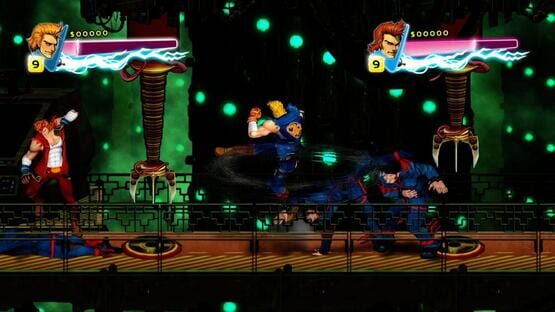

Double Dragon Neon
Windows 10 crash fix now live!
Double Dragon Neon Update Now Live!
- Huge improvements were made to the online co-op portion of the game, reducing lag significantly and improving connectivity, giving a more enjoyable experience overall.
- Fixed issues during the Level 8 “Marian II” boss fight where players would experience slowdown and sometimes end up crashing.
- Fixed the resolution issue where some players would have the game load up and hear music and sounds but not see a picture.
- Fixed the issue where pressing Up on the D-Pad would sometimes cause the player to initiate a high-five on the controller.
- Fixed issues where some backgrounds in levels were not displaying properly in certain resolutions.
- Fixed the issue where choosing “Borderless” in Video Options was not working with certain resolutions.
- Fixed an issue with the Level 8 “Marian II” boss fight so that its arms are no longer off-screen during its idle animation.
- Added an option in the Settings menu so that mouse and keyboard players have a way to enable Ro-Bro Mode.
- Fixed issue with entering Ro-Bro Mode code.
- Additional bug fixes and tweaks to the game.
If you continue to find any issues, please email us through the support links on the Store Page or post here on the forums so we can address any and all issues.
Again we want to thank everyone for sticking with us while these issues were being fixed and hope that you find Double Dragon: Neon to be more enjoyable than ever!
Double Dragon: Neon Bro-Pack Now Available for $12.99
Buy a copy for yourself and give the other to a friend to tackle co-op together! Radicool!
"It’s got humor, visual flair, excellent gameplay, and a brilliant soundtrack." 9/10 - Destructoid - http://www.destructoid.com/review-double-dragon-neon-270593.phtml
Update Incoming!
First off, let us apologize for the radio silence as of late. Rest assured that we have heard about the issues that have popped up in the game and we are hard at work to get a patch out as soon as possible. Some of the issues currently being squashed are:
- Online co-op lag/desync
- The slowdown/crash during the Level 8 Marian II boss fight (plant boss)
- Screen occasionally not being visible when game boots up
- Some backgrounds not being displayed properly when in certain resolutions
- No way to enter Ro-Bro code while using mouse and keyboard
- Pressing Up on the D-Pad when using a controller causes the player to enter the High-Five animation
Most of these issues have been taken care of in our upcoming update. We should have the update available very soon and we would like to thank you all for being so patient while the issues are being worked on. Stay tuned for an announcement for when the update goes live.
*For users experiencing this screen issue, as a temporary fix, you can go to the following location (by default): C:\Steam\SteamApps\common\Double Dragon Neon\data
And delete the file “engine.ini”. (To make sure you are looking at the correct file, right-click the file and choose “Properties”. In the “General” tab under “Type of file” it should say “Configuration settings (.ini)”)
There seems to be an issue where the game will write invalid screen settings causing the game to not be displayed properly. Deleting this file will cause the screen to revert back to its default settings and a new file will be made in its place.