We are happy to release a new build of Dragon Audit with the following updates:
Internationalization:
New translation: Chinese (Simplified).
Polish font consistency: fixed font mixing by adding a method to prevent that via a tuneable parameter in the LanguageInfo.json file. (Note - if you prefer the old style mixing multiple fonts, you can just remove the relevant line in that file to get the old style back).
Updated TMP to enable Dynamic fonts (useful for languages with many characters/glphys without using lots of memory).
Fix Brazilian Portuguese not referencing button correctly in tutorial.
Pulled in a few misc text changes to other languages.
General bug fixes:
Menus: select something if player is trying to move controller but nothing selected.
Prevent POI hotkey opening on pinball since it conflicts with bumper buttons (on controllers).
Fix for stray line near Ayraw's horn on extras menu / new game menu.
Optimizations:
Framerate optimizations for Castle level when running in low-res objects mode.
Controls Update
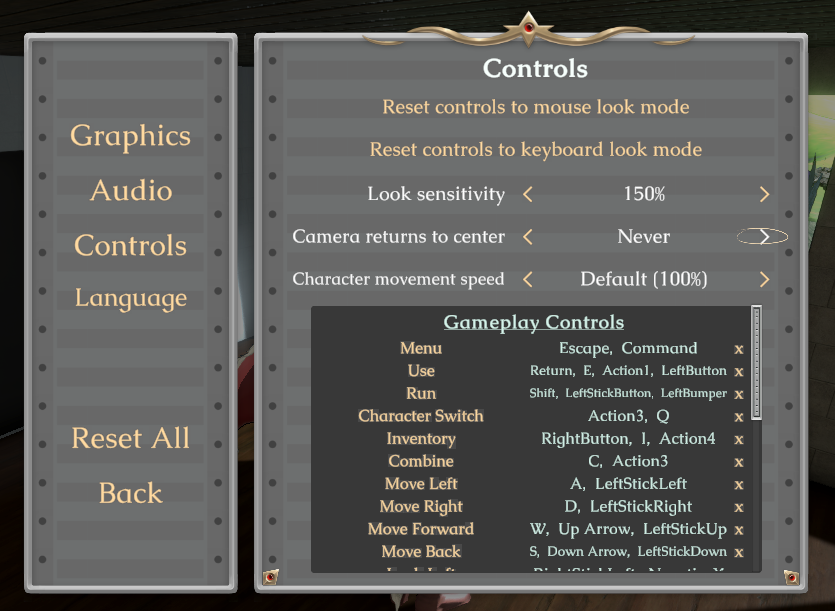
Today's update expands on the control options for Dragon Audit, including adding a new Mouse Look mode.
Control Modes
The three control modes are now:
Controller
Still the recommended way to play.
This mode is default, but you can get back to it by the main Reset All button on the left of options (or to only reset the controls, click 'Reset controls to mouse look' and then tune down sensitivity back down to 100%)
Mouse Look (New)
Keyboard for navigation + mouse to look around. This is similar to some other popular third person 3D adventure games.
Activate this by clicking 'reset controls to Mouse Look.' (Doing this will bind the controls appropriately, including new mouse button bindings for left click / right click, toggles off the camera follow, and ups the look sensitivity to 150%).
Keyboard Look (Original)
Use the keyboard to move and look around -- still supported if you prefer this.
Activate this by clicking 'reset controls to Keyboard Look.' (This will rebind controls, toggle on quick camera follow, and set look sensitivity down to 100%)
Settings
In addition to Mouse Look, the update also adds support for:
Tunable look sensitivity setting
Ability to adjust (or disable!) the camera automated return to center movement behavior
Decrease the character movement speed if it is too fast
Bug Fixes
Fixed a rare bug where George would slide through the Meet Scene
Fix that weird foot dance Metra would sometimes do at the beginning of Ayraw's Castle gameplay section
Localization updates & fixes
===
If you're a mouse + keyboard player, give the new Mouse Look mode a try and let me know if you like it better than the existing Keyboard Look!
SVN3745
A few missing translations added
Translations can now specify translated names
"High Res Objects" toggle for better Castle performance on lower end machines (defaults to off lower quality settings) -- it massively reduces the object count in Castle library by simplifying the books
Fix for Todd loading back in the wrong spot after saving after you take his shrimp
New EXE Icon
Fixed attract mode continue icon in wrong spot in non-English by simplifying just to a flashing button
Unity minor version upgrade to 2018.4.30f1
Fix an issue where Play Game on mainmenu wasn't being circled very well on hover
Multilingual? Interested in translating Dragon Audit to your language?
We now have a translation server set up, and most strings from the game are ready to be translated! There are still a fair number that need to be moved into the translation server, but what's on the translation server represents approximately 90% of strings that need to be translated for a full translation.
This is a massive ~1hr demo for a 3D adventure game. The story follows a lonely dragoness and a down-on-his-luck battle accountant.
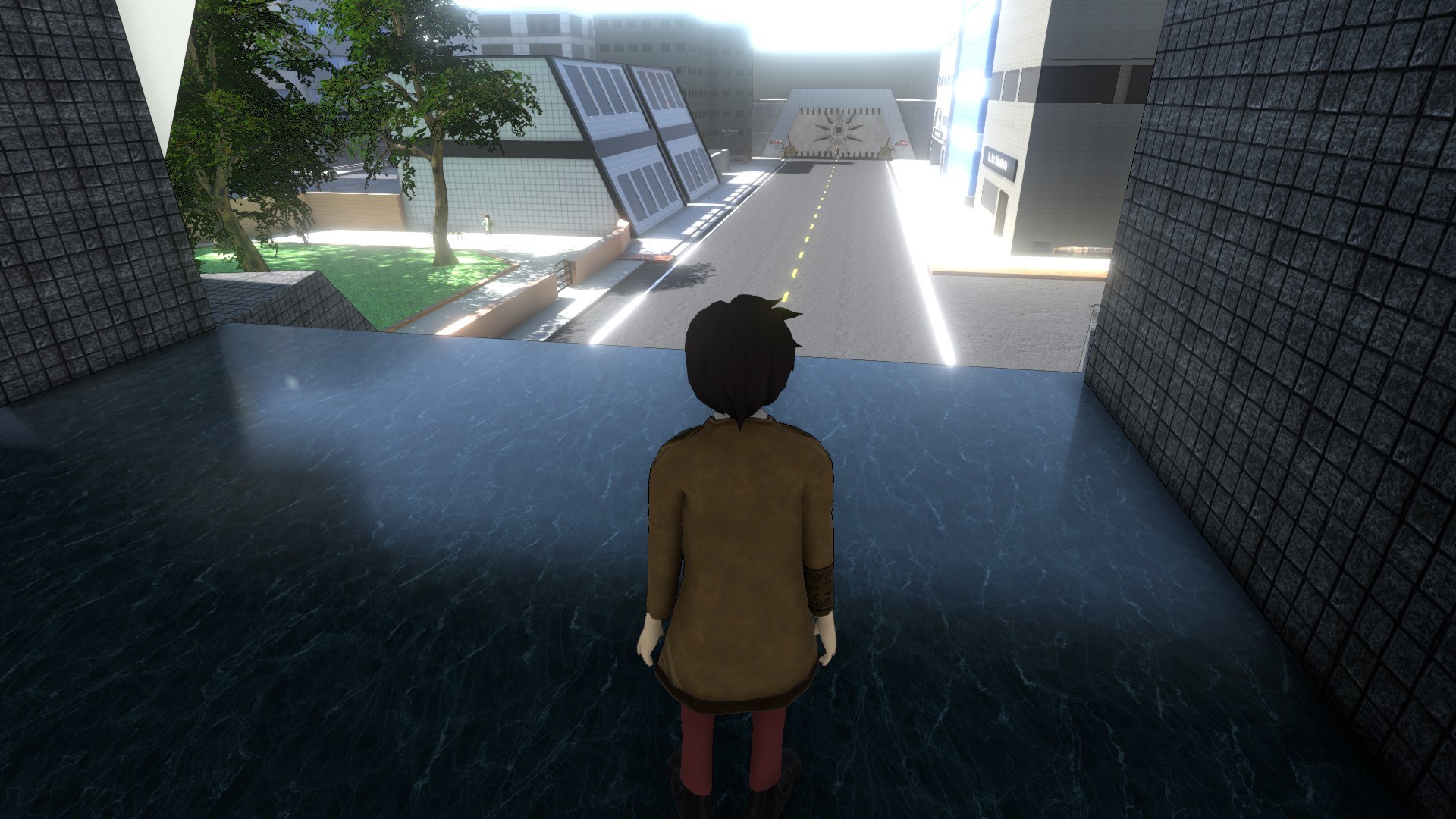
You'll first play as George (the accountant) on his way to work:
George is assigned the unenviable task of auditing the fearsome dragoness at the castle:
In order to do his audit, George will need to acquire a tank first. Never try to audit a dragon without a tank.
Fortunately, you'll find various items along the way that will help you on your quest:
In classic adventure game spirit, these items will help you fulfill amusing subquests for our supporting characters:
Once you have your tank, it's off to the castle! Now you'll play as Ayraw (the dragoness) for a bit:
She's plotting to convince the next knight who shows up to rescue her instead of rescuing the princess, but in order to do that, she'll need to find a way to get the princess out of the way.
And finally, George and Ayraw meet!
A trip to the basement to find the records ends up being a bit tricky in order to unlock the doors:
Records in hand, they're ready to start the audit! Adorable hi-jinks and further comedic misunderstandings ensue:
...
Will our dragoness get her knight? Will our knight get his properly filled-out and itemized tax forms? Wishlist Dragon Audit now to find out!
Let's Play (w/ Dev): Dragon Audit
I'll play through the demo -- if you have questions, I can also answer those!
Video stream to be via Steam Broadcast (should show up here and on store page).
Join the Discord chat to discuss: dragonaudit.com/discord/
Dev Chat - Discord with Dragon Audit Dev
Join me at https://dragonaudit.com/discord/ and we'll chat about Dragon Audit!
Discord
Join the discord to chat about the game and see screenshots in development!