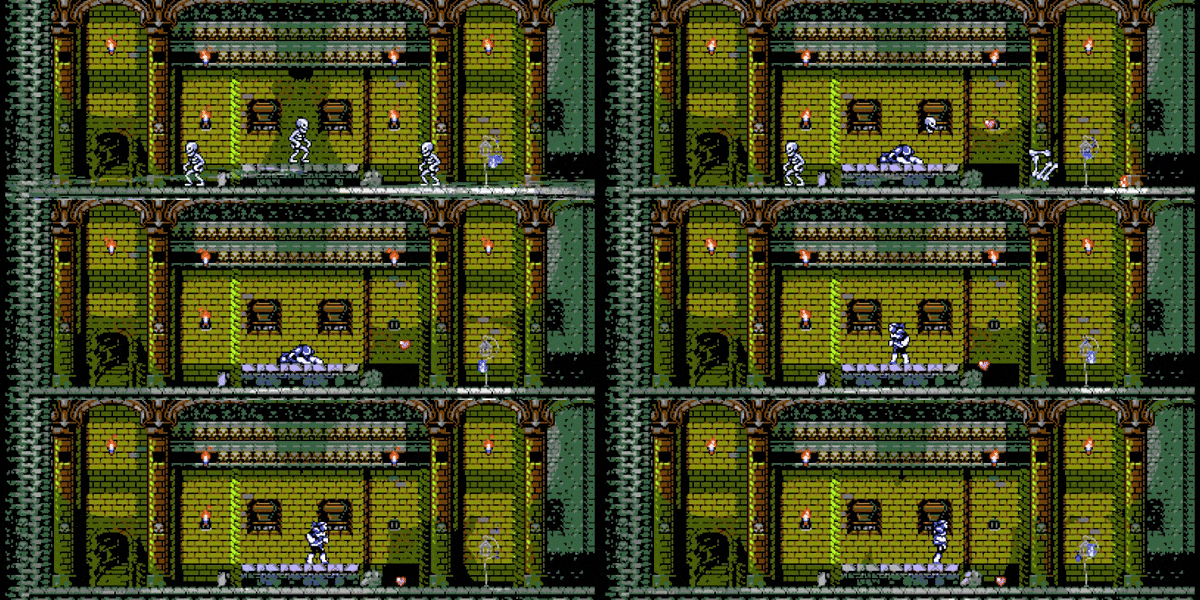
Introducing The Transylvania Adventure of Simon Quest!
Lead developer Programancer’s cookin’ up something NEW! AND IT’S…
The Transylvania Adventure of Simon Quest (TASQ)!
You’re supposed to be the hero, but your spotlight was taken away!
Rival Stan Helsing defeated Dracula first, now Simon Quest must embark on a journey of retribution to raise the Count from the dead piece-by-piece, slay him, and obtain the glory he deserves!
Go on a perilous journey through the world of Transylvania. Explore dark mansions, discover minigames, and collect different parts of Dracula to raise him from the dead…then kill him!
Create different equipment chains and customize your experience with a host of adjustable settings!
Wanna take a break from your journey? Enjoy a fine platter of minigames that include: Memory, Fishing, Crabbin Races, Crane Game, and even some Launch Surfing!
We’re excited to announce this new project in development with Programancer!
AND, if you’re itching to get your hands on playing a preview of The Transylvania Adventure of Simon Quest (TASQ), YOU CAN at MAGFest 2024 at the National Harbor from Jan. 18 - Jan. 21!
Look for the Retroware booths in the MIDDLE of the MIVS hall! We’ll also be featuring Toxic Crusaders right next to our TASQ booth, so be sure to stop by both!
We can’t wait to have players take their first dive into The Transylvania Adventure of Simon Quest (TASQ)! Look forward to even more!
New Update! 2.0.4.0 "BYOG" (Bring-your-own-gamepad)
Hello everybody! It's been a while, hasn't it?
I wanted to touch base with everyone and let you know we've noticed the confusion regarding adding a 2nd player and which gamepads work, and made an entire update addressing this!
In previous versions, you were required to use XInput devices (or use a 3rd party emulation layer for DirectInput) for Dumpy & Bumpy to recognize the gamepad, and you could only add a 2nd player by hitting START on a connected gamepad and then pressing right to assign it to Player 2- This could also be done in the overworld menu. This has been completely changed and overhauled! You can now use any DirectInput gamepad, and new menus have been added to assign and configure them. Note: For Playstation 4/5 and Nintendo Switch controllers, you still need to run an emulation layer. If Steam is open, you're able to use that to use those devices.
The biggest change, and probably the most important one, is that when the game starts, the first input you use from a configured/recognized gamepad on the title screen when you see "Press Any Button to Begin" determines Player 1's input device. This means you no longer need to navigate menus to switch to a controller if you've previously set keyboard as primary input.
If you have an unrecognized gamepad connected, Dumpy & Bumpy will let you know it needs to be configured before use:
By selecting Options and going to the Action Mapping menu, you're shown a new option- "DirectInput Mapping":
This menu will allow you to map any DirectInput gamepads you have connected to correspond with an XInput (XBOX) gamepad's buttons:
This menu lets you configure your connected gamepad, allowing it to be recognized by Dumpy & Bumpy!
The second major change is how you assign a 2nd player. While you can still open the overworld menu to add/remove Player 2 or assign a controller, there is now a screen that appears when you press START on the title- the "Choose Players" menu.
Additionally, if you have an unrecognized gamepad on this screen, another option will appear that will take you directly to the DirectInput Mapping screen:
While playing, if you have an unassigned gamepad connected, there is now a notification on the overworld letting you know you can add a 2nd player by pressing start on that gamepad:
In addition to these changes, there are a number of quality of life improvements and tweaks to in-game options and multiplayer! If you'd like to read the full change-log, you may do so at the bottom of this post!
I want to thank everybody for your interest in Dumpy & Bumpy and all of the support you've shown since launch! It means the world to me to know people are checking my silly games out and enjoying them! Without your support, and without Retroware's hard work, this update wouldn't have been possible, so I appreciate you all!
-Programancer
-Change Log- 2.0.4.0 - "BYOG-Bring Your Own Gamepad" Update
Note: A majority of this update is exclusive to the PC versions of the game, however the QOL/Non-Gamepad improvements will be used as a base for all console going forward. This update is focused on adding more gamepad options to the player, opening up the doors for DirectInput devices. As a result, a lot of changes are in menus and extra functionality! There are also some QOL/clarity changes for multiplayer.
New Menus/Screens:
-A new "DirectInput Mapping" menu has been added, along with a mapping screen for any controller that's not XInput (xbox)
-The purpose of this menu is to match a DirectInput gamepad's buttons as closely as you can to an XInput gamepad
-The "Button Mapping" menu has been renamed to "Action Mapping", because you're mapping actions to buttons, and I didn't want the player to confuse it with the DirectInput Mapping screen
-A new "Choose Players" menu appears when you hit start, allowing you to add Player 2 and configure gamepads before starting the game
-You can also jump directly to the DirectInput Mapping menu from this screen to configure controllers, or go to Battle Mode
New Functionality/Feature Changes:
-Plugging in a gamepad will now show a prompt telling you that a gamepad was connected. It also shows you if it's recognized or not, and if it's not it tells you it needs to be configured before use
-Using a gamepad or keyboard to start the game now determines the starting input device for Player 1, making the option that was in the Options menu previously obsolete
-Player 2 can be added any time in the overworld by pressing a button on a connected and configured gamepad
-The widget to assign a controller after pressing start on a gamepad has been obsoleted because of the new Gamepad options and non-standardization that comes with that. There are now more opportunities to add a 2nd player instead
-To improve compatibility for configuring DirectInput gamepads, the right analog stick now functions the same as the 4 face buttons. This is because some gamepads use an Axis for their face buttons. (You can leave either one unmapped in the DirectInput Mapping menu to not utilize the dual functionality)
-A new Attract Mode will play if you idle on the "Press Start" screen
-The input system has been significantly modified because of the inclusion of DirectInput. The player would never notice the changes, but I felt I should mention it here!
Existing Menu Changes:
-New options were added/changed from the Options screen
-Override Button Graphics allows you to change the XInput gamepad's icons. This is useful if the player is using an XInput emulator for PS4/Switch controllers
-"Animate BG" option has been changed to "Motion Effects", and now toggles the scrolling backgrounds and screenshake effects. Before it only turned off World 3's BG animation
-Options have been rearranged slightly for better organization
-The "Start Input" option has been removed, as it has become redundant
-The Controls screen appears regardless of if the option is toggled. The option had been removed a few updates back, but was never reset to "on" for pre-update players
-The Battle Mode buttons are now always available, even if P2 is not connected, because it now allows you to add a 2nd player by pressing any button on a connected gamepad
-The Languages menu now has "Choose Language" as the title
-Similarly the option in the menu now has a proper description Bugfixes/QOL Improvements:
-Input Icons have been redesigned to be much more readable
-Disconnecting a player from the overworld now properly removes the player, instead of doubling their death animation when you exit the menu
-Battle Mode now properly ends the match if a player's gamepad is disconnected. Before it would just kill the player in repeat until their stock was expired
-In Battle Mode, if you down your opponent and stand on their spawn point, your opponent will spawn at your spawn point instead. This prevents spawning inside one another
-Fixed a cheese that unlocks an achievement under the incorrect conditions. It's one of the hidden ones, so I'm not going to reveal which one!
-It was discovered that you can walk through spike sliders after they crash into a wall during their cooldown. This is staying in, because nobody accidentally discovers this and it's a pretty legit strat. Just thought I'd mention it here.
Level Changes: -2-7 has been adjusted for difficulty.
Dumpy & Bumpy v2.0.3.4 is Here!
Dumpy & Bumpy are going GLOBAL! This update brings language settings, gameplay tweaks, performance improvements, bug fixes, and more!
Here is the full change log:
2.0.3.4 - "Going Global!" & Console Update Note: While this is largely console focused, there are some changes that affect all versions
Performance/Behind the scenes: -Project converted to GMS 2.3x -Save format has been changed. They are no longer encrypted. On first run for this version, the old save file is opened and saved as the new format, so you won't lose your progress. This will allow you to upload your saves, and even edit them if you're crafty. Just be on your best behavior! -Important to note that your pre 2.0.3.4 save file wasn't deleted during the upgrade process. Just copied and converted. If for some reason the save doesn't transfer (you run this version and there's no level progress), read the last section of this changelog.
The following changes have been made to allow the game to maintain 60fps on slower devices
-Optimized tile rendering, using simpler/faster rendering functions to display basic square tiles -Optimized ice rendering -Optimized torch rendering, and replaced fire particles with an animated sprite for slower devices
UI: Most of this has to do with the string externalization/localization system I implemented in the previous update, however it's important to note that it was never officially "launched" as a feature until this update.
-An Autosave disclaimer has been added to the start of the game -Fixed an issue where the OPTIONS header in the overworld wasn't pulling from the language file -Added support for LanaPixel fonts, and subsequently added support for most languages, including Chinese, Japanese, and Korean -Along with the above, I've effectively rewritten the way text displays to allow for non-Latin based text -Localizations have been added to the game for a number of regions, available in the menu -Extra logo graphics made to reflect the game's title in other regions. -With localizations, a lot of special considerations and exceptions needed to be made to support the LanaPixel font -Changed the color of the objective text when you lose from red to more of a maroon
Steam: -F12 now works to take screenshots. I was unaware this wasn't handled directly through the API and required additional code to make happen. It's been fixed!
Game: Gameplay has remained largely the same, however there are a few things to note!
-Added a HUB WORLD that becomes available after you complete the game, allowing you to quick warp to worlds you've completed -Along with the HUB WORLD, additional green portals have been placed in each world to allow you to return to the hub after you complete the game -The credits screen has been remade to support more information, and to allow header strings to be localized. Also some flare!
Progress Editor: If you've become stuck on a puzzle and you absolutely cannot beat it or for some reason progress didn't transfer in the update, a progress editor has been included with the build. Check the README in the app directory for more info!
Update 2.0.3.3 (aka The "Spit-Shine" Update!) is now LIVE!
I hope you're ready for some peak Dumpy & Bumpy!! Lots of really great things in version 2.0.3.3!
It's my intention to bring you absolutely the best experience while you're Dumpin' & Bumpin', so I've partnered up with Screenwave Media to make that possible! This new update focuses heavily on both the visuals and the feel of the game.
Here's a detailed changelog:
A partnership with Screenwave Media is now reflected in new splash screens.
The resolution of the game has been fixed to be 16:9 (instead of 16:9.6, which was a dumb oversight from early on in development).
As a result of the above change, a number of UI elements have been adjusted.
Spike Sliders no longer start moving on the first frame of detecting the player- instead, they shake for 12 frames before moving, allowing you to walk past them within a 16px gap. This was done because they were triggering on 4-6, despite attempting the level as intended. Spike Sliders were never supposed to slam toward you if you enter a portal in their path, but adding a delay fixes this.
Along with the spike slider change, a bug where they could teleport through a portal when stationary has been fixed.
"PAR" times have been relabeled to "PRO". They were never meant to be an indication of how quickly a stage should casually be beaten, but rather, how quickly you should be able to beat it if you're familiar with the puzzle and skilled in the mechanics.
PRO time for 8-5 has been increased by 1 second (as it would be impossible to achieve now with the slider's functioning differently).
The timer for levels no longer starts as soon as the level starts. Instead, it waits for the player to make an action first. I had intended on adding a pause feature inside of the levels, however structurally the game isn't set up for that - it would require a pretty in-depth rewrite of every motion-based action and a lot of testing after each change (SORRY). This is a happy medium, and it kind of suits the game well!
A Spicy Tip has been added to 2-6 mentioning that the timer won't start until you move.
A Spicy Tip has been added to 2-9 mentioning that Spike Sliders can start on redirect arrows.
Level 1-10 and 4-6 have been renamed to better reflect the solution.
Player 2 has full menu control. Now, they can also restart or go back to the overworld from levels. Sincerest apologies if this annoys some older siblings.
Along with menu control, Player 2 can now select levels from the overworld.
World maps have been adjusted/cleaned up, and in some cases include additional animation and polish. Lots more flare.
World 3 has been completely remade, as it was far from my favorite.
Level 1-8 has been adjusted to be less boring for two players. While not every level is going to be super engaging for multiplayer, I felt that it wasn't a good first impression of the mode.
Fonts have been expanded to support additional languages.
Strings have all been externalized to allow for easier localization.
Fixed an issue where the description bar in the multiplayer menu didn't move off-screen when starting a battle.
Removed the 2nd Spike Slider from 4-10.
Spaced out the runway for the Spike Slider in 4-10.
Analog input has been added. The left analog stick just acts as a second D-Pad.
An issue with Ghosts not properly seeking a new target after their original one is defeated has been fixed. They now seek out the other player once their original target has been ghosted.
In line with the above fix, Ghosts no longer seek the coordinate where their target was picked up by another player. Instead, they'll seek out the player that picked them up.
Originally, teleporting into a World (World 1 to World 2 for example) would show the label of the return portal. This was confusing, since the first thing you're greeted with is a World name, and then the return portal label above showing the previous world's name. To fix this, I've made the portal you start on when arriving in a World not show a label until all players have left the portal and subsequently walked on it again.
Due to the overwhelming urge to make Dumpy & Bumpy talk to one another when playing Co-Op with the attack button, puzzles with the "No Bites" objective will no longer automatically fail when you bite. Instead, the bite no longer does damage!
Fixed a bug where a spawning player in VS Mode would only destroy one block, thus obscuring their spawner instead of all of them.
Fixed a small quirk where the player's momentum after selecting a level while sliding on ice would carry over after leaving/winning the selected level. Only applies to World 7.
Fixed a major bug where a player could use another player to clip through a wall, and then proceed to destroy the wall by picking them up.
As a result of the above change, pushing players has been refined. Pushing no longer affects momentum, and instead is a nudge. The visuals are also less shaky.
Tiles that bounce out of bounds will no longer bounce back and forth infinitely. Instead, they will explode if they try to bounce out of bounds more than once.
Credits have been updated to reflect Screenwave Media, and display positions have been adjusted slightly to be more centered.
I really appreciate all the feedback and support that Dumpy & Bumpy has received since its launch! Be sure to join our Discord Community for more DUMPIN' and BUMPIN'
- Programancer
Version 2.0.2 is LIVE
Version 2.0.2 is now live!
Detailed Change Log:
Improved the controls. The button to pick up a block is now also the throw button, instead of the attack button.
New option to remap the controls, replacing the Patreon/Ko-Fi/Itch links that appeared when not running through Steam.
Press F1 at any point to reset key/button assignments.
Similar to charging an attack, carrying an object now shows a small crosshair showing where it will land when you throw it, preventing some precision annoyance that shouldn't exist.
Fixed an oversight in thrown block behavior. Normally, if a block lands on another block, it checks to the sides and behind to see if it's on the edge, and it'll land snuggled up to the block it landed on. It didn't do this going forward originally, and instead jumped ahead a full tile, leaving a gap between the block it bounced off of and where it settled. It no longer does this, and now lands snuggled up.
Some elements of the options menu weren't moving off screen when transitioning to view the controls splash. This has been corrected.
You can now unassign a controller/remove a player by pressing Select on the controller in the Overworld Menu while highlighting the controller assignment option. This button is always select, regardless of controller mapping as it refers to a controller that's unassigned, similar to how the escape button will always open the overworld menu (as a backup allowing you to assign/unassign a controller)
Pressing ESC will close the game on the title screen.
Changed "Press (enter/start) to Begin" on the title screen to "Press (Any Key/Button) to Begin"
Added an option to turn off background animation. This only really applies to World 3, which has animated waves that may cause motion sickness.
Removed a function I made for testing purposes that I accidentally left in, allowing you to skip puzzles without completing them.
There are a number of keys that are used as a failsafe- For example, in the overworld, ESC will open up the menu, allowing you to unassign/assign a controller- regardless of what input device is assigned. F1 will always reset the controls to the default configuration, to prevent you from assigning keys that may lock you out of the game. These things are particularly important to remember with the new controller mapping menu.
Again, thank you everyone for your support! I hope you're enjoying the game, and I hope this update makes the experience even better!