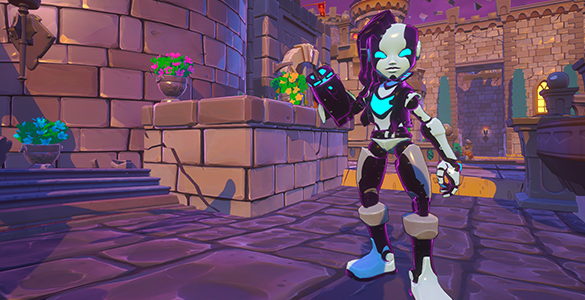
Proton Beam - No longer does less damage than base attack as base attack gets higher. You need to put points in to see an increase in attack, but will see an increase.
Skyward Revenge Challenge - Lowered the difficulty slightly.
Instead of spawning 2 Ogres at once they will be split on all difficulties.
Set initial Goblin Copter spawn to be a max of 1 for Easy though Insane and added 10 seconds to the delay between Normal and VIP Goblin Copter spawns (15 to 25). Nightmare/Massacre unchanged.
Skyward Offensive Challenge - Lowered Dreadbones difficulty on Easy through Insane. Nightmare/Massacre unchanged.
Little Wizard Pet - Scaled damage is increased to match other pets.
BUGFIXES:
Fixed an issue where tooltips could get stuck on the screen until transitioning to a new map.
Fixed an issue where Ancient Mines waterfall distortion effects act a bit strangely.
Fixed an issue with an incorrect defense tooltip on aura that appeared.
Fixed an issue with some UIs where percentages weren’t displayed properly.
Fixed an improper stat display for the primary damage type.
Visually improved the tooltip context bar.
Added the feature for the autoloot to ignore common settings for pets and accessories.
Fixed an issue when you swap heroes where it briefly showed the squire icon for a brief second regardless of what hero you swap to.
Fixed an issue where DPS calculations on tooltips were incorrect.
Added missing VFX Colors for Godly items dropped in the world.
Fixed an issue where clients didn’t properly see EV-A DU cost on built towers.
Fixed LOD issues with the Poison VFX on enemies at long range.
Fixed an issue where the Siren doesn’t play her death animation or ragdoll.
Fixed an issue where the VIP room sign is invisible from behind.
Fixed an issue on Skyward Revenge where the rocket volley can continue into the next Build Phase.
Fixed an issue where clients in Pure Strategy could not pass through Defenses properly.
Fixed an issue where the Etherian Ancient displayed a knockback stat.
Fixed an issue where most of the Huntress weapons were misaligned and not held in her hand correctly.
Fixed an issue where the Dark Elf Warriors were landing on top of EV-A’s blocking field.
Fixed an issue where the Goblin Copters weren’t spawning on Endless Spires.
Fixed an issue with the Overclock Beam stat display.
Fixed an issue with inspect on placed defense tooltip was showing a progress bar even though it’s a single button press.
Fixed an issue for clients where Damage Dealt, Enemies Hit, and Enemies Killed were always zero on defense tooltips.
Fixed an issue causing clients to be randomly kicked from games.
Fixed an issue where Healing Auras were non-stop stacking.
Fixed an issue where costume changes won’t save if you transition fairly quickly after making them.
Fixed an issue were some filter options weren’t getting reset when requested.
Fixed an issue where stats were missing on the upgrade UI.
Fixed an issue where adding a point on an item would cause the attack rate to display incorrectly.
Fixed an issue where the entire inventory would be covered by a white haze.
Fixed an issue where the EV-A’s defenses collisions were too big for placement.
Fixed an issue where on The Summit it didn’t allow consistent placement of defenses.
Fixed an issue where EV-A’s defenses didn’t have level restrictions for upgrading them.
Fixed a crash for players using a Czech keyboard.
Fixed a crash caused by Kobolds and EV-A’s Decoy explosions.
Fixed a crash caused by the demon lord flying while the core dies.
Fixed small slew of rare game crashes.
Known Issues:
There’s an issue where Shadows are causing massive FPS loss on even the best hardware out there that we are investigating. Recommended you change the shadows setting to low for the time being while in your Tavern. Changing the setting while in gameplay may cause an unwanted crash.
Clients who initially load into a game may see a 9999 ammo counter until they swap heroes.
Social Defenders
To get reliable updates on the future of DDA make sure to follow us on all our social media platforms:
Yesterday we released Update 1.1 which brought in a ton of great stuff, being the tip of the iceberg for what you can expect to see coming in future additions for Dungeon Defenders: Awakened! With that, we’ve got something we’d like to address that wasn’t in the original patch notes to help bring clarity to some previously gray understandings.
Tower and Hero Buff Interactions
Update 1.1 changed how buffs work across the board and may be why certain setups feel weaker. Previously buffs were multiplicative and allowed some pretty crazy builds to appear, and this was before we even brought Series EV-A’s Overclock Beam into the equation. As a result, we made buffs additive instead of multiplicative. There are some big reasons for this kind of change, and we’ll touch on two of them.
Anytime we want to add another tower or damage interaction into the game with future heroes or mechanics, we have to take into consideration how it all multiplies and balance it properly. This leads to additional Hero nerfs or releasing new Heroes with weaker tower/hero interactions. Ultimately limiting fun Hero mechanics later.
Adding additional content, we’d have to take into consideration the buff builds that people were using. What happens is that the disparity between people using full buff builds, some buffs in their builds, and no buffs in their builds drastically increases, meaning content is steam rolled by one build, while another has no shot, further requiring a meta, instead of a meta making something easier but not absolutely required.
We’re keeping a close eye on these changes now that they are out live, but received a lot of great feedback previously through our testing with Cavalry and RQA.
Bug Fixes
Fixed an issue where the Demon Lords ground flames were hitting the Crystal Core.
Fixed an issue with the radial menu not correctly pulling names and descriptions.
Fixed an issue with Achievements not displaying properly.
Fixed an issue with host costume colors not replicating correctly for clients.
Fixed an issue with how the Ancient Dragon was flying between positions.
Fixed an issue where the top caps of Series EV-A Fields were not properly appearing.
Fixed an issue with the Demon Lord’s swords not replicating properly in survival.
Fixed an issue that caused default bag names from showing correctly.
Fixed an issue with build mana on Massacre Survival Arcane Library Wave 14.
Fixed an issue where the Demon Lord’s flying charge could damage the Crystal Core.
Adjusted how spiders spawn to avoid a mass amount spawning at the end of the wave.
Added Series EV-A’s second double jump animation.
Adjusted the Deadly Striker Tower’s priority, so that Goblin Copters now take priority over spiders.
Adjusted how bonus armor is displayed from Overclock Beam.
Adjusted the quality of loot dropped in early maps for Massacre Survival.
Adjusted projectile counts to only show if they are greater than one for weapon tooltips.
Fixed an issue with how tower stat buffs are shown on tooltips.
Added Sirens to Massacre Survival Tornado Valley.
Fixed an issue with the Siren’s body having collision after being defeated.
Fixed a visual issue on Summit that caused assets to visually disappear.
Fixed an issue where Sirens and their buffed enemies weren’t displaying an icon.
Fixed an issue with how Melee Damage and Melee DPS were calculated on item tooltips. They visually showed higher values than what they were actually doing.
If you run into any additional bugs or have points of feedback, please visit our Discord as we have a new reporting system for bugs and feedback that allows us to parse through things as they appear.
Known Issues
We're looking into an issue with Enrage Aura interactions. Enrage Aura has been capped at 65% chance to enrage enemies while we continue to investigate.
Challenge map balance in lower difficulties is a little too difficult currently.
All items may appear as upgrades after swapping heroes.
Visual issues that range across various tooltips.
There's a crash related to using a QWERTZ/Czech keyboard. Possible workaround is to change the Windows keyboard setting to English.
We’re still working on making sure any and all bugs that appear get squashed pretty quickly and thank you for all the feedback you’ve provided so far. While we’re getting these fixes in, we’ve already begun work on our next updates and can’t wait to share our work with you.
Social Defenders
To get reliable updates on the future of DDA make sure to follow us on all our social media platforms:
The 1.1 Update is upon us! We are excited to ship our first large update for Dungeon Defenders: Awakened. Going to keep this short and sweet so you can learn what's new then get straight into the action. This update is free and added to the base game.
1.1 Update Weekend Launch Event
Log in now until Sunday 8/23 and unlock a Rifted Costume for our new hero Series EV-A!
Major New Content and Features
Massacre Survival Game Mode - The next stop on our way to late game DD:A gameplay. A whole new challenge to explore which includes a new tier of loot as well as bosses. With randomized boss loot, you can now attain loot at a whole new power level.
Hero Series EV-A - A new hero joins your roster to help with the challenges that await you in Massacre Survival mode. A franchise favorite makes her way into DD:A with a familiar and powerful kit of defenses and skills.
Tornado Valley Challenge - Invade airships, defeat the ship captain, and dodge deadly mortar barrage.
Promenade Challenge - Play capture the flag against Copters of both the goblin and Ogre variety, meanwhile there are missiles set to stun kill.
Minor New Content and Features
New inventory filter system
Additional auto-loot options
Full gamepad support
Bosses in survival mode
Updated language translations
Unstuck command
New achievements
New pets from challenge maps
Increased knockback scaling
Kickstarter and Backer Rewards
Unique item names for Kickstarter rewards
Exclusive Kickstarter & Pre-Order costumes
Codes will be sent out within a week of patch, either to BackerKit or via Email*
Game Optimizations
Massive memory cleanup in all sections of the game.
Massive CPU performance optimizations related to everything gameplay.
Profile conflict system
Bug Fixes
BUGFIX: In challenge modes with limited lives, hero swapping in build phase while dead and out of lives respawns the player
BUGFIX: Copters are invulnerable.
BUGFIX: Direct Join from game closed causes infinite loading
BUGFIX: Input binding displays that had a none input action became visible
BUGFIX: Campaign completion pet on Easy-Nightmare had 0 min quality.
BUGFIX: Shadow Monk skin confirm button isn't disabled even though the skin isn't owned
BUGFIX: Spectator can hot swap heroes and spawn in the world
BUGFIX: Attack power now scales pet damage
BUGFIX: Unable to see the last option in the gameplay options list
BUGFIX: Apprentice offense stats were missing
BUGFIX: Channeling ability sometimes can't be deactivated by a client.
BUGFIX: Input Binding Display - fixed issue that was hiding hold radial bar.
BUGFIX: Bosses can be stunned by the Lightning Tower.
BUGFIX: Suggested Levels are very wrong
BUGFIX: Harpoon turret shooting Ogre targets too high up on the body causing it to miss other targets.
BUGFIX: Inferno Trap tick rate not scaling properly in Massacre
BUGFIX: Healing Aura not scaling properly in higher difficulties
BUGFIX: Pet attack rates cannot be properly upgraded
BUGFIX: Enemies never appear with the Massacre colorization (Black/Gold) in massacre difficulty.
BUGFIX: Skeletons don't properly die to lifespan or getting stuck, they just "Fake Die" once and resurrect.
BUGFIX: If a skeleton is dead when the dark elf mage that summoned it is killed it isn't removed from the map.
BUGFIX: Djinn tries to destroy crystal generators on Alch Labs
BUGFIX: Boss events don't occur if you join in survival past wave 20.
BUGFIX: Kobolds may not be targeted by any defense.
BUGFIX: Traps may not trigger as intended.
BUGFIX: Goblin Mech doesn't move if you're far away when he spawns.
BUGFIX: The Goblin Mech can break down and not work as intended.
BUGFIX: Fix ranged enemy targeting and navigation.
BUGFIX: Clients were unable to load and save inventory filters when in an multiplayer game.
BUGFIX: Fixed an issue with Tactician and Untouchable not granting awards
BUGFIX: Fixed an issue with Strength In Numbers description
BUGFIX: Dragon pet could get 3 extra projectiles when it should only get 2 extra.
BUGFIX: Score doesn't reset correctly after winning chicken soccer.
BUGFIX: Wave 25 Deeper Well massacre survival enemies are much much easier than wave 24 enemies.
BUGFIX: Traps now have a collision representing their effect range only interacts with tower collision via overlap
BUGFIX: Copters clipping through walls in Ancient Mines
BUGFIX: After joining a hardcore map that is in combat phase the client is stuck on the loading screen until that combat phase finishes
BUGFIX: Ancient Dragon boss weapons had an incorrect projectile description
BUGFIX: Mana gems don't drop from enemies on Royal Gardens Wave 24 - Survival (Massacre)
BUGFIX: Mage heal affects bosses.
BUGFIX: Couldn't spin Hero model in inventory
BUGFIX: Towers may not target Bosses or Copter Flares
BUGFIX: MultiBuff pets will buff undesirable targets
BUGFIX: Ogre Slam can damage defenses it should be able to
BUGFIX: Ancient Dragon gets stuck in strafe mode when more than 1 player is on the map
BUGFIX: Trophies with longer titles text are cut off on both ends
BUGFIX: Fix for pylons being moved by Sharken.
BUGFIX: Skeletons in Mixed Mode only ever spawn as tier 1
BUGFIX: Tower Speed (Def. Rate) was showing as less was better for tooltips
BUGFIX: Hold event progress isn't displaying correctly during activation on keyboard
BUGFIX: Pets activate their abilities and attacks in pure strategy mode
BUGFIX: Healing aura heals defenses
BUGFIX: Enemies occasionally moonwalk because why not
BUGFIX: Names that appear when you hover over the player icons on the escape screen
BUGFIX: The create hero UI always shows gamepad icons
BUGFIX: Session Browser had locked entries if you beat a map on survival but you did not beat the specific wave they were on.
BUGFIX: Djinn have trouble acquiring new targets and have an incorrect tower destroy distance in massacre
BUGFIX: Game crashes if you go into placement for a defense while inspecting one that is already placed
BUGFIX: Input errors when going from gamepad to keyboard
BUGFIX: Client crashes during the combat phase of Survival
BUGFIX: The create hero UI always shows gamepad icons
BUGFIX: Healing aura doesn't affect the new hero if you swap inside of it
BUGFIX: Sirens ping icon is gigantic
BUGFIX: When a client leaves game from the tavern they are sent to the menu level instead of their own tavern
BUGFIX: Defense tooltip closes when in build mode after you get done focusing an already built defense.
BUGFIX: Fixed defense tooltips not showing up for placement of node types
BUGFIX: Sharkens can target defenses across the map if they are ever facing it after spawning
BUGFIX: Demon Lord Doesn't Do Anything If You Die
BUGFIX: Moving Core challenge says Monsterfest in the map selection UI and on the end game summary screen
BUGFIX: Heal isn't disabled when webbed by a spider
BUGFIX: Copter's can drop their Ogres in locations where the Ogre gets stuck on Promenade
BUGFIX: Build Suggestions button text being cut off
BUGFIX: Sliders don't stay in the correct location after modifying colors of costumes
BUGFIX: No Mana drops from enemies on wave 5 of Magus Quarters Massacre Campaign and build timers on Throne Room Survival.
BUGFIX: Spectator camera freezes in hardcore after a short period
BUGFIX: Squire can use healing ability while blocking.
BUGFIX: Camera Toggle gets stuck on screen after building a defense
BUGFIX: All confirmation popups have to be clicked twice for either button to work
BUGFIX: Djinn don't turn to face their target when using an ability
BUGFIX: Leaving the game on a client after transitioning as a group from the tavern crashes the client
BUGFIX: Sell All Did not have a confirmation before doing
BUGFIX: Fix for Sirens taking damage from auras
BUGFIX: Enemies can attempt to attack the player when they can't reach them
BUGFIX: Could not stand on Flameball towers
BUGFIX: Flamethrower weapon visuals don't turn off when reloading
BUGFIX: Sirens walking into Cores
BUGFIX: Can interact with towers while in build mode
BUGFIX: New Trophies in the tavern are never focusable
BUGFIX: Nameplate health values don't update when fortify stat changes unless that nameplate is currently on screen
BUGFIX: Fix passive damage from interrupting enemy attacks, it doesn't stun them but prevents them from effectively doing anything.
BUGFIX: Fixed range value on tooltips to match what is shown in placement
BUGFIX: On the hero creation UI you are able to spam the hero spawn sounds by clicking their portraits repeatedly
BUGFIX: When the swap button was hidden it was still showing up in the wrong location
BUGFIX: Goblin Copter targeting issues
BUGFIX: Fixed Slice and Dice tower scaling and fixed damage scaling as well
BUGFIX: On tooltips, primary damage and elemental damage were always getting colored
BUGFIX: On gamepad able to open 2 sell all confirmation prompts by holding Right-Shoulder twice.
BUGFIX: Fixed DU from not displaying on built tower tooltips
BUGFIX: Gamepad navigation on filters UI was not working as intended
BUGFIX: Repair now works in the tavern
BUGFIX: For the host, the Gold earned tracker on the end game summary screen displays clients total gold instead of gold earned on that map
BUGFIX: Demon Lord in-world sword could spawn in and cause players to get stuck if they were standing where it spawned and/or building there
Please help us find and squash bugs over at our Discord where we have a new reporting system for bugs and feedback.
Social Defenders
To get reliable updates on the future of DDA make sure to follow us on all our social media platforms:
We just pushed out a hotfix that is focused on anyone with a Legacy profile and looking to use the Legacy Transfer tool. This hotfix extends the time that Early Access players are able to transfer their Legacy Profiles. Legacy transfers will be available until the 1.1 patch in August.
Social Defenders To get reliable updates on the future of DDA make sure to follow us on all our social media platforms:
We just pushed out a hotfix that is focused towards anyone with a Legacy profile and looking to use the Legacy Transfer tool. Let’s get into it!
Legacy Transfer Tool
On Wednesday, we pushed this tool out so that players were able to bring their Legacy profiles over to “Play” before Legacy is closed in the coming weeks. We had discussed with our community previously that the reason Legacy wasn’t brought over initially and given its own space was because of the work involved to make it happen, on top of the unknowns that could cause more work. When pushing this out to thousands of Defenders with a broad spectrum of different setups, what we test internally and with our RQA group doesn’t always match one to one. There were two issues that arose.
Legacy Progression
The first is that because of various reasons, a very small amount of players were able to continue progressing on Legacy when playing. Those that were prevented was due to a check that would have overwritten parts of the profile, causing it to become corrupt and essentially wiping all your progress. So here is what our solutions were:
Apply a fix that we knew worked internally, but given the nature of how profile saving works, potentially wipe out some player profiles when they try to transfer and not have a way to recover them.
Disable progression on Legacy, leaving profiles intact and able to be transferred with little to no issues.
We’re going to be going with solution 2, because there’s just enough unknowns with the first that we don’t feel is safe.
The TL;DR is that progression on Legacy is disabled, but transferring after this hotfix should be smooth sailing.
Data Overwrite
The second issue is related to players who have already transferred their profiles. If you have successfully transferred from Legacy to Play since our Wednesday, June 10th, hotfix (ver. 1.0.1.17266) and also played on Play before the Wednesday, June 10th, hotfix (ver. 1.0.1.17266) please do the following:
Navigate to C:\Users\%USERNAME%\AppData\Local\DDS\Saved\SaveGames
Move the _SECURE version. e.g. DDA_Player_76561198051185047_SECURE.esv to your desktop or other location.
Launch DDA again and keep playing.
The reason for doing so is that with your local data and cloud data, there’s a chance that it can read the save and overwrite your transfer data with a previous save. By doing the above, it removes the chance of that happening completely.
What we’re doing here is a bit of uncharted territory and means that ultimately there are going to be some hurdles we run into. Our goal is to do what we can so that our players have the best experience playing as possible and be transparent regarding any issues we run into as we strive for that goal.
Shadow Costumes
With this hotfix, we’re also going to be pushing the previously promised Shadow Costumes to our pre 1.0 purchasers. These are not the same as the pre-order costumes, which will be coming at a later date.
Social Defenders
To get reliable updates on the future of DDA make sure to follow us on all our social media platforms:
We’ve been hard at work trying to get our first patch out to you all that has some additional goodies. We’re looking to make good on our word, providing our early supporters with some rewards and options to look stylish as well as play with newer Defenders much easier. Let’s just get right into it!
New Content and Features For Early Supporters
Shadow Costumes
Shadow Costumes have been added for anyone who purchased Dungeon Defenders: Awakened before the 1.0 launch. We will be handing them out automatically in the next few days.
Legacy Transfer Tool
We’ve added a Legacy to Play transfer tool. This tool has a one time use that replaces your Play data (heroes, gear, and progression) with a modified version of your Legacy data (heroes, gear, and progression). This is what happens when you use this tool:
Delete any characters and gear obtained through Play.
Transfer your Legacy characters and gear to Play.
Reset all Legacy gear upgrades.
Refund the gold spent on upgrades to a bank cap of 300 Billion.
Apply 1.0 balanced max upgrade levels on your gear.
Disable further play on Legacy.
We initially announced this tool would be available to players for a week, but have since decided to provide it up until our next big update that brings Massacre Survival and some other unannounced goodies. We’ll be getting a roadmap out for our updates and general plans as part of our continued transparency efforts, but this should extend the period for this tool by several weeks, giving Legacy players plenty of time to get their saves over. This is only available to those with Legacy profiles.
Updates
Chicken Soccer Mini-game added to VIP Tavern.
Players now Auto-Reject Hacker Join requests, and must be manually disabled via the options menu.
Spawn Protection System added so you cannot be killed immediately upon respawning.
Bosses in Massacre drop unique weapons. Let the hunt begin!
Tavern visuals updated slightly.
Keybinding improvements which include the ability to bind Shift and Alt to any action.
Hover descriptions on the various selections located on the main menu.
Balance
Demon Lord fireball projectile speed reduced on lower difficulties.
Glitterhelm Ogres spawn timers adjusted so they don't take a minute to spawn after the last enemy spawns.
Bug Fixes
Fixed most cases when you sell all as a client with a large number of items in the inventory you would be kicked.
Fixed an issue causing the hero deck to open up when using the letter H in the chat box.
Fixed an issue where start from wave 15 is locked instead of wave 14.
Fixed some collision issues on Endless Spires.
Fixed an issue where Lava Mines Pure Strategy is missing its mana drops during waves.
Fixed an issue where pets don't face forward on 3 maps.
Fixed a missing string table under the block category.
Fixed an issue where the Redeem Code would always be successful as it was telling you that it was successful in running the redeem code code.
Fixed an issue where Trophies can not be seen by clients.
Fixed an issue where Darkness traps are failing to remove the visuals of elemental buff an enemy has, the trap itself is working as intended though.
Fixed an issue where the Demon Lord gets stuck while flying.
Fixed an issue where enemies were getting stuck in the air in the Alchemical Labs challenge.
Fixed an issue where you can't scroll to the last option in the Gameplay Tab in the Options UI.
Fixed an issue where VFX are turning off and on randomly in lower graphical settings.
Fixed an issue where Mixed Mode maps don't display how to unlock.
Fixed an issue where campaign pets can drop with no quality on Massacre.
Fixed an issue where Enemies are spawning in the larger part of Lava Mines on lower difficulties.
Fixed an issue where shooting the Blacksmith makes him fall under the ground for clients.
Fixed an issue where some achievements were being granted when they shouldn't be.
Fixed an issue where the Chicken didn't want to attack Training Dummies.
Fixed some locations where Localization would break the value fields.
Fixed an issue where enemies are spawning outside Arcane Library and getting stuck there.
Fixed an issue where Glitterhelm Wave 6 Campaign Massacre doesn't have a build timer.
Fixed an issue where a last wave award notification would be stuck on screen during the next build phase.
Fixed an issue where certain enemies were spawning on Tornado Highlands Pure Strategy that shouldn't be on Nightmare difficulty.
Fixed an issue where enemies are leaving their lanes on Royal Gardens.
Fixed an issue where the Squire Level-Up sound would be played twice.
Fixed an issue where Ping icons would be scaling up to high.
Fixed some very inaccurate translations, big translation patch coming up later.
Fixed an issue where map progression wasn't unlocking if you beat the map with a friend even though it showed you completed the map.
Fixed an issue where attack speed comparison was incorrect for weapons under 1.0 attack speed.
Fixed the Siren missing on Royal Gardens and Glitterhelm billboards.
Fixed the Siren appearing on billboards she shouldn't be on.
Fixed an issue where Skeletons can exist until the end of the universe.
Fixed a spot in Glitterhelm where players could get stuck behind a crystal.
Fixed it where Players could get out of Glitterhelm map's intended playable area and specific places only the huntress could reach.
Fixed an issue where clients would still have the red effect for low health despite being healed back to full until they take damage again.
Fixed an issue where Towers can be built in the ceiling in Glitterhelm.
Fixed performance issues appearing while viewing the hero in the UI on lower quality settings.
Fixed a spot where the Huntress could get outside of the Ramparts map.
Fixed an issue where in multiplayer after losing a map there's an award with no text and 0 that sticks on the screen.
Fixed an issue where Goblin Copters don't spawn in their correct ordered spawn sequence.
Fixed an issue where a Massacre weapon was dropping from the Demon Lord on Insane difficulty that wasn’t intended.
Fixed a specific crash for clients trying to use a disabled ability in Challenge mode that were disabled outside of cooldown.
Fixed a specific crash for the host while a client was in the hero customization screen.
Fixed a specific crash for when clients timeout from the host.
Fixed a specific crash for the client if they equip gear shortly before the host returns to the tavern.
Fixed multiple rare but random crashes.
Known Issues
If you go into Legacy first before using the Transfer Tool, you may need to restart DD:A before the Transfer Tool will work properly.
Sell all button can sometimes sell newly locked items.
Social Defenders
To get reliable updates on the future of DDA make sure to follow us on all our social media platforms:
Keep an eye out for more info! For Etheria! Chromatic Games
June 5th Legacy Transfer Update
DEFENDERS,
To help keep lines of communication opened and informed, we’re writing about our Legacy transfer tool that we previously talked about. Here’s an update, let’s get into it.
When’s it coming?
Well, we were going to do it today but wanted to test it more and make sure it was as great it could be. Then we planned on releasing it Monday, and then something happened today. Some pipes burst and flooded our entire office. This means our internal servers, internal networks, build PCs, and so much more took a nice bath. Luckily, we’re all working remote so no one was hurt. We need to get our internal servers and build machines rebuilt and set up. As a result, our patching is a little up in the air. We hope to get the machines back up and the patch out to you all next week. We’ll keep you posted when it’s coming.
What is this Legacy Transfer Tool?
Once this patch goes live, we’re going to be offering players the opportunity to transfer over their Legacy progression, characters, and gear over to “Play”. The goal is to do right by our community, while also having everyone in the same area to Defend. Here’s how the tool works:
Load up the game.
“Legacy Transfer” button is now below “Legacy”
Once you select this button you’re presented with the following info:
Your current “Play” progression will be deleted.
Your “Legacy” progression will be copied over. This includes:
Heroes, Hero Level, and Progression.
Gear will be balanced to it’s 1.0 version and your upgrades will be reset.
Gold from your upgrades, up to a generous cap, will be refunded to you to reapply upgrades.
After confirming the transfer, you will need to restart the game.
Your profile will be copied to Play. You will no longer be able to access Legacy.
There are a few things to note:
Legacy and Legacy Transfer will become unavailable after 7 days.
You are able to still play on Legacy, and any progression or items acquired on Legacy will be included up to the moment you transfer.
Any players that do not have “Play” profiles at all (i.e. Early Access players who have not played since launch, or people solely playing on Legacy) will be automatically transferred over after the 7 days.
For anyone with ANY “Play” progression, you will need to opt into the transfer. This means if you have started a character and just loaded into the tavern, you will need to opt in.
The ability to use Discord to manually transfer is no longer available because our office flooded.
The reason that we’re going to be disabling Legacy is to accomplish two goals. The first is to have players all playing in the same space together. The second is to ensure that we do not have to balance two versions of the game, as well as worry about any potential problems that come with that kind of work/balance.
What’s Next?
We’re currently working on a big update coming down the road. We’ll have a bit more information out soon regarding that update. We’re giving our devs a moment to breathe post launch, and will be hitting the ground running. There’s a lot we’ve got planned, and as always, please throw any and all feedback you can into the in-game escape link (it might say bugs right now, but anything that bugs you can be submitted through there).
Social Defenders
To get reliable updates on the future of DDA make sure to follow us on all our social media platforms: