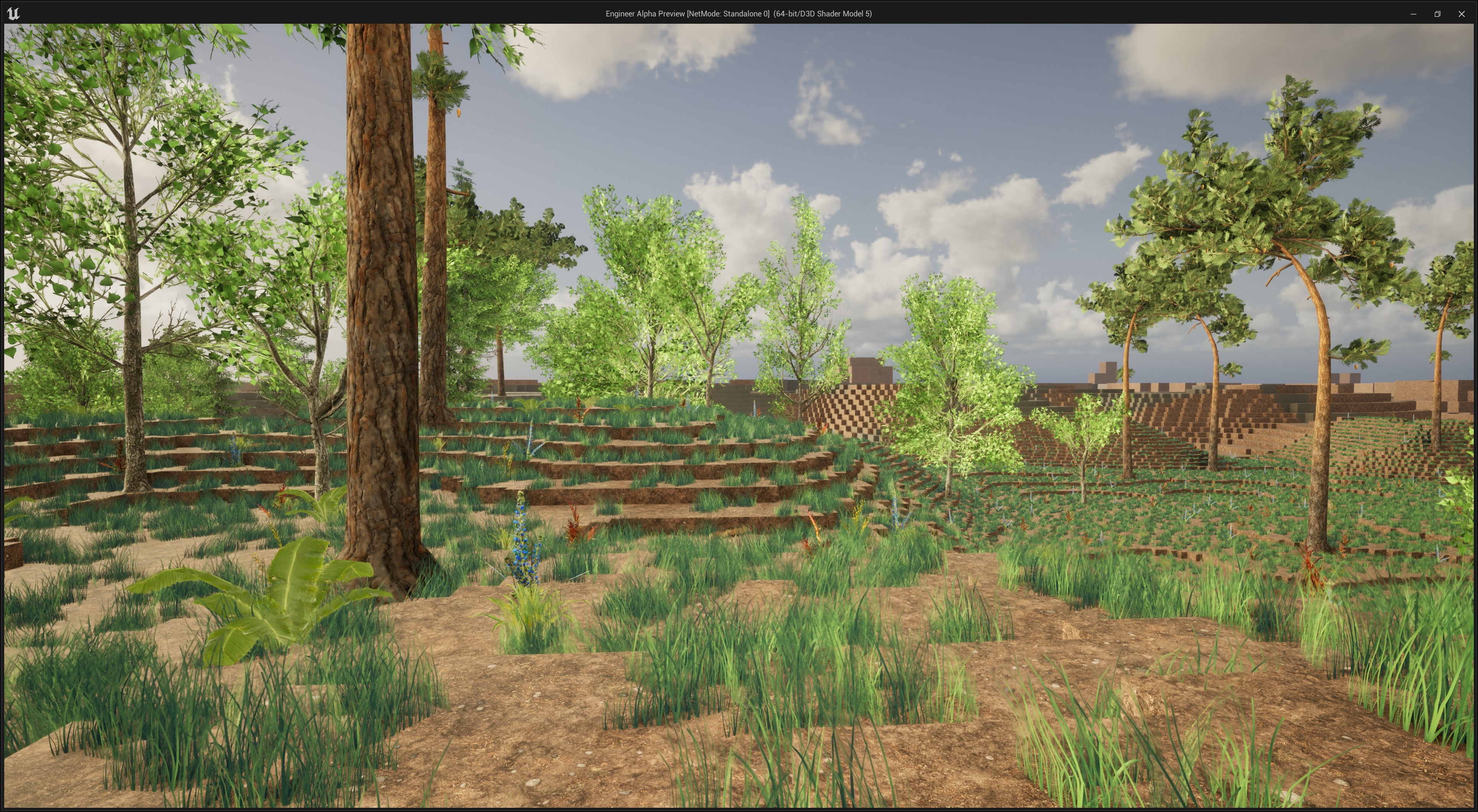
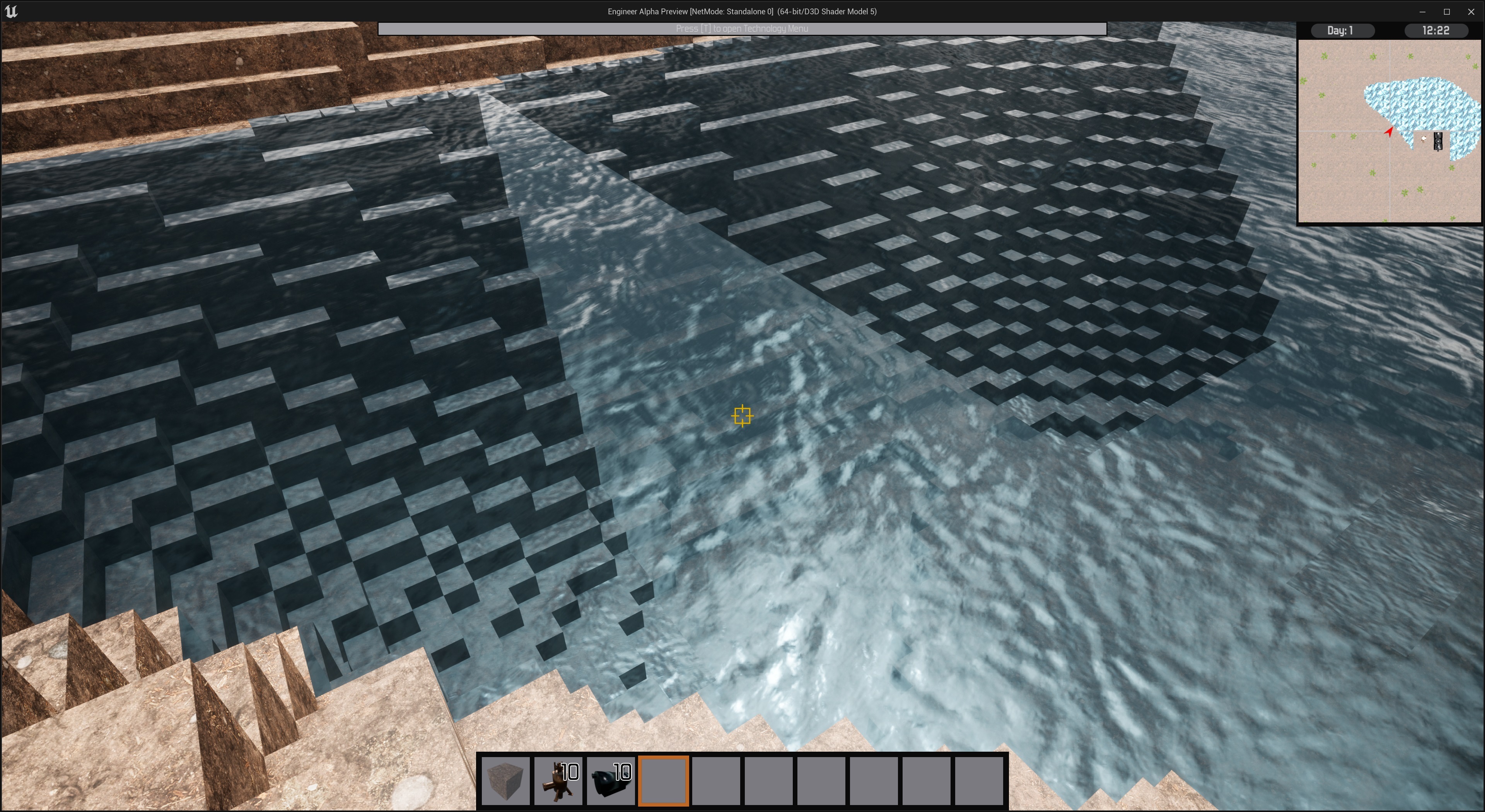
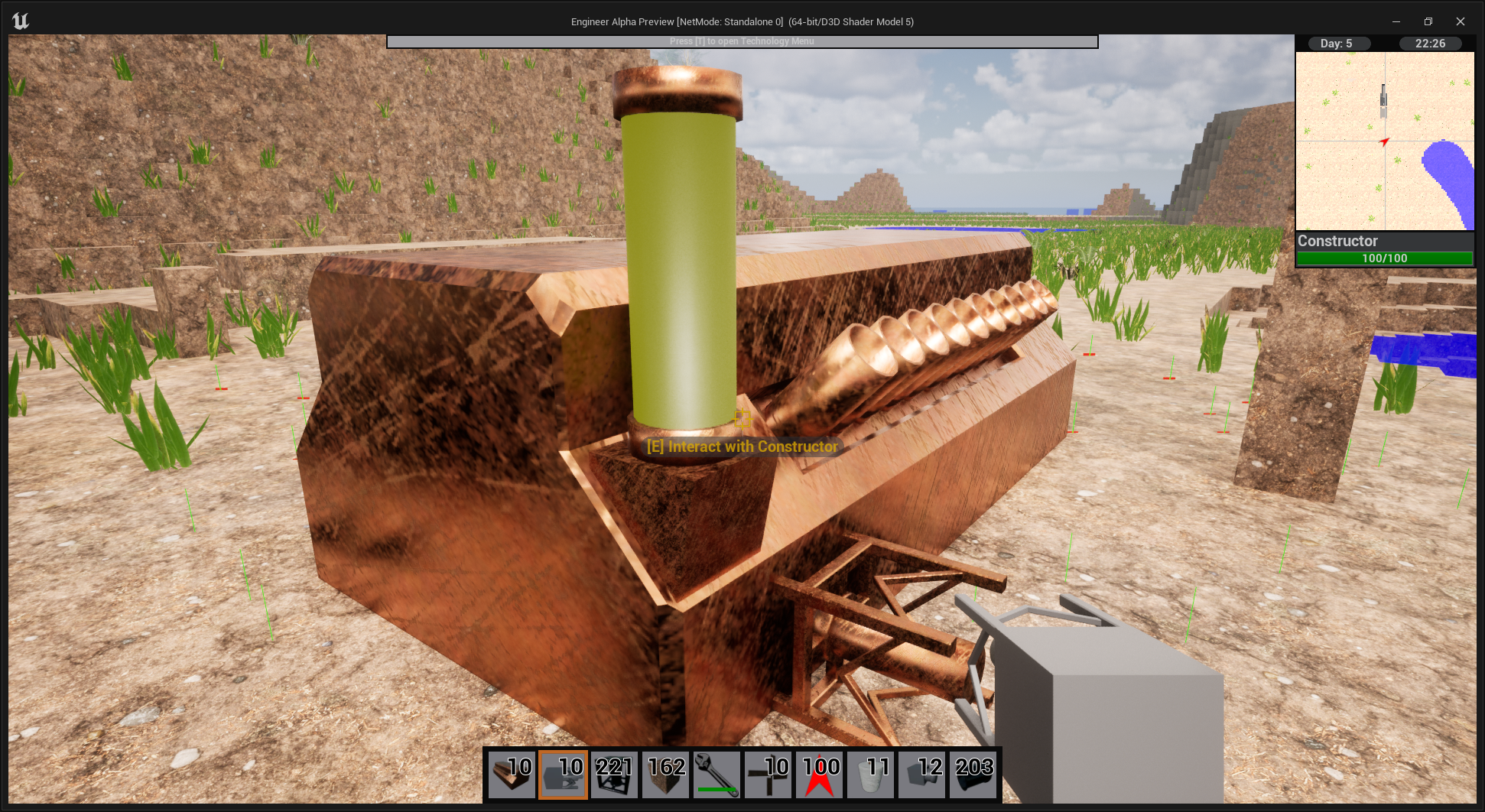
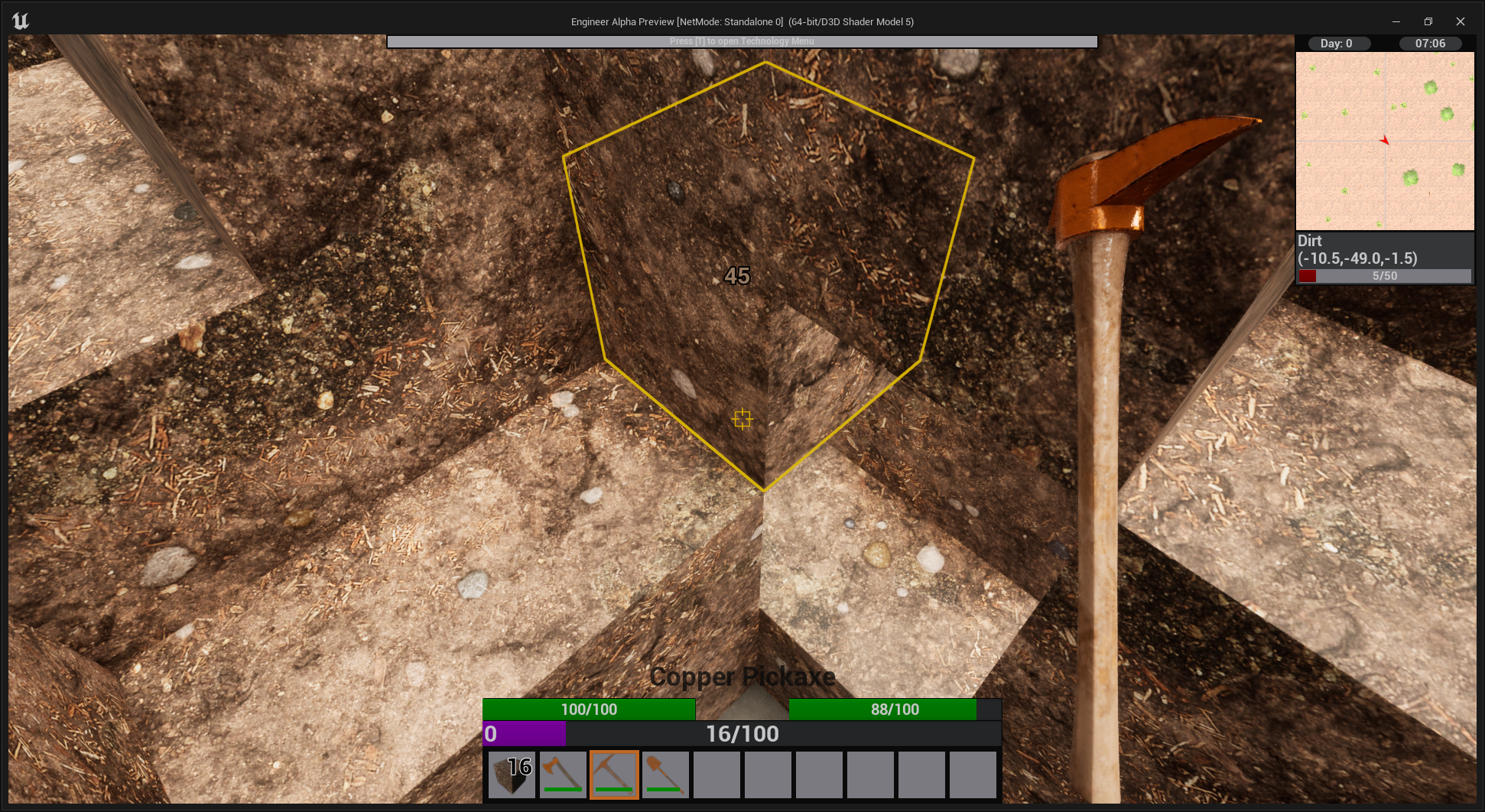
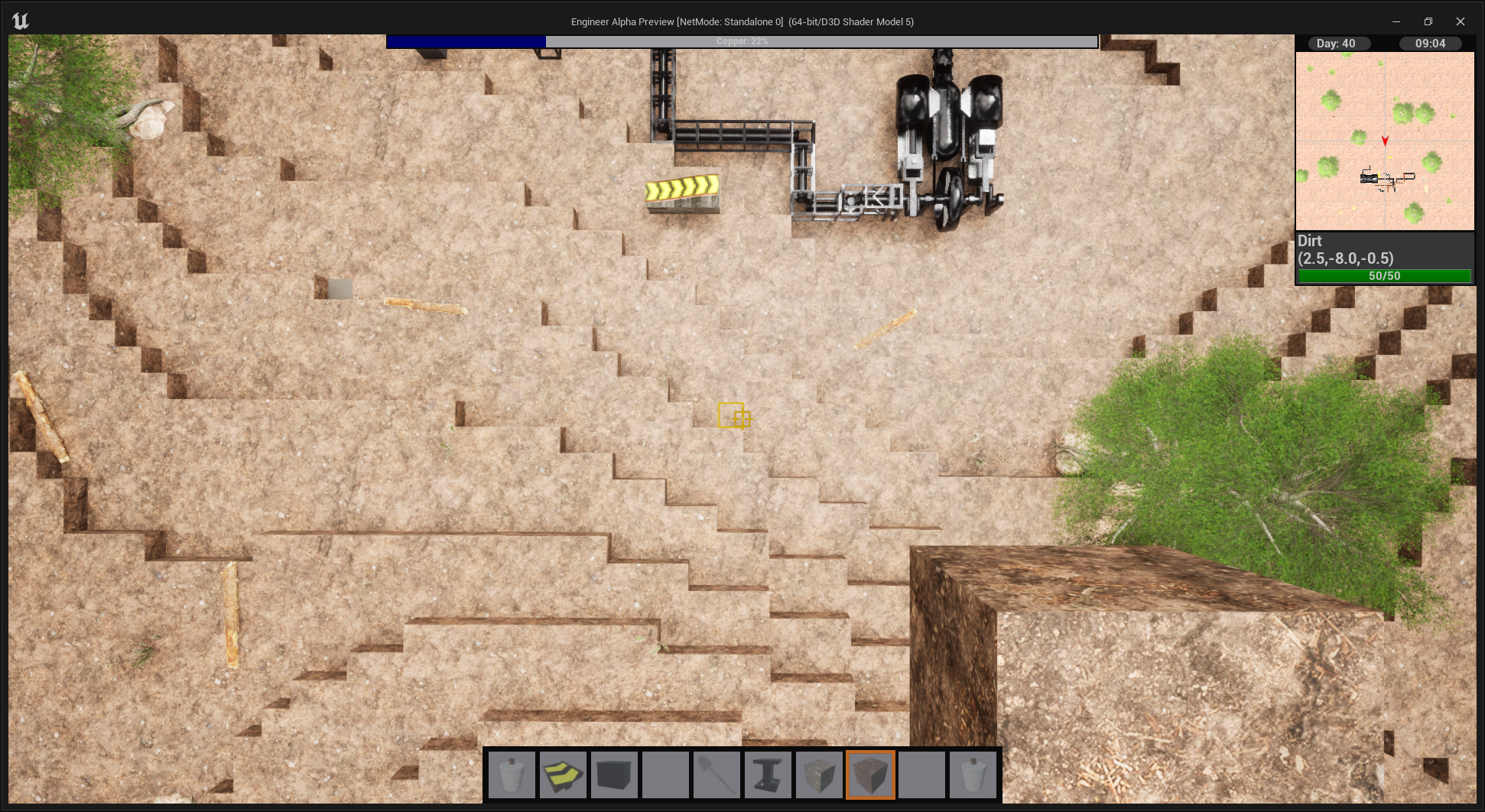
The world of Engineer alpha is changing in version 0.6 and I want to give you an early look at what things are going to look like. Everything is of course subject to change before version 0.6 comes out and and some of it will change for certain and some could even change if you give feedback here on it.
I there really isn't much to say and I hope the images speak for themselves.
Engineer Alpha's Log #68: Water, Water, Water
One of the hardest things to make in a fully editable game world is water. The pendulum of efficient and accurate always swings hard in one direction. For the water in Engineer Alpha I have gone for the efficient side of things for now but I can almost guarantee that things will change somewhere down the line.
Water in 0.6 will spawn in "lakes" throughout the world. You will be able to jump into them and swim. If you remove a block that has water on the sides of it or above the water will spread. This function is recursive so water will fill as big of a hole as you give it. I am not super happy with how this makes water behave but I feel that it is good enough for right now and will expand on it in the future to make it a system I am happy with in the future (likely something with flowing water and more restrictive propagation rules.)
With the addition of water the Well will also be receiving some updates. It has been renamed the 'Water Well' and it will still serve as an infinite source of water however it will now require being placed over water and will extend its tube down to reach water it finds below itself.
The well also has a new addition to its UI the ability to manually fill Items, i.e. buckets, with water. There will also be an automatic version of this added in the future that will have its own building and be used for things like barrels and other containers.
I have added a new category of assembler, the fluid assembler. Fluid assemblers can take in both solid items as well as fluids via pipe and output solid items and/or fluids. The first building to make use of this new tech will be the Ore Washer. The ore washer will be the second piece in the ore refinement chain after the ore crusher. Taking in crushed ore and water while outputting 50% more cleaned ore than was added. Unfortunately It doesn't look like the Ore Washer will make it into the first development build but it should be in by the time final 0.6 release comes around.
I have decided to change things up a little bit this time and release the Development Version on the planned release date (August 8th for 0.6) instead of the final version. Planning exactly how long I would need for player bug testing and feed back was problematic and not really working for me so I decided to change things. I hope this is not too upsetting to anyone and I was intentionally vague on things like the road map because I wasn't sure how I wanted to do things and always knew this was likely to happen.
Engineer Alpha's Log #67: Developer Videos
Starting this month I will be creating a new series of videos that will be talking about new content that will be coming to Engineer Alpha. The first video is available right now.
I plan to do one of these every month so the next one will be in August. The goal for these videos is to have a better way to show off new content to you. Previously I have done the "Megalogs" and while that did work it wasn't ideal as this is a video game which means things move and seeing them move is very important. My goal is for a mid length video no more than 20 mins each month and the first one came out to just over 10 minutes in length. This months focus on the Cable Shovel that will be coming in 0.6 and next month will be looking at some new content coming in 0.7.
These Logs will still continue on here most weeks however they will not focus on big game features they will be more focused on game design and and small features.
I am not overly happy with with how the first video came out but it is my first attempt and it just leaves room to improve. Hopefully I will get a better mic soon as the one I have does make me sound a bit nasal. I don't want to do a web cam just yet as I would prefer to keep the attention on the game for now but I will consider it for the future.
Engineer Alpha's Log #66: The Machine Status Light
As you may have noticed the UI design of most machines is very modular. There are individual UI elements for things like an inventory or a liquid tank that I can arrange together into one window for a machine. This is largely because the back end of Engineer Alpha is also very modular. I can drop together any set of machine elements that I want and have a working prototype of a machine in a matter of minutes. I love this approach to game design, however it does have one major flaw, making everything work together can be problematic.
As you have likely noticed when you have a machine that is not currently running and you give it say some items that could make it run, like 1 of 2 required recipe items, it does a small start then quickly stops. This is because it received something that could start the machine so it set everything to be running and when one of the machines components found it didn't have what that component needed to operate it shut down the machine. The problem is that each component is checking individually and it could take until the next update when the stop call is reached, which produces the little stutter you see in game.
I sought to fix this and, as is my way, make it better than it needs to be.
Now nearly every machine in the game and likely most if not all added to the game will have a "Machine Status Light" The status light serves as the 'boss' in charge of when all the other components in the machine can run. As well as giving the player simple information about what is going on if the machine is not operating.
The color of the light will change based on what is going on with the machine. A green light means the machine is running and everything is good.
A red light means the machine does not have enough power be it solid fuel, shaft input or some other power input.
The yellow light means the machine is missing an input item needed for it to run.
A blue light indicates that the output of the machine is full.
There is also a UI element in the machine's GUI that will give you a readout of the current state of the machine. When an error happens in a machine that causes it to stop it can also return a line of text about the error to help inform the player about the specifics of the error. For example if an item is missing from the input it will say the name of the item that is missing.
Engineer Alpha's Log #65: Temperature
When creating a world through procedural generation there are 3 major variables that determine what the world surface looks like; Height, Precipitation, and Temperature. Today I want to talk a little about temperature.
In update 0.6 the world generator can now calculate a Climate Temperature for every location in the XY plane. This value ranges from -10C to 30C and and is not a function of time, so any block will have it's temperature be constant. I have yet to determine the exact function that defines what the temp is at a specific location or how fast it changes but temps in the middle i.e. 15C will be more common than the extremes.
The world generator is also capable of of calculating the Actual Temperature for any 3D location in the world. The Actual Temperature takes into account height and its value will be used for gameplay. The Actual Temperature will be equal to the Climate Temperature while at height 0 (base ground level) as you move away from ground level the hold of the climate temp will drop (very quickly if going down and moderately fast if going up) and you will eventually reach a limit (50C for being far underground).
Now you might be asking what is the Actual Temperature going to be used for and you might assume it is for the player character to take damage if somewhere too hot or cold. The plan as it stands is not to include this functionality in the game as I don't feel it adds very much besides an annoyance. Temperature will be used however with any machinery that has to heat up (the boiler for example) the minimum temperature of the machine will now be set based on the Actual Temperature where the machine was placed.
Engineer Alpha's Log #64: Ore Generation 2.0
The 0.6 world update is coming along well and today I want to talk about what you are going to find below ground more on the ground level and above at a later date.
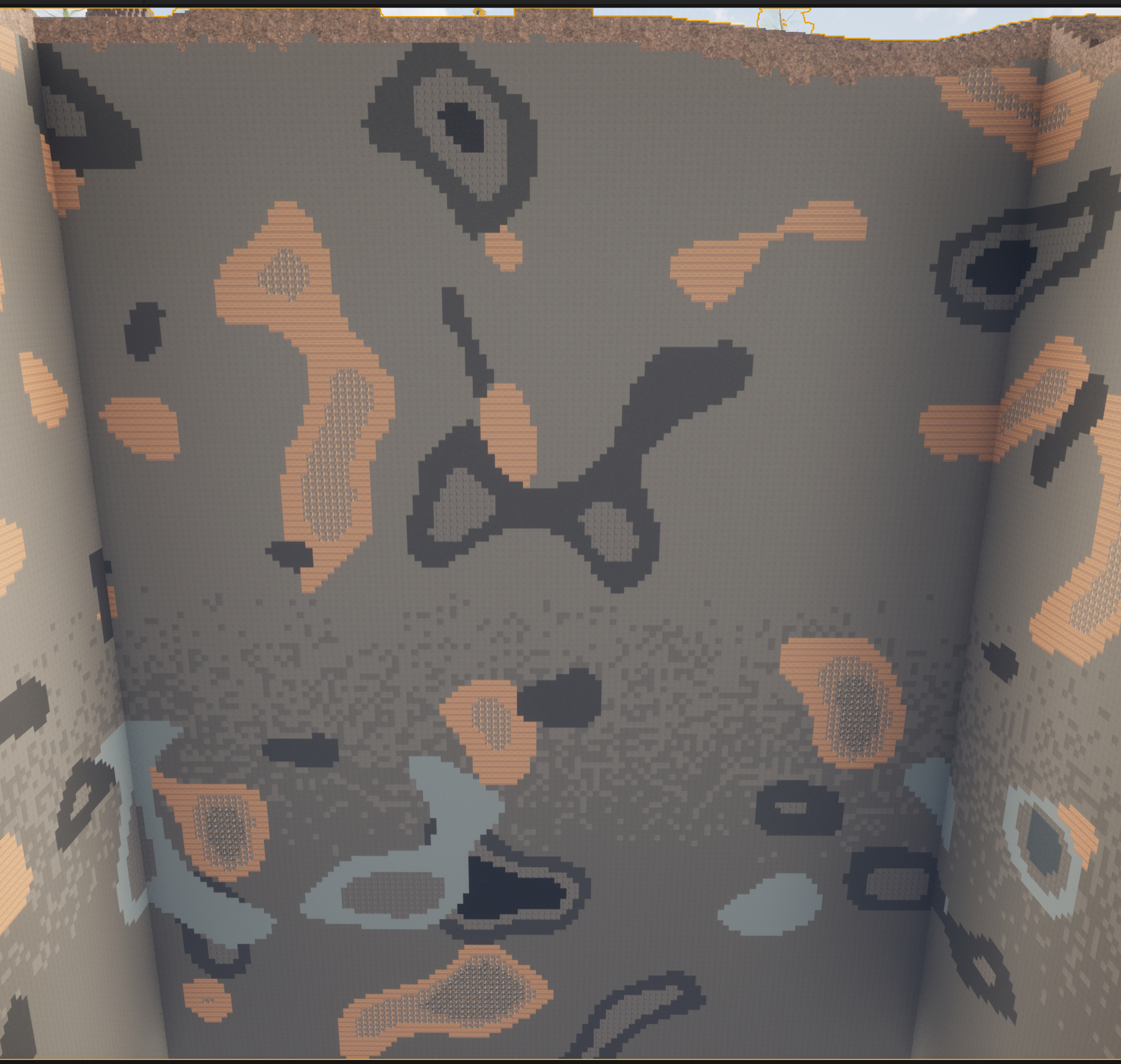
Ore generation has been completely overhauled and now produces something like this:
We will start at the top and work our way down. Dirt generation has been altered instead of being a single layer every where it is now between 3 and 5 blocks in depth randomly throughout the world.
The ore generation in the current version of the game is lots of little bits of ore everywhere which made hand mining often the best choice as you couldn't really target anything. The aim is to change that and make ores spawn in "veins" that are far less common but much more lucrative.
When ores spawn their are 3 different types for each ore 'poor', 'regular', and 'rich'. Poor ores spawn on the outside of a vein with regular inside of it and rich inside of the regular. When you take a 2D cross section you get the "target" pattern you can see in the coal vein in the top center of the above picture. In general poor gives 2 pieces of ore when mined, regular gives 3-5, and rich gives 6-10.
The world is separated into 5 different "layers" that change as you go deeper. Each layer has its own type of stone associated with it as well as a transition area between where one stone will be replaced by next as you go down.
As you go deeper in the world ores that spawn near the surface will become less common but those that you do find will have a higher proportion of rich ore. For example look at the large copper vein in the lower right that is mostly rich ores.
As you reach the very bottom of the world ores like copper and iron become extremely rare. There will be more ores in the future like Titanium and Tungsten that will spawn down low in the world. Below layer 500 is bedrock it is just to keep you from going too low. You are welcome to try and mine it but it takes no damage from anything and has a million health. I have decided to make bedrock completely flat for now as making it have texture felt unnecessary.
Of course all of this is subject to change, especially the amount of ore in the world, before release.
Engineer Alpha's Log #63: Universal Damage
As you may have noticed in 0.5 damage indicator numbers were added to to some things when you hit them such as trees and buildings. This was a good start but is was not ideally what I wanted.
In the 0.5 version the numbers are drawn on the screen and not in the world. This makes them fine for damage that is caused by the players actions at the point they are looking at but not anything else. It also would not work for anything that did not have its own health bar (i.e. blocks).
In 0.6 this is changing, damage caused by the players actions will appear at the point of impact and show a number that floats up with the amount of damage caused. Blocks in the world will also show how much damage was done to them as well as show their current and maximum health when looked at. Every type of block in the world has its own max health as well as resistances to axes, picks, and shovels. Using the right type of tool will result in the full damage of the tool being dealt to the block while the wrong type will deal somewhere between 50% and 5% damage depending on the type of block.
From the small amount I have played with this it goes a long way toward giving the player real feedback about how their actions affect the world and it feels great.
Engineer Alpha's Log #62: The Grid Code & Notifications
As you may have noticed the inventory visualization boxes (the red, green, and yellow ones) cause a bit of conflict with the grid outlines for buildings as they want to live in the same space. I have decided to move the ability to see where buildings can connect to the grid.
in 0.6 when you move a placement object near a building you will see its grid just as you do now however there will be symbols on the grid that give you information about that building such as where its inputs and outputs for items are or where pipes can be attached. These symbols are designed to be immersion breaking and very obvious.
Items are symbolized by a green square Solid square for item insertion, Square with hole for Item Extraction, and Double Square for both.
Fluid Connections use a blue circle Full circle for fluid in and hollow for fluid out
Rotation will use a purple diamond I hope by now you can guess filled for in and hollow for out
Other connection types that are added to the game will get their own color and shapes for their connection types. Here is what it looks like in game.
I also have the ability to manipulate the grid based on the status of building. For example conveyors will only show the grid on unconnected ends as shown.
As this is a feature that purposefully breaks immersion I do not want to force it on players so there will be a key binding to toggle it on and off. When it is toggled you will be given a notification in the new notification area that will give a short text notification about events that have occurred. Most things that appear in the notification area will not be super important and will not be things you need to immediately attend to, it's just stuff you might need to know.
Engineer Alpha's Log #61: The Creative Engineer
I know it has been a little while since my last log and unfortunately that is because I didn't have much to say.
This week I have something to say and hopefully will every week for a while.
I have been figuring out what exactly is going into version 0.6. Unfortunately things have not worked out exactly as I had hoped with the whole world revamp. Things on that front are going to be scaled back some as I will not be able to make it the way I want in the present. Don't worry there will still be changes to the world just not as many as I had hoped.
As to what is happening instead I have decided to focus largely on usability and accessibility features to make the game better for everyone while also updating some old features that are in need of some work.
First up is the Creative Mode Character.
In 0.5 when you you start a game in creative mode your character is the same as in survival mode. However when you start playing the game checks if you are in creative mode and if so adjusts a number of values to their respective creative mode amounts. This is an acceptable solution to the problem but not ideal in my eyes. In 0.6 when you start in creative mode, or load a creative mode save, you will now use a specific character for creative mode. The creative mode character is very similar to the survival mode one however it lacks many of the survival mode features like health, food, stats, and equipment. In exchange the creative character can toggle the ability to fly as well not requiring items to be in your inventory in order to use them (a slot on your action bar will work if it has a chosen item regardless of your inventory state). The creative engineer also has a one hundred meter interact and build range.
The creative engineer is the second of the 3 engineer types planned to be in the game and hopefully helps creative mode feel more like a sand box that you can freely test things out in without worry.
Engineer Alpha's Log #60: One Item List to Rule Them All
On Friday I added in what is planned to be the last major feature for 0.5 the Master Item List.
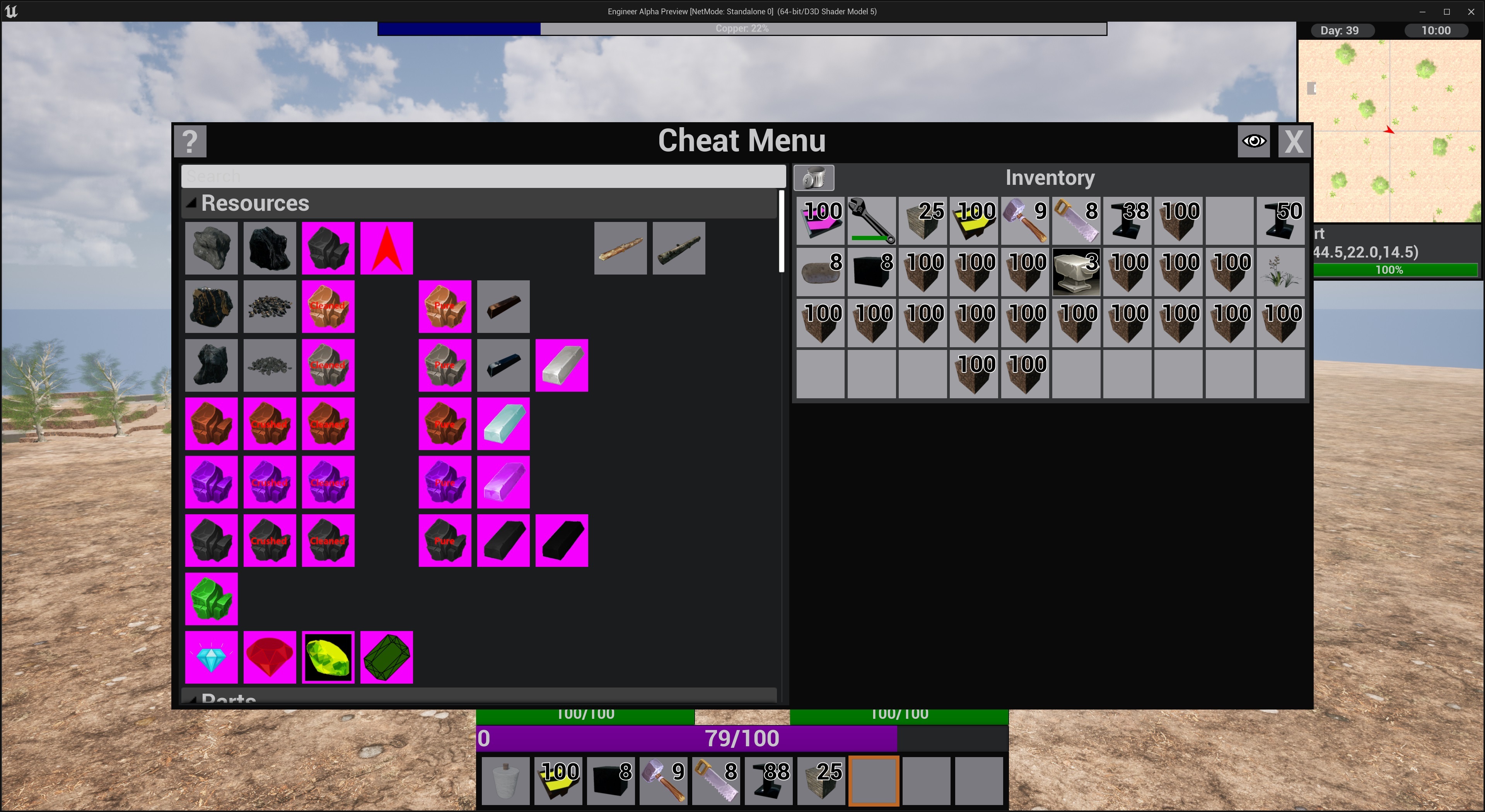
The old cheat menu item list was a rather crude first attempt at doing an all items list and I was never happy with it. It worked by gathering all recipes and looking at their products then adding in several other lists that I manually edited whenever things needed to change. Needless to say it needed to be updated on the back end but the front end too. I was unhappy with how there was no logical grouping of Items as well as there where not nearly as many items visible at one time as there should have been to be usable as a list.
I decided to go with just icons and no names as it seemed like the best way to cram them in as it were. I am considering a similar approach to the Workbench but am unsure if that is the correct path for that menu seeing as it already creates groups. If you have an opinion on this feel free to weigh in in the comments. I separated all the Icons into groups that I thought made sense and organized them according to their type as well as tier as best I reasonably could.
While the main place you will encounter this item list is the cheat menu it is also used in the item selector. For machines that you can dictate a specific item for a filter you can now click with an empty hand and the Item list will be pulled up for you to choose from.
The code was future proofed as much as I could at present the cheat menu and item selector use the exact same list their respective windows just have different behavior when an item is clicked. Also the list of items is generated when the game starts and includes all Items that exist in the game as well as an option to hide things that are not ready for players to see just yet.
Items in purple are hidden in the final packaged version of the game.