Escape the Pacific cover
Escape the Pacific screenshot
Genre: Role-playing (RPG), Simulator, Adventure, Indie

Escape the Pacific

Hotfix 0.63.0.4 & 0.63e.0.15

Hello Survivors!


A new Hotfix 0.63.0.4 & 0.63e.0.15 is available!

Changelog:

  • Fixed: Too shiny/reflective sand in Plant boxes
  • Fixed: Missing 'Field of View' value display in Options
  • Fixed: Blue colored Stick ingredient models in Bed recipes after all the sticks were added
  • Removed: Obsoleted Sail mast dragging notify
  • Fixed: Simple press 'Wear' hotkey functionality for Backpack/Sidebag/Toolbelt instead of the actually shown long press hotkey UI
  • Fixed: Interactable/Active Plant places in yet not completed/finalized Plant Box blueprints
  • Fixed: Not showing blueprint crafting info for Primitive Knife and Primitive Axe
  • Fixed: Missing shaded Navigation tool slots background icons in Inventory when a Crate is opened
  • Fixed: Fastening rope in fastened Sails is shown as a blueprint (and not as a completed rope)


We would like to thank you for your support, bug reports and feedback.

Peter,
G4GTeam


Hotfix 0.63.0.3 & 0.63e.0.14

Hello Survivors!


A new Hotfix 0.63.0.3 & 0.63e.0.14 is available!

Changelog:


  • Fixed: Recipe name (long ones) overwrites the crafting time info in Hover popup in Craft & Build screens
  • Changed: Recipe detail text area line count increased to 5 (from 2) in Hover popup in Craft & Build screens
  • Fixed: Missing Craft time info for Stable Foundation Pillars
  • Fixed: Old 'Hit' Hotkey UI displayed in case of looking at a Turtle nest
  • Fixed: Operating the sails directly (in Sailing mode) not works after exiting the Sailing UI in Beginner Sailing mode
  • Fixed: Operating the rudders directly (in Steering mode) not works after exiting the Sailing UI in Beginner Sailing mode
  • Removed: 'Mode details' hotkey button from Sailing UI (not implemented yet)
  • Fixed: Not localized some texts in Stack Split screen and Options menu


We would like to thank you for your support, bug reports and feedback.

Peter,
G4GTeam


Hotfix 0.63.0.2 & 0.63e.0.13

Hello Survivors!


A new Hotfix 0.63.0.2 & 0.63e.0.13 is available!

Changelog:


  • Fixed: Negative summary Weight of content in Crates when moving the spawned loot from them
  • Fixed: Negative summary Volume of content in Crates when moving the spawned loot from them
  • Fixed: Increased amount of the item when trying to move it to the Spawned loot crate (and the move failed)
  • Fixed: Not possible to move some of the items in the Spawned loot crates
  • Fixed: Not correct Maximal weight of the opened Crate in Inventory


We would like to thank you for your support, bug reports and feedback.

Peter,
G4GTeam


Hotfix 0.63.0.1 & 0.63e.0.12

Hello Survivors!


A new Hotfix 0.63.0.1 & 0.63e.0.12 is available!

Changelog:


  • Fixed: Missing displayed "Editing Mode" hotkey in Map when Sextant is equipped and not in editing mode
  • Fixed: Missing displayed "Editing Mode" hotkey in Map when Sextant is equipped and already in editing mode
  • Fixed: Missing displayed "Edit" hotkey in Map when Sextant is equipped and already in editing mode
  • Fixed: Not possible to close the map with 'Map' button
  • Fixed: Displaying islands outside of the Map area
  • Fixed: Too slow Local Map zoom speed
  • Fixed: Too slow Global Map zoom speed
  • Changed: Decreased font size of Map grid labels
  • Added: Centering Local map around mapped islands' geographical center
  • Added: Underlining the Island mark ('X') in Map when hovering with mouse in Edit mode
  • Added: New UI look for renaming the island, cluster, tag and position in the Map
  • Added: Split Slot functionality to Inventory
  • Fixed: Missing Twine type description in recipe name
  • Fixed: Missing Rope type description in recipe name


We would like to thank you for your support, bug reports and feedback.

Peter,
G4GTeam


0.63.0.0 - Normal Branch Update

Normal Branch Release


Hello Survivors!


Your patience is truly appreciated. As a small indie studio, Escape the Pacific is our passion project. Over five years, we've been committed to regular updates, driven by your feedback and positivity. Thank you for being an integral part of this incredible journey!

-- Peter --


TLDR


  • New UI - Massive design overhaul
  • Custom HUD settings and UI scale options
  • Bird Trap Mechanics
  • Companion and Bird Cage Mechanics
  • Refactored 31k lines of code
  • Squished more bugs than you can fit in a coconut bowl
  • Reworked 200 actions related to the hotkey and control system


UI Design Overhaul


We don't want to spoil it for you, so we will only show a couple of the new UI updates. Please feel free to experience the rest yourself, and let us know how you feel about it.
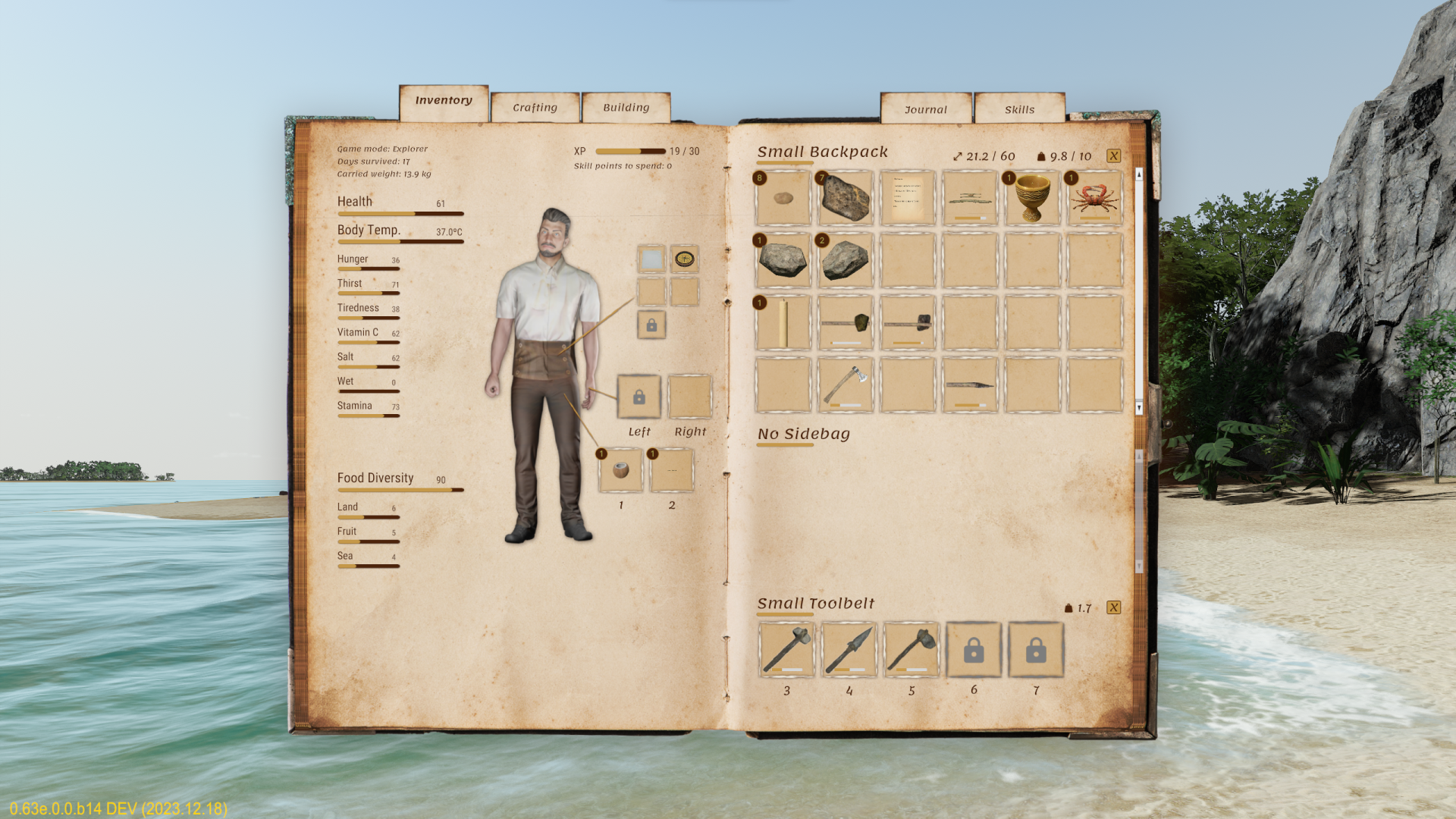


One major change is the new popup when aiming at an object. We've heard you and we've redesigned it bigger. This will make your life easier, especially when reading Blueprint ingredients.


Another major change is the way we separated the key bindings.

  • Local Actions: These are actions that can be performed with the item that is in your hand, will be displayed above the Item in Hand icon, bottom right of the screen
  • External Actions: These are actions that can be performed to the external item that you’re looking at


Companion


Many of you asked for a companion and I bet you didn’t expect this to be one of the most vicious things in the game… The killer Gulls!

  • If you decide to keep them as pets, please make sure you keep them fed and watered
  • You’ll be able to take them out of the cage and release them. They will fly towards the nearest cluster. This might come in handy while you’re out at sea, searching for a new cluster.


You can craft the bird cage from the crafting menu, to safely transport your new companion.

Bird Trap


Pretty much self explanatory, the Bird Trap! Craft it from the menu, position, arm, bait, and await the fluttering seagull. Note: the seagull model might not be updated in the experimental version—enjoy the current one for now. Happy trapping!


Sailing UI/UX


We have simplified the sailing UX, and split the available settings into two categories:

  • Sailing Mode


    • Beginner

      • You influence the boat movement. Sails and Rudders are set automatically by the system, based on your key input.
      • Sail and Rudder control: Auto
      • Sail and Raft behavior: Auto
      • Raft and Wind indicator: On

    • Advanced

      • You influence the rotation and position of the Sails and Rudders. The boat movement is based on the position and rotation of the Sails and Rudders.
      • Sail and Rudder control: Manual
      • Sail and Raft behavior: Manual
      • Raft and Wind indicator: On

    • Realistic

      • You influence the rotation and position of the Sails and Rudders. The boat movement is based on the position and rotation of the Sails and Rudders.
      • Sail and Rudder control: Manual
      • Sail and Raft behavior: Manual
      • Raft and Wind indicator: Off


  • Weather Mode


    • Beginner

      • The EtP Gods are on your side! Wind will always blow from the side, driving your boat forward.
      • The wind will never stop blowing, as long as your sails are up.
      • Upwind: Disabled
      • Calm Wind: Disabled

    • Advanced

      • The EtP Gods are testing you! Wind will always blow from the side, driving your boat forward.
      • The wind might stop blowing. This is called Calm Wind amongst Sailors.
      • Upwind: Disabled
      • Calm Wind: Enabled

    • Realistic

      • The EtP Gods are merciless! The actual weather will determine the wind blowing direction.
      • As in the real life of a Sailor, Calm Wind situations may occur.
      • Upwind: Enabled
      • Calm Wind: Enabled


We have also tidied up the sailing UI, to make the interaction more straight forward.


Keybinding improvements


In a game filled with nearly countless interactions and boundless possibilities, we're tackling the challenge of implementing a more player-friendlier keybinding system. We have added categorized keybindings in the settings menu. The first additions include three main interaction keys and dedicated keys for sailing. This is an ongoing process, and we're dedicated to providing a fully refined system to enhance your gaming experience, making it even more intuitive.

Dedicated Sailing Keys


Dedicated interaction Keys


UI scale options


You now have the possibility to scale certain UI elements. The default size is 100% and you can scale it up to 140%. This applies to screens like inventory, crafting page and similar.


HUD scale 100%


HUD scale 120%


HUD scale 140%


HUD customization


You can now customize how much of the HUD elements you want to see on the screen, to fully immerse yourselves in the game. You can find these settings on the settings page on the Graphic tab.

HUD Level Full


Shows all HUD elements


HUD Level Medium


Hides Food Diversity info.


HUD Level Low


Shows only Health, action keys and the aimed-at item popup.


HUD Level Off


Hides everything.


Deferred Features


Admitting our oversight, implementing three long-awaited features posed unforeseen challenges:

  • Ropes in blueprints
  • A reworked tutorial
  • A clean water pond on Hill Island

Despite initial setbacks, we're near completion and thrilled to unveil them early next year. Your patience is greatly appreciated!

Your input shapes the game, so don't hesitate to let us know how you feel.

We wanted to take a moment to extend our heartfelt thanks to each and every one of you. Your unwavering support, enthusiasm, and dedication to our game have made this journey truly extraordinary. We're grateful to have such an amazing community by our side.

-- Radu --


From the entire G4GT team I wish you a great rest of the day!

One last thing


We've added new 3D models for the Knife, Hammer and Axe.


We've also updated the Bush fiber model.

Hotfix 0.63e.0.11

Hello Survivors!


A new Hotfix 0.63e.0.11 is available!

Changelog:


  • Fixed: Game freezes during start-up due to bad config data parsing
  • Fixed: Unresponsive game after pressing Esc while in Map edit mode
  • Fixed: Not actualizing Pocket slots on HUD when dropping objects from Hands equipped from Pocket
  • Fixed: Not actualizing Pocket slots on HUD when equipping objects from Pockets to Hands
  • Fixed: Not translated Inventory menu button texts
  • Changed: Optimized game startup (faster by ~25%)
  • Added: New icon for "Drop" backpacks/sidebag/toolbelt in Inventory
  • Added: Spawn new Seagull model when seagulls sitting on the nest are hit by an arrow
  • Added: Spawn new Seagull model when flying seagulls are hit by an axe
  • Added: New inventory icon for Seagull
  • Added: Localized texts for French, German, Spanish, Russian, Spanish language
  • Added: New Bush Fiber model


We would like to thank you for your support, bug reports and feedback.

Peter,
G4GTeam


Hotfix 0.63e.0.10

Hello Survivors!


A new Hotfix 0.63e.0.10 is available!

Changelog:

  • Fixed: Showing "Equip" action in Hover info for item in hands
  • Fixed: Not possible to Salt cooked recipes
  • Fixed: Displaying state: Raw instead of Empty for empty Water holders
  • Fixed: Not displayed Craft hotkey in case of adding liquid to a recipe
  • Fixed: Wrong "Zoom" hotkey icon is displayed in Map
  • Changed: Drop action in Inventory changed to single press
  • Added: Shaded "Empty slot" icons for navigation slots for Map, Compass, Pocket watch and Sextant
  • Added: Hide Aim info when the Map is shown
  • Fixed: The last recipe to be marked as favorite would be replaced automatically when clicking another blueprint.
  • Fixed: Several minor UI tweaks


We would like to thank you for your support, bug reports and feedback.

Peter,
G4GTeam


Hotfix 0.63e.0.9

Hello Survivors!


A new Hotfix 0.63e.0.9 is available!

Changelog:

  • Added: "Interaction 4" hotkey to Settings -> Controls
  • Changed: Loosen action for attached objects to raft now uses Long-press "Interaction 4"
  • Changed: Loosen action for attached Doors and Windows now uses Long press "Interaction 4"
  • Changed: Open action for Crates now uses single press "Interaction 4"
  • Added: Detail info for Cultivated field
  • Added: Detail info for Anchor
  • Added: Detail info for Candle/Lantern
  • Added: Detail info for Trunk Holder
  • Fixed: Missing sound for Sickle
  • Fixed: Missing sound for Shovel
  • Fixed: Displaying unnecessary Detail for not completed blueprints
  • Fixed: Several minor UI tweaks


We would like to thank you for your support, bug reports and feedback.

Peter,
G4GTeam


Hotfix 0.63e.0.8

Hello Survivors!


A new Hotfix 0.63e.0.8 is available!

Changelog:

  • Added: Possibility to Load a game from Death Screen
  • Added: Detail info for Fish Trap
  • Added: Detail info for Composter
  • Fixed: Not possible to skin the Dead seagull
  • Fixed: Not correct material color in finished Bird cage blueprint
  • Fixed: Not correct Seagull name displayed in Bird Trap and Bird Cage detail info
  • Fixed: Removed "-" from Bird Cage detail info
  • Fixed: Removed "-" from Bird Trap detail info
  • Fixed: Missing Kill bird local action
  • Fixed: Missing Cooking status in Detail info during Cooking
  • Fixed: Missing Cooking status in Detail info during Drying/Smoking
  • Minor UI fixes


We would like to thank you for your support, bug reports and feedback.

Peter,
G4GTeam


Hotfix 0.63e.0.7

Hello Survivors!


A new Hotfix 0.63e.0.7 is available!

Changelog:

  • Fixed: Items sticking to the hand, resulting in multiple items overlapping
  • Fixed: Transferring items between inventories while holding shift and hovering over them
  • Added: Slot transfer functionality in Inventory
  • Added: Split functionality of items in inventory
  • Added: Collapsible info sheet with information about transferring items between inventories (Look for the chevron located in the bottom right corner of the book, when opening your inventory)
  • Added: Complete Meal/Liquid info in Hover Info in Inventory
  • Added: Button "Load Last Save" on Death Screen
  • Minor UI fixes


We would like to thank you for your support, bug reports and feedback.

Peter,
G4GTeam