A new update has been deployed. This update brings some new features regarding the user experience:
Build mode interface
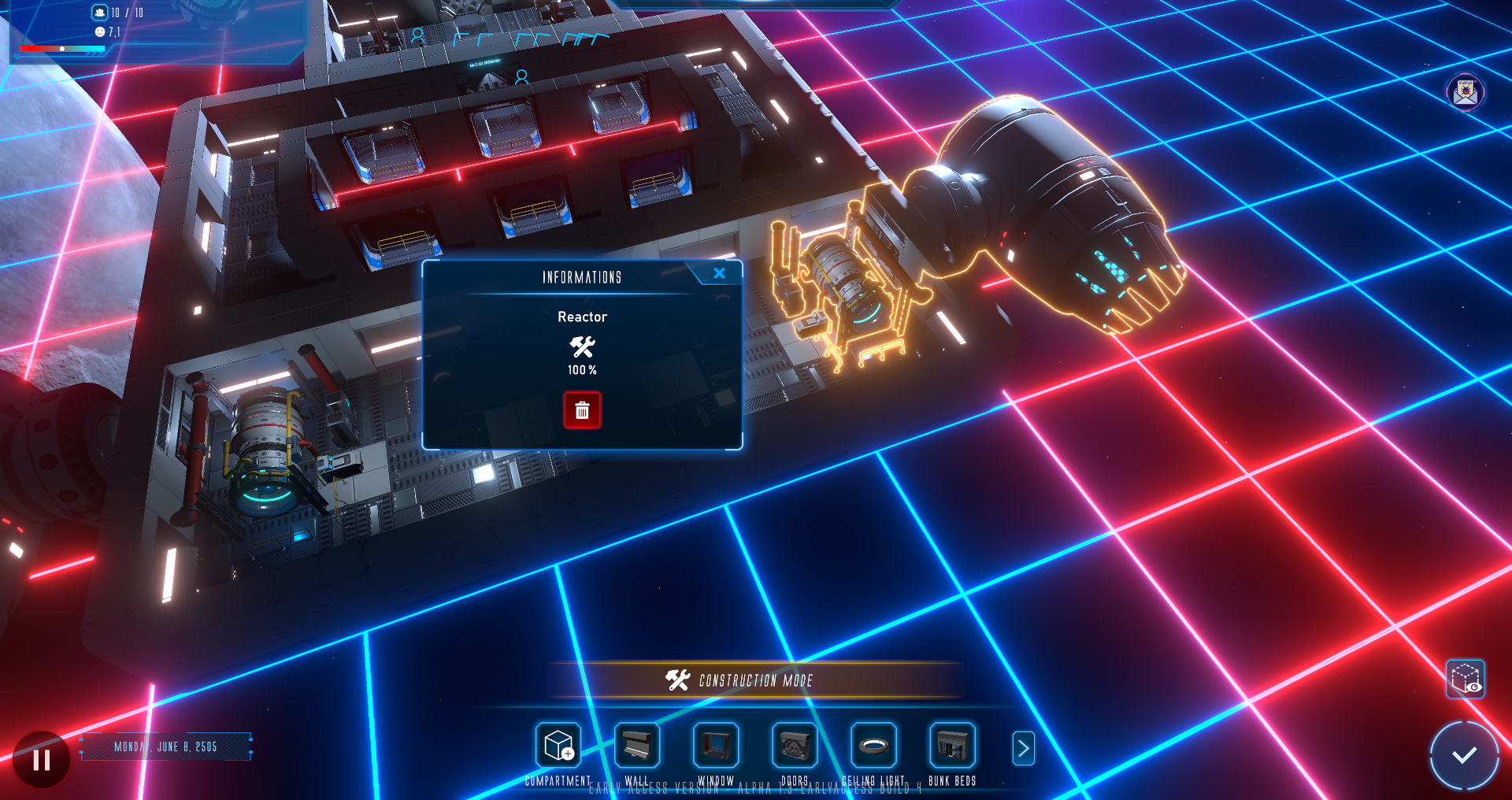
In this version, the visual interface of the construction mode has benefited from several additions: - New element highlighting - New information window of constructible objects with "move" and "destroy" actions - New compartment cell information window with "expand compartment" and "remove compartment cell" actions - New construction grid information in order to know the necessary size of a compartment (green grid) and the necessary outer space (white grid) to place certain elements. - Addition of an explanatory text, of the "tooltip" type, on the reasons for the impossibility of placing an element.
New tutorial
In order to understand these new features, the tutorial has been reviewed and completed.
Management of resource extractor missions
You can now define the duration of a mission on a planet but also cancel it at any time by immediately recalling the residents left on a planet.
Bug fixes
A few bugs have been fixed:
- Fixed the calculation of the oxygen stock which did not take into account the production - Fixed drone AI getting stuck - Fixed non-buildable areas of the grid (red grid) not being reloaded after loading a game - Fixed items consuming resources when not yet built - Fixed a bug that saved cells being drawn during an autosave - Fixed the display of planet previews in the "Galaxy" tab of the navigation interface - Fixed some texts that were only displayed in French - Fixed docking bay resource extractor selector not showing default selection - Fixed UI scaling - Fixed a crash that sometimes occurred after exiting passengers from a resource extraction spaceship - Fixed the history of resource variations which made the calculation of variations over 24H erroneous - Fixed energy production bonuses not being applied on resource stats display - Fixed docking bay power consumption being half the displayed value - Fixed food consumption not being reduced after creating a dish in the kitchen - Fixed docking bay remaining accessible to Residents while disabled - Fixed "power-off" icon not being displayed for reactors - Fixed game save list UI shifting to the right after the 1st display
FYI: Dialogs with NPCs will be reactivated in the next update.
Thank you for your contributions.
We are counting on you Space Commanders. Good luck !
[Deployed] Regular update - Alpha 1.2-earlyaccess
Space Commanders,
A new update has been deployed. This update brings a lot of new features and reworked game code. In this context, all your previous saves are no longer compatible with this version:
Construction drones
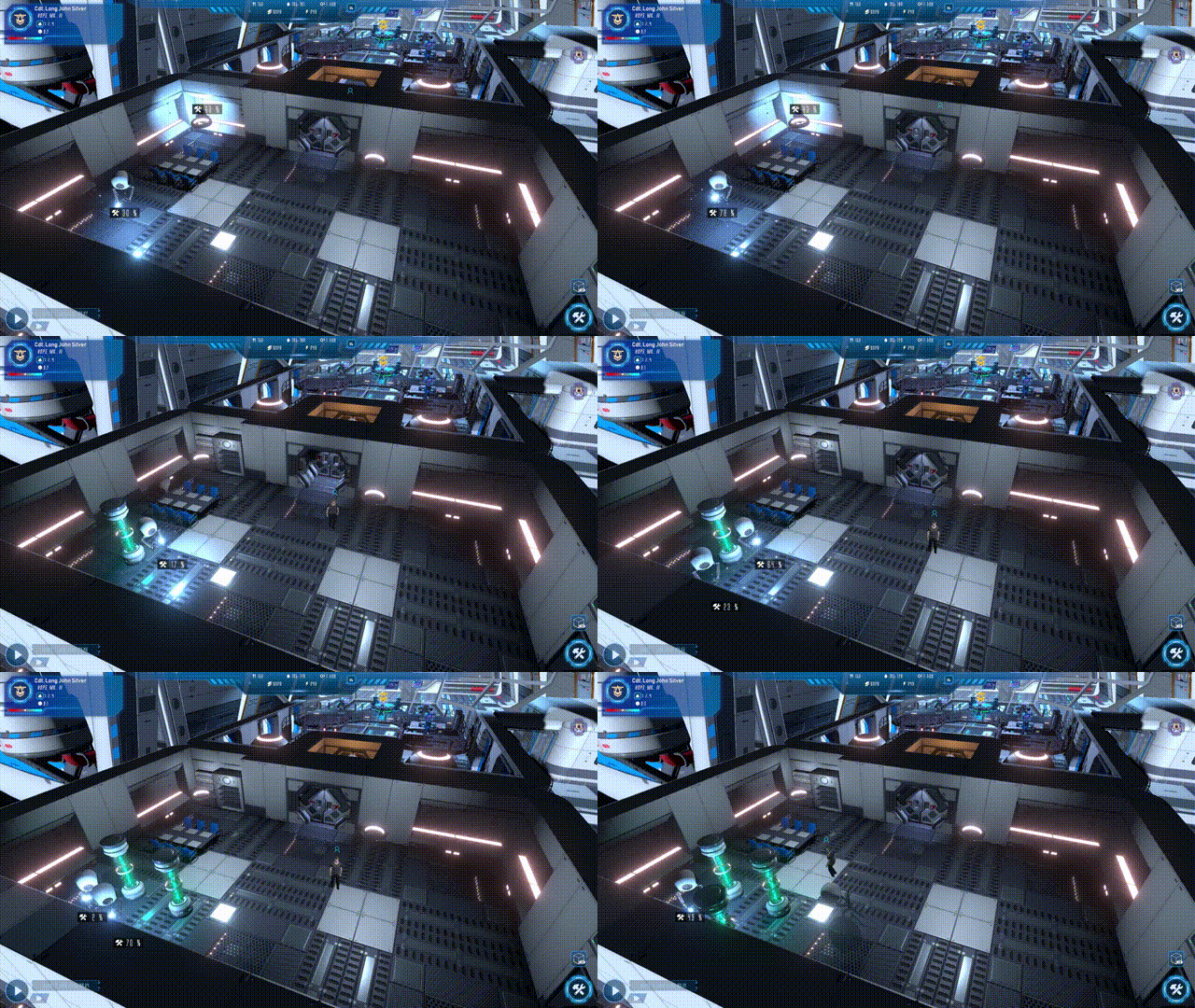
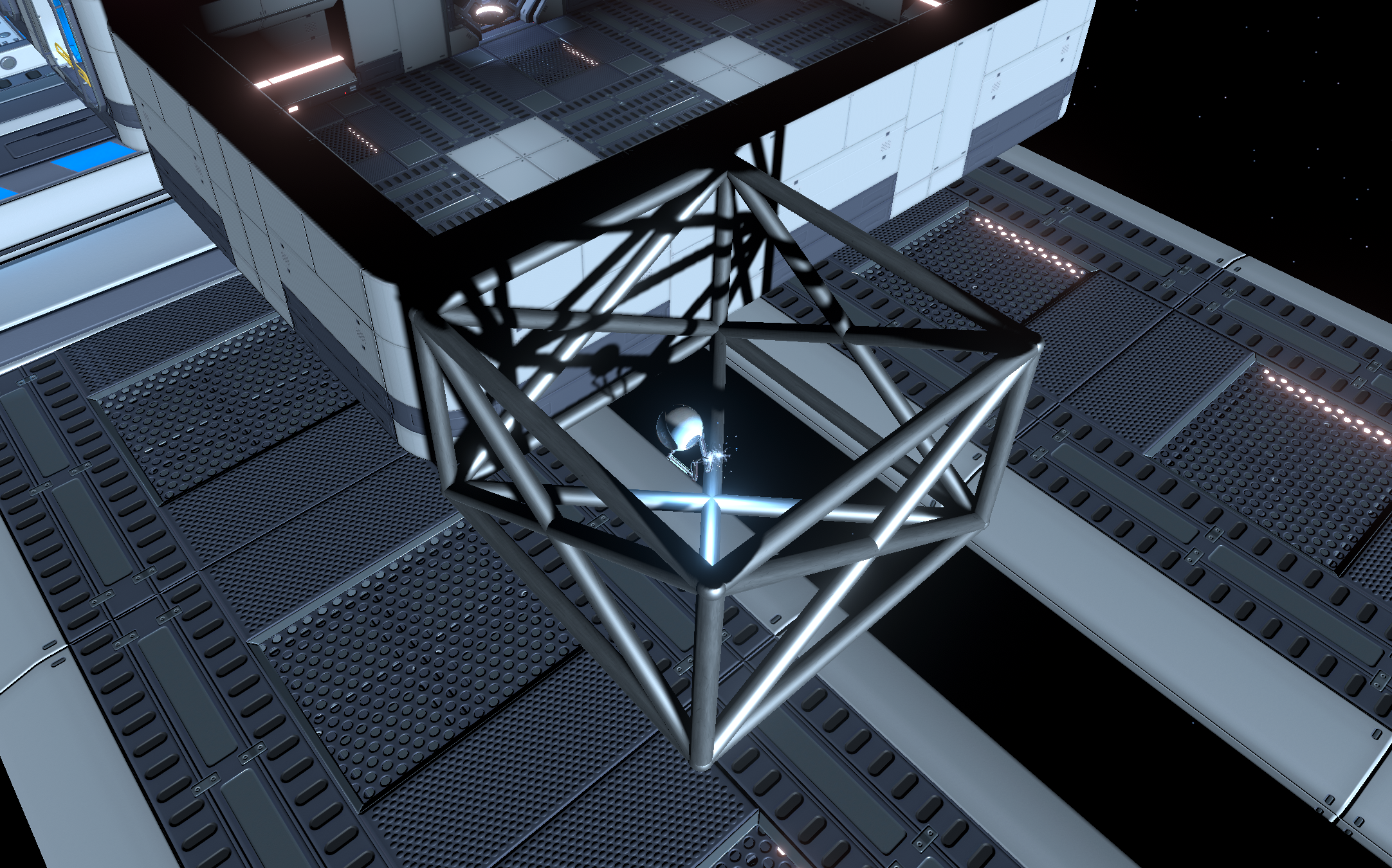
In this version, construction mode is updated with the addition of construction drones. Now, when you place compartment cells or buildable items, they will no longer appear instantly as was the case previously. You will now have to wait for the construction drones to manufacture your elements.
New mouse interactions
Mouse selection of objects and residents has been rewritten to be more understandable and intuitive for players.
Other additions
- Added tooltip text on mouse hover on some items showing values - Added new music tracks - Added new sound effects for UI and build mode
Changes
- Some mission objectives have been adjusted - The profession required for the astral scanner has been changed to "Engineer" with the associated skill - HUD appearance has been improved - The appearance of the Earth has been improved - The time is no longer displayed in the HUD - Fast mode speed has been reduced to avoid bugs in AI pathfinding - Graphics quality settings have been adjusted
Performance improvement
The game is currently in an important phase of optimizing the code of the essential features of the game. And this, in order to improve the integration of future features. In this version, the game startup has been reworked and the UI state machine rewritten. Also, the game code relating to items that can be used by resident AIs has been reworked to reduce CPU usage.
Bug fixes
Also, the focus is on fixing the bugs you reported. As you may have noticed, there hasn't been a fix patch since the last regular update. Indeed, the game was already in its phase of optimization and rewriting of certain game codes. And to avoid programming patches that would have been obsolete with the update to version 1.2-earlyaccess, bug fixes have therefore been carried out on this regular version.
- Fixed the position of the "sleeping" animation in the bunk beds - Fixed NPC animation state change that switches from "Officer" profession to another profession - Fixed audio settings not always being saved - Fixed some clothing textures - Correction of the change of profession button from the resident sheet - Fixed game save loading - Fixed not working camera bounds - Fixed some translations - Fixed the allocation of resources at the time of the first warp drive - Fixed construction mode when doors are sometimes replaced by walls randomly - Fixed Resource Extractor count not being displayed in the Population tab - Fixed items not being able to be deleted while in use - Fixed Resident stuck in "working" state when their workplace is disabled - Fixed energy generator continuing to generate energy when disabled - Fixed reactor not consuming energy - Fixed the build mode which allowed to build objects in the docking bay
Player suggestions added
One of the most received feedbacks was about the management of resource extractors. So the way to send resource extractors to harvest resources on a planet has been reworked.
From now on, you will have to assign the residents who have the profession of resource extractor from the information window of the docking bay to prepare them for their mission. While remembering to mark the planet as a resource extraction destination from the Navigation tab.
Other suggestions have been added: - Added keyboard support for camera controls - Improved contrast for the tracked mission HUD - Added shortcuts for direct access to Resources and Population tabs - Added highlighting of the resident when hovering over his name from the list of residents - Added more information in the resident list to make it easier to compare skills
FYI: Dialogs with NPCs are temporarily disabled in view of an upcoming feature addition.
Thank you for your contributions.
We are counting on you Space Commanders. Good luck !
[Planned] Regular update - Alpha 1.2-earlyaccess
Space Commanders,
A new update is currently being validated and its release is planned for very soon. This update brings a lot of new features and reworked game code. In this context, all your previous saves will no longer be compatible with this version:
Construction drones
In this version, construction mode is updated with the addition of construction drones. Now, when you place compartment cells or buildable items, they will no longer appear instantly as was the case previously. You will now have to wait for the construction drones to manufacture your elements.
New mouse interactions
Mouse selection of objects and residents has been rewritten to be more understandable and intuitive for players.
Other additions
- Added new music tracks - Added new sound effects for UI and build mode
Performance improvement
The game is currently in an important phase of optimizing the code of the essential features of the game. And this, in order to improve the integration of future features. In this version, the game startup has been reworked and the UI state machine rewritten. Also, the game code relating to items that can be used by resident AIs has been reworked to reduce CPU usage.
Bug fixes
Also, the focus is on fixing the bugs you reported. As you may have noticed, there hasn't been a fix patch since the last regular update. Indeed, the game was already in its phase of optimization and rewriting of certain game codes. And to avoid programming patches that would have been obsolete with the update to version 1.2-earlyaccess, bug fixes have therefore been carried out on this regular version.
- Fixed the position of the "sleeping" animation in the bunk beds - Fixed NPC animation state change that switches from "Officer" profession to another profession - Fixed audio settings not always being saved - Fixed some clothing textures - Correction of the change of profession button from the resident sheet - Fixed game save loading - Fixed not working camera bounds - Fixed some translations - Fixed the allocation of resources at the time of the first warp drive - Fixed construction mode when doors are sometimes replaced by walls randomly - Fixed Resource Extractor count not being displayed in the Population tab - Fixed items not being able to be deleted while in use - Fixed Resident stuck in "working" state when their workplace is disabled - Fixed energy generator continuing to generate energy when disabled - Fixed reactor not consuming energy
Player suggestions added
One of the most received feedbacks was about the management of resource extractors. So the way to send resource extractors to harvest resources on a planet has been reworked.
From now on, you will have to assign the residents who have the profession of resource extractor from the information window of the docking bay to prepare them for their mission. While remembering to mark the planet as a resource extraction destination from the Navigation tab.
Other suggestions have been added: - Added keyboard support for camera controls - Improved contrast for the tracked mission HUD - Added shortcuts for direct access to Resources and Population tabs - Added highlighting of the resident when hovering over his name from the list of residents - Added more information in the resident list to make it easier to compare skills
Thank you for your contributions.
We are counting on you Space Commanders. Good luck !
Exodus H will participate in the Steam Survival Fest
Space Commanders,
Exodus H will participate in the Steam Survival Fest from August 1st to 8th.
On this occasion, the game will be discounted at an exceptional price!
Add the game to your wishlist to be notified during this sales period.
What's Next ? - Upcoming Features
Space Commanders,
Here are the developments currently in progress and which will be deployed in the next update:
Construction drones
In the next update, the construction mode will be updated with the introduction of construction and repair drones. Now, when you place your compartment cells or furniture, they will no longer appear instantly as is the case in current versions. They will now be waiting for construction and construction drones will take care of making them.
Bug fixes & performance improvements
The game is currently in a major phase of optimizing the code of currently deployed features. This is in order to improve the resource consumption of players' PC configurations and also to allow better integration of future features.
Also, the emphasis is on fixing as many bugs as you have reported. As you may have noticed, there was no patch for the latest version. Indeed, the game being already in its phase of optimization of the first functionalities at the time of the 1.1-earlyaccess version and to avoid applying patches which would have been obsolete with the 1.2-earlyaccess version, it was therefore decided to apply patches only on the next version.
Player Suggestions
- Keyboard support for in-game controls - Improve HUD interface contrast for missions - Improve the management of extraction spaceship passengers - Add shortcuts for direct access to Resources and Population tabs - Add more information in the list of residents in order to compare their skills more easily
Thank you for your contributions.
We are counting on you Space Commanders. Good luck !
[Deployed] Regular Update - Alpha 1.1-earlyaccess
Space Commanders,
After several weeks and a bit of a delay (again), the 1.1 update is now available.
Here are the new features it brings:
Space navigation
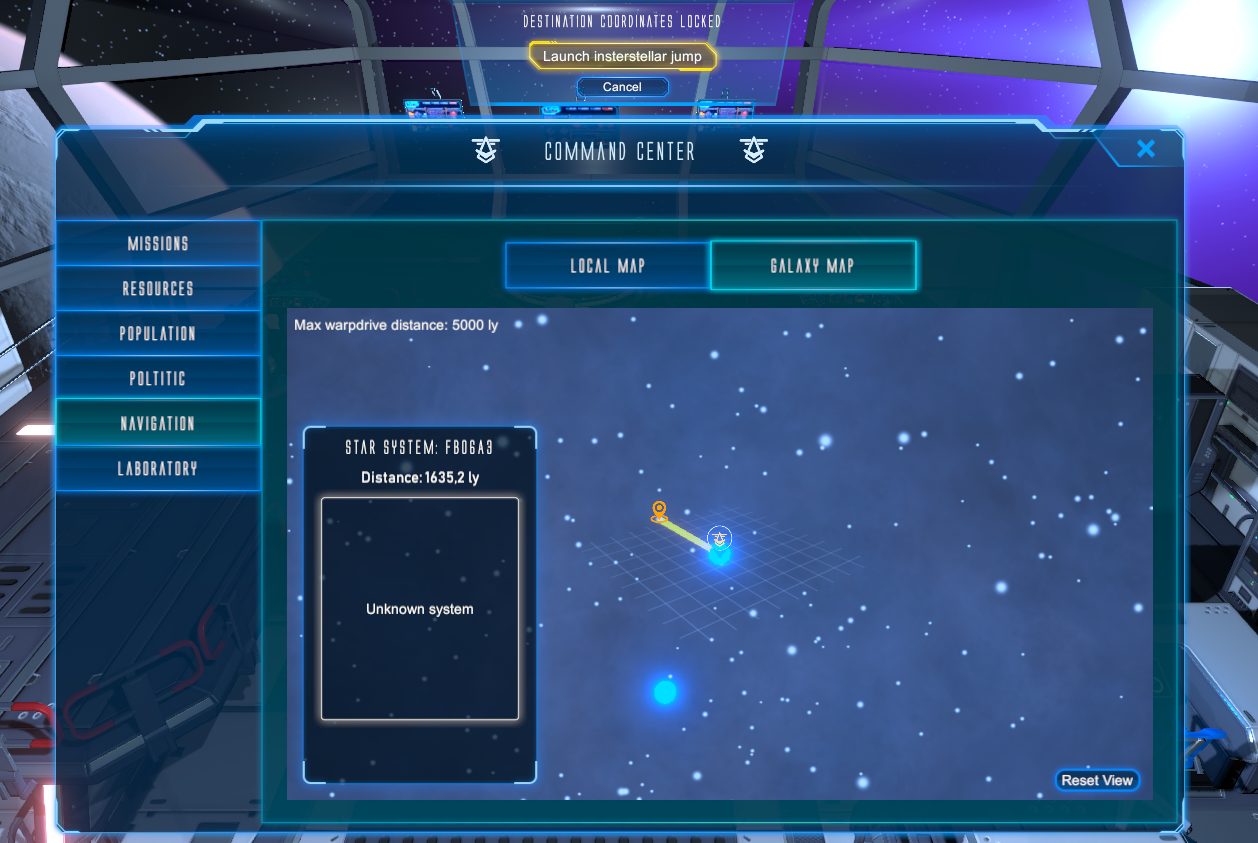
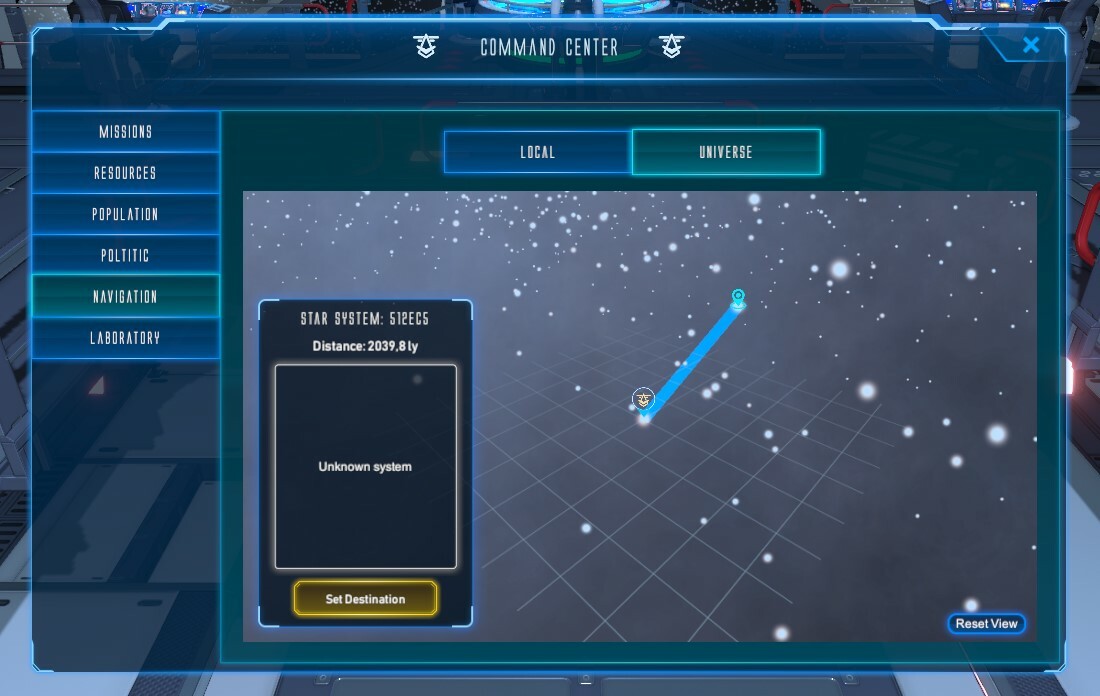
The rest of the main mission is unlocked, so you can add the reactors on your spaceship as well as the astral scanner and trigger the interstellar jump sequence from the navigation menu of the Command Center.
The navigation menu also allows you to navigate between planets of the same system, launch a probe on a planet and then flag this planet as a target for resource extraction.
The star systems to be discovered are procedurally generated. Each time you start a new game, a new galaxy containing thousands of stars is generated.
All stars can be visited (if they are within warp drive range) and all planets of these stars can be explored from space.
Resource extraction
Thanks to the Astral Scanner, you can obtain information on the type of astra and the available resources of a planet.
If a planet has extractable resources (water, oxygen, materials), then you can flag that planet as a resource extraction target for resource extraction ships.
To be able to carry out the extraction missions, you will have to start the construction of Docking Bays for the resource extraction ships.
These spaceships are piloted by residents who will have the Resource Extractor profession.
Player Suggestions
Also, thanks to your feedback, several ideas and improvements have been implemented in the game:
Building UI/UX improvement
New visual aids have been added to improve understanding and user experience during construction. Here is the list:
- Add visual information to indicate when it is possible to rotate equipment - Add an imaginary vertical line when placing ceiling lights to better position them
The information window for equipment
This window was already provided in the development but, following your suggestions, it is presented differently. For equipment that produces and/or consumes resources (power generators, kitchens, etc.), an information window is therefore available by clicking on one of these devices.
This window allows the following functions:
- Enable/Disable the equipment - View production/consumption information - Get help on its operation and the necessary job
Tutorial enrichment (Postponned)
Regarding the enrichment of the tutorial, it will be implemented when the majority of the features related to the build mode will be fully developed.
Bugfixes
- Fixed bug where NPC stuck in their bed after game - Fixed farmpod collisions - Fixed mission tasks display - Fixed autosave in inappropriate moments - Fixed HUD text size - Fixed pause menu unavailable at character creation screen - Fixed kitchen bug which prevent NPC to take available meals - Fixed mission status after game load - Fixed invisible NPC after game load
Thank you for your contributions.
We are counting on you Space Commanders. Good luck !
[Planned] Regular Update - Alpha 1.1-earlyaccess
Space Commanders,
After several weeks and a bit of a delay, the 1.1 update is coming to Steam in a few days.
Here are the new features it brings:
Space navigation
The rest of the main mission is unlocked, so you can add the reactors on your spaceship as well as the astral scanner and trigger the interstellar jump sequence from the navigation menu of the Command Center.
The navigation menu also allows you to navigate between planets of the same system, launch a probe on a planet and then flag this planet as a target for resource extraction.
The star systems to be discovered are procedurally generated. Each time you start a new game, a new galaxy containing thousands of stars is generated.
All stars can be visited (if they are within warp drive range) and all planets of these stars can be explored from space.
Resource extraction
Thanks to the Astral Scanner, you can obtain information on the type of astra and the available resources of a planet.
If a planet has extractable resources (water, oxygen, materials), then you can flag that planet as a resource extraction target for resource extraction ships.
To be able to carry out the extraction missions, you will have to start the construction of Docking Bays for the resource extraction ships.
These spaceships are piloted by residents who will have the Resource Extractor profession.
Player Suggestions
Also, thanks to your feedback, several ideas and improvements have been implemented in the game:
Building UI/UX improvement
New visual aids have been added to improve understanding and user experience during construction. Here is the list:
- Add visual information to indicate when it is possible to rotate equipment - Add an imaginary vertical line when placing ceiling lights to better position them
The information window for equipment
This window was already provided in the development but, following your suggestions, it is presented differently. For equipment that produces and/or consumes resources (power generators, kitchens, etc.), an information window is therefore available by clicking on one of these devices.
This window allows the following functions:
- Enable/Disable the equipment - View production/consumption information - Get help on its operation and the necessary job
Tutorial enrichment (Postponned)
Regarding the enrichment of the tutorial, it will be implemented when the majority of the features related to the build mode will be fully developed.
Thank you for your contributions.
We are counting on you Space Commanders. Good luck !
Information on ongoing developments
Space Commanders,
Some of you have provided feedback on the current state of the game.
All these comments are taken into consideration and the game is actively in the process of being transformed in order to respond to your remarks.
As you may have noticed, the 1.1-earlyaccess update that was planned for this month has not yet been released. Its release is shifted to next month with all the major new changes you've been asking for.
Thank you for your contributions.
What's Next ? - Upcoming Features
Space Commanders,
After the first version that's currently deployed, which will get more patch updates, here's what to expect in the next major update:
Interstellar navigation
The rest of the main mission will be unlocked, so you can add the reactors to your ship and trigger the interstellar jump sequence from the Command Center navigation menu.
The other star systems to be discovered are procedurally generated. Each time you start a new game, a new universe will be generated.
Resource extraction
Thanks to the Astral Scanner, you will be able to obtain information on the resources available on a celestial body.
You will be able to start the construction of Docking Bays for resource extraction spaceship.
These ships will be piloted by the residents who will have the job of Resource Extractor.
Suggestions from the players
Also, thanks to your feedback, several ideas and improvements will be implemented in the game:
Enrich the tutorial
New tutorial steps will be added to explain aspects of the game that haven't been covered, such as:
- How to move the camera - How to rotate equipment - How to delete equipment - How to modify a compartment
Improve the build mode UI/UX
New visual aids will be added to improve understanding and user experience during construction, such as:
- Add visual information to indicate when it is possible to rotate equipment - Add an imaginary vertical line when placing the ceiling lights in order to better position them
The information window for the equipment
This window was already planned in the development but, following your suggestions, it will appear differently. For production equipment (energy generators, kitchens, etc.), an information window will therefore be available by clicking on one of these devices. This window will allow the following functions:
- Enable/Disable the equipment - View production/consumption information - Get help on its operation and the necessary job
Thank you for your contributions.
We are counting on you Space Commanders. Good luck !