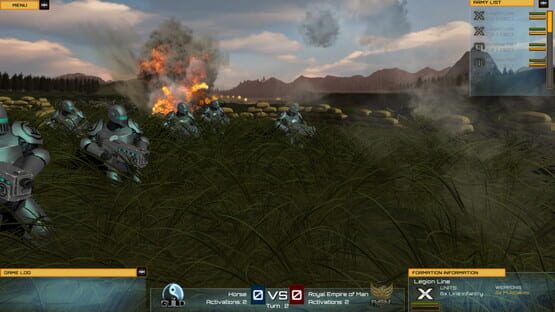

Exodus Wars: Fractured Empire
Unit Cohesion issue is being fixed ASAP
We've put some information in our Steam Discussions forums to provide a work-around that should enable you to rectify this yourselves (namely, by Shift-clicking on the offending units to bring them back into cohesion with the formation), but we will update the build as soon as we can with a fix to deployment so this does not happen going forward.
As it turns out, the ability to Shift-click to reposition units within a formation is something we utterly failed to mention in the tutorials. This is of course crucial to smooth gameplay and we (Mark, in particular) cannot apologise enough for this transgression. This, too, will be rectified in the next build.
Please note that this issue should not affect the Campaign mode, which you should be able to play through end-to-end as both REM and Guild -- this should affect Skirmish play only.
Exodus Wars: Fractured Empire now available on Steam Early Access -- already updated since launch!
The full details appear below. Enjoy. :)
BUILD 43.007
New Features
- Added a new "Hints & Tips" panel that will communicate helpful bits of info to players.
Changes:
- Removed concealment, for now. Cover will still work as normal.
Bug Fixes:
- Areas of cover were always concealing any formations inside the area.
- AI player did nothing on its turn on Skirmish matches.
Known Issues:
- Poor video playback and quality.
- Rotating, Panning and Zooming the camera can sometimes clip into the terrain (use SPACEBAR to reset the camera if controls stop working correctly).
- Units sometimes sink into or float above the terrain.
- Highlighting on units (glow effect) doesn't always show as intended.
- Shooting range ring sometimes stays on the terrain when you mouse over a unit.
- Clicking on a area of cover to move a formation to doesn't always set the destination point correctly.
- Clicking a 1x or 2x movement range, and then clicking within the 3x movement range will not let you set the formation's destination correctly. Clear the order and start over as a work-around.
- Sometimes, the Baron behemoth will rotate to the side to shoot at targets lower than its position on the terrain.
- Sometimes, units do not face the correct direction when firing upon a target.
- The Army List panel should show formations as grey when they cannot be activated or have been destroyed.
- Sometimes panning will not respond with mouse click and drag -- as a work-around, use your mouse pointer at the sides of your screen to pan around the map if this happens.